


The workflow platform that ran one department smoothly? It breaks down the moment it scales across the org. Approvals stall between teams. Data lives in disconnected systems. And leadership spends more time chasing updates than making decisions. It’s the same story every time: what worked for 50 people won’t work for 500.
That’s when teams start looking elsewhere. Organizations outgrowing their current setup need more than a simple workflow automation upgrade. They need a platform that connects cross-functional workflows, provides real-time visibility for leaders, and adapts to how teams actually work. This isn’t about swapping tools. It’s about building infrastructure that grows with the organization.
Below you’ll find down 15 platforms, from accessible tools for growing teams to full-scale enterprise solutions with AI and governance built in. The article covers what features matter, which platforms fit specific complexity levels, and how the right choice connects fragmented processes into unified execution.
Key takeaways
- Choose a platform that scales with your complexity, not against it: the right workflow platform grows alongside your organization, connecting fragmented processes into unified execution without forcing teams into rigid structures.
- Prioritize cross-departmental visibility over departmental tools: look for platforms that break down silos by providing leaders with portfolio-level insights while giving teams the flexibility to execute their way.
- Demand AI that works inside your workflows, not beside them: effective automation doesn’t just track work, but makes your team smarter by flagging risks early, optimizing resources, and turning data into actionable insights — capabilities that platforms like monday work management build directly into the workflow experience.
- Evaluate total cost of ownership, not just subscription fees: implementation time, training overhead, and administrative burden matter as much as monthly pricing when calculating what a platform will actually cost your organization.
- Build for tomorrow’s scale while solving today’s problems: the platform you choose now defines your operational capability for years, so invest in infrastructure that delivers immediate value while supporting long-term growth.

Why do organizations seek Kissflow alternatives?
Platforms that work great for one team often fall apart when you roll them out company-wide. As you grow, those simple workflow tools hit their limits fast. Silos emerge. Cross-functional collaboration stalls. Eventually, teams realize they need a more robust, connected ecosystem to handle the complexity.
The pressure builds when your automation can’t keep pace. Is your team struggling to bridge complex processes that span multiple departments?
Organizations poised for their next growth phase require a platform capable of orchestrating everything from marketing campaigns to HR onboarding within a single enterprise workflow management environment. One system. One source of truth.
The hunt for a new platform is driven by the necessity for a genuine operational backbone through workflow management. Leaders and teams need:
- Unified visibility: real-time visibility into every project, from strategy down to daily tasks.
- Deep customization: the flexibility to build workflows that match how your teams work with no coding required.
- Full integration: a hub that connects your existing tools and keeps all your work and data in one place.
Essential features to look for in workflow automation platforms
Choosing a platform goes beyond simply checking off feature requirements; it is about identifying an operating system that matches your ambition through business process management. Here’s what separates a real business platform from a basic process manager.
1. Prioritize cross-departmental workflow capabilities
Effective platforms connect siloed teams into one working system. They create one shared view where marketing data drives sales strategy and product plans reflect customer feedback. So resource decisions come from seeing the full picture of who’s available and what they can handle.
Find a platform that lets you manage work at every level. Leaders get the big picture and teams get the focus they need to execute.
- Unified portfolio management: rolls up projects into clear executive views without hiding the details teams need.
- Shared resource management: tracks skills, availability, and workloads across every department so you can deploy talent where it matters.
- Portfolio-level governance: keeps things consistent across the org without micromanaging individual teams.
2. Evaluate AI and automation intelligence
An effective platform goes beyond tracking work: it enhances team intelligence by embedding insights directly into workflows, enabling teams to identify and address issues proactively.
In practice, this means selecting platforms that automate decision-making and surface critical information automatically, transforming raw data into actionable intelligence that drives better outcomes.
- Intelligent work allocation: matches work to the right person based on skills and availability.
- Proactive risk detection: flags delays and bottlenecks early so you can course-correct before things slip.
- Predictive resource planning: uses past data to predict staffing needs so you can plan ahead.
3. Demand enterprise security and governance
When work spans the whole org, your platform needs rock-solid security. Enterprise security is about keeping collaboration secure as you scale.
You need control that doesn’t slow teams down. That means managing access, staying compliant, and protecting data.
- Role-based permissions: grant every individual access to exactly what they need (and nothing more) with granular controls that reflect your organizational structure.
- Audit trails and compliance: automatically log every action and modification, providing a transparent record for regulatory requirements and internal oversight.
- Centralized access management: streamline global team access with enterprise SSO and manage data residency for international operations.
4. Assess integration ecosystem strength
A workflow platform cannot function as an isolated island within your tech stack. It must serve as the bridge connecting all critical business systems, from your CRM and ERP to your preferred communication tools.
A robust integration ecosystem is vital for establishing a truly unified workspace. It enables the automation of processes that traverse multiple platforms, eliminating the manual drudgery of moving data between systems.
- Flexible API: construct custom connections to any specialized business system your teams depend on, creating workflows tailored to your precise requirements.
- Pre-built integrations: launch in minutes with a library of ready-made connectors for the most prevalent business applications.
- Real-time data sync: guarantees everyone operates with the most current information, regardless of the system they are using.
These capabilities ensure your technology investment propels long-term growth rather than becoming a bottleneck.
15 best Kissflow alternatives for scaling workflows
Your organization is growing, but are your workflows keeping pace? When basic automation falls short, you need a platform built for complex, cross-departmental work. This guide covers the top Kissflow alternatives that turn fragmented processes into unified execution.
This evaluation covers platforms for every growth stage: from teams needing simple automation to enterprises requiring advanced governance. Each alternative matches specific workflow needs and organizational scales, delivering immediate value while scaling with your organization.
This isn’t just a feature comparison. This guide shows how leading platforms connect strategy to daily execution, with the flexibility to adapt as your business evolves, building a more aligned, responsive organization from the ground up.
1. monday work management
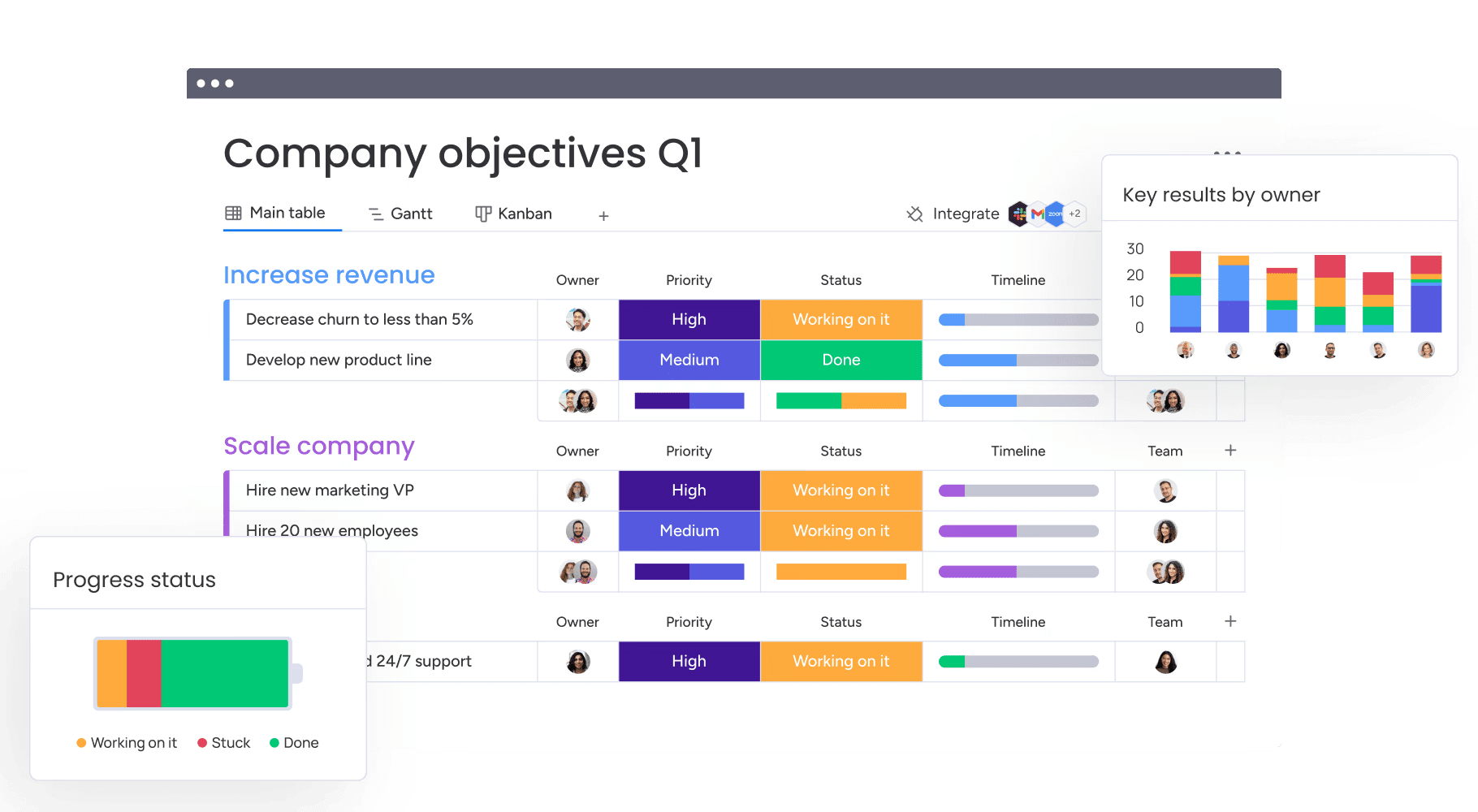
For mid-to-large organizations, monday work management gives teams the flexibility they need with the visibility executives expect. Built on the monday.com Work OS, it connects strategy to execution across projects and processes, so leaders make decisions with real-time context and not by chasing status updates.

Example:
Organizations gain portfolio-level visibility across strategic initiatives while connecting departmental workflows into unified business processes that drive measurable outcomes.
Key features:
- Portfolio management at scale: connect projects into portfolio-level reporting so leaders can review progress, risks, and trends with dashboards. Enterprise teams can also use out-of-the-box portfolio dashboards built to analyze hundreds of projects, with portfolio views like a portfolio Gantt.
- Advanced project management for PMOs: plan and track work with Gantt charts, dependencies, milestones, baseline, and critical path. Teams can also use time tracking and multiple views, including Kanban, Workload, Calendar, and Timeline.
- Standardization without locking teams in: roll out standardized templates across the organization for consistent reporting, while still letting teams adapt workflows with no-code building blocks. For enterprise rollouts, managed templates extend this idea by standardizing workspaces and helping scale changes across many instances.
- AI-powered automation and intelligence: add ready-made AI actions into boards and automations to categorize work, summarize updates, detect sentiment, and extract information. Digital Workers (coming soon) handle real work around the clock, monitoring projects and flagging bottlenecks proactively.
- Enterprise integrations and security: connect 200+ systems including Microsoft Teams, Slack, and Jira Cloud with two-way syncing. Support secure collaboration with IP restrictions, two-factor authentication, multiple SSO options, BYOK, and tenant-level encryption.
Pricing:
- Free: up to two seats with basic functionality.
- Basic: $9/seat/month (billed annually) with essential features.
- Standard: $12/seat/month with 250 automation actions monthly.
- Pro: $19/seat/month with 25,000 automation actions monthly.
- Enterprise: custom pricing with 250,000 automation actions, advanced security, and dedicated support.
Why it stands out:
- Built for leadership visibility at scale: enterprise messaging centers on “flexibility for teams” paired with “control and visibility for leaders,” including portfolio dashboards and executive reporting.
- Recognized by Gartner: monday.com is recognized as a Leader in the 2025 Magic QuadrantTM for Adaptive Project Management and Reporting and Collaborative Work Management, and named a leader in the 2024 Gartner® Magic QuadrantTM for marketing work management.
- Enterprise outcomes, not theory: the monday.com Total Economic Impact™ study highlights results like 346% ROI over 3 years, plus measurable value from increased productivity and reduced administration time, as detailed in the enterprise overview.
2. ClickUp
Teams prioritizing granular control over workflow configuration often gravitate toward ClickUp. The platform distinguishes itself with extensive customization options and workflow automation, offering multiple project views such as lists, boards, Gantt charts, and calendars, that allow users to visualize work in their preferred format. With a user base exceeding 10 million and recognition in Gartner’s Collaborative Work Management research, ClickUp positions itself as a total workspace replacement.

Example:
Growing teams with technical users who value customization flexibility and don’t require enterprise-grade governance or cross-departmental standardization.
Key features:
- AI-powered automation builder: convert natural-language instructions into configured triggers and actions, plus launch AI agents directly from automated workflows.
- Extensive customization capabilities: tailor workflows, statuses, fields, and nearly every workspace aspect to match specific processes and terminology.
- Comprehensive integration ecosystem: connect with Slack, HubSpot, GitHub, Google Calendar, and other essential business applications through prebuilt automations.
Pricing:
- Free Forever: $0.
- Unlimited: $7/month per user (billed annually).
- Business: $12/month per user (billed annually).
- Enterprise: contact sales for custom pricing.
- AI add-ons: Brain AI at $9/month per user, Everything AI at $28/month per user (both billed annually).
- Annual billing: saves up to 30% compared to monthly plans.
Considerations:
- Complex feature set: creates navigation overhead and potential user confusion as teams scale beyond departmental use.
- Monthly automation action limits: add-on purchases only available on higher-tier plans, potentially restricting heavy automation users on lower tiers.
3. Pipefy
Structured approval chains and AI-powered orchestration form the backbone of Pipefy’s business process management approach. This platform specializes in standardized process management embedded with AI agents, making it a strong contender for organizations that prioritize operational consistency and governance. Departments ranging from finance and HR to IT depend on Pipefy’s no-code framework to automate intricate approval workflows while upholding enterprise-grade security.

Example:
Organizations seeking to standardize operations across departments with robust approval routing, SLA management, and AI-driven process automation.
Key features:
- AI-powered automation: automate multi-step tasks, approvals, and data extraction from documents with AI Agents 2.0 and Intelligent Document Processing.
- Structured workflow design: guide teams through defined sequences with no-code “pipes” featuring phases, cards, conditional logic, and escalation rules.
- Comprehensive intake management: streamline service delivery with public forms, branded portals, request tracking, and shared inbox functionality.
Pricing:
- Starter (Free): up to five processes, ten users, basic automations and templates.
- Business: contact sales for pricing, includes unlimited processes, API access, role-based access, and conditionals.
- Enterprise: contact sales for pricing, adds multiple automations, integrations, SSO, 2FA, and white labeling.
- Small Business discount: up to 90% off for eligible SMB packages.
- Annual plans: offer discounts versus monthly billing.
Considerations:
- Monthly automation job quotas: can constrain high-volume automation scenarios without purchasing add-ons.
- Advanced features and guest user capabilities: require paid plans, limiting free tier functionality.
4. ProcessMaker
ProcessMaker targets the specific needs of mid-to-large organizations handling compliance-heavy enterprise workflow requirements. It provides enterprise-focused business process automation complete with comprehensive BPMN modeling capabilities. Ideal for complex process design, compliance tracking, and AI-enhanced automation, their recent merger with Decisions further solidifies their standing as a unified business orchestration solution.

Example:
ProcessMaker serves enterprise organizations with complex, compliance-heavy workflows that need sophisticated process modeling, AI-driven automation, and detailed audit trails across regulated industries.
Key features:
- BPMN-compliant process modeling: drag-and-drop workflow designer with auto-validation, process testing, and comprehensive documentation capabilities.
- AI-enhanced automation: FlowGenie AI agents, automated asset generation, and RAG Collections for enterprise context retrieval and intelligent decision-making.
- Enterprise security and compliance: SOC 2 Type II, ISO 27001, TX-RAMP Level 2 certifications with SSO, MFA, and encryption in transit and at rest.
Pricing:
- Platform Standard: $3,000/month (billed annually) with 1,000 cases/month, unlimited users and processes, and dedicated customer success manager.
- Platform Professional: quote-only with decision tables, Smart Inbox capabilities, and IDP integrations.
- Platform Enterprise: quote-only with generative AI accelerators, FlowGenie AI agents, and Process Intelligence with process mining.
- Higher Education packages: volume-based pricing available on request.
- Free trial: available for process documentation and modeling.
Considerations:
- Case-based pricing model: requires accurate volume forecasting and may exceed entry-level budgets for smaller teams.
- Feature restrictions by tier: advanced AI features and Process Intelligence capabilities are restricted to higher-tier plans, limiting access to full platform capabilities.
5. Appian
Appian unifies people, systems, and AI through a low-code platform designed for regulated industries. It excels at enterprise-grade process automation, combining process management with application development. Founded in 1999, Appian is recognized as a leader in Gartner’s Magic Quadrant for both Enterprise Low-Code Application Platforms and Business Orchestration and Automation Technologies.

Example:
Appian excels at complex, end-to-end process automation for large enterprises undertaking digital transformation initiatives, particularly in highly regulated industries requiring robust security and compliance frameworks.
Key features:
- Process orchestration: unifies people, systems, bots, and AI in visual, low-code process models with embedded decision logic and continuous optimization through Process HQ analytics.
- Enterprise security: comprehensive compliance program including SOC 2/3, ISO certifications, HIPAA, PCI DSS, and government cloud authorizations (FedRAMP High, DoD IL5).
- Integrated automation stack: combines RPA, AI Skills, document processing, data fabric, and API integrations within a single platform to eliminate tool sprawl.
Pricing:
- Standard, Advanced, Premium tiers: per user, per month, per app pricing (specific rates available upon request).
- Free option: Appian Community Edition for personal learning and evaluation.
- Additional licensing: autoscale capabilities and AI action limits vary by tier (200K to 1M monthly actions).
Considerations:
- Complex pricing structure: per-app entitlements and feature restrictions may create planning overhead for large application portfolios.
- Limited cloud-only features: some advanced capabilities like Process HQ insights are limited to cloud deployments, potentially restricting self-managed or government cloud customers.
6. Ramp
Proactive spend intelligence replaces reactive controls within Ramp’s financial automation platform. By leveraging AI, Ramp prevents wasteful spending before it occurs, consolidating expense management, procurement, and accounts payable into a single system. It is an ideal solution for finance teams aiming to move beyond simple tracking to strategic financial oversight.

Example:
Organizations looking to automate financial workflows while gaining real-time visibility into spending patterns and enforcing budget controls across departments.
Key features:
- AI-powered policy enforcement: automatically approves compliant expenses and flags exceptions using machine learning agents that understand your spending policies.
- Three-way match automation: streamlines accounts payable by matching purchase orders, receipts, and invoices automatically within integrated ERP systems.
- Visual workflow builder: creates parallel approval paths for procurement processes with conditional routing and integration triggers for legal and ticketing systems.
Pricing:
- Free: $0/month with core card features, basic approvals, travel bookings, and QuickBooks/Xero integrations.
- Plus: $15/month per user plus platform fee with AI agents, advanced routing, three-way matching, and global capabilities.
- Enterprise: custom annual pricing with direct ERP integrations, role customization, and local-currency support.
- Annual billing discount: save 20% with annual billing on Plus plans.
- Additional fees: $10 for same-day ACH payments, $20 for international payments.
Considerations:
- Limited free tier automation: advanced automation features like AI agent approvals and three-way matching require paid plans, limiting functionality for budget-conscious teams.
- U.S.-only card program: card program eligibility restricted to U.S.-registered businesses with minimum $25,000 in linked bank accounts, excluding international organizations.
7. Pega Platform
With a focus on large-scale operations, Pega Platform combines business process management with sophisticated case orchestration. It provides enterprise-grade process automation enhanced by AI-powered decision-making, catering to global enterprises managing complex, regulated workflows. Backed by over 40 years of innovation, Pega is a staple among top-tier banks, telecoms, and government agencies requiring robust automation.

Example:
Large enterprises with complex customer engagement processes and significant implementation budgets seeking unified process automation, case management, and AI-driven optimization across multiple channels and systems.
Key features:
- Center-out architecture: centralizes business logic and decisions while connecting to any channel via DX API and any system through Live Data virtualization.
- Predictable AI and Agentic Process Fabric: governs AI agents within approved workflows with enterprise controls and auditability for regulated environments.
- Unified intelligent automation: combines case management, Process AI, process mining, task mining, and RPA on a single platform with continuous optimization capabilities.
Pricing:
- Community Edition: free 30-day trial (extendable once by 15 days).
- Production licensing: quote-based enterprise pricing through sales engagement.
- Add-on capabilities: separate licensing for Process AI and Process Mining features.
- Blueprint design tool: free access for workflow design and evaluation.
Considerations:
- Learning curve and implementation complexity: common themes in reviews, especially for advanced features and large-scale customizations.
- Cost and licensing: perceived as higher than alternatives, with availability of skilled Pega talent cited as an ongoing concern.
8. Nintex Process Platform
Governance and AI-powered generation are built directly into the foundation of the Nintex Process Platform. It targets mid-market and enterprise organizations aiming to unify forms, document automation, e-signatures, and RPA within Microsoft and Salesforce ecosystems. For organizations dealing with document-heavy processes and strict compliance needs, Nintex offers FedRAMP authorization and enterprise-grade security controls.

Example:
Organizations with complex document workflows and Microsoft ecosystem investments can streamline approvals, signature collection, and process documentation while maintaining enterprise governance standards.
Key features:
- AI-assisted workflow design: generate workflows, forms, and custom connectors through AI prompts to accelerate automation delivery.
- Integrated document automation: combine forms, DocGen, e-signatures, and intelligent document processing within unified workflows.
- Enterprise governance: SOC 2 Type 2 compliance, FedRAMP Moderate authorization, and built-in auditability for regulated industries.
Pricing:
- Nintex Automation Cloud Essentials: starting at $15,000/year USD.
- Pro and Expert tiers: quote-based pricing with additional capabilities.
- 30-day free trial: available for workflow automation and e-signature features.
- Self-hosted K2 option: custom pricing for organizations requiring data sovereignty.
Considerations:
- High total cost of ownership: peer reviews frequently cite high total cost and performance concerns at scale as primary drawbacks.
- Platform limits on customization: limits on custom connectors and form controls may require monitoring subscription allowances to avoid publishing restrictions.
9. Quickbase
Quickbase offers a low-code environment where organizations can construct custom business applications and automate complex workflows. It empowers teams to create tailored solutions without extensive coding, bypassing the limitations of standard workflow templates. This flexibility is particularly valuable for enterprises with unique operational requirements.

Example:
Organizations requiring custom workflow solutions and willing to invest configuration effort benefit most from Quickbase’s flexible application development capabilities.
Key features:
- Custom application development: build tailored business applications without extensive coding using visual app builders and no-code database functionality.
- Advanced automation: create sophisticated workflows with Pipelines featuring drag-and-drop design, conditional logic, and 40+ pre-built connectors including Salesforce, Slack, and industry-specific integrations like Procore.
- Enterprise governance: maintain control with admin-level channel management, audit logging, and compliance certifications including SOC 1/2/3, HIPAA, and CSA STAR Level 2.
Pricing:
- Team: starts at $35/month per user (annual billing).
- Business: starts at $55/month per user (annual billing).
- Enterprise: custom quote-based pricing.
- Free trial: 30-day access with Business features.
- Enhanced Services packages: audit log retention options available as add-ons.
Considerations:
- Platform limits can impact heavy automation workflows: including 26 steps per pipeline, 30-minute maximum execution time, and specific API throughput restrictions.
- Plan-gated connectors and packages: may require higher-tier subscriptions or additional add-ons for specialized industry integrations.
10. Microsoft Power Automate
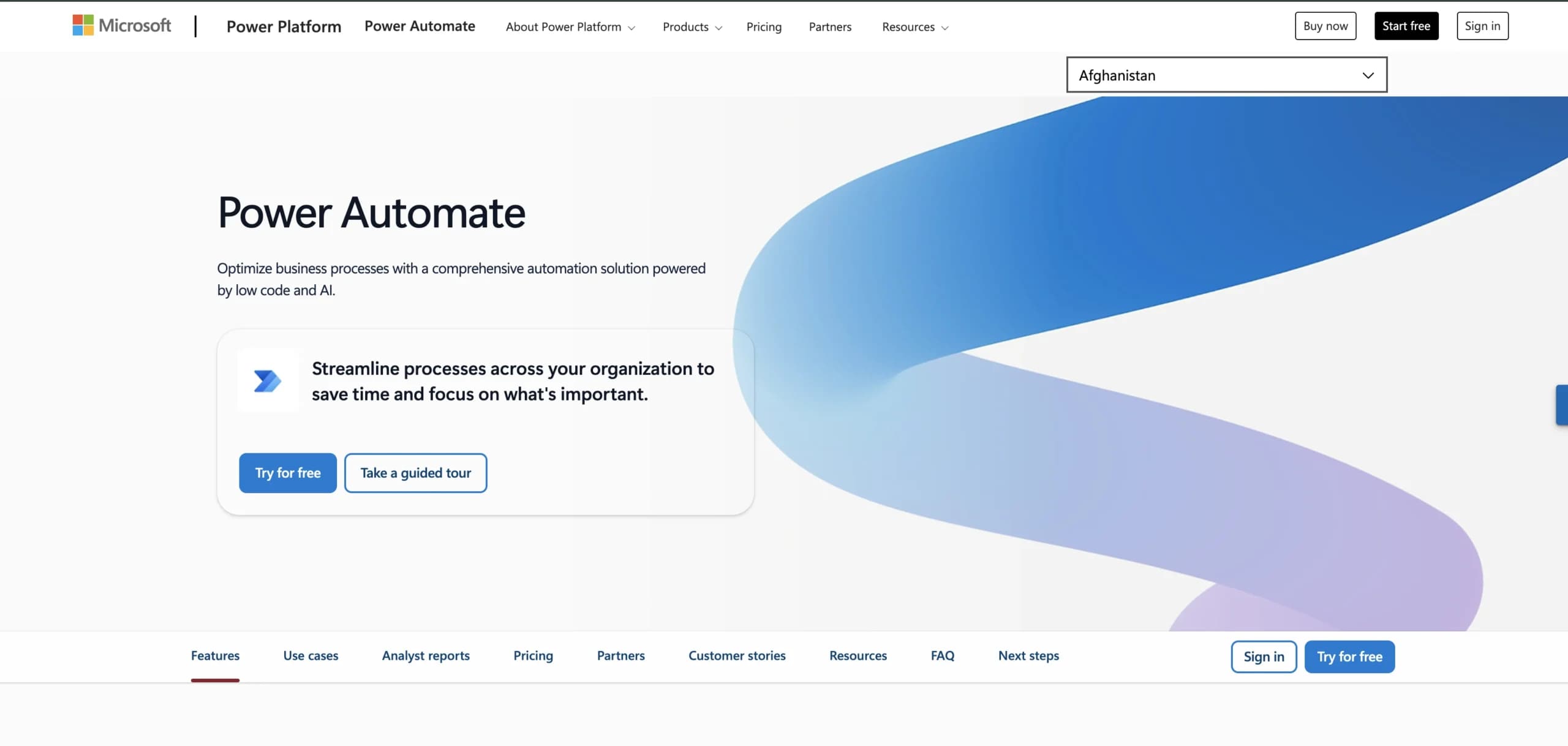
Cloud-based processes, desktop automation, and process mining converge within Microsoft Power Automate. Deeply integrated with the Microsoft ecosystem, it is a natural choice for organizations already invested in Microsoft 365, Teams, and Azure. The platform combines digital process automation (DPA) with robotic process automation (RPA), offering both attended and unattended automation options.
Example:
Organizations with Microsoft-centric technology stacks seeking to automate workflows across Office applications, SharePoint, Teams, and third-party systems while maintaining enterprise-grade governance and security.
Key features:
- Unified automation platform: combines cloud flows, desktop RPA, and process mining in a single solution with AI-powered Copilot assistance for natural-language workflow creation.
- Extensive connector ecosystem: access to 1,000+ prebuilt connectors across Microsoft and third-party services, plus custom connector capabilities for specialized integrations.
- Enterprise governance: built-in data loss prevention policies, managed environments, and compliance features designed for large-scale organizational deployment.
Pricing:
- Free trial: 30-day trial with standard connectors and UI-based cloud flows.
- Power Automate Premium: $15/user per month (paid annually) includes cloud flows, attended desktop flows, and basic process mining.
- Power Automate Process: $150/bot per month (paid annually) for unattended RPA bots or organization-wide process access.
- Power Automate Hosted Process: $215/bot per month (paid annually) adds Microsoft-hosted VM for unattended automation.
- Process Mining add-on: $5,000/tenant per month with 100 GB data capacity.
Considerations:
- Windows-centric desktop automation: RPA capabilities are limited to Windows 10/11 and Windows Server environments, with no support for ARM devices or other operating systems.
- Licensing complexity: multiple licensing models (user-based, process/bot, hosted plans) can create confusion around total cost of ownership, especially for organizations requiring unattended automation across Microsoft 365 applications.
11. Mendix
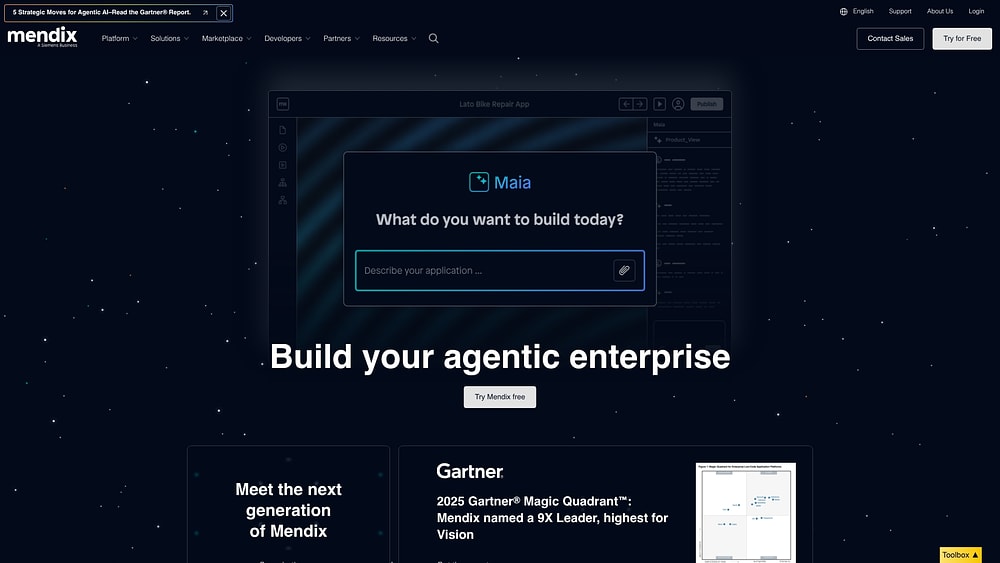
Mendix transforms the creation of custom business applications through visual development capabilities. It targets organizations that need to build tailored workflow solutions while adhering to enterprise-grade security and governance standards. Backed by Siemens and recognized as a nine-time Gartner Magic Quadrant Leader, Mendix seamlessly blends application development with integrated process automation.
Example:
Organizations prioritizing custom application development over standard workflow automation, particularly those needing to build complex business applications with embedded workflow capabilities.
Key features:
- Visual workflow editor: design workflows with BPMN-style constructs, boundary events, and AI-assisted modeling through Maia for Workflows.
- Native integration: connect workflow processes with full-stack application development, sharing security models and deployment pipelines.
- Enterprise-grade deployment: deploy flexibly across Mendix Cloud, Private Cloud, SAP BTP, and on-premises environments.
Pricing:
- Free: $0/month.
- Basic (One App): starting at $75/month.
- Basic (Unlimited Apps): starting at $60/month.
- Standard (One App): starting at $998/month.
- Standard (Unlimited Apps): starting at $2,495/month.
- Premium: custom quote required.
- Additional costs: apply for Private Cloud, HA/failover, and horizontal scaling options.
Considerations:
- Isolated workflow runtimes: each application maintains its own workflow runtime, which can complicate cross-app task consolidation without additional configuration.
- Add-on costs: several deployment and resiliency features require additional costs beyond base licensing, potentially increasing total cost of ownership.
12. Airtable
Airtable makes complex data management accessible by blending spreadsheet familiarity with relational database power for flexible workflow management. It serves over 500,000 organizations, including 80% of the Fortune 100, by offering AI-native features and enterprise-grade security. Airtable positions itself as a comprehensive app-building platform for teams ready to graduate from basic spreadsheets.

Example:
Small to mid-sized teams seeking flexible workflow automation with minimal technical overhead, particularly those comfortable with spreadsheet interfaces but needing more sophisticated data relationships and process automation.
Key features:
- Relational database foundation: connect data across tables with lookup fields, linked records, and rollup calculations for comprehensive data modeling.
- Visual automation builder: create server-side workflows with conditional logic, repeating groups, and AI-powered actions that trigger from record changes, form submissions, or scheduled events.
- AI-native capabilities: leverage embedded AI agents, natural language automation creation through Omni assistant, and AI-powered data generation directly within workflows.
Pricing:
- Free: $0/month with 1,000 records per base, 1 GB storage, and 100 automation runs per month.
- Team: $20/month per user (annual) with 50,000 records per base and 25,000 automation runs per month.
- Business: $45/month per user (annual) with 125,000 records per base, unlimited API calls, and 100,000 automation runs per month.
- Enterprise Scale: custom pricing with enterprise governance, security features, and 500,000 automation runs per month.
Considerations:
- Monthly automation run quotas: can become restrictive for high-volume workflows, particularly on lower-tier plans.
- Structural limitations: include 50 automations per base, 25 actions per automation, and design constraints that prevent nesting conditional groups.
13. Creatio
Creatio centers its unified no-code platform around customer-facing processes. It targets mid-market and enterprise organizations seeking integrated sales, marketing, and service automation with composable architecture. The platform enables organizations to model both structured BPMN processes and dynamic case management workflows from a single system.

Example:
Organizations primarily focused on CRM processes and customer-facing workflows benefit from Creatio’s integrated approach to sales pipeline management, marketing campaign execution, and customer service automation.
Key features:
- Composable Quantum architecture: build reusable workflow components and applications that accelerate deployment across departments.
- Dual process modeling: support both BPMN 2.0 structured processes and Dynamic Case Management for adaptive workflows.
- AI-native capabilities: leverage predictive, generative, and agentic AI embedded throughout the platform for enhanced automation.
Pricing:
- Growth: $25/month per user (minimum five users, annual billing).
- Enterprise: $55/month per user (minimum five users, annual billing).
- Unlimited: $85/month per user (minimum 50 users, annual billing).
- Studio Free: available for collaborative process design and BPMN documentation.
- Governance Application: $50/month per user for Growth and Enterprise plans.
- Minimum annual purchase: $10,000 with standard three-year terms.
Considerations:
- Learning curve can be steep: teams new to comprehensive workflow platforms may face UI complexity in advanced customization areas.
- Performance may slow under heavy data loads: peer reviews note potential slowdowns during peak usage periods.
14. OutSystems
Enterprise-grade low-code application development meets embedded workflow automation in OutSystems. This platform is designed for large organizations building complex business applications that require sophisticated process management. It is ideal for enterprises looking to consolidate multiple development and automation tools into one unified environment.

Example:
OutSystems excels for enterprises building custom applications with complex workflows, particularly those needing to integrate traditional business process management with emerging AI-driven automation while maintaining enterprise security and governance standards.
Key features:
- Unified development platform: combines full-stack application development with built-in Business Process Technology (BPT) for embedded workflow automation and case management.
- Agent Workbench: orchestrates AI agents across workflows with enterprise governance, supporting multiple AI models including Azure OpenAI, Anthropic, and AWS Bedrock.
- Enterprise integration: connects with existing systems through REST/SOAP APIs and partners with RPA platforms like UiPath for comprehensive automation coverage.
Pricing:
- Personal Edition: free (non-production use, up to 100 internal users).
- OutSystems Developer Cloud (ODC): starting at $36,300/year (includes dev/test/prod runtimes, 8×5 support, 100 internal users).
- Add-ons: 24×7 support, additional runtimes, 99.95% uptime SLA, compliance certifications (SOC 2, PCI DSS), and self-hosting options available.
- Special promotion: Agent Workbench promotional pricing through January 31, 2026.
Considerations:
- Complex pricing structure: beyond the base ODC price, costs depend on Application Objects, user counts, compliance add-ons, and uptime requirements, making total cost estimation challenging.
- Developer-centric approach: BPT workflows typically require developer involvement for setup and maintenance, potentially limiting business user autonomy compared to no-code workflow platforms.
15. Process Street
Process Street specializes in turning compliance-heavy workflows into structured, auditable checklists. The platform focuses on checklist-based automation with built-in policy enforcement, making it a perfect fit for regulated industries where proof of execution is paramount. Organizations achieve both operational speed and audit-ready documentation through unified workflow management.

Example:
Teams in regulated industries that need to standardize procedures while maintaining detailed audit trails and compliance documentation.
Key features:
- Compliance-first architecture: SOC 2 Type II and ISO 27001 certifications with HIPAA support and granular permissions for regulated environments
- Intelligent workflow automation: conditional logic, dynamic due dates, and approval workflows with Data Sets that auto-fill fields to reduce manual entry
- Unified policy and execution: integrated documentation, workflow orchestration, and AI compliance monitoring through Cora AI for real-time policy enforcement
Pricing:
- Startup: contact sales (available for companies under 15 employees and <$2M revenue).
- Pro: contact sales; includes a 14-day trial.
- Enterprise: contact sales for custom enterprise-grade configurations.
- Contract-based pricing: available through AWS Marketplace; non-profit discounts are provided upon request.
Considerations:
- Limited pricing transparency: all tiers require a direct sales contact rather than offering public, self-serve pricing options.
- Integration complexity: advanced automation workflows often require third-party tools like Zapier or Make, which may increase both costs and technical management requirements.
Choosing the right platform based on your workflow maturity
Selecting technology is about trajectory, not just current location. Your platform choice must align with where your organization is heading to ensure you have the capacity to scale without being anchored by unnecessary complexity.
1. For growing teams: accessible yet powerful
Agility is the lifeblood of growing teams. You need a platform that provides immediate utility, avoiding lengthy implementations or solutions you will outgrow within a year. The priority is impact today with a foundation for tomorrow.
The most effective platforms feel intuitive from the outset, offering ready-to-use templates that organize work in hours rather than weeks. As your requirements expand, advanced capabilities should reveal themselves organically. Teams streamlining project execution using platforms like monday work management often start with simple boards, naturally graduating to automations and dashboards as their workflows mature.
2. For mid-market organizations: enterprise features without the complexity
Reaching a new level of complexity means work flows between multiple departments. The challenge is acquiring enterprise-grade power without the associated administrative burden or the need for a dedicated IT army. You require a platform that knits every team into a single, cohesive system.
This enables the construction of cross-functional workflows with pricing that scales predictably. Organizations leverage solutions like monday work management to provide leaders with the insights necessary to steer the ship, while simultaneously equipping teams with the tools to execute.
3. For enterprise scale: advanced governance and AI-powered insights
At the enterprise tier, the stakes change. You must balance process integrity across thousands of users with the agility to innovate. This demands a platform with robust security and governance embedded at its core, from granular permissions to comprehensive audit trails.
Beyond control, intelligence is paramount. Leaders depend on platforms like monday work management to transform vast amounts of workflow data into strategic insights, identifying risks and optimizing resources. AI-powered capabilities provide the visibility needed to make smarter decisions at scale.
AI-powered automation: the future of workflow management
Speed is no longer the only metric for automation; precision and foresight have taken center stage. Integrating AI into your workflows transforms operations from reactive firefighting to proactive strategic execution. It is about ensuring the right work gets done, smarter.
How do you anticipate project challenges before they manifest as problems? An AI-powered platform provides the foresight to act decisively by flagging potential bottlenecks and resource constraints. Leaders utilizing solutions like monday work management receive data-driven recommendations for assigning tasks, balancing workloads, and positioning their teams for success.
This intelligence also refines the workflows themselves. In monday work management, AI capabilities are intrinsic to the platform, offering a competitive edge. From summarizing documents to suggesting process improvements, it empowers every team to enhance how work is accomplished and drive greater impact.

How does monday work management transform cross-departmental workflows?
Silos act as silent killers of strategic momentum, isolating teams and obscuring the broader picture. These barriers are dismantled by monday work management, which establishes a unified environment where strategy and execution coexist.
Leaders secure a powerful single source of truth for guiding strategy, while teams retain the autonomy to deliver their best work. This approach fosters organization-wide alignment without adding friction, converting fragmented processes into a cohesive business operating system. With monday work management, you can:
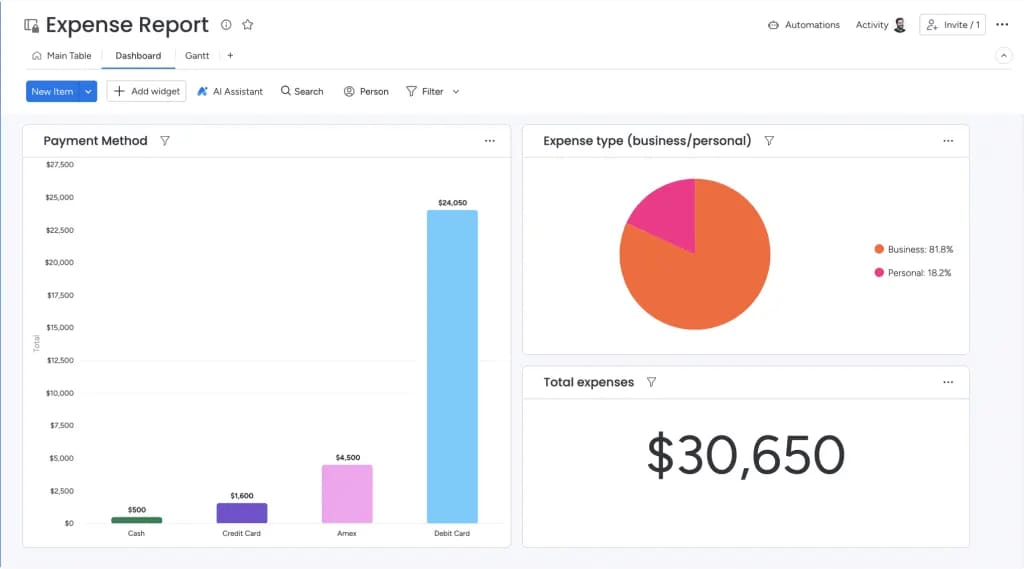
- Gain portfolio-level visibility: access real-time progress, risks, and resource allocation across every project instantly, from high-level dashboards to granular details.
- Put AI to work for you: allow intelligent automations and digital assistants to manage routine decisions, predict bottlenecks, and surface insights, freeing your team to focus on high-impact work.
- Operate with confidence: build on a foundation of trust with enterprise-grade security, including SOC 2 Type II certification, GDPR compliance, and HIPAA-ready configurations.
- Connect your entire tech stack: unify your workflows with 200+ pre-built integrations and a robust API that links your CRM, financial software, and other essential systems.
Consider the comparison: while other platforms provide individual components, monday work management delivers a comprehensive solution. It combines enterprise-scale capabilities with an accessible platform that teams can implement in days rather than months.
| Capability | monday work management | Appian | Pega Platform | Microsoft Power Automate |
|---|---|---|---|---|
| Cross-departmental workflows | Unified portfolio management, easy-to-use templates with team flexibility, and portfolio-level governance | Powerful process orchestration that requires deep technical expertise for configuration and changes | Sophisticated enterprise process management that demands a complex and lengthy implementation | Primarily designed for the Microsoft ecosystem and lacks standalone portfolio management |
| AI and automation | AI is integrated directly into workflows to automate processes and provide predictive insights | Enterprise AI capabilities are available but require significant technical configuration to deploy | AI-powered decision-making is a core feature but requires a complex setup to function effectively | Basic automation is limited to Microsoft applications with few advanced AI capabilities |
| Enterprise security | SOC 2 Type II, GDPR, and HIPAA-ready with granular permissions and comprehensive audit trails | Offers a comprehensive enterprise security framework but involves complex permission management | Provides enterprise-grade security with detailed compliance support, built for highly regulated industries | Follows the Microsoft security framework, which may have limitations outside the Microsoft ecosystem |
| Integration ecosystem | Features 200+ pre-built integrations, a robust API, and real-time sync across all systems | Provides an extensive enterprise integration platform that connects to a wide range of systems | Offers strong integration for enterprise systems but often requires complex configuration | Includes extensive Microsoft connectors but offers limited integration depth with non-Microsoft platforms |
| Implementation approach | An intuitive interface allows for gradual feature adoption, with teams becoming productive within days | Requires a complex implementation process that relies on technical expertise and consulting | A sophisticated implementation demanding specialized skills and a significant time investment | Straightforward for existing Microsoft users but has a steeper learning curve outside that ecosystem |
Build a future-proof operational backbone
The platform you select today will define your operational capability for years to come. A solution that merely addresses current needs can quickly become a long-term liability, necessitating costly migrations down the line. The right choice is an investment in future agility, not just a remedy for today’s friction.
Organizations secure a decisive advantage when they use monday work management to automate workflows, generate project plans with AI, and connect data across departments. It enables teams to deliver results immediately while constructing an operational backbone that scales with them.
Take the time to audit your current workflows and pinpoint where silos are impeding progress. Seek a platform where intelligence is woven into the experience, not bolted on as an afterthought. This is the foundation for transitioning from static processes to dynamic, AI-powered orchestration.
Frequently asked questions
What are the best Kissflow alternatives for enterprise organizations?
For enterprise organizations, the best Kissflow alternatives include monday work management, Appian, and Pega, depending on your specific needs. Evaluate each platform on its ability to scale, provide robust security, and support adoption across hundreds or thousands of users.
How do Kissflow alternatives compare in pricing?
Pricing for Kissflow alternatives varies, with models ranging from per-user monthly fees to custom enterprise quotes based on features and scale. To compare pricing accurately, focus on the total cost of ownership, which includes implementation, training, and ongoing administration.
Which workflow automation platform has the best AI capabilities?
When determining which workflow automation platform has the most advanced AI capabilities, look for one that embeds AI directly into daily workflows for practical outcomes like risk detection and resource optimization. For example, monday work management uses integrated AI to automate decisions and surface insights without disrupting how teams work.
What's the typical implementation timeline for these platforms?
Implementation timelines for new workflow platforms typically range from a few weeks for small teams to several months for complex enterprise rollouts. Your timeline will depend on factors like process design, data migration, and the extent of user training required.
Can these alternatives handle complex approval workflows?
Yes, leading alternatives can manage complex approval workflows through features like conditional routing, multi-stage approvals, and automated escalations. These platforms are designed to ensure requests go to the right stakeholders while maintaining a complete audit trail for compliance.
Which platform offers the best integration options?
The platform with the best integration options is the one that connects seamlessly to your existing tech stack. With over 200 pre-built connectors and a flexible API, monday work management delivers extensive integration capabilities, but you should always verify that an alternative supports your critical business systems.

 Get started