

You just finished a project, but instead of moving to the next task, you find yourself staring at a blank document. For many growing businesses, manual formatting is a recurring time sink that creates administrative friction and delays payments. This process often leads to second-guessing calculations and wondering if a layout error might cause a professional setback.
Free invoice templates solve these challenges by providing ready-made structures with built-in formulas and essential fields. Whether you prefer the automated math of Excel or the secure formatting of a PDF, the right template ensures your billing remains accurate. By shifting to a standardized system, you can focus on your work while maintaining a professional brand image.
The following sections explore the most reliable free templates available and provide a step-by-step approach to customizing them for your industry. You will also find insights on automating calculations and recognizing when your business is ready for a more integrated workflow. Below, you will find the tools needed to transform a basic billing task into a streamlined operation.
Key takeaways
- Match your template format to your business needs: Excel handles complex calculations automatically, Word offers design flexibility, PDF locks formatting, and Google Sheets enables team collaboration.
- Include all required legal elements: Business details, client information, unique invoice numbers, payment terms, detailed line items, and proper tax calculations ensure compliance and faster payment.
- Customize templates with your branding and industry-specific fields: Add your logo, set up automatic calculations, and include relevant details like license numbers or project codes to look professional and save time.
- Recognize when manual templates become bottlenecks: High invoice volume, frequent errors, poor visibility into payments, and collaboration issues signal it’s time to upgrade to automated systems.
- Scale beyond templates with automated systems: Platforms like monday work management turn manual invoicing into automated operations generating invoices from project data, tracking payments in real-time, and connecting your entire financial process.
Where to download free invoice templates for small businesses
The right invoice template combines professional appearance with practical functionality for your billing process. Effective templates handle calculations automatically, maintain a professional image, and accommodate different billing scenarios without requiring significant time or financial investment.
The optimal format depends on your specific billing requirements. Some businesses prioritize automated calculations, while others require design flexibility or real-time collaboration features. It’s the understanding of these distinctions that helps you select templates that streamline your workflow rather than complicate it.
| Format | Use case | Key strength | Limitation |
|---|---|---|---|
| Excel | Detailed line-item billing | Built-in formulas for automatic calculations | Requires spreadsheet software |
| Word | Service descriptions and branding | Design flexibility for custom layouts | Manual math required |
| Client-ready documents | Locked formatting across devices | Limited editing after creation | |
| Google Sheets | Team collaboration | Real-time access and version tracking | Internet connection needed |
Excel invoice templates
Excel templates’ strength is to handle complex calculations automatically. Formulas total your line items, apply tax rates, and calculate discounts instantly. This ensures all your calculations are accurate.
The most reliable Excel template sources include:
- Microsoft Template Gallery: Native Excel integration with professional designs ready for immediate data entry.
- Vertex42: Calculation-focused templates with formulas for complex tax scenarios and inventory tracking.
- Template.net: Industry-specific layouts for construction, consulting, and service businesses.
Word invoice templates
In contrast, Word templates focus on how your invoice looks and keep your branding consistent. They’re great for service businesses that need room for descriptions more than fancy math.
Top Word template resources offer:
- Microsoft Office Templates: Professional layouts with easy logo and watermark integration.
- Invoice Simple: Minimalist designs optimized for quick editing and PDF conversion.
- FreshBooks: Downloadable templates that mirror professional accounting software layouts.
PDF invoice templates
PDFs lock in your formatting so invoices look the same everywhere. Once you create them, the formatting stays locked. The formatting is locked to prevent accidental edits, ensuring they always look sharp.
Leading PDF template providers include:
- PDF24: Editable forms that allow data entry while preserving document structure.
- SmallPDF: Lightweight templates optimized for email delivery and digital storage.
- Adobe Template Library: High-resolution designs meeting professional print standards.
Google Sheets templates
Cloud-based templates enable real-time collaboration from any device. Multiple people can view or edit billing info at once — crucial if your team’s spread out.
Google Sheets template options feature:
- Google Template Gallery: Direct Drive integration with automatic saving and version history.
- Smartsheet: Structured templates handling larger datasets alongside billing.
- Community Galleries: User-created solutions for niche tracking needs via Google Workspace Marketplace.
Essential invoice template formats for every business need
How you bill depends on what you sell. Consultants need time tracking fields. Retailers need SKU codes and shipping details. Use the right template for your business and you’ll get paid faster with less back-and-forth.
Different businesses actually need specific elements in their invoice templates.
Service invoice templates
Service invoices focus on what you did rather than what you shipped, requiring room for detailed descriptions and clear scope notes.
Essential service invoice elements include:
- Service date fields: Specify when work was performed to align with contracts.
- Consultant identification: Note which team member completed the work for multi-person agencies.
- Detailed descriptions: Provide space to explain specific activities and justify billing amounts.
Product invoice templates
Product invoices work as bills and shipping docs at the same time, when you need exact inventory numbers and shipping info to get orders right and keep your books clean.
Critical product invoice components feature:
- SKU and unit codes: Identify specific inventory items for stock tracking.
- Quantity and unit price: Break down costs transparently for volume pricing.
- Shipping and handling: Separate logistics costs from product costs for accurate tax calculation.
Hourly rate templates
When you bill by the hour, clients want to see exactly where their time went. Show when the work happened, who did it, and what you charged.
Hourly templates should include:
- Time tracking columns: Start times, end times, and duration per work session.
- Rate variations: Different billing rates for standard, overtime, or weekend work.
- Timesheet references: Links to approved timesheets for client verification.
Project-based templates
Fixed-bid projects bill against milestones or deliverables rather than hours logged. Your invoice needs to show where you are in the contract — how much you’ve billed so far, what triggered this payment, and what’s left to invoice.
Project invoice essentials cover:
- Milestone tracking: Bills triggered by completion of specific phases.
- Scope references: Direct connection to signed proposals or statements of work.
- Progress payments: Shows contract total, amount billed, and remaining balance.
Use the right template for your business and you’ll get paid faster with less back-and-forth.
How to customize your invoice template in minutes
Customization transforms generic documents into branded business assets. It’s not just about looks — good setup saves you time on every invoice you send. Make templates work for your specific business with these steps.
Step 1: Add your business logo and branding
When your invoices match your other materials, you look more professional and trustworthy. Make your invoices look like they came from the same place as your website and marketing.
Follow these branding steps:
- High-resolution logo: Insert a graphic that remains crisp and clear even when printed or scaled.
- Color matching: Update header and border colors to match your specific brand hex codes.
- Typography standards: Select fonts that align with your established business style guide.
Step 2: Set up automatic calculations
Manual calculations introduce errors that damage your professional credibility. Configure formulas once, and your totals recalculate instantly whenever you modify line items — eliminating arithmetic mistakes and saving time on every invoice.
To automate calculations effectively:
- Tax rate cells: Define specific reference points for tax percentages so they are easy to update.
- Subtotal functions: Create formulas that automatically sum all line items before applying taxes or discounts.
- Data validation: Add rules that prevent text entry in numerical fields to protect formula integrity.
Step 3: Create custom fields for your industry
Generic templates don’t include the fields your industry actually needs. Add the right fields now and you won’t have to answer questions about missing info later.
Industry-specific fields might include:
- License numbers: Essential for contractors and medical professionals.
- Project codes: Help corporate clients allocate expenses correctly.
- Service categories: Group line items by type for clearer reporting.
Step 4: Save your template for future use
You can’t be efficient if you can’t find your templates. However, organize your templates well and you’ll never rebuild one from scratch.
Template management best practices:
- Read-only access: Save master files as read-only to prevent accidental overwrites during daily use.
- Naming conventions: Use standardized titles for better version control and searchability.
- Centralized storage: Store templates in cloud folders that are accessible only to authorized team members.
What information your professional invoice must include
Professional invoices serve as legal payment requests. Leave out key info and your invoice might get rejected, delayed, or flagged in an audit. Know what’s required and your invoices will pass legal checks and client reviews.
Every professional invoice requires these elements:
- Business contact details: Legal business name, address, phone, email, and tax identification number establish seller identity.
- Client information fields: Accurate billing contact, company name, and billing address ensure proper routing.
- Invoice number and date: Unique sequential identifiers and issue dates for tracking and tax records.
- Payment terms and methods: Due dates, late fee policies, and accepted payment channels define the payment contract.
- Line items and descriptions: Each billable item with description, quantity, rate, and total for transparent charging.
- Tax calculations and totals: Subtotal, tax rate applied, tax amount, and final total to satisfy regulations.
7 invoice template categories for different industries
Templates built for your industry already include the regulations and billing standards you need to follow. Use a template made for your field and you’ll avoid compliance issues and confused clients. Generic templates miss the specific stuff your industry requires.
1. Freelance and creative services
Creative work includes IP rights and revision rounds — things standard templates ignore.
Key creative invoice features are:
- Usage rights: License duration and territory for delivered assets.
- Revision rounds: Tracking included versus billable iterations.
- Project phase: Identifying deposits, milestones, or final delivery.
2. Construction and contractors
Construction invoices need detailed cost breakdowns and specific legal language to stay compliant and protect against liens.
Construction-specific requirements include:
- Labor versus materials: Separate costs align with different tax rules.
- Site address: Exact work location, distinct from billing address.
- Lien waivers: Language releasing property claims upon payment.
3. Consulting and professional services
Consultants need to show exactly how they spent time and what value they delivered.
Consulting invoice essentials are:
- Retainer drawdown: Starting balance, usage, and remaining funds.
- Expense reimbursement: Travel or software costs incurred for clients.
- Confidentiality statements: Reaffirm non-disclosure agreements.
4. Retail and e-commerce
When you’re selling a lot, you need fast, accurate billing with precise inventory tracking.
Retail invoice priorities are listed below:
- Return policy: Window and conditions for merchandise returns.
- Shipping method: Carrier and tracking information.
- Multi-jurisdiction tax: Sales tax based on destination rates.
5. Healthcare and medical
Medical billing has strict privacy rules and specific insurance codes you have to use.
Healthcare invoice requirements include:
- Diagnosis and procedure codes: Standardized ICD/CPT codes for insurance.
- Provider NPI: National Provider Identifier for regulatory compliance.
- Privacy disclaimer: HIPAA compliance language for patient data.
6. Real estate and property management
Real estate deals involve big money and trust account rules.
Real estate invoice specifics are:
- Property details: Unit or parcel numbers for fee association.
- Commission structure: Percentage or flat fee breakdown.
- Escrow references: Trust account handling fund details.
7. Technology and software services
SaaS and tech services bill on subscriptions or usage — not one-time fees.
Technology invoice components are listed below:
- Subscription period: Exact service access start and end dates.
- Usage overage: Charges for exceeding limits.
- SLA credits: Refunds for service level agreement breaches.
Create professional invoices that get you paid faster
The design and clarity of your invoice directly influence payment speed. Invoices that lack structure or contain unclear information often experience processing delays. Well-organized invoices with clear payment instructions facilitate faster approval and demonstrate professional credibility.
Professional invoice design principles focus on:
- Design elements that build trust: Adequate white space makes numbers scannable, while consistent branding signals legitimacy.
- Payment instructions: Hyperlinks to payment portals, routing numbers, and explicit payee instructions eliminate client questions.
- Mobile-friendly formats: PDFs and cloud links that render correctly on small screens enable immediate approval.
- Follow-up template strategies: Pre-written reminder emails scheduled strategically ensure consistent communication.
Save and reuse templates for recurring clients
Rebuilding invoices for recurring clients represents an inefficient use of billable time. By saving client preferences once and reusing them for each billing cycle, you eliminate redundant data entry. As your client base expands, efficient template organization becomes essential for maintaining streamlined operations.
Organize templates by client type
Organize your folders well and you’ll find templates faster. Group templates by the client industry or billing type for faster selection. Also, include client names and template types in file names for instant searchability.
Quick duplication methods
Keep one clean master template and duplicate it for each new invoice. This keeps your formulas working and your formatting consistent. Batch processing creates multiple invoices from single data sources when billing many clients simultaneously.
Version control best practices
As your rates change and your business grows, your templates should adapt too. Track versions so everyone uses your current rates and terms. Archive old versions to prevent accidental use of outdated pricing or legal language.
Cloud storage solutions
Store templates in the cloud so your whole finance team can access them. File locking stops people from editing the same template at once. Syncing means updates show up everywhere instantly. This digital approach aligns with current business practices, as 80% of European MSME clients were active on digital banking platforms at least once every 30 days in 2026, underscoring the importance of cloud-friendly, collaborative invoice formats.
Group templates by the client industry or billing type for faster selection. Also, include client names and template types in file names for instant searchability.
When free templates need to evolve into automated workflows
At some point, manual templates slow you down instead of helping. Spot the warning signs early and switch to automation before your cash flow takes a hit. In finance functions that have robustly adopted AI, professionals spend 20–30% less time ‘crunching data,’ indicating meaningful efficiency gains from automation of recurring calculations and data prep that templates often initiate.
Knowing these signs lets you avoid delayed payments and wasted time.
Signs you’ve outgrown manual templates include:
- Volume exceeds capacity: Invoice processing takes more than a few hours monthly.
- Error rates increase: Manual entry mistakes become frequent.
- Visibility gaps emerge: No clear picture of outstanding payments or cash flow.
- Collaboration breaks down: Multiple people editing different template versions.
Automated systems address these challenges through:
- Structured data for compliance: Immutable audit trails that spreadsheets can’t provide.
- Integration with payment processing: Automatic payment reconciliation and status updates.
- Automated invoice tracking: Tracking pixels and dashboards showing invoice status.
Enhance invoice management with monday work management
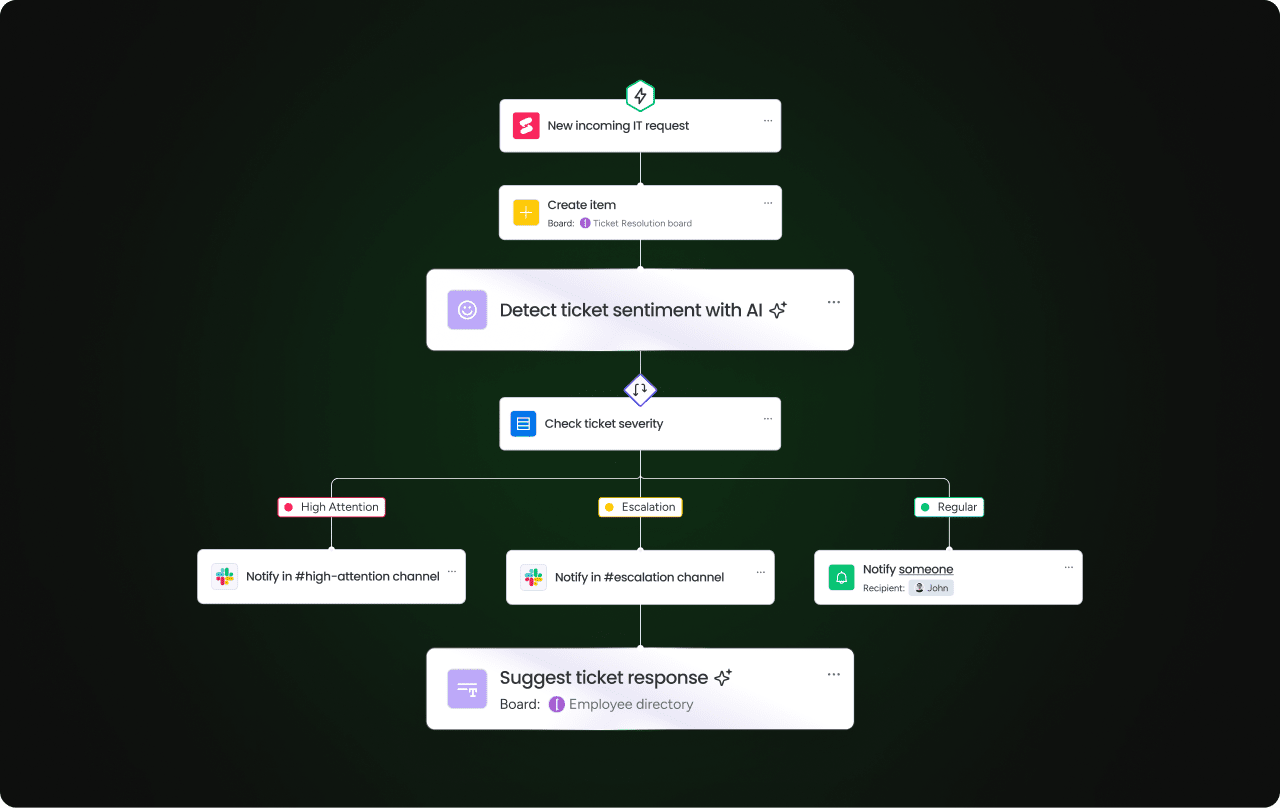
Static templates create gaps in your workflow that get worse as you grow. With monday work management, your whole financial workflow connects: project tracking, invoice creation, and payment reconciliation all in one place. Everything’s connected, so there’s no gap between finishing work and getting paid.
From templates to intelligent workflows
Live boards replace scattered spreadsheets by automatically moving data from project boards to finance boards, triggering invoices when project status changes to “Completed” without manual intervention — ensuring no billable work gets missed.
Automate invoice creation and approval
Automation recipes create invoices for you. AI blocks read your contracts or timesheets and fill in invoice fields automatically — for full accuracy and speed. Approval workflows ensure manager review before client delivery, maintaining quality control at scale.
Real-time payment tracking
Dashboards show your cash flow in real-time. Therefore, you can see what you’ve billed, what’s outstanding, and what’s overdue — all in one place. Connect your accounting software and the data syncs automatically, so leadership always has accurate numbers.
Scale your invoicing process
With monday work management, billing across multiple entities stays coordinated and departments stay aligned. Sales, operations, and finance work in the same system, so what you sell matches what you deliver and bill.
| Feature | Manual templates | monday work management |
|---|---|---|
| Setup time | Immediate download, manual configuration | Initial setup creates repeatable workflows |
| Automation | None — requires manual entry | High — automates creation, reminders, and updates |
| Collaboration | Low — files emailed back and forth | High — teams collaborate directly in workflows |
| Visibility | Zero — status unknown until checked | Real-time dashboards show payment pipeline |
| Scalability | Linear — more invoices equal more work | Exponential — system handles volume efficiently |
| Integration | Isolated files | Connects with CRM, project, and accounting software |

“monday.com has been a life-changer. It gives us transparency, accountability, and a centralized place to manage projects across the globe".
Kendra Seier | Project Manager
“monday.com is the link that holds our business together — connecting our support office and stores with the visibility to move fast, stay consistent, and understand the impact on revenue.”
Duncan McHugh | Chief Operations OfficerBuild a sustainable invoicing system that grows with your business
Remember that 20-minute invoice you were recreating at the start? Free templates solve that immediate problem — they get you billing quickly without the setup headaches or costs.
But as your business grows, those same templates become the bottleneck. More clients mean more manual entry. More invoices mean more chances for errors. More time spent on billing means less time doing the work that actually pays you.
That’s when you need invoicing that connects to how you actually work. With monday work management, disconnected templates turn into integrated workflows — automatically generating invoices from completed projects, tracking payments in real-time, and connecting your entire financial process. You’ll spend less time managing invoices and more time growing your business.
The content in this article is provided for informational purposes only and, to the best of monday‘s knowledge, the information provided in this article is accurate and up-to-date at the time of publication. That said, monday encourages readers to verify all information directly.
Frequently asked questions
How do I create an invoice template from scratch?
Creating an invoice template from scratch requires setting up headers for business and client information, a grid for line items, and formulas for calculations. Start with a spreadsheet or document program, add your company details at the top, create columns for item descriptions and amounts, then add formulas to calculate subtotals, taxes, and grand totals automatically.
Can I use free invoice templates for my business legally?
Free invoice templates are legally valid when they contain all mandatory information required by tax authorities. Include your tax ID numbers, accurate transaction details, proper invoice numbering, and clear payment terms to ensure compliance with local regulations.
What's the difference between an invoice and a bill?
The seller issues an invoice to request payment, while the buyer receives that same document as a bill to be paid. The document itself is identical — only the perspective changes based on whether you're sending or receiving it.
How long should I keep copies of invoices?
Most tax jurisdictions require businesses to retain invoice records for three to seven years. Check your local tax authority's requirements, as retention periods vary by country and business type, with some industries requiring longer retention for compliance.
Can Excel calculate taxes automatically in invoice templates?
Excel templates calculate taxes automatically using simple multiplication formulas. Set up a cell for your tax rate, then create formulas that multiply the subtotal by that rate — when you change the rate, all calculations update instantly.
What's the best invoice numbering system?
Sequential numbering systems work Use case most businesses. Use formats like 2026-001, 2026-002 to prevent duplicates, simplify record retrieval, and provide transparent audit trails for tax purposes.

 Get started