

Project management has never been simple. The bigger issue is how much time disappears into coordination instead of delivery.
Status updates, resource juggling, chasing approvals, rebuilding timelines. The work around the work slowly takes over. As projects become more cross-functional and distributed, that administrative load only grows heavier.
AI changes how that burden is handled.
Instead of manually stitching information together, teams can generate structured plans from rough briefs, surface risks before they hit critical milestones, and turn long meeting threads into clear action items. Intelligence moves directly into the workflow, not into another layer of reporting.
The sections that follow explore how AI is being applied in project management in 2026, from quick efficiency gains to portfolio-level risk detection and digital workers. You’ll see where it delivers real value, how teams are implementing it, and what it takes to scale responsibly.
Key takeaways
- AI reduces administrative workload across the project lifecycle: Automation handles updates, categorization, and documentation, freeing teams to focus on delivery and decision-making.
- Predictive insights shift teams from reactive to proactive management: Analyzing historical and real-time data helps identify risks, delays, and budget issues before they impact outcomes.
- AI integrates directly into existing project workflows: No-code and low-code capabilities allow intelligence to sit inside daily work rather than in separate reporting tools.
- Phased adoption lowers risk and accelerates value: Starting with quick wins and scaling toward predictive analytics and digital workers builds confidence and measurable ROI.
- Modern and intuitive platforms like monday work management enable AI at execution level: Embedded AI Blocks, automations, and portfolio insights connect intelligence directly to tasks, owners, and outcomes.
What is AI in project management?
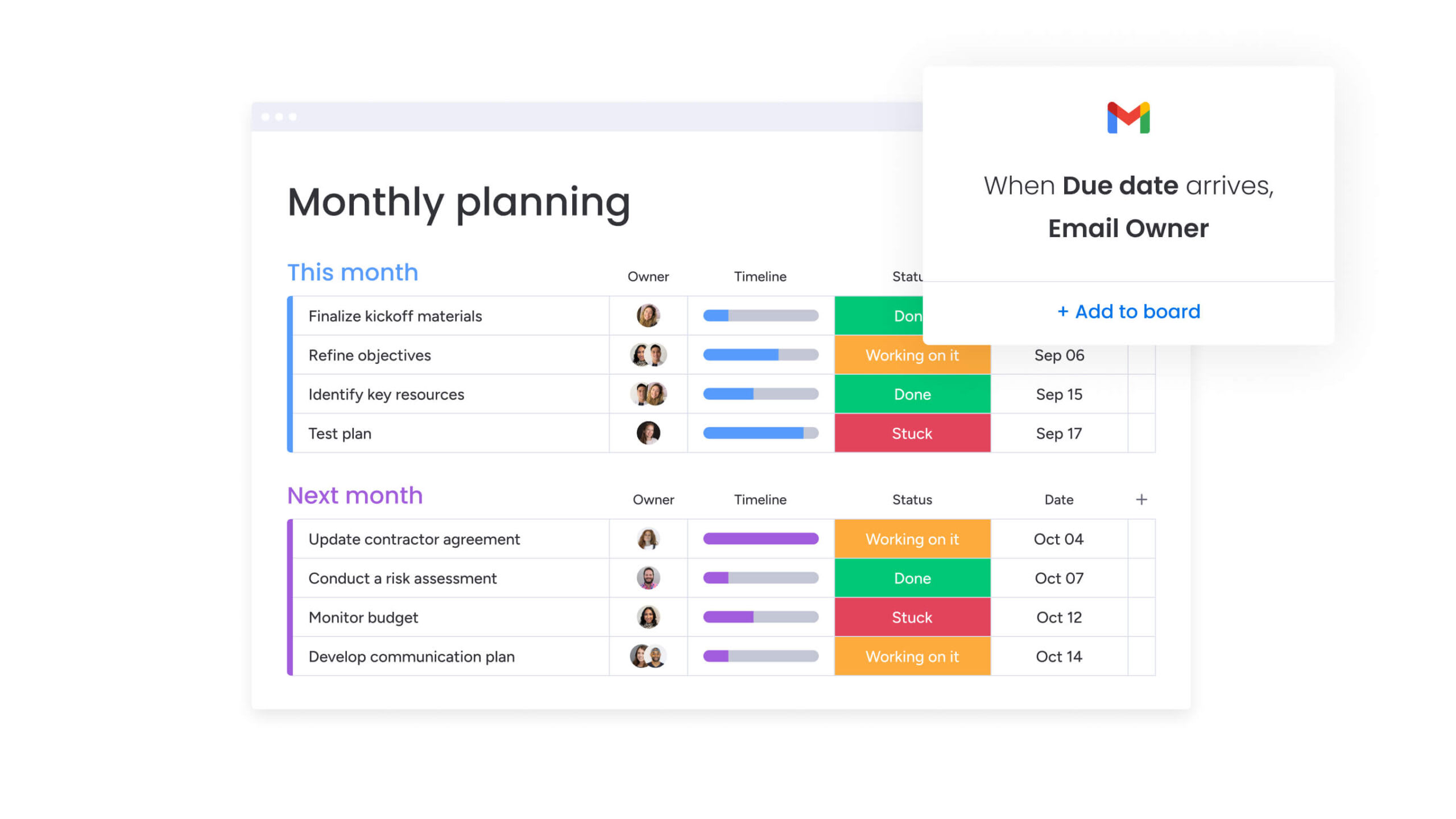
AI in project management has moved well beyond simple task automation. It no longer just speeds things up. It changes how decisions are made, how risks are surfaced, and how information flows across your projects.
Instead of thinking about AI as one feature, it helps to see it as a set of capabilities layered into your workflow. Some handle repetitive admin instantly. Others analyze patterns across your portfolio. Some even interpret unstructured communication.
These capabilities fall into four core categories. Together, they reshape how planning, execution, and oversight work in modern project environments.
AI Blocks for instant implementation
AI Blocks are ready-made capabilities that plug straight into your workflows, no code required. They multiply your productivity by handling specific tasks that used to need a human touch.
The AI Blocks that make the biggest difference handle manual work that eats up your team’s time:
- Categorize: AI analyzes incoming requests, tickets, or feedback and automatically tags them based on content, sentiment, or urgency.
- Summarize: Long-form content, such as project briefs, lengthy email chains, or technical documentation gets condensed into concise executive summaries.
- Extract information: Specific data points like due dates, budget figures, or stakeholder names are pulled from unstructured text and populated into structured columns.
On monday work management, teams drop these AI Blocks straight into their boards. A project manager can add a “summarize” block to a column of update requests, instantly converting paragraphs of text into actionable bullet points.
Predictive analytics and risk detection
Predictive analytics tools use your past project data to forecast what’s coming. By analyzing patterns in past projects (team velocity, scope creep, resource use), these engines spot bottlenecks before they hit your critical path.
Machine learning algorithms refine these predictions over time. As the system ingests more project data, its ability to forecast timeline slippage or budget overruns becomes increasingly precise. You stop firefighting and start preventing problems.
Natural language processing for project insights
Natural Language Processing (NLP) turns messy communication into clean, structured data. Most project information lives in emails, Slack messages, and meeting transcripts. NLP tools analyze this text to gauge team sentiment, identify unspoken blockers, and extract action items automatically.
| Feature | Manual process | AI-powered process |
|---|---|---|
| Meeting notes | One person types notes; items often missed | Full transcript analyzed; action items auto-assigned |
| Sentiment analysis | Manager guesses morale based on intuition | AI detects language patterns indicating burnout or conflict |
| Status updates | Team members manually write weekly reports | AI drafts updates based on completed work and communications |
Automation platforms that scale
Intelligent automation goes beyond basic if-then logic, it actually makes decisions. Traditional automation follows rigid rules. AI-powered platforms adapt to what’s actually happening.
These systems connect different functions across your portfolio and handle complex, multi-step workflows. An AI automation might not just notify a manager of a delay but also suggest three potential schedule adjustments based on resource availability and project priority.
I becomes valuable when it’s embedded in the work itself, not sitting in a separate analytics layer. The real impact shows up in everyday moments — when you’re building a plan, reallocating resources, reviewing risk, or trying to understand why a project slipped.
Below are nine practical ways teams are applying AI inside their project workflows. Each one removes friction from a specific part of delivery, from planning and reporting to forecasting and continuous improvement.
1. Generate complete project plans from briefs
AI analyzes project requirements, constraints, and available resources to generate detailed project plans instantly. By inputting a project brief, the system constructs a work breakdown structure, identifies dependencies, and estimates timelines based on historical data from similar initiatives.
This cuts planning time from days down to hours. Teams get to execution faster while keeping the plan solid and realistic.
2. Automate daily status updates and reports
AI aggregates data from boards, code repositories, and communication channels to generate comprehensive status reports. Unlike static reports, these AI insights show you trends, anomalies, and completion rates as they happen.
The system tailors each report to who’s reading it. Executives receive high-level summaries while team leads get granular detail.
3. Predict risks across your portfolio
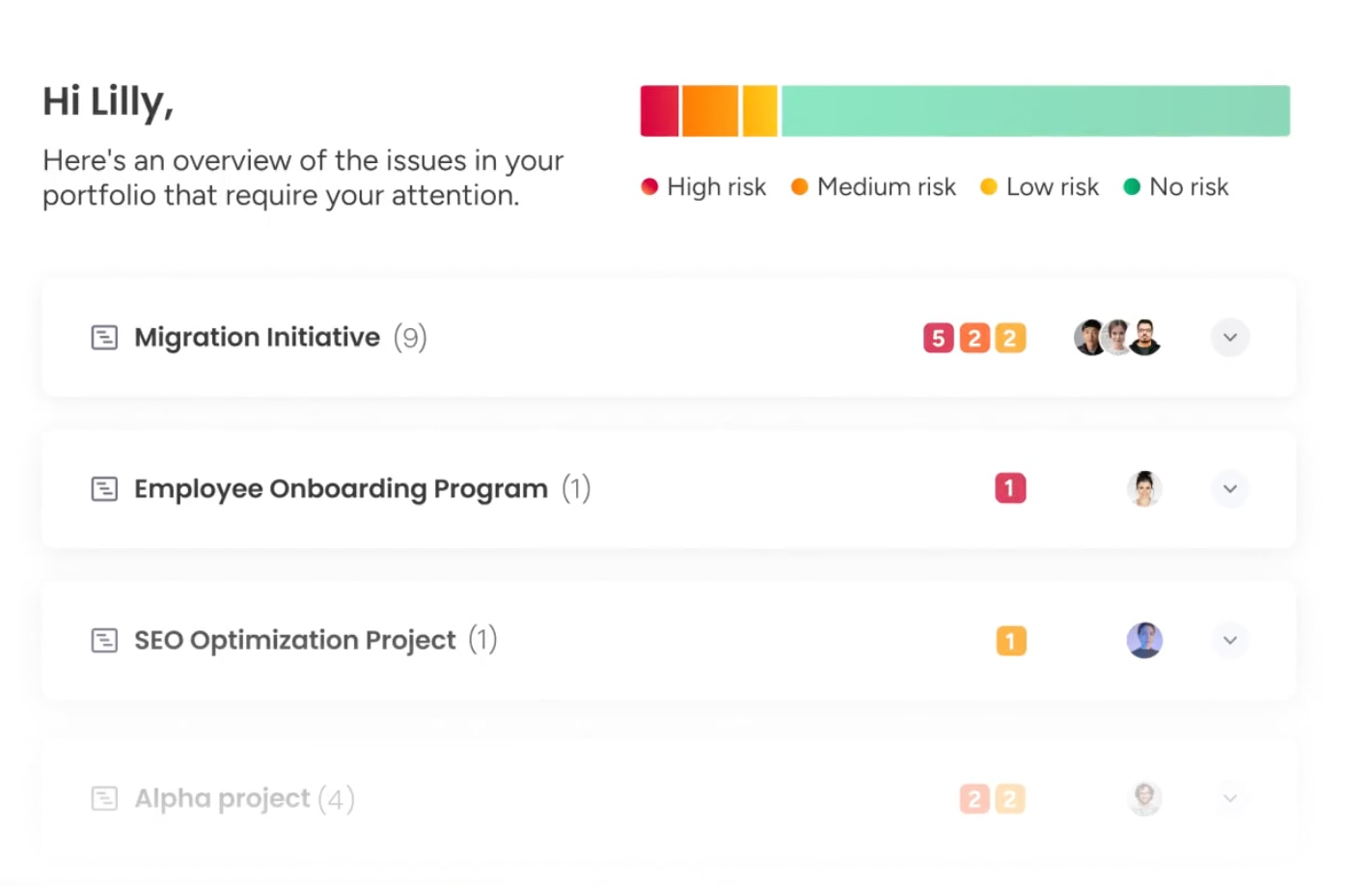
Portfolio-level risk analysis catches patterns you’d miss looking at projects one by one. AI correlates risk factors such as budget burn rates, team capacity, and timeline adherence across the entire organization.
Portfolio Risk Insights in monday work management scans all project boards, quickly flagging potential risks by severity. This early warning system flags projects that look fine but are actually heading toward failure.
4. Optimize team resources with AI matching
Resource management stops being a spreadsheet game and becomes intelligent matching. AI analyzes team member profiles (technical skills, soft skills, past performance, current capacity) to recommend the best assignments.
You get the right people on the right projects. Workload distribution stays balanced, preventing burnout while maximizing project success rates.
5. Analyze performance patterns for insights
Machine learning digs through project history to find hidden performance patterns. The AI spots what drives success, specific team combinations, sprint lengths, communication frequency.
These insights let you benchmark performance and refine your methods using data, not gut feeling.
6. Create action items from meeting transcripts
AI processes audio and video recordings to extract decisions and commitments. It tells speakers apart, spots consensus, and pulls out specific follow-ups.
Action items show up automatically in your project platform and go straight to the right owners. Every decision and commitment from the meeting is captured and tracked.
7. Monitor budget health in real time
Continuous financial tracking stops budget surprises before they happen. AI monitors all project-related expenses, resource costs, and vendor payments against the planned budget.
It catches spending anomalies and projects your final costs based on current burn rate. If one phase burns through budget too fast, the system alerts you and suggests fixes.
8. Flag timeline deviations before they impact
AI tracks progress against your baseline to predict delays before they ripple through dependencies. By analyzing completion rates and resource availability, the system calculates the probability of missing milestones.
It tells the difference between small slips and critical path problems. You can adjust schedules before deadlines get missed instead of scrambling after.
9. Suggest process improvements from data
The system analyzes finished projects and runs automated post-mortems. It spots process bottlenecks, approval stages that always cause delays, recurring scope creep in certain project types.
From that data, the AI suggests specific ways to improve your workflow. Lessons learned become real process improvements for your next projects.
How to use AI in your project workflows
Smart AI adoption needs strategy, not random experiments. Find your biggest pain points and apply AI solutions there to show value and build momentum. Here’s your practical implementation process to follow:
Step 1: Map your current workflow bottlenecks
Identifying where AI delivers the most value starts with a workflow audit. Teams analyze their processes to find where manual, repetitive, or error-prone work eats up time.
These areas usually show where AI makes the biggest difference:
- Data entry: High volume of manual copying and pasting between systems.
- Information search: Excessive time spent locating documents or status details.
- Scheduling: Complexity in coordinating resources across multiple projects.
- Reporting: Hours dedicated to compiling weekly status updates.
Step 2: Choose AI capabilities for quick wins
Once bottlenecks are clear, the next move is selecting AI capabilities that create visible impact without heavy lift. Early wins build trust and prove value, especially when adoption is still new.
The table below compares common AI use cases by implementation effort and potential impact, helping you prioritize what to roll out first and what to phase in later.
| Capability | Implementation effort | Potential impact | Priority level |
|---|---|---|---|
| Automated summaries | Low | Medium | High (quick win) |
| Predictive scheduling | High | High | Medium (long term) |
| Intelligent categorization | Low | Low | Medium (efficiency) |
| Resource optimization | Medium | High | High (strategic) |
Step 3: Launch a pilot project with defined metrics
A pilot project focuses on one team or workflow to test what works. Define success with measurable baselines before you start, time spent on reporting, average response time to requests.
Run the pilot for a set period, gather feedback and data, then validate the AI’s impact before rolling it out wider. What does success look like for your organization?
Step 4: Scale what works across teams
Scaling means taking what worked in the pilot and standardizing it across the organization. For this final step, you’ll need to document new processes, set up training, and make sure the AI handles more data.
Identifying where AI delivers the most value starts with a workflow audit. Teams analyze their processes to find where manual, repetitive, or error-prone work eats up time.
A practical roadmap for scaling AI in project management
AI adoption rarely happens all at once. Most teams start by removing obvious friction, then gradually layer in more intelligence as confidence and data maturity grow.
Instead of trying to deploy everything at once, it’s more effective to move in stages. Each phase builds on the last, strengthening your data foundation, improving decision quality, and expanding how much responsibility AI can take on inside your workflows.
Here’s how that progression typically unfolds.
Phase 1: Automate repetitive administrative work
AI adoption starts with killing administrative drudgery. This phase automates status updates, meeting notes, and assignments.
Cut these low-value tasks and your team starts trusting the technology. Teams get time back for strategic work. Measure success by how many hours per week you save on admin work.
Phase 2: Add predictive analytics for decisions
Once data flows through automated systems, add predictive capabilities. This phase uses historical data to forecast timelines, budgets, and risks.
Project managers start leaning on AI to make decisions. They use data-backed probabilities to guide resources and scheduling. You stop looking backward and start looking forward.
Phase 3: Deploy AI-powered resource optimization
With predictive data in place, tackle resource management. AI systems balance workloads across the portfolio, matching skills to work and maximizing capacity.
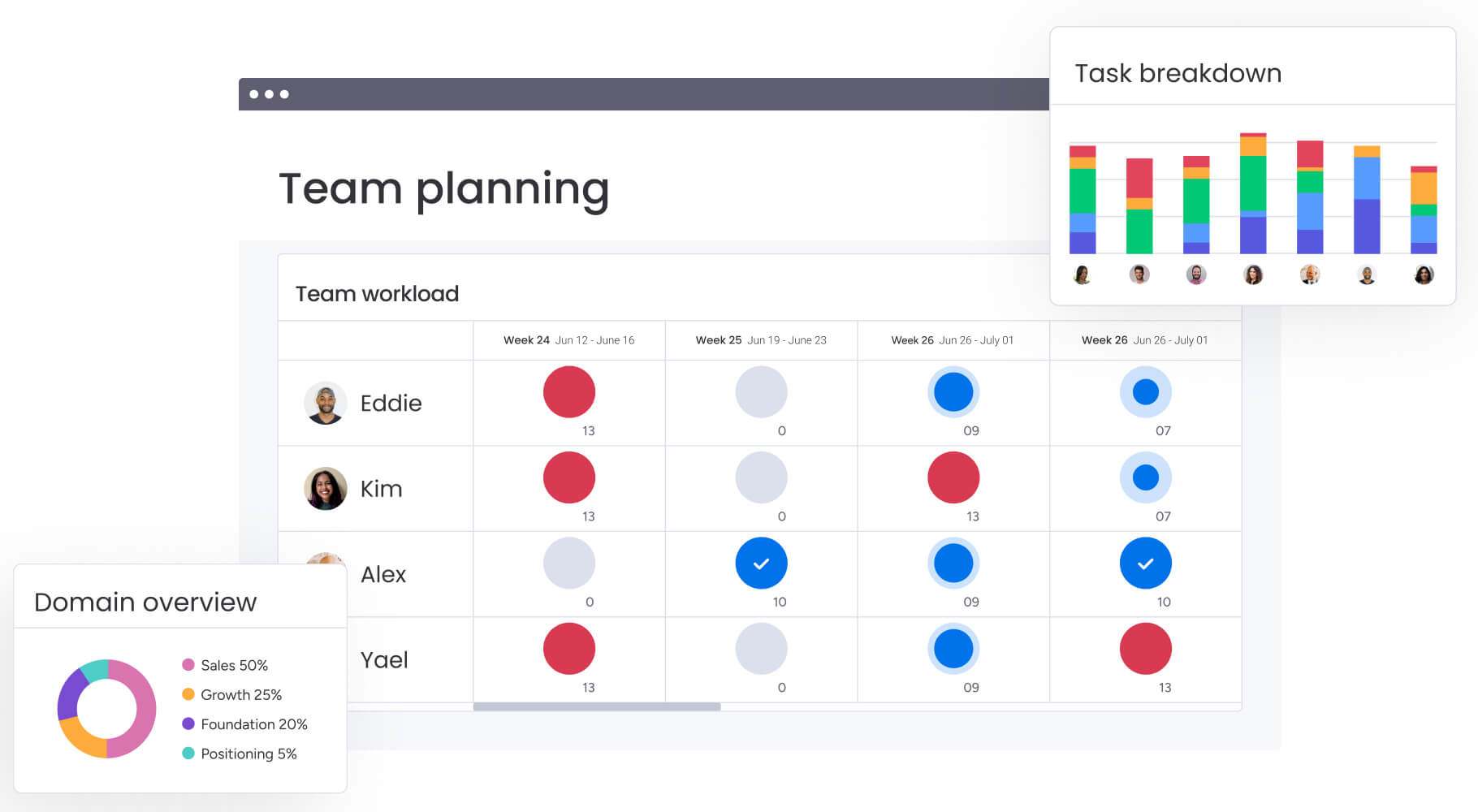
An integrated workload view combined with AI-driven recommendations enables teams to plan, schedule, and allocate resources based on skill and availability.
Phase 4: Activate digital workers for 24/7 support
The final phase introduces digital workers: autonomous AI agents that work alongside your team. These agents handle complex monitoring, risk detection, and data analysis 24/7.
They learn from every interaction and get better over time. Digital workers are always-on analysts keeping your portfolio healthy even when your team’s offline.
How to navigate AI risks in project management
AI adds speed and intelligence to your workflows, but it also increases responsibility. The same systems that forecast delays and allocate resources can amplify weak data, flawed assumptions, or unclear governance if left unchecked.
Strong AI adoption is not just about capability. It is about control, transparency, and trust. The following considerations help ensure AI strengthens your project environment instead of introducing new risk.
Ensure data quality and prevent bias
Your AI is only as good as the data you feed it. Bad data leads to bad predictions and unfair resource decisions.
Here’s how to keep your data clean:
- Data audits: Regularly review historical data for completeness and accuracy.
- Bias checks: Analyze algorithmic recommendations for patterns of bias against specific team members or project types.
- Standardization: Enforce strict data entry protocols to ensure the AI receives clean, structured inputs.
Build governance without blocking innovation
Governance frameworks set the rules for AI usage. These policies define who accesses AI, how you share data, and where humans must stay in the loop.
Good governance gives you control without killing flexibility. Teams can test new capabilities while staying compliant with security standards. Multi-level permissions on modern platforms such as monday work management control users’ access to viewing and changing data, including vendors and guests.
Drive team adoption through training
Adoption depends on your team’s confidence with the tools. Training needs to go beyond tech instructions, explain why you’re using AI and how it helps each person.
Tailored training for executives, managers, and contributors ensures everyone knows their role in the new AI workflow.
Monitor AI performance continuously
I should never operate unchecked. As models generate forecasts, recommendations, and automated actions, their accuracy and relevance need ongoing review.
Track performance metrics for the AI itself, such as prediction accuracy, false risk flags, and adoption rates of recommendations. Regular review cycles help identify drift, edge cases, or unintended consequences early.
Human oversight remains essential. AI can surface patterns at scale, but context, nuance, and final accountability still sit with your team.
Strong AI adoption is not just about capability. It is about control, transparency, and trust.
Build an AI connected project ecosystem
AI delivers its full value when it is connected to the systems your team already relies on. If intelligence sits in isolation, it becomes another dashboard to check. When it is integrated across your stack, it becomes part of how work actually moves.
That means connecting project data with sales pipelines, engineering updates, financial tracking, and communication channels. It means giving AI enough context to make informed recommendations. And it means ensuring access is secure, controlled, and visible.
The following elements help turn isolated AI features into a coordinated, organization-wide capability.
Connect AI across your stack
Integration connects the project management platform with CRMs, code repositories, and financial software. APIs and native connectors allow AI models to access a complete view of the business context.
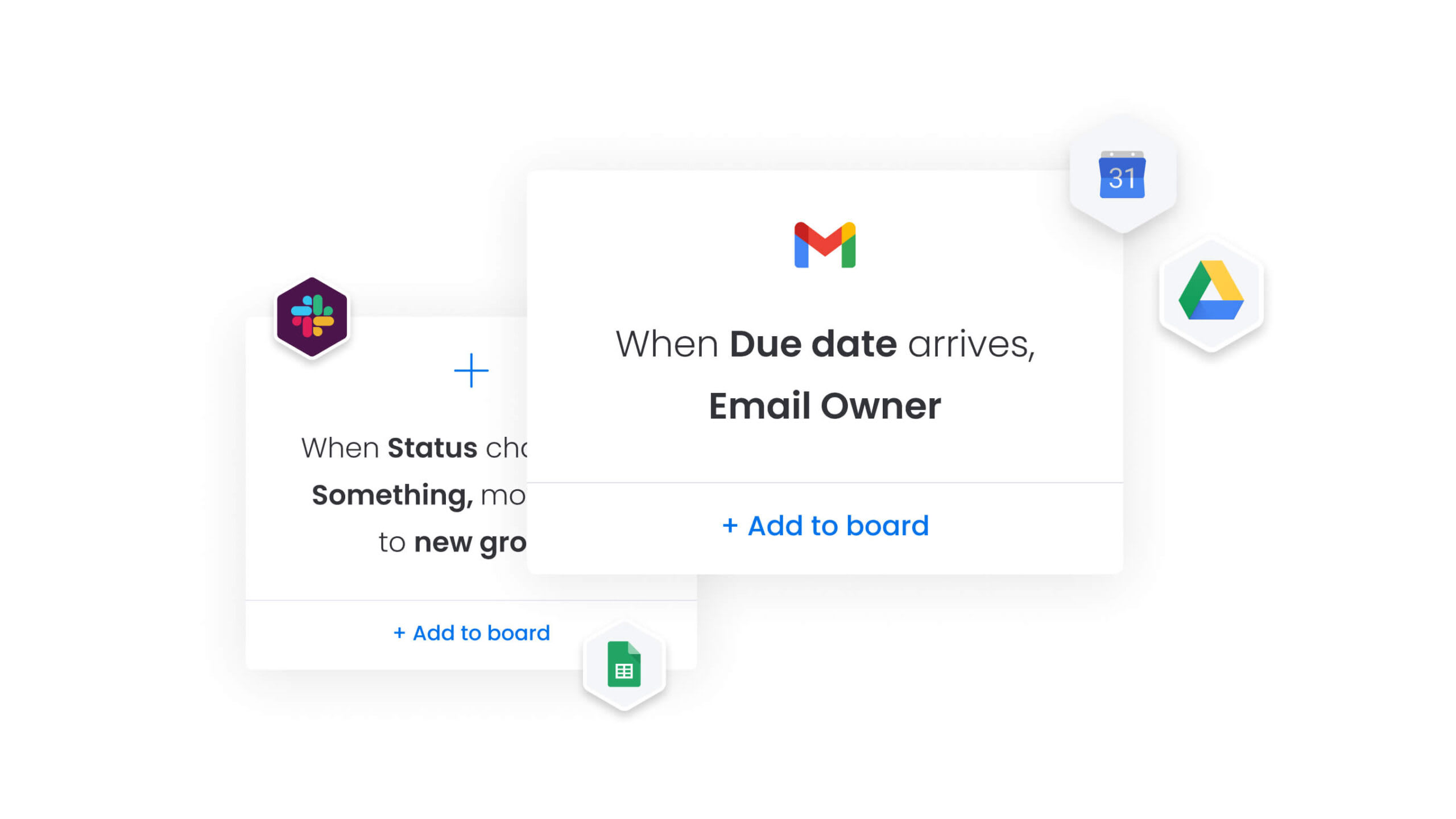
Integrations on intuitive solutions like monday work management connect all the systems you already use. Microsoft Teams, Gmail, Slack, Jira, and Salesforce run powerful projects without ever switching tabs.
Design custom AI workflows without code
No-code platforms democratize AI creation. Project managers design custom workflows that suit their specific methodology without relying on engineering resources.
The Custom Block on monday work management allows users to describe their requirements in their own words. It generates the exact action needed. Visual builders allow users to drag and drop AI blocks into their specific process maps.
Create real-time dashboards for AI insights
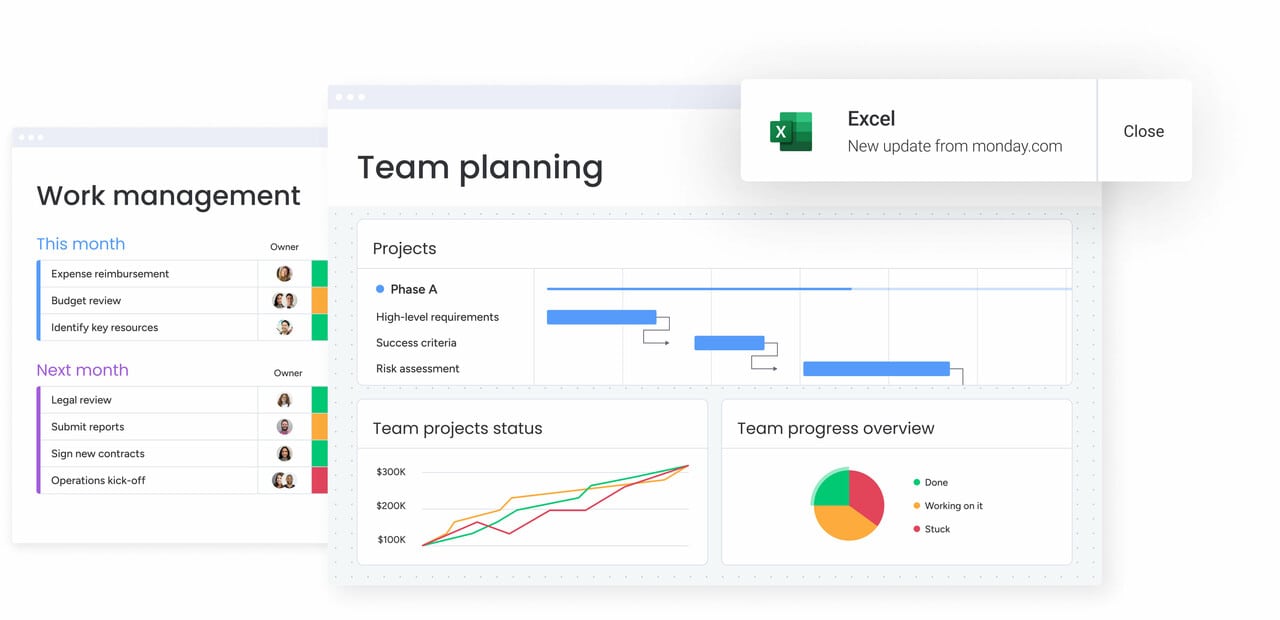
Dashboards translate complex AI data into visual intelligence. These interfaces display real-time predictive metrics, risk heatmaps, and resource utilization trends.
Effective dashboards are role-based. Executives see high-level portfolio health while project managers get granular detail on progress and potential blockers.
Enable secure team-wide AI access
Security protocols must evolve to cover AI interactions. Role-based access controls determine which users can trigger AI actions or view AI-generated insights.
This ensures sensitive data remains protected while still allowing the broader team to benefit from AI assistance. How confident are you in your current security posture for AI?
How digital workers are transforming project management
As AI capabilities mature, they move beyond isolated tasks and take on ongoing operational responsibility. Digital workers are not just automations triggered by fixed rules. They function as continuous monitoring systems embedded within the project environment.
Instead of replacing project managers, this layer of intelligence expands visibility. Data from boards, timelines, budgets, and communications is analyzed in real time, with high-risk signals surfaced for human review. The outcome is broader oversight without additional manual effort.
The examples below illustrate how digital workers operate across modern project portfolios.
Meet your always-on project analyst
The Project Analyzer is a digital worker dedicated to continuous oversight. It monitors every aspect of project health around the clock, analyzing millions of data points to identify subtle shifts in performance.
It answers complex questions about project status and summarizes developments since the last login. The project analyst proactively highlights issues that require human attention. A manager can ask about the top three risks to the Q4 launch and receive a concise, data-backed answer.
Deploy portfolio risk monitors at scale
Digital risk monitors scale oversight across hundreds of projects simultaneously. Where a human PMO might sample projects for review, digital workers monitor the entire portfolio continuously.
They detect cross-project dependencies and systemic risks. A vendor delay affecting multiple initiatives gets noticed before it’s too late.
Activate 24/7 project intelligence
Global teams require intelligence that doesn’t sleep. Digital workers provide continuity across time zones, ensuring insights and alerts generate instantly, regardless of the hour.
This reduces latency in decision-making. Teams in one region wake up to a prioritized list of action items and insights generated overnight.
Measure digital worker impact
Quantifying the value of digital workers involves tracking both efficiency gains and outcome improvements. Metrics include the reduction in project cycle time, the decrease in budget variances, and the number of risks mitigated before impact.
These KPIs demonstrate the ROI of the digital workforce and guide further investment in AI capabilities.

“monday.com has been a life-changer. It gives us transparency, accountability, and a centralized place to manage projects across the globe".
Kendra Seier | Project Manager
“monday.com is the link that holds our business together — connecting our support office and stores with the visibility to move fast, stay consistent, and understand the impact on revenue.”
Duncan McHugh | Chief Operations OfficerAccelerate your AI transformation with monday work management
Modern project teams are under constant pressure to deliver faster, manage more complexity, and maintain visibility across work that’s increasingly distributed. Manual reporting, fragmented tools, and reactive decision-making make it really difficult to connect daily execution with broader business objectives.
Fortunately, monday work management addresses these challenges by embedding intelligence directly into how work gets planned, tracked, and optimized.
- Disconnected workflows slow execution: Centralized boards, dashboards, and integrations bring tasks, data, and updates into a single source of truth, improving visibility and accountability.
- Manual coordination limits scalability: AI Blocks automate categorization, summaries, and data extraction, reducing repetitive effort across projects and portfolios.
- Reactive management increases risk: Predictive insights highlight timeline, budget, and resource risks early, supporting proactive decision-making.
- Resource misalignment impacts delivery: Workload views and AI-driven recommendations help balance capacity and match the right skills to the right work.
- Strategy feels detached from daily work: Portfolio-level insights link individual tasks and projects to organizational priorities and outcomes.
By connecting intelligent automation with structured work management, monday work management helps teams operate with greater efficiency, alignment, and confidence. The result is measurable impact: faster delivery, better decisions, and stronger strategic execution, without adding unnecessary complexity to how teams work.
Frequently asked questions
How is AI used in project management?
AI is used in project management to automate administrative work, predict project risks, optimize resource allocation, and generate intelligent insights from data. This allows managers to focus on strategy rather than status updates.
Which AI platform is best for project management?
The best platform combines ease of use with powerful capabilities. monday work management integrates AI Blocks, predictive analytics, and digital workers directly into the workflow, making AI accessible to all team members without technical expertise.
Can AI integrate with existing project management systems?
Yes, AI platforms utilize APIs and native integrations to connect with existing software stacks. Organizations can layer AI intelligence over their current systems without a complete replacement.
What's the ROI timeline for AI in project management?
Organizations typically see initial efficiency gains within 1 to 3 months through administrative automation. Comprehensive ROI, including improved delivery rates and resource optimization, gets realized within 4 to 6 months.
How do I prepare my team for AI adoption in project management?
Preparation involves communicating the benefits of AI, providing comprehensive training on specific capabilities, and launching pilot programs to demonstrate early wins. Focus on showing how AI makes their work easier, not how it replaces them.

 Get started