

Modern organizations rarely run one initiative at a time. Product launches, leadership reviews, marketing campaigns, system upgrades, and client events all compete for the same people and resources. When those activities are scheduled in separate calendars, conflicts become routine, priorities clash, and leaders lack a clear view of what is happening across the business.
An events calendar solves more than double-booking. It creates a shared, structured view of time-bound activity across departments, connecting dates to real work, real owners, and real outcomes. Instead of isolated meetings and last-minute adjustments, teams gain visibility into dependencies, resource allocation, and how events support broader strategic goals.
This practical article explores how a centralized events calendar improves cross-functional coordination at scale. You will learn which features matter most, how to implement a unified system, how AI strengthens scheduling accuracy, and how to measure the operational impact of smarter event management.
Key takeaways
- Unified event visibility reduces operational friction: Centralizing organizational events eliminates scheduling conflicts, exposes dependencies across teams, and enables proactive coordination.
- Strategic event management connects time to outcomes: Linking calendar entries to projects, milestones, and deliverables ensures events support measurable business objectives rather than existing as isolated activities.
- AI improves planning accuracy and resource utilization: Predictive conflict detection, workload forecasting, and intelligent scheduling recommendations help teams address risks before they disrupt execution.
- Governance and permissions enable scale without chaos: Role-based access controls, approval workflows, and standardized event taxonomy protect sensitive information while maintaining transparency.
- Integrated work management platforms enhance calendar impact: Solutions like monday work management connect events to live workflows, enabling real-time updates, cross-team alignment, and scalable coordination without manual reporting.
What is an events calendar?
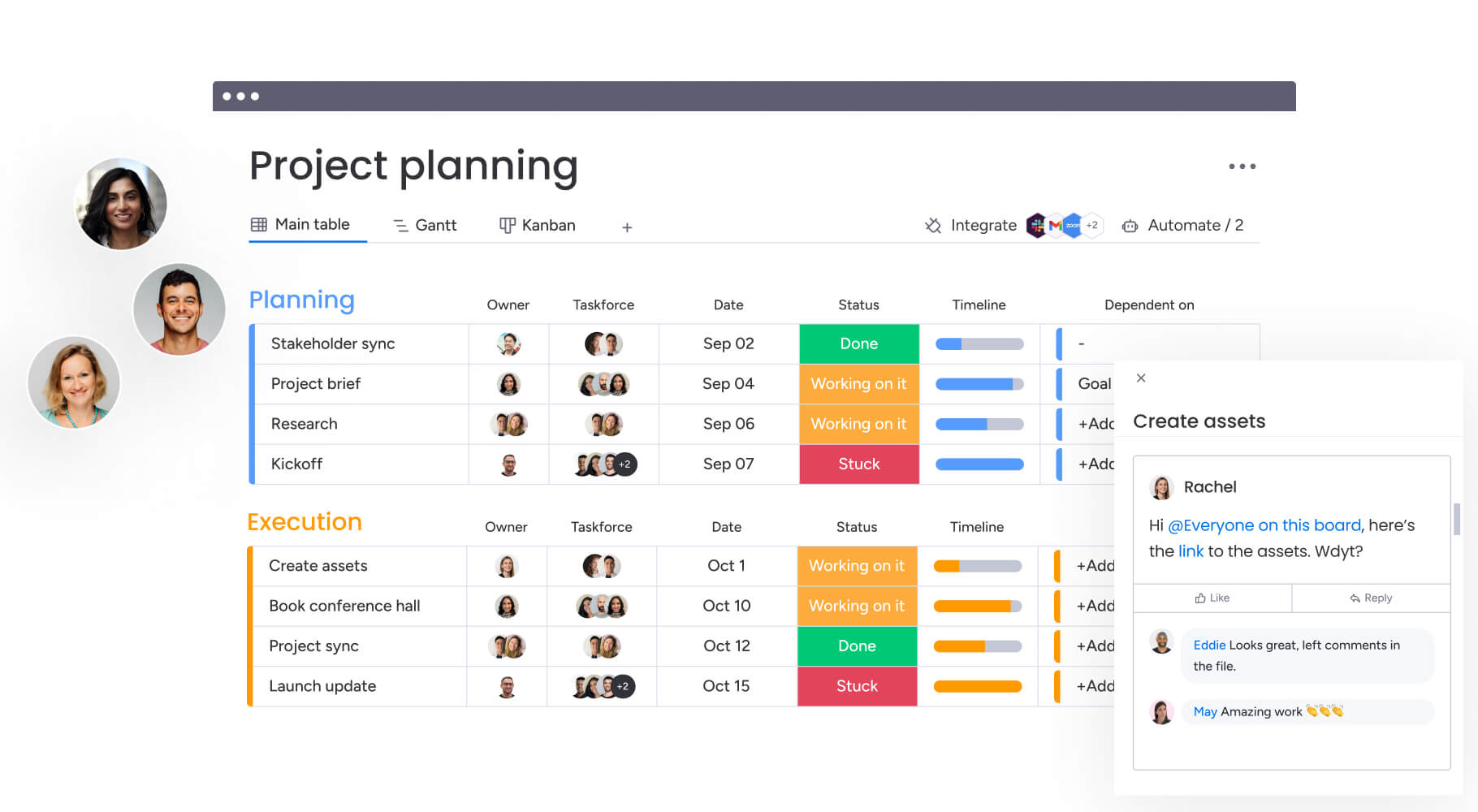
An enterprise events calendar keeps all your team activities, deadlines, and resources in one place so departments can actually coordinate. Personal calendars manage your time, whereas enterprise calendars connect what your teams are doing to what the business needs to accomplish.
These calendars encompass project milestones, cross-functional workshops, resource bookings, and external client engagements, ensuring every time-bound activity is visible and manageable within a single ecosystem. It’s the difference between tracking your own meetings and coordinating dozens of teams, projects, and resources all at once.
Team scheduling vs strategic event management
Basic team scheduling focuses on availability. It ensures meetings do not overlap and rooms are not double-booked, helping teams avoid day-to-day friction. While this keeps operations moving, it rarely provides insight beyond the immediate calendar view.
Strategic event management takes a broader perspective. It connects events to projects, milestones, resources, and organizational goals, turning time into a coordinated asset rather than a logistical constraint. The comparison below highlights how scope, visibility, integration, and decision-making shift when scheduling evolves from isolated coordination to business-level orchestration.
| Aspect | Team scheduling | Strategic event management |
|---|---|---|
| Scope | Individual team availability and internal meetings | Cross-departmental coordination and organizational milestones |
| Purpose | Prevents double-booking and timing clashes | Drives business outcomes by aligning activities with strategic goals |
| Integration | Standalone application isolated from project work | Connected to work management systems and operational data |
| Visibility | Limited to team members and direct participants | Organization-wide transparency for leadership and stakeholders |
| Decision-making | Reactive adjustments based on availability | Proactive planning based on resource and capacity insights |
Core components of organizational event systems
An enterprise event system needs five core components to manage time and resources across a growing company. Knowing these components helps you figure out what you actually need beyond basic scheduling.
- Event taxonomy: A structured system for tagging events (internal audits, client work, maintenance) keeps data consistent across teams.
- Permission structures: Detailed permissions control who sees, creates, edits, or approves events, keeping sensitive info safe while keeping teams informed.
- Resource management: Built-in tracking manages rooms, equipment, and who’s available, stopping conflicts before they happen.
- Workflow integration: Events connect to project timelines so your calendar always shows what’s actually happening with the work.
- Reporting capabilities: Analytics dashboards show you how resources are used, when things get busy, and which teams depend on each other.
Connecting events to work management workflows
An events calendar works best when it connects to your other work tools. Calendar milestones should link to actual deliverables so anyone can click through and see what work needs to happen by that date.
When events connect to workflows, resource tracking updates automatically. When an event is rescheduled, associated team capacity automatically adjusts, and availability updates across the system. For example, creating a “client workshop” event can trigger a sequence of related actions, catering orders, room preparation, material printing, assigned to relevant support teams.
An enterprise event system needs five core components to manage time and resources across a growing company. Knowing these components helps you figure out what you actually need beyond basic scheduling.
Why organizations need unified event management
As organizations grow, scheduling becomes more than a coordination task. It becomes a visibility challenge.
When departments manage their own calendars in isolation, leaders lose sight of how initiatives overlap, compete for resources, or unintentionally undermine one another. A unified approach brings those timelines together, turning fragmented schedules into a clear operational picture that supports better decisions.
Breaking down departmental event silos
When departments schedule independently, one team’s big event can blindside another. Marketing might schedule a major product launch event on the same day IT plans a system migration, leading to avoidable crises. Teams end up fighting over the same conference rooms and equipment without realizing it.
The lack of visibility leads to inefficient planning and missed opportunities for collaboration. When teams cannot see adjacent activities, they duplicate efforts or schedule conflicting priorities that dilute the organization’s focus.
A unified system exposes these dependencies, allowing teams to coordinate proactively rather than reacting to clashes after they occur.
Creating visibility across all team activities
Organization-wide visibility empowers executives to oversee activity patterns and resource distribution without micromanagement. Leadership gains immediate insight into the cadence of the business, identifying bottlenecks where too many initiatives converge on the same timeframe.
This transparency supports improved risk management by highlighting potential conflicts weeks or months in advance, allowing for adjustments before resources are committed. By analyzing event density and distribution, organizations identify “meeting fatigue” or periods of low focus, adjusting policies to optimize performance.
Real-time dashboards transform the calendar from a passive record into an active instrument for organizational health. Teams using monday work management can even gain this visibility through customizable views that adapt to different stakeholder needs.
Aligning events with strategic business outcomes
Every event on the corporate calendar consumes resources and time. Unified management ensures this consumption aligns with strategic goals. By linking events to quarterly and annual objectives, organizations verify that high-priority initiatives receive necessary scheduling precedence.
Strategic timing maximizes business impact. Coordinating external-facing events: press releases, webinars, partner summits, ensures they reinforce rather than cannibalize each other. Performance measurement then tracks the ROI of these activities, using historical data to refine future planning.
Features that define a great enterprise events calendar
As coordination grows more complex, a basic scheduling tool quickly reaches its limits. Enterprise teams do not just need to see what is happening this week. They need confidence that changes update everywhere, resources are allocated correctly, sensitive information stays protected, and every event connects to meaningful work.
The features below separate a simple calendar from a system built for cross-functional scale and executive visibility.
1. Real-time multi-department synchronization
Real-time synchronization ensures changes made in one department instantly appear across the entire organization, preventing version control issues common with spreadsheet-based planning. For leaders, this means decisions are always based on the most current information available.
Key synchronization capabilities include:
- Instant updates: Modifications to dates, times, or locations reflect immediately on all connected dashboards.
- Conflict prevention: The system automatically detects overlapping commitments across departments before schedules are finalized.
- Cross-platform integration: Data flows seamlessly between the central platform and external applications like Outlook or Google Calendar.
- Mobile accessibility: Remote and field teams access the same live data as headquarters.
2. Granular permission and access controls
Flexible permission systems balance broad visibility with necessary security. Not every event should be visible to every employee, and edit rights must be carefully controlled.
Permission control features include:
- Role-based access: Administrators define specific capabilities for viewers, editors, and managers based on organizational role.
- Department-specific controls: Sensitive HR or legal events remain confidential to authorized personnel.
- Guest and external access: Vendors and clients view relevant project milestones without accessing internal data.
- Audit trails: The system maintains complete logs of who created, moved, or deleted events.
3. Intelligent resource management systems
Smart resource management prevents double-booked rooms and overcommitted equipment. This feature treats physical and digital assets as finite resources requiring reservation and tracking.
Resource management capabilities include:
- Automated booking: The system allocates rooms or equipment based on requirements and availability.
- Capacity planning: Managers view utilization heatmaps to understand when resources near capacity.
- Equipment tracking: Specific assets from AV carts to specialized machinery are tracked alongside events.
- Space optimization: Analytics reveal underutilized spaces for improved facility management.
4. Automated conflict prevention
Proactive conflict detection moves beyond simple double-booking warnings to identify logistical and strategic clashes. Organizations using monday work management leverage automations to flag potential issues before they disrupt operations.
Conflict prevention features include:
- Predictive analysis: The system flags issues like scheduling major meetings during critical sales weeks.
- Alternative suggestions: When conflicts are detected, the platform recommends next available time slots.
- Escalation protocols: Unresolvable conflicts trigger notifications to designated decision-makers.
- Buffer time management: The system automatically inserts setup and breakdown times between bookings.
5. Enterprise integration framework
A robust events calendar acts as a connector within the broader technology stack. Essential integration points for enterprise success include:
- Work management platforms: Events link directly to projects and portfolios within the primary operating system.
- Communication systems: Changes trigger notifications in Slack or Microsoft Teams.
- Business applications: CRM data populates client events while HR systems feed employee availability.
- API capabilities: Custom integrations allow the calendar to trigger actions in specialized systems.
6. Customizable event workflows
Organizations tailor the event creation process to match specific operational requirements. Teams using intelligent solutions such as monday work management can build any workflow for any work process using flexible building blocks.
Workflow customization options include:
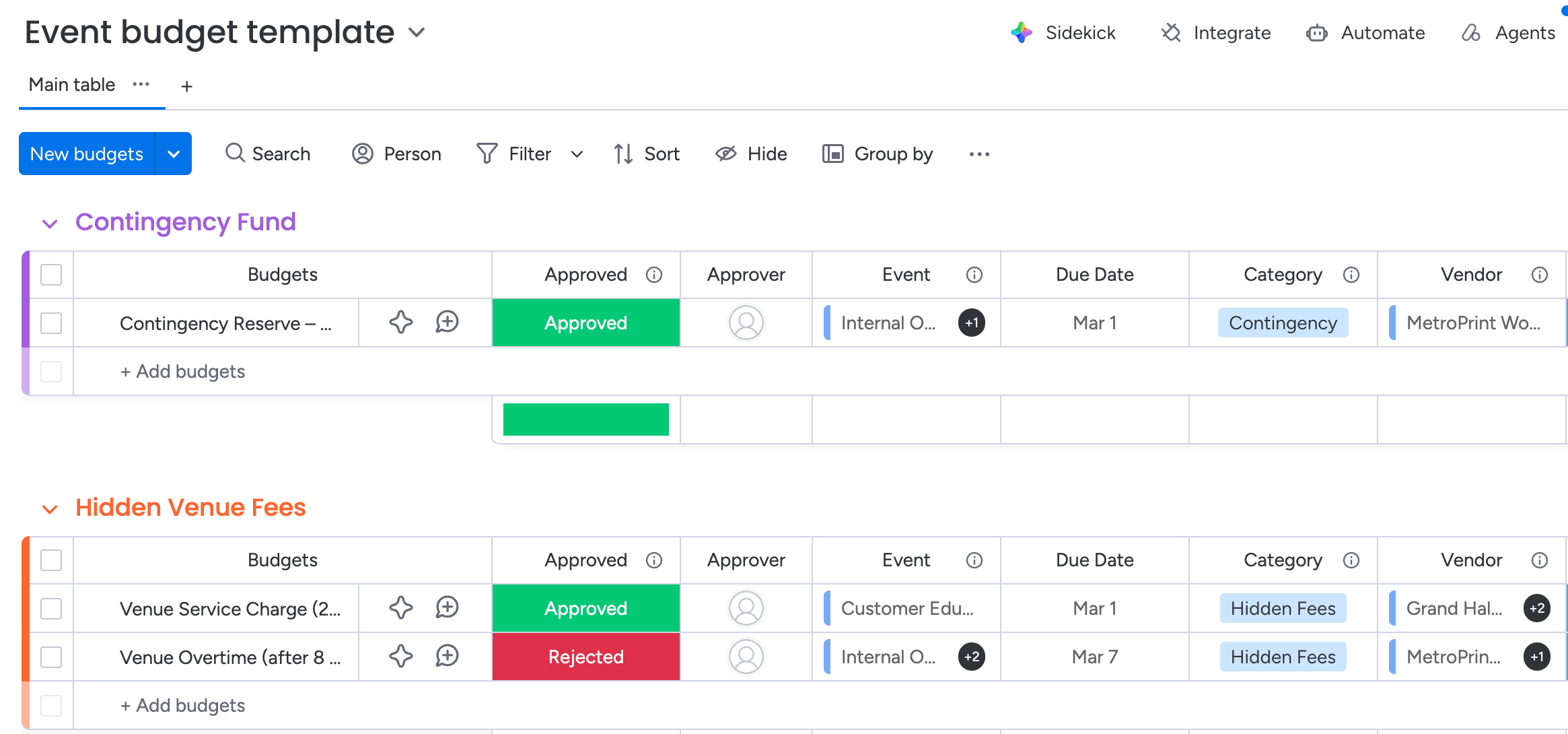
- Approval workflows: High-stakes events trigger review processes requiring sign-off before confirmation.
- Template systems: Pre-configured templates for recurring activities ensure all necessary data is captured.
- Custom fields: Forms capture specific metadata unique to the organization.
- Automated follow-up: event conclusions trigger post-event actions like feedback surveys.
7. Advanced analytics and dashboards
Data insights transform event management from a logistical function into business intelligence. Live dashboards display high-level project data for insights on budget, goals, schedules, and resources.
Analytics capabilities include:
- Utilization metrics: Reports detail how meeting rooms and resources are used versus booked.
- Pattern analysis: Dashboards reveal trends in meeting density, duration, and attendance.
- Performance tracking: Metrics correlate event types with business outcomes to calculate ROI.
- Predictive insights: Historical data informs future capacity planning and resource budgeting.
How to implement a unified events calendar without disruption
Implementing a unified events calendar is less about installing a new system and more about reshaping how time, resources, and priorities are coordinated across the organization.
Without a clear plan, even the best platform can become another disconnected layer. With the right structure, however, a centralized calendar quickly becomes a reliable operating framework that improves visibility, reduces friction, and supports better decisions.
A deliberate, phased rollout ensures teams see value early while laying the groundwork for long-term scalability.
Step 1: Map your current event landscape
Begin with a comprehensive audit of existing scheduling habits and applications. Catalog all recurring and ad-hoc events, identifying who creates them, who attends, and where data currently lives. Map the web of ownership, specifying which teams manage critical calendars.
Assess current system limitations and highlight specific friction points, frequent room conflicts, missed deadlines, that the new system must solve. This inventory provides the foundation for designing your unified approach.
Step 2: Design event taxonomy and permissions
A structured organizational framework prevents the calendar from becoming cluttered. Establish logical event groupings (internal, client-facing, maintenance, social) that drive filtering and reporting.
Define the governance layer, specifying which roles have authority to edit critical timelines versus those who simply view them. Establish approval hierarchies determining which event types require supervisor sign-off. Balance access levels to maximize transparency while protecting sensitive executive or HR schedules.
Step 3: Build standardized event templates
Templates ensure consistency and reduce administrative burden. Common event types, project kickoffs, board meetings, receive dedicated templates that pre-populate required fields and resource needs.
Templates define exactly what information must be captured upfront, preventing back-and-forth communication later. Build automated workflows into templates so creating a “new hire orientation” event automatically alerts IT, Facilities, and HR with their respective sub-items.
Step 4: Create approval and governance workflows
Governance structures maintain calendar integrity as usage scales. Specify decision rights for different event categories, ensuring high-impact activities are vetted by leadership.
Establish escalation procedures for resolving scheduling conflicts that automation cannot handle. Configure policy enforcement mechanisms to prevent non-compliant bookings. Define how modifications are communicated to attendees after approval.
Step 5: Deploy with phased team adoption
A phased rollout ensures stability. Select pilot groups from high-impact or tech-savvy teams to test the system first, validating workflows and templates.
Equip these teams with training programs to use new capabilities effectively. Collect user input during this initial phase for rapid adjustments. Gradually expand the system to additional departments, leveraging pilot group success to drive adoption.
6 strategies to eliminate scheduling conflicts
Conflict prevention is more efficient than conflict resolution. These six strategies focus on proactive measures that stop scheduling clashes before they disrupt operations, ensuring your organization maintains momentum without constant firefighting.
1. Deploy AI-powered conflict detection
AI capabilities analyze scheduling patterns to identify potential conflicts that human reviewers might miss. Pattern recognition algorithms learn from historical data to understand typical workflow cadences.
Predictive analysis anticipates bottlenecks, warning organizers when proposed time slots overlap with critical deadlines or resource shortages. Smart suggestions recommend optimal times based on complex availability of multiple stakeholders. Continuous learning refines these recommendations over time.
monday work management’s Portfolio Risk Insights scans all project boards, quickly flagging potential risks by severity, allowing teams to spot critical issues without manually combing through data.
2. Implement smart resource booking rules
Automated rules enforce resource discipline without manual oversight. Priority systems ensure strategic initiatives automatically take precedence if resources are scarce.
Buffer time rules insert mandatory gaps between bookings, preventing cascading delays. Capacity limits stop users from overbooking rooms or assigning too many simultaneous work items. Alternative suggestions provide immediate backup options when preferred resources are unavailable.
3. Design multi-tier approval systems
Layered approvals filter requests based on impact and complexity:
- Automatic approvals: Routine, low-impact events proceed without delay.
- Manager approvals: Mid-level events requiring resource commitment need checkpoint review.
- Executive approvals: High-stakes, high-cost activities require senior leadership review.
- Committee approvals: Complex cross-functional events need multiple stakeholder alignment.
4. Use visual scheduling indicators
Visual cues allow users to assess availability at a glance. Color coding differentiates event types, priorities, and confirmation status. Capacity visualization displays resource utilization as heatmaps or load bars.
Conflict highlighting draws immediate attention to overlaps or double-bookings. Timeline views place events in context of broader project schedules, helping teams see how single meetings fit into delivery roadmaps.
5. Enable proactive alert mechanisms
Notification systems keep stakeholders informed of changes affecting their schedule. Early warning systems trigger alerts weeks in advance if conflicts develop due to shifting timelines.
Stakeholder notifications ensure every participant receives updates on time or location changes. Escalation alerts notify managers when conflicts remain unresolved. Reminder systems trigger preparation actions, ensuring materials and pre-reads are distributed before events begin.
6. Create buffer time policies
Buffer policies acknowledge that events rarely start and stop exactly on schedule:
- Transition time: build in travel and setup minutes between consecutive meetings.
- Preparation periods: block time before complex events for final checks and technology testing.
- Recovery time: reserve space after intense sessions for debriefing and cleanup.
- Flexibility buffers: create slack in schedules to absorb unexpected delays.
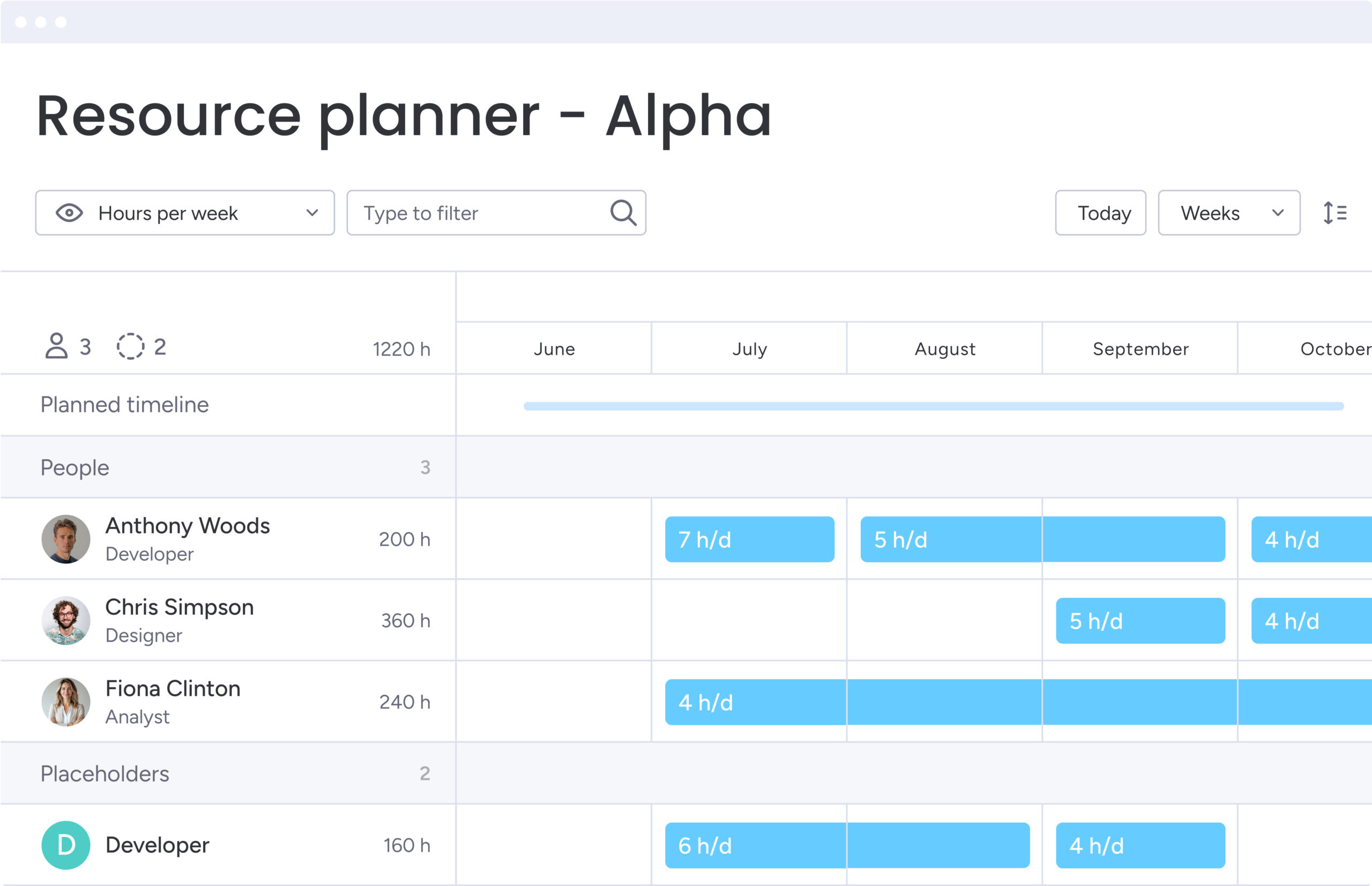
Managing resources and permissions at scale
As organizations grow, manual permission management becomes unsustainable. Scalable frameworks allow resource and access control to evolve alongside the company without constant administrative intervention, ensuring security and efficiency remain intact as teams expand.
Implementing role-based access frameworks
Role-based access control (RBAC) assigns permissions to job functions rather than individuals. Create standard profiles, “department head,” “project manager,” “external contractor”, with pre-set access rights.
Inheritance models ensure permissions automatically flow through organizational hierarchy. New managers inherit correct access for their team’s calendar immediately. Exception handling processes manage temporary access needs for specific projects. Regular audits verify permissions remain aligned with current roles.
Intuitive solutions like monday work management provide multi-level permissions controlling users’ access to viewing and changing data, including vendors and guests, ensuring sensitive schedules remain protected while operational transparency is maintained.
Optimizing resource pool utilization
Resource optimization shifts from managing individual items to managing pools of capability. Utilization tracking provides data on how resources are actually used versus booked, identifying hoarding behaviors.
Demand forecasting uses historical trends to predict future needs, allowing proactive procurement or hiring. Flexible allocation strategies allow resources to shift dynamically between teams based on immediate priority. Performance metrics measure pool efficiency, guiding decisions on expansion or consolidation.
Capacity planning for peak periods
Peak periods require specialized planning strategies. Analysis of seasonal patterns reveals cyclical spikes, end-of-quarter rushes, holiday seasons. Event clustering strategies manage high-demand windows by grouping compatible activities.
Overflow strategies establish pre-approved backup plans, renting external space, utilizing contingent labor, when internal capacity is exceeded. Priority frameworks provide rubrics for deciding which events proceed and which are rescheduled during crunch times.
Intuitive solutions like monday work management provide multi-level permissions controlling users’ access to viewing and changing data, including vendors and guests, ensuring sensitive schedules remain protected while operational transparency is maintained.

AI-driven event optimization in 2026
As event schedules grow more complex, even well-structured systems can miss hidden conflicts or emerging resource strain. AI adds a layer of intelligence that helps teams plan with greater accuracy, using real-time data to improve timing, allocation, and risk management rather than relying on manual coordination alone.
Automated event scheduling intelligence
AI algorithms analyze vast datasets to determine effective timing for events. Optimal timing analysis considers availability, attendee engagement levels, and time zone distribution.
Attendee optimization ensures the right mix of decision-makers and contributors are present. Resource matching automatically pairs events with suitable facilities and equipment based on past success rates. Pattern learning continuously refines suggestions, learning that specific teams perform well in morning sessions or certain project types require longer durations.
Predictive resource allocation models
Predictive models forecast resource needs before requests are made. Demand prediction analyzes project pipelines to estimate future requirements for rooms, equipment, and specialized personnel.
Capacity modeling simulates different allocation scenarios to find efficient distribution strategies. Risk assessment algorithms identify potential shortages weeks in advance. Dynamic reallocation allows the system to suggest shifting lower-priority bookings to free resources for emerging critical needs.
Organizations using monday work management’s AI capabilities assign the right people to the right projects, taking into account effort, level, availability, and skills, transforming resource allocation from manual guessing into data-driven processes.
Real-time risk detection and mitigation
AI provides continuous safety nets against scheduling disruptions. Conflict prediction identifies subtle dependencies that could lead to clashes, key stakeholders double-booked across different platforms.
Impact assessment calculates downstream consequences of delays or cancellations. Mitigation strategies offer AI-generated solutions, suggesting alternative venues or compressed agendas. Continuous monitoring ensures that as project timelines shift, associated event risks are re-evaluated in real-time.
Integrating events with your tech stack
A standalone calendar is a silo; an integrated calendar is a command center. Connecting the event system to the broader tech stack ensures data consistency and automates administrative overhead, creating a unified operational ecosystem that drives efficiency across all business functions.
Critical integration points for success
Four key systems form the core of a connected event ecosystem:
- Work management platforms: Provide context by linking calendar dates to project deliverables.
- Communication systems: Slack or Microsoft Teams serve as delivery channels for notifications.
- HR systems: Provide source of truth for employee availability, time off, and organizational structure.
- Financial systems: Connect events to budget codes for tracking venue, catering, and resource costs.
Synchronization protocols and best practices
Data integrity relies on robust synchronization protocols. Real-time sync ensures changes in one system propagate immediately to all others. Conflict resolution rules determine which system is “master” when discrepancies occur.
Data validation checks ensure information entering the calendar from external sources meets internal formatting standards. Backup procedures protect this interconnected web of data, ensuring failure in one integration doesn’t corrupt the central record.
Teams leveraging monday work management integrate with 200+ applications including Microsoft Teams, Gmail, Slack, Jira, and Salesforce, running powerful projects without switching tabs.
Building automated event workflows
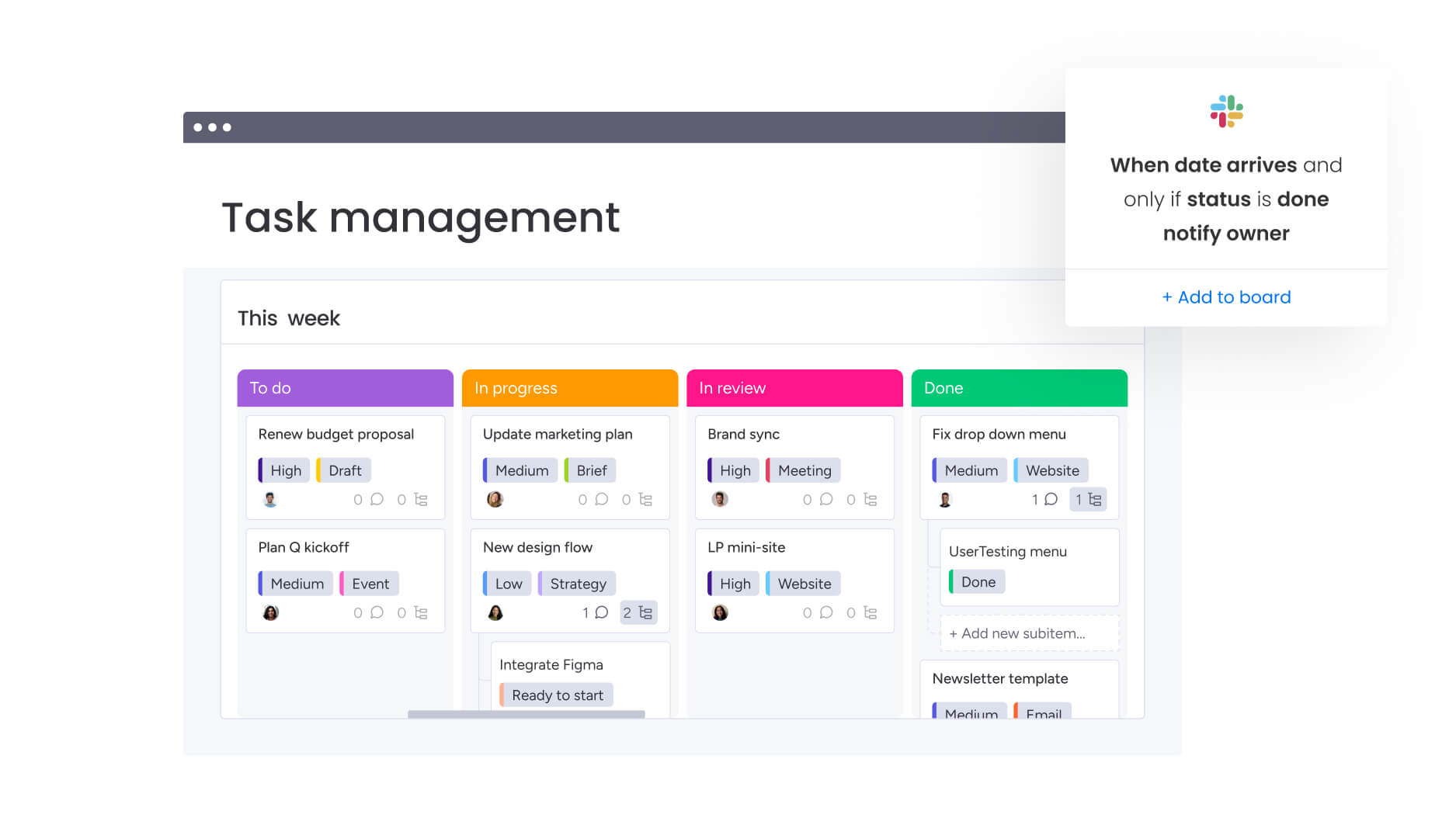
Automation transforms static integration into active workflow management. Event creation triggers automatically generate related work items in the project management system, assigning preparation duties to relevant team members.
Status updates in the calendar, marking events as “completed”, can trigger billing processes or archive project documentation. Follow-up automation ensures post-event actions happen without manual prompting. Reporting automation aggregates data from all connected systems to generate holistic insights into organizational efficiency.
Measuring event management success
To validate investment in unified event management, organizations must track some key metrics that reflect operational health and strategic alignment. These KPIs demonstrate tangible business value of orchestrated scheduling while providing data to continuously optimize the system’s performance.
Essential KPIs for event operations
Metrics should measure both process efficiency and outcome effectiveness. Understanding what to track and why it matters helps organizations optimize their event management approach.
Efficiency metrics:
- Scheduling time reduction: Decrease in hours spent coordinating availability and booking resources.
- Conflict resolution time: Speed at which scheduling clashes are identified and solved.
- Resource utilization rates: Percentage of time high-value assets are in active use versus idle.
- Planning cycle time: Duration from initial event request to final confirmation and approval.
Effectiveness metrics:
- Event success rates: Percentage of events proceeding without logistical failure or cancellation.
- Stakeholder satisfaction: Net promoter scores from attendees regarding scheduling and execution experience.
- Goal achievement: Correlation between strategic events and completion of associated business objectives.
- ROI measurement: Calculated return on high-cost events based on lead generation, employee training, or project delivery.
Calculating time and cost efficiency
Quantifying unified management value requires analyzing waste reduction. Time savings calculations measure administrative hours reclaimed by automating scheduling and approvals. Cost reduction analysis tracks hard savings from optimized resource usage and elimination of redundant applications.
Productivity impact measures output gains achieved by reducing meeting conflicts and context switching. Opportunity cost assessment estimates value of strategic initiatives successfully executed due to improved coordination.
Tracking team adoption metrics
System success depends on user engagement. Usage statistics track daily active users and volume of events managed through the platform. Feature adoption metrics reveal which capabilities drive value.
Metrics should measure both process efficiency and outcome effectiveness. Understanding what to track and why it matters helps organizations optimize their event management approach.
Elevate event management with monday work management
monday work management provides the operational backbone for enterprise event orchestration, moving beyond simple date tracking to full-scale workflow integration. The platform combines visual planning, AI intelligence, and enterprise-grade security to manage organizational schedule complexity while ensuring every event drives strategic value.
Visual event planning and coordination
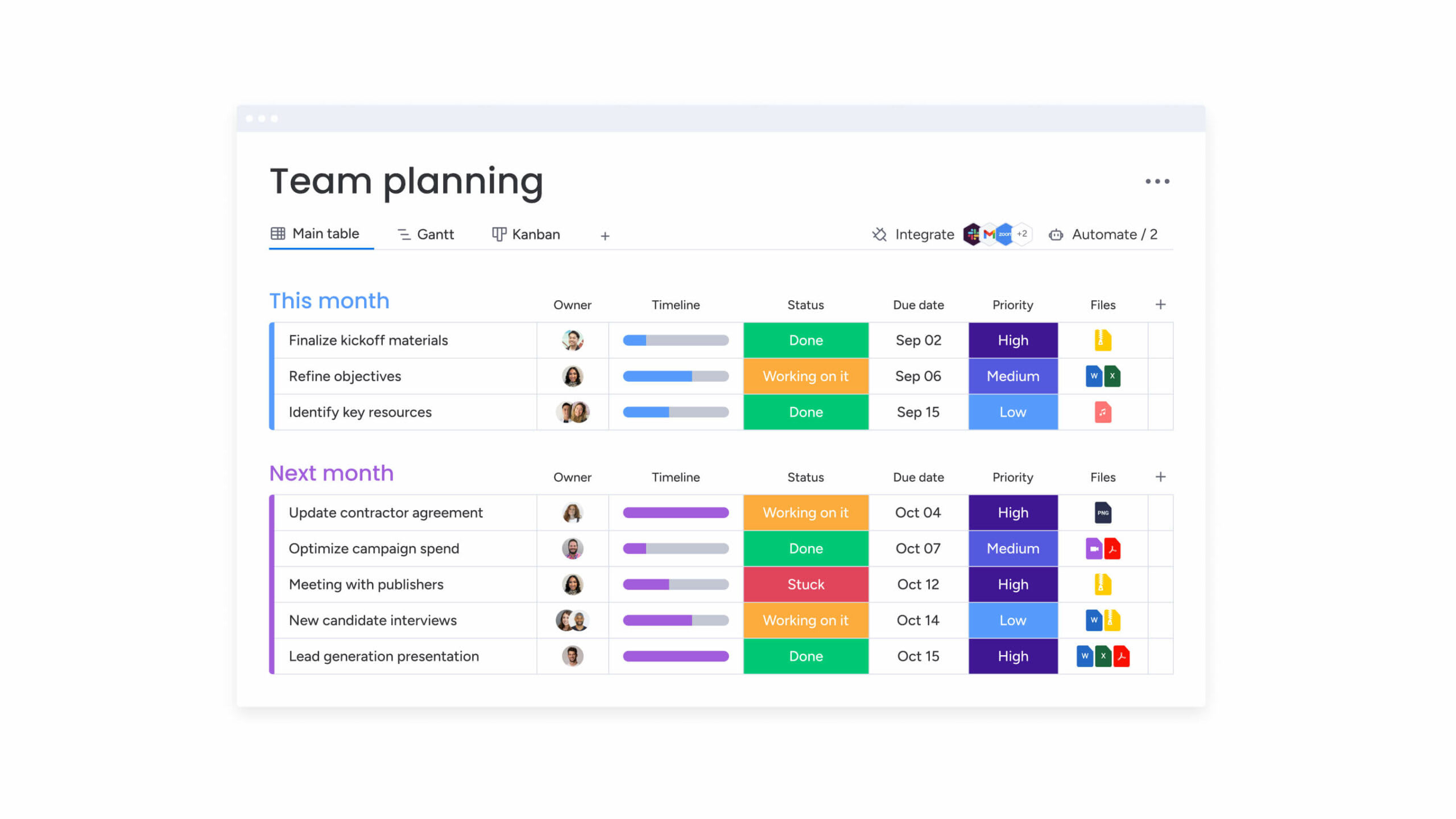
The platform transforms abstract dates into actionable visual data. Board-based organization allows teams to manage different event portfolios, marketing, HR, operations, within unified structure.
Multiple view options provide necessary perspective for different stakeholders:
- Gantt charts: Long-term timeline planning.
- Kanban boards: Tracking event preparation workflows.
- Calendar views: Day-to-day scheduling.
Real-time collaboration features enable teams to discuss agenda items, share files, and update status directly within event records.
AI-powered risk detection for events
The sophisticated platform leverages AI to safeguard schedules against disruption. Portfolio Risk Insights scan across all event-related boards to identify dependencies at risk of slipping.
AI Blocks automatically categorize incoming event requests, tagging them by urgency, department, or type to route them to correct workflows. Predictive analysis identifies patterns historically leading to conflicts, prompting proactive adjustments. Intelligent alerts further notify stakeholders of potential issues long before they impact events.
Workload balancing for event teams
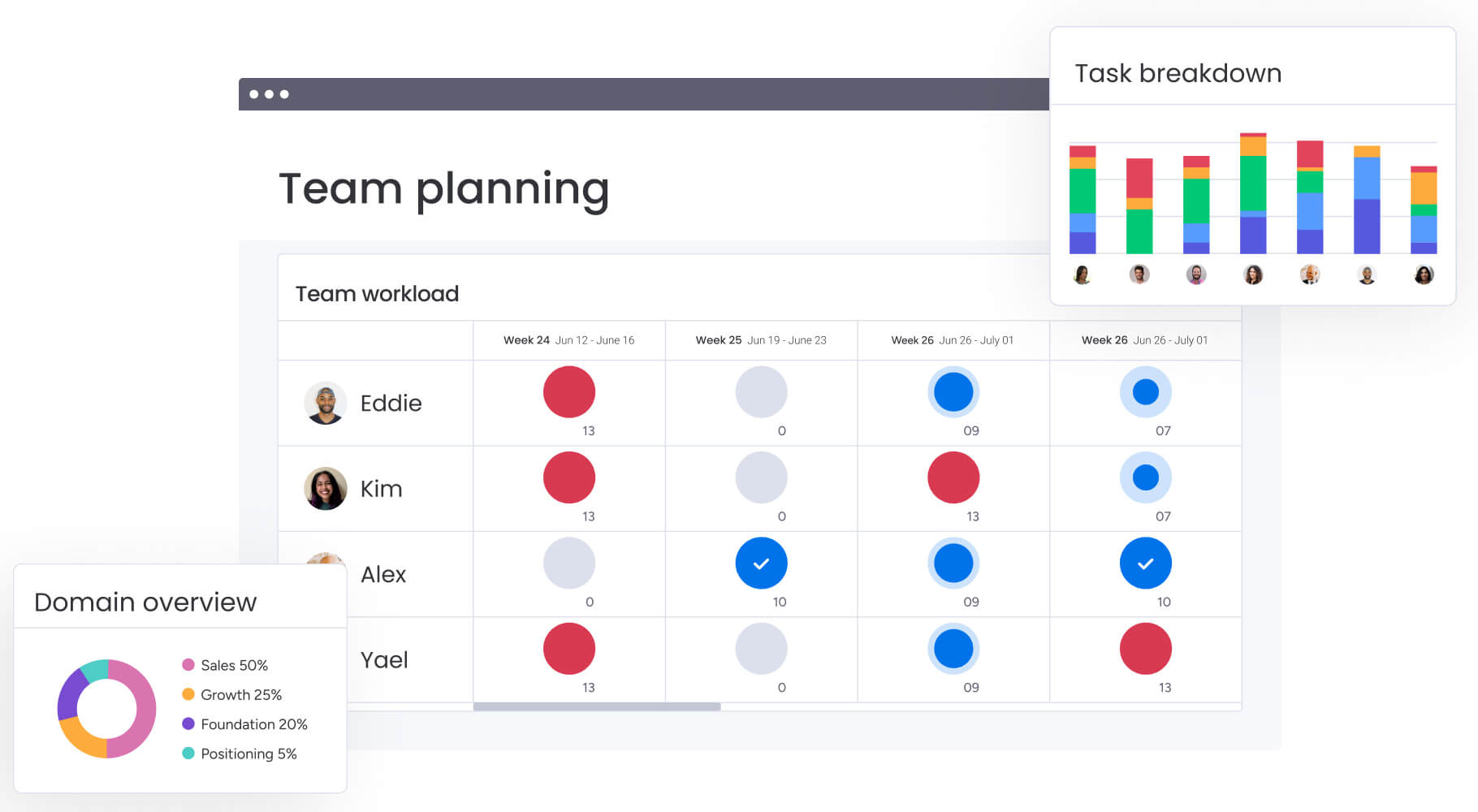
Resource management capabilities ensure teams executing events avoid burnout. The Workload View provides visual representation of team capacity, highlighting who is overcommitted and who has bandwidth.
Resource allocation capabilities allow managers to assign work based on specific skills and current availability. Capacity planning features help leadership forecast staffing needs for upcoming peak periods. Automated scheduling suggestions use workload data to recommend optimal assignment of personnel to event-related work.
Enterprise security and compliance
For large organizations, security is non-negotiable. Multi-level permissions allow granular control over every calendar aspect. Administrators define exactly who can view sensitive executive schedules versus who can edit public team events.
Enterprise-grade security standards ensure compliance with data protection regulations. Comprehensive audit trails track every change, providing complete history for governance purposes. Guest access controls allow external partners to collaborate on specific events without compromising broader internal network security.
| Capability | monday work management | Traditional calendar systems | Standalone event software |
|---|---|---|---|
| Cross-departmental workflows | Native integration connects events to projects seamlessly | Limited connectivity isolates events from actual work | Requires additional applications or complex APIs |
| AI-powered risk detection | Built-in Portfolio Risk Insights proactively identify conflicts | No AI capabilities for risk or conflict prediction | Basic conflict detection limited to double-booking |
| Resource management | Visual workload balancing tracks team capacity and assets | Manual coordination required via spreadsheets | Limited resource tracking focused on rooms only |
| Customizable workflows | Flexible building blocks adapt to any event process | Fixed functionality offers little customization | Some customization but often rigid and process-heavy |
| Real-time collaboration | Live updates and comments happen directly on event record | Basic sharing lacks contextual communication | Limited collaboration features separate from planning |
| Enterprise security | Multi-level permissions and granular access controls | Basic access controls typically limited to view/edit | Standard security but may lack granular internal controls |

“monday.com has been a life-changer. It gives us transparency, accountability, and a centralized place to manage projects across the globe".
Kendra Seier | Project Manager
“monday.com is the link that holds our business together — connecting our support office and stores with the visibility to move fast, stay consistent, and understand the impact on revenue.”
Duncan McHugh | Chief Operations OfficerTransform your organizational coordination with unified event management
Cross-functional teams face increasing pressure to coordinate events across overlapping timelines, shared resources, and competing priorities. Without a unified system, scheduling remains reactive, visibility is fragmented, and strategic initiatives compete for attention rather than reinforcing one another.
monday work management addresses these challenges by connecting events directly to workflows, resources, and organizational objectives, transforming calendars from static schedules into active coordination systems.
- Connects events to real work: Calendar entries link directly to projects, deliverables, and owners, ensuring every event supports measurable business outcomes.
- Prevents conflicts before they escalate: Real-time synchronization, AI-powered risk detection, and automated alerts surface issues early and enable proactive adjustments.
- Balances resources at scale: Workload views and resource tracking provide clear insight into capacity, preventing overcommitment and improving utilization.
- Maintains visibility without sacrificing control: Role-based permissions and approval workflows support transparency while protecting sensitive schedules.
- Simplifies coordination across teams: Integrations, automations, and shared dashboards reduce manual handoffs and eliminate fragmented planning processes.
By unifying event management within a connected work platform, organizations gain greater efficiency, stronger alignment, and clearer strategic execution, without adding operational complexity or administrative overhead.
Frequently asked questions
How do events calendars differ from basic scheduling applications?
Events calendars provide strategic coordination across departments with workflow integration, resource management, and business outcome tracking, while basic scheduling applications only prevent time conflicts. Enterprise calendars connect to project deliverables, automate cross-functional processes, and provide organization-wide visibility that simple scheduling tools cannot match.
What security certifications should enterprise events calendars have?
Enterprise events calendars should meet standards like SOC 2, ISO 27001, and GDPR compliance, with multi-level permissions and audit trails for sensitive organizational information. These certifications ensure your calendar system protects confidential data while maintaining operational transparency across departments.
Can events calendars manage hybrid work events?
Events calendars support hybrid events by integrating virtual meeting platforms, managing both physical and digital resources, and coordinating across different time zones and locations. The system automatically handles room bookings alongside virtual meeting links, ensuring seamless coordination for distributed teams.
How long does calendar system migration typically take?
Calendar system migration usually takes 2 to 8 weeks depending on organizational size and complexity, with phased rollouts allowing teams to adapt gradually while maintaining operations. Starting with pilot groups and expanding systematically ensures smooth transition without disrupting daily work.
Which teams benefit most from centralized event management?
Operations, project management, and executive teams see the greatest benefits from centralized event management due to their need for cross-departmental coordination and resource optimization. These teams rely on unified visibility to prevent conflicts, allocate resources effectively, and maintain strategic alignment.
What ROI can organizations expect from unified event calendars?
Organizations typically see reduction in scheduling conflicts and administrative time, plus improved resource utilization and faster decision-making through improved visibility. The time saved on coordination and reduced meeting conflicts translates directly into productivity gains and cost savings.

 Get started