


Ideas fuel creative agencies. Execution keeps them profitable. Between a brilliant concept and a delivered campaign lie feedback rounds, shifting priorities, and resource juggling. Client expectations can also change midway. Generic project management platforms often fail to address these realities—they overlook visual collaboration, iterative reviews, and the client-facing polish that agencies rely on daily.
Creative agency project management software fills this gap. These platforms provide structure without stifling flexibility, offering tools for visual proofing, approval workflows, and resource planning while linking daily execution to profitability metrics. They replace scattered spreadsheets, email threads, and siloed tools with a single workspace where briefs, feedback, and deliverables coexist.
This guide covers 15 of the best creative agency project management platforms in 2026, emphasizing AI-powered automation, profitability tracking, and workflows built for creative teams. Each platform is evaluated on its unique capabilities, alignment with agency workflows, and ability to support creative output while maintaining operational efficiency. From boutique studios to enterprise-level campaigns, these tools help agencies deliver work efficiently and profitably.
Key takeaways
- Creative agency project management software addresses specialized workflows: platforms designed for creative teams support visual proofing, iterative approvals, and client collaboration that generic PM tools often miss.
- Real-time profitability tracking is critical: connecting time tracking, budgets, and resource allocation allows agencies to monitor margins and adjust projects before overruns occur.
- AI-powered automation enhances efficiency: features like task categorization, feedback summarization, and risk detection reduce manual coordination and free teams to focus on high-value creative work.
- Resource planning and capacity management improve delivery: understanding team availability, skill allocation, and workload prevents bottlenecks and supports strategic project assignments.
- monday work management offers a flexible, scalable Work OS: it enables agencies to build custom workflows, integrate with existing tools, and unify execution with financial insights across projects.
The best creative agency project management software for 2026
Creative agencies balance artistic freedom with structured operations every day. Teams juggle clients, deadlines, and varying skill sets while striving to maintain consistent quality. Yet, many agencies still rely on generic platforms that were not designed for visual, iterative creative work. To turn innovative ideas into profitable outcomes, a specialized platform is not optional—it is essential.
The right platform aligns with the way creative teams work. It provides visual proofing, client approvals, and resource planning in one cohesive workspace. By replacing scattered feedback and chaotic spreadsheets, it allows teams to focus on what matters: producing high-quality creative work while growing the business.
Agencies benefit from platforms that enable planning ahead rather than constant reaction. Whether choosing an all-in-one solution or a flexible Work OS, the goal remains the same: deliver measurable impact. For instance, creative teams coordinate work on monday work management experience smoother collaboration while preserving the visual workflows their projects rely on.
1. monday work management
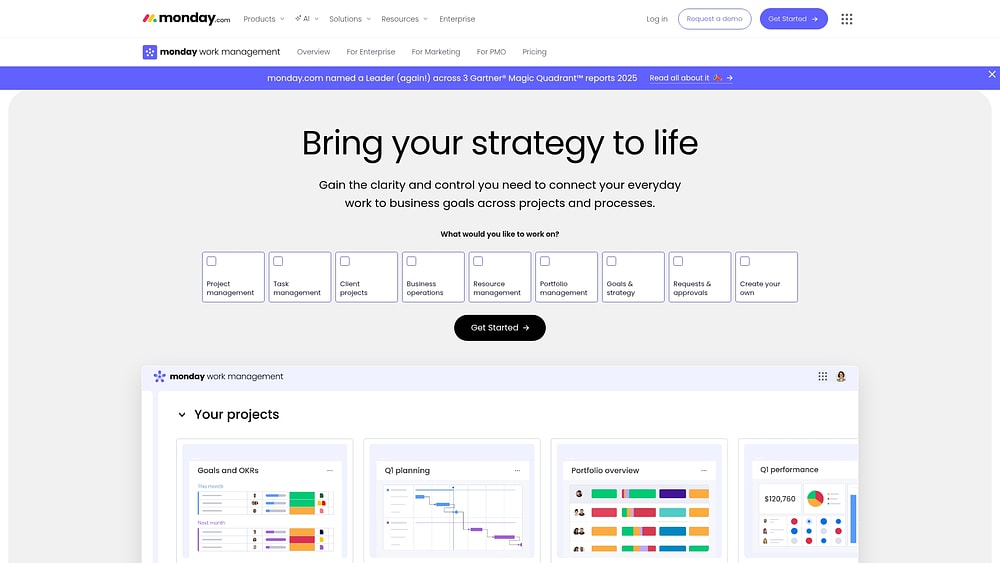
This platform transforms a chaotic pipeline—including briefs, reviews, and deliverables—into a single system that maintains clarity across teams. Built on the monday.com Work OS, it supports projects, portfolios, requests, resources, and goals. Work flows seamlessly from concept to delivery, with all context preserved.
Teams can customize boards, columns, and views—Kanban, Gantt, Timeline, Calendar, and Workload—without rigid templates. Campaign plans can roll up into leadership portfolio views, complete with client-ready reporting.
Example:
Agencies requiring structured intake, consistent delivery, and real-time reporting will find this platform ideal. A typical setup includes a request form for new work, a project board tracking milestones and dependencies, and a dashboard showing progress, workload, and budgets across clients.
Key features that enable structured delivery and visibility
- Custom workflow builder: build boards that match how your agency works. view them as Kanban, Gantt, Timeline, Calendar, or Workload depending on the role.
- Requests & approvals: capture briefs with the right fields up front. route decisions to the right people. keep approvals tied to deliverables.
- Real-time reporting: track portfolio status, workload, and budget across clients, teams, and programs with live, shareable dashboards.
- Project controls: maintain realistic timelines with milestones, dependencies, baseline comparisons, and critical path overlays in Gantt views.
- In-context collaboration: draft briefs and align using monday docs. embed live boards and dashboards within the doc to connect planning and execution.
Advanced AI features:
- AI Blocks: add prebuilt AI actions to workflows, including categorize, summarize, detect sentiment, translate, improve text, write with AI, and extract information from PDFs, images, and text.
- AI in the flow of work: automatically populate fields with “Autofill with AI” on supported columns such as Text, Date, Numbers, Dropdown, People, and Status.
- AI Automations: summarize inputs, categorize requests, extract key details from files, and generate polished client updates via the Automation center.
- Digital Workforce (coming soon): monitor projects in real time, flag bottlenecks, and provide insights across multiple initiatives.
Automations
- Templated project setup: ensure every client engagement begins with consistent delivery standards by automatically creating boards from templates.
- Reminders and ownership: trigger notifications when dates shift, statuses change, or milestones approach.
- Cross-team coordination: keep alignment with automated updates sent to tools such as Slack or Microsoft Teams.
Integrations:
- Connect your stack: centralize work and communication through over 200 app integrations.
- Collaboration and inbox-to-work: track conversations and emails from Slack, Microsoft Teams, Gmail, and Outlook.
- Files and meetings: share and preview files via Google Drive and schedule sessions through Zoom.
- PM and planning ecosystems: sync work with Jira Cloud and import Excel data to centralize planning.
Creative agency project management software features:
- Campaign portfolio tracking: roll up multiple client projects into dashboards for a comprehensive view of progress, workload, and budget.
- Time tracking: monitor time spent per item to improve estimates and support profitability discussions.
- External collaboration with control: invite clients or vendors as needed, applying multi-level permissions so stakeholders see only relevant information.
Pricing:
- Free: $0 (up to two seats, limited boards and features).
- Basic: $9 per seat per month (billed annually, minimum three seats).
- Standard: $12 per seat per month (billed annually, includes 250 automation actions).
- Pro: $19 per seat per month (billed annually, includes 25,000 automation actions and advanced features).
- Enterprise: custom pricing (includes portfolio management, advanced security, and SSO).
- Annual billing provides an 18% discount compared to monthly plans. AI credits cost $0.01 per credit, with actions typically requiring eight-credit increments.
Why it stands out:
- High adoption: teams enjoy using the platform, keeping data current and reporting reliable.
- Speed to value: processes launch quickly; a Forrester Total Economic Impact™ study found a payback period under four months.
- Freedom to customize: dashboards, automations, and workflows can flexibly meet standardization requirements.
- Recognized by analysts and customers: named a Leader in the 2025 Gartner® Magic Quadrant™ reports for Collaborative Work Management and Adaptive Project Management, and in the 2024 Gartner® Magic Quadrant™ for marketing work management.
2. Productive
For agencies aiming to connect project execution with financial outcomes, Productive provides a robust platform. The system combines project management, resource planning, and real-time profitability tracking into a unified framework designed by former agency operators. It supports creative teams in balancing operational efficiency with financial accountability while maintaining clarity across workflows.

Use case:
Mid-size creative agencies prioritizing financial visibility and resource optimization over extensive workflow customization benefit most from this platform, particularly those with established processes seeking deeper profitability insights.
Key features:
- Real-time profitability tracking: monitors project budgets, forecasts, and utilization reports.
- No-code automations: streamlines operational and financial workflows, including scheduled bulk actions and HTTP requests.
- Custom fields and formulas: applies across projects, budgets, deals, and invoices for enhanced reporting.
Pricing:
- Essential: $9/month per user (annual) or $11/month (monthly).
- Professional: $24/month per user (annual) or $28/month (monthly).
- Ultimate: $32/month per user (annual) or $39/month (monthly).
- Trial and volume options: 14-day free trial and discounts for 50+ users via sales consultation.
Considerations:
- Workflow and field limits: account-level caps (2/5/10 by tier) and per-project custom field limits may constrain complex agencies.
- Advanced governance features: required fields, webhooks, and SSO enforcement require the Ultimate plan, increasing per-user cost.
3. Scoro
Scoro integrates the full agency lifecycle—from initial quote to final invoice—reducing the need to manage disconnected tools. As a professional services automation platform, it links project management, CRM, billing, and reporting. This unified approach helps agencies coordinate client relationships, project delivery, and financial performance within a single system.

Use case:
Agencies seeking to consolidate operations while maintaining detailed financial oversight and client relationship management benefit from Scoro’s cohesive framework.
Key features:
- Quote-to-project automation: converts approved quotes into structured project phases, tasks, and budgets to maintain alignment with scope.
- Custom workflow automation: creates rule-based triggers and actions with webhooks to streamline repetitive processes and cross-tool integrations without coding.
- Unified financial management: tracks profitability, manages invoicing, and monitors budgets with real-time reporting.
Pricing:
- Core: $19.90/user/month (minimum five users).
- Growth: $32.90/user/month.
- Performance: $49.90/user/month.
- Enterprise: custom pricing.
- Annual billing: saves up to 16%, with a 14-day free trial.
- Add-ons: features such as Customer Portal and Custom Modules are available.
Considerations:
- Steep learning curve: initial configuration of data models, permissions, and reports may require significant setup.
- Advanced features: some customizations require higher-tier plans or add-ons, increasing costs for agencies needing extensive workflow automation.
4. Asana
Asana emphasizes visual workflows that creative teams can use efficiently. Its focus on simplicity and accessibility supports project-focused management without overwhelming teams. The platform is well-suited for agencies or departments that require straightforward collaboration without extensive customization.

Use case:
Smaller creative teams or departments within larger organizations needing clear task management and basic workflow organization find Asana particularly effective.
Key features:
- Flexible project views: includes Kanban boards, Gantt timelines, and calendar layouts for versatile workflow visualization.
- Creative project templates: accelerates setup for campaigns, content calendars, and production workflows.
- Built-in collaboration: supports comments, file attachments, and @mentions for team communication.
Pricing:
- Personal: free for up to two users with unlimited tasks and projects.
- Starter: $10.99/month per user (billed annually) with Asana AI, custom fields, and unlimited automations.
- Advanced: $24.99/month per user (billed annually) adding goals, portfolios, approvals, and proofing capabilities.
- Enterprise and Enterprise+: custom pricing with workflow bundles, resource management, and advanced security controls.
- Nonprofits: 50% discount on Starter or Advanced plans.
Considerations:
- Limited scalability: simplicity may constrain agencies managing multiple clients or requiring sophisticated approval workflows.
- Creative-specific features: advanced automations often require third-party integrations.
5. ClickUp
ClickUp offers a converged digital workspace that combines tasks, docs, whiteboards, and communication. Its modular approach, with 35+ ClickApps and over 15 project views, supports agencies requiring extensive customization. Teams investing time in configuration can maximize the platform’s capabilities to centralize workflows and replace multiple tools.

Use case:
Agencies needing broad functionality in a single platform and willing to dedicate time to configuration and training benefit most from ClickUp’s comprehensive offering.
Key features:
- Hierarchical workflow customization: defines custom statuses, fields, and task types at Space, Folder, and List levels with unlimited custom fields on paid plans.
- AI-powered automation: provides over 100 automation recipes and an AI Automation Builder to create workflows from natural language prompts.
- Extensive project views: offers more than 15 visualization options including Gantt charts, Kanban boards, workload management, and dashboards.
Pricing:
- Free Forever: $0 with 60MB storage and limited custom fields.
- Unlimited: $7/month per user (billed annually) with unlimited storage and core features.
- Business: $12/month per user (billed annually) with advanced permissions and unlimited dashboards.
- Enterprise: custom pricing with SSO, HIPAA compliance, and data residency options.
- Add-ons: AI features and premium support are separate purchases.
Considerations:
- Learning curve: complexity and slow loading times can affect adoption.
- Automation limits: advanced conditions and higher action limits are restricted to Business+ plans or higher.
6. Wrike
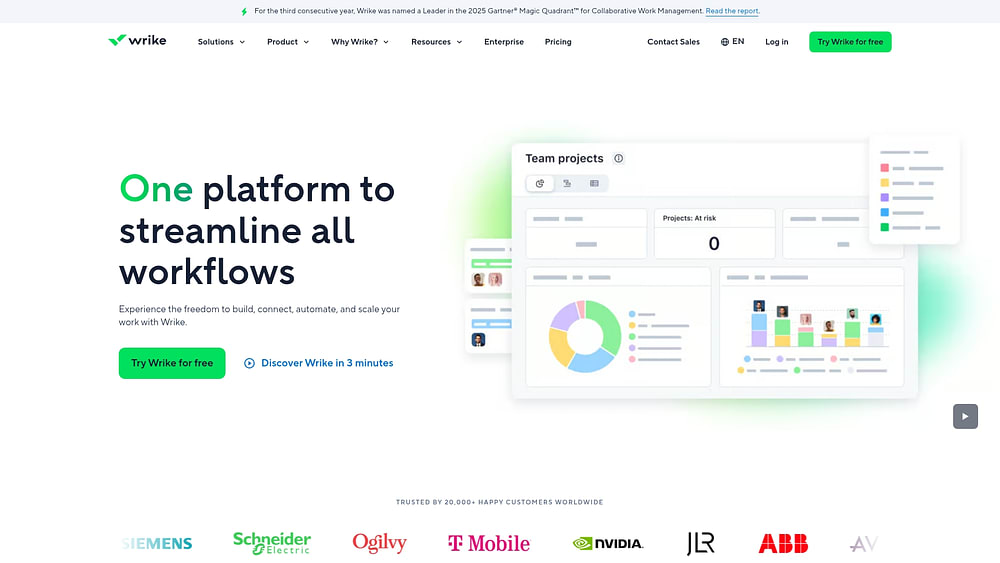
Large organizations that require structured governance and complex approval workflows often rely on Wrike. This enterprise-focused platform provides advanced planning, resource management, and creative approval processes designed for organizations with sophisticated operational needs. Trusted by over twenty thousand organizations globally, Wrike emphasizes control and oversight, making it suitable for agencies prioritizing structured project management.
Use case:
Larger creative agencies with established processes and intricate client relationships needing enterprise-grade workflow governance benefit from Wrike.
Key features:
- Custom item types: define task layouts, fields, and automation rules to reflect real business objects such as creative briefs and campaign deliverables.
- Advanced approval workflows: support multi-stage reviews, visual proofing, and version control for creative assets.
- Resource management: provides visibility into team capacity and workload across multiple client projects.
Pricing:
- Free: $0/month (basic task and project management with active task limits).
- Team: $10/month per user (2–15 users, AI essentials, custom fields and workflows).
- Business: $25/month per user (5–200 users, advanced workflow customizations, resource planning, AI Elite with Copilot).
- Enterprise: contact sales (advanced security, SSO, flexible admin controls).
- Pinnacle: contact sales (complex workflows, advanced resource management, budgeting, BI-level reporting).
Add-ons include Wrike Whiteboard ($15/month per user), Integrate, Two-Way Sync, and Wrike Lock with custom pricing.
Considerations:
- Enterprise focus: may feel rigid for agencies seeking experimental or rapidly evolving workflows.
- Add-on pricing: advanced workflow extensions are often additional purchases, which can increase total cost for full customization needs.
7. Kantata
Kantata focuses on business intelligence and professional services automation for agencies that require deep financial management. By combining project management with project accounting, resource planning, and executive-level analytics, the platform supports organizations where financial performance and operational efficiency are critical.

Use case:
Established agencies with complex financial requirements benefit from Kantata’s ability to track costs, manage revenue recognition, and analyze profitability across portfolios.
Key features:
- Project accounting: provides detailed cost tracking, revenue recognition, and profitability analysis at both project and portfolio levels.
- Resource planning: enables capacity forecasting, skills-based assignment, and utilization optimization across teams.
- Business intelligence: executive dashboards aggregate operational data for strategic decision-making.
Pricing:
- Professional, Premier, and Enterprise tiers: custom pricing available through quote request.
- Add-on integrations: QuickBooks Online and other integrations are available for purchase.
- M-Bridge platform: separate provisioning required for advanced integration scenarios.
Considerations:
- Task status limitations: custom task status sets are not currently available to integrations, requiring mapping workarounds.
- Workflow customization: some features are restricted to Premier and Enterprise tiers, limiting access for smaller teams.
8. Teamwork
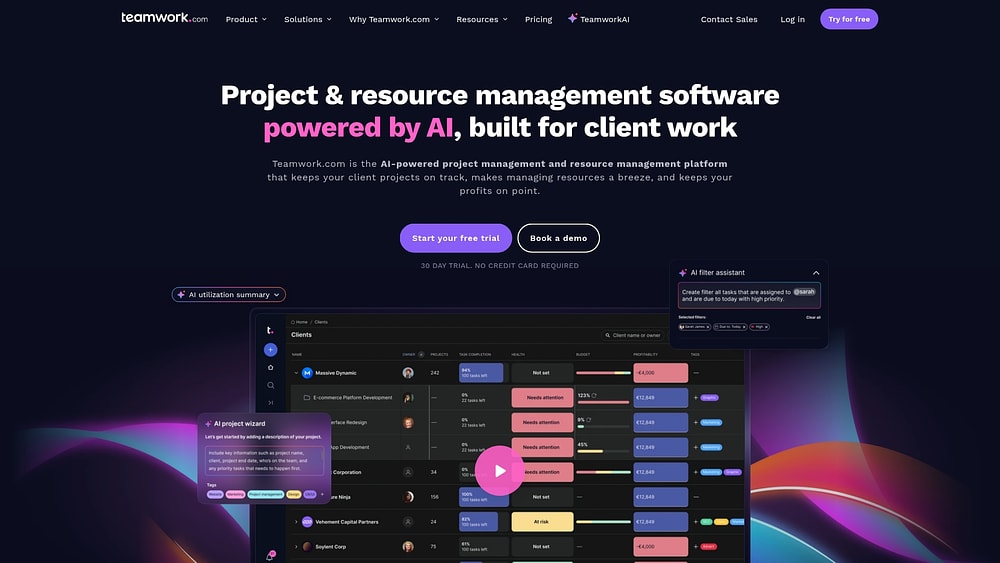
Agencies that need to track both client collaboration and financial outcomes often turn to Teamwork. This AI-powered platform links workflows to financial performance with native time tracking, budgeting, and resource planning, making it ideal for managing multiple clients while maintaining clear visibility into project costs and profitability.
Use case:
Agencies focused on client collaboration and internal project coordination benefit from Teamwork, especially when clients require regular project updates.
Key features:
- Global workflows: standardize process stages across projects while maintaining per-project board customization for consistent execution.
- Client collaboration portals: provide clients with project visibility, file sharing, and feedback collection without requiring them to learn complex project management interfaces.
- Integrated financial tracking: connects time tracking to project workflows for accurate billing and real-time profitability analysis.
Pricing:
- Free: basic project management features.
- Deliver: $10.99/month per user (annual billing).
- Grow: $19.99/month per user (annual billing).
- Scale: custom pricing (contact sales).
- Enterprise: custom pricing (contact sales).
Annual billing saves 20%, and nonprofit discounts are available through support.
Considerations:
- Workflow limitations: one workflow per project requires stage mapping for evolving processes.
- Advanced features: unlimited custom fields and profitability reports require higher-tier plans, potentially increasing costs for growing agencies.
9. Nifty
Nifty provides growing teams with a centralized platform that combines project tracking, client communication, and AI-powered automation. The platform offers robust functionality without steep technical demands, making it appealing for agencies seeking a streamlined collaborative workspace.

Use case:
Mid-size creative agencies benefit from Nifty’s all-in-one workspace, which consolidates team collaboration and client communication with minimal setup.
Key features:
- AI Project Builder: generates workflows with custom statuses, tasks, and fields from simple prompts.
- Client portals: unlimited client access on Business plans allows external stakeholders to provide feedback.
- Advanced automation: triggers based on status changes, custom field updates, and project milestones with multi-action rules.
Pricing:
- Free: $0 forever with two active projects and 100MB storage.
- Personal: $7/user/month with 40 projects, custom fields, and time tracking.
- Business: $16/user/month with unlimited projects, automations, API access, and unlimited guests.
- Enterprise: custom pricing with SAML, white labeling, and dedicated success management.
Forms add-on is $20/month ($16/month annually) on non-Enterprise plans. White Label add-on is $30/month annually or $40/month billed monthly. Annual discounts up to 45% are available, with 50% education discounts.
Considerations:
- Enterprise features: advanced features like SAML and white labeling require the Enterprise tier or paid add-ons.
- Integration dependencies: many connections rely on Zapier rather than native builds, creating potential third-party dependencies and added subscription costs.
10. Trello
Simplicity is Trello’s superpower. Its visual Kanban boards make workflow management intuitive and accessible, transforming project coordination into a drag-and-drop experience. For creative teams that think spatially and need to set up projects quickly without complex configuration, Trello offers a straightforward and effective solution.

Use case:
Small creative teams and individual projects that require clear visual organization benefit from Trello’s card-based interface, which moves work through customizable workflow stages.
Key features:
- Visual Kanban boards: drag-and-drop cards through customizable lists that reflect any creative process, from concept to completion.
- Custom fields and advanced checklists: add structured data to cards and assign owners with due dates for granular project tracking.
- Butler automation: no-code rules and scheduled commands detect repeated actions and suggest workflow improvements.
Pricing:
- Free: $0/month for up to ten collaborators and ten open boards with basic automation.
- Standard: $5/user/month (billed annually) adds custom fields, advanced checklists, and unlimited boards.
- Premium: $10/user/month (billed annually) includes all views, unlimited automations, and AI assistance.
- Enterprise: $17.50/user/month (billed annually) with enterprise-grade security and 24/7 support.
Considerations:
- Feature limitations on free and lower-tier plans restrict custom fields, advanced views, and automation capabilities.
- Board performance may degrade with over 1,000 open cards, potentially limiting scalability for larger creative operations.
11. Smartsheet
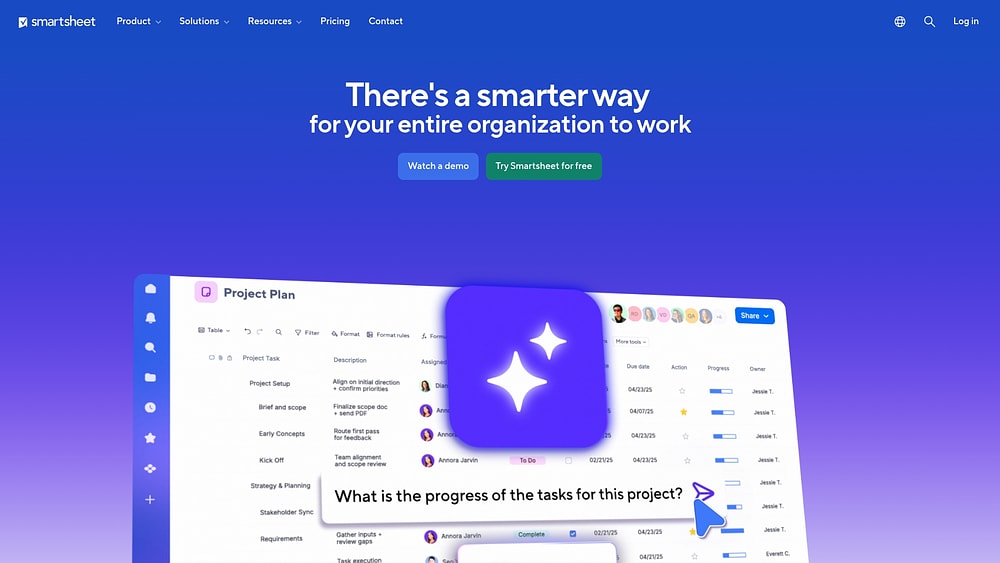
Smartsheet bridges the gap between familiar grid interfaces and enterprise automation, appealing to teams that rely on spreadsheet-style workflows but need more power. It converts traditional tracking methods into enterprise-grade project management capabilities. This makes it valuable for organizations transitioning from manual tracking to structured processes.
Use case:
Agencies comfortable with grid-based workflows that require enterprise governance, portfolio-scale automation, and secure stakeholder collaboration benefit from Smartsheet without losing the spreadsheet interface they know.
Key features:
- Visual workflow automation: no-code builder with triggers, conditions, and actions plus low-code Bridge for complex cross-system orchestration.
- Secure stakeholder management: dynamic View provides row and field-level access control, allowing external collaborators to participate without oversharing sensitive data.
- Portfolio governance at scale: Control Center automates standardized project provisioning and change management across multiple initiatives simultaneously.
Pricing:
- Pro: $9/month per member (annual) or $12/month (monthly) for one to ten members.
- Business: $19/month per member (annual) or $24/month (monthly) for three or more members.
- Enterprise: custom pricing with SAML SSO, directory integrations, and AI features.
- Advanced Work Management: quote-only bundle including Control Center, Dynamic View, Data Shuttle, and premium connectors.
Considerations:
- Advanced capabilities like Control Center, Bridge, and Dynamic View require premium add-ons or Advanced Work Management bundles, significantly increasing total cost.
- Grid-based interface may feel less intuitive for creative teams accustomed to visual, design-oriented project management approaches.
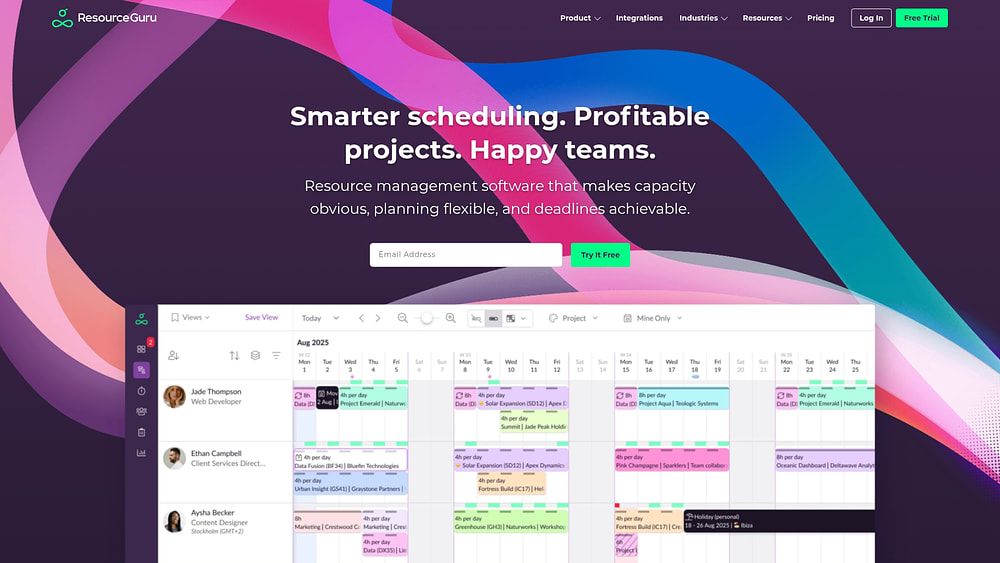
12. Resource Guru
Resource Guru focuses on knowing exactly who is working on what — and when. Its platform delivers specialized resource scheduling and capacity management, prioritizing clash-free scheduling with drag-and-drop simplicity. Built by a remote-first team that understands the challenges of spreadsheet scheduling, it serves over 65,000 people across more than 100 countries.
Use case:
Agencies that need robust capacity planning and resource allocation without complex project management features benefit from Resource Guru’s specialized scheduling capabilities.
Key features:
- Clash management engine: prevents double-booking with Waiting List, Elastic Overtime, and availability controls that detect scheduling conflicts automatically.
- Custom field configuration: extends across people, resources, bookings, projects, and clients to enable advanced filtering, grouping, and reporting without heavy administration.
- Real-time calendar sync: bi-directional integration with Google and Outlook calendars, plus API webhooks for event-driven automation and seamless tool connectivity.
Pricing:
- Grasshopper: $4.16/month per person (annual billing) with essentials like projects, dashboards, and calendar sync.
- Blackbelt: $6.65/month per person (annual billing) adds timesheets, custom reports, project budgets, and custom fields.
- Master: $10/month per person (annual billing) includes booking approval workflows, SSO, unlimited custom fields, and phone support.
- 30-day free trial: available.
- Annual billing provides two months free compared to monthly rates.
Considerations:
- Booking approval workflows are only available on the Master plan, limiting governance options for teams on lower tiers.
- Custom field limits on mid-tier plans may restrict workflow customization for agencies with complex resource categorization needs.
13. ProWorkflow
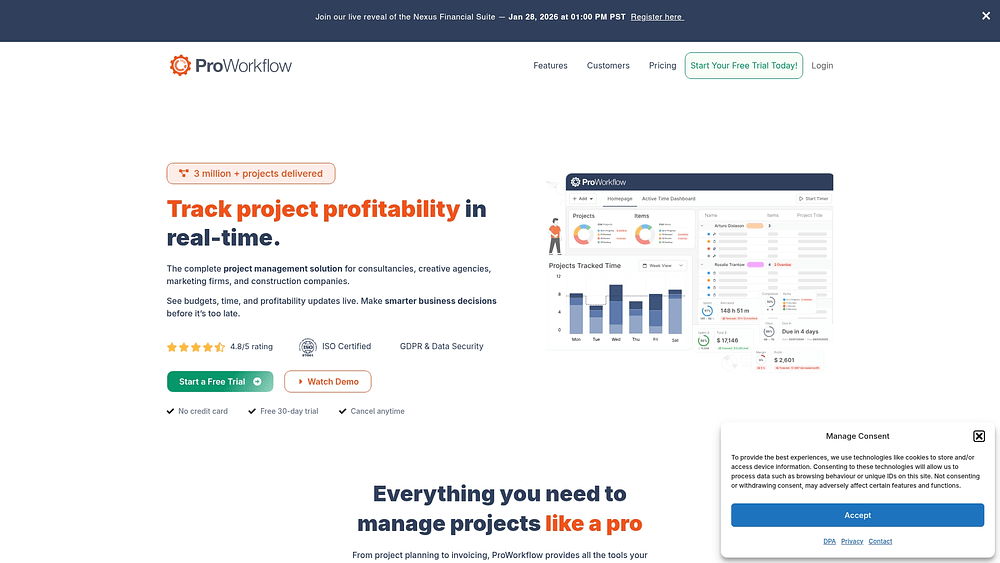
ProWorkflow has two decades of experience serving creative firms, combining secure project management with financial tracking. Agencies can monitor project profitability alongside creative deliverables. ISO 27001 certification underscores its commitment to enterprise-grade security, making it a reliable choice for agencies that need both protection and performance.
Use case:
Small to mid-size creative agencies that require integrated financial management alongside project execution benefit from ProWorkflow, especially those tracking detailed time and client billing.
Key features:
- Creative request forms and approval workflows: designed for common creative deliverables.
- Integrated quotes-to-projects-to-invoices flow: provides real-time profitability tracking.
- Client portals: offer external stakeholders visibility and streamlined feedback collection.
Pricing:
- Professional: $20/month per user (monthly) or $18/month (annual), minimum one user.
- Advanced: $30/month per user (monthly) or $27/month (annual), minimum five users.
- Enterprise: contact for pricing.
- Quotes and invoices add-ons: $10 each on Professional plan.
- Annual billing saves up to 10%.
Considerations:
- Custom forms require HTML knowledge, which may challenge agencies without web development skills.
- Advanced customization features are locked behind the higher-tier Advanced plan with a five-user minimum.
14. MeisterTask
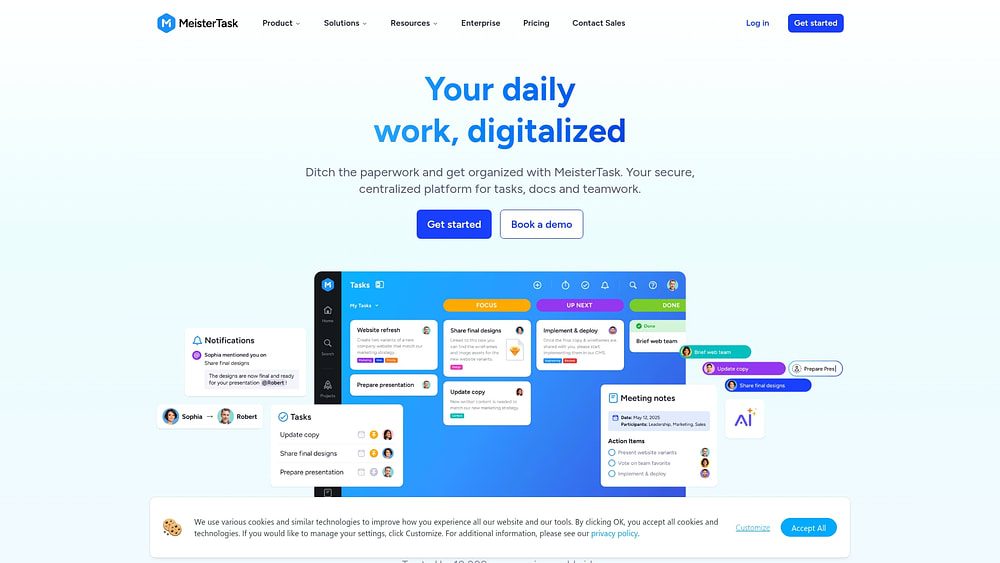
Security-conscious teams, especially in regulated industries, benefit from MeisterTask’s visual project management via Kanban-style boards. It emphasizes simplicity and EU-hosted compliance. Built-in time tracking and reporting eliminate the need for multiple external integrations, while no-code automations streamline processes.
Use case:
Small to mid-size creative agencies seeking visual project coordination with strong security compliance — particularly those serving regulated clients or requiring EU data residency — gain value from MeisterTask.
Key features:
- Customizable Kanban boards: section-level automations trigger when tasks move between workflow stages.
- Built-in time tracking and custom reporting: provide project insights without external integrations.
- Template library: includes 50+ pre-built project templates plus the ability to create custom templates with pre-configured workflows.
Pricing:
- Basic: $0/month (up to three projects, five Content Manager seats, unlimited Viewer seats).
- Pro: $13/user/month (unlimited projects, automations, 75 AI prompts monthly).
- Business: $25/user/month (Timeline View, custom fields, custom reports, 350 AI prompts monthly).
- Enterprise: custom pricing (SSO, compliance exports, dedicated customer success manager).
- Annual billing available with 30% savings when bundled with MindMeister.
Considerations:
- Advanced customization features like custom fields and Timeline View require the Business plan, making the platform costly for teams needing these capabilities.
- Free plan limitations include only three projects per team and five Content Manager seats, which may constrain growing agencies.
15. Bonsai Agency Software
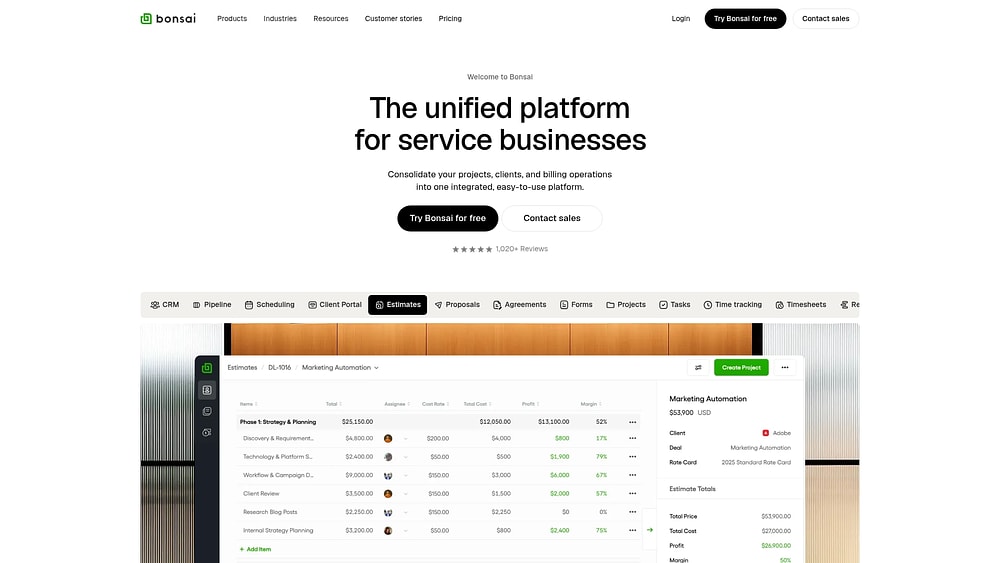
From the initial client handshake to final payment, Bonsai manages the full business lifecycle for freelancers and boutique agencies. It eliminates the need for multiple disconnected platforms by consolidating CRM, project management, contracts, and invoicing into one unified system. With attorney-drafted contracts and integrated payment processing, Bonsai transforms scattered processes into organized workflows for more than 5,000 agencies.
Use case:
Freelancers and small creative agencies seeking to combine CRM, project management, contracts, and invoicing into one cohesive system without juggling multiple subscriptions or integrations.
Key features:
- Custom fields: create fields across projects, tasks, clients, and deals with configurable sales pipelines and event-based automations.
- Attorney-drafted contract templates: generate proposals, use integrated e-signature, and automate invoicing workflows.
- Estimate-to-project conversion: transform approved quotes into structured projects with tasks, budgets, and resource assignments.
Pricing:
- Basic: $9 per user per month (annual billing).
- Essentials: $19 per user per month (annual billing).
- Premium: $29 per user per month (annual billing) — includes custom fields, deals pipeline, and integrations.
- Elite: $49 per user per month (annual billing, three-user minimum) — adds custom permissions, timesheet locking, and Xero integration.
- Annual billing offers up to four months free.
- Reduced rates are available for teams with thirty or more users.
- Payment processing fees and a 1% platform fee apply when using third-party processors.
Considerations:
- Custom fields limitations: cannot be filtered or sorted in views; client-level custom fields are limited to text type only.
- Workflow automation: advanced automations may require Zapier integration for complex logic beyond built-in options.
How to choose a project management platform for your creative agency
Selecting the right platform shapes how your agency collaborates, delivers to clients, and ultimately impacts profitability. The goal is to choose a system that does more than house work — it actively drives it forward.
To identify the best fit, focus on the non-negotiables of a high-velocity creative environment:
- Your workflows: whether managing campaign approvals or fast-paced content creation, the platform should adapt to your processes rather than impose rigid structures that stifle innovation.
- Key creative integrations: teams often work in tools like Adobe Creative Cloud and Figma. A strong platform bridges this ecosystem, automating updates and reducing time lost to context-switching.
- Scalability for growth: platforms that work for five users may struggle with fifty. Choose a system that scales effortlessly with your team and client roster, avoiding disruptive migrations.
Modern platforms like monday work management deliver on these fronts, allowing agencies to build custom workflows, integrate with over 200 creative and business platforms, and scale from small teams to enterprise operations. This ensures your agency is prepared for any challenge.
Essential features for creative project management
Iteration, subjective feedback, and visual collaboration drive creative work. Many platforms struggle because they impose rigid structures on a process that requires flexibility. The right platform accommodates this dynamic nature, offering capabilities that enhance output instead of restricting it.
Creative approval workflows and version control
Great ideas often get lost in email chains. Without a clear approval process, iterations become chaotic, leaving teams unsure of status and causing unnecessary rework.
- Visual proofing: stakeholders leave feedback directly on assets, removing ambiguity.
- Version control: every iteration is preserved, creating an audit trail and preventing overwritten files.
This structure transforms review cycles from bottlenecks into streamlined collaboration, ensuring ideas move forward efficiently.
Real-time project profitability tracking
Delivering excellent work while managing budgets is a delicate balance. Discovering an over-budget project after completion is too late.
- Budget visibility: connect time tracking and budget monitoring to project progress.
- Forecasting: compare actual costs with the budget instantly to adjust scope proactively.
Teams can use these insights to have informed client conversations and maintain a healthy bottom line for every project.
Resource planning and capacity management
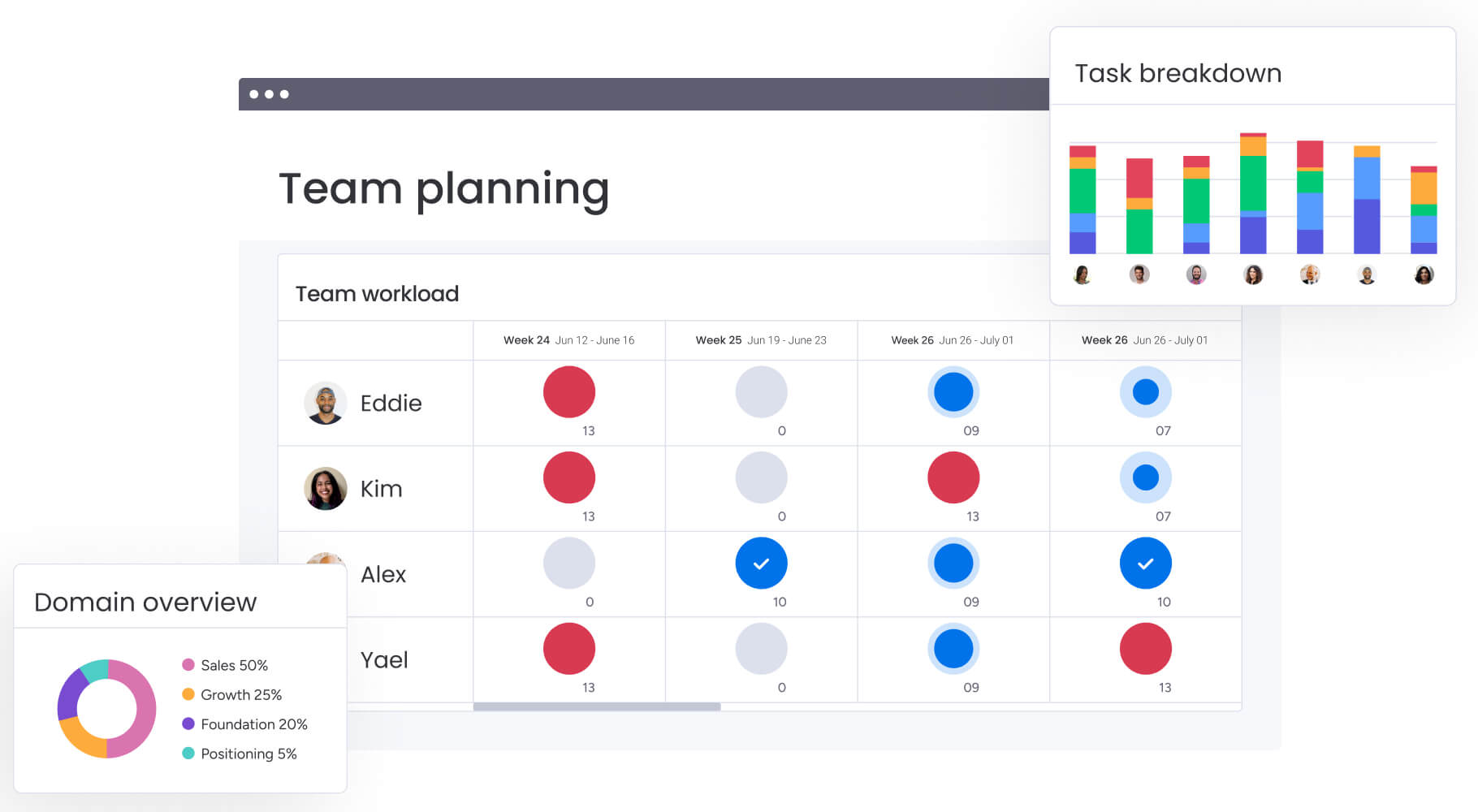
Talent is a team’s most valuable asset, and workload balance is crucial. Effective resource planning provides a complete view of availability and workload distribution, highlighting overcommitments and open capacity.
- Skill-based assignments: allocate work according to team members’ strengths.
- Utilization tracking: monitor who is over- or underutilized.
- Capacity insights: inform hiring decisions and optimize cross-functional collaboration.
This visibility enables smoother coordination across the organization, preventing bottlenecks before they impact delivery.
AI-powered automation and risk detection
Routine coordination should happen automatically, freeing the team for high-impact work. AI transforms project management into a proactive strategy.
- Task automation: categorize requests and summarize feedback automatically.
- Risk monitoring: track project health, flag potential issues, and suggest corrective actions based on historical performance.
With these capabilities, teams execute faster and manage risks intelligently, connecting strategy to daily operations.
Client collaboration portals

Transparency builds trust. A client portal provides a dedicated, branded space for collaboration while protecting internal workflows. Clients can view progress, milestones, and timelines on their schedule.
- Direct feedback: comments are collected on deliverables to ensure nothing is missed.
- Secure file sharing: reduces unnecessary check-ins and centralizes communication.
- Visibility: clients see progress without accessing internal workflows, creating stronger strategic partnerships.
Modern platforms like monday work management bring these capabilities together in one environment, helping creative teams stay aligned and deliver work efficiently.
Try monday work managementYour 30-day implementation roadmap for creative agencies
Transitioning to a new platform does not need to feel like a leap into the unknown. This 30-day roadmap provides a clear path to adoption, helping your team build momentum while maintaining creative flow. It focuses on moving efficiently while offering the support required for confident adaptation.
Lay the groundwork (Days 1–7)
Begin by establishing a solid foundation. Set up the workspace, configure security settings, and define user permissions to protect both agency and client work. This ensures proper access from day one.
Next, migrate critical information. Rather than replicating every old process, focus on customizing essential workflows such as project intake and creative production. This approach allows your team to start quickly with what matters most.
Run a pilot program (Days 8–14)
Test your setup with a small pilot team that includes members from creative, accounts, and production. Running a typical project provides valuable insights into real-world use.
The objective is learning, not perfection. Observe where teams encounter obstacles and create workarounds. These findings help refine workflows before a full agency rollout.
Launch across the agency (Days 15–21)
With adjustments in place, expand implementation across the agency. Offer training tailored to different learning preferences, from interactive workshops to concise guides. Standardize key workflows for consistency, while leaving room for creative flexibility.
Adoption is a human process. Keep communication open, celebrate early wins, and demonstrate how the platform improves workflows. Fostering engagement is as important as building the digital workspace itself.
Optimize and expand (Days 22–30)
Use the final week to refine operations. Analyze usage to identify which features are popular and where additional support is needed. Adjust dashboards and automations based on these insights.
Introduce advanced capabilities once the foundation is stable. Teams can streamline project execution by creating custom reports and connecting favorite apps. This structured approach delivers measurable improvements, from faster approvals to full project visibility.
Transform your creative agency with monday work management
Balancing creative freedom with operational discipline is one of the most critical challenges for agencies. Many platforms force a choice between rigid templates and chaotic flexibility. Scaling without compromising creativity requires a different approach.
Modern platforms like monday work management provide this alternative. As a flexible Work OS, it allows agencies to design workflows that fit their operations seamlessly, transforming operational friction into fluid execution. Teams do not need to conform to the software — they create the structure that suits their work.
Build workflows that fit your creative process

Every agency has unique workflows for brand campaigns, content production, and client deliverables. Platforms that reflect these realities empower teams to work efficiently.
- Custom boards and columns: configure workflows to mirror your team’s process.
- Automations: streamline repetitive steps without sacrificing flexibility.
- Visual workflow alignment: ensure tasks, approvals, and deliverables are clear and organized.
This balance of structure and creativity ensures operational support for the team while preserving the creative spark.
Amplify creative output with smart automation
Routine administrative tasks can slow progress. Automation allows teams to focus on high-impact work rather than repetitive actions.
- Task categorization: automatically sort requests and assign owners.
- Feedback summarization: extract actionable insights from client and internal comments.
- Proactive monitoring: anticipate bottlenecks and address potential delays before they occur.
Intelligent automation gives teams the space to focus on creative execution, while keeping projects on schedule.
Unify operations and break down silos
Disconnected tools hinder communication and create inefficiencies. A single digital workspace connects departments, stakeholders, and clients.
- Centralized collaboration: internal reviews and client updates occur in one shared environment.
- Visibility across projects: teams track progress without switching systems.
- Consistent alignment: ensures everyone works toward shared goals and timelines.
This approach eliminates friction, enabling seamless collaboration across the organization.
Connect daily work to your agency’s big picture
Monitoring project portfolios and team capacity should not become a burden. Real-time dashboards provide strategic visibility into execution.
- Campaign tracking: instantly review progress against milestones.
- Budget monitoring: compare actual costs to allocated budgets.
- Resource allocation: balance workloads and forecast capacity effectively.
Visual analytics transform raw data into insights that inform better decision-making across the agency.
Integrate the tools your team already loves
Creative teams rely on software such as Adobe Creative Cloud, Figma, and Slack. Platforms that do not connect to these tools introduce unnecessary friction.
- Seamless integration: updates in one platform automatically reflect across connected tools.
- Workflow continuity: the next team member sees current status without delays.
- Connected ecosystem: teams work efficiently across familiar applications while maintaining centralized visibility.
Over 200 integrations allow the platform to function as a unified operational foundation for creative teams.
| Capability | monday work management | Traditional PM platforms | Agency-specific platforms |
|---|---|---|---|
| Workflow customization | A fully customizable Work OS that adapts to any creative process. | Rigid templates that force your process to fit the software. | Pre-built workflows with limited flexibility for unique needs. |
| AI capabilities | Smart automation and proactive monitoring to free up creative time. | Basic automation without intelligent analysis or forecasting. | Limited or no AI features, relying on manual coordination. |
| Integration ecosystem | 200+ integrations, including creative, communication, and business systems. | Limited integrations focused on general business applications. | Fewer integrations, creating gaps in your operational flow. |
| Scalability | An enterprise-grade platform that grows with you, from small teams to complex operations. | Limited scalability that requires migrating platforms as you grow. | Often restricted to specific agency functions, not your whole business. |
| Cross-department collaboration | A unified workspace for all teams, stakeholders, and clients. | Siloed project tracking that lacks comprehensive stakeholder views. | Focused on agency tasks but disconnected from the broader business. |
Modern platforms like monday work management do more than track projects. They provide an operational foundation that supports growth, profitability, and scalable creative excellence.

“monday.com has been a life-changer. It gives us transparency, accountability, and a centralized place to manage projects across the globe".
Kendra Seier | Project Manager
“monday.com is the link that holds our business together — connecting our support office and stores with the visibility to move fast, stay consistent, and understand the impact on revenue.”
Duncan McHugh | Chief Operations OfficerBuilding a scalable creative operation
Choosing the right platform enables agencies to evolve from reactive service providers to proactive strategic partners. Unifying workflows, data, and communication removes bottlenecks and frees teams to focus on high-value creative work.
The benefits extend beyond project tracking. Connecting financial visibility with execution ensures margins are protected and teams are effectively resourced. Platforms that adapt to agency-specific processes maintain operational strength and flexibility as organizations scale.
Start by auditing your current tools to identify inefficiencies. Seek a solution that offers both present customization and future scalability. With the right foundation, agencies operate with confidence, clarity, and creative freedom.
Try monday work managementFrequently asked questions
What is creative agency project management software?
Platforms designed for creative teams to manage workflows, visual proofing, resource planning, and client collaboration in a single digital workspace.
How much does creative project management software cost?
Costs typically range from $10 to $50 per user per month, depending on team size and required features. Tiered plans allow platforms to scale with agency growth.
Can creative agency software integrate with Adobe Creative Cloud?
Yes. Leading platforms integrate with Adobe Creative Cloud and Figma, automating file syncing and version tracking to maintain a smooth workflow.
What's the best project management software for small creative agencies?
The ideal platform is intuitive, scalable, and cost-effective. Modern platforms like monday work management support small agencies with flexible workflows from initial client engagement to complex projects.
How do AI features improve creative agency workflows?
AI automates routine tasks, including task assignments, progress updates, and feedback summarization. It can also predict project risks, helping teams avoid bottlenecks before they occur.
Which platforms offer real-time profitability tracking?
Platforms with integrated time tracking and budget monitoring provide live visibility into project profitability. This enables leaders to align execution with financial performance and make informed resourcing decisions.

 Get started