

Managing contractors effectively is a growing challenge as organizations increasingly rely on external talent to meet project goals. When onboarding, compliance, project tracking, and payments are spread across multiple systems, coordination becomes complex, and critical tasks risk slipping through the cracks.
A contractor management system centralizes the entire lifecycle of external talent, from credential verification to project delivery and payment processing. By consolidating these workflows, contractors become fully integrated contributors rather than disconnected resources.
In the sections below, we break down 14 leading contractor management platforms for 2026, highlighting their key capabilities, essential features, and what sets each apart. This article explores practical ways to select the right solution for scaling operations, streamlining compliance, and improving visibility across internal and external teams.
Key takeaways
- Centralized workflows improve efficiency: consolidating onboarding, compliance, project tracking, and payments in a single system reduces administrative overhead and ensures no tasks are overlooked.
- Automation strengthens compliance: automated verification of credentials, certifications, and legal requirements helps mitigate risk while keeping contractor processes consistent and error-free.
- Integrated project management aligns teams: linking contractor work directly to internal projects and strategic objectives creates visibility across departments and ensures contributions are measurable.
- Scalability supports growth: platforms that adapt to increasing contractor volume, geographic reach, and project complexity allow organizations to expand without disrupting operations.
- AI and unified oversight enhance decision-making: solutions like monday work management combine AI insights, automated workflows, and real-time dashboards to coordinate contractors with internal teams seamlessly and reduce operational friction.
What is contractor management system software?
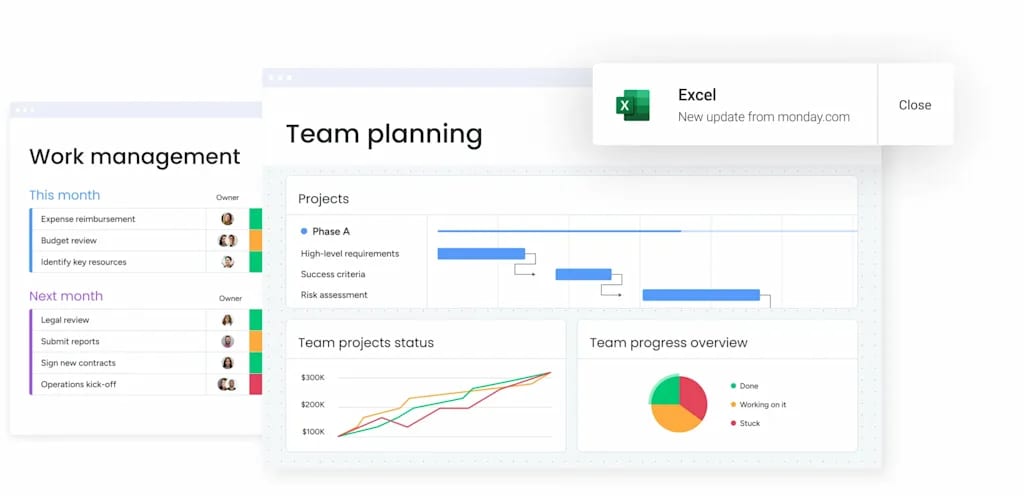
A contractor management platform acts as the backbone for your entire contractor lifecycle, handling everything from onboarding and compliance checks to project delivery and payment. By centralizing administrative tasks, contractors integrate seamlessly with internal teams rather than operating on the sidelines. This alignment ensures they contribute directly to organizational success instead of being treated as external resources.
Unlike standard vendor management, which focuses mainly on procurement, contractor management platforms coordinate actual work. They bring project assignments, deadlines, and compliance requirements into one workspace, giving everyone a clear view of progress. Stakeholders can track contractor contributions alongside internal projects, creating transparency across the organization.
AI and automation elevate contractor management by anticipating issues and acting on them automatically. The platform can flag expiring certifications, initiate renewals, or even suggest the right contractor for a specific project based on skill and availability. This creates a connected workspace where internal teams and external talent operate in sync, reducing delays and friction.
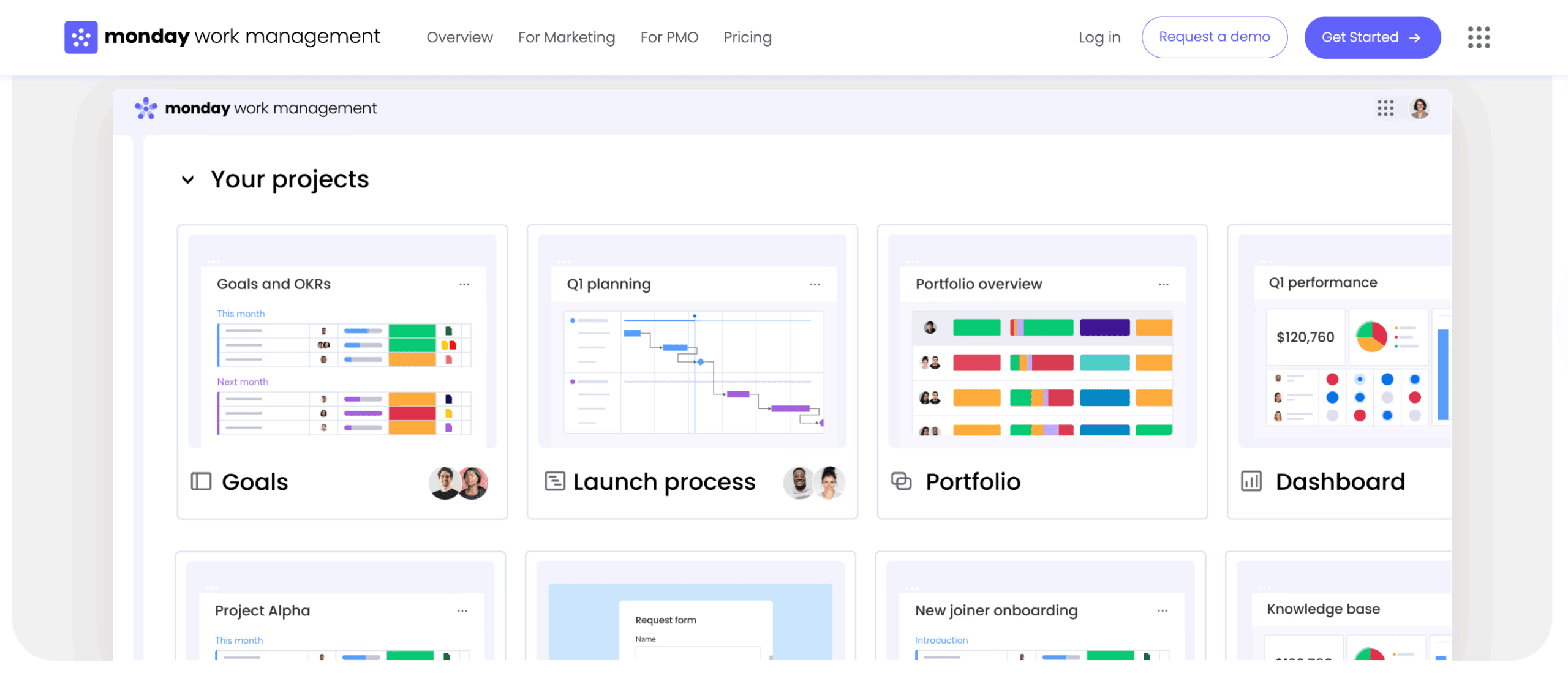
14 best contractor management software systems that scale with your business
Effective contractor management is more than paperwork, it’s about embedding external talent into your operations to drive results. Some platforms focus on compliance, others on orchestrating workflows, and some unify both into a single source of truth. Choosing the right solution ensures contractors are aligned with strategic company goals and that leaders maintain clear oversight as the organization scales.
To assist in your selection process, we have categorized the primary capabilities of each system to help you align them with your specific objectives:
- Compliance and onboarding: platforms designed to automate the administrative heavy lifting of hiring and maintaining contractor records.
- Project coordination: solutions that prioritize the organization of contractor workflows and their alignment with internal teams.
- Strategic integration: holistic systems that establish a single source of truth for all work, regardless of whether it is performed internally or externally.
The goal is clear, run all your work from one place. The top-tier systems facilitate this by creating a unified operational foundation for the entire organization, fostering a flexible, high-impact workforce prepared for any challenge.
1. monday work management
monday work management helps mid-market and enterprise organizations turn scattered processes into coordinated business execution. Contractors and internal teams operate in the same workspace, aligning project deliverables directly with strategic goals.
When multiple departments need to collaborate, information often gets lost in emails or messaging apps. monday ensures all contractor workflows are visible and connected, making updates, approvals, and documentation easily accessible.

Example:
Companies utilize monday work management to orchestrate contractor relationships with the same fluidity as internal team management, linking external deliverables directly to strategic objectives and business outcomes.
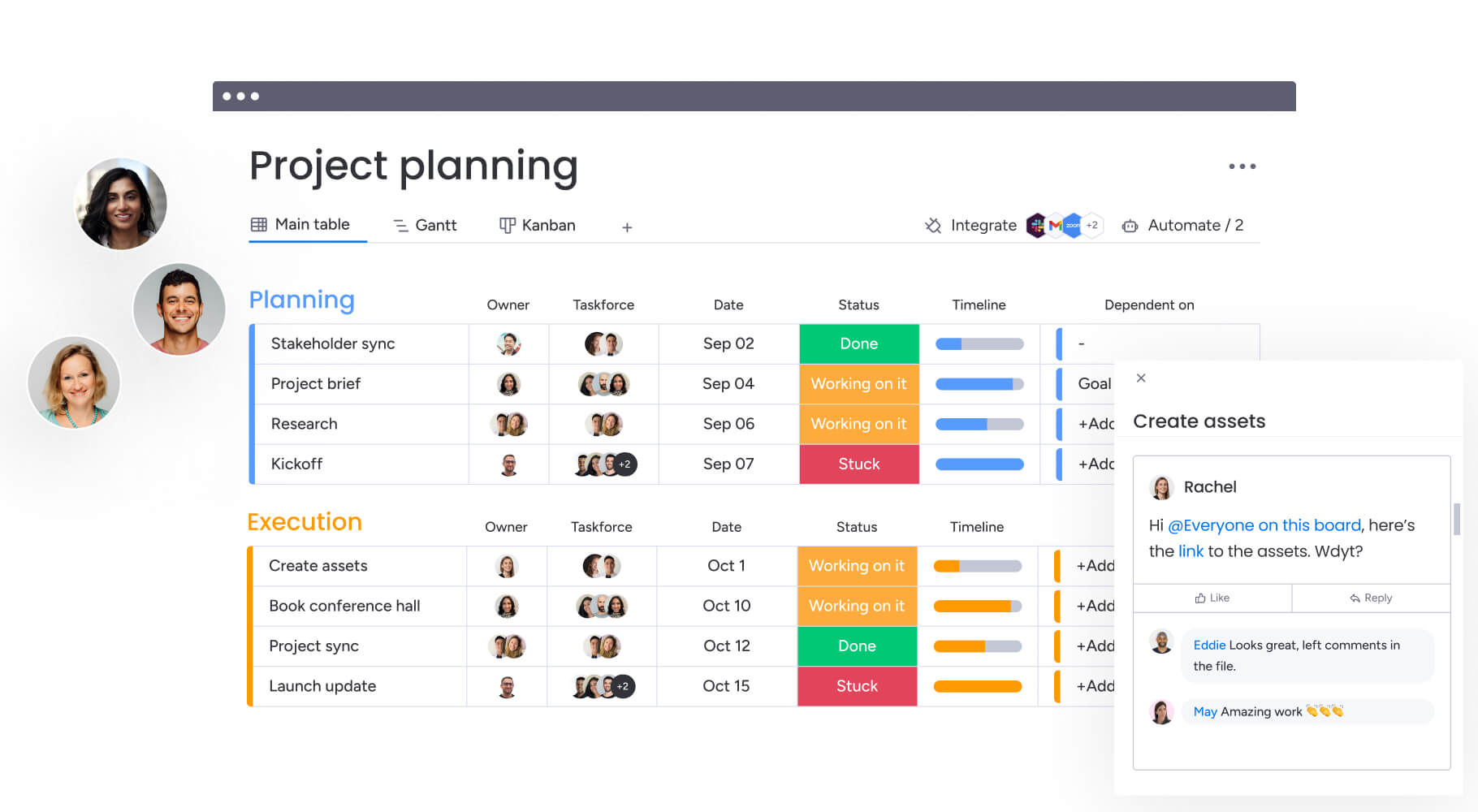
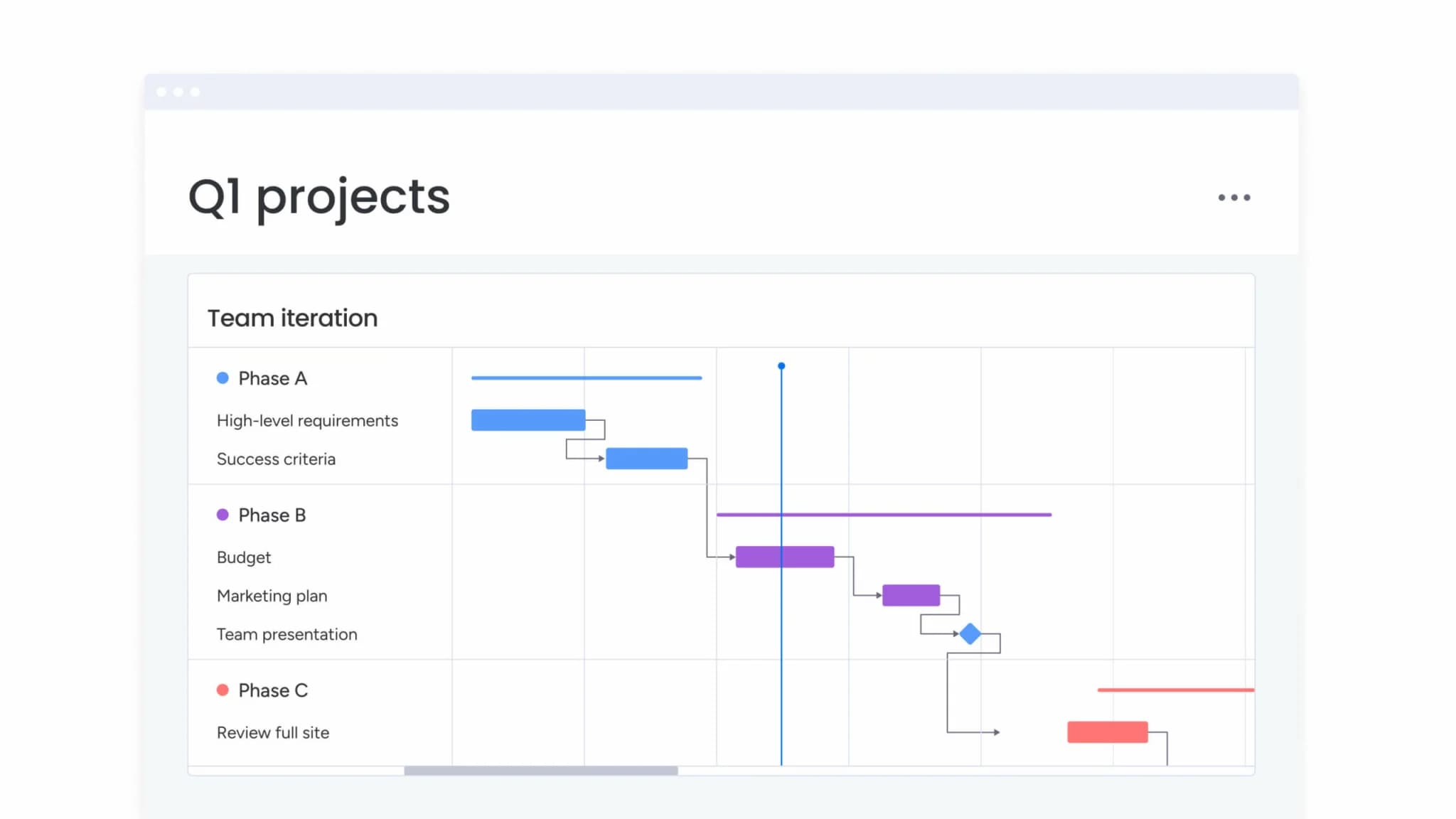
Consider a practical scenario, an operations team captures contractor requests via Forms, routes them through project intake & approvals, monitors delivery using Gantt and Kanban views, and distributes leadership-ready updates through dashboards & reporting.
Key features:
- Cross-department workflow automation: standardize handoffs using automations and templates to ensure consistency in approvals, reminders, and ownership across departments.
- AI-powered portfolio oversight (where it counts): leverage monday.com’s AI offering to minimize manual admin, such as Extract info from files, Categorize, and Summarize via AI Blocks.
- Real-time portfolio visibility: aggregate work across projects using dashboards and reporting for a portfolio-level view, then drill down to specific owners, timelines, or milestones requiring attention.
Pricing:
- Free: up to two seats.
- Basic, standard, & pro: per-seat pricing, with feature sets expanding at each tier.
- Enterprise: quote-based yearly subscription.
- Annual billing: offers an 18% discount compared to monthly.
- AI credits: available as an add-on following trial allocation.
- Optional guardian add-on: for enhanced security features.
Advanced AI features:
AI works best when it’s built into the platforms you already use, not stuck in some separate system. monday.com integrates AI directly into boards and automations, allowing teams to apply it to contractor documentation and daily updates seamlessly.
- AI blocks for document processing: utilize extract info from files to pull structured data from PDFs and images (e.g., contract terms or invoice details). Apply categorize to tag requests by urgency, and summarize to generate concise updates for executives.
- AI automations and autofill with AI: incorporate AI actions via the automation center or by selecting autofill with AI on a column. This converts unstructured inputs, like emails or notes, into consistent data fields for reliable reporting.
- Digital workforce for proactive delivery insights: the project analyzer tracks projects in real time, identifying bottlenecks and predicting conflicts based on activity across the entire portfolio, not just a single timeline.
Automations:
Automation keeps contractor processes consistent, whether you’re in New York or Berlin, managing five people or fifty. Within monday work management, automations establish consistent governance without impeding progress.
- No-code automations: set up automated reminders, approval sequences, and ownership transfers to keep workflows moving, even when stakeholders are occupied.
- Templated execution: deploy repeatable onboarding and delivery workflows using templates, then refine them as processes mature.
- AI automations (pro and enterprise): integrate AI actions such as categorize with AI, summarize text with AI, or extract information with AI into automations for scalable consistency.
Integrations:
Contractor management does not happen in isolation. Integrations for over 200 apps allow teams to align systems without duplication.
- Popular work integrations: sync updates and tasks with Slack, Microsoft Teams, Outlook, Gmail, Google Drive, Zoom, and Jira Cloud.
- Connect your stack with the open API: develop custom integrations when contractor data needs to sync with specialized legacy systems.
- Context stays with the work: attach and preview files via integrations like Google Drive, allowing stakeholders to review materials without switching tabs.
Contractor management system software features:
When contractors touch legal, finance, and ops, a basic spreadsheet won’t cut it. monday work management addresses these needs by merging execution, governance, and visibility into a single workspace.
- Requests and approvals that match how your business runs: utilize Forms to standardize intake and project intake & approvals to manage decision-making across stakeholders.
- Enterprise-ready access management: implement multi-level permissions to control data visibility and modification rights for vendors and guests.
- Work management built around delivery: coordinate contractor projects alongside internal work using views (Gantt, Kanban, Timeline, Calendar, Workload), and link progress to portfolio reporting via dashboards.
Why it stands out:
Contractor management becomes significantly more valuable when it’s tied directly to the work getting done. monday work management distinguishes itself by embedding contractor coordination into the operational engine of the business, rather than treating it as a detached administrative layer.
- Fast adoption and speed to value: designed for high adoption rates, ensuring data remains accurate and reporting reliable.
- Recognized for work management at scale: named a Leader in the 2025 Gartner® Magic Quadrant™ for Collaborative Work Management and the 2025 Gartner® Magic Quadrant™ for adaptive project management and reporting.
- Flexibility without losing governance: teams can standardize processes with templates and automations while retaining the ability to tailor views and workflows to specific functional or regional needs.
2. Oyster
Oyster simplifies global contractor management by navigating international hiring and compliance requirements. The platform automates onboarding, legal checks, and payroll, reducing administrative overhead. Its embedded legal intelligence supports companies hiring across borders.
Use case:
Organizations expanding their contractor footprint internationally use Oyster to stay compliant while onboarding talent efficiently.
Key features:
- Automated global contractor onboarding and compliance for country-specific requirements
- Multi-country payroll handling taxes, currency conversions, and regional payment methods
- Built-in guidance for local employment laws
Pricing:
- Contractor: $29 per contractor/month (following a free 30-day trial).
- Global payroll: starting at $29 per employee/month (available in select countries).
- Employer of record (EOR): $699 per employee/month.
- Scale: custom pricing available for high volumes, including reduced rates and bulk onboarding support.
- Annual subscriptions: offer savings of $1,200 per EOR hire.
- Additional costs: include refundable security deposits and currency conversion fees.
Considerations:
- Oyster’s laser focus on compliance means it’s light on project management features.
- Global Payroll coverage is currently more limited than its general hiring coverage, supporting approximately 30 countries.
3. Deel
Deel is built for scaling distributed teams, handling compliance and unifying contractors and employees in one place. The platform relies on its own infrastructure across more than 100 countries to automate international compliance, making it a strong contender for organizations looking to manage a global workforce through a single interface.

Use case:
Companies needing automated compliance, payroll, and contract generation without third-party intermediaries.
Key features:
- Global compliance automation: contract templates are pre-built to adapt to local legal standards, with automated monitoring active in 150+ countries.
- Unified workforce management: a single platform manages both contractors and employees, featuring native payroll engines in 50+ countries and real-time gross-to-net calculations.
- Integrated IT lifecycle orchestration: HR workflows can trigger complete device management, covering everything from procurement to collection across 130+ countries.
Pricing:
- Contractor management: $49 per contractor/month.
- EOR: $599 per employee/month.
- Global payroll: $29 per employee/month.
- Implementation fee: $1,000 per entity for Global Payroll setup.
Considerations:
- The premium pricing model may stretch the budgets of smaller organizations.
- AI Workforce features are currently in beta, with availability varying by region.
4. Remote
Remote manages contractors and employees across 90+ countries, giving you a single view of your distributed workforce. Its infrastructure allows global HR capabilities to run smoothly while keeping compliance automated and up to date.
Use case:
Remote is designed for organizations that need to oversee global contractor relationships alongside traditional employees while ensuring compliance across multiple jurisdictions.
Key features:
- Global contractor onboarding: the platform streamlines the setup process for contractors across various countries, incorporating automated compliance checks.
- Compliance management across countries: monitoring systems track regulatory changes and flag potential issues to maintain compliance.
- Integrated payroll processing: a unified payroll system handles contractors and employees together, managing country-specific tax and payment nuances.
Pricing:
- Contractor management: $29 per contractor/month (fair price guarantee: billed only for active contractors).
- Contractor Management Plus: $99 per contractor/month.
- Contractor of Record (COR): from $325 per contractor/month (15% fee with a $325 minimum).
- Annual billing discount: savings of 14% available on select plans.
Considerations:
- Automation features are currently in beta and offer fewer out-of-the-box actions compared to specialized workflow platforms.
- The primary focus is on HR and compliance workflows rather than project-level coordination or work execution.
5. Rippling
Rippling merges HR, IT, and finance to manage contractors and employees together, reducing the number of platforms your team needs. Automation across departments simplifies onboarding, provisioning, and cross-functional workflows.

Use case:
Ideal for mid-market companies that want unified workforce management while linking HR, IT, and finance tasks in one integrated platform.
Key features:
- Unified workforce platform: a single system governs employees and contractors, ensuring consistent workflows, data management, and visibility across departments.
- Automated onboarding and provisioning: the platform automatically sets up contractors with the necessary access, documentation, system permissions, and equipment.
- Cross-functional orchestration: Workflow Studio allows for no-code automation across HR, IT, and finance, featuring dynamic approvals and integrations with over 600 applications.
Pricing:
- Modular pricing: quote-based, starting at $8 per employee/month.
- Platform fee: certain modules incur a monthly base fee in addition to per-employee costs.
- Custom quotes: final pricing depends on company size and selected modules.
- Contact sales: get pricing details.
Considerations:
- Pricing transparency: the quote-only model makes it difficult to estimate total costs upfront, and modular packaging can increase expenses.
- Implementation complexity: the platform’s extensive cross-module capabilities require careful configuration, potentially extending implementation times.
6. Gusto
Gusto serves over 400,000 SMBs, integrating contractor management directly into payroll and HR. It’s simple, compliant, and perfect for growing teams needing seamless contractor oversight.

Use case:
SMBs looking for an all-in-one payroll and HR solution that handles contractors without requiring separate systems.
Key features:
- Automated onboarding and payments: handles contractor setup, payments, and tax forms with minimal effort.
- Compliance tracking: monitors requirements and automatically files necessary tax documents.
- Financial integration: connects with popular accounting software for smooth operations.
Pricing:
- Simple: $49/month + $6/person.
- Plus: $80/month + $12/person.
- Premium: $180/month + $22/person.
- Contractor-Only: $0 base fee for the first six months, then standard base fee + $6/contractor.
- Unlimited payroll: runs are included in all plans.
- Extra fees: apply for priority support, advanced time tracking, and expedited payments.
Considerations:
- Advanced project management is limited compared to specialized contractor platforms.
- API access can restrict integration for complex tech stacks.
7. Worksome
Worksome handles the messy parts of contractor compliance, classification, global payments, and legal risk, automatically. It focuses on orchestrating cross-functional workflows for HR, procurement, finance, and legal teams. It offers indemnified classification and integrated payments across 150+ countries.

Use case:
Enterprises that need compliant contractor management in multiple countries with automated classification and payment workflows.
Key features:
- Instant global worker classification: built-in classification with indemnification minimizes compliance risk and removes reliance on third parties.
- Cross-functional orchestration: policy-driven workflows align HR, procurement, finance, and legal teams within a single system.
- Global contractor payments: Agent of Record (AOR) and Employer of Record (EOR) options facilitate payouts to contractors in over 150 countries.
Pricing:
- Team tier: quote-based, with optional add-ons for instant classification and background checks.
- Enterprise tier: custom pricing that includes advanced features like misclassification indemnification and extended payment terms.
- Implementation fees: one-time onboarding fee plus an ongoing platform fee (percentage of booking fee).
- Additional costs: fees for background screening, marketplace sourcing, and EOR services.
Considerations:
- Quote-only pricing makes upfront cost prediction difficult.
- EOR coverage focuses mainly on the US and UK, though global payouts extend further.
8. Papaya Global
Papaya Global partners with J.P. Morgan and Citi to handle payroll, compliance, and payments across 160+ countries, all in local currency. This infrastructure allows it to offer guaranteed land dates and enterprise-grade payment orchestration, solving the friction often associated with cross-border transactions.

Use case:
Multinational companies seeking end-to-end contractor payment orchestration with compliance built in.
Key features:
- Global contractor compliance: the platform monitors regulatory requirements across countries, offering automated tracking and worker classification guidance.
- Multi-country payroll processing: a unified payroll system manages contractors across jurisdictions, handling local tax calculations and validation.
- Licensed payments orchestration: tier-1 banking rails ensure in-currency payments with 95% same-day delivery and mass payment capabilities for high volumes.
Pricing:
- Enterprise pricing: quote-based model with no hidden markups.
- Multiple solution tiers: options include Payments OS, Workforce OS, Payroll Plus, EOR, AOR, Contractor, and Contingent OS.
- Flexible scaling: costs adjust based on transaction volume, currencies, and customization.
- Additional costs: FX fees, extra worker wallets, and bespoke connectors may apply.
Considerations:
- Pre-funding requirements: wallets must be funded at least five business days in advance, which can impact cash flow planning.
- Quote-only pricing: the lack of public pricing makes upfront cost comparison difficult without contacting sales.
9. Bonsai
Bonsai’s built for service businesses; it links client relationships, project work, and billing in one place. It provides an all-in-one platform for freelancers, agencies, and consultancies to manage everything from proposals to payments.
By integrating lawyer-drafted contracts with scheduling and payment capture, Bonsai helps eliminate the tool sprawl that often fragments operations in the service sector.
Use case:
Service businesses that want to manage the full client lifecycle, from lead capture to payment, within a single platform.
Key features:
- Integrated client-to-cash workflow: CRM deals link directly to proposals, contracts, project planning, time tracking, and invoicing.
- Capacity-aware project management: tools like Gantt charts and Workload views help prevent over-allocation while maintaining visibility.
- Automated workflow triggers: actions such as contract signatures automatically prompt scheduling, form collection, and project kickoffs.
Pricing:
- Basic: $9/user/month (annual billing), includes time tracking, tasks, CRM, and unlimited projects.
- Essentials: $19/user/month (annual billing), adds invoicing, payments, proposals, contracts, and scheduling.
- Premium: $29/user/month (annual billing), adds Gantt charts, workload management, and profit reporting.
- Elite: $49/user/month (annual billing, three-user minimum), adds custom permissions and expense markups.
Annual plans include up to four months free, with volume discounts for teams of 30+ users.
Considerations:
- Payment processing is limited to the US, UK, Canada, and Australia, with extra fees for international transactions.
- Advanced integration features, such as Xero sync, are restricted to higher-priced plans.
10. Visitly
Visitly handles identity verification, check-ins, badges, and safety compliance for facility-based contractors. It’s built for manufacturing, healthcare, and construction environments that require secure, real-time oversight.
Use case:
Companies needing on-site contractor management, safety compliance tracking, and real-time location visibility.
Key features:
- Automated contractor check-in and badge management: the platform streamlines arrival with identity verification and instant badge issuance.
- Safety training and certification tracking: it monitors training completion and certification validity to ensure compliance.
- Real-time contractor location tracking: the system offers visibility into contractor presence and movement for enhanced security.
Pricing:
- Starter: $49/location/month ($588 billed annually).
- Business: $75/location/month ($899 billed annually).
- Enterprise: contact sales for custom pricing.
- SMS add-on: $19/month or $200/year for unlimited messaging.
- Hardware bundle: $1,300 per iPad, printer, stand, and label roll setup.
Considerations:
- Reliance on iPad kiosks may present connectivity and uptime challenges.
- SMS notifications are limited to five anglophone markets, restricting global deployment.
11. Honeywell Forge
Honeywell Forge integrates workers, equipment, and operational data in industrial environments. It focuses on safety-first contractor management with IoT integration, AI insights, and intelligent wearables.

Use case:
Honeywell Forge is best for industrial environments where contractor safety, equipment integration, and operational compliance must function seamlessly across facilities.
Key features:
- Industrial contractor safety management: protocols and monitoring are specifically tailored for high-risk industrial environments.
- Equipment and asset tracking: real-time integration with operational systems tracks contractor interactions with critical assets.
- Compliance monitoring for industrial sites: the system automates the tracking of industry-specific safety and operational requirements.
Pricing:
- Enterprise industrial pricing: quote-based, reflecting the platform’s comprehensive operational technology integration.
- Add-on services: cybersecurity, managed services, AI assistants, and custom integrations are available.
- Contact sales: pricing requires consultation due to complex integration needs.
Considerations:
- Specialized focus makes it less suitable outside industrial settings.
- Implementation requires careful planning to integrate with CMMS, ERP, and other operational systems.
12. Fieldwire
Fieldwire keeps field teams in sync by linking tasks to blueprints. Designed for mobile-first, offline-capable workflows, it ensures work continues smoothly even in low-connectivity construction environments.
Use case:
Construction and field service teams that need real-time task coordination directly tied to project blueprints.
Key features:
- Plan-centric task coordination: tasks are pinned directly to blueprints, allowing for real-time progress tracking and photo documentation.
- Offline-first mobile experience: apps for iOS and Android function without connectivity, syncing data once a connection is restored.
- Integrated project workflows: built-in tools for RFIs, submittals, change orders, and budget management streamline coordination.
Pricing:
- Basic: free (limited to three projects, 100 sheets, five users).
- Pro: $39/month per user annually ($54 month-to-month).
- Business: $64/month per user annually ($79 month-to-month).
- Business plus: $89/month per user annually ($104 month-to-month).
- Custom contracts: available for unlimited users with dedicated support.
Considerations:
- The platform is limited to construction and field service scenarios.
- Manual schedule adjustments are required when project timelines shift, as there are no automatic task dependencies.
13. Teamgo
Teamgo focuses on safety and compliance, managing visitor and contractor workflows across multiple locations. It specializes in data hosting and emergency orchestration, making it a suitable choice for government agencies, healthcare facilities, and global enterprises with strict compliance standards.
Use case:
Organizations managing high-volume contractor traffic across locations benefit from Teamgo’s configurable safety inductions, automated compliance tracking, and instant alerts during critical events.
Key features:
- Automated contractor registration: the platform streamlines check-in with identity verification, document validation, and site access controls.
- Safety induction tracking: it verifies mandatory training completion before granting access, centralizing compliance documentation.
- Emergency response coordination: real-time location tracking and unlimited alerts are available during critical incidents.
Pricing:
- Essential: $29/month per location.
- Advance: $99/month per location.
- Complete: $199/month per location.
- Annual subscriptions: 20% discount available.
- Add-on modules: starting from $19 (contractors, mass notifications, face recognition).
- Enterprise: custom pricing for multi-location deployments.
Considerations:
- Advanced features like document compliance require premium plans or paid add-ons.
- Hardware such as iPads or badge printers is sold separately and may be needed for full functionality.
14. IFS
IFS integrates contractor management directly into its ERP platform, combining workforce orchestration with financial and operational systems. AI-driven scheduling and real-time resource allocation help large organizations manage contractors efficiently across complex, multi-project environments.

Use case:
Large enterprises in regulated industries, such as aerospace or manufacturing, gain the most value from IFS, where contractor management must connect tightly with broader operational and financial workflows.
Key features:
- Unified contractor and vendor management: a single platform handles contractor relationships alongside vendor management and procurement.
- AI-powered scheduling optimization: real-time Planning & Scheduling Optimization (PSO) assigns contractors based on skills, parts, and timing.
- Enterprise-grade compliance tracking: comprehensive monitoring is integrated with risk management systems and audit trails.
Pricing:
- Enterprise pricing: quote-based subscriptions tailored to organizational scope.
- Contact for pricing: custom pricing discussions available through IFS sales consultation.
- Additional modules: PSO, Remote Assistance, and AI features may require separate licensing.
Considerations:
- Implementation is complex, typical of enterprise ERP systems, requiring significant setup time.
- The quote-only pricing structure complicates upfront cost comparisons.

“monday.com has been a life-changer. It gives us transparency, accountability, and a centralized place to manage projects across the globe".
Kendra Seier | Project Manager
“monday.com is the link that holds our business together — connecting our support office and stores with the visibility to move fast, stay consistent, and understand the impact on revenue.”
Duncan McHugh | Chief Operations OfficerEssential features every contractor management platform needs
Managing contractors goes beyond tracking hours, it’s about integrating external talent into your operational flow. High-performing platforms convert fragmented administrative processes into a streamlined system that aligns with business goals.
What distinguishes top platforms is their ability to balance execution, compliance, and scalability. They orchestrate work across departments, simplify governance, and support growth without creating operational complexity.
The sections below outline the core capabilities that define an effective contractor management platform and explain why each plays a critical role in long-term success.
Work orchestration features

Orchestration connects contractor tasks to tangible business outcomes, turning external work into strategic value.
- Project assignment and tracking: assign contractors to projects with clear deliverables and timelines, linking their contributions to company milestones.
- Cross-departmental workflows: automate handoffs between legal, finance, and operations to avoid delays and accelerate approvals.
- Resource allocation and capacity planning: track availability, skills, and workload to assign the right contractor to the right task efficiently.
Compliance and administrative features
Administrative work should operate in the background without slowing teams down. Automation ensures contractors and internal staff focus on high-value activities.
- Automated onboarding: collect documents, verify credentials, and provision system access without manual intervention.
- Compliance tracking: monitor contracts, certifications, and insurance automatically, with alerts for upcoming expirations and a complete audit trail.
- Payment and invoicing: link payments to milestones, automate invoice approvals, and ensure contractors are paid accurately and on time.
Integration and scalability features
A platform must connect with your existing tech stack and grow as your business evolves.
- API connectivity: integrate seamlessly with finance, project management, and operational systems to create a single source of truth.
- Scalable architecture: handle increasing numbers of contractors and complex projects without performance loss.
- Mobile accessibility: enable contractors and managers to update progress, upload files, and communicate from anywhere.
5 steps to select your ideal contractor management solution
Choosing the right platform requires more than feature comparison. It involves understanding how contractor coordination fits into broader operational workflows and long-term growth plans.
The steps below outline a structured approach to evaluating solutions that support execution, governance, and scalability without introducing unnecessary complexity.
Step 1: assess your compliance requirements
Compliance establishes the foundation of a sustainable contractor strategy. Begin by identifying obligations related to labor laws, geographic operations, and contractor classifications.
An effective platform embeds compliance into daily workflows through automated verification, alerts, and documentation management that remain active throughout the engagement life cycle.
Step 2: evaluate integration capabilities
Disconnected systems create inefficiencies and data gaps. A contractor management platform should integrate seamlessly with existing business systems to preserve continuity and accuracy.
Modern platforms like monday work management enable workflow automation across connected systems, ensuring contractor activity aligns with internal operations without manual reconciliation.
Step 3: consider scalability and growth
Initial needs rarely remain static. Evaluations should account for future increases in contractor volume, project complexity, and geographic reach.
A scalable platform supports growth without requiring migrations or extensive customization, maintaining consistency as operational demands expand.
Step 4: review automation and AI features
Automation needs to go beyond basic triggers; it should inject intelligence into your operations. Rather than simply reacting to issues, the right AI capabilities can help you predict and prevent them. Imagine a platform that identifies risks before they derail a project.
Focus on features that offer genuine business value, such as predictive analytics for spotting delays, automated resource allocation based on skills, and intelligent compliance monitoring. These capabilities reduce administrative overhead while providing insights that manual processes simply cannot match.
Step 5: calculate total cost of ownership
Subscription pricing represents only part of the investment. Implementation effort, adoption speed, and integration complexity all influence long-term value.
A comprehensive evaluation considers onboarding time, workflow alignment, and productivity impact to determine the true return on investment.
Strategic benefits of unified contractor management
A unified platform transforms contractor coordination from an administrative burden into a strategic advantage.
These benefits extend beyond efficiency, influencing collaboration, risk management, and execution speed across the organization.
Accelerated project delivery
Unified platforms reduce delays by aligning contractor skills with project needs and automating administrative processes. This structure shortens planning cycles and enables faster transitions into execution.
Centralized progress tracking keeps stakeholders informed, allowing teams to adjust priorities quickly and maintain momentum.
Enhanced cross-departmental collaboration
Silos kill collaboration, when teams can’t see the same data, nothing moves smoothly. When contractor data is locked away in separate systems, teams like legal, finance, and operations lose visibility into contracts, progress, and payments. A single platform provides shared access to this critical information, eliminating the need for endless status meetings.
Automated workflows ensure that the right information reaches the right people instantly. When a contractor completes a milestone, invoices can be processed and stakeholders notified automatically, fostering genuine cross-functional alignment.
Proactive risk mitigation
Continuous monitoring of timelines, workload, and compliance data enables early identification of potential issues. Centralized records support accountability and preparedness during audits or disputes.
Organizations using monday work management leverage real-time insights to anticipate risks and maintain operational stability.
How monday work management transforms contractor operations?
Many organizations treat contractor management as a tedious administrative task, juggling spreadsheets, manual checks, and disconnected systems. monday work management changes this by unifying all contractor workflows within a single, flexible platform, giving external teams the same speed and alignment as internal staff.
It goes beyond simple compliance. By removing data silos and reducing context switching, the platform turns logistical complexity into a strategic advantage, making contractors feel like an integrated part of the team.
Automate compliance with intelligent AI
Compliance often slows teams down, but automation can streamline these processes while improving accuracy. monday work management captures critical documents consistently, ensuring nothing falls through the cracks.
- Automated document analysis: AI instantly classifies contracts, certifications, and insurance policies as soon as they are uploaded, eliminating manual sorting.
- Instant information extraction: key details like expiration dates and coverage limits are pulled automatically, populating fields and triggering timely reminders.
- Proactive risk detection: the platform cross-checks project assignments against contractor certifications, flagging potential compliance gaps before they disrupt operations.
Connect contractor work across every department
monday work management dismantles silos by integrating contractor activities directly into core operational workflows. This ensures that contractor processes are not isolated from the rest of the business, keeping everyone aligned.
This unified approach delivers complete visibility and seamless collaboration:
- Unified project workflows: contractors and internal teams work together in a shared space, collaborating on everything from marketing campaigns to product launches.
- Direct strategic alignment: contractor deliverables are linked directly to company OKRs, ensuring every investment supports major goals.
- Real-time visibility: legal, finance, and leadership gain instant access to project status, budgets, and potential risks without needing to request updates.
Scale your contractor program without limits
Growth should not introduce operational strain. Flexible architectures support increased volume and complexity without performance trade-offs.
- Consistent performance: manage thousands of contractor relationships with the same responsiveness used for a small group.
- Adaptable workflows: transition from simple coordination to sophisticated, multi-phase projects without changing platforms.
- Global-ready operations: workflows can be easily configured to accommodate local regulations, currencies, and time zones as you expand.
monday work management vs. traditional contractor management
Traditional platforms often treat contractor management as a standalone administrative process. Integrated platforms connect contractor activity to core operations, improving visibility and execution speed.
| Capability | monday work management | Traditional Platforms |
|---|---|---|
| Primary focus | Orchestrates contractor work as part of your core business operations, connecting every project to strategic goals. | Isolates contractor management as an administrative function, focused on compliance and disconnected from other business processes. |
| AI integration | Uses AI to automate document processing, predict project risks, and generate actionable insights for leadership. | Offers simple, rule-based triggers for basic automation. |
| Cross-department collaboration | Unifies legal, finance, and project teams in a single workspace with real-time visibility and automated coordination. | Creates information silos that require manual updates and meetings to keep different departments in sync. |
| Scalability | Scales seamlessly as your organization grows, supporting dozens or thousands of contractors on a consistent platform. | Requires costly add-ons, tier upgrades, or platform migrations to handle increased contractor volume and complexity. |
| User adoption | Features an intuitive, flexible interface that teams can start using productively in days with minimal training. | Often features complex interfaces that can require significant training and support, potentially extending adoption time. |
| Implementation speed | Allows you to configure and launch workflows in days, delivering value almost immediately. | Involves lengthy implementations that often require consultants and custom development before you see a return. |
| Customization | Empowers you to build and adapt any workflow using flexible, no-code building blocks as your needs change. | Offers limited customization within rigid templates, requiring developers to make meaningful changes. |
Turn contractor management into your competitive advantage
Managing contractors at scale brings recurring challenges: fragmented systems, inconsistent compliance, limited progress visibility, and misalignment with internal priorities.
monday work management solves these problems by unifying onboarding, delivery, and payments into one operational environment, reducing complexity while boosting clarity.
- Unified work orchestration: connects contractor tasks directly to projects, portfolios, and strategic goals across the organization.
- Automated compliance and governance: embeds document tracking, approvals, and alerts into daily workflows to reduce risk and manual oversight.
- Real-time portfolio visibility: provides leadership with live dashboards linking contractor output to timelines, budgets, and capacity.
- Scalable automation and AI: reduces administrative load while surfacing risks, dependencies, and bottlenecks early.
- Cross-functional alignment: enables legal, finance, and delivery teams to collaborate in one shared system with a single source of truth.
By uniting execution, oversight, and insight in one platform, organizations achieve faster project delivery, stronger alignment, and measurable operational impact, without sacrificing flexibility as contractor programs grow.
Try monday work managementFrequently asked questions
What is the difference between contractor management and vendor management software?
Contractor management software focuses on individual work execution and performance, while vendor management platforms handle broader supplier relationships and procurement.
How much does contractor management software typically cost?
The cost of contractor management software varies from basic per-user monthly fees to custom enterprise pricing that reflects advanced capabilities and scale.
Can contractor management software handle international contractors?
Yes, most modern platforms can handle international contractors by supporting multi-currency payments and local compliance, though the depth of these features varies.
What integrations should I look for in contractor management platforms?
Key integrations for contractor management platforms include payroll, accounting, and HR systems to create a unified workflow and eliminate data silos.
How long does it take to implement contractor management software?
Implementation time for contractor management software can range from a few days for intuitive platforms to several months for highly customized enterprise solutions.
Is contractor management software suitable for small businesses?
Yes, contractor management software is suitable for small businesses with frequent contractor work, as it reduces administrative overhead and improves coordination.

 Get started