

Marketing drafts campaigns in one platform. Design creates assets somewhere else. Legal feedback lives in endless email threads. By launch week, the real work is not creating content — it is tracking it down.
Sound familiar?
The issue is rarely talent. It is fragmentation.
Content today touches almost every team. Marketing, design, legal, product, and leadership all shape the final output. Without a shared system, projects stall, approvals drag on, and high-value creative time gets swallowed by status checks and version control chaos.
The right content management tool fixes more than storage. It connects people, clarifies ownership, automates handoffs, and makes progress visible. Instead of chasing files, teams move work forward.
Ahead are 15 of the best content management tools for teams in 2026, plus the features that actually matter when collaboration gets complex.
Key takeaways:
- Collaboration drives efficiency: Unified content management platforms reduce delays, prevent duplicated work, and keep creative teams focused on producing high-quality work.
- Workflow automation is essential: Visual, no-code builders and automated approvals streamline processes, ensuring content moves smoothly from ideation to publication.
- Monday work management enhances visibility: By connecting creative projects to strategic goals, teams gain real-time insights, capacity tracking, and cross-department coordination.
- AI accelerates content operations: Integrated AI features summarize notes, extract key information, and categorize requests to reduce manual tasks and optimize workflows.
- Integrated governance prevents risk: Granular permissions, approval tracking, and audit trails ensure compliance while allowing teams to collaborate safely across marketing, design, and legal departments.
What are content management tools for team collaboration?
Collaborative content management platforms do more than store files, they form the backbone of how creative teams operate. These platforms connect everyone involved in production, from initial ideas to final approvals. This approach treats content creation as a shared process, bringing marketing, legal, design, and other stakeholders together when decisions need to be made.
By offering a shared digital environment, these platforms enable teams to create, review, and approve assets collaboratively. Structured workflows guide projects from concept to completion, ensuring that the right people review materials at the right time.
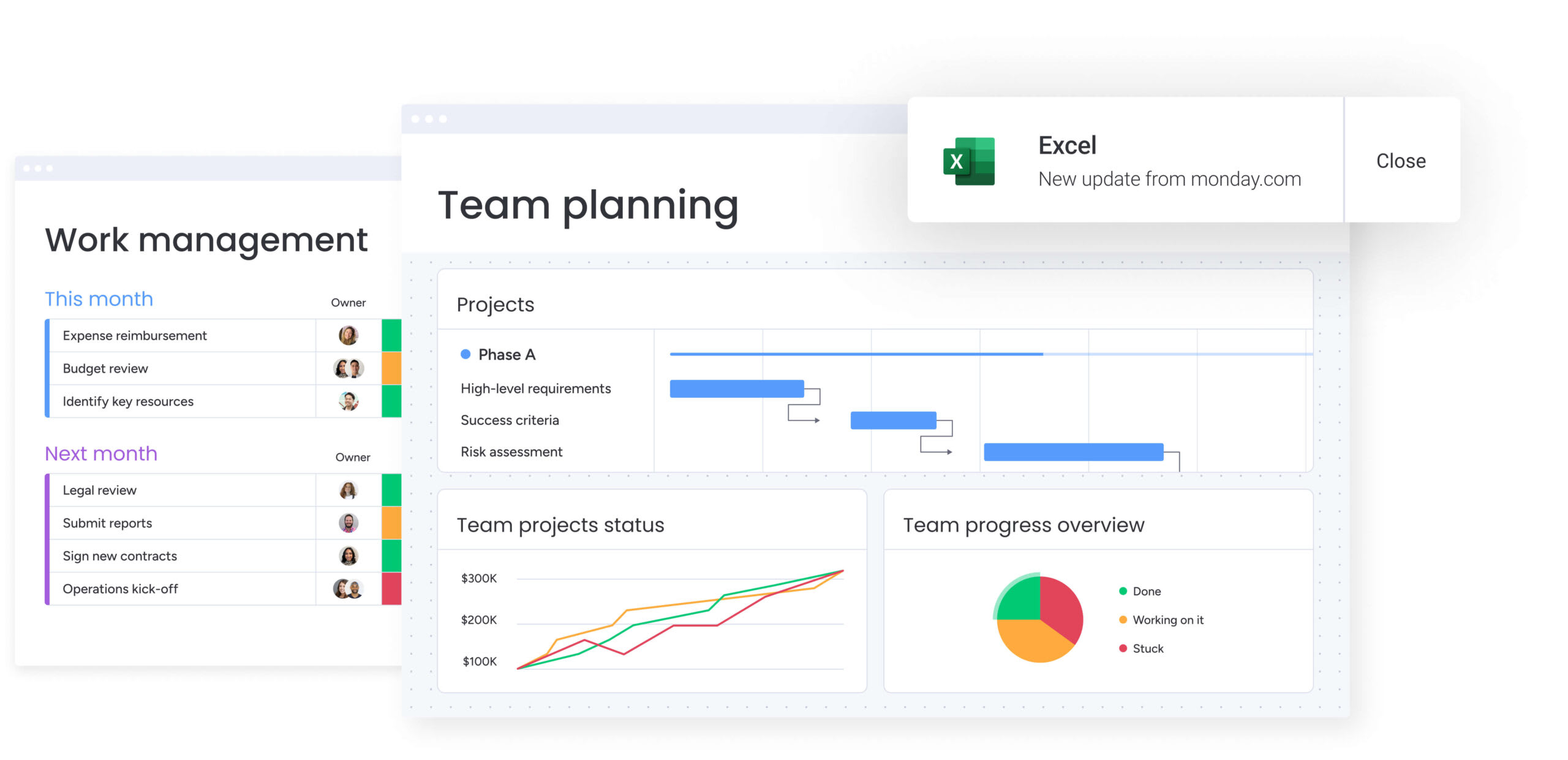
Modern and intuitive platforms like monday work management can now turn content production into a strategic operation rather than a checklist of tasks. Teams can build tailored workflows that connect creative projects to business objectives, while leaders gain real-time visibility into progress.
Why teams need collaborative content management solutions
Creating great content requires coordination, yet most teams operate in silos.
Marketing may draft campaigns in one system while designers work in another, and legal approvals are often trapped in email threads. This disconnected approach turns creative workflows into a scavenger hunt for the right files: remote work magnifies these challenges.
Without a single source of truth, approvals stall and speed suffers. Disconnected processes lead to consequences beyond delayed timelines, including:
- Launch delays: Chasing reviewers and managing manual handoffs can push projects back by weeks.
- Inefficient resource use: Teams spend billable hours searching for missing assets or duplicating completed work.
- Compliance exposure: Skipping brand or legal reviews increases organizational risk.
- Creative burnout: Talented creators spend more time on logistics than on actual content creation.
15 best content management tools for cross-functional teams
Maintaining consistent content across a large organization is challenging. When product, legal, and marketing operate in separate systems, brand coherence suffers and approvals pile up. The right platform transforms scattered files into a seamless collaboration system.
The platforms below were chosen based on workflow automation, scalability, and cross-department collaboration. Consider your team’s size, technical skills, and how content connects to business objectives. These tools go beyond storage to keep work moving efficiently.
1. monday work management
The intelligent monday work management platform turns content operations into structured systems, linking creation directly to strategic goals and coordinating workflows across departments.
Marketing, design, legal, and operations teams can plan, execute, and report work in one environment. Leaders receive real-time insights across campaigns and portfolios, enabling faster decision-making and clear accountability.

Use case:
Organizations streamline processes by designing custom workflows that automate routing, approvals, and resource allocation. Teams gain instant visibility into project status and team capacity.
For example, a “creative requests” workflow can start with an intake form, route items to the appropriate owner, and progress through review stages using automated notifications and status updates. Managers can balance workloads using the Workload View, while executives track broader objectives via shareable dashboards.
Key features:
- Automations and templates: Standardize recurring processes such as review reminders, stakeholder alerts, and inter-team handoffs to keep projects moving.
- Flexible views for planning and delivery: Visualize content through Calendars, Timelines, Kanban boards, or Gantt charts to match each team’s workflow.
- Dashboards and reporting: Create live, shareable reports that consolidate project status and team workload, providing leadership visibility without additional meetings.
- Multi-level permissions: Maintain governance by controlling who can view or edit sensitive content, essential for legal or executive reviews.
Advanced AI features:
AI works best when embedded in workflows. monday work management uses AI Blocks and AI Automations to turn unstructured data into actionable items:
- Summarize: Condense research documents, feedback threads, or meeting notes into concise action items.
- Extract information: Pull data from PDFs, images, and documents to populate board columns automatically.
- Categorize and detect sentiment: Sort incoming requests by urgency, type, or tone for faster prioritization.
- Translate and improve text: Facilitate localization and refine copy within the collaboration space.
Automations:
Automation reduces coordination overhead, keeping teams aligned across priorities and tools:
- No-code automations: Set triggers for notifications, owner assignments, and status changes without programming.
- AI automations (Pro and Enterprise): Integrate AI actions such as summarizing or categorizing directly into automated workflows.
- Run history for visibility: Monitor and troubleshoot automation logic with detailed histories to ensure reliability at scale.
Integrations:
Content rarely exists in isolation, making connectivity essential. monday work management offers:
- 200+ integrations: Sync with Slack, Microsoft Teams, Google Drive, Jira Cloud, Zoom, Outlook, Gmail, and more.
- Open API: Create custom connections for unique intake, publishing, or analytics workflows.
Content management capabilities:
These features provide structure for high-volume content workflows, including intake, approvals, resource planning, and reporting. Executives can stay informed without managing every detail.
- Requests and approvals: Standardize intake via forms and route items for review while maintaining a clear decision log.
- Resource management: Balance team bandwidth with Workload View, enabling realistic planning and early adjustments.
- Project and portfolio visibility: Manage complex launches using Gantt charts and dependencies, with data rolled up into portfolio dashboards.
Pricing:
- Individual: $0 for up to two seats with basic content management.
- Basic: $9 per seat per month billed annually with unlimited items and 5 GB storage.
- Standard: $12 per seat per month billed annually with timeline views, guest access, and 250 automations per month.
- Pro: $19 per seat per month billed annually with private boards, time tracking, and 25,000 automations per month.
- Enterprise: Custom pricing with portfolio management, advanced security, and dedicated support.
Why it stands out:
monday work management helpS large organizations coordinate across departments while maintaining governance. Teams can design workflows that adapt to multiple working styles without losing standardized tracking. Automation and AI integration reduce manual work and streamline project flow.
- Cross-team coordination that scales: Unify marketing, legal, and design in a single workflow while preserving context for decisions.
- Customization without chaos: Accommodate different working styles with flexible views and templates while maintaining structure.
- Automation plus AI where it matters: Combine no-code automation and AI Blocks to minimize manual work as projects scale.
2. WordPress
Powering 43% of the web, WordPress transforms individual writing into a collaborative platform. By combining flexible editorial controls with an extensive plugin ecosystem, it enables teams to manage complex content workflows involving multiple contributors and departments.

Use case:
This platform excels at multi-author management, using built-in role-based permissions, editorial calendars, and revision tracking to support organizations publishing at scale.
Key features:
- Role-based permissions: Define who can create, edit, and publish, with roles ranging from Subscriber to Administrator.
- Editorial workflow plugins: Implement advanced approvals and custom statuses using plugins like Edit Flow and PublishPress.
- Revision history and collaboration: Track changes with visual diffs, lock posts to prevent overwrite conflicts, and use block-level Notes for discussion.
Pricing:
- WordPress.org: Free open-source software (hosting costs separate).
- WordPress.com Personal: Starting at basic tier pricing.
- WordPress.com Premium: Mid-tier with advanced customization.
- WordPress.com Business: Full plugin access and advanced features.
- WordPress.com Commerce: Complete e-commerce capabilities.
- Premium plugins and themes: Additional costs depending on functionality needs.
Considerations:
- Sophisticated editorial workflows often depend on third-party plugins, which can add complexity.
- Scheduled publishing relies on site traffic to trigger WP-Cron, which may cause delays for lower-traffic sites.
3. Storyblok
Storyblok bridges the gap between developers and content creators, offering a headless CMS focused on visual editing. Its component-based architecture and real-time collaboration tools make it ideal for enterprise teams managing multi-channel operations.
Recognized as a Gartner Peer Insights Customers’ Choice, Storyblok supports over 200,000 projects globally.

Use case:
Marketing teams can manage content independently while developers retain technical control through an API-first architecture, enabling customizable workflows that meet both groups’ needs.
Key features:
- Visual editor with component-based creation: Construct pages using reusable blocks for consistency across websites and apps without coding.
- Real-time collaboration and workflow management: Enable simultaneous editing, field-level discussions, and custom approval stages.
- Developer-friendly APIs and automation: Deliver content via RESTful or GraphQL APIs and orchestrate approvals and translations with the FlowMotion automation layer.
Pricing:
- Starter: Free for basic headless CMS capabilities.
- Growth: $99 per month with collaboration features and increased content limits.
- Growth Plus: $349 per month with advanced workflow features.
- Premium and Elite: Custom pricing with enterprise SLAs, custom workflows, and pipeline staging.
- Additional costs: $15 per extra seat, $20 per additional locale, $10 per 1M additional API requests.
Considerations:
- Advanced features like custom workflows and pipeline staging are available only on higher-tier plans.
- App-based capabilities use webhook slots and may require careful frontend configuration.
4. Strapi
Strapi is an open-source headless CMS that balances developer control with editorial simplicity. Designed for scalable infrastructure, it offers customizable content workflows and an API-first approach, with deployment flexibility for self-hosted or cloud environments.

Use case:
Development teams maintain full control over content architecture while giving non-technical users a simple and intuitive editing experience.
Key features:
- Review workflows: Implement multi-stage approvals with role-based permissions to ensure governance.
- Content type builder: Define custom content structures visually without rigid templates.
- Automated API generation: Automatically generate RESTful and GraphQL APIs for all content types for easy integration.
Pricing:
- Community: Free self-hosted option.
- Growth: $15 per user per month, including Releases and Content History.
- Enterprise: Custom pricing, includes Review Workflows, Audit Logs, and SSO.
- Strapi Cloud hosting: Free tier available, paid plans start at $15 per project per month.
- SSO add-on: $50 per user per month for Growth plan users.
- Annual billing: discounts of approximately 20%.
Considerations:
- Key governance features like Review Workflows are available only on the Enterprise plan.
- Native collaboration tools, such as in-content comments, are less robust than commercial alternatives.
5. Decap CMS
Decap CMS transforms Git repositories into accessible workspaces, connecting developer workflows with the needs of content creators. By leveraging Git-based editorial processes, it allows teams to maintain version control while providing editors a user-friendly interface.

Use case:
Teams can manage content with familiar Git workflows while shielding non-technical editors from version control complexity through a simplified interface.
Key features:
- Git-based workflow: Content is stored in Git repositories, using built-in version control, branching, and merging.
- Editorial interface: A WYSIWYG editor handles Git operations in the background, allowing creators to focus on writing.
- Real-time preview: Editors see exactly how changes will appear on the live site instantly, speeding up revisions.
Pricing:
- Core software: Free, open-source (MIT license).
- Onboarding package: €499 / $549 one-time fee.
- Monthly premium support: €499 / $549 per month.
- Custom feature development: Priced per project based on requirements.
Considerations:
- Team members managing the system require Git knowledge to handle branching and merging strategies.
- Advanced collaboration features found in commercial CMS platforms may require custom development.
6. Nuxt Content
Treating content as code, Nuxt Content delivers a developer-focused experience built around Git repositories. It combines markdown-based authoring with Vue.js integration, making it an ideal choice for teams building content-driven websites. Now a free, open-source module, it avoids vendor lock-in while offering robust tools for developers and editors.

Use case:
Development teams can adopt Git-based workflows and visual editing, writing in markdown while embedding interactive Vue components to create dynamic content experiences.
Key features:
- Markdown with Vue components: Embed interactive Vue components directly within content using MDC syntax.
- Git-based publishing: Manage content alongside application code with full version control.
- Visual editing with Nuxt Studio: Use a self-hosted editor that provides form-based editing and live previews for non-technical users.
Pricing:
- Open-source module: Free to use with no licensing costs.
- Self-hosted Studio: Free visual editor module (as of January 2026).
- Infrastructure costs: Teams manage hosting, database, and deployment expenses.
Considerations:
- Content creators need some familiarity with markdown syntax and file organization.
- Real-time collaboration is limited, as drafts remain local until pushed to Git.
7. Drupal
Drupal powers complex workflows for government agencies and Fortune 500 companies, excelling in multi-site management and enterprise-grade governance. Its open-source framework supports organizations with strict compliance requirements and layered content moderation.

Use case:
Organizations with multi-stage approval processes use Drupal to manage content securely while ensuring adherence to stringent security standards.
Key features:
- Advanced content moderation workflows: Configure multi-stage approvals with custom states and transitions.
- Multi-site management: Control multiple websites from a single installation while allowing site-specific customization.
- Granular user permissions: Manage access and editing capabilities precisely across user roles.
Pricing:
- Core software: Free open-source software (GPL v2+ license).
- Drupal Steward security add-on: Starting at $25/month for sites under one million requests.
- Drupal Association Organization Membership: $1,000 to $25,000/year with defined support benefits.
- Implementation and hosting: Costs vary based on complexity and infrastructure requirements.
Considerations:
- A steep learning curve requires significant technical expertise.
- Complex deployments often need specialized partner services or internal resources.
8. Shopify
Primarily an e-commerce platform, Shopify integrates content and work management within sales operations. Its commerce-native automation and AI streamline workflows, connecting content creation to business events, even if content management features remain sales-focused.

Use case:
E-commerce teams can centralize product-focused content workflows, catalogs, and sales operations, leveraging automation to trigger actions tied to commerce events.
Key features:
- Shopify Flow: Trigger actions from events such as orders or inventory changes using no-code automation.
- Shopify Magic & Sidekick: Generate product descriptions with AI (Magic) and use an embedded assistant (Sidekick) for business tasks.
- Collaborative content management: Manage multi-contributor blogs and product descriptions with role-based permissions.
Pricing:
- Starter: $5/month for social selling and simple storefronts.
- Basic: $29/month (billed yearly) with 2.9% + $0.30 online transaction fees.
- Shopify: $79/month (billed yearly) with 2.6% + $0.30 online transaction fees.
- Advanced: $299/month (billed yearly) with 2.4% + $0.30 online transaction fees.
- Plus (enterprise): Starts at $2,300/month with custom benefits.
- Annual billing saves 25% on select plans.
- Third-party payment fees: 2% on Basic, 1% on Shopify, and 0.5% on Advanced plans.
Considerations:
- Content management is tailored for e-commerce and may not match dedicated CMS depth.
- Advanced automation and AI tools are gated by plan tier.
- Governance across multiple stores requires the Shopify Plus plan.
9. Joomla
Joomla provides a flexible, open-source CMS with strong multilingual support and collaborative publishing. It suits teams managing complex content operations across regions, offering enterprise-grade governance without licensing fees.

Use case:
Medium to large teams can manage editorial workflows with detailed user permissions, versioning, and multilingual content publishing.
Key features:
- Editorial workflows: Configure content stages with automated notifications.
- Granular access control: Manage permissions across user groups, content types, and publishing actions.
- Built-in multilingual support: Create and maintain content in multiple languages natively.
Pricing:
- Core CMS: Free open-source software (GPL license).
- Hosting and maintenance: Costs vary depending on infrastructure and professional services.
- Extensions: Mix of free and paid third-party add-ons available.
Considerations:
- Advanced customization requires technical expertise.
- The learning curve is steeper compared to other CMS platforms.
10. Magento (Adobe Commerce)
Magento provides enterprise-grade management for complex product catalogs and multi-brand storefronts. Its integration with Adobe’s creative ecosystem enables teams to orchestrate workflows from creation to customer experience efficiently.

Use case:
Enterprise e-commerce teams can manage content across multiple brands and markets while connecting deeply with creative and marketing systems.
Key features:
- Visual page builder: Create content with drag-and-drop interfaces without developer support.
- Content staging and preview: Schedule deployments and preview changes before going live.
- Adobe ecosystem integration: Connect with Adobe Experience Manager Assets and Creative Cloud for consistent branding.
Pricing:
- Adobe Commerce as a Cloud Service: Quote-based SaaS pricing with multi-tenant architecture.
- Adobe Commerce on Cloud: Quote-based PaaS pricing with single-tenant cloud infrastructure.
- Magento Open Source: Free community-backed distribution with self-hosted deployment.
- Adobe Workfront integration: Separate quote-based pricing for enterprise work management.
Considerations:
- Setup and maintenance are complex, requiring technical resources.
- High resource requirements demand robust hosting infrastructure.
11. Microsoft SharePoint
SharePoint integrates content management with Microsoft 365, enabling enterprise collaboration and workflow automation. It connects teams through document libraries and approval processes, providing value to organizations already invested in Microsoft infrastructure.

Use case:
As the content backbone for Microsoft 365, SharePoint supports document management, workflow automation, and team collaboration in a secure, compliant environment.
Key features:
- Document collaboration: Co-author documents in real-time with syncing across libraries and Microsoft 365 apps.
- Workflow automation: Use Power Automate to create custom approvals and content routing.
- Enterprise security: Leverage advanced threat protection and compliance capabilities.
Pricing:
- SharePoint Online Plan 1: $5/month per user (annual commitment).
- Microsoft 365 Business Basic: $6/month per user (includes SharePoint, OneDrive, Lists, and basic Planner).
- Microsoft 365 Business Standard: $12.50/month per user (annual commitment).
- Microsoft 365 Business Premium: $22/month per user (annual commitment).
- Microsoft 365 Enterprise E3: $36/month per user (annual commitment).
- Microsoft 365 Enterprise E5: $57/month per user (annual commitment).
- Additional storage: Available as paid add-on beyond standard allocation.
- Copilot for Microsoft 365: Separate paid add-on for eligible plans.
Considerations:
- Advanced configurations require specialized expertise.
- Best suited for Microsoft-centric environments.
12. IBM Enterprise Content Management
Large-scale organizations rely on IBM Enterprise Content Management to unify content, processes, and compliance within a single ecosystem. The platform supports comprehensive governance and workflow automation, proving essential for regulated industries with complex approval hierarchies.

Use case:
Organizations can manage massive content volumes while adhering to strict compliance standards and orchestrating multi-stage workflows.
Key features:
- Enterprise workflow automation: Route content through complex approvals integrated with ERP and CRM systems.
- Compliance and governance: Enforce retention policies and maintain detailed audit trails.
- Scalable content management: Support high-volume operations with a proven architecture.
Pricing:
- Enterprise licensing: Quote-based pricing determined by user count, deployment model, and feature requirements.
- Implementation costs: Significant professional services investment required for configuration and integration.
- Subscription options: Enterprise savings plans and financing available through IBM’s payment programs.
Considerations:
- Implementation is complex and resource-intensive.
- High total cost of ownership makes it suitable primarily for large enterprises.
13. OpenText
OpenText provides deep governance capabilities for large organizations navigating regulated workflows. It embeds content-centric work management into SAP, Microsoft 365, and Salesforce environments, facilitating compliance and cross-departmental coordination.

Use case:
Large enterprises can unify content governance, process automation, and portfolio management across departments while maintaining strict compliance.
Key features:
- Enterprise content services: Centralize storage and governance with automated retention policies.
- Process automation: Utilize low-code workflows and dynamic case management for complex routing.
- Portfolio management: Align project execution with business objectives through resource planning.
Pricing:
- Content Management Express: Contact for pricing.
- Content Management Premium: Contact for pricing.
- Content Management Ultimate: Contact for pricing.
- Enterprise licensing models: Based on user count, content volume, and feature requirements.
- Professional services costs: Typically required for implementation.
- Free trials: Available for select SaaS products like Core Content.
Considerations:
- Extensive planning and technical resources are needed for implementation.
- Costs and features are geared toward large enterprises.
14. Contentful
Contentful unifies creation and workflow management through an API-first architecture designed for enterprise digital teams. Embedded work management keeps teams aligned from ideation to publication with built-in workflows and AI automations.

Use case:
Enterprise teams can manage content workflows across multiple brands and channels while adhering to governance standards.
Key features:
- Configurable workflows: Create approval processes with up to twenty steps, including permissions and automated notifications.
- Collaborative content operations: Coordinate teams with real-time editing, comments, and task assignments.
- Release management: Schedule coordinated launches with calendar views and bulk publishing.
Pricing:
- Free: Basic capabilities for testing and learning.
- Lite: $300/month with comments, task management, scheduled publishing, and live collaboration.
- Premium: Custom pricing with enterprise governance, up to 99.99% uptime SLA, and advanced security features.
- Add-ons: AI Actions, Personalization, and Studio are available for Premium plans with consumption-based pricing.
Considerations:
- Workflow steps and tasks per step are limited on certain plans.
- Premium tier requires custom quotes, which may delay implementation.
15. Bynder
Bynder acts as a system-of-record for major brands, combining enterprise-grade digital asset management with embedded creative workflows. AI-powered organization and structured approvals help marketing teams maintain consistency across operations.

Use case:
Marketing teams can unify asset management with collaborative workflows, ensuring brand consistency and accelerating production through automation.
Key features:
- Asset workflow management: Configure campaigns with annotations, version comparisons, and approval routing.
- AI-powered content operations: Automate tagging and search while using Agentic AI for enrichment and compliance.
- Creative automation through Studio: Use templates and AI translation to let non-designers create on-brand assets.
Pricing:
- Custom enterprise packages: Quote-only pricing based on user count, storage requirements, and feature needs.
- Modular add-ons: Asset Workflow, Content Workflow, Studio, and Analytics available as separate modules.
- Trial: 14-day trial available for Content Workflow evaluation.
Considerations:
- Content Workflow interface is English-only.
- Advanced features often require additional costs and enablement.
7 essential features for collaborative content management
Publishing content is the easy part. Coordinating everything behind it is where most teams struggle.
Ideas need structure. Drafts need review. Approvals need tracking. Deadlines need visibility. Without the right foundation, even the best teams get slowed down by handoffs, bottlenecks, and unclear ownership.
What separates a basic content system from a true collaborative platform is not storage: it’s how well it manages workflow, governance, and accountability from first brief to final publish.
The features below are what turn scattered efforts into a streamlined, high-performing content operation.
1. Automate workflows visually

Manual spreadsheet tracking slows teams down. Visual workflow builders allow team members to map processes using drag-and-drop interfaces without coding. This consolidates the entire content lifecycle in a single, shared view.
When a writer finishes a draft, the system notifies the editor automatically. After legal approves, the piece advances without delay. This creates:
- Automated handoffs: Removing the manual pings that create bottlenecks.
- Full transparency: Giving a clear view of asset status and upcoming steps.
- Consistent execution: ensuring every piece meets the same quality standards.
Modern platforms like monday work management let teams build sophisticated processes tailored to their needs, reducing cycle times and allowing creators to focus on content itself.
2. Enforce cross-department governance
Security and speed can coexist. Granular permissions ensure the right people access content at the right time, maintaining integrity while enabling collaboration across legal, brand, and creative departments.
Defining custom roles from drafters to approvers creates a secure environment for teamwork. This governance also produces a complete audit trail, providing both control and efficiency.
3. Collaborate and co-edit in real time
Email chains for feedback create confusion. Centralized platforms allow teams to co-edit documents in real time within a shared workspace.
- Centralized discussions: Keep feedback in context with comments and @mentions.
- Activity log: Track every change for accountability and process insights.
- Improved workflow: Highlight bottlenecks and opportunities for optimization.
This visibility fosters accountability and ensures every contributor can collaborate effectively.
4. Leverage AI-powered content intelligence
AI transforms manual coordination into intelligent automation. These tools analyze content, suggest optimizations, and handle routine tasks.
- Content categorization: Organize articles efficiently.
- Tone checking: Ensure messaging aligns with brand standards.
- Process insights: identify bottlenecks before they cause delays.
Intelligent platforms like monday work management can convert meeting notes into briefs, flag issues proactively, and provide actionable insights to streamline content operations.
5. Manage resources and workloads effectively

Preventing team burnout requires visibility. Without clear insight into assignments, managers cannot balance workloads properly.
- Capacity tracking: Monitor timelines and resource availability in real time.
- Equitable distribution: Assign work fairly to protect quality and prevent overload.
- Timeline visualization: Identify conflicts early to keep initiatives on schedule.
This enables teams to allocate resources effectively while maintaining productivity and quality.
6. Integrate approval and request workflows
Missed deadlines often originate from chaotic intake processes. A unified system standardizes requests through forms, capturing objectives, audiences, and stakeholders upfront.
- Automated routing: Direct requests to the correct team based on workload or type.
- Single source of truth: Replace spreadsheets and emails with a centralized process.
- Clear requirements: Ensure each request contains the necessary context for execution.
Integrated workflows help teams streamline intake, approvals, and execution from start to finish.
7. Track unified analytics and reporting
Content value is measurable when work is connected to business outcomes. Unified dashboards shift focus from volume to impact, showing how content drives revenue or supports strategic goals.
- Content velocity: Measure the time from idea to publication.
- Team productivity: Assess capacity and support needs.
- Business impact: Link investment to measurable results.
What separates a basic content system from a true collaborative platform is not storage: it’s how well it manages workflow, governance, and accountability from first brief to final publish.
How to choose the right content management platform for your team
Selecting a platform shapes how your organization scales creation and collaboration. The ideal solution aligns with actual workflows, turning scattered efforts into a unified growth engine.
Consider these factors before evaluating features:
- Team size and structure: Small teams need speed and simplicity, while enterprises require robust governance. Mid-sized groups benefit from scalable workflows that balance sophistication with ease of use.
- Technical capabilities: Teams without developers need intuitive, no-code platforms that allow workflow customization.
- Content complexity: High-volume output with multi-stage reviews requires advanced automation, while simpler publishing may not.
- Integration needs: Platforms must connect to existing systems, from marketing automation to project management, creating a unified digital workspace.
Coordination not creation is often the biggest challenge. When workflows are detached from strategic goals, content loses impact.
Sophisticated solutions like monday work management bridge this gap by integrating content operations with broader business processes. This connection links creation to strategy, balances resources, and provides visibility across departments, ensuring every asset supports organizational objectives.

“monday.com has been a life-changer. It gives us transparency, accountability, and a centralized place to manage projects across the globe".
Kendra Seier | Project Manager
“monday.com is the link that holds our business together — connecting our support office and stores with the visibility to move fast, stay consistent, and understand the impact on revenue.”
Duncan McHugh | Chief Operations OfficerTransform content operations with monday work management
Content operations often break down at the approval stage. Files move between tools, feedback lives in inboxes, and no one has a clear view of what is blocking progress. Over time, this disconnect does more than slow production. It separates content from the strategic goals it is meant to support.
monday work management brings the entire content lifecycle into one structured environment. From intake to approval to reporting, teams collaborate in a shared workspace that connects creative execution to measurable outcomes.
Visual, no-code workflow builders allow teams to design processes that match how they actually work. Automations handle routing, notifications, and status changes, while leaders gain real-time visibility into workload and capacity.
This approach enables teams to:
- Align teams: Tie every brief and campaign to strategic objectives so work supports larger business priorities.
- Gain visibility: Monitor progress, approvals, and blockers across departments from a single source of truth.
- Optimize resources: Balance workloads and identify timeline conflicts before they impact launch dates.
AI is embedded directly into these workflows. Instead of operating as a separate tool, it supports daily execution by summarizing notes, extracting key information from documents, categorizing requests, and refining messaging in context.
To understand how this compares to traditional systems, the table below highlights the difference between a standard CMS, a headless CMS, and monday work management as a comprehensive work operations platform.
| Capability | Traditional CMS | Headless CMS | monday work management |
|---|---|---|---|
| Primary focus | Content publishing and website management | Content delivery across channels | Comprehensive work operations including content |
| Workflow automation | Basic approval workflows | Limited native workflow features | Advanced visual workflow builder with AI optimization |
| Cross-team collaboration | User roles and permissions | Developer-marketer collaboration | Unified workspaces for all departments |
| Resource management | Not included | Not included | Comprehensive capacity planning and workload balancing |
| AI capabilities | Limited or plugin-based | Minimal native AI | Integrated AI for content intelligence and workflow optimization |
When content creation is integrated into broader work operations, it stops being a siloed activity. Teams gain stronger alignment, clearer accountability, and the visibility needed to execute consistently at scale.
Elevate your content strategy right now
Great content does not scale on creativity alone. It scales on coordination.
When briefs, approvals, timelines, and reporting live in separate systems, even strong teams struggle to maintain momentum. Bringing everything into a unified workflow turns content from a reactive task list into a strategic operation.
The right platform connects ideas to execution, teams to shared goals, and content to measurable outcomes. With clear ownership, automated processes, and real-time visibility, teams can focus less on chasing updates and more on producing work that drives impact.
If content is central to growth, the system behind it should be just as intentional.
Frequently asked questions
What is the difference between a CMS and a content management tool?
A CMS focuses on publishing content to a website. A content management platform manages the full lifecycle, including planning, collaboration, and performance tracking.
Can content management tools integrate with project management software?
Yes, most platforms provide API integrations. Unified platforms like monday work management connect content workflows directly to project execution without relying on separate integrations.
How do AI features in content management tools improve team productivity?
AI automates repetitive tasks such as tagging, summarization, and theme extraction. This allows teams to dedicate more time to creative and strategic initiatives.
What are the typical costs of content management tools for teams?
Pricing varies. SaaS platforms generally charge per-user monthly fees, while enterprise solutions often require custom pricing based on organizational needs.
How long does it take to implement a content management system?
Implementation can range from a few days for simple SaaS platforms to several months for complex enterprise systems with custom workflows.
Which content management tools work well for non-technical teams?
Platforms with intuitive, no-code interfaces are ideal. Modern solutions like monday work management provide visual, drag-and-drop builders that allow anyone to create and manage workflows easily.

 Get started