

Work gets harder as organizations grow, not because teams lose talent, but because coordination breaks down. What once worked through shared context, quick messages, and lightweight tools starts to fail as departments multiply, projects overlap, and dependencies stretch across the business.
That’s why choosing between ClickUp, Asana, and monday work management goes beyond a simple feature comparison. It is a decision about how your organization will operate as complexity increases. The right platform should do more than track tasks. It needs to connect strategy to execution, automate work across departments, and surface risks before they impact delivery.
This helpful post breaks down how each platform handles enterprise realities such as cross-department coordination, automation at scale, governance, reporting, and AI-driven insights. You will learn where ClickUp’s flexibility adds power or friction, where Asana’s structured simplicity helps or limits growth, and how a Work OS approach supports long-term scalability.
Key Takeaways
- Choose platforms that grow with your organization: basic project management falls apart after 100 employees, right when you need teams to actually work together across departments.
- Hidden platform costs exceed software pricing: integration complexity, manual workarounds, and data silos create operational expenses that compound as teams scale beyond simple project execution.
- Work OS architecture handles enterprise complexity: monday work management builds custom workflows across departments while maintaining unified data, automated handoffs, and strategic visibility from 100 to 10,000+ users.
- AI-powered insights prevent problems before they impact delivery: portfolio risk management and intelligent resource allocation shift teams from reactive firefighting to proactive strategic execution.
- Platform architecture determines long-term operational success: ClickUp offers granular customization with complexity trade-offs, Asana provides structured simplicity with scaling limitations, while Work OS foundations adapt to evolving business needs.

Platform comparison snapshot for growing teams
Feature comparisons alone don’t reveal the full picture. Select the platform that fits your team’s operational requirements and workflows. Each platform structures work management differently, and these architectural choices become increasingly important as organizations grow beyond 100 employees.
Critical factors to evaluate for long-term organizational success include:
| Feature | monday work management | ClickUp | Asana |
|---|---|---|---|
| Primary architecture | Work OS (building blocks) | Productivity platform | Project-centric |
| Scalability focus | Cross-departmental orchestration | Feature breadth | Team collaboration |
| Customization depth | High (low-code/no-code) | High (granular settings) | Medium (structured) |
| Automation engine | Multi-step, cross-board logic | Native and external | Rules-based (linear) |
| Enterprise security | Enterprise-grade (HIPAA, SOC2) | Standard enterprise | Standard enterprise |
The platform you pick now will define how your team operates for years. Once you pass 100 people, fragmented systems turn into data silos and suddenly no one can find the information they need to do their job. Organizations need centralized governance, auditability, and standardized controls as they scale, particularly with compliance deadlines requiring unified oversight across departments.
With its Work OS foundation, monday work management solves this challenge. Teams build custom workflows on unified data, so scaling doesn’t mean ripping out your entire system.
Why do teams outgrow basic project management?
Basic project management platforms work like digital checklists: excellent for tracking individual items but insufficient for orchestrating business operations. As companies scale, work complexity shifts from “what needs doing today?” to “how does my work impact quarterly goals?”
Moving from task tracking to real orchestration means connecting strategy to execution. Simple trackers can’t handle those dependencies.
Stick with a basic platform and you’ll spend hours in status meetings, manually compiling updates that should be automatic. A Work OS cuts that waste by putting communication, data, and automation in one place.
This unified approach mirrors how organizations are transitioning from legacy systems to centralized, cloud-native data architectures to handle high-volume, cross-source data flows at scale.
Hidden costs of platform limitations
Platform limits show up as inefficiencies that cost more than the software itself. These costs add up fast across your organization:
- Integration complexity: teams spend hours transferring data between incompatible systems or paying for middleware services.
- Manual workarounds: employees create shadow processes using spreadsheets to manage workflows the platform can’t handle.
- Data silos: critical business intelligence becomes fragmented across departments.
- Compliance gaps: basic platforms lack audit trails and permission granularity for IT security.
- Training overhead: multiple point solutions require continuous training versus one unified interface.
Learn more: Trello vs ClickUp
5 signs your team needs enterprise work management
Spot these signs early and you’ll avoid a painful platform switch right when you’re trying to scale.
- Fragmented reporting: managers compile updates from different sources rather than analyzing data.
- Platform sprawl: departments purchase specialized applications, creating disconnected data.
- Process bottlenecks: work stalls at handoff points between departments without automated notifications.
- Security concerns: IT cannot enforce uniform policies across various platforms.
- Strategic misalignment: individual contributors can’t see how daily work connects to company objectives.
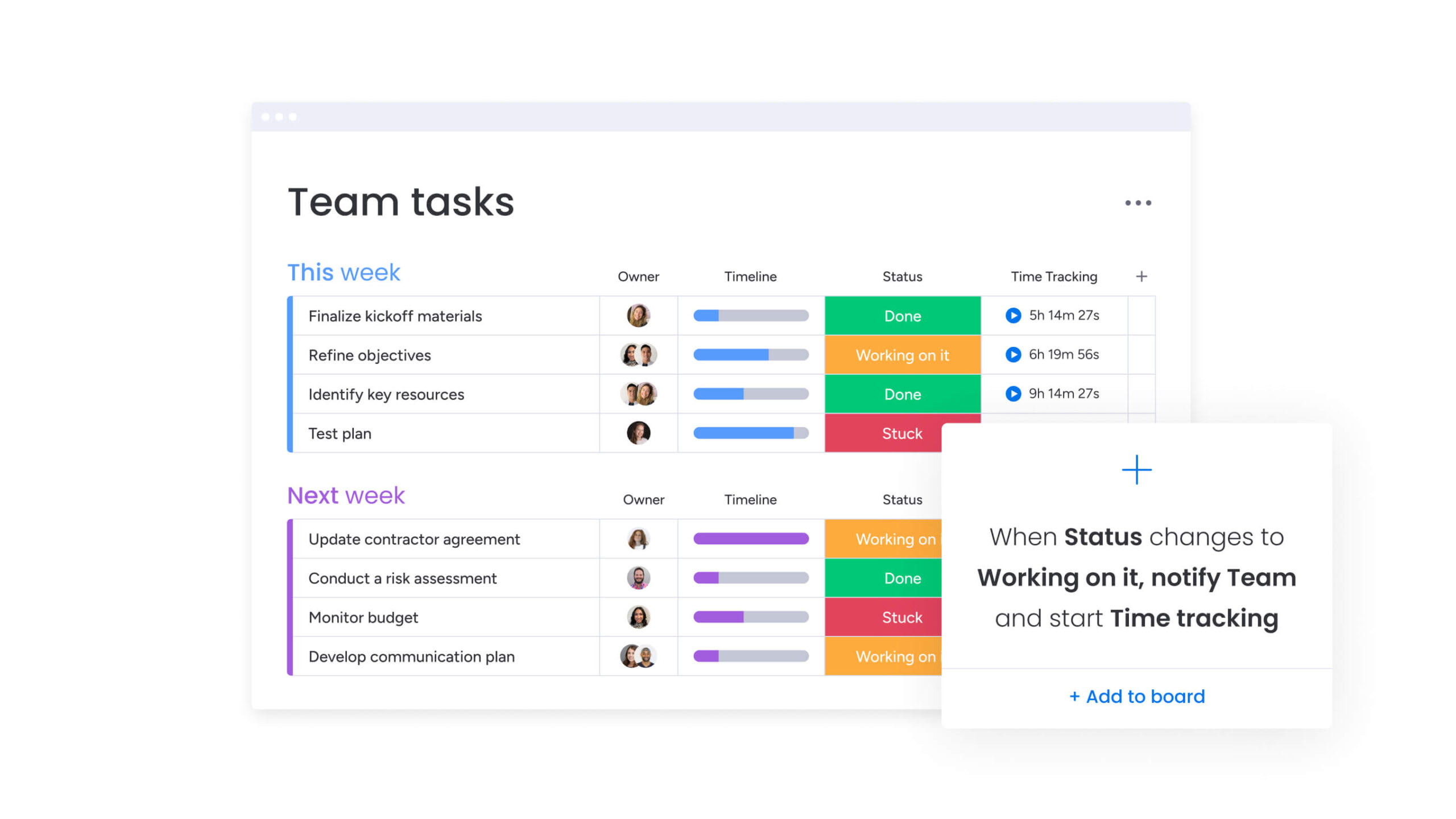
ClickUp flexibility meets complexity
ClickUp positions itself as the “one app to replace them all,” offering features from docs to time tracking. That sounds great if you’re trying to cut software costs and get everything in one place. But all those features create complexity that makes enterprise rollout harder.
Where ClickUp excels for growing teams
ClickUp works well if you have specific needs and the technical team to configure it. ClickUp shines in:
- Granular customization: control every detail of how items are viewed and managed.
- Feature consolidation: docs, chat, and goals within the same browser tab reduce context switching.
- Cost efficiency: aggressive pricing and bundled features offer perceived value for smaller organizations.
Customization vs usability trade-offs
ClickUp provides extensive customization options, which introduces complexity challenges at scale. The platform’s numerous toggles and view configurations can overwhelm users who lack technical expertise. Administrators often invest significant time configuring ClickUp to ensure accessibility for non-technical team members.
Interface complexity directly impacts platform adoption rates. While technical users appreciate granular customization capabilities, marketing managers and HR specialists may find the learning curve steep. This disparity often results in inconsistent adoption, with some teams reverting to familiar tools like email and spreadsheets.
Performance at scale considerations
ClickUp’s nested structure (Spaces, Folders, Lists) experiences performance degradation when managing tens of thousands of items. Organizations operating at this scale report slower load times and UI lag, which can impact operational efficiency and team productivity.
Asana strengths and growth boundaries
Asana’s intuitive, structured design simplifies team collaboration. It’s built to help teams coordinate projects without getting in the way. However, Asana’s rigid Team > Project > Task hierarchy becomes limiting for complex, cross-functional operations as organizations scale.
Task management excellence
Non-technical teams like marketing, creative, and HR love Asana’s interface. The “My Tasks” view provides prioritized responsibility lists, helping organize daily work without overwhelming users through effective task management. That polished design makes Asana great for straightforward project coordination.
Scaling limitations to consider
Asana encounters several limitations as organizations scale:
- Rigid hierarchy: the strict structure makes modeling complex business processes difficult.
- Reporting depth: native reporting often limits to individual projects without expensive tier upgrades.
- Automation constraints: rules-based automation lacks multi-step logic for sophisticated workflows.
Dependency on third-party applications
Getting enterprise features in Asana usually means adding external integrations. Advanced reporting needs Tableau or PowerBI connections. Resource management requires dedicated plug-ins. That drives up your total cost and brings back the data silos you were trying to avoid.
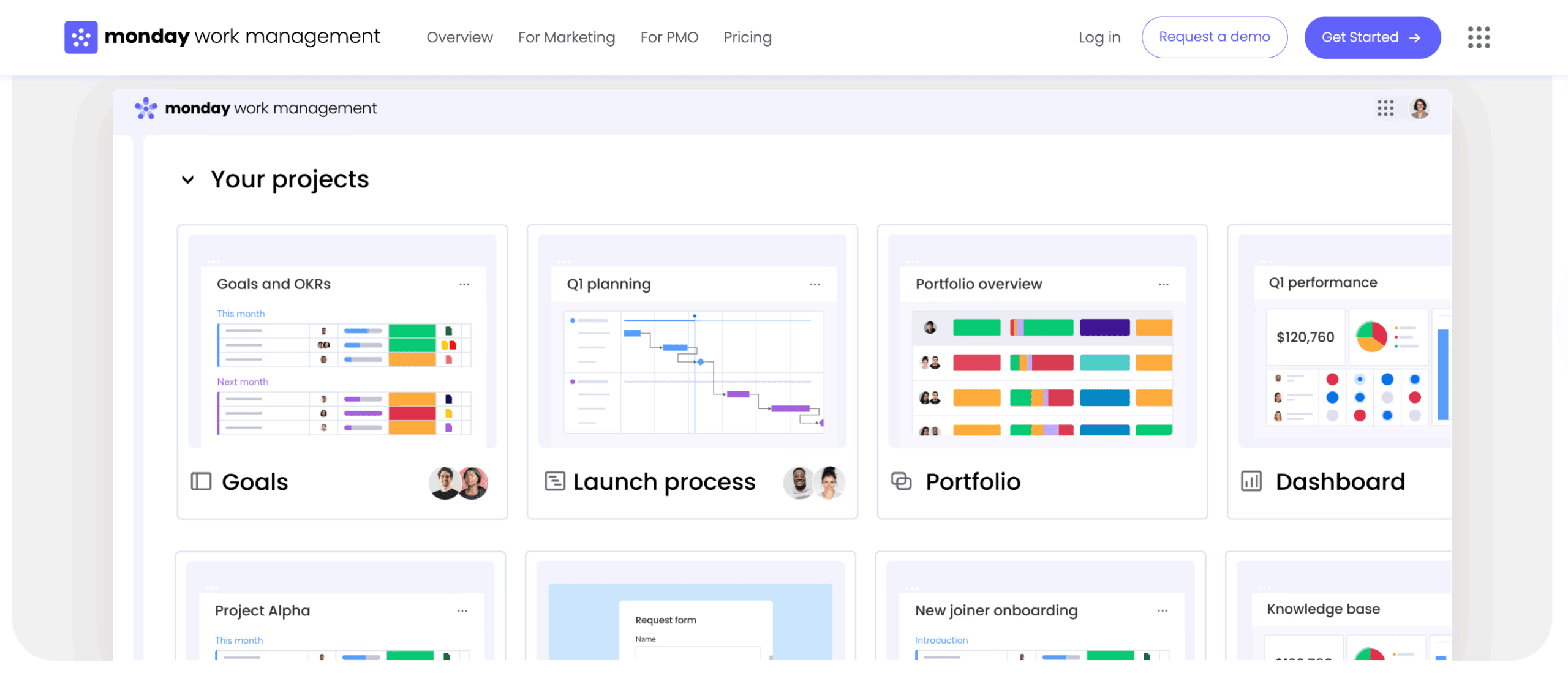
Feature comparison for scaling organizations
Enterprise work management requires more than basic task tracking. Scaling brings complexity: cross-team dependencies, overlapping projects, and multi-department workflows demand platforms that can handle real operational challenges. This section examines how each platform manages automation, reporting, and governance at enterprise scale.
Automation capabilities at volume
This is how automation stacks up when you’re running at enterprise scale:
| Feature | monday work management | ClickUp | Asana |
|---|---|---|---|
| Trigger types | Date, status, person, email, API | Status, date, custom field | Completion, date, status |
| Action complexity | Multi-step, cross-board, conditional | Multi-step, conditional | Linear rules |
| Governance | Admin control over automation usage | Workspace-level permissions | Project-level permissions |
| Volume handling | High-volume enterprise tiers | Limits based on plan | Limits based on plan |
Remember, real automation at scale means routing work based on budgets, team availability, and project type — not just moving tasks from one column to another. The automation center on monday work management connects workflows across boards and departments, eliminating the need for manual handoffs.
Enterprise reporting and dashboards
Executive visibility requires aggregated views pulling data across the organization. Reporting on each platform works differently:
| Capability | monday work management | ClickUp | Asana |
|---|---|---|---|
| Data visualization | 30+ widget types (Gantt, Kanban, numbers) | Custom dashboards | Universal reporting (tiered) |
| Cross-project data | Aggregates from unlimited boards | Aggregates from lists/folders | Portfolios (tiered) |
| Real-time updates | Instant reflection of data changes | Periodic refresh | Near real-time |
| External sharing | Public or password-protected views | Public sharing | Read-only links |
Customization within governance
Enterprise teams need flexibility without losing control. Here’s how each platform handles it:
| Feature | monday work management | ClickUp | Asana |
|---|---|---|---|
| Permission systems | Column, item, board, workspace levels | Role-based, custom roles | Team, project, task levels |
| Approval workflows | Built-in and customizable | Custom statuses | Approval task type |
| Compliance | Audit log, HIPAA, GDPR, SOC2 | HIPAA (enterprise), SOC2 | HIPAA (enterprise), SOC2 |
| Standardization | Templates with locked regions | Templates | Project templates |
AI and automation that powers growth
AI in work management does more than write text now; it spots risks, predicts problems, and automates complex work. With AI integrated right into your workflows, monday analyzes data, predicts risks, and handles complex work automatically. That changes how you manage portfolios and allocate resources.
Even government agencies are implementing cloud-based strategic platforms by March 2026 to improve real-time visibility and reduce manual reporting across complex operations.
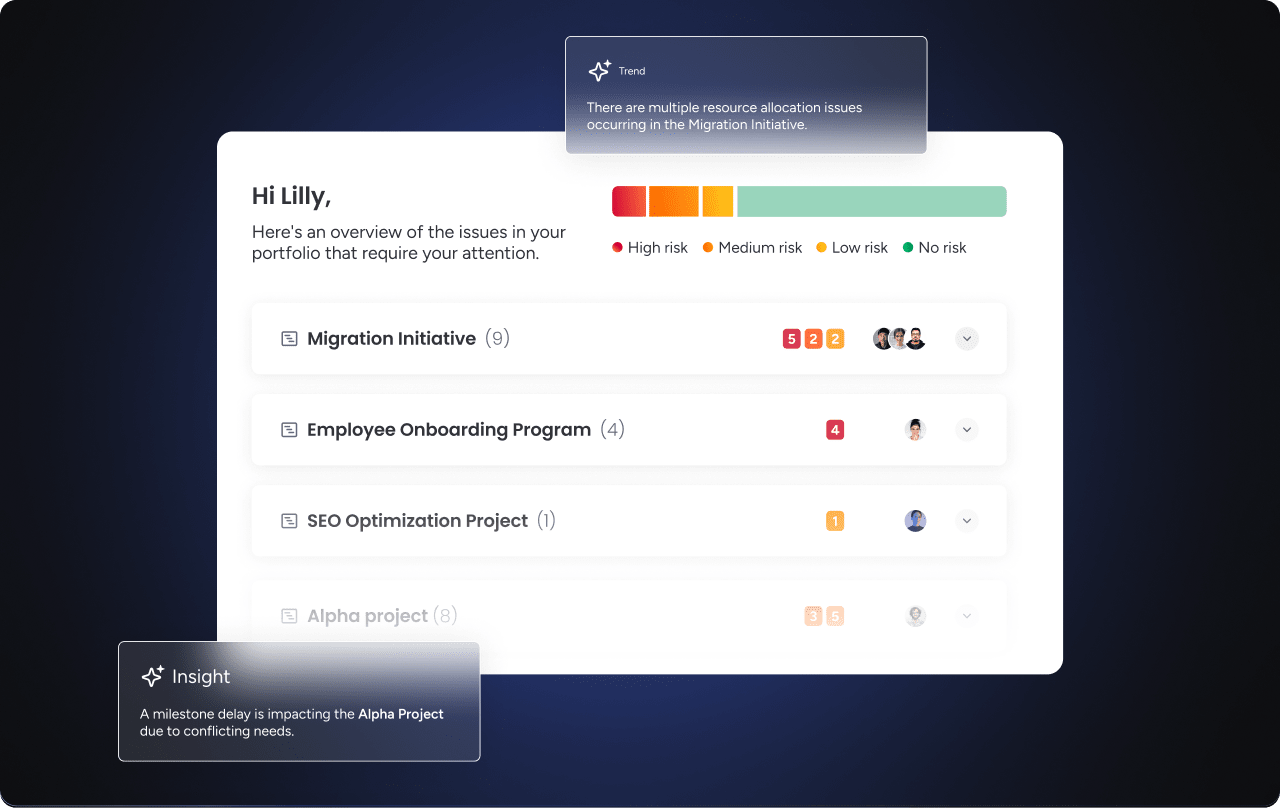
Portfolio risk management with AI
Traditional portfolio management means waiting for status reports to reveal problems that already happened. AI changes that by analyzing patterns across your entire portfolio and surfacing risks before they impact delivery.
- Proactive risk detection: Portfolio Risk Insights scans every project board and flags risks by severity, so you know what needs attention first.
- Early intervention: PMOs can fix issues early instead of scrambling after they’ve already delayed delivery.
- Strategic advantage: ClickUp and Asana use AI mostly for writing and summarizing content, which is helpful, but it doesn’t help you manage portfolios strategically.
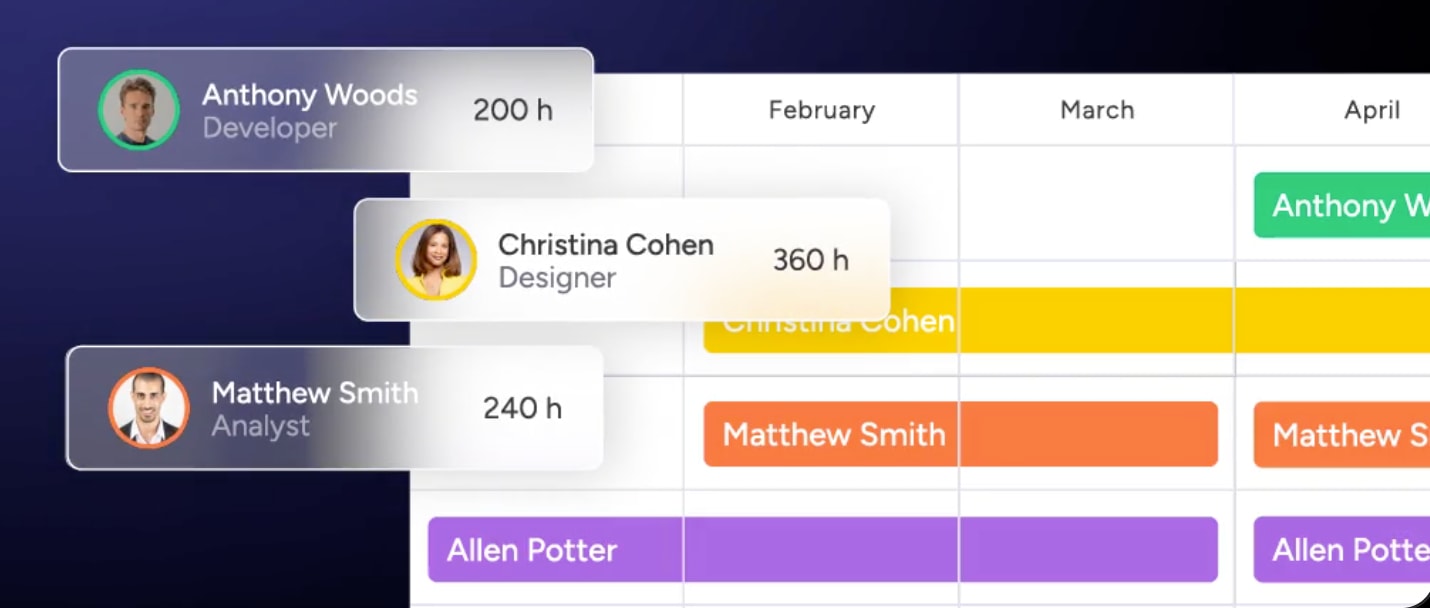
Intelligent resource allocation
Matching the right people to the right work gets harder as teams grow. AI-powered resource management eliminates the guesswork by analyzing workload, skills, and project requirements automatically.
- Workload balancing: resource allocation gets messy fast with some people drowning while others have bandwidth to spare.
- AI-powered matching: AI-powered resource management looks at past projects and current workloads, then suggests who should work on what.
- Skills-based assignment: with monday, you can match people to projects based on their effort level, availability, and skills.
Digital workforce capabilities
Scaling teams means more admin work, unless you automate it. Digital Workers handle the repetitive tasks that slow teams down, freeing people to focus on strategic work that actually moves the business forward.
- Automated admin work: Digital Workers act like team members, handling repetitive admin work you’d rather not do.
- Intelligent routing: AI Blocks sort incoming requests, draft responses based on context, and route everything to the right team.
- Scalable capacity: you get more capacity without hiring more people — huge when you’re trying to scale efficiently.
Compare:
- Notion vs Asana vs monday work management
- Airtable vs Asana vs monday work management
- Smartsheet vs Asana vs monday work management
- Wrike vs Asana vs monday work management
- Trello vs Asana vs monday work management
Revolutionize how your organization works with monday work management
Built to run your core enterprise processes, monday work management is a Work OS that’s as easy to use as a consumer app but powerful enough for enterprise work and it scales as your organization gets more complex.
Key capabilities that enable scaling:
- Work OS foundation: build any workflow from simple items to complex processes.
- Cross-departmental orchestration: link boards and automate handoffs across teams natively.
- AI blocks: intelligent components automating cognitive work and risk analysis.
- Digital Workers: scalable AI agents handling repetitive admin work continuously.
- Enterprise grade: HIPAA, SOC2, and ISO certified with advanced data residency.
AI-powered portfolio insights
Portfolio Risk Insights analyzes project health automatically, flagging delays before they happen based on past trends and current workload. PMOs stop firefighting and start managing proactively, keeping strategic projects on track.
Cross-departmental success patterns
Enterprise agility requires workflows that span departments and run reliably at scale. For example, launching a product can trigger marketing campaigns, sales enablement, and support training automatically, all linked to the launch date. Adjust the date, and every dependent workflow updates instantly, keeping teams aligned and in sync.

“monday.com has been a life-changer. It gives us transparency, accountability, and a centralized place to manage projects across the globe".
Kendra Seier | Project Manager
“monday.com is the link that holds our business together — connecting our support office and stores with the visibility to move fast, stay consistent, and understand the impact on revenue.”
Duncan McHugh | Chief Operations OfficerBuild your competitive advantage with the right platform choice
Picking a work management platform locks you into a way of working that’ll shape your organization for years. It’s not just about features. It’s about how work flows, how teams collaborate, and whether leadership can actually see what’s happening.
You get the flexibility to scale long-term with monday work management. A Work OS foundation means your tech grows with your strategy: from 100 to 10,000 employees without hitting performance limits. You can model any business process while keeping governance and security intact.
The right platform depends on your needs and where you’re headed. ClickUp works if you want maximum customization and have the technical team to set it up. Asana’s great if you want structured simplicity and straightforward project management. For teams scaling across departments.
However, monday work management is built to deliver flexibility with governance, plus the visibility you need to stay ahead of competitors.
Frequently asked questions
How quickly can I migrate from ClickUp or Asana to monday work management?
The time it takes to migrate from ClickUp or Asana to monday work management depends on the volume of your data, but most enterprise migrations are completed in four to twelve weeks. Native import capabilities and dedicated implementation support from monday work management accelerate this process.
What team size do these platforms handle best?
ClickUp and Asana are primarily designed for the needs of small to mid-sized teams. In contrast, monday work management is architected to support organizations from 100 to 10,000+ users without performance degradation.
Which platform requires the least IT resources to maintain?
The low-code/no-code environment of monday work management allows business units to manage their own workflows. This significantly reduces IT burden for daily maintenance and configuration.
How do automation limits impact large organizations?
Strict automation limits can halt business processes mid-month. Enterprise tiers from monday work management offer high action limits ensuring critical workflows never stop running.
Do these platforms meet enterprise security requirements?
All three offer enterprise security. Comprehensive HIPAA, GDPR, SOC2 Type II, and multi-region data residency come standard with monday work management's enterprise offerings.
What's the typical ROI timeline for work management platforms?
Most organizations see return on investment within six to nine months through consolidated software costs and efficiency gains. Faster value often comes from monday work management due to rapid adoption.

 Get started