


Project managers (PMs) in tech move fast, but their tools often slow them down. Development work lives in Jira, conversations happen in Slack, code sits in GitHub, and plans spill into spreadsheets. When teams grow and projects multiply, this scattered setup creates real friction. Hours disappear into updates, follow-ups, and manual handoffs that pull energy away from actual delivery.
Workflow automation changes that reality. The right platform brings work, communication, and data together so teams can move with clarity and confidence. Instead of chasing information or maintaining parallel systems, project managers gain a central place to orchestrate projects, prevent delays, and keep teams aligned without disrupting developer workflows.
This article explored what matters most when choosing workflow automation for tech teams. It highlights the capabilities that drive measurable results, compares leading platforms used by fast-moving engineering organizations, and outlines a clear approach to adopting automation in a way that delivers value quickly. The goal is simple: help tech PMs spend less time managing logistics and more time helping their teams ship great work.
Key takeaways
Before exploring features and platform comparisons, it helps to understand the core advantages automation brings to growing tech teams. These takeaways capture the impact project managers can expect once workflows move from manual coordination to connected, automated systems.
- Reduce coordination overhead: automate status updates, sprint workflows, and routine communication so teams focus on delivery.
- Unify tool ecosystems: connect platforms like GitHub, Jira, and Slack to create real visibility without changing developer habits.
- Strengthen project control: bring scattered workflows into one workspace that scales with team size and project complexity.
- Surface risks early: use AI to identify dependencies and blockers before they affect timelines.
- Adopt automation quickly: deploy pre-built workflows from platforms like monday work management to accelerate setup and customization.
What makes project managers choose monday work management for workflow automation?

Project managers in tech organizations typically juggle workflows across up to ten different platforms — from Jira for development tracking to Slack for communication, GitHub for code management, and spreadsheets for resource planning. This fragmentation creates blind spots, delays decisions, and wastes valuable time on manual updates.
Connected platforms like monday work management solve this problem head-on: it’s a single home for all your workflows. PMs get the clear visibility they need without forcing developers to abandon their favorite tools. The platform uniquely bridges the gap between PM-friendly visual interfaces and developer-grade technical capabilities.
Most platforms make you choose: either easy-to-use or technically powerful: monday work management gives you both — a no-code builder anyone can use, plus the API access and integrations your developers actually need. Project managers can create sophisticated automations without coding knowledge, while developers can extend functionality through webhooks and custom integrations.
Real organizations are seeing measurable impact from this approach. Playtech’s PMO achieved a 26% increase in efficiency and saved three hours per person per week after implementing monday work management. The platform’s combination of centralized workflows, automated processes, and real-time visibility makes it the solution of choice for PMs coordinating cross-functional tech teams at scale.
monday work management top features for workflow automation
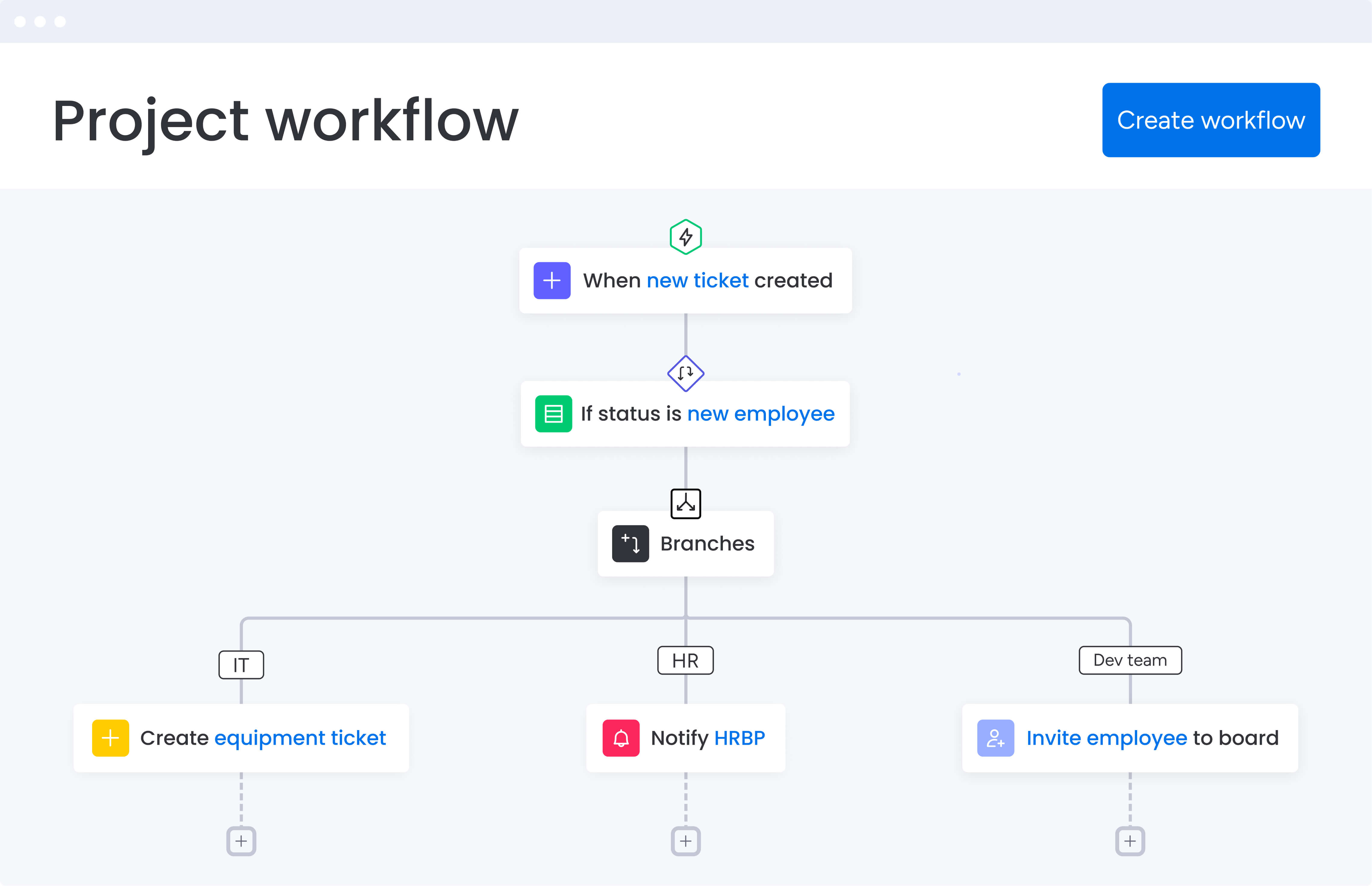
These six features will fundamentally change how you manage tech projects. Each solves a specific headache while fitting together to create something greater than the sum of its parts.
No-code automation builder
he visual automation builder on monday work management makes it easy for project managers to remove repetitive work from their day. Using simple “when this happens, do that” logic, teams can automate everything from sprint updates to task assignments without any technical knowledge.
Key advantages include:
- 200+ pre-built templates: launch common tech workflows in minutes instead of spending days configuring processes.
- Automatic status handling: update sprint boards, notify stakeholders, and trigger next steps as work moves forward.
- Reduced manual coordination: cut down the time spent sending reminders, tracking progress, and chasing updates.
These automations replace the repetitive tasks that take up 20–30% of a project manager’s time, allowing teams to focus on delivery instead of administration.
Real-time dashboards and reporting
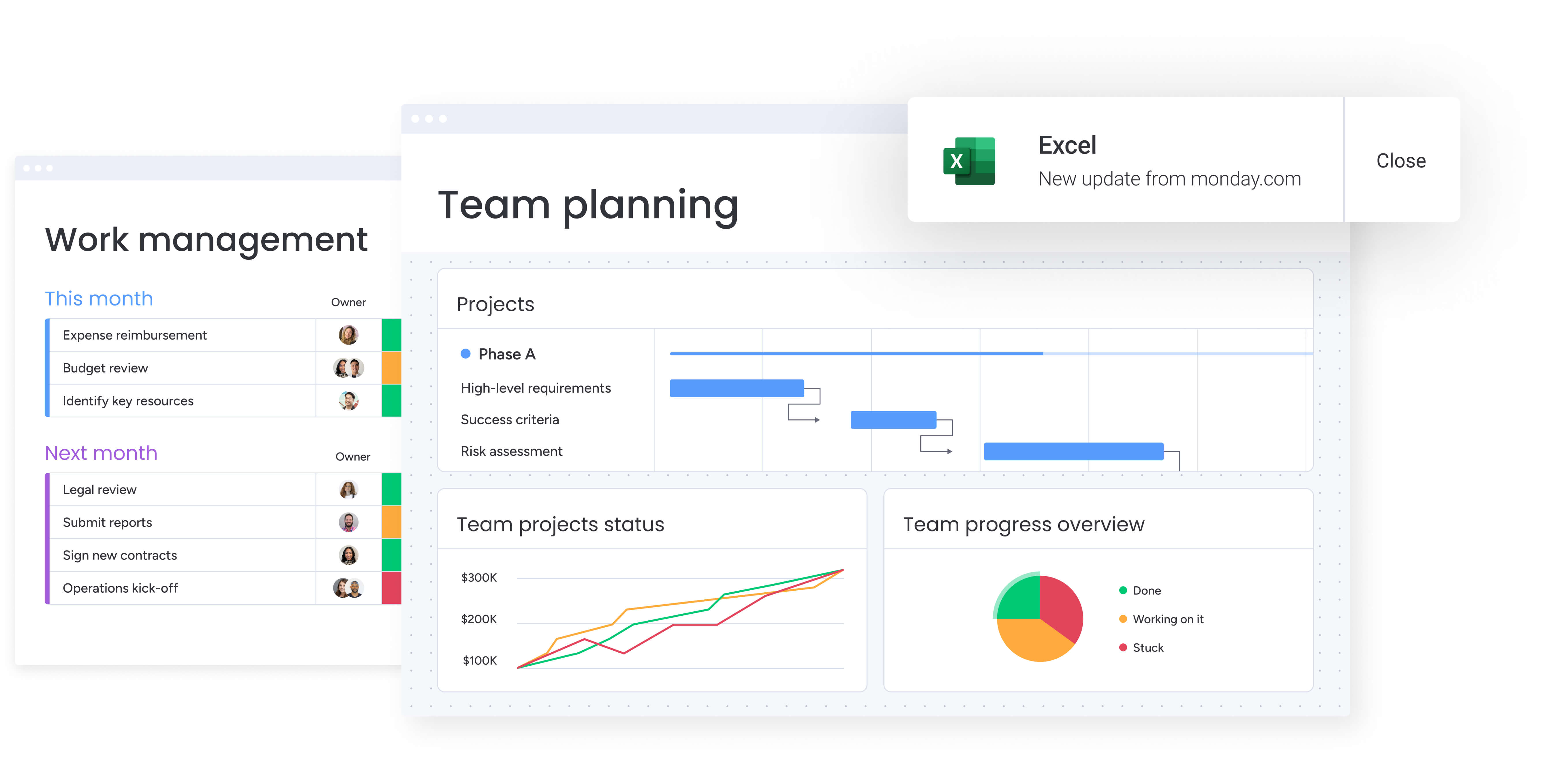
The dashboard capabilities on monday work management aggregate data from multiple projects, teams, and workflows into customizable visual reports that update in real-time. Project managers can create portfolio-level dashboards tracking sprint velocity, resource allocation, budget burn rates, and dependency bottlenecks.
Pre-built widgets for Gantt charts, workload views, and timeline tracking provide instant visibility without manual data compilation. This feature directly solves the visibility gap that plagues distributed tech teams. Instead of scheduling status meetings or chasing updates via Slack, Project managers access current project health metrics instantly.
The ability to filter, drill down, and share these dashboards with stakeholders reduces reporting overhead while accelerating decision-making. Genpact’s global marketing team transformed their visibility using these dashboard capabilities, allowing them to see trends and identify any bottlenecks causing delays.
GitHub, Jira, and Slack integrations
The platform offers native two-way integrations with the developer platforms tech teams already use daily. These integrations solve the critical problem of maintaining visibility across different tools while eliminating friction for engineering teams.
Key integration capabilities:
- GitHub integration: syncs pull requests, commits, and issues directly with project boards.
- Jira integration: enables bidirectional sync of tasks, sprints, and statuses.
- Slack integration: brings notifications, updates, and approvals into team communication channels without requiring context-switching.
For PMs coordinating between technical and non-technical stakeholders, these integrations solve the critical problem of maintaining visibility across different tools. PMs track development progress in monday work management while developers continue working in their preferred environments.
This eliminates the friction of forcing engineers to adopt yet another platform while giving PMs the centralized view they need.
Workload and resource management
The Workload widget provides visual capacity planning across team members and projects. Project managers can see who is overallocated, who has available capacity, and how work is distributed across sprints.
Resource management features include:
- Time tracking: monitor actual hours against estimates.
- Allocation percentages: view capacity distribution across projects.
- Skill-based assignment: match tasks to team member capabilities.
- Burnout prevention: identify overallocation before it impacts performance.
This feature becomes essential when scaling Agile practices from small groups to 100+ team members. Manual resource tracking becomes impossible at scale. The Workload view automatically aggregates task assignments, estimates, and timelines to show capacity in real-time, enabling data-driven decisions about sprint commitments and hiring needs.
Genpact’s marketing department implemented the Workload feature to ensure consistent delivery without overloading teams. The result meant the organization could ensure timely delivery of their marketing plans without overworking or over-committing our resources.
AI-powered workflow optimization
AI capabilities within the intelligent platform analyze project data to identify risks, suggest optimizations, and automate routine decisions. monday work management’s AI capabilities also analyze project data to identify risks, suggest optimizations, and automate routine decisions.
For project managers, this means proactive risk management rather than reactive firefighting, as the AI can categorize incoming requests, flag at-risk projects based on historical patterns, and generate detailed project plans from simple prompts.
AI automation benefits:
- Risk identification: automatically surface potential delays based on historical patterns.
- Project planning: generate comprehensive project plans from simple prompts.
- Decision automation: handle routine categorization and assignment tasks.
- Pattern recognition: identify trends across multiple projects and teams.
Instead of manually reviewing every project for potential delays, the AI surfaces risks automatically. Instead of building project plans from scratch, PMs can use AI-generated templates that incorporate best practices and historical data.
Multiple enterprise customers achieved significant efficiency gains through these AI capabilities. Brother International even saved 1,513 hours per year whilst also being empowered to make faster decisions.
Customizable project templates
monday work management offers templates designed for agile, waterfall, and hybrid teams, giving project managers a fast starting point they can tailor to their own workflows. These templates help standardize delivery across teams while still allowing flexibility where it matters.
Key benefits include:
- Pre-configured structures: boards, automations, views, and integrations ready to use out of the box.
- Faster setup: reduce project onboarding from hours to minutes by duplicating proven templates.
- Consistent processes: ensure every team follows shared best practices without reinventing workflows.
- Easier collaboration: provide a familiar structure for internal teams and external stakeholders.
By using standardized templates, project managers avoid building processes from scratch and maintain predictable execution across all projects.
How a project manager in tech benefits from monday work management
Project managers using monday work management experience transformative improvements across multiple dimensions of their work. These benefits compound as teams scale and workflows become more complex, creating measurable impact across operational efficiency, cost management, and team performance.
- Time savings: project managers reduce administrative overhead by 20-30% through automated status updates, notifications, and reporting. Playtech’s PMO saves three hours per person per week, while Genpact reduced email exchanges by 25% and eliminated spreadsheets entirely.
- Cost efficiency: organizations achieve measurable ROI through reduced tool sprawl and improved resource utilization. Zippo Manufacturing achieved 8x ROI, while Better Health Network achieved 2x ROI. The Total Economic Impact study of Motorola showed 346% ROI over three years with $121K in productivity value and $123K in saved administration time.
- Compliance and accuracy: centralized workflows and audit trails ensure consistent processes and data accuracy. The platform’s enterprise-grade security features include SOC 2 certification, role-based permissions, and detailed activity logs that support regulatory compliance requirements common in tech organizations.
- Productivity improvements: teams complete 25-30% more work through optimized workflows and reduced context-switching. McDonald’s Australia achieved a 25% reduction in project management timelines, while Datacom runs hundreds of campaigns 25% more efficiently with 90% adoption rate.
- Output quality improvements: standardized processes and automated quality gates reduce errors and rework. Country Road Group saw a 25% increase in efficiency, while M Booth increased deliverables by 49% and cut average time to assign design tasks by 80%.
- Visibility and tracking improvements: Real-time dashboards and portfolio views provide instant insight into project health, risks, and progress. Unilever International delivers 250+ projects annually across 120+ countries and achieved 4x ROI by utilizing this feature.
How to automate tech project workflows with monday work management
Getting workflow automation right takes a plan—not just random tools thrown at problems. Follow these six steps to transform your PM process from initial assessment to full rollout, with real results at every stage.
Step 1: audit your current tech stack and identify automation opportunities
Map all tools currently used across your teams (Jira, GitHub, Slack, etc.) and document repetitive manual tasks like status updates, sprint planning, and stakeholder reporting. Identify the three to five highest-impact workflows that consume the most PM time.
Key activities:
- Document current tool usage across all teams.
- List repetitive manual processes consuming PM time.
- Identify information handoffs between tools.
- Prioritize workflows with highest time investment.
Look for processes where information moves between tools manually or where team members duplicate data entry.
Step 2: set up your centralized workspace and integrate developer tools
Create your monday work management workspace and configure two-way integrations with GitHub, Jira, and Slack. Import existing project data and establish your board structure to mirror your team’s workflow stages.
Implementation checklist:
- Configure GitHub integration for pull request tracking.
- Set up Jira bidirectional sync for development visibility.
- Connect Slack for automated notifications.
- Import existing project data and team structures.
Ensure each integration syncs the specific fields your teams need, avoiding information overload while maintaining essential visibility.
Step 3: build your first automated workflows using templates
Start with pre-built automation templates for common tech PM workflows like sprint planning, daily standups, and release management. Customize these templates to match your team’s specific processes and approval chains.
Template priorities:
- Sprint planning automation.
- Status update workflows.
- Stakeholder notification sequences.
- Release management processes.
Focus initially on automations that save the most time or reduce the most friction in your current workflows.
Step 4: deploy automations for status updates and notifications
Configure automations that trigger when pull requests are merged, issues are closed, or sprint milestones are reached. Set up automatic notifications to stakeholders, eliminating manual status update emails and reducing meeting overhead.
Automation examples:
- Pull request merge triggers sprint board updates.
- Issue closure sends stakeholder notifications.
- Sprint milestone completion alerts project managers.
- Blocker identification escalates to team leads.
Create escalation automations that alert PMs when blockers arise or deadlines approach.
Step 5: implement resource management and capacity planning
Activate the Workload widget to visualize team capacity across sprints. Set up automated alerts when team members are overallocated or when sprint commitments exceed available capacity.
Resource planning setup:
- Configure Workload widget for capacity visualization.
- Set overallocation alerts for team members.
- Create sprint capacity warnings.
- Establish resource planning views for assignment decisions.
Configure resource planning views that help you make informed decisions about task assignments and sprint planning.
Step 6: scale across teams and measure automation ROI
Roll out standardized automation templates to additional teams. Track metrics like time saved on status updates, reduction in manual tasks, and improvement in sprint predictability to quantify ROI and optimize workflows.
Scaling activities:
- Deploy templates to additional teams.
- Track time savings metrics.
- Monitor sprint predictability improvements.
- Analyze automation effectiveness data.
Use the platform’s analytics to identify which automations deliver the most value and refine your approach accordingly.
Try monday work management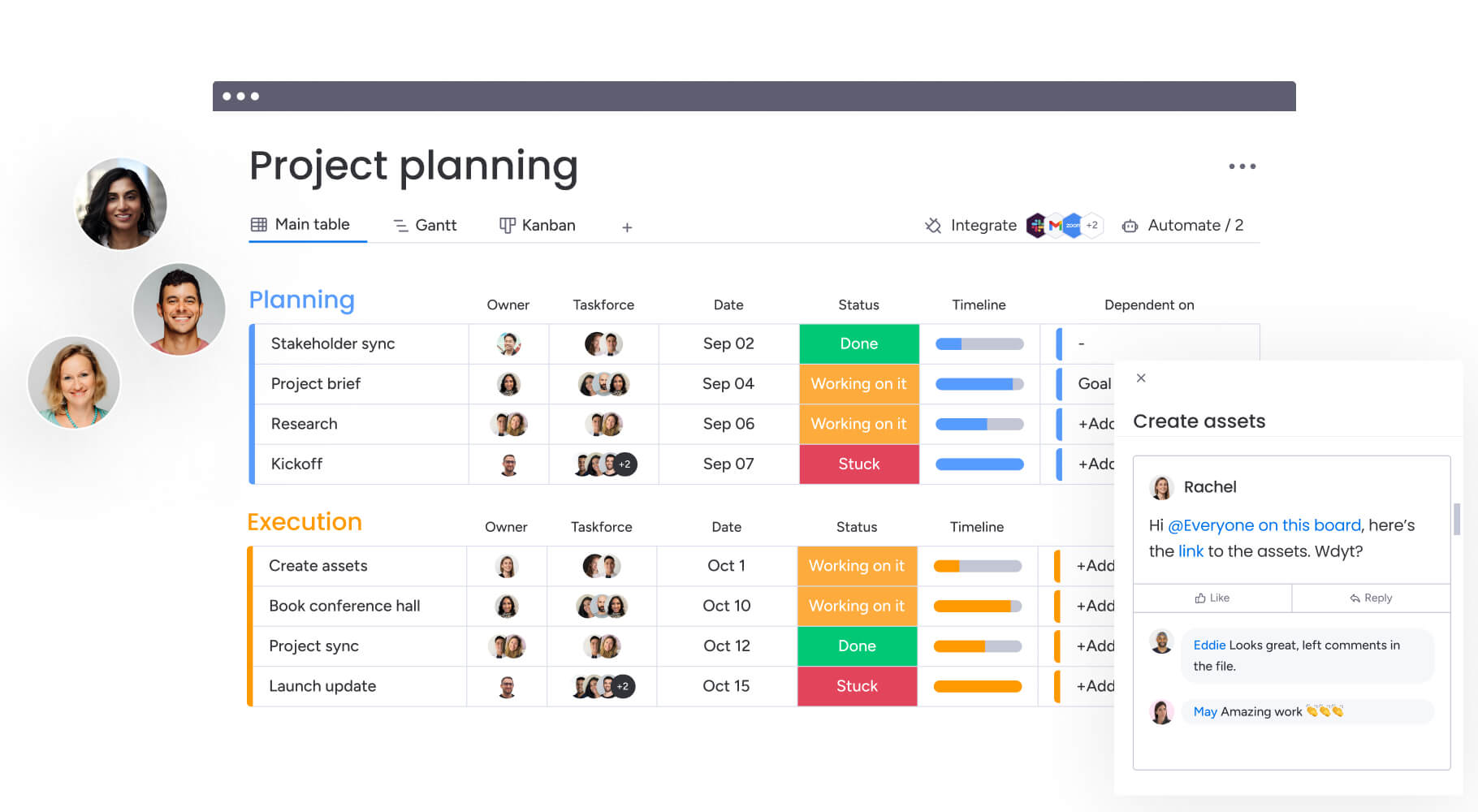
Comparison table: monday work management vs. competing platforms for tech project automation
Choosing the right automation platform starts with understanding how each tool supports the way tech teams actually work. The table below breaks down core capabilities across integrations, automation depth, resource management, AI features, and implementation speed so project managers can see how the leading platforms measure up.
| Feature | monday work management | Jira | Asana | ClickUp |
|---|---|---|---|---|
| No-code automation builder | Yes, 200+ templates | Limited, requires plugins | Yes, basic rules | Yes, extensive library |
| GitHub integration | Native two-way sync | Native via Atlassian | Third-party only | Third-party only |
| Jira integration | Native two-way sync | N/A | Third-party only | Native |
| Slack integration | Native with notifications | Native | Native | Native |
| Workload/resource management | Built-in Workload widget | Requires Advanced Roadmaps | Timeline view only | Workload view included |
| AI-powered features | Risk identification, project planning | Limited AI features | Smart rules only | AI writing assistant |
| Implementation time | 1-2 weeks typical | 4-8 weeks typical | 2-3 weeks typical | 2-4 weeks typical |
| Price per user/month | From $9 (billed annually) | From $7.16 (min 5 seats) | From $10.99 | From $7 |
| G2 rating | 4.7/5 (12,000+ reviews) | 4.2/5 | 4.4/5 | 4.7/5 |
| Enterprise security | SOC 2, SSO, RBAC, IP restrictions | SOC 2, SSO, RBAC | SOC 2, SSO | SOC 2, SSO in Enterprise |
How Playtech's PMO transformed their project management process
This case study demonstrates how a global gaming company achieved measurable improvements through strategic workflow automation implementation. Playtech’s transformation showcases the practical impact of centralizing scattered processes and automating manual coordination tasks.
The challenge
Playtech’s PMO department managed countless client projects using spreadsheets, email, and notepads. As the gaming industry underwent digital transformation, clients demanded more frequent updates and faster results.
Key pain points:
- Project managers lacked visibility into preliminary project discussions.
- Resources were often booked for undefined projects.
- No centralized system to track project costs and timelines.
- Stakeholder communications were scattered across multiple channels.
- Manual processes created bottlenecks and delays.
The team had no centralized system to track project costs, timelines, or stakeholder communications across their global operations.
The solution
Playtech implemented monday work management to create a unified platform managing projects from initiation to closure. The PMO built separate boards for project opportunities, management approvals, and active projects.
Implementation approach:
- Created separate boards for different project stages.
- Configured automated cost calculations using formula columns.
- Built customized project templates for quick duplication.
- Integrated Jira for real-time development visibility.
- Set up automated notifications to prevent bottlenecks.
They configured automated cost calculations using formula columns and created customized project templates that could be quickly duplicated for new initiatives.
The results
The transformation delivered measurable impact across multiple dimensions:
- 26% increase in efficiency across the PMO department.
- 3 hours saved per person per week on administrative tasks.
- 49% increase in collaboration and transparency.
- 23% increase in meeting KPIs.
Bring clarity and momentum to every tech project with monday work management
Workflow automation is more than a productivity boost. It reshapes how tech teams plan, collaborate, and deliver by removing the manual steps that slow progress and hide risks. The companies leading the way, from Playtech to Genpact, are proof that structured automation turns complex workflows into predictable, scalable operations.
A platform like monday work management helps make this shift possible by combining no-code automation, developer-friendly integrations, and flexible templates that adapt to any methodology. Project managers gain visibility and control across projects, while teams continue working in the tools they prefer.
The six-step framework in this article offers a clear path from initial setup to full adoption. Many organizations start seeing measurable results in a matter of weeks as repetitive coordination work disappears and projects move forward with far less effort.
As tech teams grow, manual processes eventually reach their limits. The teams that stay ahead are the ones that automate early, reduce operational friction, and create the space needed for better planning, better collaboration, and consistently better delivery.
The content in this article is provided for informational purposes only and, to the best of monday.com’s knowledge, the information provided in this article is accurate and up-to-date at the time of publication. That said, monday.com encourages readers to verify all information directly.
Frequently asked questions
What is the typical implementation timeline for workflow automation in a tech organization?
Most tech organizations complete initial monday work management implementation in one to two weeks, with full enterprise rollout typically taking four to eight weeks. The platform's intuitive interface and pre-built templates accelerate adoption compared to traditional enterprise tools.
How does monday work management integrate with GitHub and Jira simultaneously?
monday work management offers native two-way integrations with both GitHub and Jira, allowing seamless data sync between all three platforms. Development work tracked in GitHub and Jira automatically updates in monday work management, while project-level changes can trigger updates in connected tools.
Can workflow automation software handle hybrid Agile and Waterfall methodologies?
Yes, monday work management supports hybrid methodologies through customizable board structures and flexible automation rules. Project managers can configure different workflows for different teams while maintaining portfolio-level visibility across all methodologies.
What security features are essential for enterprise tech companies?
Enterprise tech companies require SOC 2 certification, SSO integration, role-based access control, IP restrictions, and comprehensive audit logs. monday work management provides all these features plus two-factor authentication and tenant-level encryption.
How do I convince developers to adopt workflow automation tools?
Focus on integration rather than replacement — monday work management integrates with tools developers already use, so they don't need to change their workflows. Emphasize that automations reduce interruptions from status update requests and meetings.
Which workflow automation platforms offer the best balance between PM-friendly interfaces and developer customization?
monday work management provides the strongest balance through its no-code visual builder for PMs and robust API, webhooks, and custom integrations for developers. This dual approach means PMs can build workflows independently while developers can extend functionality when needed.

 Get started