


Retail project managers aren’t just running projects — they’re orchestrating full-scale operations that stretch across hundreds of stores, dozens of vendors, and timelines that never stay still. Every day brings a fresh mix of construction updates, fixture deliveries, inventory shifts, and last-minute changes that can ripple across an entire region. When all of this lives in spreadsheets, inboxes, and siloed systems, even the best teams end up fighting fires instead of opening stores on time.
Workflow automation turns that chaos into clarity. Suddenly, vendor updates trigger themselves, approvals move without chasing, and every store launch, renovation, or seasonal reset becomes visible in one place. Retail teams stop drowning in manual follow-ups and start moving with the speed and confidence their business demands. Whether you’re managing two stores or a few hundred, automation creates the consistency and resilience retail operations have been missing.
This article spotlights the tools and features that make the biggest impact in retail environments. You’ll see how leading brands streamline their launch processes, what to look for in a scalable automation platform, and how to build workflows that keep every location aligned — even when the pace picks up.
Key takeaways
Before diving into tools and features, here are the key points that show how automation reshapes retail project delivery and helps teams operate with far more clarity and control.
- Centralize all retail projects: manage store launches, renovations, and campaigns from a unified workspace that updates in real time.
- Automate vendor coordination: reduce delays with workflows that route deliverables, escalate overdue approvals, and send notifications instantly.
- Scale operations confidently: use automation and AI insights to manage 150 or more active projects without increasing headcount.
- Standardize processes across regions: create repeatable launch and campaign workflows that allow local teams to tailor execution as needed.
- Support field teams on the go: give store managers and contractors mobile access to tasks, updates, and progress tracking from any location.
What makes workflow automation essential for retail project managers?
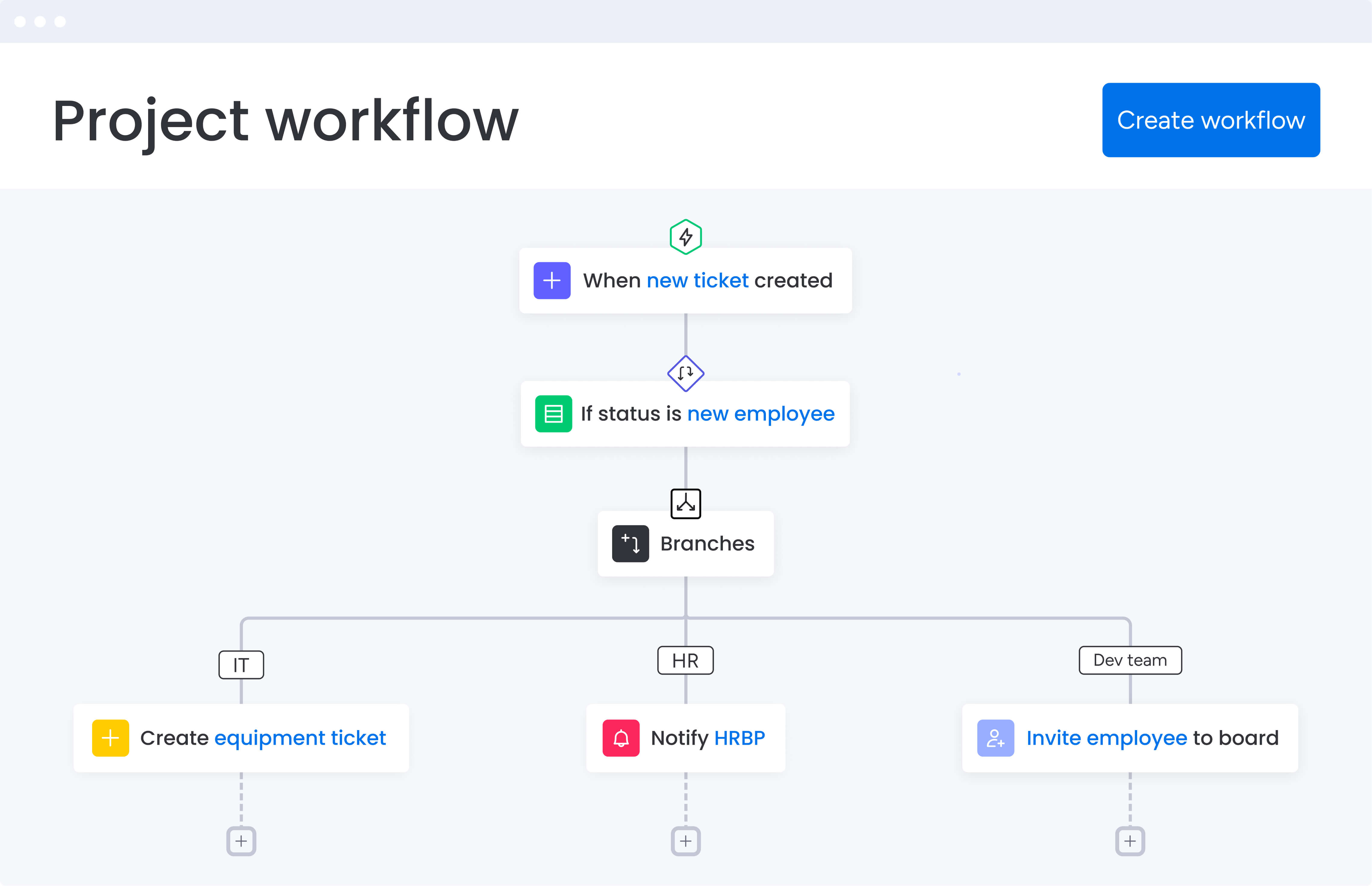
Retail project managers face unique challenges that generic project platforms can’t address. You’re coordinating between visual merchandising teams, store planners, contractors, and corporate stakeholders — all while managing tight deadlines across multiple time zones and locations.
The complexity multiplies when you consider the moving parts. A single store launch involves construction timelines, fixture deliveries, inventory coordination, staff training, and marketing alignment. Each element depends on another, and one delay cascades through the entire project.
Workflow automation software designed for retail addresses these specific pain points by connecting all stakeholders in one platform. Instead of chasing updates through email chains and spreadsheets, you gain instant visibility into every project’s status, automate routine coordination processes, and ensure consistent execution across all locations.
Customer success stories: real results from retail leaders
Retail teams across the industry are proving what happens when manual coordination is replaced with automated, centralized workflows. These examples show how the right platform drives measurable improvements in speed, visibility, and operational scale.
Country Road Group: managing 150+ projects with confidence
Country Road Group transformed how they oversee more than 150 concession spaces by moving from scattered spreadsheets to monday work management. Centralized workflows gave their team the control and visibility needed to manage high-volume projects simultaneously. The shift resulted in a 25% increase in delivery efficiency and a level of oversight that was impossible with their previous system.
Officeworks: eliminating spreadsheets and accelerating work
Officeworks replaced more than 635 spreadsheets and reduced internal emails by over 10,000 each year through automated workflows. Their teams now use systemized processes to coordinate product onboarding, planogram updates, and inventory-related tasks. Automated routing ensures that approvals, assignments, and store notifications happen instantly and consistently.
Core features that drive retail project success

Understanding which features matter most for retail operations helps you weight up platforms effectively. These capabilities address the specific coordination challenges, visibility needs, and collaboration requirements that define successful retail project management.
Customizable workflow automation
Automation removes the daily coordination hurdles retail teams face. When a vendor confirms delivery, store managers get notified instantly. When construction milestones are completed, approvals route automatically to the right stakeholders. Work moves forward without the constant follow-up.
Key advantages include:
- Template-ready workflows: build repeatable processes for store launches, seasonal resets, and planogram rollouts.
- Automatic handoffs: trigger next steps the moment tasks change status.
- Reduced manual work: eliminate repetitive admin tasks so teams can focus on strategic coordination.
For teams managing dozens of simultaneous locations, this level of automation becomes essential for maintaining consistency and momentum.
Real-time dashboards and reporting
Custom dashboards give retail project managers a live view of every store launch, renovation, and campaign. Leadership gets broad portfolio overviews, while teams and regional managers can drill into task-level details as work progresses.
Dashboards make it easier to:
- Spot risks early: identify delays, bottlenecks, or resource conflicts before they escalate.
- Balance workloads: use capacity and timeline views to keep teams from becoming overloaded.
- Provide accurate updates: share real-time progress with stakeholders without manual reporting.
This real-time visibility is crucial in a fast-moving retail environment where tight timelines and synchronized rollouts leave no room for guesswork.
Multi-location project tracking
Managing projects across multiple store locations requires sophisticated coordination capabilities. The best platforms let you create consolidated views of related projects — tracking multiple store renovations within a single mall on one board while maintaining detailed task lists for each location. This hierarchical structure provides both big-picture oversight and granular detail.
For project managers coordinating regional rollouts, this capability eliminates the chaos of managing separate spreadsheets per location. You can visualize dependencies between locations, track progress across regions, and ensure consistent brand execution across all stores.
Resource management and capacity planning
Resource management features help you optimize team allocation across simultaneous projects. Workload views show exactly how many hours each team member has allocated across different projects, making it easy to balance assignments and prevent burnout.
When juggling teams across numerous locations, this visibility helps you proactively manage resources to keep store openings on schedule. You can plan for peak periods like holiday rollouts, ensure specialized skills are allocated efficiently, and avoid last-minute scrambling when key team members are double-booked.
Vendor and contractor collaboration
Workflow automation platforms streamline external stakeholder collaboration through controlled access and automated workflows. Vendors and contractors see only relevant information — construction timelines, fixture specifications, delivery schedules — while maintaining security and version control.
Approval workflows ensure vendor deliverables move through review processes efficiently. When contractors submit photos or vendors confirm inventory arrival, automated notifications alert the right people instantly. This coordination happens seamlessly within the platform, reducing the back-and-forth that typically delays store openings.
Try monday work managementComparing the top workflow automation platforms for retail
Choosing the right platform requires understanding how different solutions address retail-specific needs. This comparison below shines a light on leading platforms across the features that matter most for multi-location retail project management.
| Feature | monday work management | Asana | Smartsheet | Wrike |
|---|---|---|---|---|
| Multi-location tracking | Consolidated boards for 150+ projects | Limited hierarchical views | Spreadsheet-based tracking | Portfolio management available |
| Retail templates | Store launch, seasonal campaign templates | Generic project templates | Custom sheet creation required | Industry templates available |
| Vendor collaboration | Guest access with controlled permissions | External sharing available | Limited external collaboration | External user management |
| Mobile functionality | Full-featured mobile app | Mobile app available | Limited mobile features | Mobile app available |
| Automation depth | 200+ automation recipes, no-code builder | Workflow automation available | Limited automation | Advanced automation engine |
| Resource planning | Built-in workload views and capacity planning | Basic workload management | Resource management add-on | Advanced resource features |
| Starting price | From $9/user/month (billed annually) | From $13.49/user/month | From $12/user/month | From $10/user/month |
| Implementation time | 2 weeks to 1 month | 2-4 weeks | 4-6 weeks | 4-8 weeks |
How to implement retail workflow automation successfully
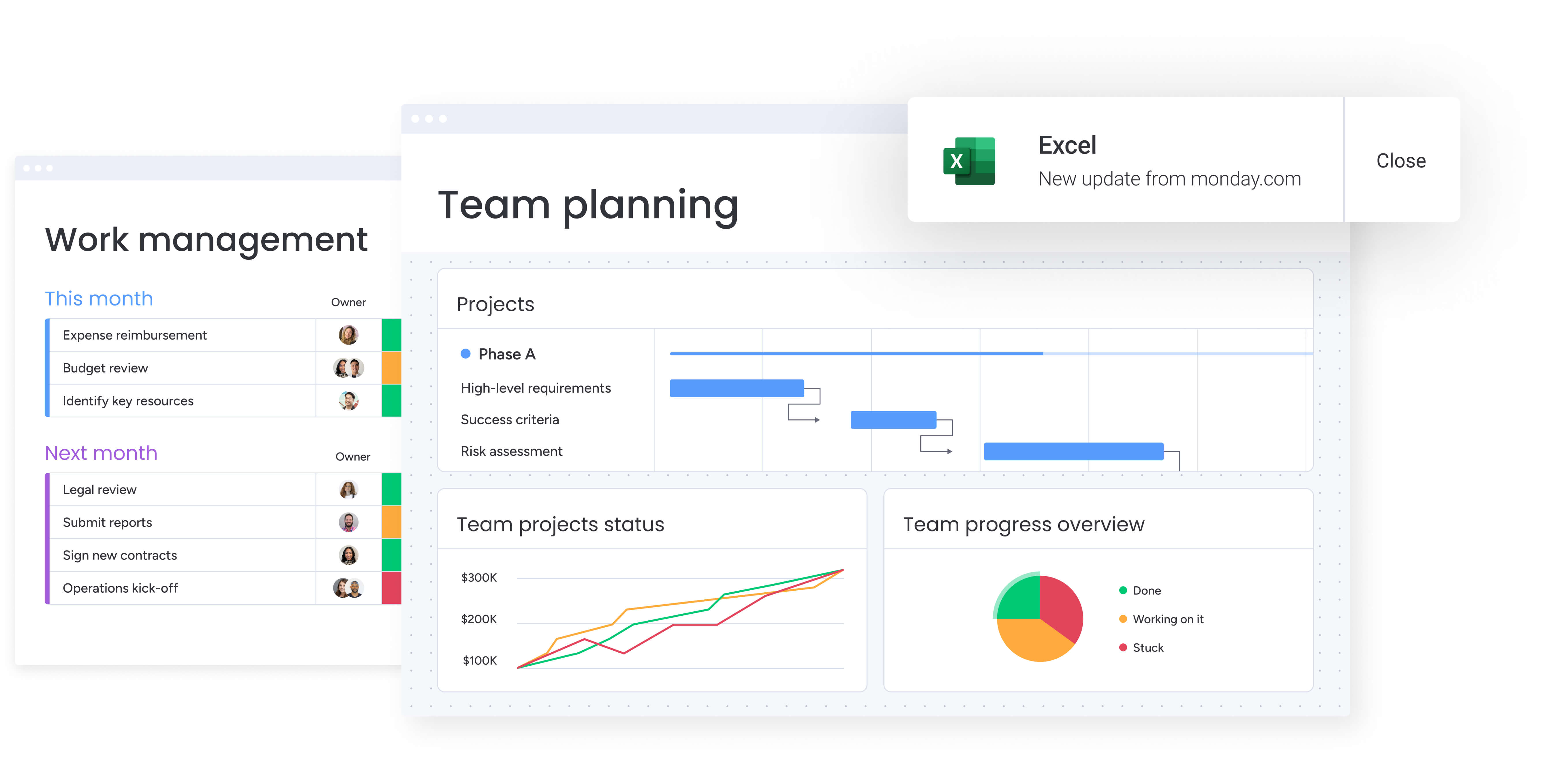
How do you move from manual processes to scalable automation? Getting this right means taking a smart approach to your existing workflows, stakeholder needs, and long-term growth.
Follow these steps to build automation that will fundamentally change how your retail teams get work done.
Step 1: audit your current workflows
Document existing processes for store launches, seasonal campaigns, and inventory management. This foundation helps you identify automation opportunities and design workflows that address real pain points.
Start by mapping your current processes:
- Identify repetitive tasks: focus on activities consuming the most time.
- Document approval bottlenecks: note where delays consistently occur.
- Map communication gaps: understand where teams lose visibility.
- Define stakeholder requirements: determine what information each role needs for decision-making.
Step 2: set up your centralized workspace
Create your workflow automation workspace with boards for each project type — store launches, renovations, seasonal resets. This centralized structure becomes your single source of truth for all retail projects.
Configure your workspace systematically:
- Import existing project data: transfer information from spreadsheets to establish continuity.
- Create project type boards: organize by store launches, renovations, and campaigns.
- Set up custom fields: track retail-specific data like store numbers, fixture types, and vendor details.
- Establish naming conventions: ensure consistency across all projects and locations.
Step 3: build automated workflows
Design automation rules for your most common workflows. Focus on the repetitive coordination tasks that currently consume your team’s time and create the most delays.
Prioritize these automation types:
- Task assignments: automatically assign tasks when new store projects are created.
- Notification triggers: send alerts when vendor deliverables are due.
- Status updates: update project status when construction milestones are completed.
- Approval routing: direct requests to appropriate stakeholders based on project type and budget.
Step 4: configure stakeholder dashboards
Build executive dashboards showing portfolio-level metrics, operational dashboards for tracking daily progress, and resource dashboards for managing team capacity. Customize views for different stakeholders — executives see high-level timelines while store managers see detailed task lists for their locations.
Create role-specific dashboard views:
- Executive dashboards: portfolio metrics and high-level project status.
- Operational dashboards: daily progress tracking and task management.
- Resource dashboards: team capacity and workload distribution.
- Location-specific views: store-level details for regional managers.
Step 5: integrate your technology stack
Connect your workflow automation platform to existing systems including POS platforms, inventory management software, and communication tools. Set up integrations so data flows automatically between systems, eliminating duplicate entry and ensuring information stays synchronized.
Focus on these key integrations:
- POS systems: sync store data and operational metrics.
- Inventory management: connect stock levels and delivery schedules.
- Communication tools: link project updates to team messaging platforms.
- Financial systems: integrate budget tracking and approval workflows.
Step 6: train teams and establish governance
Onboard your PMO team, store managers, and external vendors to the platform. Establish naming conventions, workflow standards, and data governance policies to maintain consistency as usage scales.
Implement comprehensive training and governance:
- Role-based training: customize onboarding for different user types.
- Standard operating procedures: document workflow standards and best practices.
- Template creation: build standardized templates for common project types.
- Ongoing support: establish help resources and regular check-ins
Run retail projects with clarity and control using monday work management
Retail teams move fast, and monday work management gives them the structure, visibility, and automation needed to keep every location, vendor, and deadline on track. The platform brings retail operations into one coordinated system so teams can execute confidently, even when managing dozens or hundreds of concurrent projects.
AI-powered insights help leaders stay ahead of problems by scanning updates and surfacing risks early. Portfolio dashboards give a real-time view of everything happening across store launches, renovations, and campaigns. AI-generated summaries turn complex project data into quick, actionable snapshots.
What retail teams gain:
- Reliable consistency: managed templates keep store launches and seasonal rollouts aligned across regions while still allowing room for local adjustments.
- Connected execution: cross-project dependencies reveal how timelines and deliverables influence each other so nothing slips through the cracks.
- Balanced workloads: resource tools show who is at capacity, who has room, and where to shift effort to keep projects moving smoothly.
- Built-in automation support: AI Blocks and Digital Workers eliminate repetitive coordination by categorizing requests, summarizing notes, and monitoring project health.
These capabilities fit naturally into day-to-day work, giving retail project managers the visibility and automation they need without adding complexity.
Streamline your retail operations with workflow automation
Workflow automation transforms retail project management from reactive coordination to proactive execution. The right platform eliminates the scattered spreadsheets, endless email chains, and manual follow-ups that drain your team’s time and delay store openings.
The most successful retail organizations share common characteristics in their automation approach:
- Centralized visibility across all projects and locations.
- Automated coordination that eliminates manual bottlenecks.
- Standardized processes that scale consistently across regions.
- Real-time insights that enable proactive decision-making.
Whether you’re rolling out new stores, running seasonal campaigns, or knee-deep in renovations, the right automation gives your team the backbone to handle it all without sacrificing quality or letting details slip through the cracks.
Invest in the right platform and you’ll see the payoff immediately: projects launch faster, teams stop working in silos, and you can take on more work without drowning in admin tasks.
The content in this article is provided for informational purposes only and, to the best of monday.com’s knowledge, the information provided in this article is accurate and up-to-date at the time of publication. That said, monday.com encourages readers to verify all information directly.
Frequently asked questions
What is the best workflow automation software for retail project management?
The best workflow automation software for retail project management depends on your specific needs, but platforms like monday work management excel at handling multi-location projects, vendor coordination, and cross-functional team alignment. Look for solutions offering customizable workflows, real-time dashboards, and strong mobile capabilities to support both office and field teams.
How does workflow automation improve retail store launches?
Workflow automation improves retail store launches by eliminating manual coordination tasks, providing real-time visibility into project status, and ensuring consistent execution across locations. Automated notifications keep vendors and contractors aligned, while templated workflows standardize processes without sacrificing flexibility.
Can workflow automation software handle seasonal retail campaigns?
Yes, workflow automation software handles seasonal retail campaigns effectively through templated workflows, automated task assignments, and resource capacity planning. Platforms track campaign timelines, coordinate between marketing and store teams, and ensure all locations execute campaigns consistently.
What features should retail project managers prioritize in workflow automation?
Retail project managers should prioritize multi-location project tracking, vendor collaboration capabilities, mobile access for field teams, customizable automation rules, and real-time reporting dashboards. Integration capabilities with existing retail systems like POS and inventory management are also essential.
How long does it take to implement workflow automation in retail?
Implementation typically takes two to four weeks for initial setup, with full adoption across teams occurring within one to two months. The timeline depends on project complexity, number of locations, and existing process documentation.
Is workflow automation suitable for small retail chains?
Yes, workflow automation suits retail chains of all sizes. Small chains benefit from free or low-cost plans that provide automation and collaboration features, while the platform scales as the business grows.
What ROI can retail organizations expect from workflow automation?
Retail organizations typically see 20-30% improvements in project delivery speed, significant reductions in administrative overhead, and more efficient resource utilization across locations. The exact ROI depends on current process efficiency and the scope of automation implementation.
How does workflow automation integrate with existing retail technology?
Modern workflow automation platforms offer extensive integration capabilities with POS systems, inventory management software, communication tools, and financial systems. These integrations eliminate duplicate data entry and ensure information flows seamlessly between systems.

 Get started