


Media production teams juggle an overwhelming number of moving parts. Creative briefs flow through multiple approval cycles, assets bounce between designers and clients, freelancers need project access, and deadlines shift while work spans Adobe Creative Cloud, Frame.io, Slack, email, and countless spreadsheets. When coordination happens manually across these scattered platforms, even well-planned campaigns face delays, miscommunication, and bottlenecks that slow delivery.
The best workflow automation software transforms this fragmented coordination into streamlined processes that run consistently without manual intervention. These platforms connect your creative tools, automate approval routing, and provide real-time visibility across all productions. For media project managers, this means eliminating the constant context-switching and manual follow-ups that consume hours each week.
This post highlights the workflow automation platforms that truly solve the pressures of modern media production. From complex approval chains to creative tool integrations and freelancer collaboration, the platforms featured here help teams cut through daily chaos and build a more predictable, efficient production pipeline without sacrificing creative quality.
Key takeaways
Before exploring platforms and features, it’s helpful to ground the biggest benefits automation brings to modern media teams. These takeaways capture the impact you can expect once production work moves into a centralized, automated system.
- Centralize fragmented workflows: bring briefs, assets, feedback, and communication into one workspace instead of chasing updates across multiple tools.
- Accelerate creative approvals: automate routing, reminders, and handoffs so stakeholder reviews move in hours, not days.
- Support high-volume production: manage dozens of simultaneous campaigns through visual boards and automations that keep everything moving.
- Enhance creative collaboration: give freelancers and clients controlled access while automated onboarding and notifications reduce coordination work.
- Scale with intelligent automation: use platforms like monday work management to streamline repetitive tasks and maintain visibility across every production.
Understanding workflow automation software for media teams
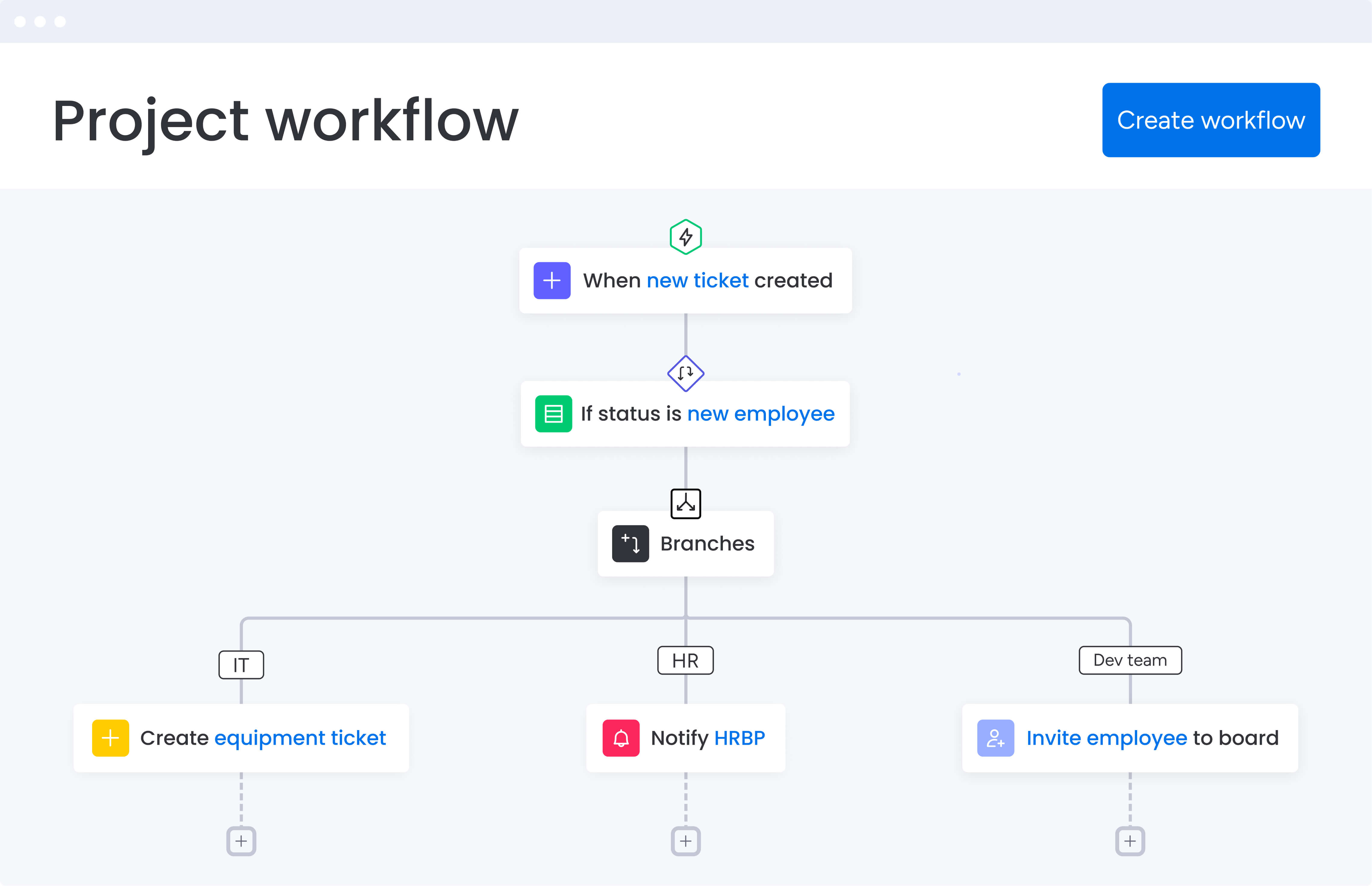
Workflow automation software for media teams eliminates manual, repetitive tasks in production pipelines by creating predefined rules, sequences, and automated actions. Unlike basic task management tools, workflow automation connects multiple stages of media production — from creative briefs and asset approvals to client feedback and final delivery — triggering the next steps automatically based on status changes, deadlines, or conditional logic.
For media project managers, this means transforming processes like approval routing, freelancer notifications, asset handoffs, and status reporting from manual coordination into automated workflows that run consistently every time.
Key components of media workflow automation
Media workflow automation software includes several essential components that work together to streamline production. Understanding these components (outlined below) helps you evaluate which platforms will actually solve your team’s specific challenges and deliver measurable improvements to your production pipeline.
Core automation components:
- Trigger-based automation: initiates actions when specific events occur — such as when a video edit is uploaded, a client approves a concept, or a deadline approaches.
- Conditional logic: routes work down different paths based on criteria like project type, client tier, or asset format.
- Integration capabilities: connects creative tools, communication platforms, and file storage systems so data flows automatically between applications.
- Visual workflow builders: let project managers design and modify automation rules without coding expertise.
The difference between task management and workflow automation
Task management helps teams track individual to-dos. Workflow automation goes further by coordinating entire processes across people, tools, and stages of production. Instead of relying on manual handoffs, automated systems keep work moving without constant oversight.
Key differences include:
- Task-level reminders: basic tools prompt you to take an action but still rely on manual follow-through.
- Automated progression: workflow automation sends approvals, routes files, and updates timelines the moment work changes status.
- Conditional routing: tasks move to the right stakeholder automatically based on project type, client tier, or asset format.
- Integrated updates: timelines, dashboards, and connected tools refresh instantly as progress is made.
For media project managers balancing creative teams, clients, and freelancers, this shift is essential. Automation removes hours of coordination and makes workflow management far more efficient and predictable.
Why media project managers need workflow automation now
In today’s landscape, media production is too complex for manual processes. Juggling creative teams, client feedback loops, and overlapping production schedules across multiple projects? You need automation, full stop.
Here’s why automation has become a competitive necessity for media teams.
Work scattered across multiple platforms
Media production typically involves creative tools (Adobe Creative Cloud, Final Cut Pro), communication platforms (Slack, email), file storage (Dropbox, Google Drive), client feedback tools (Frame.io), and project tracking spreadsheets. This fragmentation creates visibility gaps, version control chaos, and constant context-switching that slows delivery, which is why many large organizations turn to enterprise workflow management software.
Workflow automation software centralizes these scattered workflows into one platform where all project information, communications, and files live together. Automated integrations sync data between your creative tools and project hub, ensuring everyone sees current status without hunting across applications — a hallmark of workflow automation.
Accelerating creative approval processes
Let’s talk about your biggest time-waster: manual approvals. You’re sending emails, waiting for responses, following up (again and again), and piecing together scattered feedback. A single campaign can get stuck waiting for sign-offs from creative directors, clients, legal, and brand teams — what should take hours drags on for days.
Automated approval workflows route requests to the right stakeholders instantly, send scheduled reminders, escalate overdue approvals, and trigger the next production phase once approved. This transforms approval cycles from days to hours, directly accelerating project delivery.
Streamlining freelancer and client collaboration
Media project managers constantly coordinate external collaborators — freelance videographers, editors, designers, and clients — who need limited access to specific projects without seeing your entire operation. Managing these permissions and communications manually creates security risks and coordination overhead.
Workflow automation platforms provide guest access controls, automated onboarding for new collaborators, and permission-based views that show external parties only their relevant projects. Automated notifications keep freelancers informed about deadlines and deliverables without constant manual check-ins.
Gaining real-time visibility across all productions
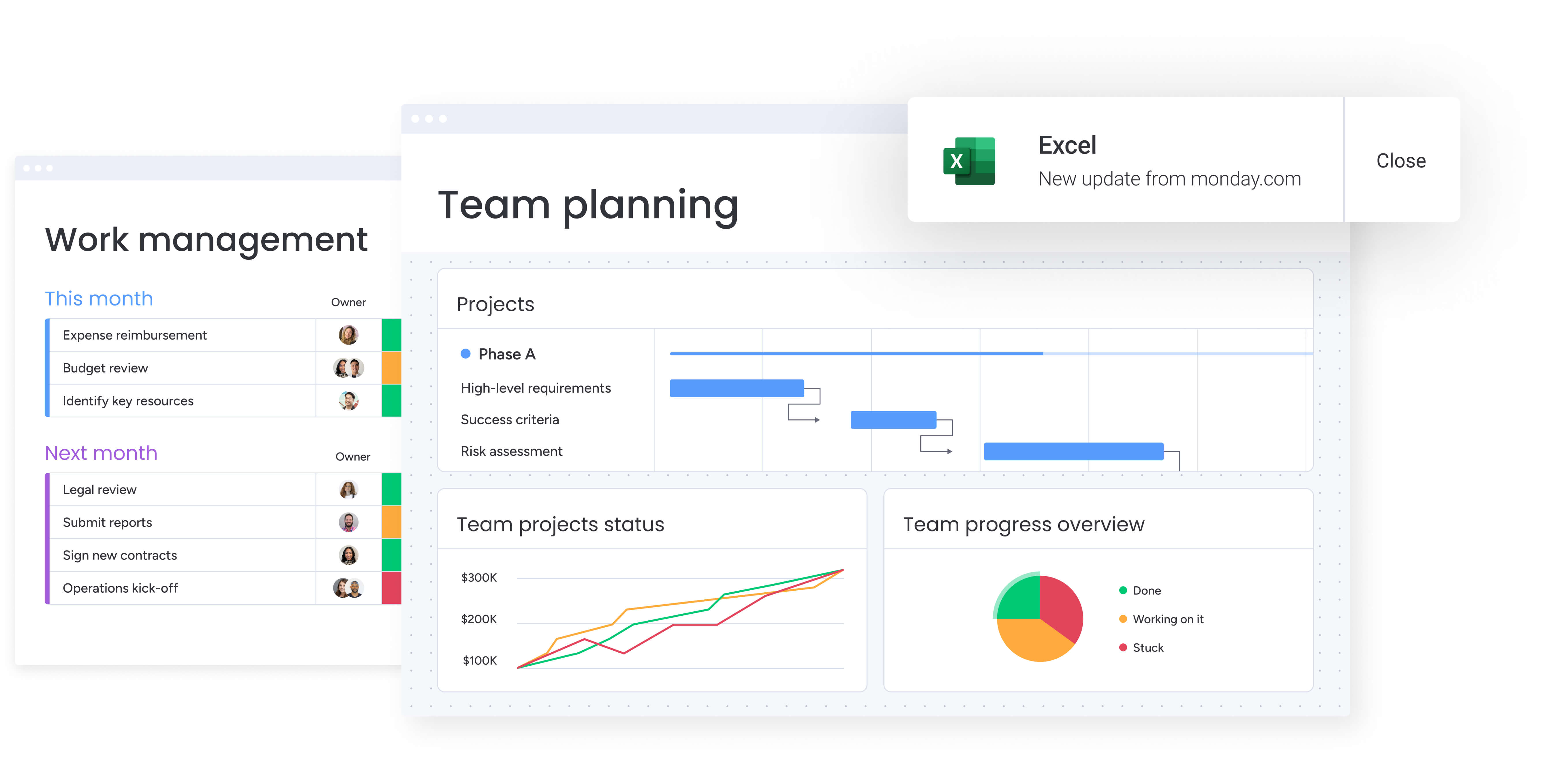
Without centralized visibility, media project managers struggle to answer basic questions: which projects are at risk? Who’s overloaded? What’s blocking this campaign? Manual status reporting through meetings and spreadsheets provides outdated snapshots rather than real-time intelligence.
Automated dashboards pull real-time data from every project to spotlight risks, capacity problems, and bottlenecks the moment they appear. You’ll instantly see late deliverables, overloaded team members, and clients waiting on responses — so you can fix problems before they become fires.
Top workflow automation platforms for media project managers
Choosing the right workflow automation software requires understanding how different platforms address media-specific challenges. The following comparison examines leading solutions based on their ability to centralize scattered workflows, automate approval processes, and provide real-time visibility across media productions.
monday work management: centralizing scattered workflows
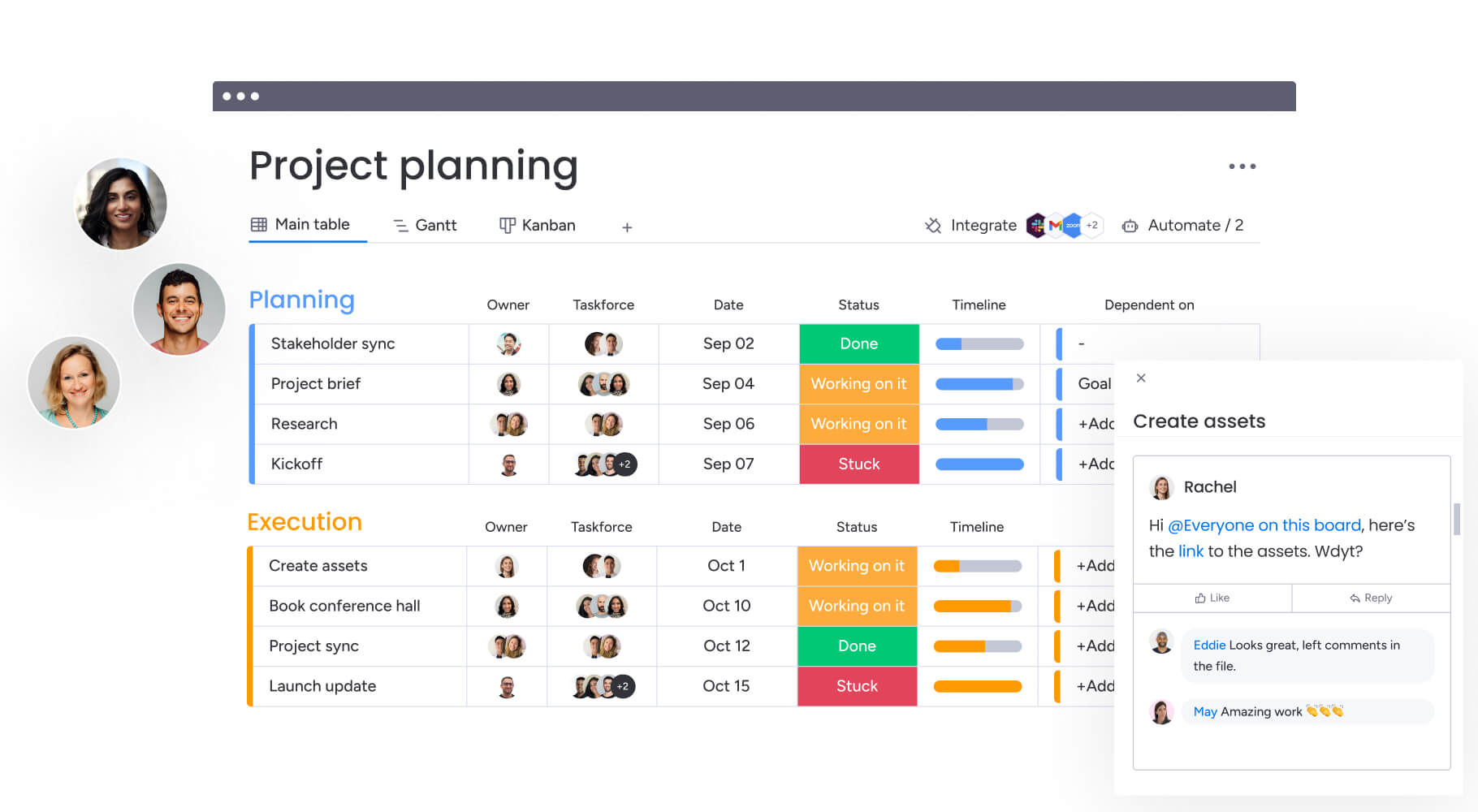
monday work management ends the tool chaos that’s killing your productivity by bringing projects, messages, approvals, and files into one visual workspace. Build boards that match exactly how you work — whether you’re producing videos, managing campaigns, or planning content — while smart automations take over the repetitive coordination tasks you hate doing.
Media project managers benefit from visual timeline views that show all productions at a glance, automated approval workflows that accelerate client feedback cycles, and integrations with creative tools like Adobe Creative Cloud and Frame.io that sync asset status automatically.
The platform’s guest access features also makes it simple to collaborate with freelancers and clients without compromising security.
Key strengths for media teams:
- Visual workflow builder: no-code drag-and-drop interface for creating custom automations.
- Multi-stage approval automation: routes approvals through complex stakeholder chains automatically.
- Creative tool integrations: deep connections with Adobe, Frame.io, and 200+ other apps.
- Guest access controls: permission-based views for external collaborators.
- Resource management: built-in workload views to balance team capacity.
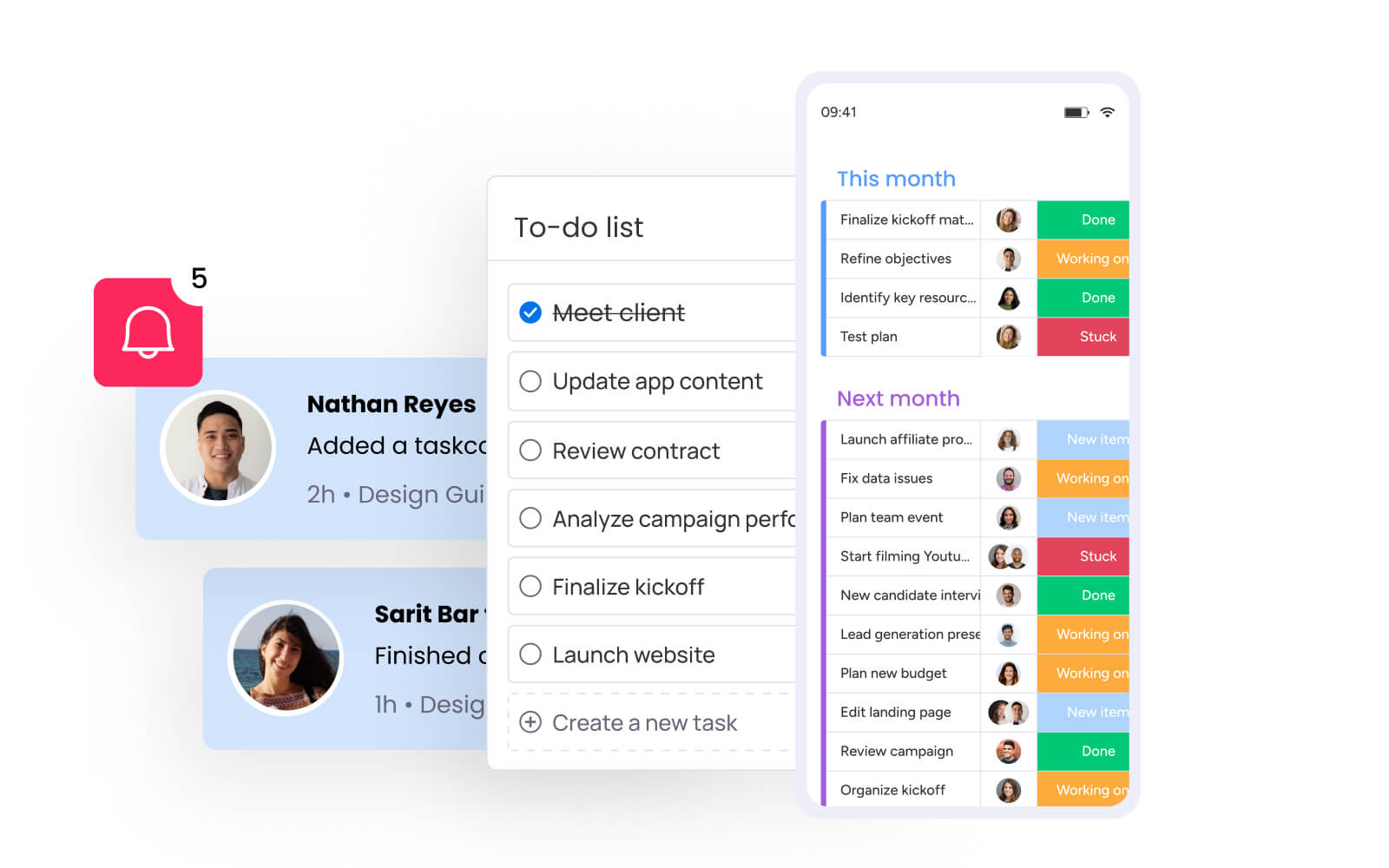
- Mobile experience: full-featured iOS/Android apps for on-location management.
Pricing: from $9/user/month (billed annually)
Try monday work managementComparison of other workflow automation platforms
Different teams need different levels of automation, creative integration, and collaboration features. This comparison highlights how leading platforms support common media workflows so you can quickly see which options align with your production needs.
| Platform | Best for | Key automation features | Starting price |
|---|---|---|---|
| Asana | Campaign management | Timeline views, proofing capabilities, custom fields | $10.99/user/month |
| Wrike | Enterprise media teams | Gantt charts, resource planning, white-label portals | $10/user/month |
| ClickUp | All-in-one functionality | 15+ project views, AI writing assistant, extensive automation library | $7/user/month |
| Smartsheet | Data-driven planning | Formula-based automation, spreadsheet interface | $9/user/month |
| Adobe Workfront | Creative operations | Native Creative Cloud integration, proofing tools | Custom pricing |
| Frame.io | Video review and approval | Frame-accurate commenting, version control | $15/user/month |
| Trello | Simple visual workflows | Kanban boards, Power-Ups for extended functionality | $5/user/month |
What makes project managers choose monday work management
Media project managers gravitate toward monday work management because it solves the industry’s biggest challenge: work scattered across too many tools. The platform brings creative workflows, client communication, asset tracking, and production schedules into one visual workspace that teams actually enjoy using.
Key reasons media teams choose the intelligent solution include:
- Centralized workflows: connect creative tools, consolidate communication, and manage every production stage in one place.
- Automated approvals: reduce delays with routing, reminders, and next-step triggers that keep campaigns moving.
- Real-time visibility: see project status, risks, and capacity across all productions without digging through multiple platforms.
- Clear production pipelines: visual boards help creative teams see what’s next and give clients an easy way to track progress.
- Reduced manual coordination: automations handle repetitive tasks like status updates and deadline reminders so PMs can focus on creative direction.
monday work management features for media production workflows
Understanding specific features helps you further understand how monday work management addresses media production challenges at scale. These capabilities work together to create a unified platform that eliminates tool fragmentation while accelerating project delivery through intelligent automation.
Centralized dashboard for all projects
monday work management’s centralized dashboard aggregates data from all your media projects into customizable views that show exactly what you need to see. Project managers can visualize production pipelines across multiple campaigns simultaneously, filtering by client, deadline, team member, or project status to quickly identify what needs attention.
If you’re tired of checking five different tools to piece together what’s happening, this centralized view is a game-changer. You’ll spot pending video approvals, delayed campaigns, and maxed-out team members at a glance: all from a single dashboard that refreshes in real-time as your teams work.
Automated approval workflows
Automated approval workflows eliminate the manual coordination that creates bottlenecks in media production. Project managers set up approval sequences once — defining who reviews what, in what order, with what deadlines — and the platform executes these workflows automatically for every project.
When a designer marks creative work complete, monday work management automatically notifies the appropriate reviewer, sends reminder notifications if the approval is pending, escalates to backup approvers if deadlines approach, and triggers the next production phase once approved — all without project manager intervention.
Resource management and capacity planning

The platform’s resource management features provide real-time visibility into team capacity, workload distribution, and skill availability across all media projects. The Workload view shows each team member’s assigned tasks and time commitments, helping project managers balance assignments and prevent burnout.
For media project managers coordinating internal teams and external freelancers, this visibility is essential for realistic scheduling and resource allocation. You can see who has bandwidth for new projects, which specialists are needed for upcoming campaigns, and where resource conflicts exist across concurrent productions.
Integration with creative tools
monday work management integrates with the creative tools media teams use daily — Adobe Creative Cloud, Frame.io, Slack, Google Drive, Dropbox, and 200+ other applications. These integrations sync asset status, comments, and file updates automatically between your creative tools and project management platform.
These integrations fix your scattered workflow nightmare without forcing anyone to ditch their favorite tools. Your designers keep working in Adobe, editors stick with Frame.io, and all their progress automatically syncs to monday work management — giving you complete visibility without playing detective.
AI-powered automation for repetitive tasks
AI capabilities within monday work management accelerate workflow creation and identify optimization opportunities across media production processes. The AI-powered workflow generator creates complete automation sequences from simple text descriptions — type “manage incoming creative requests” and the AI generates the entire workflow with appropriate triggers, conditions, and actions.
AI features that transform media workflows:
- AI Blocks: categorize project requests by urgency, summarize complex briefs, and extract key information from documents automatically
- Digital Workers: monitor project health continuously, flag bottlenecks, and suggest resource reallocation based on real-time capacity
- Risk identification: analyze project updates to surface potential delays before they impact delivery timelines
How to centralize media production workflows
Ready to ditch your scattered tools for a streamlined system? You’ll need a smart plan that won’t derail your ongoing projects.
Here is a step-by-step guide to transform your media production with monday work management for a smooth and efficient transition.
Step 1: audit your current tool stack and workflows
Document every tool your media team currently uses — creative software, communication platforms, file storage, project tracking — and map how work flows between them. Identify the manual handoffs, approval bottlenecks, and visibility gaps that slow production. This audit reveals which workflows to automate first for maximum impact.
Step 2: set up your production pipeline boards
Create monday work management boards that mirror your media production stages — creative brief, concept development, production, review, revisions, final delivery. Customize columns to track the metadata your team needs: client name, project type, deliverable format, deadline, assigned team members, and current status. Use the Board view for task management and Timeline view for schedule visualization.
Step 3: configure automated approval workflows
Build automation rules that route approvals automatically based on project type and stakeholder roles. Set up sequences like: when status changes to “Ready for Review,” notify the creative director; if not approved within 48 hours, send reminder; when approved, change status to “In Production” and notify the production team. These automated workflows eliminate manual approval coordination.
Step 4: integrate your creative tools
Connect monday work management with your creative tech stack — Adobe Creative Cloud, Frame.io, Slack, Google Drive, Dropbox — so asset updates, comments, and file changes sync automatically. Configure integrations so designers can continue working in their preferred tools while project status updates flow into your centralized platform.
Step 5: set up client and freelancer access
Create guest user accounts with permission-based access for clients and freelancers, showing them only their relevant projects. Configure automated onboarding workflows that send welcome messages, share project guidelines, and grant appropriate permissions when new collaborators join. This standardizes external collaboration while ensuring all project data remains secure.
Step 6: build dashboards for real-time visibility
Configure dashboards that aggregate data across all productions, showing key metrics like projects by status, upcoming deadlines, team workload, and budget tracking. Set up different dashboard views for different stakeholders — detailed operational dashboards for project managers, high-level status dashboards for executives, and client-specific dashboards showing their campaign progress.
How SPH Media transformed their media campaign delivery
SPH Media, one of Singapore’s largest media groups with more than 40 brands, struggled to manage fast-moving campaigns across creative, content, sales, and ad operations teams. Heavy reliance on manual coordination made it difficult to track progress, allocate resources, and meet tight deadlines.
By adopting monday work management, the team centralized their workflows and eliminated the scattered processes slowing delivery. A visual, color-coded interface made campaign status clear at a glance, while pre-built templates ensured consistent execution across departments. Automated alerts kept each phase on track, and advertiser bookings synced directly into production workflows to reduce manual effort.
Results achieved:
- Campaign scale: hundreds of campaigns managed across more than 130 team members.
- Brand coordination: 40 brands supported through unified, centralized workflows.
- Operational visibility: improved ability to plan resources and monitor performance.
- Faster setup: quicker onboarding enabled by integrated ad booking systems.
Revolutionize your media production workflows with monday work management
Workflow automation has evolved from a nice-to-have to an essential capability for media teams managing complex productions across multiple channels and stakeholders. The scattered tool chaos that once defined media production can be replaced with workflow management software that accelerate delivery while improving collaboration.
Connected platforms like monday work management provide the foundation for this transformation by connecting your creative tools, automating approval processes, and delivering real-time visibility across all productions. Teams report saving 1.6-3 hours per person per week through automation, while gaining the capacity to manage hundreds of campaigns in one platform.
The path forward is straightforward: audit your current workflows, implement centralized boards, configure automated approvals, integrate your creative tools, and build dashboards for real-time visibility.
With these elements in place, your media team can focus on creative excellence while automation handles the coordination overhead.
The content in this article is provided for informational purposes only and, to the best of monday.com’s knowledge, the information provided in this article is accurate and up-to-date at the time of publication. That said, monday.com encourages readers to verify all information directly.
Frequently asked questions
How do I migrate existing projects from multiple tools without disrupting ongoing work?
Start by running monday work management in parallel with your existing tools for two to four weeks rather than attempting a complete cutover. Import your most active projects first using CSV uploads or native integrations with tools like Asana, Trello, or Excel.
What's the typical learning curve for creative teams new to automation?
Creative teams typically become comfortable with monday work management within two to four weeks. The visual, intuitive interface requires minimal training — most users understand the basic board structure immediately. Advanced features like automation rules and custom dashboards take longer to master, but project managers can configure these centrally while team members simply use the boards for their daily work.
Can workflow automation software handle large video and creative files?
monday work management integrates with cloud storage platforms (Google Drive, Dropbox, Box, OneDrive) rather than storing large video files directly. You store your video files in your preferred cloud storage system and link them to relevant project items in the platform, maintaining file organization while keeping project coordination centralized.
How do I set different permission levels for clients versus internal teams?
monday work management provides granular permission controls that let you configure exactly what each user type can see and do. Create guest user accounts for clients with view-only or limited editing permissions on specific boards, while internal team members have full access across all projects. You can restrict guests from seeing budget information, internal communications, or other sensitive data while still giving them visibility into their campaign progress.
What's the average ROI timeline for workflow automation in media companies?
Media companies typically see ROI from workflow automation within three to six months of implementation. Initial time savings appear immediately as automated workflows eliminate manual coordination tasks, while deeper benefits like improved resource utilization and increased project capacity compound over time. Teams report saving 1.6-3 hours per person per week from automation, which translates to significant cost savings and capacity gains.
How does workflow automation handle complex approval chains with multiple stakeholders?
Workflow automation platforms excel at managing complex approval sequences by routing requests automatically based on predefined rules and project criteria. You can set up multi-stage approval workflows that route creative work to internal reviewers first, then to clients, then to legal teams if required, with automatic escalation if approvals are delayed. The system tracks each approval stage, sends reminders, and triggers the next phase once all required approvals are received.

 Get started