


Finance teams struggle to manage approval chains, track budgets, and meet compliance requirements while switching between spreadsheets, endless email threads, and disconnected systems.
When your team’s workflows stretch across multiple platforms, you’re not just dealing with delays: you’re facing compounding errors and broken audit trails. The challenge isn’t just managing individual processes but coordinating them at scale while maintaining the control and visibility that financial operations demand.
The right workflow automation software eliminates these headaches by bringing all your financial processes into one place, taking routine approvals off your plate, and giving you instant visibility into budgets and project status. Don’t settle for basic task management: you need the tools to deliver enterprise-grade compliance that will empower you to build complex approval chains independently.
In this insightful guide, we’ll show you what actually works for finance teams, which features deliver real results, and how companies like Citizens Bank and Playtech completely transformed their operations. We’ll also cover automated approval workflows, budget tracking capabilities, and integration options that connect project management with your existing financial infrastructure.
Key takeaways
Before exploring platforms and workflows, these key points highlight how automation strengthens financial operations from day one.
- Eliminate fragmented financial processes: centralize approvals, budgets, and documentation to avoid errors and compliance risks.
- Automate complex approval chains: route requests automatically through multi-level hierarchies with complete audit trails.
- Gain instant budget visibility: monitor spend, variance, and KPIs in real time instead of waiting for end-of-month reports.
- Connect finance systems seamlessly: integrate ERP and accounting platforms to remove manual data entry and create a single source of truth.
- Scale efficiently with monday work management: build custom financial workflows without IT support and maintain enterprise-grade compliance.
What makes project managers choose monday work management for financial workflow automation?

Finance project managers rely on monday work management because it finally replaces the daily chaos of switching between spreadsheets, emails, financial systems, and project platforms. When information is scattered, delays multiply, errors slip through, and compliance becomes harder to maintain.
The platform brings every financial workflow into one connected system, giving teams a single source of truth for approvals, budgets, documentation, and reporting. This eliminates version control issues and keeps sensitive financial data structured and secure.
What finance teams gain:
- Centralized processes: approvals, expenses, documentation, and reporting all live in one workspace.
- Reduced manual work: automated routing, reminders, and updates replace hours of repetitive coordination.
- Full visibility: real-time insight into every financial workflow, from requests to final approvals.
- Built-in compliance support: complete audit trails and permissions keep processes controlled and predictable.
- No-code flexibility: teams create and adjust workflows without IT involvement.
The impact is already proven. Citizens Bank eliminated 28,000 manual actions each month by centralizing their loan workflows in monday work management. Project managers could finally design approval chains that reflected their exact compliance requirements, speeding up delivery while strengthening accuracy and oversight.
monday work management top features for financial workflow automation
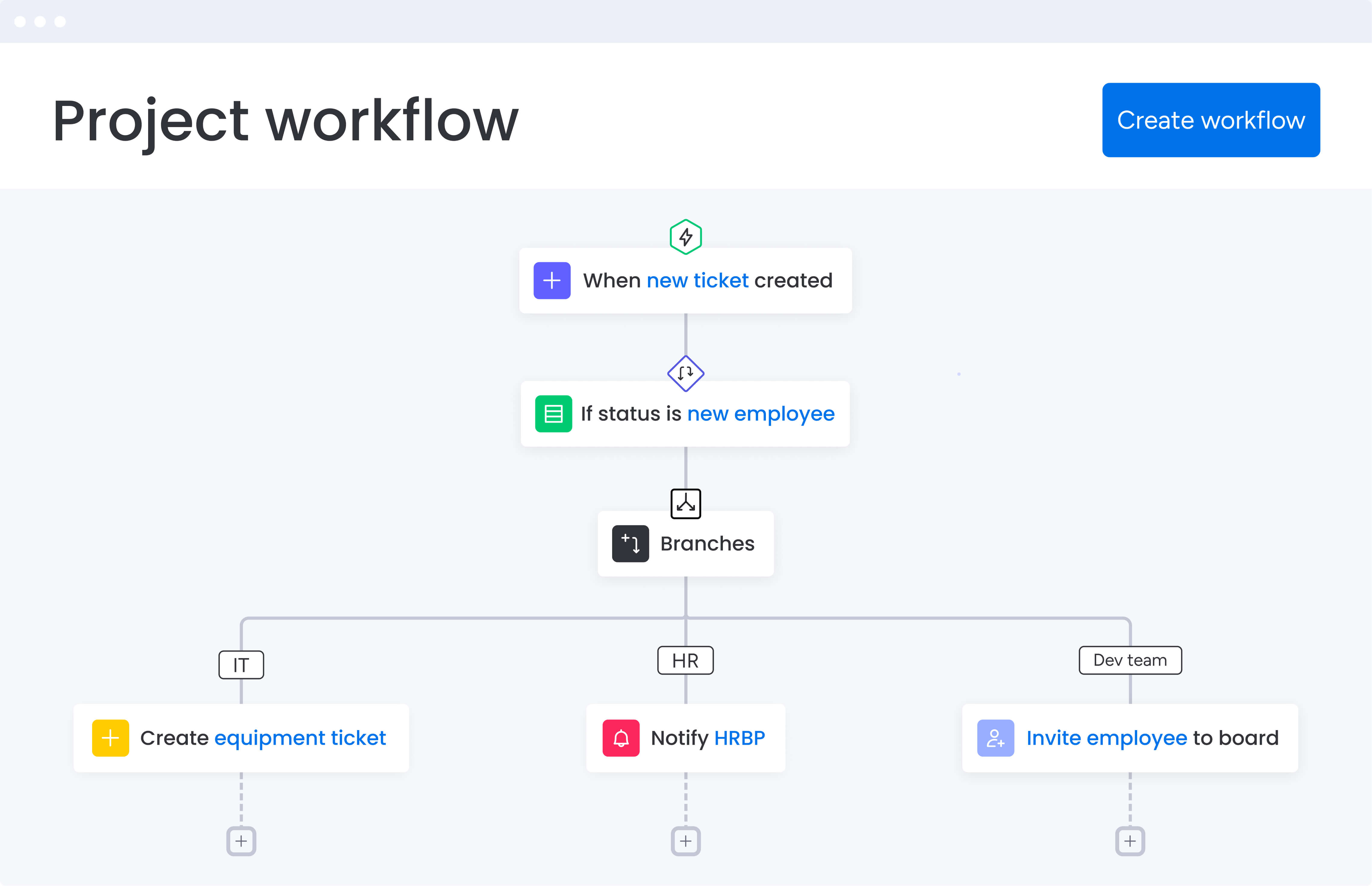
Here’s exactly how the platform’s intelligent features solve the biggest headaches you face when trying to manage complex financial workflows: each feature tackles a specific problem while keeping your compliance and control standards rock-solid:
Automated approval workflows
Automated approvals remove one of the biggest bottlenecks in financial operations. Requests move through the right hierarchy instantly, approvers receive timely notifications, and every action is logged for compliance. Finance teams gain full clarity into where each request stands, reducing delays caused by missed emails or manual routing.
Finance teams commonly automate:
- Purchase orders: route based on amount thresholds.
- Expense reports: assign to the correct managers automatically.
- Budget requests: follow predefined departmental hierarchies.
- Invoice processing: match approval paths to vendor requirements.
Playtech increased efficiency by 26% by automating approval routing, giving project managers real-time visibility into stalled requests and enabling faster intervention when workflows slow down.
Real-time dashboards and financial reporting
Dashboards give project managers uninterrupted visibility into budgets, spend, variance, and financial KPIs. Each view can be tailored for analysts, finance leaders, or executives, ensuring every stakeholder sees the data they need without manual reporting.
Key advantages include:
- Instant visibility: track budget health, variance, and KPIs in real time.
- Stakeholder alignment: provide portfolio summaries or project-level insights.
- Continuous tracking: eliminate end-of-month surprises with live financial data.
Indosuez Wealth Management saved more than $139,000 annually using dashboards that aligned leadership with local KPIs and improved financial decision-making across teams.
Integration with ERP and accounting systems
monday work management connects directly to ERPs, accounting platforms, and financial databases, eliminating duplicate data entry and ensuring budgets and actuals stay synchronized across systems.
Finance teams benefit from:
- Triggered actions: update accounting systems automatically when project milestones shift.
- Synced budgets: pull financial data directly into dashboards.
- Unified records: reflect changes across all systems instantly.
This capability enabled Citizens Bank to automate data flow between loan applications, approval workflows, and accounting systems while maintaining strict compliance controls.
Budget tracking and variance analysis
Built-in budget tracking allows project managers to set budgets, monitor real-time spend, and catch variance early. Formula columns handle complex calculations that would otherwise live in spreadsheets.
Core capabilities include:
- Automatic calculations: compute utilization and cost scenarios automatically.
- Variance alerts: notify teams when budgets approach thresholds.
- Forecast accuracy: compare baseline estimates with actual spend.
- Scenario modeling: test alternate allocations instantly.
Playtech uses these tools to generate accurate cost scenarios and speed up approval cycles that once required extensive manual work.
Document management and version control
Financial documentation becomes organized and audit-ready when stored directly within workflows. Files, forms, and compliance materials stay tied to the exact processes they support.
Teams use these capabilities to:
- Maintain compliance: link documentation to workflows with complete audit trails.
- Control access: restrict sensitive financial data with permissions.
- Track versions: maintain a clear history of edits and approvals.
This structure eliminates the compliance risks inherent in managing documents across email and shared drives.
No-code workflow customization
Finance teams can build and refine workflows independently using a visual, drag-and-drop interface. No IT support is needed to adjust processes as approval rules or compliance requirements evolve.
No-code customization enables teams to:
- Iterate quickly: refine workflows without development cycles.
- Maintain ownership: adjust processes as financial policies change.
- Scale efficiently: expand automation across teams without external support.
Most finance teams become comfortable with the interface within weeks, enabling fast adoption and long-term process control.
How a project manager in finance benefits from monday work management
Finance project managers using monday work management experience measurable improvements across their entire workflow. The platform transforms how financial teams operate by reducing manual work, accelerating processes, and improving compliance.
These benefits below translate into tangible outcomes that impact both daily operations and strategic objectives.
Reducing manual data entry by 70% becomes achievable through automated workflows and integrations. These eliminate repetitive data entry processes, allowing finance project managers to focus on analysis and strategic decision-making rather than administrative work.
Accelerating financial close cycles happens naturally when approval processes streamline and budget tracking occurs in real time. This enables faster month-end and quarter-end close processes, reducing the time required to consolidate financial data and generate reports.
Improving audit readiness and compliance strengthens through complete audit trails, automated documentation, and role-based permissions. All financial workflows meet regulatory requirements and maintain proper controls for SOX compliance, GDPR, and industry-specific regulations.
Enhancing cross-department collaboration breaks down silos between finance, operations, and other departments. Centralized workflows enable better coordination on projects that require cross-functional input and approval.
Increasing project delivery speed shows immediate results. Citizens Bank processed loans with unprecedented speed and efficiency by automating workflows. Playtech achieved a 26% increase in efficiency through centralized project management. These demonstrate measurable improvements in project delivery timelines.
Optimizing resource allocation improves through real-time visibility into team capacity and project demands. This enables better resource planning and prevents overallocation, ensuring finance teams handle workload fluctuations without burnout or missed deadlines.
How to automate financial workflows with monday work management
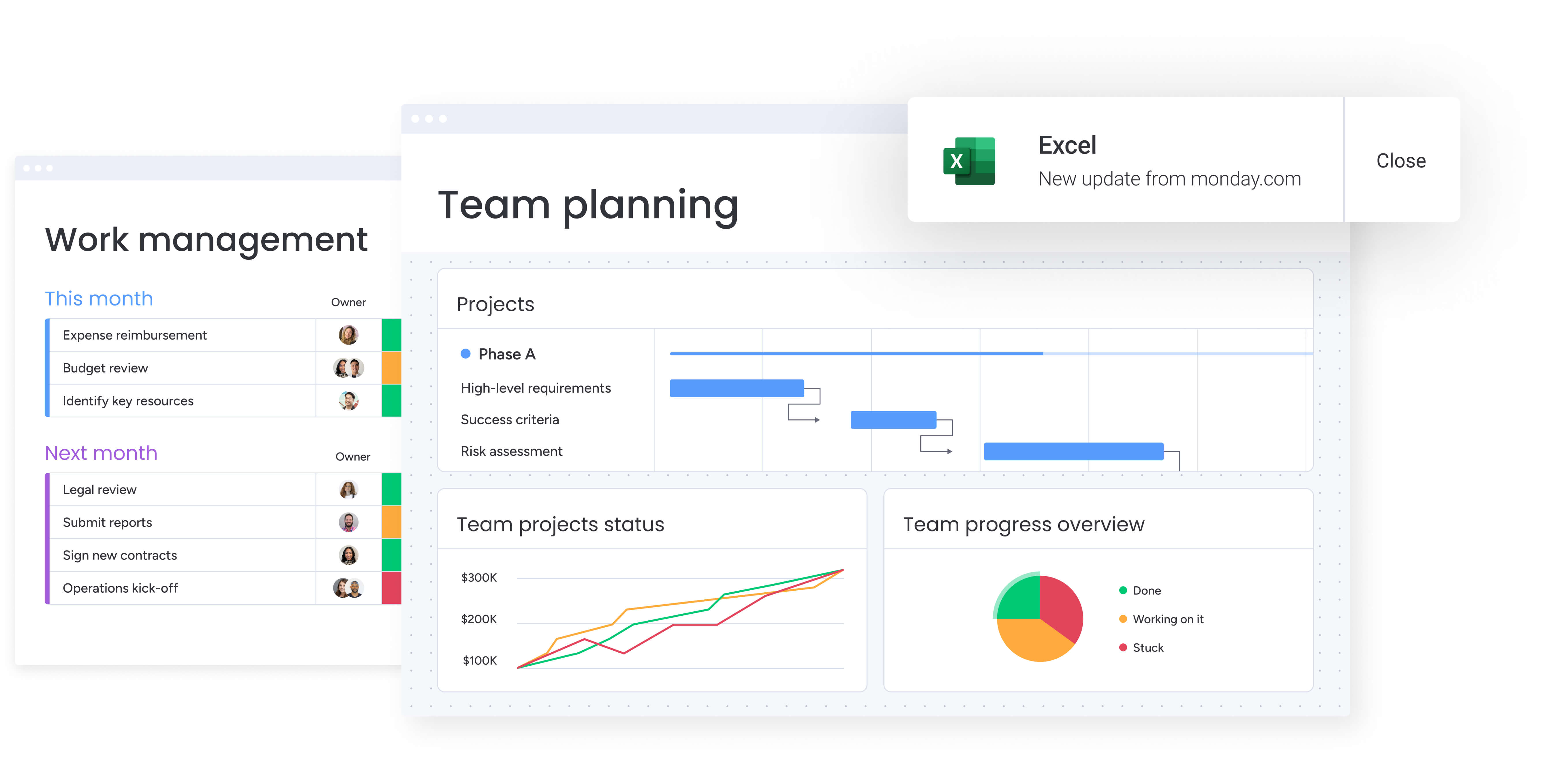
This step-by-step approach guides you through implementing automated financial workflows that eliminate manual processes and improve compliance. Each step follows on from the previous one to create a comprehensive system that transforms how your finance team operates.
Step 1: map your current financial processes
Document your existing workflows for invoice approvals, expense management, budget requests, and compliance reporting. Identify manual handoffs, approval bottlenecks, and areas where work gets scattered across tools.
Create a visual map showing how financial data flows through your organization and where delays typically occur. This foundation enables you to design automated workflows that address specific pain points while maintaining necessary controls.
Step 2: configure your centralized workspace
Set up boards for each major financial workflow using monday work management’s templates or custom configurations. Define columns for budget amounts, approval status, compliance requirements, and financial KPIs relevant to your processes.
Structure your workspace to mirror your existing financial hierarchy while eliminating unnecessary complexity. This ensures team adoption while maintaining the organizational structure your finance department requires.
Step 3: build automated approval chains
Create automation rules that route financial requests through appropriate approval hierarchies based on amount thresholds, department requirements, or compliance needs. Configure notifications to keep approvers informed and prevent delays.
Set up escalation paths for time-sensitive approvals and establish backup approvers to maintain workflow continuity. This automation eliminates manual routing while ensuring all financial requests receive proper authorization.
Step 4: integrate with financial systems
Connect monday work management with your ERP, accounting software, and other financial tools to enable automatic data synchronization. Set up two-way integrations that update both systems when changes occur.
Map data fields between platforms to ensure consistency and eliminate manual data transfer. These integrations create a unified workflow that spans project management and financial reporting.
Step 5: design real-time financial dashboards
Build customized dashboards that display project budgets, actual spend, variance analysis, and financial KPIs. Create different views for project teams, finance leadership, and executive stakeholders.
Include visual indicators for budget health, approval status, and compliance metrics that update automatically. These dashboards provide the real-time visibility finance project managers need to make informed decisions quickly.
Step 6: establish compliance and audit protocols
Configure role-based permissions, document management workflows, and audit trail tracking to ensure regulatory compliance. Set up automated documentation generation for compliance reporting and audit preparation.
Define retention policies and access controls that align with your regulatory requirements. This final step ensures your automated workflows meet all compliance standards while maintaining the efficiency gains from automation.
Comparison: monday work management vs competing platforms
Finance teams need strong approvals, real-time budget accuracy, and airtight compliance. This comparison shows how monday work management measures up against other platforms on those essentials.
| Feature | monday work management | Wrike | Smartsheet | Asana |
|---|---|---|---|---|
| No-code workflow builder | Drag-and-drop | Limited | Spreadsheet-based | Basic |
| Financial approval automation | Multi-level | Available | Limited | Basic only |
| Budget tracking & formulas | Advanced formulas | Available | Spreadsheet formulas | Limited |
| ERP/accounting integrations | 200+ integrations | Available | Limited | Basic |
| Real-time dashboards | Unlimited custom | Limited | Available | Limited |
| Compliance audit trails | Complete | Available | Basic | Limited |
| Implementation time | 2-4 weeks | 4-8 weeks | 4-6 weeks | 2-4 weeks |
| Price per user/month | From $10 | From $10 | From $7 | From $10.99 |
| G2 rating | 4.7/5 | 4.2/5 | 4.4/5 | 4.3/5 |
| Finance-specific templates | Extensive | Limited | Available | Basic |
How Playtech's PMO department transformed their project delivery
Playtech’s PMO team managed a high volume of client projects using spreadsheets, emails, and notepads. This scattered approach created visibility gaps, slowed decision-making, and made it difficult to meet growing client expectations for faster updates and delivery.
The challenges they faced
Playtech struggled with:
- Fragmented workflows: information scattered across tools.
- Limited visibility: difficulty tracking project status at scale.
- Inefficient coordination: manual approvals and follow-ups.
- Rising client expectations: demand for quicker updates and higher-quality reporting.
These issues led to missed opportunities for efficiency, higher operational costs, and increasing pressure on project managers.
The solution they implemented
To regain control, the PMO adopted monday work management as their centralized platform. They built connected workflows that replaced manual coordination with automated, consistent processes.
Key improvements included:
- Structured workflow design: custom phases for initiation, scoping, planning, execution, and closure.
- Automated approvals: predefined routing to eliminate bottlenecks.
- Resource planning boards: visibility into team capacity and allocations.
- Integrated financial tracking: accurate monitoring of project budgets.
How they standardized delivery
The team created templates that project managers could duplicate and adjust for any new initiative. These templates allowed them to:
- Add external collaborators: without compromising access permissions.
- Track early discussions: separate preliminary project phases from active work.
- Maintain complete records: all decisions and resource allocations stored centrally.
The results they achieved
Playtech saw measurable improvements across operations:
- Efficiency increase: 26% improvement across the PMO department.
- Stronger collaboration: 49% improvement in transparency with stakeholders.
- Better performance: 23% increase in meeting project KPIs.
- Significant time savings: three hours saved per project manager each week.
Transform your financial project management with monday work management
Finance project managers who implement monday work management experience immediate improvements in workflow efficiency, compliance management, and project delivery speed. The platform eliminates the fragmentation that slows down financial processes while maintaining the control and audit trails that finance departments require.
Organizations like Citizens Bank, Playtech, and Indosuez Wealth Management have demonstrated measurable results through centralized financial workflows, automated approvals, and real-time budget tracking. These outcomes show how the right platform transforms scattered work into streamlined execution.
The no-code interface ensures finance teams can build and modify workflows without IT dependency, while enterprise-grade security and compliance features meet regulatory requirements.
This combination of accessibility and control makes monday work management the ideal solution for finance project managers ready to modernize their operations.
The content in this article is provided for informational purposes only and, to the best of monday.com’s knowledge, the information provided in this article is accurate and up-to-date at the time of publication. That said, monday.com encourages readers to verify all information directly.
Frequently asked questions
How long does it take to implement monday work management in a finance department?
Most finance teams achieve full implementation within two to four weeks. The platform's intuitive interface and pre-built templates enable quick setup, with teams typically becoming comfortable with the system within two weeks to a month according to Forrester research. The Total Economic Impact study reports a payback period of less than four months.
What is the average cost of monday work management for finance teams?
Pricing starts at $10 per user per month for the Standard plan, with Professional and Enterprise plans offering advanced features for larger finance teams. The platform offers flexible pricing based on team size and required capabilities, with custom enterprise pricing available for organizations with specific compliance or security requirements.
Can monday work management integrate with legacy financial systems?
Yes, monday work management integrates with major ERP systems, accounting platforms, and financial tools through 200+ native integrations and open APIs. The platform supports custom integrations for legacy systems, enabling automated data flow between monday work management and your existing financial infrastructure without requiring system replacement.
How does monday work management ensure data security for financial information?
The platform provides enterprise-grade security including IP restrictions, two-factor authentication, multiple SSO options, BYOK (Bring Your Own Key), and tenant-level encryption. monday work management maintains SOC 2 Type II certification and supports compliance with GDPR, SOX, and industry-specific regulatory requirements through role-based permissions and complete audit trails.
What training is required for finance teams to adopt monday work management?
The platform requires minimal training due to its intuitive design. monday work management provides onboarding videos, interactive product tours, template libraries, and 24/7 support. Enterprise customers receive dedicated onboarding, consulting services, and change management support to ensure successful adoption across finance teams.
Which workflow automation features are most important for regulatory compliance?
Key compliance features include automated audit trails that track all changes and approvals, role-based permissions that enforce segregation of duties, document version control for regulatory documentation, automated compliance reporting, and customizable approval workflows that match your delegation of authority matrices and regulatory requirements.

 Get started