


Tech project managers juggle a complex reality: coordinating between developers who think in sprints and story points, stakeholders who need milestone visibility, and executives who track budgets and timelines. When your project data lives scattered across Jira, Excel, Slack, and email, you spend hours manually consolidating information instead of driving results. The constant context-switching between platforms creates information silos that delay decisions and obscure project status.
Finding the best task management software for tech environments means bridging technical and business workflows without forcing either side to compromise. You need a platform that syncs with developer tools while providing business-friendly dashboards, handles both Agile sprints and Waterfall milestones, and reduces the administrative burden that typically consumes 30% of a project manager’s time.
Let’s dive into what actually works for tech project coordination — from must-have features like dependency tracking to practical implementation approaches that integrate smoothly with your team’s existing workflows. We’ll also examine how platforms like monday work management address the unique challenges of tech project management and provide a practical framework for evaluating and implementing the right solution for your organization.
Key takeaways
- Bridge the gap between technical and business teams: connect developer workflows with stakeholder visibility so engineering progress translates into measurable business outcomes while allowing both teams to maintain their preferred ways of working.
- Eliminate time-wasting tool switching: stop losing hours jumping between Jira, Excel, Slack, and email by centralizing project data in one platform that syncs with your existing development tools.
- Transform manual reporting into automated insights: let monday work management generate real-time dashboards and status updates automatically, freeing up two to three hours daily for strategic project decisions instead of data collection.
- Gain predictable project delivery through early risk detection: use AI-powered insights and dependency tracking to spot potential delays before they impact deadlines, improving on-time delivery rates across your portfolio.
- Scale project management without adding complexity: implement a six-step approach that respects existing team workflows while gradually introducing unified visibility and automated processes that grow with your organization.
What makes monday work management the leading choice for tech project coordination?

monday work management works well in tech environments because it does not force teams into a single way of working. Instead, it connects technical execution and business oversight in one place, while letting each group keep the tools and workflows they rely on.
For developers, work stays close to where it happens. For project managers and stakeholders, progress becomes visible without extra reporting or translation.
Here’s where the platform stands out:
- Bridges technical and business workflows: engineering teams continue working in tools like Jira, GitHub, and GitLab, while project managers and leaders see clear timelines, dependencies, and progress in business-friendly views.
- One source of truth without rework: updates from development tools sync automatically, removing the need to chase status updates or reconcile multiple reports.
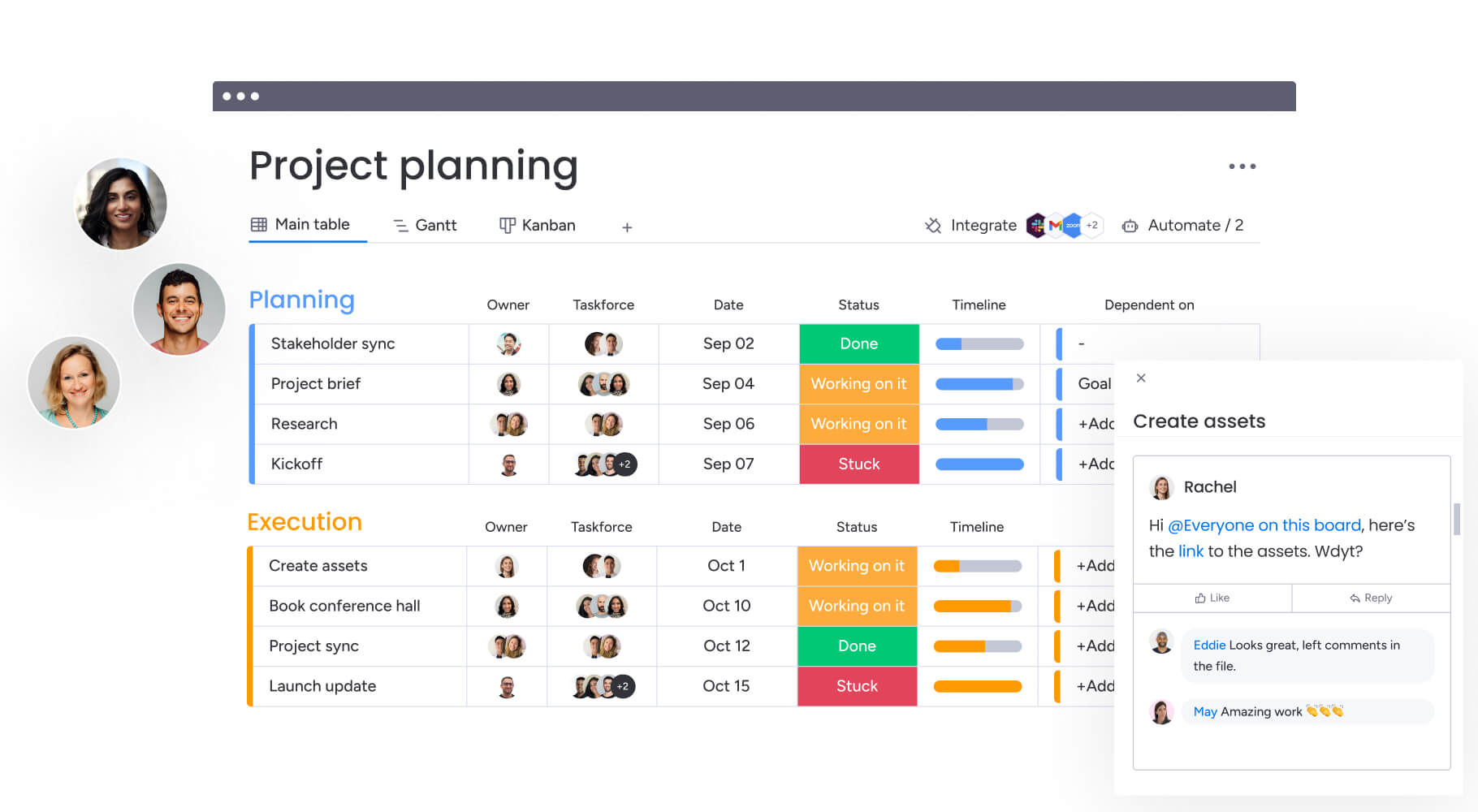
- Flexible views for different roles: switch easily between Kanban boards for sprint tracking, Gantt charts for planning, and portfolio views for executive oversight, all powered by the same data.
- Standardization without rigidity: teams can follow consistent project structures while still adapting boards and workflows to fit Agile, Waterfall, or hybrid approaches.
By integrating directly with the tools engineers already use and translating that work into clear, real-time visibility, monday work management reduces administrative overhead and gives tech project managers the clarity they need to keep delivery on track.
Top features for managing complex tech projects

The intelligent monday work management platform combines enterprise-grade project management capabilities with the flexibility tech teams demand. These features tackle the real headaches of tech project management — like keeping tabs on five different development teams while still giving leadership a clear view of everything in motion.
Here’s how each capability transforms your project management approach:
Gantt charts and timeline views
Interactive Gantt charts display task relationships, milestones, and resource allocation across multiple projects simultaneously. When dependencies inevitably shift (as they always do), the timeline updates instantly — so you can spot potential bottlenecks before they derail your delivery dates.
Tech project managers use these views to coordinate release schedules across multiple development teams while tracking external dependencies like infrastructure provisioning or third-party integrations.
Task dependencies and critical path tracking
You can map out those tricky dependencies between dev tasks, QA cycles, and deployment steps — complete with realistic lead and lag times. The critical path analysis highlights which tasks directly impact project completion, enabling focused risk mitigation.
Cross-project dependencies ensure that shared resources or sequential releases maintain proper coordination. When one team’s delay affects another project, automated alerts notify affected project managers immediately.
Workload management and resource allocation
The Workload View provides real-time visibility into team capacity across all active projects. Project managers can balance assignments based on individual availability, skills, and current commitments.
Resource planning extends beyond simple allocation to include skill matching and availability forecasting. When planning upcoming sprints, the platform suggests optimal team compositions based on required expertise and historical performance data.
Automated workflow capabilities
Automation recipes handle routine project management tasks, reducing manual coordination. Status updates trigger stakeholder notifications, completed milestones generate progress reports, and overdue tasks escalate automatically to team leads.
Tech-specific automations include:
- Sprint rollovers: automatically move incomplete tasks to the next sprint.
- Bug tracking workflows: route issues through proper testing and resolution channels.
- Deployment approval chains: ensure proper sign-offs before production releases.
These automations ensure consistent processes across all projects while freeing project managers to focus on strategic decisions.
Real-time dashboards and reporting
Customizable dashboards aggregate data from multiple projects into executive-ready visualizations. Track sprint velocity, bug resolution rates, feature completion, and budget utilization through widgets that update automatically as work progresses.
Portfolio-level dashboards provide leadership visibility across all technology initiatives, highlighting risks and opportunities for resource reallocation. The AI-powered risk insights scan project updates to surface potential issues before they escalate.
How monday work management transforms tech project delivery
Teams see real, measurable gains in everything from day-to-day task management to big-picture portfolio decisions. And here’s the best part: the more teams that jump on board, the more valuable the platform becomes — creating a snowball effect of improved collaboration across your organization. Here’s how teams experience transformation:
Time savings through automation
Project managers save two to three hours daily by eliminating manual status collection, report generation, and meeting coordination. Automated workflows handle routine communications, data aggregation, and process transitions that previously required constant oversight.
The time recovered from administrative tasks enables deeper engagement with technical teams and stakeholders.
Enhanced cross-functional visibility
Executive dashboards provide instant access to portfolio health without requiring project manager intervention. Stakeholders gain confidence from transparent progress tracking and proactive risk communication. Automated reporting ensures consistent communication cadence while reducing meeting frequency.
This transparency is powered by monday work management’s enterprise capabilities:
- AI-powered portfolio reports: instantly generate executive-level summaries with trends and risks.
- Out-of-the-box portfolio dashboards: provide real-time analysis across hundreds of projects.
Improved delivery predictability
Real-time visibility into project status and automated risk detection improve on-time delivery rates. Project managers identify and address issues earlier in the development cycle when corrections require less effort.
The platform’s AI-powered risk insights scan updates to surface risks with urgency levels, owners, and mitigation options — enabling proactive management at scale.
6 steps to managing tech projects effectively

Rolling out new task management software takes finesse — you’ll want to honor how teams already work while gradually bringing in new capabilities. This step-by-step method prevents implementation headaches and helps you squeeze every drop of value from your investment.
Step 1: centralize project information from scattered tools
Map your current tool landscape and identify where critical project data resides. Export project plans from Excel, task lists from Jira, and resource allocations from various spreadsheets into monday work management’s unified structure.
The platform’s import capabilities preserve historical data while establishing a single source of truth.
Step 2: set up visual boards for cross-functional visibility
Create separate boards for different aspects of project management. Link these boards through cross-board automations to maintain data consistency.
The key elements to configure include:
- Sprint planning boards: for development teams to track velocity and backlog.
- Milestone tracking views: for stakeholder visibility into major deliverables.
- Resource management dashboards: for team leads to balance workloads.
Step 3: configure integrations with your development stack
Connect monday work management to your existing development tools through native integrations or the platform’s API. Prioritize integrations that eliminate manual data entry, such as syncing Jira tickets or GitHub commits.
Test integration workflows with a small team before rolling out organization-wide.
Step 4: establish automated workflows for status updates
Build automation recipes that collect and distribute project information without manual intervention. Configure sprint completion to trigger stakeholder notifications, overdue tasks to escalate automatically, and milestone achievements to update portfolio dashboards.
Start with simple automations and gradually increase complexity as teams become comfortable.
Step 5: create dashboards for stakeholder reporting
Design role-specific dashboards that surface relevant metrics for different stakeholders. Executive dashboards might focus on portfolio health and budget utilization while team dashboards track sprint velocity and bug resolution rates.
Schedule automated dashboard reports to maintain consistent communication rhythms.
Step 6: implement resource allocation and workload balancing
Activate the Resource Directory to catalog team members’ skills, roles, and availability. This central directory of people and attributes enables smart resource allocation across the organization.
Use these key capabilities:
- Capacity Manager: live view of resource capacity across projects and portfolios.
- Resource Planner: forward-looking allocation decisions based on upcoming project demands.
monday work management vs competing platforms
Let’s compare monday work management to the competition so you can see which platform actually fits your tech team’s unique needs. This comparison highlights the unique advantages that make the intuitive solution the preferred choice for tech project coordination.
| Feature | monday work management | Asana | Smartsheet |
|---|---|---|---|
| Multi-level approval workflows | ✓ Native with forms & automations | Limited, requires workarounds | ✓ Via Bridge automation |
| Compliance audit trails | ✓ Complete activity logs | Basic activity tracking | ✓ Activity logs available |
| Resource capacity management | ✓ Workload view with alerts | Limited capacity planning | ✓ Resource management add-on |
| Real-time campaign dashboards | ✓ Up to 30 metrics per dashboard | Basic reporting | ✓ Advanced dashboards |
| Financial system integrations | ✓ 200+ native integrations + API | Limited native integrations | ✓ Strong integration capabilities |
| Template library for marketing | ✓ Extensive marketing templates | Basic project templates | ✓ Industry-specific templates |
| AI-powered automation | ✓ AI workflow builder & risk identification | Limited AI features | ✓ AI in premium tiers |
| Price per user/month | From $9 (billed annually) | From $10.99 (billed annually) | From $9 (billed annually) |
| Implementation time | Less than 4 months to full value | 2-4 weeks basic setup | 4-6 weeks typical |
| G2 rating | 4.7/5 (12K+ reviews) | 4.3/5 | 4.4/5 |
How Playtech transformed tech project delivery
Playtech’s Projects department struggled with fragmented project data across multiple tools and spreadsheets. Communication gaps between technical teams and stakeholders led to misaligned expectations and delayed deliveries. The lack of centralized visibility meant project managers spent excessive time gathering status updates and creating reports.
In order to address this challenge, the company implemented monday work management as their unified project management platform, connecting previously isolated teams and tools. The Projects department standardized workflows using managed templates — which standardize entire workspaces including projects and automations at scale — while preserving team-specific customizations.
Automated status collection and reporting freed project managers from administrative tasks. The implementation delivered measurable improvements across all project management dimensions:
- Communication efficiency: all stakeholders accessed consistent, current information from a single platform.
- Project delivery predictability: improved through visibility and proactive risk management.
- Team productivity: the Projects department now manages more concurrent projects with the same team size.
Power tech project coordination with monday work management
Tech project managers spend their days connecting dots between teams that speak very different languages. Developers focus on tickets, code, and sprints. Executives want timelines, risk visibility, and confidence in delivery. monday work management brings those worlds together in one shared system without forcing either side to change how they work.
The platform centralizes project data from your existing tools and turns it into clear, real-time visibility. Development progress flows in automatically, timelines stay current, and stakeholders get answers without extra meetings or manual reporting. Project managers spend less time translating updates and more time steering delivery.
Teams consistently reduce administrative overhead by two to three hours per day while improving delivery predictability. With enterprise-grade security, deep integrations across the dev stack, and AI-powered insights that surface risks early, monday work management gives tech PMs the control and clarity they need to scale.
If you’re ready to replace scattered tools with focused execution, monday work management gives your teams a platform that keeps plans realistic, progress visible, and delivery on track.
The content in this article is provided for informational purposes only and, to the best of monday.com’s knowledge, the information provided in this article is accurate and up-to-date at the time of publication. That said, monday.com encourages readers to verify all information directly.
Frequently asked questions
What is the typical implementation timeline for task management software in tech companies?
The typical implementation timeline for task management software in tech companies ranges from two to four weeks for initial setup to two to three months for full organizational deployment. monday work management specifically enables faster adoption through intuitive interfaces and pre-built templates that reduce training requirements.
How do I migrate project data from multiple existing tools?
Migrating project data from multiple existing tools into monday work management involves using the platform's built-in import features for Excel and CSV files, native integrations for tools like Jira and Asana that enable automatic data sync, and the comprehensive API for custom migration scripts when dealing with proprietary systems.
Which integrations are essential for tech project managers?
Essential integrations for tech project managers using monday work management include GitHub or GitLab for code repository tracking, Slack or Microsoft Teams for communication, Jira for development team coordination, and Google Workspace or Office 365 for document management and collaboration.
What security certifications does monday work management offer?
monday work management offers enterprise-grade security certifications including SOC two Type II, ISO 27001, ISO 27018, and HIPAA compliance, along with features like SSO, two-factor authentication, IP restrictions, and tenant-level encryption to meet tech companies' stringent security requirements.
Can monday work management handle both Agile and Waterfall methodologies?
monday work management handles both Agile sprints and Waterfall projects simultaneously through flexible board structures that support sprint planning with Kanban views for Agile teams while providing Gantt charts and milestone tracking for Waterfall projects, all within the same platform instance.
How quickly can a tech team onboard to the platform?
A tech team can onboard to monday work management within one to two weeks for basic functionality, with most teams becoming proficient within a month due to the platform's intuitive design, comprehensive template library, and minimal training requirements compared to traditional enterprise project management tools.

 Get started