


Retail project managers juggle complex resource allocation across multiple locations, seasonal demands, and cross-functional teams. When store openings overlap with holiday campaigns and inventory rollouts, the challenge isn’t just managing individual projects — it’s coordinating people, budgets, and timelines across an entire portfolio while maintaining visibility for stakeholders who need real-time updates.
The right resource management software transforms chaos into structured, visible workflows, giving you a single platform to see who’s working on what. Instead of switching between spreadsheets, emails, and disconnected systems, retail teams can centralize workflows, visualize capacity constraints, and automate routine tasks that consume valuable planning time.
In this post, you’ll discover what actually matters in resource management software for retail, see how the top platforms stack up, and learn the exact strategies leading organizations use to boost efficiency. You’ll also find practical implementation strategies, key evaluation criteria, and real-world examples that demonstrate how the best resource management software drives measurable results
Key takeaways
Retail project managers don’t just manage work — they orchestrate complex operations across stores, seasons, and departments, often with teams who’ve never met face-to-face. The right resource management software transforms these complexities into streamlined operations that deliver:
- Unified visibility: centralise projects, resources, and timelines so every team operates from a single source of truth.
- Capacity clarity: identify overbooking early and balance workloads across stores, regions, and peak trading periods.
- Data-driven planning: forecast resource needs accurately using real-time insights into skills, availability, and demand.
- Operational efficiency: automate repetitive workflows to speed up execution and reduce manual coordination.
- Smarter scaling: accelerate delivery and improve utilisation with structured, retail-ready workflows in monday work management.
What makes project managers choose monday work management for resource management in retail?

Project managers in retail choose monday work management because it solves their biggest operational challenge: work scattered across multiple tools and teams. When coordinating store openings, seasonal campaigns, and cross-functional initiatives across multiple locations, having a single source of truth becomes essential.
The platform provides retail-specific workflows that keep merchandising, marketing, and store operations aligned in one place. Instead of guessing whether visual merchandising received the latest planogram or switching between spreadsheets and emails, project managers get a unified hub that keeps work moving.
With monday work management, project managers can:
- Resource visibility: visualise allocation across stores, teams, and upcoming initiatives.
- Seasonal capacity planning: track workloads during peak periods to prevent burnout and delays.
- Cross-team coordination: connect merchandising, operations, and marketing without manual follow-up.
- Tool consolidation: reduce context-switching by centralising communication and project data.
Real retail teams are already seeing measurable results:
- Efficiency gains: Country Road Group increased productivity by 25 percent while managing more than 150 projects.
- Process consolidation: Officeworks replaced over 635 spreadsheets with one streamlined system.
For retail PMO teams, these improvements lead to faster delivery, better resource utilisation, and the visibility needed to keep initiatives on track during critical periods such as Black Friday and holiday launches
monday work management top features for resource management in retail
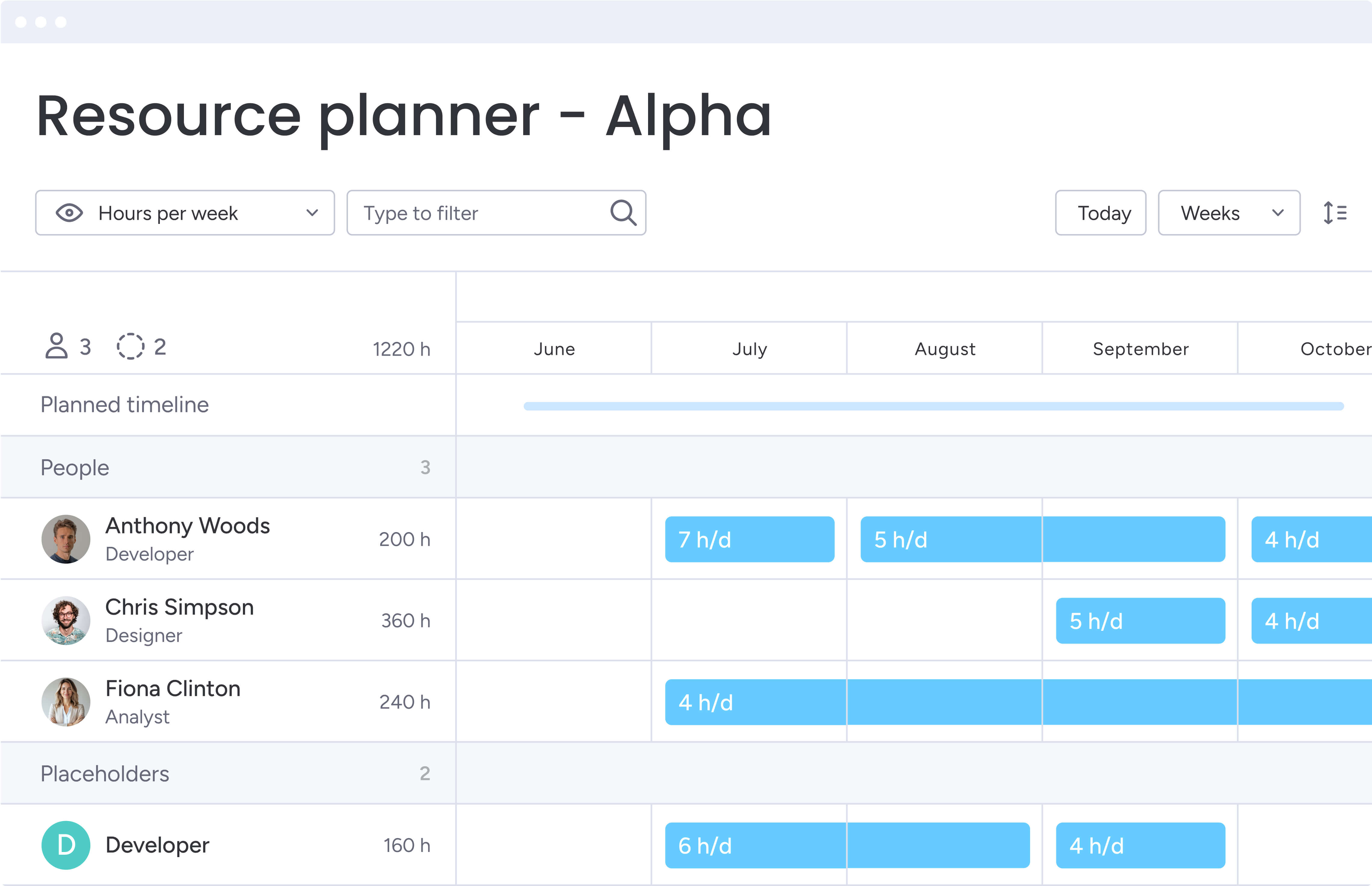
These six features directly tackle what makes retail project management so challenging: coordinating teams across dozens of locations while juggling both everyday operations and seasonal madness.
Each capability directly supports the fast-paced, multi-faceted nature of retail operations.
Workload view for capacity planning
The Workload view shows you exactly who’s swamped and who has bandwidth — across every project and store location — so you can make smart resourcing decisions in seconds.
This feature displays each team member’s allocated hours against their available capacity, using color-coded indicators to show who’s overbooked, at capacity, or has availability.
When you’re balancing holiday campaigns, three store remodels, and a major product launch all hitting in the same month, this visibility isn’t just helpful — it’s a lifesaver. During high-pressure periods like holiday season preparation, you can quickly identify which team members have capacity to take on urgent tasks and which need support.
The visual format also makes it easy to communicate resource constraints to stakeholders and justify requests for additional resources.
Resource allocation with skills tracking
With handy resource allocation tools, you can quickly find the perfect person for each task based on their skills, current workload, and location — so your visual merchandiser in Chicago isn’t accidentally assigned to a store setup in Miami. The platform maintains a resource directory where you can track each person’s expertise, department, role, and current project commitments.
This capability directly addresses retail’s challenge of managing diverse project types — from store openings requiring construction expertise to digital campaigns needing marketing skills. Project managers can forecast resource needs for upcoming quarters, identify skill gaps before they become bottlenecks, and make data-driven decisions about hiring or training.
Gantt charts for timeline visualization
Gantt charts within monday work management provide project managers with a timeline view of all projects, workflows, and dependencies. You can visualize project schedules, identify critical paths, and see how delays in one area impact other initiatives.
For retail project managers juggling store openings, seasonal campaigns, and inventory rollouts, Gantt charts provide the structure needed to coordinate complex timelines. You can overlay multiple projects to identify resource conflicts, ensure vendor deliveries align with installation schedules, and communicate realistic timelines to executives.
Automations for workflow efficiency
The platform’s automation engine allows project managers to create no-code automations that eliminate repetitive manual work. You can set up rules that automatically assign tasks, send notifications, and update statuses based on triggers you define.
This feature is essential for those managing high-volume retail operations where manual task assignment and status updates consume valuable time. Automations ensure consistent processes across all locations, reduce human error, and free up project managers to focus on strategic planning rather than administrative tasks.
Dashboards for executive reporting
monday work management’s customizable dashboards aggregate data from multiple projects into visual reports that executives can understand at a glance. Project managers can create dashboards showing portfolio health, budget utilization, resource allocation, and project status across all initiatives.
For retail project managers, this feature eliminates hours spent compiling status reports for leadership. You can create role-specific dashboards — one for executives showing high-level portfolio metrics, another for operations showing store-level details, and another for finance showing budget tracking.
Integration with retail systems
The platform integrates with over 200 applications including retail-specific systems like POS platforms, inventory management tools, and e-commerce systems. Project managers can connect monday work management to existing tools through native integrations, Zapier connections, or the platform’s open API.
This integration capability directly addresses retail’s challenge of managing work across disconnected systems. Project managers can pull inventory data into project boards, sync customer feedback from CRM systems, or connect with scheduling tools used by store managers.
How project managers in retail benefit from monday work management
Retail project managers operate in fast-moving environments where delays, capacity gaps, and disconnected processes quickly impact store performance. monday work management gives teams the structure, visibility, and automation needed to stay ahead of those challenges. With a centralized system supporting every stage of retail execution, project managers gain clear operational control and can focus on driving outcomes rather than managing chaos.
Here’s how retail teams see the biggest impact:
Time savings through automation and centralization
Project managers save significant time by eliminating manual status updates, report compilation, and tool-switching. The centralized platform means that they can spend less time chasing updates and more time on strategic planning.
Cost efficiency through improved resource utilization
You’ll finally see exactly where your team’s time is going, so you can stop overloading your top performers while others have capacity to spare — saving both money and sanity. Improved resource planning prevents overstaffing during slow periods and identifies capacity constraints before they require expensive last-minute solutions.
Improved accuracy and data reliability
Centralized data in monday work management eliminates version control issues and ensures everyone works from the same information. Real-time updates mean project managers always have accurate information for decision-making.
Increased productivity across teams
Visual workflows and defined task ownership help retail teams execute faster. Project managers can quickly identify bottlenecks and reallocate resources to keep projects moving forward.
Enhanced visibility for stakeholders
Real-time dashboards and automated reporting give executives and stakeholders instant visibility into project status without requiring manual updates from project managers. This transparency builds trust and enables faster decision-making when priorities shift.
Improved work-life balance for teams
Workload balancing features help project managers prevent team burnout by identifying overallocation before it becomes a problem. Visual capacity planning makes it easy to distribute work evenly across teams.
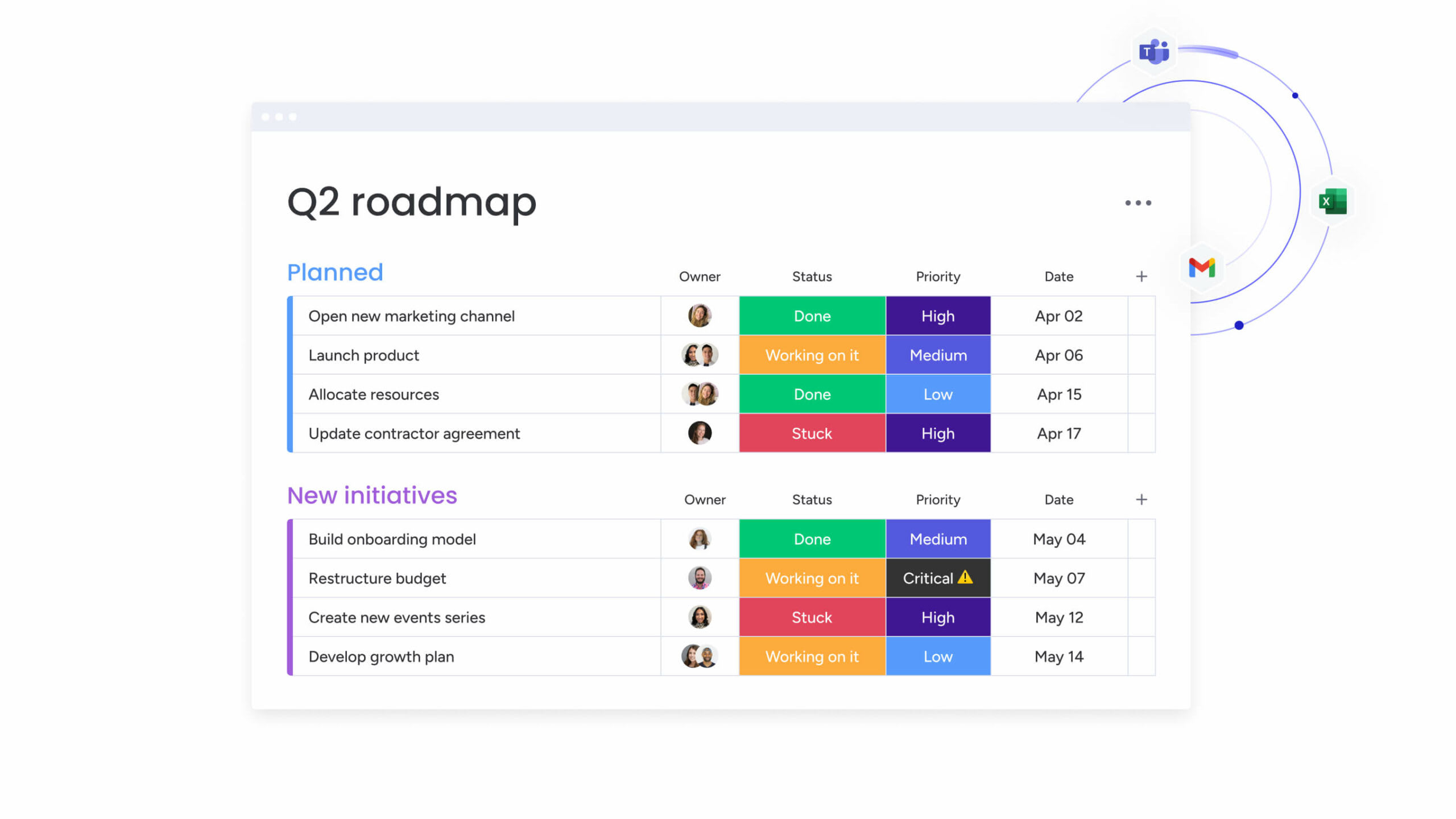
How to manage retail resources effectively with monday work management
Getting resource management right isn’t just about software — it’s about blending the right tools with smart retail processes that actually work in the real world. This step-by-step implementation guide helps you establish monday work management for optimal resource management in your retail organization, ensuring you maximize value from day one.
Step 1: set up your resource directory and project structure
Begin by creating a centralized resource directory in monday work management that includes all team members, their skills, availability, and location. Set up project boards for each major initiative using templates that match your retail workflows. Configure custom fields to track retail-specific information like store locations, vendor contacts, and budget categories.
Step 2: map current and planned resource allocation
Use the Workload view to visualize current resource commitments across all active projects. Identify team members who are overallocated or have available capacity. For upcoming initiatives, create tentative resource assignments to forecast capacity needs for the next quarter.
Step 3: establish automated workflows for resource requests
Create automation rules that streamline how resources are requested and allocated. Set up forms for project intake that automatically route to you for approval, then trigger resource assignment notifications when approved. Configure automations that alert you when team members approach capacity limits.
Step 4: implement real-time tracking and visibility
Build dashboards that show resource utilization, project status, and capacity forecasts in real-time. Create different dashboard views for different stakeholders — executives need portfolio-level metrics while team leads need detailed task-level information.
Step 5: integrate with existing retail systems
Connect monday work management to your POS systems, inventory management platforms, and scheduling tools. This integration ensures project data reflects real-time business conditions, like inventory delays affecting store opening timelines.
Step 6: optimize through continuous improvement
Take 30 minutes each month to review where your team’s time went — you’ll quickly spot patterns like which store openings always run over budget or which seasonal campaigns need more design support than you planned. Use historical data to improve future resource forecasting. Gather feedback from team members about workload balance and adjust allocation strategies accordingly.
Comparison table: monday work management vs competing platforms
When choosing the best resource management platforms for retail, project managers need to consider features, pricing, implementation time, and retail-specific capabilities. For enterprise resource management across a distributed retail footprint, it’s vital to opt for a robust system that can unify tasks from multiple store locations and departmental teams.
Here’s how some of the leading solutions on the market compare:
| Feature | monday work management | Smartsheet | Wrike |
|---|---|---|---|
| Visual workload management | Workload view with drag-and-drop rebalancing | Resource Management add-on required (additional cost) | Workload charts available on Business plan |
| Resource forecasting | Built-in capacity planning with tentative assignments | Limited native forecasting | Resource booking with availability tracking |
| Retail-specific templates | Store opening, seasonal campaign templates | Generic project templates | Industry-agnostic templates |
| Multi-location support | Native support for location-based filtering | Possible through custom columns | Supported through custom fields |
| Automation capabilities | 250+ automation recipes with no-code builder | Automation on Pro plan and above | Automation on Business plan |
| Mobile accessibility | Full-featured iOS and Android apps | Mobile app with limited functionality | Mobile app available |
| Integration ecosystem | 200+ native integrations plus open API | Strong integration library | 400+ integrations via Wrike Integrate |
| Price per user/month | From $9/user (billed annually) | From $9/user (billed annually) | From $10/user (billed annually) |
| Implementation time | 2-4 weeks typical for retail teams | 4-6 weeks | 4-8 weeks |
What makes monday work management different? Retail teams can actually see what’s happening at a glance, and you won’t need three months and an IT department to get up and running. The platform’s Workload view provides immediate visibility into team capacity without requiring expensive add-ons.
How Country Road Group transformed their retail project management
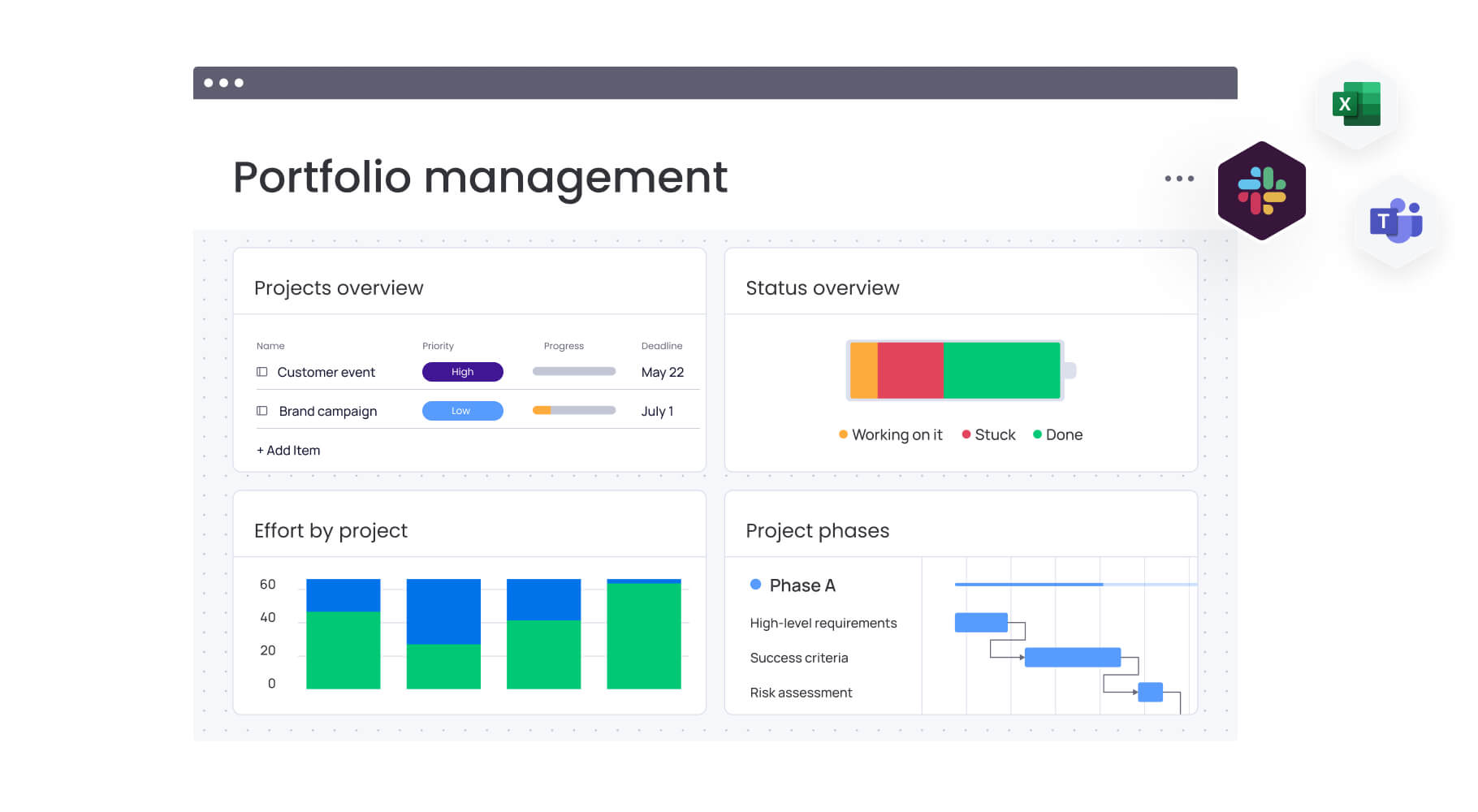
Country Road Group, one of Australia’s leading fashion retailers and home to brands such as Country Road, Mimco, Trenery, Witchery, and Politix, faced rising operational complexity within their real estate team. Managing store openings, refurbishments, relocations, and cross-brand initiatives had outgrown their spreadsheet-heavy processes.
This case study illustrates how monday work management replaced manual coordination with a streamlined, scalable system.
The challenge
Store planning depended on cumbersome spreadsheets and frequent meetings to keep designers, planners, and project managers aligned. The team oversaw more than 15 different work types, each with its own workflows and dependencies. Complexity surged when all brands re-entered Myer department stores, requiring up to nine concurrent projects per location across multiple teams.
The solution
Country Road Group adopted monday work management as the central hub for store planning. They created a unified board structure that represented all nine projects for each Myer location, with an overarching board offering complete visibility. Automations were introduced to generate timelines, assign resources, and dynamically adjust schedules as work progressed.
The results
- Efficiency improvement: 25% increase in project management productivity across all store planning initiatives.
- Scalable coordination: over 150 projects managed simultaneously with clearer communication and alignment.
- Process consolidation: spreadsheet chaos replaced by fewer than 50 organised, centralised boards.
- Real-time visibility: proactive identification of capacity gaps through live resource and workload insights.
Ready to revolutionize your retail resource management?
Ready to move beyond spreadsheets that are never updated and get your entire team on the same page? For more resource management tips, monday work management centralizes your project work, optimizes resource allocation, and delivers results faster.
With visual workload management, automated workflows, and real-time dashboards, you can experience the platform that 16,000+ businesses trust for their resource management needs. Get started today!
The content in this article is provided for informational purposes only and, to the best of monday.com’s knowledge, the information provided in this article is accurate and up-to-date at the time of publication. That said, monday.com encourages readers to verify all information directly.
Try monday work managementFrequently asked questions
How does monday work management handle seasonal staffing fluctuations in retail?
monday work management provides capacity planning tools that help project managers visualize resource availability across different time periods. You can create tentative resource assignments for seasonal workers, track their availability windows, and use the Workload view to ensure permanent staff aren't over-allocated during peak seasons.
Can monday work management integrate with retail POS and inventory systems?
Yes. monday work management integrates with POS platforms, inventory management tools, and other core retail systems through native integrations, Zapier connectors, and an open API. This allows project data to sync with real-time operational information such as stock availability, delivery timelines, and store performance.
What is the typical implementation timeline for retail organizations?
Most retail organizations implement monday work management within two to four weeks for initial deployment. This includes planning and board structure design, data migration, automation setup, team training, and full rollout.
How does monday work management manage resources across multiple store locations?
monday work management provides multi-location support through location-based filtering, custom fields, and board structures. Project managers can create boards for each region, then use a master portfolio board to view all locations simultaneously.
Is monday work management worth the investment for small retail chains?
Yes, monday work management offers value for small retail chains through its scalable pricing and immediate efficiency gains. The platform starts at $9/user/month with no minimum user requirements, making it accessible for small teams while providing templates that offer structure without extensive customization.
What is the difference between resource management and workforce management software?
Resource management software like monday work management focuses on allocating people, time, and budgets to specific projects and initiatives. Workforce management software focuses on operational scheduling, time tracking, and labor compliance for day-to-day store operations.

 Get started