


Project reporting should give you clarity, not feel like another project to manage. But many tech project managers spend hours digging through Jira tickets, Slack threads, and scattered spreadsheets just to answer simple questions about where things stand. Meanwhile, stakeholders want instant updates, executives are asking for portfolio-level insights, and priorities keep shifting.
The challenge isn’t the amount of information available. It’s that everything lives in different places, which makes it hard to pull together reports that actually reflect what’s happening across your projects. The right project management software brings that information into one system so you can automate routine reporting, surface risks early, and give every audience the visibility they need.
In this guide, we look at the capabilities that make reporting more intuitive and less time-consuming— from AI that flags issues before they escalate to integrations that keep your development tools connected. You’ll also discover how leading platforms compare and how teams are improving efficiency, visibility, and delivery outcomes by rethinking how they report.
Key takeaways
When you’re evaluating reporting software for your tech projects, here’s what matters most:
- Centralized reporting matters: bringing data from tools like Jira and Slack into one place creates clearer, faster project insights.
- AI helps teams stay ahead: automated risk detection highlights issues early so project managers can take action before timelines slip.
- Real-time visibility improves decisions: live dashboards make it easier to track dependencies, workloads, and shifting priorities.
- Flexible reporting supports every audience: customizable views give executives, developers, and stakeholders the information they need.
- monday work management simplifies reporting: the platform automates updates, unifies project data, and reduces hours spent on manual compilation.
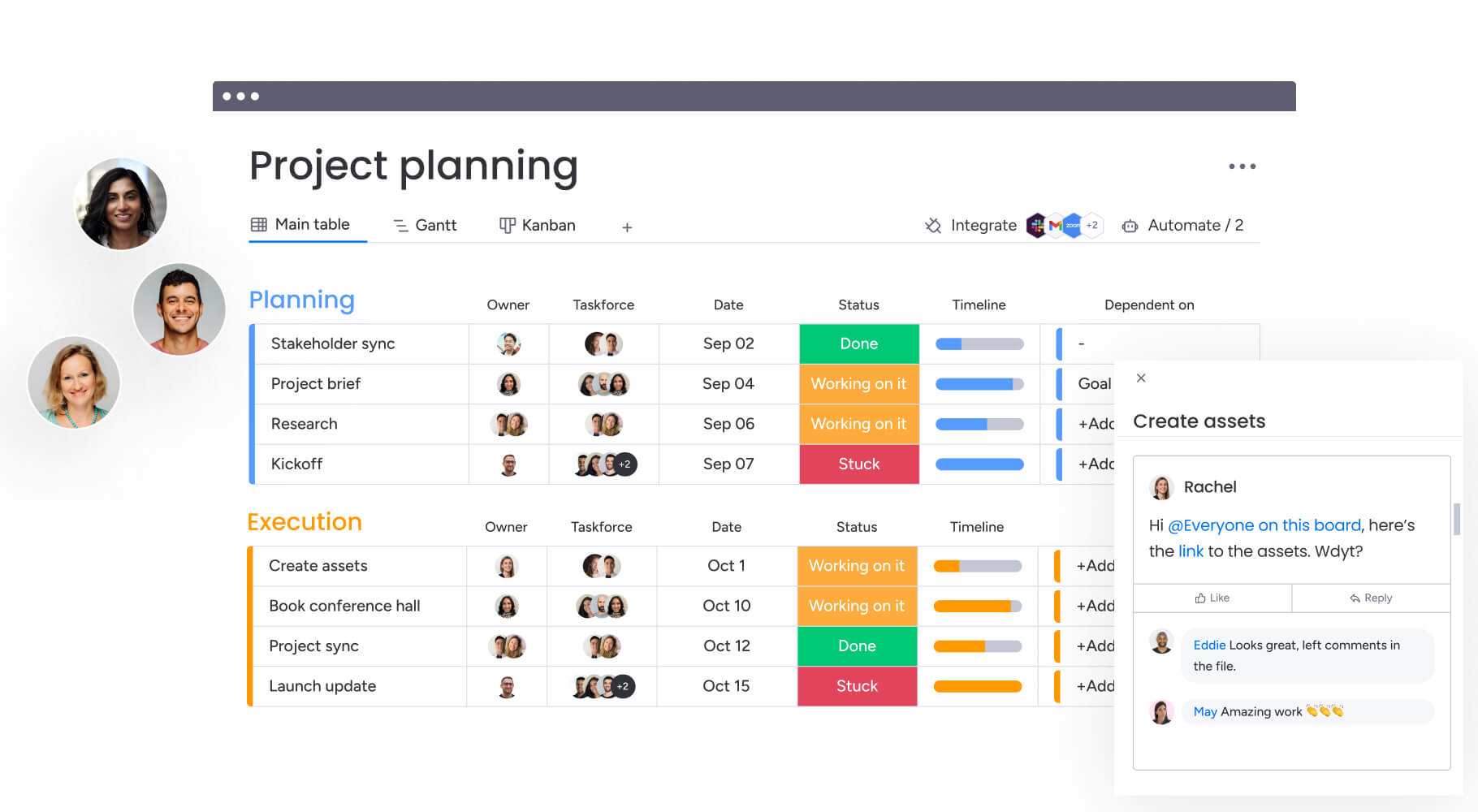
What makes project managers in tech choose monday work management for project reporting?

Project managers in tech face a fundamental challenge: work lives in too many places, leading many to compare the merits of work vs project management approaches for more comprehensive oversight. Development happens in Jira, code lives in GitHub, conversations flow through Slack, and somehow you need to create coherent reports from this chaos.
Platforms like monday work management help solve this conundrum by becoming your single source of truth — connecting all these tools while providing real-time visibility without the manual data chase. The platform transforms reporting from a weekly time sink into a strategic advantage.
AI-powered analytics surface risks automatically, while customizable views ensure technical teams and executives each see exactly what they need. For real-life context, when Playtech’s PMO implemented monday work management, they saved 3 hours per person weekly on reporting tasks and improved collaboration by 49%.
Try monday work managementTop features in monday work management for project reporting

These features completely change the reporting game for project managers working in complex tech environments. Each one tackles real problems while giving you that elusive full picture of your projects.
Dashboards and reporting
Within monday work management you’ll find dashboards that aggregate data from multiple projects into visual, real-time reports. You configure dashboards once, then share live links or a project status report template with stakeholders who always see current information.
This eliminates the weekly compilation ritual. Instead of copying data from various tools into presentations, you create portfolio-level views showing:
- Budget performance: track spending against allocations.
- Resource utilization: see who’s overloaded or available.
- Sprint velocity: monitor team productivity trends.
- Risk indicators: identify potential delays early
AI-powered risk identification
The platform’s AI analyzes patterns across timelines, dependencies, and resources to flag risks before they impact delivery. You receive proactive alerts about schedule conflicts, resource bottlenecks, and dependency issues.
For complex tech projects with interdependent teams, this capability reveals hidden patterns. The AI identifies when developers are double-booked across sprints or when critical path tasks lack resources.
To demonstrate real-world value, McDonald’s Australia reduced project management timelines by 25% using these AI-powered insights.
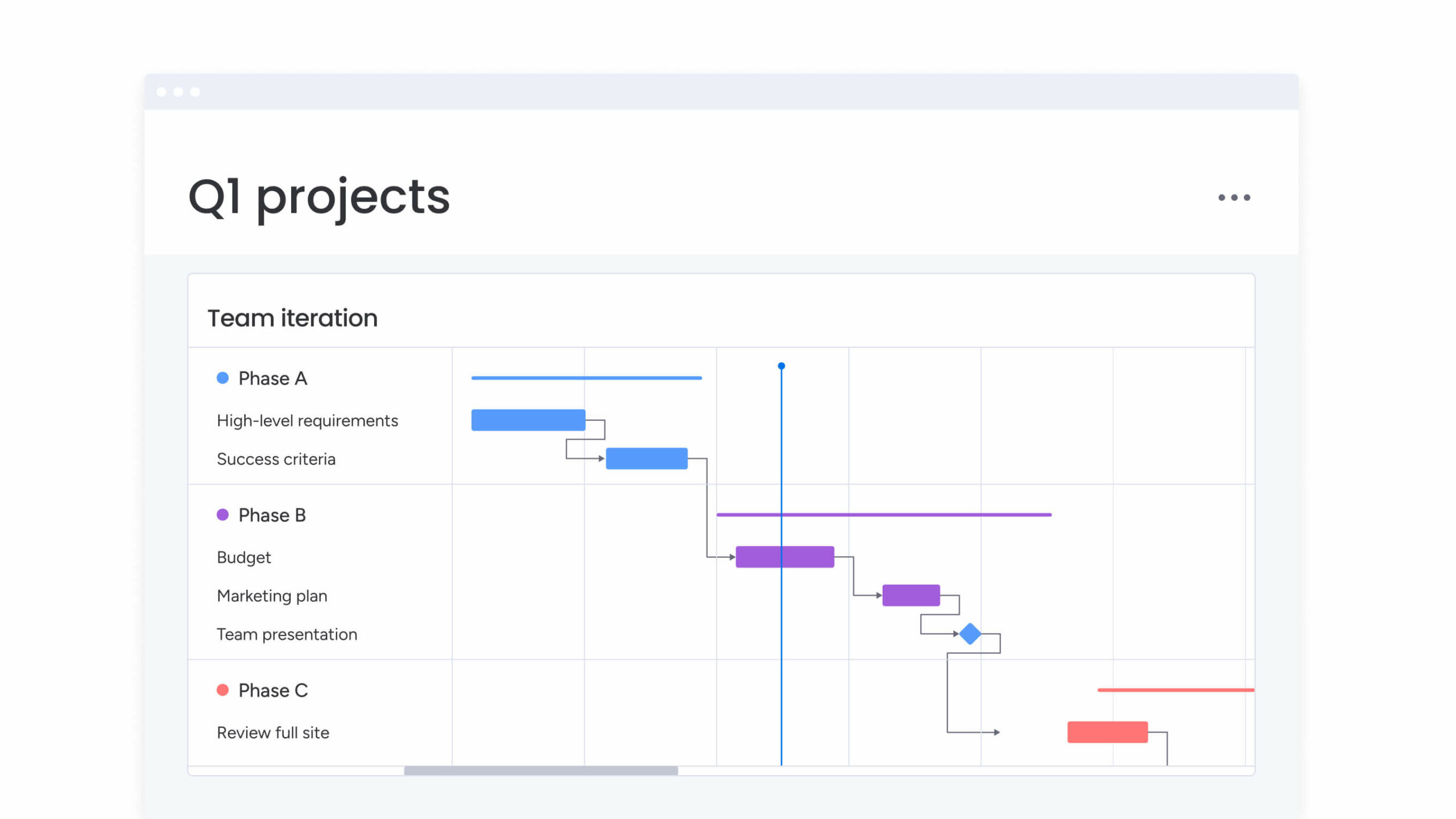
Gantt charts with dependencies
Visual Gantt charts show you exactly how your project fits together — timelines, dependencies, milestones — all in a view you can make sense of at a glance. You can identify blocking tasks, adjust schedules with drag-and-drop simplicity, and immediately see ripple effects.
This prevents common scenarios where development stalls because design assets aren’t ready or testing begins before code completion. By utilizing visual Gantt charts, Country Road Group were able to identify resource overlaps and attain a 25% increase in efficiency gains.
Integrations with development tools
The platform integrates both ways with Jira, GitHub, GitLab, Azure DevOps, and more than 200 additional tools. When development teams update their work, those changes flow directly into project dashboards without manual intervention. Teams can continue working in their preferred environments while project managers access a unified view of sprint progress, code activity, and delivery metrics.
Key advantages include:
- Two-way syncing: development updates appear automatically in reporting views.
- Aligned workflows: teams keep using the tools they rely on without changing established processes.
- Unified reporting: sprint metrics, code commits, and project status are consolidated in one place.
This level of integration closes the gap between agile development tools and enterprise reporting needs. At Playtech, the Jira integration provided real-time visibility into development work for the first time, enabling accurate updates without duplicating data.
Automated workflows
Automation eliminates repetitive reporting tasks through customizable recipes. Configure automations that send status updates at milestone completion, notify stakeholders when budgets reach thresholds, escalate overdue tasks, and generate weekly summaries automatically.
These automations ensure consistency — reports always include the same metrics in the same format. Falkbuilt saved 40,000+ human actions monthly through automations, significantly increasing project capacity.
Resource management and workload views
Visual workload views or resource management software display resource allocation across projects, helping you balance team capacity and prevent burnout. See who’s overallocated, identify available capacity, and make data-driven assignment decisions based on skills and availability.
For distributed tech teams across multiple projects, this prevents developers from being assigned conflicting priorities. For another real-word scenario, Genpact’s marketing team achieved 40% improvement in cross-team collaboration by ensuring timely delivery without overcommitting resources.
Time tracking
Built-in time tracking software monitors actual task duration versus estimates, improving future planning accuracy. Team members log time directly within tasks, and data automatically feeds into reports, budget tracking, and utilization analytics.
This reveals patterns for better estimation. You identify which tasks consistently exceed estimates and where process improvements could accelerate delivery.
Oscar’s PMO saves approximately 1,850 hours of staff time monthly using integrated time tracking and reporting.
Customizable views
Multiple visualization options let teams see project information in whichever format supports their work best. Kanban boards, Gantt charts, calendars, timelines, and workload views all draw from the same underlying data, making it easy to shift perspectives without losing context.
How teams benefit:
- Kanban boards: help developers track sprint work and manage in-progress tasks.
- Gantt charts: display timelines, dependencies, and milestones for long-term planning.
- Calendar and timeline views: clarify schedules and upcoming deadlines.
- Workload views: reveal team capacity and highlight resource needs.
This variety ensures every audience gets information in the way that makes sense to them. Technical teams lean on Agile boards to monitor sprint progress, while executives prefer high-level timelines for strategic oversight.
Project intake and approvals
Standardized request forms capture necessary information when new projects are proposed. Forms automatically route to reviewers, creating audit trails and preventing unauthorized project starts.
This structured intake helps you prioritize based on strategic value rather than urgency alone. For resource-constrained tech organizations, intake management maintains focus on high-value work.
Better Health Network completed a tri-party merger using structured intake processes, achieving 2x ROI.
Baseline and critical path
Establish project baselines capturing the original plan, then compare actual progress against that baseline to identify variances. Critical path overlay on Gantt charts highlights must-complete tasks for on-time delivery.
When critical path tasks fall behind, the visual representation makes schedule risks obvious, supporting requests for additional resources or scope adjustments. WHSmith increased projects delivered by 132% using baseline and critical path features.
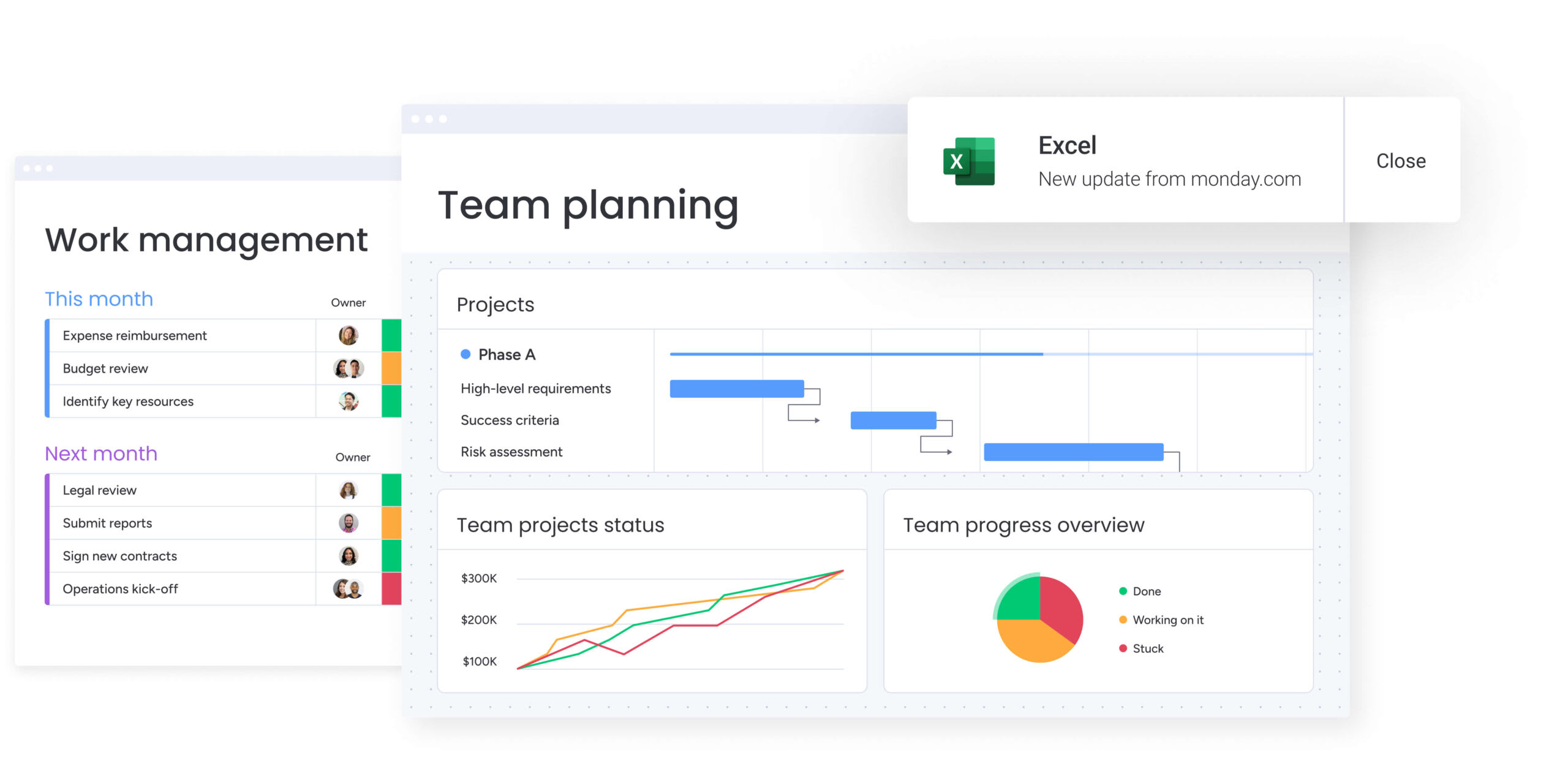
How project managers in tech benefit from monday work management
Consolidated reporting does more than just save time. Our customers see concrete improvements in everything from resource utilization to on-time delivery rates when they switch to monday work management.
Time reclaimed: project managers save over three hours weekly as automated dashboards eliminate manual aggregation. Playtech’s PMO reportedly saves three hours per person weekly, while Oscar saves around 1,850 hours monthly organization-wide.
Cost reduction: improved resource utilization and reduced overhead deliver measurable ROI. Organizations report 2x to 346% ROI, with Oscar saving $50,000 monthly and VML saving $250,000 yearly.
Accuracy gains: single source of truth eliminates version control issues. Playtech increased data accuracy by 23% through centralized information, while Genpact removed spreadsheets entirely.
Productivity boost: automation and streamlined workflows enable focus on strategic work. Teams report 25-40% collaboration improvements and 15-30% capacity gains.
Quality improvements: better visibility enables proactive management. Organizations report 20% customer satisfaction increases, 28% faster time to market, and 132% more successful project deliveries.
Enhanced visibility: real-time dashboards provide unprecedented portfolio insights. Over 90% of users report improved communication and alignment across teams.
Try monday work managementHow to streamline project reporting with monday work management
Getting your project reporting right takes a clear sequence of steps: starting with bringing your data together and ending with insights that actually drive decisions. The sequence below will guide you through establishing comprehensive reporting capabilities that serve both technical teams and executive stakeholders.
Step 1: centralize your project data
Connect monday work management to your existing tech stack using native integrations. Import current projects or start fresh with templates designed for tech project management.
This creates your single source of truth, eliminating the need to check multiple tools for project status updates.
Step 2: configure automated dashboards
Build custom dashboards aggregating the metrics stakeholders need. Set up views for sprint velocity, budget burn rates, resource utilization, and risk indicators.
Configure automatic updates as project data changes, eliminating manual compilation and ensuring stakeholders always see current information.
Step 3: set up AI-powered risk alerts
Enable AI risk identification to receive proactive notifications about potential issues. Configure alert thresholds based on your risk tolerance and escalation procedures.
The AI monitors schedule conflicts, resource bottlenecks, and dependency problems continuously, flagging issues before they impact delivery.
Step 4: establish standardized intake processes
Create request forms capturing all information needed for project evaluation. Configure approval workflows routing requests to stakeholders, creating audit trails of prioritization decisions.
This ensures new work aligns with capacity and strategic priorities rather than competing for resources randomly.
Step 5: implement resource management workflows
Use workload views to visualize team capacity across projects. Configure automations alerting you when team members are overallocated or projects lack resources.
This enables proactive rebalancing before issues impact delivery timelines or team burnout occurs.
Step 6: train teams and iterate
Leverage the intuitive interface for rapid adoption. Start with core reporting features, then expand to advanced capabilities like baseline tracking and predictive analytics as teams become comfortable.
Regular training sessions and feedback loops ensure maximum platform utilization across all team members.
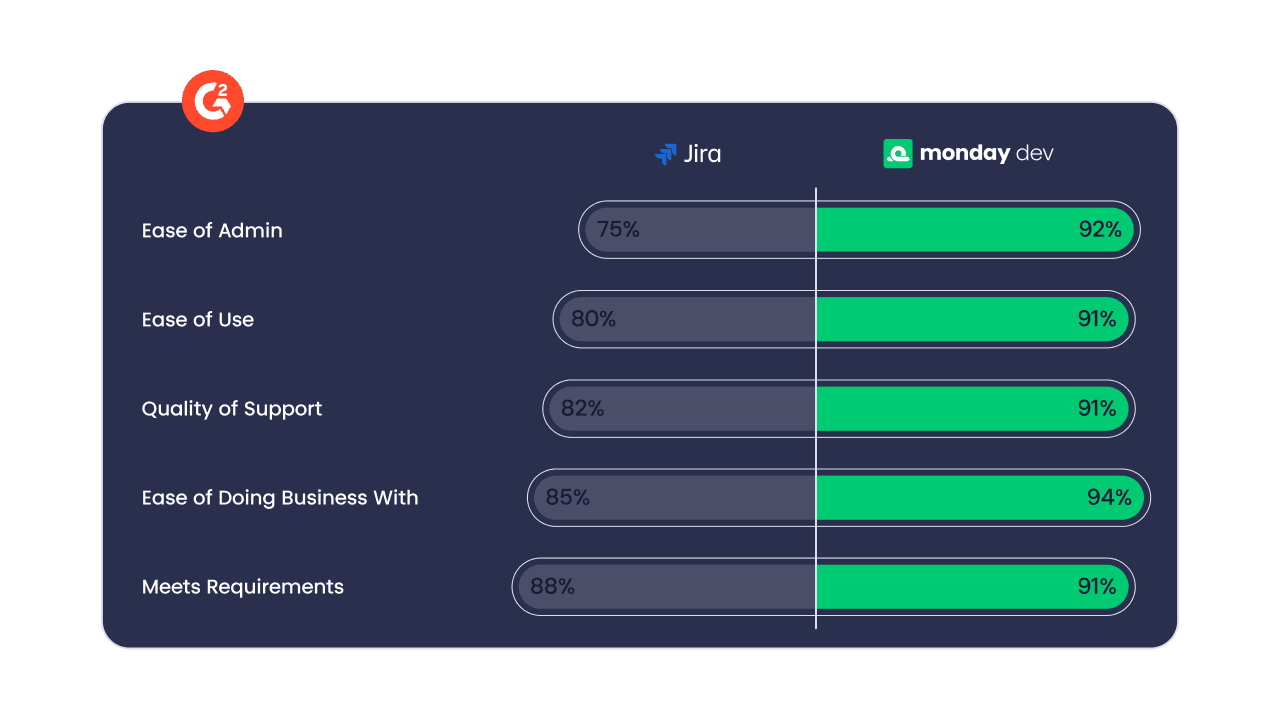
Comparison: monday work management vs. competing platforms
Tech project managers need reporting tools that can keep pace with complex workflows, multiple data sources, and shifting priorities. The table below shows how several major platforms compare across key reporting features.
| Feature | monday work management | Asana | Jira | Smartsheet |
|---|---|---|---|---|
| Real-time dashboards | Pre-built + custom | Limited customization | Technical setup required | Spreadsheet-based |
| AI risk identification | Proactive alerts | Not available | Not available | Not available |
| Development tool integrations | 200+ including Jira, GitHub | Limited | Native only | Via third-party |
| Resource workload views | Visual capacity planning | Basic | Requires add-ons | Manual setup |
| Automated report generation | AI-powered | Basic | Technical | Formula-based |
| Multi-methodology support | Agile + Waterfall + Hybrid | Primarily agile | Agile-focused | Waterfall-focused |
| Price per user/month | From $12 | From $13.49 | From $7.53 | From $12 |
| Implementation time | Days to weeks | Days to weeks | Weeks to months | Weeks |
| G2 rating | 4.7/5 (12,000+ reviews) | 4.5/5 (13,300+ reviews) | 4.4/5 (15,000+ reviews) | 4.4/5 (3,400+ reviews) |
How Playtech transformed their project reporting
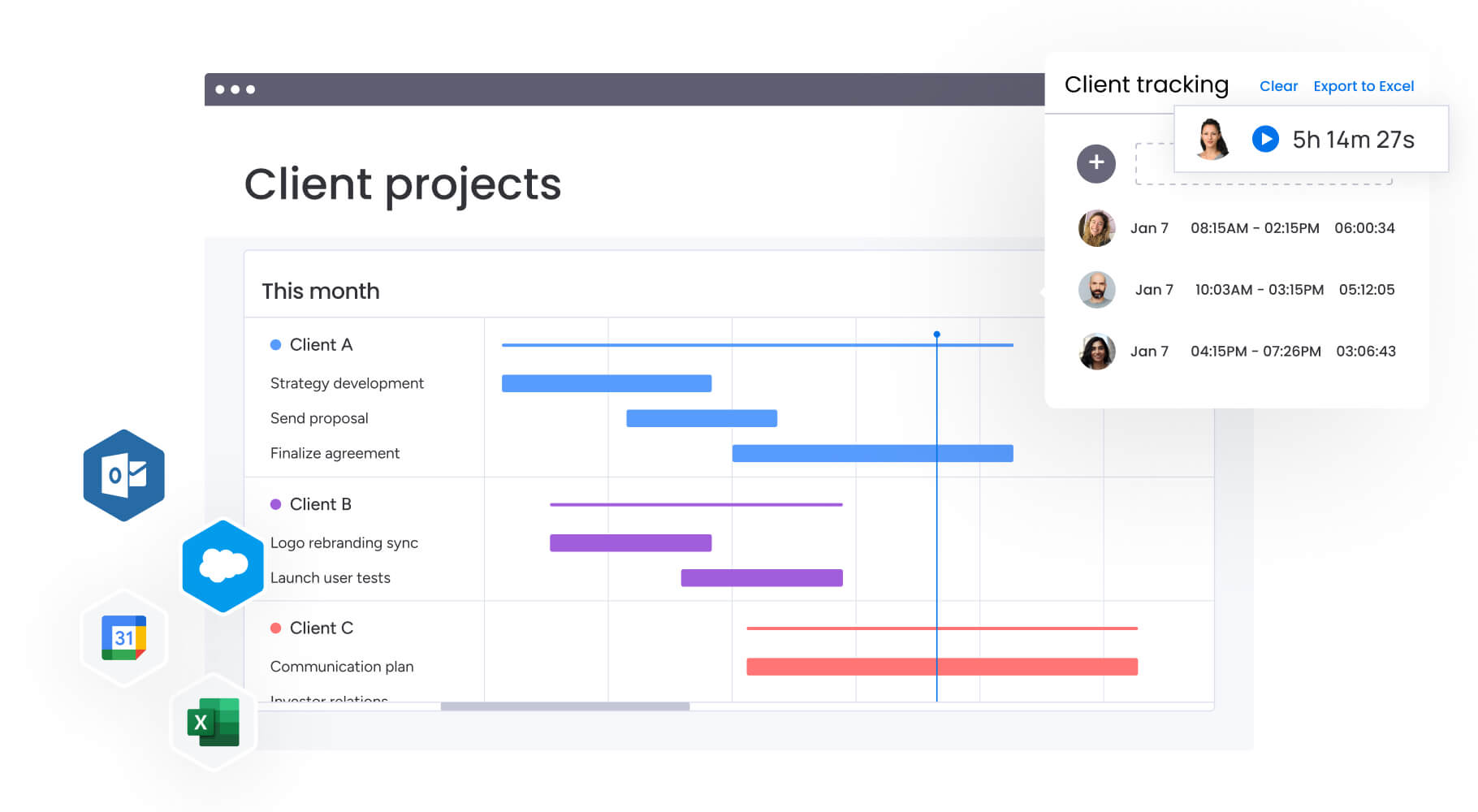
This case study demonstrates how monday work management addresses real-world reporting challenges in complex tech environments. Playtech’s transformation illustrates the practical impact of centralized project management on team efficiency and client satisfaction.
The initial problem
Playtech’s PMO department managed countless client projects using spreadsheets, email, and notepads. Clients demanded frequent updates and faster results, but the team lacked visibility into project discussions and couldn’t present accurate cost projections or track project parameters.
The fragmented approach created bottlenecks in communication and made it impossible to provide clients with reliable project status updates or budget forecasts.
The solution
Playtech implemented monday work management to manage projects from initiation to closure. They created separate boards for preliminary discussions and active projects, preventing premature resource booking.
Management Approval boards with formula columns automatically calculate costs, streamlining approvals. Custom templates enable quick project duplication while Jira integration provides real-time development visibility.
The results
The transformation delivered measurable improvements across the PMO:
- 26% efficiency increase: streamlined processes across the department.
- 49% collaboration improvement: better stakeholder transparency.
- 23% KPI achievement increase: improved project tracking.
- 3 hours saved weekly per person: reduced reporting and coordination time.
- Real-time cost visibility: week-by-week budget management.
Transform your project reporting approach with monday work management today
You shouldn’t spend your Fridays hunting down status updates or Monday mornings explaining why you didn’t see a delay coming. When your data lives in one place, your reports build themselves, and everyone sees what’s happening in real time, you can finally get ahead of problems instead of just reacting to them.
monday work management brings together the visibility, automation, and intelligence you need to deliver projects successfully. The platform centralizes your scattered data, automates routine reporting, and surfaces risks before they become problems.
Our AI spots patterns you might miss, while real-time dashboards end the Sunday night reporting scramble: giving you back hours to focus on what actually moves your projects forward. Organizations implementing these capabilities report significant improvements in efficiency, collaboration, and delivery outcomes.
Try monday work managementFrequently asked questions
What integrations does monday work management offer for tech project management?
monday work management integrates with 200+ tools including Jira, GitHub, GitLab, Azure DevOps, Slack, Microsoft Teams, and Google Workspace. These integrations enable two-way data sync, so updates in development tools automatically reflect in dashboards and reports.
How does monday work management handle both agile and waterfall methodologies?
The platform supports multiple methodologies within the same workspace. Configure Kanban boards and sprint tracking for agile teams while using Gantt charts and milestone tracking for waterfall projects. This flexibility provides unified reporting across different approaches.
Can monday work management generate reports for different stakeholder audiences?
Yes, you can create unlimited custom dashboards tailored to specific audiences. Executive dashboards show portfolio metrics and strategic alignment, while development dashboards display sprint velocity and bug resolution rates. Each stakeholder receives a shareable link to their relevant dashboard.
What is the typical implementation timeline for monday work management?
Most organizations achieve basic functionality within days and full implementation within 2-4 weeks. The intuitive interface enables rapid adoption without extensive training. Teams typically become comfortable within 2 weeks to 1 month.
How does monday work management ensure data security for sensitive tech projects?
The platform provides enterprise-grade security including IP restrictions, two-factor authentication, SSO options, and tenant-level encryption. monday work management complies with SOC 2, ISO 27001, and GDPR standards.
Does monday work management support predictive analytics for project risks?
Yes, the platform's AI analyzes historical data, current progress, and dependencies to predict potential risks. You receive proactive alerts about schedule conflicts, resource bottlenecks, and budget overruns before they impact delivery.

 Get started