

Retail project managers spend more time compiling reports than solving problems. Between store rollouts, seasonal campaigns, and inventory projects across multiple locations, the weekly ritual of gathering updates from spreadsheets, emails, and disconnected systems consumes hours that could drive real impact. When your data lives everywhere except where you need it, visibility becomes guesswork and strategic decisions get delayed.
Effective reporting software transforms this scattered approach into centralized visibility. Instead of chasing updates across tools, you get real-time dashboards that automatically pull data from all your projects. Teams can track store openings, monitor campaign timelines, and allocate resources across locations while stakeholders receive the insights they need without manual compilation.
Let’s dive into what actually works in retail reporting software: from automated dashboards and mobile access to the integrations that connect with your retail systems. We’ll also examine key features that matter most for multi-location projects, compare leading platforms, and show how organizations like Country Road Group achieved greater efficiency by centralizing their project reporting.
Key takeaways
Retail project managers often lose hours each week piecing together reports from spreadsheets, emails, and disconnected systems. The right reporting software replaces that manual effort with clear, centralized visibility. Here’s what makes the biggest difference:
- Centralized visibility: consolidate store rollout plans, campaign timelines, and location updates into one unified workspace instead of juggling multiple tools.
- Automated reporting: eliminate over five hours of manual compilation weekly with dashboards that update automatically as work progresses across all locations.
- Real-time insights: track project health, resource load, and budget status instantly—even when managing dozens of stores or campaigns simultaneously.
- Retail-specific tracking: monitor seasonal campaigns, multi-location initiatives, and inventory-related work with structures designed for retail complexity.
- monday work management transforms reporting: the platform centralizes data, automates updates, and integrates with retail systems to give teams a clear, consistent view of every project.
What makes project managers choose monday work management for retail project reporting?
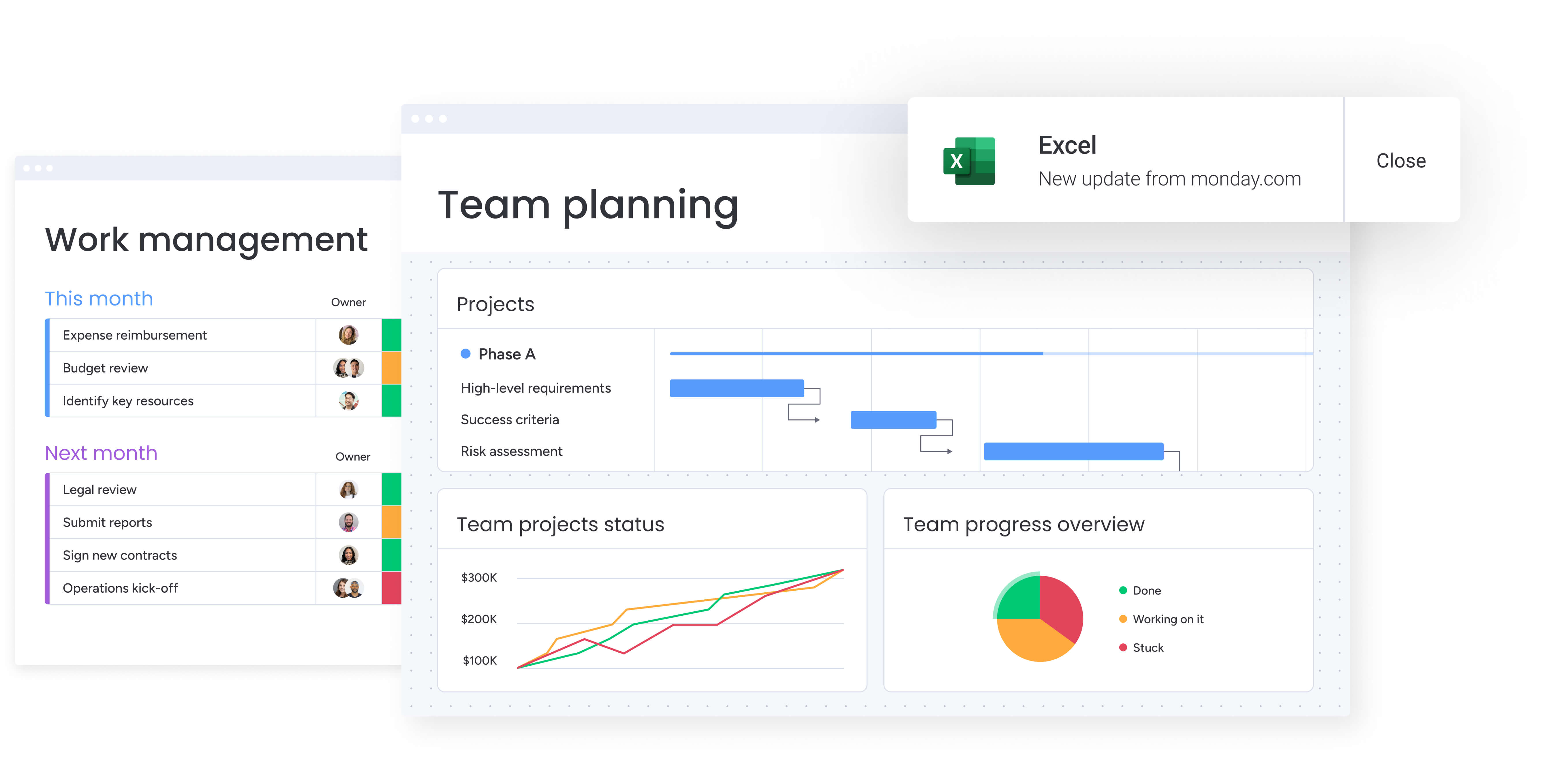
Retail project managers juggle store rollouts, seasonal campaigns, inventory initiatives, and cross-location coordination — often while each team uses different tools. When updates live in Excel files, email threads, and separate project systems, visibility disappears and reporting turns into guesswork.
A connected work platform solves these challenges by bringing everything into one place. Instead of manually assembling reports every week, project managers get real-time visibility into progress, resource allocation, and at-risk projects.
Key reasons retail teams choose monday work management include:
- Centralized reporting: unify tasks, timelines, budgets, and communication across locations to eliminate scattered data.
- Real-time dashboards: see project health, progress metrics, and resource load instantly — without manual compilation.
- Consistent workflows: standardize how updates are submitted, tracked, and reported across all stores and campaigns.
- Faster decision-making: identify delays, conflicts, and capacity issues as they emerge rather than after the fact.
- Proven impact: Cartier’s PMO doubled its delivery speed after implementing centralized workflows on the platform.
With all project information in one system, reporting shifts from an administrative burden to a strategic tool that keeps retail initiatives moving smoothly.
monday work management: top features for retail project reporting
The following features transform how retail Project Managers handle reporting across multiple locations and complex campaigns. Each capability addresses specific retail challenges while providing the visibility and automation needed to manage projects efficiently.
Dashboards & reporting
Transform raw project data into visual, actionable insights that retail project managers can understand at a glance. monday work management offers both pre-built and fully customizable dashboards that pull real-time data from all your projects.
The dashboards display critical metrics for retail operations:
- Budget utilization: track spending across store locations.
- Timeline adherence: monitor seasonal campaign deadlines.
- Task completion rates: see progress by team or location.
- Resource allocation: understand capacity across regions
Create different dashboard views for different stakeholders: detailed operational views for your team, high-level KPI summaries for executives, and location-specific reports for regional managers. The dashboards update automatically as team members complete tasks, eliminating the manual data collection that typically consumes hours each week.
Gantt charts & timeline views
Gantt charts within monday work management provide visual timeline representations that make complex, multi-location projects easier to understand and manage. The platform’s Gantt view displays all project tasks, milestones, and dependencies on a single timeline.
For retail project managers, this means you can see how store rollouts, promotional campaigns, and inventory projects overlap and impact each other. The Gantt functionality includes:
- Critical path analysis: identify tasks that could delay project completion.
- Baseline comparison: compare planned vs actual timelines.
- Dependency tracking: see how delays in one location affect others.
Organizations like Country Road Group have leveraged these timeline capabilities to manage over 150 concession projects simultaneously.
Automations
Automation capabilities eliminate the repetitive manual tasks that consume retail project managers’ time and create opportunities for human error. The platform offers over 200 pre-built automation recipes plus the ability to create custom automations without coding.
For retail project managers, automations can:
- Notify store managers: alert teams when rollout tasks are ready.
- Send progress reports: automatically email weekly updates to executives.
- Update project statuses: change status when milestones are completed.
- Escalate overdue tasks: flag delays to team leads immediately.
These automations ensure consistent processes across all locations while freeing your time for strategic work.
Portfolio management
Portfolio management features give retail project managers the elevated visibility needed to oversee multiple projects, campaigns, and store initiatives simultaneously. The platform allows you to connect related projects into portfolio views that show aggregate metrics and overall program health.
The portfolio view consolidates data from individual project boards, enabling you to:
- Track campaign status: see which seasonal campaigns are on track.
- Identify at-risk rollouts: spot store openings that need attention.
- Resolve resource conflicts: find where teams are overallocated.
Filter and segment portfolio data by location, project type, timeline, or custom criteria. This makes it easy to answer executive questions about overall program status without diving into individual project details.
Country Road Group used portfolio management to track projects by brand, providing a bird’s-eye view of project status and critical dates for communication with stakeholders. The consolidated view enabled their team to manage 150+ projects with 25% greater efficiency.
Integrations
Integration capabilities connect your reporting platform with the retail-specific systems you already use. The platform offers 200+ native integrations plus an open API, allowing you to connect with POS systems, inventory management tools, sales reporting software, and communication apps.
For retail project managers, these integrations mean your project reports can automatically pull data from:
- Sales data: from your POS system.
- Inventory levels: from warehouse management systems.
- Customer feedback: from your CRM.
This creates a single source of truth for project reporting without requiring team members to duplicate data entry across multiple platforms. Companies like Officeworks have leveraged integrations to create an all-in-one project management, communications, and digital asset repository that eliminated the need to switch between multiple systems.
Mobile access
Mobile access ensures retail project managers can monitor projects, update statuses, and respond to issues while visiting store locations or working remotely. The platform’s mobile apps for iOS and Android provide full functionality.
This mobile capability is absolutely crucial for those who spend significant time in the field, where they can:
- Check project status: review progress during store visits.
- Document issues: photograph problems and attach to tasks.
- Respond to requests: address urgent needs without returning to your desk.
Real-time synchronization means updates made on mobile devices instantly appear for all team members, maintaining data accuracy and enabling immediate response during store rollouts and promotional events.
How a project manager in retail benefits from monday work management
Retail Project Managers experience transformative improvements across multiple areas when they centralize their reporting and project management. These benefits multiply over time, boosting your daily efficiency while directly improving your strategic results.
Time savings
Retail Project Managers save over five hours weekly by eliminating manual report compilation and data collection across multiple locations. Automated dashboards replace the time-consuming process of gathering updates via email and phone calls. Pre-built templates accelerate new project setup.
Officeworks reported that their project coordinator managing the annual ‘back-to-school’ promotion saves one full day per week that was previously lost to manual administration work. This time can now be redirected toward solving problems and improving project outcomes.
High-performing organizations demonstrate this focus by monitoring quality improvements, with 79% tracking quality gains and 57% measuring speed improvements in their project delivery processes.
Cost efficiency
Consolidating project management and reporting into a single platform eliminates the need for multiple specialized applications and reduces software licensing costs. The efficiency gains translate directly to cost savings, which can be further supported by accounting practice management solutions.
For example, FARFETCH saves $118K per month and 3,500 hours monthly through streamlined workflows. Visibility into resource allocation prevents both overallocation and underutilization, optimizing labor costs across store locations and seasonal campaigns.
Compliance and accuracy
Centralized data storage and automated workflows ensure consistent reporting standards across all store locations and projects. Version control eliminates the confusion of multiple spreadsheet versions.
Audit trails track all changes and updates, providing transparency for stakeholders. The single source of truth reduces errors that occur when data is manually transferred between systems, improving the accuracy of reports shared with executives.
Productivity improvements
Teams complete projects 25% faster when working through centralized workflows instead of scattered tools and manual processes — a result demonstrated by Country Road Group while managing more than 150 projects at once. This lift in productivity comes from reducing inefficiencies and ensuring everyone operates from the same source of truth.
Additional gains come from features that keep work moving without delays, including:
- Real-time visibility: eliminating the downtime caused by waiting on status updates.
- Automated notifications: alerting team members the moment tasks are ready for their action, preventing bottlenecks.
Output quality improvements
Visual dashboards and customizable reports enable retail project managers to deliver more insightful, stakeholder-specific reporting. Instead of generic spreadsheets, you create:
- Executive summaries: highlighting strategic metrics.
- Operational dashboards: showing detailed task progress.
- Location-specific reports: for regional managers
The improved presentation quality increases stakeholder confidence and facilitates faster decision-making across the organization. Research shows that 79% of high-performing organizations track quality improvements in their project outcomes, emphasizing the importance of robust reporting capabilities.
Visibility and tracking improvements
Real-time dashboards provide instant visibility into project health across all locations, eliminating the blind spots that occur with manual reporting. Project managers can immediately identify:
- Behind-schedule rollouts: which stores need attention.
- At-risk campaigns: seasonal initiatives requiring intervention.
- Resource conflicts: where teams are overallocated.
This visibility enables proactive problem-solving rather than reactive crisis management, reducing project delays and improving on-time delivery rates.
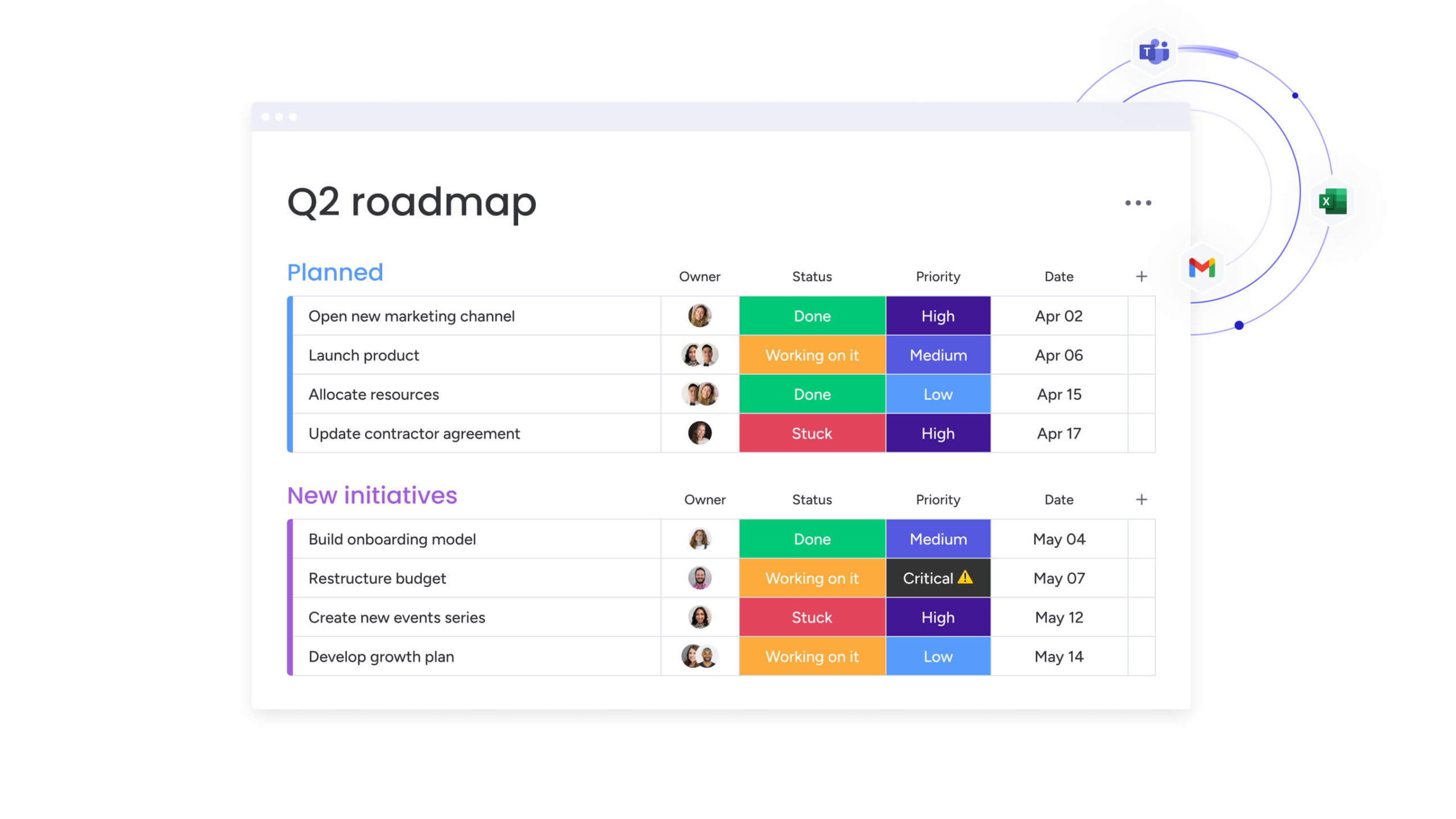
How to streamline retail project reporting with monday work management
Implementing a centralized reporting solution requires a systematic approach that addresses your current challenges while building sustainable processes. This step-by-step framework below ensures successful adoption across all locations and teams.
Step 1: audit your current reporting chaos
Document all the places where project data currently lives. Map out your spreadsheets, email threads, shared drives, and individual tools. Identify which reports you create regularly, how long each takes to compile, and who receives them.
This audit shows exactly what your current process is costing you and gives you clear benchmarks to measure your improvements against. Most retail project managers discover they’re spending 20-30% of their time on manual reporting tasks.
Step 2: map your retail-specific requirements
Define the specific metrics and KPIs you need to track for retail projects. Consider these essential elements:
- Store rollout progress: timeline and completion status.
- Seasonal campaign timelines: launch dates and dependencies.
- Inventory project status: stock levels and distribution.
- Resource allocation: staff distribution across locations.
- Budget utilization: spending by project and location.
Identify which stakeholders need which reports and how frequently. This mapping ensures your reporting solution addresses actual business needs rather than generic project management requirements.
Step 3: build your first project board in monday work management
Start with one high-visibility project, perhaps an upcoming store rollout or seasonal campaign. Create a board structure that captures all relevant tasks, timelines, owners, and status information.
Use columns to track retail-specific data like store locations, campaign phases, or inventory dependencies. This initial board becomes your template for future projects, ensuring consistency across all initiatives.
Step 4: create automated dashboards for key stakeholders
Build customized dashboard views that automatically pull data from your project boards. Design these dashboards for specific audiences:
- Executive dashboard: high-level KPIs and project health indicators.
- Operational dashboard: detailed task progress for your team.
- Regional views: location-specific metrics for store managers.
Configure these dashboards to update in real-time as team members complete work, eliminating manual report generation.
Step 5: set up automations for routine reporting
Configure automations to handle repetitive reporting tasks. Set up automated workflows for:
- Weekly status reports: sent automatically to executives.
- Milestone notifications: alerts when projects hit key phases.
- Overdue task alerts: immediate flags for delayed items.
- Status updates: automatic changes when dependencies complete.
These automations eliminate manual report generation while ensuring stakeholders receive timely updates.
Step 6: roll out across all locations with standardized templates
Once your pilot project demonstrates value, create standardized templates for common retail project types. Develop templates for store openings, seasonal campaigns, inventory projects, and promotional events.
Roll out these templates across all locations, providing training to ensure consistent adoption. The standardization ensures reporting consistency while the templates accelerate new project setup.
Try monday work managementComparison table: monday work management vs.competing platforms for retail project reporting
Retail reporting requires flexibility, automation, and real-time insight. This table breaks down how top platforms deliver on those requirements so you can choose the best fit for your team.
| Feature | monday work management | Smartsheet | Wrike | Microsoft Project |
|---|---|---|---|---|
| Real-time dashboards | Fully customizable with 10+ widget types | Limited customization | Available in higher tiers | Basic reporting views |
| Retail-specific templates | 200+ templates including retail examples | Generic templates only | Limited industry templates | Project-focused templates |
| Mobile app functionality | Full feature parity on iOS/Android | Limited mobile features | View-only on mobile | Desktop-focused |
| Automation capabilities | 200+ pre-built recipes, no-code | Formula-based automation | Available in Business tier+ | Limited automation |
| Implementation time | 2–4 weeks typical | 4–6 weeks typical | 6–8 weeks typical | — |
| Integration ecosystem | 200+ native integrations | 80+ integrations | 400+ integrations | Microsoft ecosystem focus |
| Price per user/month | From $10 | From $9 | From $10 | From $10 |
| G2 rating | 4.7/5 (12,000+ reviews) | 4.4/5 (15,000+ reviews) | 4.2/5 (3,800+ reviews) | 4.0/5 (1,600+ reviews) |
As the table above shows, monday work management differentiates itself through its combination of visual, intuitive interfaces with powerful reporting capabilities.
While Smartsheet offers spreadsheet familiarity, it lacks the visual dashboards and automation depth that retail teams need. Wrike provides enterprise features but requires longer implementation and higher-tier plans for essential capabilities. Further, Microsoft Project offers robust scheduling but focuses on complex planning rather than real-time, stakeholder-friendly reporting.
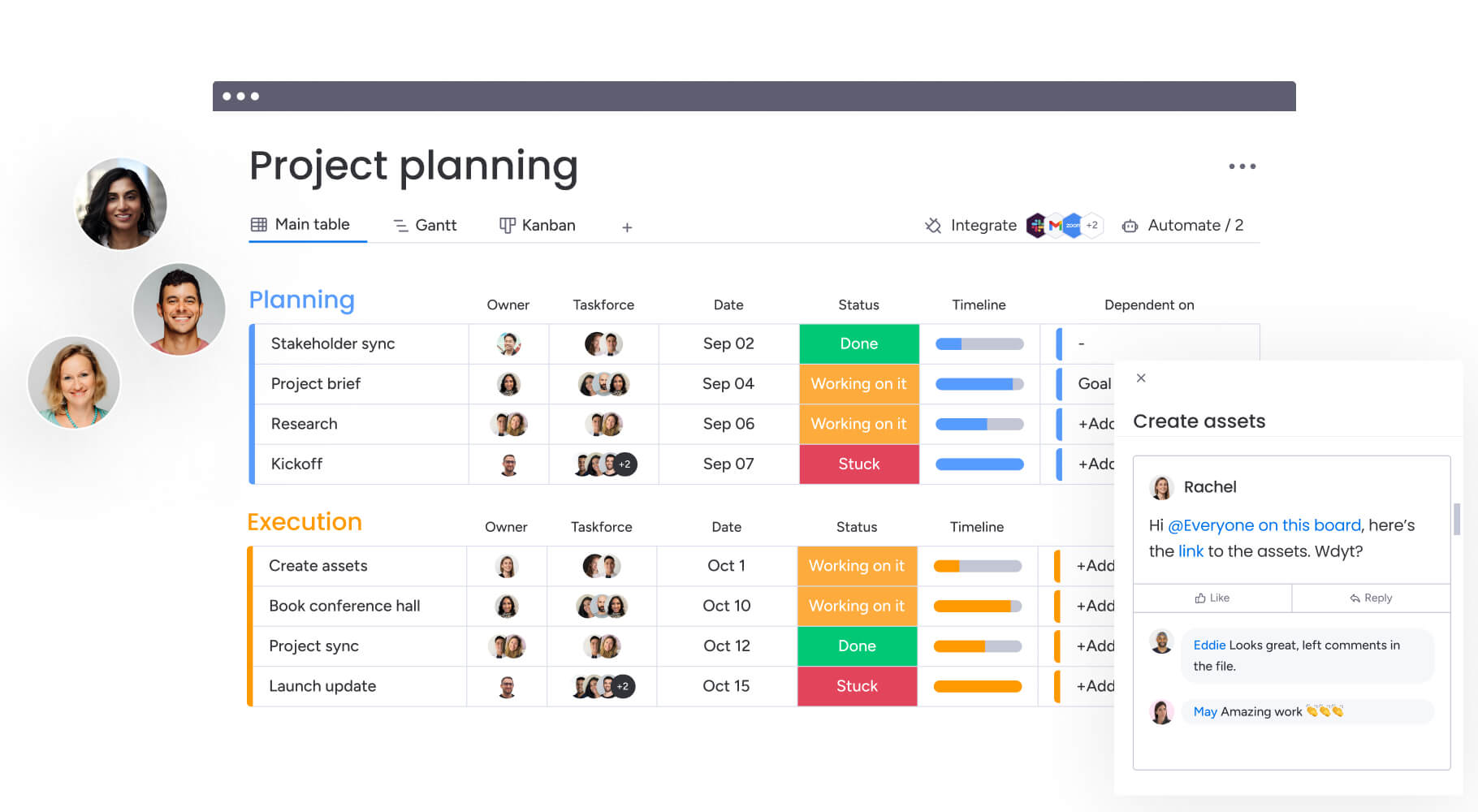
How Country Road Group transformed their retail project management operations
This case study highlights how Country Road Group replaced spreadsheet-driven project tracking with a centralized reporting system built to handle large-scale, multi-brand retail operations.
The issue
Country Road Group’s real estate and store planning teams managed over 15 different work types across brands including Country Road, Mimco, Trenery, Witchery, and Politix. Projects were tracked through spreadsheets, email threads, and manual updates, creating significant operational strain.
The complexity intensified when all brands re-entered Myer department stores. A single location could involve up to nine separate projects, each requiring coordination between multiple teams. As a result, the PMO struggled with:
- Limited visibility: difficulty understanding project status across brands and locations.
- Duplicate effort: teams manually reconciling data across spreadsheets and emails.
- Slow reporting: heavy reliance on meetings and manual updates to compile progress.
- Inefficient coordination: unclear ownership and inconsistent communication across stakeholders.
The solution
Country Road Group implemented monday work management to centralize project information, standardize reporting, and streamline coordination. Their rollout focused on:
- Consolidated location boards: replacing multiple project boards per site with one unified workspace.
- A brand-level pipeline board: offering at-a-glance visibility into key dates, dependencies, and progress.
- Automated workflows: generating timelines, assigning resources, and adjusting schedules automatically as work evolved.
- Real-time reporting: enabling accurate, up-to-date insights into workload, status, and dependencies.
The results
By centralizing workflows and reporting, the team achieved measurable operational gains:
- Efficiency increase: a 25% boost in project management efficiency through streamlined processes.
- Scalability: more than 150 projects managed simultaneously without losing visibility.
- System consolidation: under 50 boards used to coordinate over 150 concession projects.
The shift to a unified reporting environment enabled the project manager to maintain better control, improve alignment across teams, and make faster, more informed decisions.
Completely transform your retail project reporting today
The evidence is clear: retail project managers who centralize their reporting and project management achieve significant improvements in efficiency, visibility, and strategic impact. From Country Road Group’s huge efficiency gains to Officeworks’ full-day weekly time savings, the benefits compound across every aspect of retail operations.
With monday work management, you have access to the specialized capabilities retail teams need: real-time dashboards, automated reporting, mobile access for field work, and integrations with retail-specific systems. The platform turns your scattered data into a clear picture that helps you solve problems before they happen: instead of constantly putting out fires.
Ready to ditch the spreadsheet nightmare and actually see what’s happening in your retail projects? Experience the difference that centralized, automated reporting makes for your team’s productivity and strategic impact.
The content in this article is provided for informational purposes only and, to the best of monday.com’s knowledge, the information provided in this article is accurate and up-to-date at the time of publication. That said, monday.com encourages readers to verify all information directly
Try monday work managementFrequently asked questions
What reporting software integrates best with retail POS systems?
monday work management integrates with retail POS systems through its 200+ native integrations and open API. The platform connects with major retail systems including Shopify, Square, and enterprise POS solutions, allowing you to pull sales data, inventory levels, and transaction information directly into your project dashboards.
How long does it take to implement reporting software in retail?
Implementation timelines for monday work management in retail organizations typically range from two to four weeks for initial deployment. This includes mapping your current reporting requirements, building initial project boards and dashboards, configuring automations, and training team members.
Can reporting tools handle seasonal workforce changes?
Yes, monday work management accommodates seasonal workforce fluctuations through flexible user management and resource allocation features. You can quickly add temporary team members during peak retail periods, assign them to specific projects or locations, and remove access when seasonal periods end.
What's the average ROI for retail reporting software?
Retail organizations typically see ROI within four months of implementing monday work management. Specific returns include time savings of over five hours weekly per project manager, efficiency improvements of 25% in project delivery, and cost savings from consolidating multiple tools.
Do reporting platforms offer retail-specific templates?
monday work management provides 200+ templates including retail-specific examples for store opening checklists, seasonal campaign planning, inventory project tracking, promotional event management, and multi-location rollout coordination. These templates are fully customizable to adapt to your specific retail operations.
How do reporting tools manage multi-brand portfolios?
monday work management handles multi-brand retail portfolios through hierarchical board structures and portfolio management features. You can create separate boards for each brand while maintaining consolidated portfolio views that aggregate metrics across all brands.

 Get started