


Reporting in media is uniquely demanding. With dozens of campaigns advancing in parallel and each team relying on different tools, project managers (PMs) often spend hours piecing together information from Adobe files, scattered spreadsheets, email chains, and time-tracking platforms. The work moves quickly, but the reporting process rarely keeps pace, making it difficult to see where projects stand or where attention is needed next.
What many media teams need is a clearer, more connected view of their work — one that brings timelines, creative progress, resource allocation, and budget status into a single system without requiring constant manual updates. When reporting software can gather and organize this information automatically, PMs gain the confidence to make decisions based on accurate, up-to-date insights rather than fragmented updates.
The article below outline the capabilities that make a real difference for media reporting, from automated report generation and real-time dashboards to campaign-specific tracking and resource visibility. Together, these features support a more consistent, scalable reporting process that reduces administrative work and helps teams stay aligned across brands, channels, and production workflows.
Key takeaways
Disconnected workflows make reporting difficult for media teams, but modern reporting tools change that. The capabilities that make the biggest impact include:
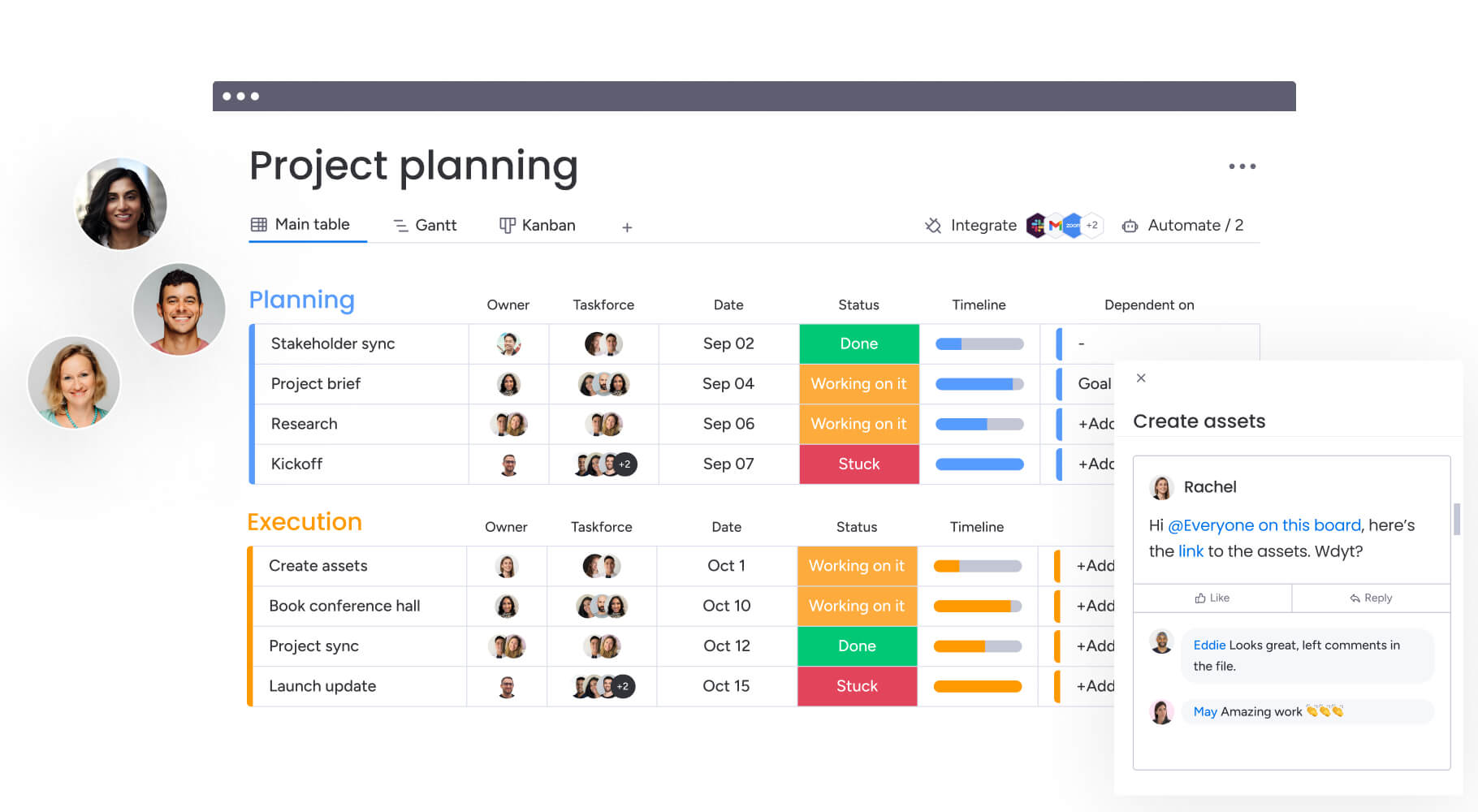
- Unified reporting platform: centralize campaign timelines, creative assets, briefs, and updates in one place instead of navigating Trello, Harvest, Excel, and email chains.
- Automated report generation: reclaim several hours each week by letting the system produce stakeholder updates and performance summaries without manual compilation.
- Real-time visibility: track 40+ brands or campaigns at once through customizable dashboards showing project health, resource load, and budget status as work progresses.
- AI-powered insights: identify risks early with intelligent alerts that flag delays, capacity issues, and budget concerns before they disrupt delivery.
- monday work management accelerates reporting: the platform streamlines media workflows by connecting teams, assets, timelines, and analytics in one unified system built for fast-moving production environments.
What makes reporting software essential for media project managers?

Reporting software for media teams is a centralized platform that transforms fragmented project data into real-time insights, enabling project managers to track campaigns, allocate resources, and communicate progress without manual data compilation, supported by comprehensive reporting tools.
This means you can monitor multiple campaigns across departments while automatically generating stakeholder reports that would otherwise consume hours of administrative work.
The right reporting software is crucial as it eliminates the chaos of managing data across multiple platforms. Instead of chasing updates and building reports from scratch, PMs gain instant visibility into project status, team capacity, and budget health through unified dashboards that update automatically as work progresses, leveraging advanced reporting tools.
Key benefits include:
- Centralized data management: replace scattered platforms like Trello for projects, Harvest for time tracking, and Excel for reports with one unified system.
- Automated stakeholder communication: generate reports without manual compilation.
- Real-time project visibility: monitor status, capacity, and budget health instantly.
For media organizations managing dozens of brands and hundreds of campaigns, this shift from reactive reporting to proactive management changes everything. Teams can spot delays before they escalate, balance workloads to prevent burnout, and provide executives with accurate, up-to-date insights that drive confident decision-making by using top reporting tools.
How to build a reporting system that supports fast-moving media teams
Effective reporting in media starts with the right foundation. Before automating updates or building dashboards, project managers need clarity on the capabilities that make reporting scalable, accurate, and easy to maintain across multiple campaigns and teams.
Step 1: identify essential reporting capabilities for project managers
The Project Management Institute found that 90% of a project manager’s job is communication. The right reporting software takes this massive responsibility off your plate — automatically creating and sharing updates that keep stakeholders in the loop without you having to chase people down.
Modern reporting platforms must deliver specific capabilities that address the unique complexity of media workflows. These core features ensure your reporting system can handle the fast-paced, multi-stakeholder environment of media production:
- Portfolio-level visibility: track performance across multiple campaigns, brands, and teams from a single dashboard.
- Automated status updates: generate and distribute weekly reports without manual data compilation.
- Resource allocation tracking: monitor team capacity and workload distribution to prevent bottlenecks.
- Budget and timeline monitoring: surface variances and risks before they impact delivery.
- Cross-functional integration: connect creative tools, communication platforms, and project data seamlessly.
These capabilities become even more critical as media teams scale. When you’re coordinating work across creative, content, sales, and ad operations teams, manual reporting simply can’t keep pace with the speed of modern media production.
Step 2: implement real-time dashboards and visualization
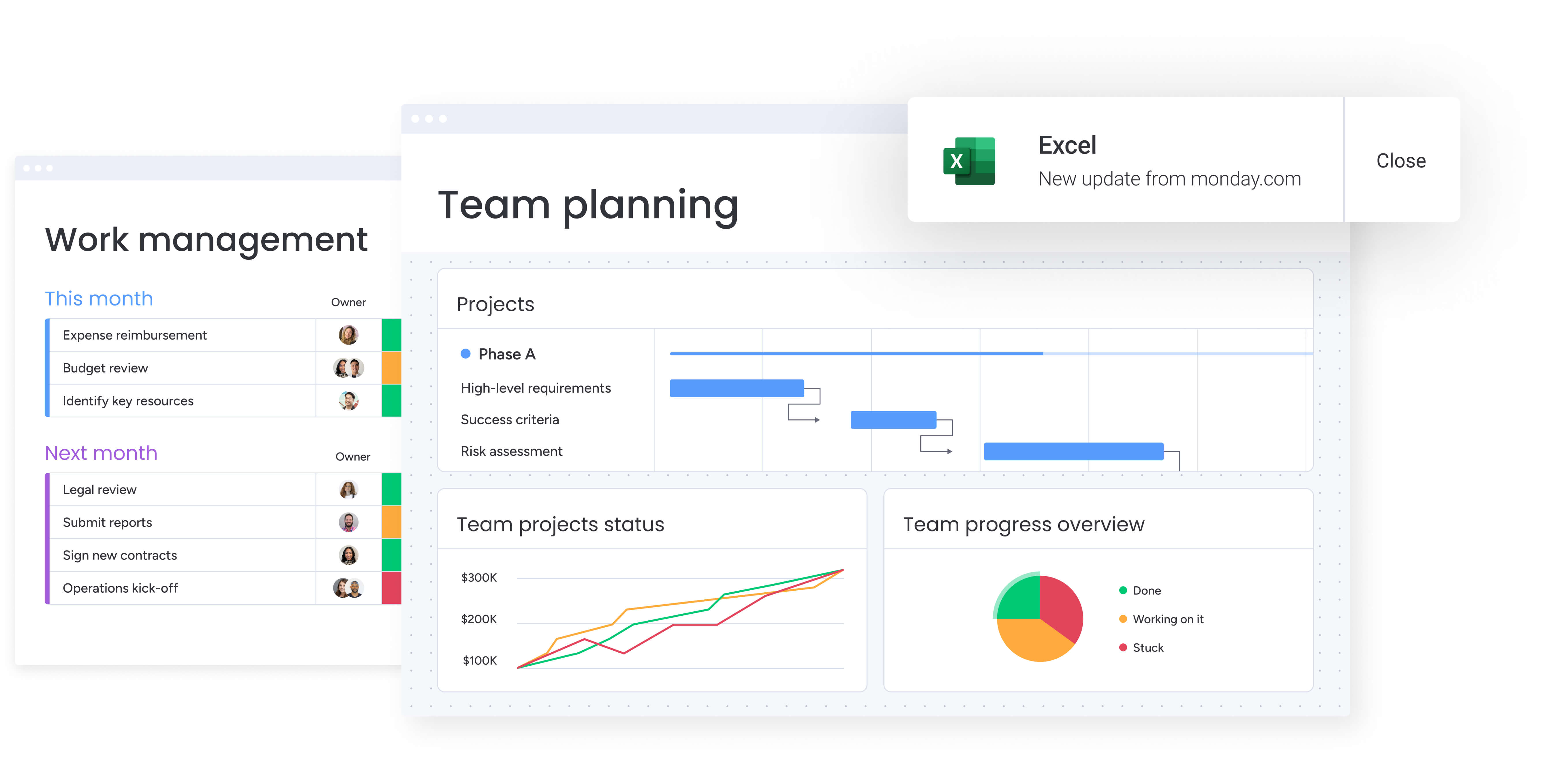
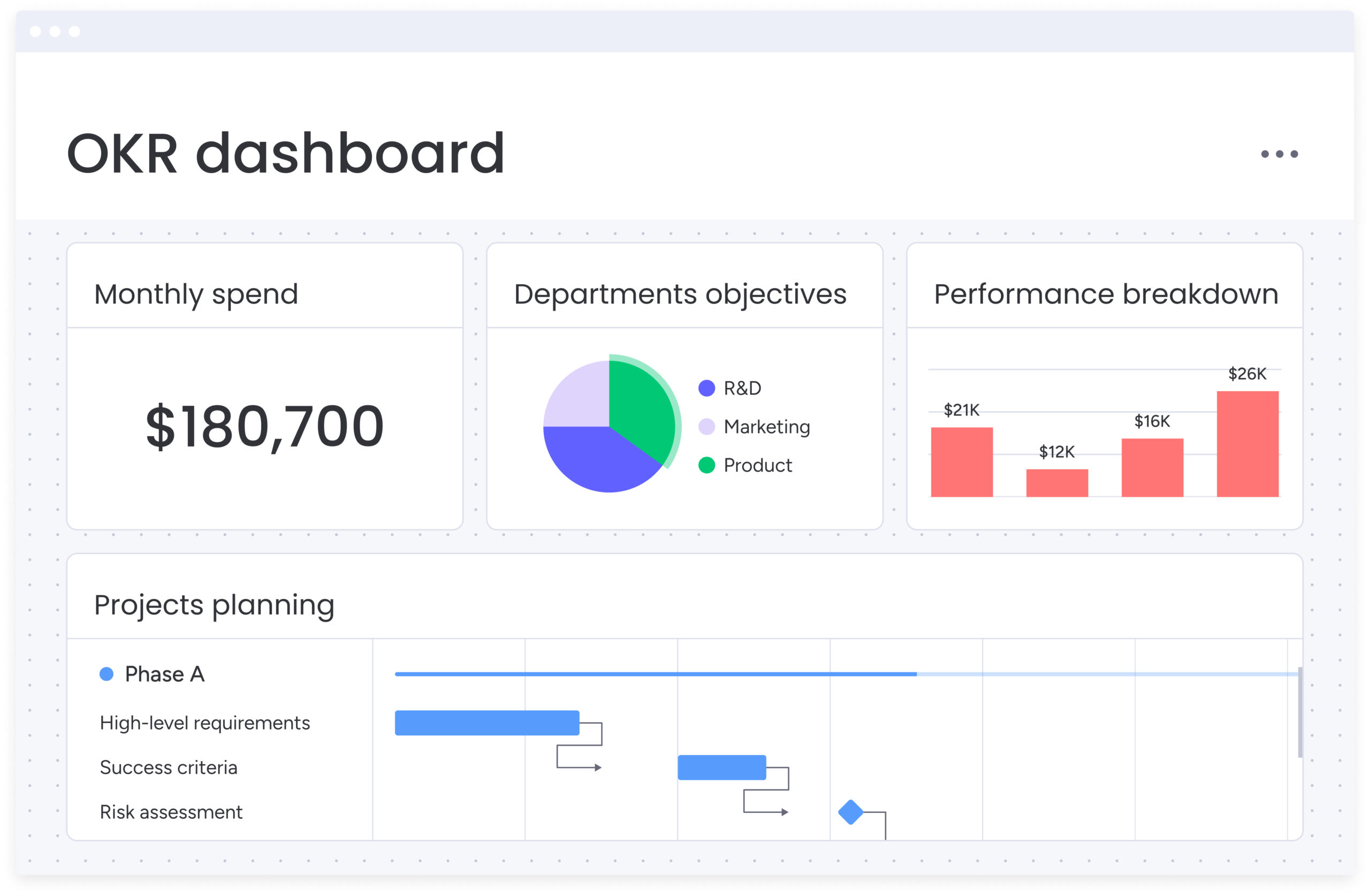
Customizable dashboards transform raw project data into visual insights that media project managers can act on immediately, especially when paired with innovative reporting tools. These visual command hubs provide instant clarity on campaign performance, budget utilization, and team workload while allowing complete customization to match your specific reporting needs.
The impact on productivity is immediate and measurable:
- Time savings: eliminate the four to six hours typically spent weekly compiling reports from different sources.
- Single source of truth: create one dashboard that automatically aggregates project health, resource allocation, and budget status.
- Early issue detection: visual representations make it easy to spot delays or budget overruns before they become critical issues.
Solutions like monday work management take this visibility further by connecting dashboards directly to your workflow. As team members update tasks, dashboards reflect changes instantly, ensuring stakeholders always see current project status without manual data compilation, facilitated by real-time reporting tools.
This real-time synchronization means decisions are based on live data, not outdated spreadsheets.
Try monday work managementStep 3: configure automated report generation
Automation capabilities eliminate repetitive reporting tasks that consume valuable time for media project managers, especially when integrated with efficient reporting tools. Set up your automations once, and what used to eat up your entire Friday afternoon now happens while you’re focusing on the work that actually moves projects forward.
Essential automation features include:
- Scheduled report distribution: generate and distribute weekly stakeholder reports automatically.
- Milestone notifications: send deadline reminders as milestones approach.
- Status change alerts: trigger notifications when project status changes.
- Proactive risk alerts: flag when campaigns fall behind schedule, budgets approach limits, or team members become overallocated.
For PMs who previously spent hours compiling weekly updates for executives, automated reporting represents a fundamental shift in how they work. The system automatically pulls data from multiple projects, formats it according to stakeholder preferences, and distributes reports via email or Slack on a predetermined schedule.
Step 4: set up campaign performance tracking
Media-specific reporting requires specialized views and fields for tracking content calendar adherence, production timelines, and campaign deliverables, which can be streamlined with media reporting tools. Generic project management tools fall short when managing the complex approval chains, creative iterations, and stakeholder coordination that define media workflows.
Campaign tracking must address unique media requirements:
- Custom field configuration: track approval stages, revision counts, client feedback, and creative asset versions.
- Multi-stage workflow visibility: monitor campaigns across ideation, production, approval, and delivery stages.
- Resource allocation oversight: track resource distribution across all active campaigns simultaneously.
Media campaigns are messy by nature — you’re juggling different creative pieces, navigating approval mazes, and keeping various stakeholder groups happy. Campaign-specific tracking is built for this reality. Project managers can track which campaigns are in ideation, production, approval, or delivery stages while monitoring resource allocation across all active campaigns.
Timeline and calendar views make it particularly effective for managing content calendars and production schedules. Visual representations show dependencies between tasks, highlight potential conflicts, and ensure nothing falls through the cracks in fast-paced media environments.
Step 5: monitor resource utilization reports

Workload views and resource management features provide visibility into team capacity and allocation across multiple projects. This strategic oversight ensures optimal resource distribution while preventing both burnout and underutilization across your media teams.
Resource utilization reporting delivers actionable insights for project managers:
- Real-time capacity visibility: see at a glance who is overloaded, who has capacity, and how resources are distributed across campaigns.
- Data-driven assignment decisions: access accurate data showing team member allocation, availability, and historical utilization patterns.
- Strategic planning support: make informed decisions about project assignments and hiring needs based on concrete data rather than gut feel.
Instead of relying on incomplete spreadsheets or assumptions, you access accurate data showing how many hours each team member has allocated to active projects, their availability for new work, and historical utilization patterns that inform future planning.
This multi-level visibility ensures resources are allocated efficiently across the portfolio. Teams can drill into specific tasks or zoom out to track overall campaign delivery, preventing both burnout and underutilization.
Step 6: establish integration with creative tools
Reporting software must connect seamlessly with the creative software and platforms media teams already use. These integrations eliminate the friction of disconnected tools while ensuring creative assets, feedback, and approvals flow seamlessly between systems without manual file transfers or status updates.
Critical integrations for media teams include:
- Creative software connections: native integrations with Adobe Creative Cloud, video editing tools, and design platforms.
- Communication platform sync: Slack, Microsoft Teams, and email integration for seamless stakeholder communication.
- File management systems: Google Drive, Dropbox, and Box connections for asset management.
- Specialized workflow tools: Frame.io for video review, Vimeo for delivery, and other media-specific platforms.
For Project Managers coordinating work across creative, content, and production teams, these integrations eliminate workflow friction. When a designer uploads a final asset to Google Drive, it automatically attaches to the relevant task. On the other hand, when stakeholders provide feedback in Slack, it syncs to the project board, creating a complete record of project communication and decisions.
Customizable APIs enable deeper integrations for specialized workflows. Organizations can synchronize bookings from ad systems directly with creative production processes, ensuring seamless handoffs between sales and production teams.
Step 7: create custom report templates
Project Managers can create reusable report templates tailored to different stakeholder groups, ensuring consistent communication while reducing setup time for new campaigns. This template-driven approach addresses the reality that executives need high-level portfolio summaries while creative directors require detailed production timelines.
Template benefits include:
- Stakeholder-specific formatting: customize reports for different audiences and their unique information needs.
- Accelerated project setup: duplicate proven templates that include the right fields, automations, and views for specific campaign types.
- Brand consistency: create branded reports for different clients or departments with customized layouts, color schemes, and data visualizations.
Template functionality accelerates new project setup and ensures standardized data collection across all campaigns. Instead of recreating project structures from scratch, Project Managers duplicate proven templates that include the right fields, automations, and views for specific campaign types.
The ability to create branded reports for different clients or departments addresses a specific need in agency environments where professional presentation matters. Customize report layouts, color schemes, and data visualizations to match client brand guidelines or internal department standards.
Try monday work management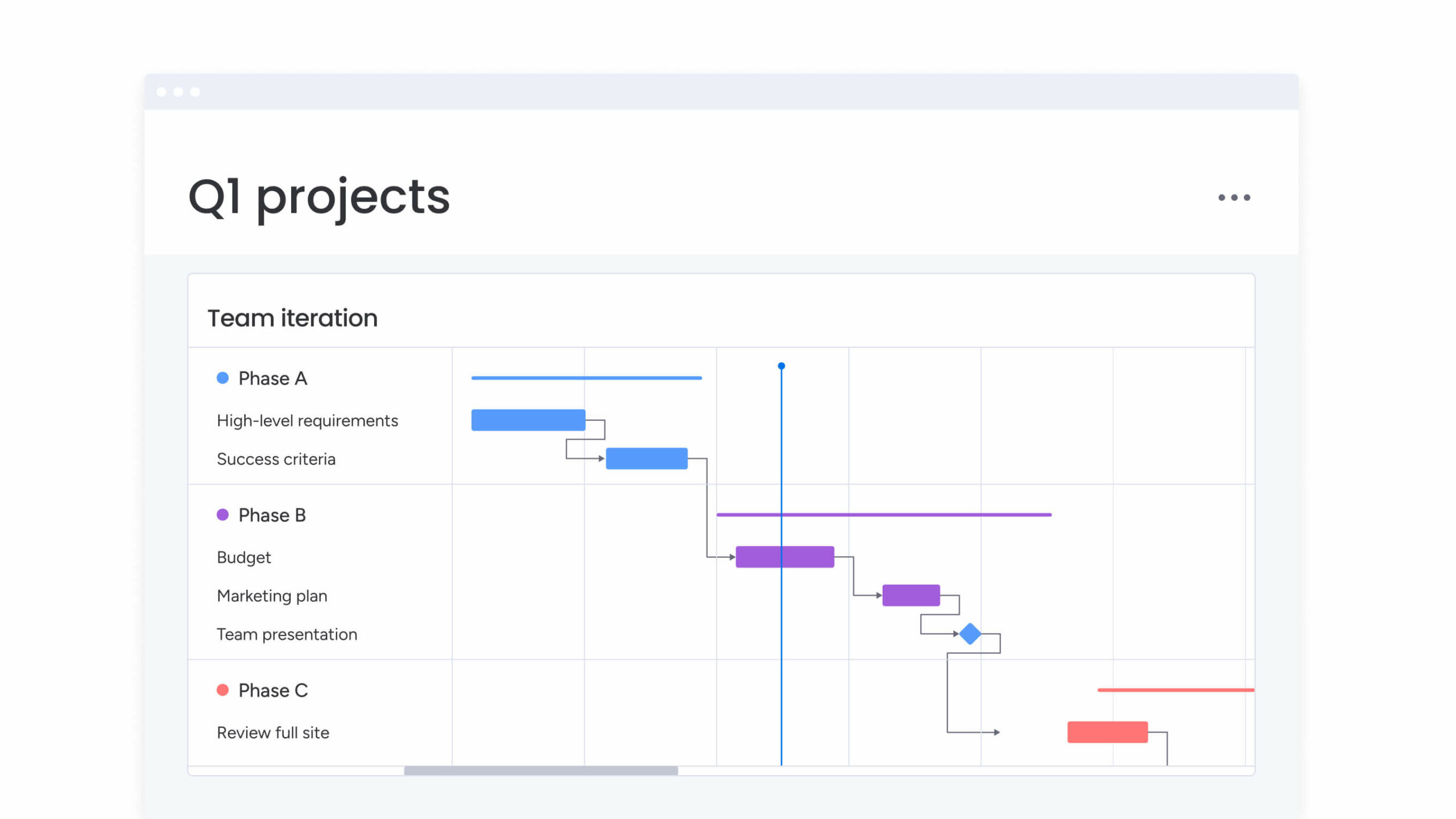
How monday work management transforms media project reporting
Media teams often struggle with work scattered across multiple tools, making it difficult to track progress, manage creative assets, or produce consistent reports. A connected work platform solves this by bringing projects, timelines, assets, and reporting into one system, removing the constant switching between tools and supporting the scale required for complex media operations.
The transformation shows up across three core areas:
Leadership visibility:
- Executives gain portfolio-level insights without requesting updates from teams.
- AI-powered risk analysis scans project activity to surface issues early.
- Automated portfolio reports generate summaries with trends and recommendations.
Standardization and alignment:
- Managed templates ensure teams follow a consistent reporting structure.
- Cross-project dependencies reveal how delays in one campaign affect others.
- A unified reporting framework scales from individual tasks to enterprise-wide portfolios.
Resource optimization:
- The resource directory and capacity manager provide real-time visibility into team availability, skills, and workload.
- Workload data supports informed staffing and prioritization decisions.
- AI suggestions recommend optimal task assignments based on expertise and capacity.
These capabilities integrate directly into existing workflows, allowing teams to stay in their preferred tools while gaining a clearer, more organized reporting system that supports stronger decision-making and smoother campaign execution.
Comparison: monday work management vs other reporting platforms
The market is currently filled with a plethora of reporting software options for media teams, but understanding the differences between platforms helps you select the right solution for your specific needs.
This table below highlights key capabilities that directly impact media project success:
| Feature | monday work management | Wrike | Smartsheet |
|---|---|---|---|
| Real-time dashboards | Unlimited customizable dashboards with 20+ widget types | Customizable dashboards on higher tiers | Dashboard functionality on Business plan and above |
| Automation capabilities | 250+ automation recipes, no coding required | Advanced automation on Business tier | Workflow automation on Pro plan and above |
| Creative tool integrations | Native Adobe, Google Drive, Slack, 200+ apps | Integrations available on Professional tier | Limited native integrations, requires third-party tools |
| Campaign templates | Unlimited custom templates included | Template library on higher tiers | Template functionality on all plans |
| Resource management | Built-in workload view and capacity planning | Resource management on Business tier | Resource management add-on required |
| Implementation time | Less than a few months to full value | 4-6 weeks typical | 6-8 weeks typical |
SPH Media's reporting transformation story
For many media organizations, reporting becomes increasingly complex as the number of brands, channels, and stakeholders grows. SPH Media’s Content Lab experienced this firsthand. Managing campaigns for more than 40 brands required constant coordination between creative, content, sales, and ad operations teams — all while relying on manual processes that couldn’t scale with the pace of the work.
The challenges became impossible to ignore as the business expanded. Reporting was slow, collaboration was fragmented, and teams struggled to maintain visibility across hundreds of moving pieces.
Key challenges included:
- Multi-brand complexity: managing campaigns for 40+ brands, each with unique workflows and approval needs.
- Cross-team coordination: aligning creative, content, sales, and ad operations without constant manual follow-up.
- Manual workflow overhead: spending too much time on administrative updates instead of campaign delivery.
- Visibility gaps: lacking real-time insights into progress, dependencies, and resource allocation.
After evaluating multiple platforms, the team chose monday work management for its visual clarity, flexibility, and ability to adapt to evolving production needs. Pre-built templates and features like timeline views, automated reporting, and centralized communication helped bring structure and transparency to their workflows.
The impact was significant:
- Hundreds of campaigns tracked: consolidated into one platform across more than 40 brands.
- 130+ team members aligned: working with higher transparency and fewer bottlenecks.
- Automated system syncing: connecting ad booking systems directly to creative production workflows.
- Centralized communication: ensuring all assets and updates are accessible to the right stakeholders.
Revolutionize your media project reporting today
Ditching manual reports for automated insights isn’t just about saving time — it’s about giving your team the freedom to do their best creative work instead of drowning in spreadsheets. Modern reporting software eliminates the time-consuming puzzle of scattered data while providing the real-time visibility that drives confident decision-making.
Key transformation outcomes include:
- Reclaimed time: eliminate four to six hours of weekly manual reporting work.
- Improved accuracy: base decisions on real-time data rather than outdated spreadsheets.
- Enhanced collaboration: centralize communication and asset management across all stakeholders.
- Proactive management: surface risks and opportunities before they impact delivery.
With automated reporting, real-time dashboards, and centralized campaign management, monday work management helps media teams reclaim time, reduce errors, and deliver projects faster. Join the organizations that have already transformed their reporting from manual overhead into strategic advantage today.
The content in this article is provided for informational purposes only and, to the best of monday.com’s knowledge, the information provided in this article is accurate and up-to-date at the time of publication. That said, monday.com encourages readers to verify all information directly.
Try monday work managementFrequently asked questions
How long does implementation take for a media company?
Regarding how long implementation takes for a media company, timelines vary based on team size and complexity, but most media teams achieve full deployment within four to eight weeks. According to Forrester's Total Economic Impact study, organizations typically reach full value in less than four months with proper planning and support from implementation partners.
Can the platform handle multiple client campaigns simultaneously?
Yes, the platform is specifically designed for managing multiple campaigns concurrently. Organizations can track hundreds of campaigns across dozens of brands in one platform, with portfolio management features that allow you to view all campaigns at once or filter by client, status, team member, or deadline.
What security certifications are available?
Enterprise-grade security includes SOC 2 Type II certification, ISO 27001 compliance, and GDPR adherence. The platform offers IP restrictions, two-factor authentication, multiple SSO options, BYOK (Bring Your Own Key), and tenant-level encryption to meet strict security requirements.
How does creative asset management work?
The platform integrates with creative tools like Adobe Creative Cloud, Google Drive, Dropbox, and Box, allowing teams to attach, preview, and manage creative assets directly within project boards. Files can be organized by campaign, version, or approval stage, with automated notifications when new assets are uploaded or feedback is provided.
What is the typical ROI timeline?
Based on Forrester's Total Economic Impact study, organizations typically see payback in less than four months with 346% ROI over three years. Media-specific implementations often show faster results through automated reporting and streamlined communication.
Does the platform integrate with video production software?
Yes, the platform integrates with video production and creative workflows through its 200+ app marketplace and customizable API. Teams can connect tools like Frame.io for video review, Adobe Premiere for editing workflows, and Vimeo for final delivery.

 Get started