

You’re juggling five active projects, three different development teams, and stakeholders who want updates every other day. While your developers are buried in Jira and business teams live in spreadsheets, you’re left chasing status updates across a dozen different platforms. This fragmented reality doesn’t just create friction; it introduces blind spots that turn small issues into major delays.
Effective project management software for tech environments goes beyond basic task tracking. It creates a unified workspace that connects technical and business teams without forcing anyone to abandon their preferred workflows. The right platform eliminates the chaos of switching between tools while giving you the portfolio visibility, automation, and deep integrations your complex tech projects actually need.
Let’s dive into what truly separates enterprise-ready platforms from basic project management solutions. We’ll examine the specific features that matter most for tech project managers, compare leading solutions, and show you how top companies have transformed their operations by centralizing workflows.
Key takeaways
Modern project management software has evolved from simple task tracking to comprehensive platforms that unify work across entire organizations. The right platform transforms how teams collaborate, execute, and deliver results at scale.
Here’s what separates enterprise-ready platforms from basic project solutions:
- Unified visibility across portfolios: connect hundreds of projects in real-time dashboards that surface risks, dependencies, and resource conflicts before they impact delivery
- AI-powered intelligence: proactive risk identification and resource optimization that shifts teams from reactive firefighting to strategic execution
- No-code customization at scale: build workflows that match your exact processes without IT dependency, then standardize them across departments
- Deep integration capabilities: transform your platform into a central hub that orchestrates work across Jira, GitHub, Slack, and 200+ other tools
- Rapid implementation: deploy in days, not months, with templates and automation that adapt to how teams already work
- Try monday work management
What makes project managers choose monday work management for centralized tech workflows?

Project Managers in tech face a unique set of project management challenges: coordinating work across five to ten disconnected systems while maintaining visibility, meeting deadlines, and keeping technical and business teams aligned.
monday work management addresses this challenge directly by creating a single source of truth that eliminates the chaos of fragmented workflows. The platform’s value extends beyond simple consolidation — you gain complete visibility into all projects from one unified workspace, an important consideration when exploring work management vs. project management.
With everything centralized, you can coordinate your cross-functional teams without sacrificing the flexibility your developers need to do their best work. What makes monday work management particularly effective for tech environments is how it balances standardization with customization. PMO departments can enforce governance and maintain consistency across projects, while individual teams retain the autonomy to work their way.
This approach enables organizations to manage multiple concurrent projects without sacrificing either control or agility.
Try monday work managementmonday work management top features for centralized tech workflows

The intuitive platform was built with features that specifically tackle the headaches you face when coordinating complex tech workflows. These capabilities work together to create a unified environment that supports both technical precision and business visibility.
Unified project dashboards
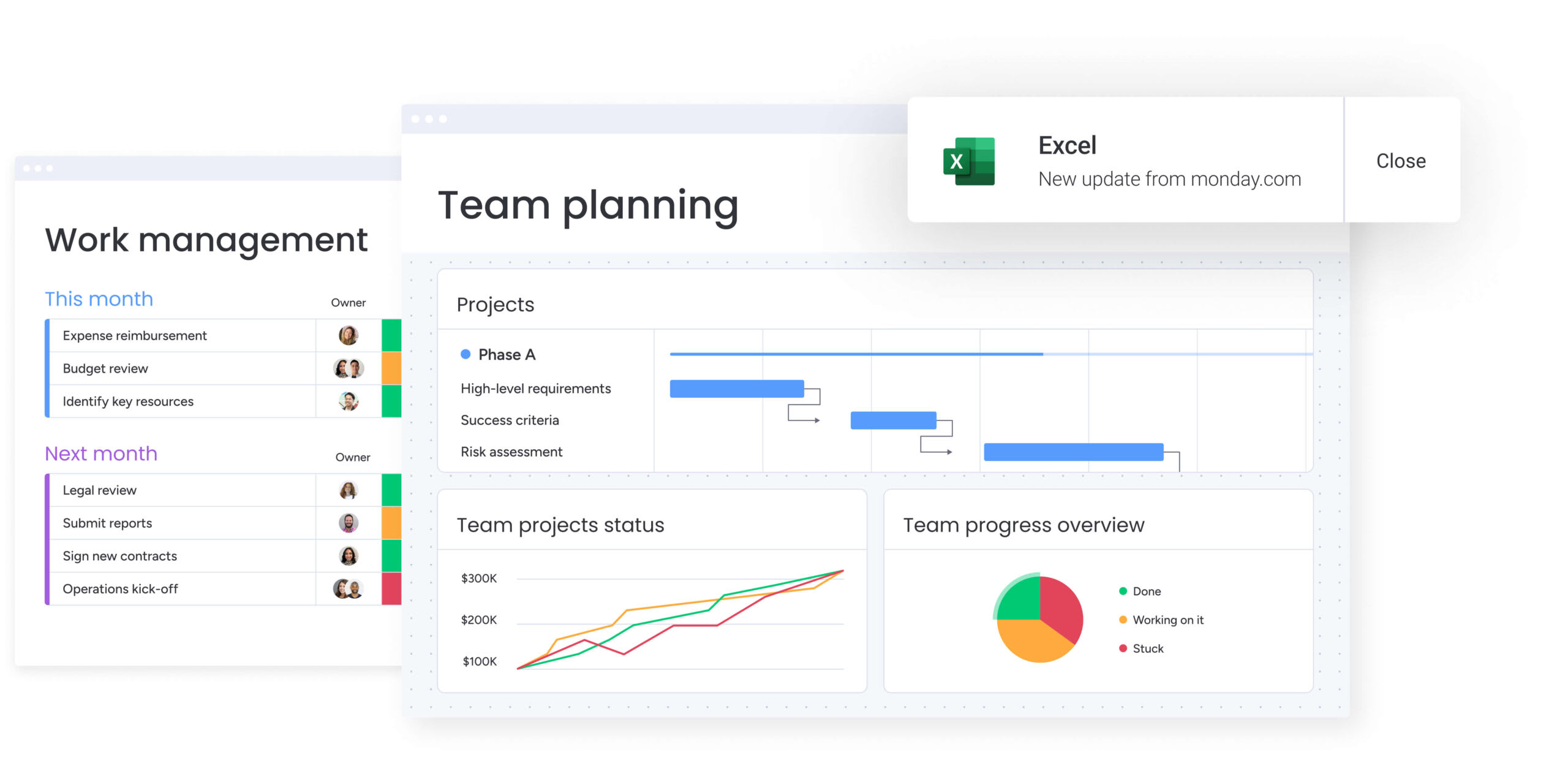
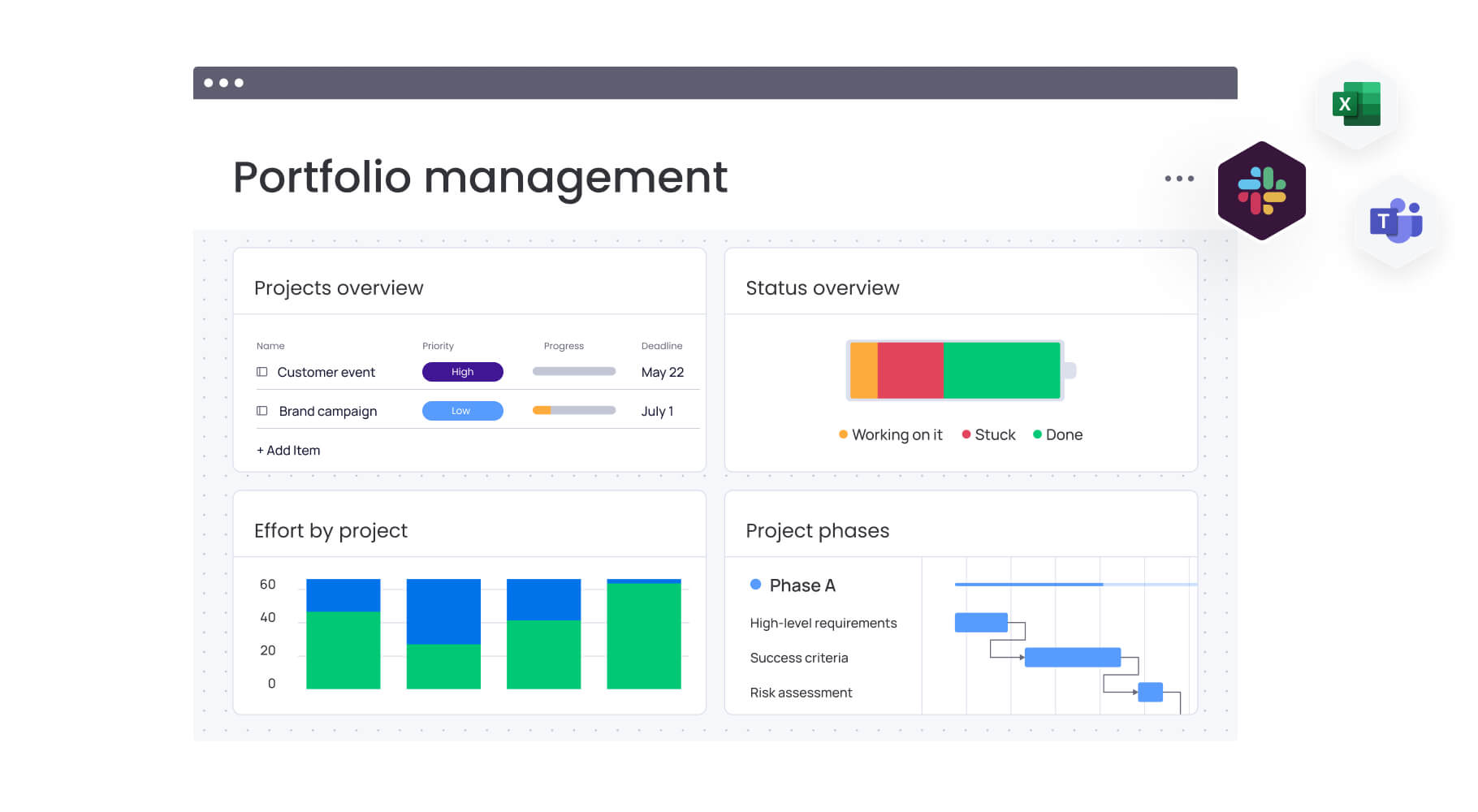
monday work management consolidates data from multiple projects into customizable dashboards that update in real-time. Enterprise plans support combining up to 50 boards, creating portfolio-level visibility that eliminates the three to five hours weekly typically spent compiling status reports.
These dashboards do more than display data — they enable informed decision-making. Configure widgets to show:
- Project health indicators: real-time status across all active initiatives.
- Resource allocation tracking: current capacity and availability across teams.
- Budget monitoring: spend tracking and variance alerts.
- Milestone progress: visual timeline updates with dependency mapping.
This ensures stakeholders from developers to executives see consistent, accurate information without constant meetings. For a broader overview of leading platforms, refer to our project management software list.
Workload management widget
The workload management widget provides real-time visibility into team capacity across your entire portfolio. See exactly how work is distributed, identify who’s overloaded, and spot available capacity instantly. The widget updates automatically as tasks are assigned or completed, ensuring resource decisions are based on current data, not outdated spreadsheets.
This feature directly prevents the resource conflicts that delay projects. During planning, adopting resource management software helps you proactively balance workloads and prevent burnout. The widget accommodates both Agile sprint planning and Waterfall resource scheduling, supporting the hybrid methodologies common in tech environments.
No-code automation builder
The automation builder eliminates manual coordination through customizable triggers and actions that require zero coding knowledge. Create automation recipes that handle status updates, notifications, deadline reminders, and cross-board updates automatically. The platform scales from 250 automation actions monthly in Standard plans to unlimited in Enterprise.
For project managers drowning in administrative work, automation delivers immediate time savings. Set up rules that:
- Notify stakeholders at milestones: automatic updates when key deliverables complete.
- Update dependent tasks: cascade changes across interconnected work streams.
- Escalate missed deadlines: alert managers when items fall behind schedule.
- Sync cross-board data: maintain consistency across multiple project boards.
These automations maintain consistency across projects while freeing you to focus on strategic work.
Native integrations for developer platforms
monday work management integrates natively with Jira, GitHub, GitLab, and Bitbucket through two-way synchronization. Developers continue working in their preferred platforms while project managers gain visibility into technical progress.
Link Jira issues to monday items, track commits against milestones, and surface development status in executive dashboards — all without manual data entry. This integration capability bridges the persistent gap between technical and business teams.
Developers maintain their Agile workflows while you track overall project progress and dependencies in monday work management. The platform becomes the connective tissue providing unified visibility without forcing teams to abandon established platforms.
Customizable project templates
Templates capture your team’s best practices — including task lists, dependencies, timelines, custom fields, and automation rules — then replicate them for new projects instantly. This standardization reduces setup time while ensuring consistency across your portfolio.
For PMO departments, templates serve dual purposes:
- Accelerate project initiation: launch new initiatives in minutes, not hours.
- Enforce governance standards: built-in approval workflows and compliance checkpoints.
- Maintain reporting consistency: standardized fields and structures across all projects.
- Enable customization: teams adapt templates while preserving core requirements.
Teams can customize individual projects as needed while the template provides a proven foundation.
Try monday work managementHow a project manager in tech benefits from monday work management
Project managers using monday work management experience measurable improvements across key performance areas. These benefits translate directly into enhanced team productivity, reduced operational overhead, and improved project outcomes.
The platform delivers value through six core improvement areas:
- Time savings: reclaim three to five hours weekly through automated status updates and eliminated tool-switching.
- Cost efficiency: consolidate five to ten separate platforms into one unified workspace, reducing licensing costs.
- Improved accuracy: maintain automatic audit trails and version control while standardizing data collection.
- Enhanced productivity: teams focus on execution rather than coordination with automated routine tasks.
- Higher quality delivery: standardized workflows and portfolio visibility help catch risks earlier.
- Complete transparency: real-time dashboards provide instant visibility across all concurrent projects.
These benefits multiply as your organization grows. Instead of putting out fires, you’ll spot risks early and optimize resources with AI-powered insights: finally moving from reactive scrambling to strategic planning.
How to solve centralized tech project workflows with monday work management
Implementing monday work management for centralized tech workflows is simple but it requires an approach that respects existing team processes while introducing unified visibility. This six-step framework ensures smooth adoption while maximizing immediate value.
Step 1: audit your current platform stack
Document every platform used for project management, communication, tracking, and reporting. Identify which functions can be consolidated into monday work management and which specialized platforms require integration.
Map out data flows between systems to understand your integration requirements. This audit reveals redundancies, identifies critical dependencies, and establishes the foundation for your migration strategy.
Step 2: design standardized project structures
Create templates capturing your best practices, including task structures, dependencies, custom fields, and automation rules. Build separate templates for different project types while maintaining consistency in core elements like status tracking and reporting fields.
Focus on standardizing just what you need for portfolio visibility, while letting teams keep their preferred workflows. You’ll get the governance you need without boxing your teams into rigid processes that kill creativity.
Step 3: configure developer platform integrations
Connect Jira, GitHub, Slack, and your other tech platforms with two-way integrations. Set up sync rules so development progress automatically flows into monday work management — no manual updates needed.
Test data flows to verify developers can maintain their workflows unchanged. The goal is seamless visibility, not workflow disruption.
Step 4: build portfolio dashboards
Create customized dashboards consolidating data from multiple projects. Configure widgets displaying project health, resource allocation, budget tracking, and milestone progress.
Design different views for executives, stakeholders, and team leads based on their specific needs. Each audience requires different levels of detail and different success metrics.
Step 5: pilot with one representative project
Select a project that represents your typical complexity and migrate it first. Test your templates, automations, and integrations thoroughly.
Use this pilot to identify gaps and refine your configuration before broader rollout. Take notes on what works and what doesn’t, then tweak your setup based on how teams actually use the system.
Step 6: roll out systematically
Deploy monday work management across remaining projects in phases. Provide role-specific training for developers, business stakeholders, and executives.
Show each team what’s in it for them, and don’t mess with how they prefer to work. You’ll win them over by delivering real benefits, not by forcing them to change overnight.
Comparison table: monday work management vs competing platforms for tech project management
Not all project management platforms are built for the complexity of tech projects. This side-by-side comparison shows how monday work management stacks up against leading alternatives across the features that directly impact delivery speed, visibility, and team alignment.
| Feature | monday work management | Jira | Asana | ClickUp |
|---|---|---|---|---|
| Native developer integrations | Jira, GitHub, GitLab, Bitbucket | Native platform | Limited | GitHub, GitLab |
| Automation actions (mid-tier) | 25,000/month | 1,700/month | 250/month | Unlimited |
| External stakeholder access | Guest access with granular permissions | Limited | Guest access | Guest access |
| Hybrid methodology support | Full Agile + Waterfall | Agile-focused | Limited Waterfall | Full support |
| Implementation time | 1 week possible | 2-4 weeks | 1-2 weeks | 2-3 weeks |
| Portfolio dashboard scalability | 1,000+ projects | Limited | Board limits apply | Varies by plan |
| No-code customization | Extensive | Limited | Moderate | Extensive |
| Resource workload visualization | Built-in widget | Requires add-on | Advanced plan only | Built-in |
How Playtech transformed their PMO department
Playtech’s PMO department faced significant challenges due to fragmented workflows spread across spreadsheets, email, and multiple disconnected platforms. Client expectations for faster delivery and frequent updates amplified the pressure, while the team struggled with limited visibility into project costs, resource allocation, and development progress.
Implementation approach: Playtech implemented monday work management to centralize project oversight from initiation through closure. They created dedicated boards for early-stage discussions and active projects, preventing resource booking errors. Custom templates accelerated project setup, and formula columns automated cost calculations to eliminate manual errors.
Integration success: The Jira integration delivered real-time development visibility to non-technical stakeholders, bridging the long-standing gap between business and engineering teams. This reduced the constant status requests that previously slowed developer productivity.
Measurable results after implementation:
- 26% increase in PMO efficiency: streamlined processes and reduced manual coordination.
- 49% boost in collaboration and transparency: stakeholders gained consistent, real-time visibility.
- 23% improvement in KPI achievement: earlier risk detection and smoother execution.
- 3 hours saved per person weekly: automation and unified workflows cut coordination time.
- New weekly cost visibility: the team could present management with accurate week-by-week project costs for the first time.
- Automated resource release notifications: prevented unnecessary allocation and reduced avoidable costs.
Ready to transform your tech project workflows?
Project management in tech demands unified visibility, intelligent automation, and the flexibility to support both technical and business teams. The complexity of coordinating multiple systems while maintaining delivery speed requires a platform that adapts to your organization’s unique needs.
monday work management delivers these capabilities through enterprise features that scale with your complexity. AI-powered risk insights, portfolio dashboards supporting 1,000+ projects, and managed templates provide the governance layer that connects strategy to execution. Whether you’re coordinating 5 projects or 500, the platform adapts without adding friction.
Join 245,000+ organizations already using the sophisticated platform to eliminate tool fragmentation and accelerate delivery. Experience how unified project visibility, automated workflows, and seamless integrations transform scattered work into coordinated execution.
The content in this article is provided for informational purposes only and, to the best of monday.com’s knowledge, the information provided in this article is accurate and up-to-date at the time of publication. That said, monday.com encourages readers to verify all information directly.
Frequently asked questions
How long does migrating from multiple platforms to monday work management take?
If tech teams follow a three-phase approach it can typically be completed within one week for basic functionality. Initial setup and template creation takes two to three days, integration configuration with platforms like Jira and GitHub requires another two to three days, and team onboarding spans three to five days. Starting with a pilot project validates your configuration before expanding to additional projects, ensuring continuous delivery throughout the migration.
Can monday work management integrate with CI/CD pipelines?
Yes, monday work management integrates with GitHub, GitLab, Bitbucket, and Jenkins for comprehensive development visibility. These integrations enable two-way data synchronization, allowing you to track commits, pull requests, and build status directly within project boards. The Jira integration provides particularly robust synchronization of issues, sprints, and development status, giving non-technical stakeholders visibility without requiring them to learn developer platforms.
How do you handle developer resistance to new project management platforms?
You can handle developer resistance to new project management platforms by choosing a solution like monday work management, which allows technical teams to continue using their preferred platforms. The platform's bidirectional integrations mean developers work in Jira while project managers track progress in monday work management. This approach respects developer autonomy while providing PMO standardization.
How quickly can tech teams see ROI from monday work management?
Most organizations see payback in under 4 months, with a 346% ROI over three years (Forrester TEI). Savings come from automation, reduced tool-switching, fewer delays, and lower licensing costs. Teams often see measurable improvements — like fewer missed dependencies and faster reporting—within the first 90 days.
Does monday work management support both Agile and Waterfall?
Yes. The platform supports Agile, Waterfall, and hybrid models through flexible views and configurations. Agile teams use Kanban boards, sprints, and Jira sync, while Waterfall teams rely on Gantt charts, dependencies, and milestone tracking. This allows development to stay Agile while PMOs maintain structured timelines.
What security certifications does monday work management have?
monday work management maintains enterprise-grade security with SOC 2 Type II, ISO 27001, ISO 27018, and ISO 27701 certifications. The platform offers HIPAA compliance options, GDPR compliance, and industry-specific requirements support. Enterprise plans include IP restrictions, two-factor authentication, multiple SSO options, and tenant-level encryption, ensuring your project data and intellectual property remain protected.

 Get started