


Retail project managers handle a level of complexity few other teams face. Between seasonal peaks, constant promotions, vendor coordination, and dozens of store locations, work moves fast and changes even faster. When each team relies on different spreadsheets, emails, and reporting tools, it becomes difficult to keep projects aligned or provide leadership with the updates they need.
The real challenge isn’t managing individual tasks. It’s maintaining clear visibility across a portfolio of initiatives that span merchandising, operations, marketing, and store development. Traditional methods quickly fall short when timelines depend on deliveries, store readiness, and shifting priorities across regions.
This guide breaks down how the right project management software brings order to retail’s moving parts. You’ll learn which features matter most for retail project managers, how today’s top platforms compare, and how teams like Country Road Group use connected systems to scale their operations and manage seasonal demand with confidence.
Key takeaways
- Retail projects require unified visibility: complex, multi-location work demands one place to track progress, risks, and timelines.
- Seasonal peaks need scalable workflows: flexible structures help teams handle holiday surges, promotional cycles, and rapid shifts in priorities.
- Standardized processes improve consistency: templates and shared workflows ensure reliable execution across stores, regions, and departments.
- Automation reduces manual coordination: smart workflows limit repetitive updates and give teams more time for strategic work.
- monday work management supports retail delivery: the platform centralizes store rollouts, seasonal campaigns, and vendor coordination in one system.
What makes project managers choose monday work management for retail project management?

Retail project managers need project management software that can handle the industry’s constant movement — shifting priorities, seasonal spikes, vendor dependencies, and work spread across hundreds of store locations. The challenge isn’t just managing tasks. It’s keeping every team aligned while maintaining visibility across a portfolio of initiatives that touch merchandising, operations, marketing, and IT.
This is where monday work management stands out. Instead of juggling spreadsheets for store rollouts, emails for vendor coordination, and separate tools for seasonal campaigns, the platform brings all project activity into one centralized system. Project managers gain a single source of truth that connects timelines, owners, status updates, and dependencies across every initiative.
For teams running multiple programs at once, this real-time visibility reduces the manual reporting burden and replaces status chasing with visual dashboards that show exactly where each project stands. It also supports retail’s complexity by scaling during peak seasons, adapting to unique store requirements, and providing the structure PMO teams need through managed templates and cross-project dependencies.
Together, these capabilities turn monday work management into a retail-focused solution that helps project managers coordinate faster, collaborate more effectively, and deliver consistent outcomes across every store and season.
Try monday work managementmonday work management top features for retail project management

These five core features solve the daily headaches you face when juggling store rollouts, seasonal pushes, and teams that rarely talk to each other. They’re the difference between chaotic execution and hitting your deadlines consistently.
1. Gantt charts for retail campaign coordination
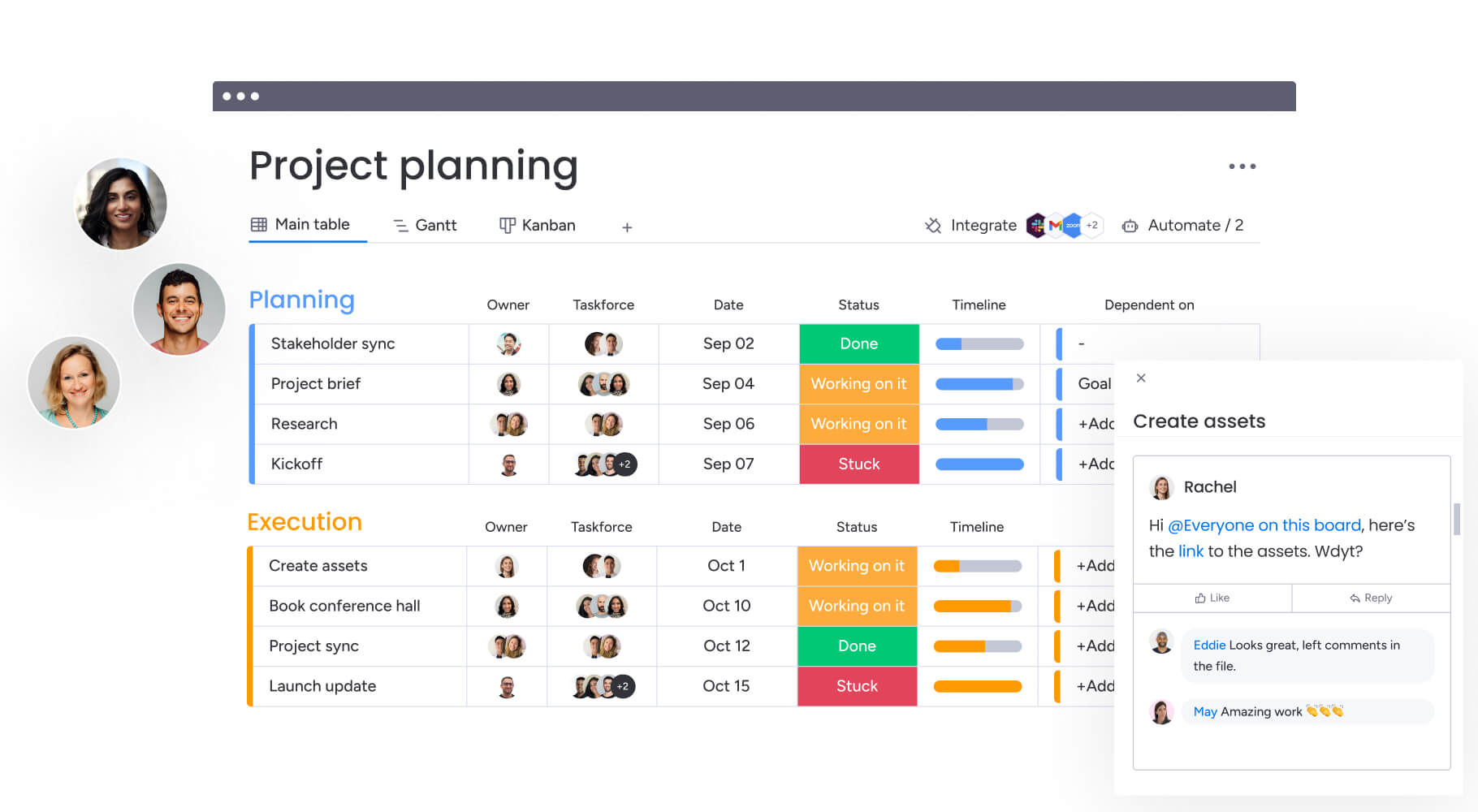
With monday work management’s Gantt charts, you’ll see your entire retail calendar at a glance — every project, milestone, and dependency laid out visually where you can actually use it. You can see how store rollout schedules interact with seasonal campaigns, identify potential conflicts before they impact delivery, and adjust timelines dynamically as retail priorities shift.
For project managers coordinating multiple retail initiatives, Gantt charts eliminate scheduling guesswork. When vendor delivery delays your planogram update, the Gantt view immediately shows which store openings are affected and how to adjust resources accordingly. This visibility proves critical during peak retail periods when dozens of projects run simultaneously across different locations.
2. Customizable dashboards for real-time retail insights
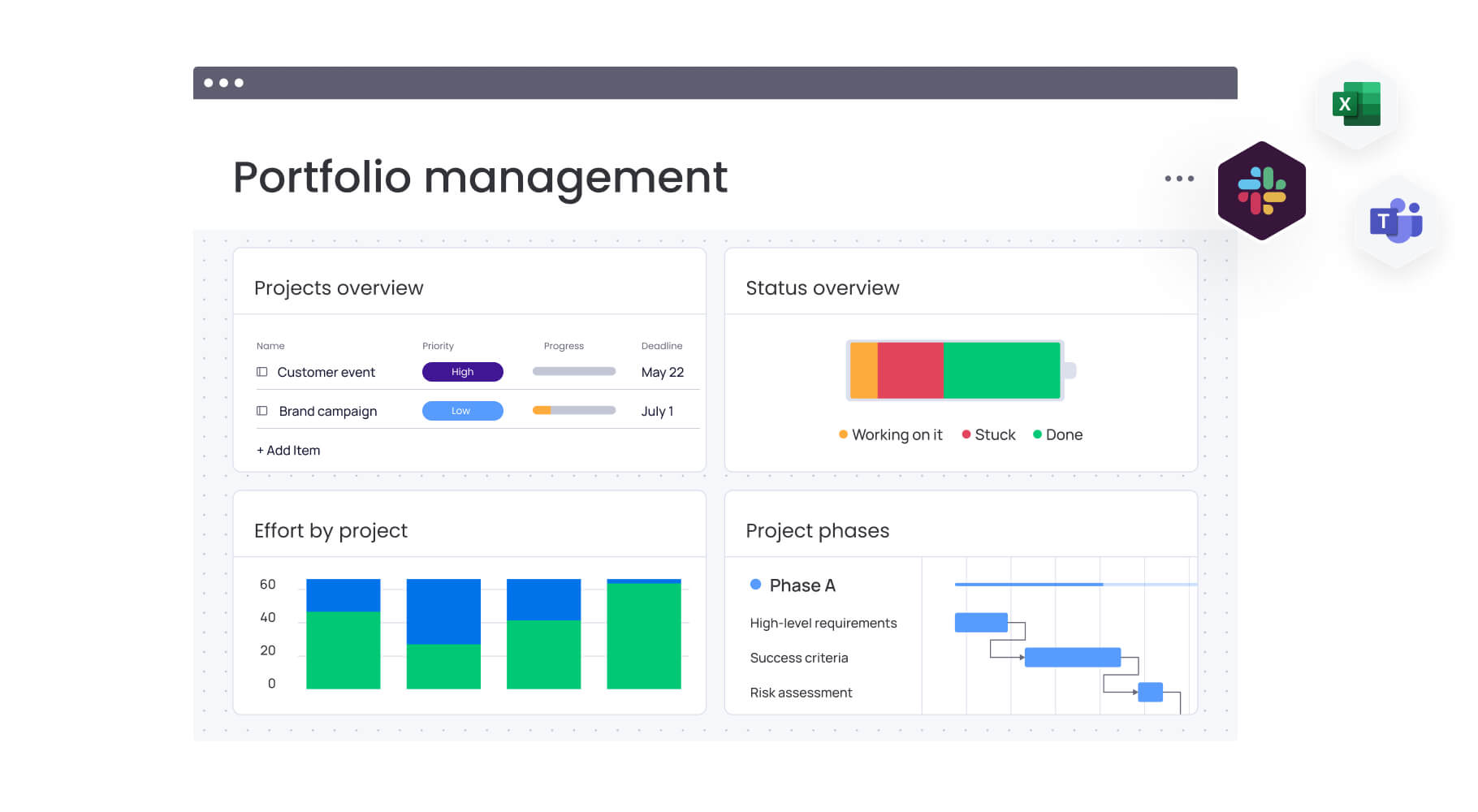
Build dashboards that show you exactly what you need — whether that’s budget burn rates, team workloads, or how your entire project portfolio is performing. These out-of-the-box portfolio dashboards can scale to track 1,000+ projects simultaneously, showing:
- Store rollout progress by region: track completion rates across geographic areas.
- Campaign readiness by department: monitor cross-functional team progress.
- Vendor project status: view supplier deliverables and timelines.
This feature directly addresses the manual reporting burden retail project managers face. Instead of spending hours compiling status updates from different teams and locations, you can share live dashboards with stakeholders that automatically reflect current project health, resource allocation, and potential risks across your entire retail portfolio.
3. Workflow automation for retail processes
monday work management’s automation capabilities eliminate repetitive manual tasks that slow retail project execution. Project managers can set up automated workflows that:
- Trigger notifications: alert teams when store managers complete setup tasks.
- Route approval requests: send requests to the right stakeholders automatically.
- Update project statuses: change status based on predefined conditions.
If your team handles the same processes over and over — like seasonal floor resets or weekly promo changes — automation keeps everything on track without you having to babysit every step. When a new store opening request is submitted, the platform automatically creates the full project structure, assigns tasks to appropriate teams, and sets up the approval chain — saving project managers from recreating the same workflow manually for each location.
4. Multi-location project tracking
The platform provides specialized views and organizational structures helping project managers track projects across multiple store locations efficiently. You can create consolidated boards representing all projects for a specific region or store cluster, while maintaining the ability to drill down into individual location details when needed.
When you’re rolling out initiatives across dozens or hundreds of stores, this multi-location view is a lifesaver — especially when each region needs its own tweaks to the master plan. Whether rolling out a new POS system across 50 stores or managing different promotional campaigns for various regions, monday work management keeps all location-specific details organized without losing sight of the overall program.
5. Resource management for seasonal scalability
Finally, monday work management’s resource management software helps project managers visualize team capacity and allocate resources effectively during both normal operations and peak retail seasons. The resource directory centralizes information about team members’ skills, roles, and locations, while the capacity manager shows who’s overloaded and who has availability.
This enables you to:
- Balance assignments: prevent burnout during critical periods like holiday campaigns.
- Plan resource allocation: prepare months in advance for Black Friday preparations.
- Identify support needs: know when to bring in temporary project support.
- Ensure bandwidth: maintain capacity for both ongoing operations and seasonal initiatives.
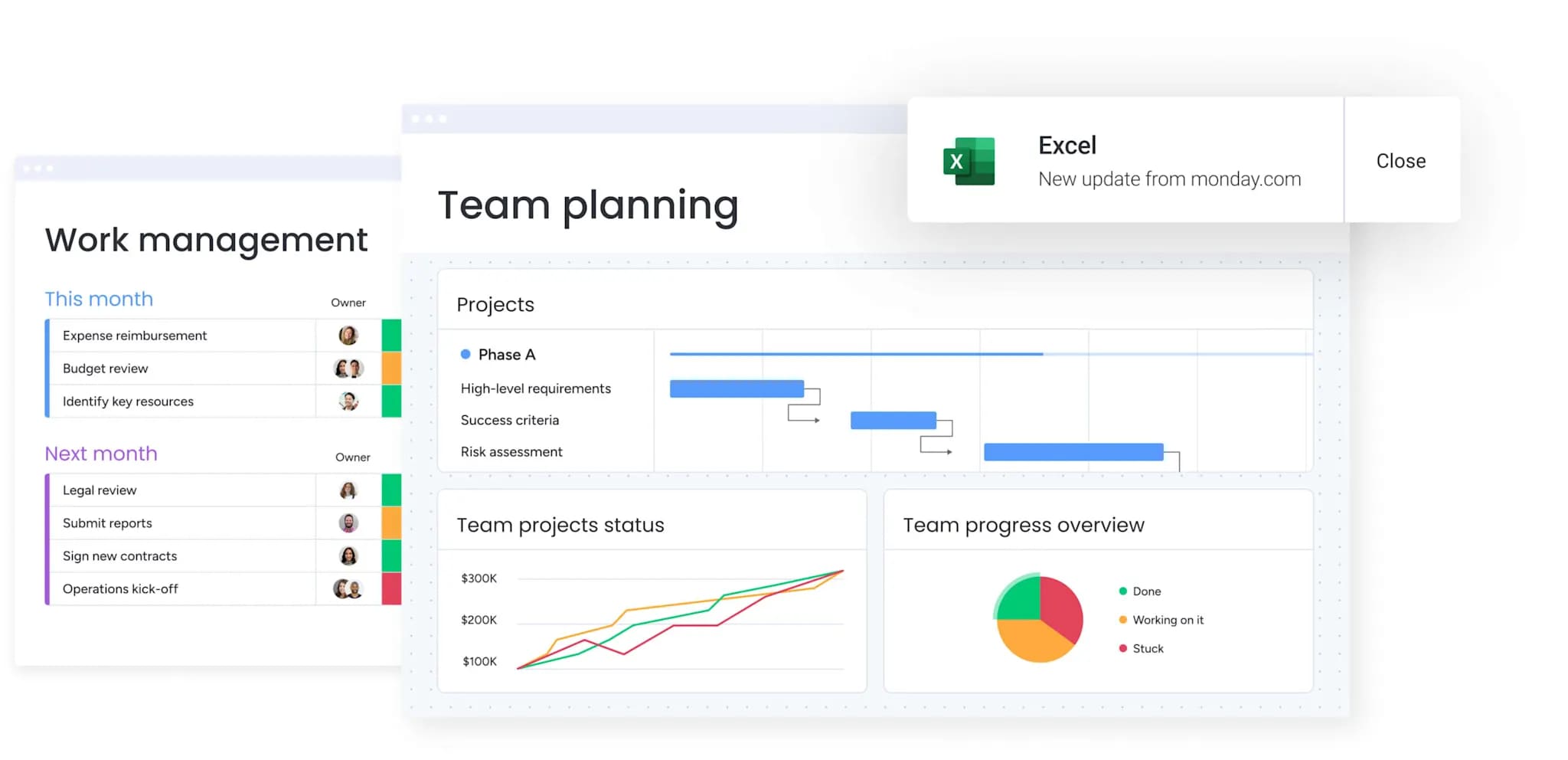
How a project manager in retail benefits from monday work management
Retail project managers see measurable improvements across core performance areas when they bring their work into monday work management. These gains help teams deliver more consistent outcomes, reduce operational stress, and stay ahead of shifting retail demands.
Time savings: eliminate 10+ hours per week previously spent gathering updates and compiling reports. Automated dashboards and notifications keep stakeholders informed without manual follow-up.
Cost efficiency: consolidate multiple project, communication, and tracking tools into one platform. Officeworks replaced more than 635 spreadsheets, reducing redundancy and software overhead.
Accuracy improvements: maintain a single source of truth for all retail projects, removing version control issues and inconsistencies that arise from using scattered spreadsheets and email threads.
Productivity improvements: increase delivery speed by up to 25% through standardized workflows and centralized coordination, as demonstrated by Country Road Group’s ability to manage 150+ concurrent projects.
Output quality improvements: deliver consistent project execution across all store locations by using templates that standardize processes while still allowing local flexibility.
Visibility and tracking improvements: gain instant visibility into project health across your entire retail portfolio. AI-powered risk insights surface issues before they escalate, helping project managers make quicker, more informed decisions during seasonal peaks or shifting market conditions.
Try monday work managementHow to streamline retail project management with monday work management
Taming retail project chaos isn’t about working harder — it’s about having a smart system that handles store coordination, seasonal crunches, and getting teams to actually work together. Follow these six steps to get monday work management up and running in your retail operation — and start seeing results immediately.
Step 1: centralize your retail project intake
Start by creating request forms tailored to each project type — store openings, campaigns, vendor projects. Then set up automatic routing so every request lands on the right desk for approval, no email chains required. This creates a standardized entry point for store openings, campaigns, and vendor projects.
Step 2: Create standardized project templates
Build reusable templates for common retail projects like seasonal campaigns, store rollouts, and merchandising updates. Include all standard processes, dependencies, and approval workflows to ensure consistency while allowing customization for specific locations or circumstances. These managed templates can be updated centrally and applied across hundreds of projects simultaneously.
Step 3: establish multi-location tracking structures
Organize projects by region, store cluster, or brand to maintain visibility across all locations. Create consolidated boards showing portfolio-level status while enabling drill-down into individual store details when needed. This structure supports both high-level oversight and granular management.
Step 4: configure automated workflows
Set up automations that trigger notifications when tasks complete, route approvals to appropriate stakeholders, and update project statuses based on predefined conditions. This eliminates manual follow-up and keeps retail projects moving forward without constant oversight.
Step 5: build executive dashboards
Create real-time dashboards displaying the metrics your C-suite stakeholders need. Configure automatic sharing so leadership always has current visibility into projects at risk, budget status, resource allocation, and progress toward strategic goals. The AI-powered portfolio report can instantly generate executive summaries with trends, risks, and actionable insights.
Step 6: integrate your retail tech stack
Connect monday work management with your existing tools through 200+ integrations. Link Excel for data import, Slack or Teams for communication, and any retail-specific systems through the API. This creates seamless data flow without requiring teams to change their working habits.
Comparison table: monday work management vs competing platforms for retail project management
Choosing the right project management software for retail often comes down to how well it supports multi-location work, seasonal demands, and real-time visibility. This comparison highlights how leading platforms measure up across the features that matter most.
| Feature | monday work management | Asana | Trello | Smartsheet |
|---|---|---|---|---|
| Multi-location project tracking | Consolidated boards with drill-down capability | Limited location-specific views | Basic board organization | Spreadsheet-based tracking |
| Seasonal scalability | Unlimited projects, proven at 150+ concurrent | Project limits on lower tiers | Limited for complex portfolios | Scales but requires advanced setup |
| Retail-specific templates | Customizable for any retail workflow | Generic project templates | Simple board templates | Requires extensive customization |
| Real-time dashboards | Unlimited customizable dashboards | Limited dashboard customization | No native dashboards | Dashboard add-on required |
| Mobile store access | Full-featured mobile app | Mobile app available | Mobile app available | Limited mobile functionality |
| Vendor collaboration | Guest access with controlled permissions | Guest access available | Guest access available | Guest access available |
| Implementation time | 2 weeks to 1 month | Varies by complexity | Quick for simple use | Longer for retail complexity |
| Price per user/month | From $9 (billed annually) | From $13.49 | From $5 | From $9 |
How Country Road Group transformed their retail project management
Country Road Group’s transformation demonstrates how monday work management solves real retail project management challenges at scale. Their journey from spreadsheet chaos to streamlined execution provides a blueprint for other retail organizations facing similar complexity.
Country Road Group’s real estate team managed over 15 different work types across multiple retail brands, relying on cumbersome spreadsheets and endless meetings. The team faced particular complexity managing brand concessions within department stores, where a single location could involve up to nine separate projects.
Country Road Group implemented monday work management to create consolidated views of related projects. Instead of managing nine separate boards per location, they created overarching boards that became central hubs for all projects at specific sites. The platform’s automations generated timelines, allocated resources, and adjusted schedules dynamically based on project progress.
Built-in reporting and interactive views further provided real-time insights into resourcing and workload across each fashion brand.
Results included:
- 25% increase in project management efficiency: teams handle more projects with the same resources.
- 150+ projects managed simultaneously: scaled operations without adding complexity.
- Consolidated 150+ concession spaces into under 50 boards: simplified management structure.
- Eliminated spreadsheet-based project tracking entirely: moved to visual, collaborative workflows.
Ready to transform your retail project management?
You can move beyond spreadsheet-based tracking and easily gather updates from store managers without relying on email. The proven approach outlined in this guide — from centralizing project intake to building executive dashboards — gives you the framework to deliver projects with confidence and control.
monday work management brings all your retail projects into one place where you can coordinate everything from flagship launches to seasonal resets — while giving leadership the transparent overview they’re always asking for. With customizable workflows, real-time dashboards, and seamless integrations, you can scale from pilot programs to enterprise-wide rollouts without losing sight of individual project details.
Join 152,000+ customers who trust monday work management to centralize their workflows, gain real-time visibility, and eliminate the manual reporting burden that slows retail project delivery. Experience how visual project tracking and automated workflows transform scattered coordination into streamlined execution with our 14-day free trial.
Try monday work managementFrequently asked questions about monday work management for project managers in retail
How long does implementation take for retail organizations?
Implementation typically takes two weeks to a month for retail organizations. The timeline depends on the number of project types you're migrating and the complexity of your workflows. Most retail teams start with a pilot program for one project type before expanding to additional use cases.
Can monday work management handle seasonal retail peaks?
Yes, monday work management scales seamlessly to handle seasonal retail peaks. The platform supports unlimited projects, allowing you to manage 3x your normal workload during Black Friday, holiday campaigns, or back-to-school seasons without performance issues.
Which retail systems does monday work management integrate with?
monday work management integrates with 200+ applications and offers an open API for custom integrations with retail-specific systems. Standard integrations include Excel, Slack, Microsoft Teams, Google Drive, and Outlook. For POS systems, inventory management platforms, and retail analytics tools, you can build custom integrations using the API.
How do I manage projects across hundreds of store locations?
Use monday work management's consolidated board structure to manage multi-location projects efficiently. Create overarching boards representing all projects for a specific region or store cluster, then drill down into individual location details when needed. The platform's filtering and grouping capabilities let you view projects by location, status, or any custom criteria.
What is the typical ROI for retail project management software?
Retail organizations typically see ROI within four months. Specific benefits include 25% efficiency improvements, elimination of 10,000+ emails, and significant time savings from automated workflows. The ROI comes from reduced manual reporting time, faster project delivery, improved resource allocation, and consolidation of multiple tools into one platform.
How can I get buy-in from store managers and field teams?
Start with a pilot program demonstrating quick wins for store-level teams. Show store managers how mobile access eliminates the need to return to their desks for project updates, and how automated notifications reduce the emails they receive. Involve store managers in the setup process to ensure workflows match their reality, and highlight how centralized visibility reduces status update meetings that take them away from store operations.

 Get started