


Marketing teams generate more data than ever before, but most struggle to connect that data to actual business outcomes. Campaign metrics live in one system, team capacity sits in another, and strategic goals exist in spreadsheets that nobody updates. The result is reporting that shows what happened, but fails to provide actionable next steps.
The best marketing reporting software bridges this gap by connecting performance visibility with operational execution. Instead of just tracking campaign metrics, these platforms integrate workflow management, resource planning, and strategic alignment into a unified system. This approach transforms reporting from a retrospective exercise into a real-time operational advantage that drives more informed decisions and faster results.
This guide breaks down what works in marketing reporting for enterprise teams, from workflow integration to resource planning, and shows how unified platforms help marketing leaders prove their value while keeping complex operations running smoothly.
Key takeaways
Marketing reporting software has evolved far beyond simple dashboards. Today’s platforms connect performance visibility with execution, resource planning, and strategic alignment, transforming how marketing organizations operate at scale.
Finding your ideal solution comes down to three things: the complexity of your team structure, your current tech stack, and your organization’s readiness for change. When comparing platforms, prioritize these factors to find tools that don’t just report data, but drive what you do next:
- Connect performance data to actual work execution: effective marketing reporting goes beyond campaign metrics to show how performance links to team capacity, resource allocation, and strategic goals in real-time.
- Unify scattered marketing data across all channels: eliminate manual data compilation by centralizing campaign performance, team workloads, and strategic progress in one platform instead of juggling multiple disconnected tools.
- Transform reporting from reactive to proactive: use automated workflows and real-time dashboards to identify bottlenecks, optimize resource allocation, and make data-driven decisions before problems impact campaign delivery.
- Standardize processes while maintaining flexibility: create consistent campaign workflows, approval processes, and reporting templates that work across different teams and campaign types without sacrificing customization needs.
- Combine campaign tracking, resource management, and workflow execution: leverage monday work management’s unified approach in one platform to achieve measurable results like 40% improved collaboration and 7,000+ hours saved monthly.
What makes heads of marketing choose monday work management for marketing reporting?

Heads of Marketing at enterprise tech companies face a fundamental challenge: disconnected execution across large, distributed teams that can benefit from marketing planning software. When you’re managing 50-100+ people across content, creative, acquisition, events, and operations, traditional reporting tools create significant gaps in operational visibility.
Traditional reporting tools only show campaign metrics. They don’t connect those metrics to the actual work being done, team capacity, or strategic goals. Marketing reporting needs to be more than a retrospective exercise. It needs to be a real-time operational advantage that drives better decisions and faster execution.
The right platform unifies three critical elements in a single system:
- Campaign performance tracking: real-time metrics across all channels.
- Resource allocation: visibility into team capacity and workload distribution.
- Workflow execution: connection between strategy and daily task completion.
This gives you centralized visibility into all campaigns, performance data, and team workloads. You can finally answer critical questions that drive marketing success: which teams are over capacity? Are we on track to hit our OKRs? Where are the bottlenecks slowing down campaign launches?
Tech CMOs face a dual challenge: proving marketing’s value to the C-suite while keeping large, distributed teams on track. You need a solution that streamlines operations through smart templates and automation, but also directly connects daily marketing activities to business targets and budget constraints. You get reporting dashboards executives need to see Campaign ROI, CAC, and MQL-to-Customer rates, while your teams get workflow tools to deliver marketing initiatives on time with clear priorities.
monday work management top features for marketing reporting
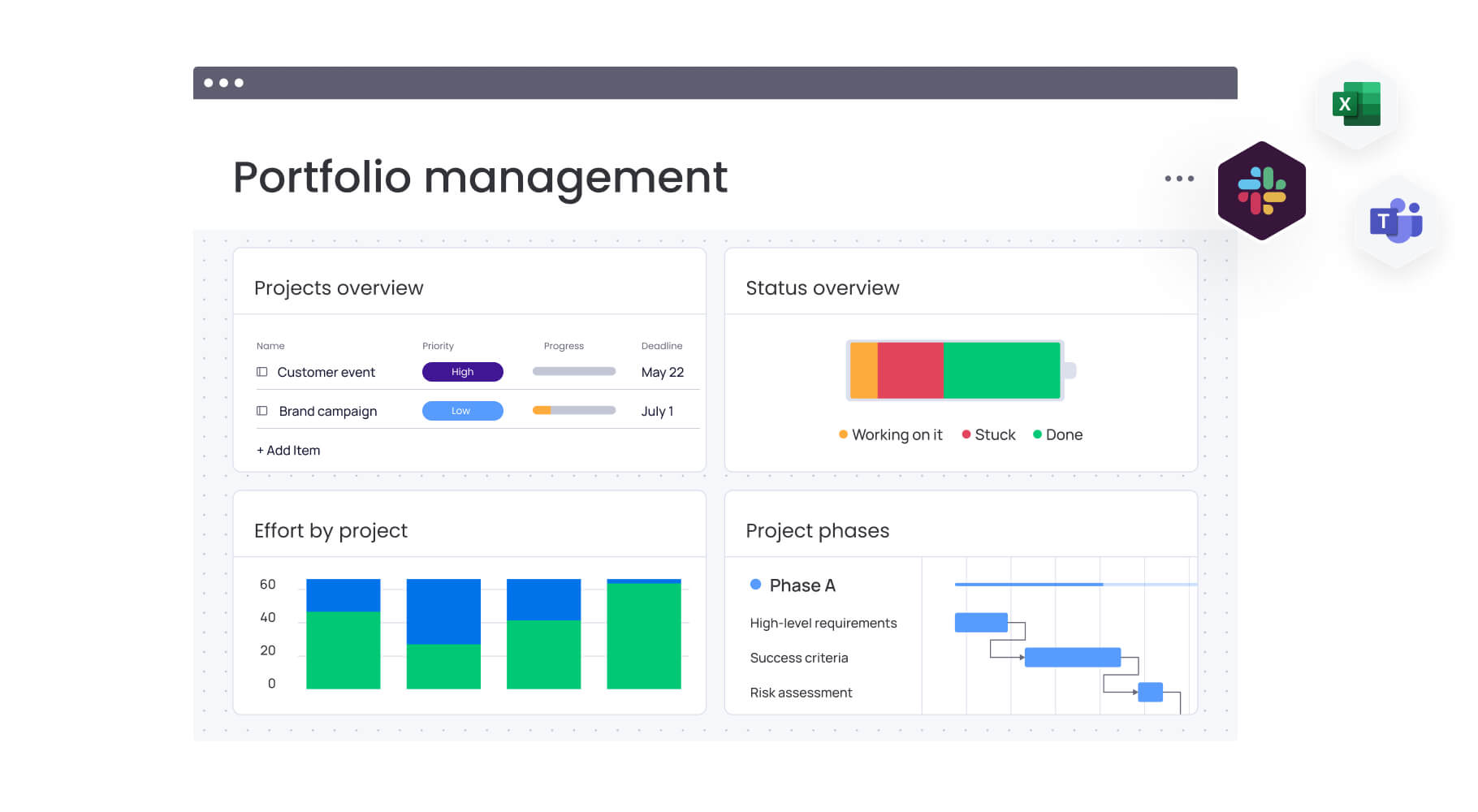
These features tackle the real problems enterprise marketing teams struggle with daily. Each one bridges the gap between seeing your results and improving how work gets done, so your reports actually lead to smarter decisions and quicker wins.
Dashboards & reporting
Getting a clear picture of your marketing performance starts with dashboards you can actually customize to your needs. We’ve built templates specifically for marketing teams that track everything that matters: from campaign metrics and budget spend to team capacity and OKR progress. You can customize these with drag-and-drop widgets that pull data from multiple boards, creating a unified view without requiring technical expertise.
For heads of marketing managing 50-100+ team members across multiple regions, this solves the critical pain point of scattered marketing impact and lack of visibility into team priorities. Instead of manually compiling data from spreadsheets and disconnected tools, you instantly see:
- Campaign performance: which campaigns are delivering results.
- Team capacity: which teams are over capacity and need support.
- Resource allocation: where resources need reallocation for maximum impact.
Dashboards automatically update as work progresses, ensuring accurate data for executive reporting. Genpact’s global marketing team achieved a 40% improvement in cross-team collaboration using these capabilities. They track target dates against actual timeframes to identify trends and bottlenecks, using Timeline view and dashboards to drill down into critical campaign aspects while managing 24 ongoing large-scale marketing campaigns simultaneously.
Campaign management
Campaign management enables you to plan, launch, and optimize integrated campaigns with calendars, timelines, and performance insights in one centralized location. The platform supports complex campaign hierarchies with programs, campaigns, and activations tracked through customizable boards. You can manage cross-channel activities including ads, events, emails, and content production while maintaining clear ownership.
This directly addresses disconnected execution and inefficient processes plaguing large marketing teams. When overseeing campaign planning across content, creative, acquisition, events, and operations teams, standardization without sacrificing flexibility becomes essential.
Key capabilities include:
- Campaign hierarchies: programs, campaigns, and activations in organized structures.
- Cross-channel coordination: unified view of ads, events, emails, and content.
- Automated workflows: notifications when milestones are reached or approvals needed.
- Clear ownership: defined responsibilities across distributed teams.
FARFETCH’s marketing planning team saved 3.5K hours per month managing campaigns across 400 people from 40 different teams. They rolled out a high-level GTM calendar showing marketing programs, campaigns, and activations across the team, providing visibility for cross-team collaboration and giving leadership a snapshot of marketing campaigns at any time.
Resource management
Resource management provides real-time visibility into team bandwidth, skills, and workload. The platform includes workload views showing individual and team capacity across multiple projects, helping identify who has availability and who is over capacity. You can plan and assign resources at the project level, organize people by department and expertise, and balance capacity for maximum efficiency.
For marketing leaders managing teams across multiple functions, this solves poor resource utilization that leads to burnout and missed deadlines. Instead of guessing at team capacity, you gain proactive visibility into workload distribution through:
- Individual capacity tracking: see exactly what each team member is working on.
- Team workload views: identify capacity constraints before they become problems.
- Skills-based allocation: match the right people to the right projects.
- Proactive planning: balance workload for sustainable delivery.
This enables strategic resource allocation and ensures timely delivery without overworking teams. ThoughtWorks’ global marketing operations team achieved a 73% improvement in collaboration by implementing resource management features. They can now budget the team’s time and efforts scientifically, with team leads instantly seeing what tasks each member is working on to determine capacity and timelines for better planning.
Automations
Automations eliminate manual, repetitive tasks by triggering actions based on conditions you define. The platform offers 200+ pre-built automation recipes covering common marketing workflows that save hours of administrative work each week.
Core automation categories include:
- Status-based actions: moving items when status changes.
- Deadline management: sending notifications when deadlines approach.
- Recurring tasks: creating regular reports automatically.
- Campaign updates: notifying stakeholders when campaigns launch.
You can also build custom automations using a no-code interface that connects triggers, conditions, and actions across your marketing boards. This ensures consistent execution without constant manual oversight, freeing your team to focus on strategic and creative work.
FARFETCH’s CRM Marketing team achieved a 25% decrease in email exchanges and 100% removal of spreadsheets. They formalized the campaign brief submission and approval process, with automated notifications providing visibility into request status and turnaround time.
How heads of marketing benefit from monday work management
Marketing leaders who implement monday work management see measurable improvements across six key areas that directly impact team performance and business results. These benefits compound over time, creating sustainable competitive advantages for enterprise marketing organizations.
Time savings
Organizations using monday work management save over 7,000 hours monthly per account by automating previously manual reporting processes. VML, for example, now delivers campaigns twice as fast after standardizing their processes and reducing time spent in status meetings and email communications.
The platform’s automation capabilities handle repetitive tasks like:
- Report generation: automated creation and distribution of performance reports.
- Workflow triggers: automatic notifications and task assignments.
- Data compilation: real-time syncing eliminates manual data gathering.
This frees marketing leaders to focus on strategy, creative direction, and high-impact decision making rather than administrative tasks.
Cost efficiency
Enterprise marketing teams reduce operational costs by optimizing resource utilization and preventing budget overruns. Real-time visibility into team capacity and campaign spending enables proactive reallocation before problems arise.
FARFETCH saved $118K per month by eliminating inefficient processes and reducing administrative overhead. The platform’s capacity planning features ensure timely delivery without overworking resources, preventing costly delays and burnout-related turnover.
Compliance and accuracy
Centralized tracking and standardized processes ensure data accuracy and governance across complex marketing operations. When managing large-scale marketing operations across multiple regions, monday work management provides a single source of truth that eliminates version control issues.
Genpact achieved 100% removal of spreadsheets and 25% decrease in email exchanges by replacing scattered documents with centralized workflows. This creates audit trails, ensures compliance with internal processes, and reduces errors from manual data handling.
Productivity improvements
Marketing teams increase output by 3x through operational efficiency and clear prioritization. Canva’s creative team tripled their output by streamlining workflows and eliminating bottlenecks.
The platform’s visibility into team priorities enables leaders to:
- Identify bottlenecks: spot issues before they impact delivery.
- Optimize workflows: remove unnecessary steps and delays.
- Prioritize effectively: focus resources on highest-impact activities.
ThoughtWorks achieved a 55% reduction in email communication and 41% reduction in conference calls through improved visibility and automated updates.
Output quality improvements
Standardized processes and clear ownership improve the quality and consistency of marketing deliverables. Templates, approval workflows, and automated quality checks ensure campaigns meet brand standards and strategic objectives.
FARFETCH’s CRM team implemented a quality assurance process that’s more secure and reliable with a much lower margin of error. Consistent processes reduce rework, improve brand consistency, and ensure campaigns launch on schedule with proper approvals.
Visibility and tracking improvements
Real-time dashboards provide centralized visibility into all campaigns, performance, and team workloads. Instead of sifting through emails and folders to determine campaign status, leaders gain instant access to progress updates and resource allocation data.
Genpact’s transformation resulted in a 40% improvement in cross-team collaboration through unified visibility into end-to-end campaign planning. Leaders can make informed decisions quickly, identify risks early, and coordinate across distributed teams effectively.
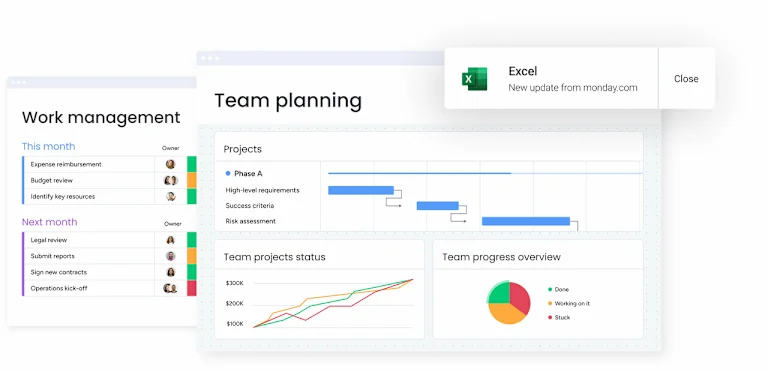
How to solve marketing reporting with monday work management
Setting up marketing reporting that actually works takes more than just throwing together some dashboards. Follow these six steps to build a reporting system that doesn’t just show numbers, but helps your team make better decisions and move faster.
Step 1: centralize campaign data from all marketing channels
Connect your marketing tools including Google Analytics, Google Ads, Facebook Ads, HubSpot, and Salesforce using native integrations. This creates a single source of truth for campaign performance, eliminating manual data compilation.
Key actions include:
- Set up native integrations: connect existing marketing tools automatically.
- Configure data syncs: ensure dashboards always reflect current performance metrics.
- Establish data governance: define which metrics matter most for decision making.
This foundation ensures all performance data flows into one centralized location, eliminating the need to manually compile reports from multiple systems.
Step 2: build customized reporting dashboards for different stakeholders
Create role-specific dashboards using pre-built templates that address the unique needs of each stakeholder group. Executive leadership sees Campaign ROI and budget adherence, team leads see workload and capacity, and individual contributors see task priorities and deadlines.
Dashboard customization includes:
- Executive dashboards: campaign ROI, budget adherence, strategic goal progress.
- Team lead dashboards: workload distribution, capacity planning, resource allocation.
- Individual contributor dashboards: task priorities, deadlines, project status.
Customize these dashboards with drag-and-drop widgets displaying the metrics each stakeholder needs for effective decision making.
Step 3: automate report generation and distribution
Set up automation recipes that generate and distribute reports on your desired schedule. Configure automated notifications to alert stakeholders when metrics exceed thresholds or when action is required.
Automation setup includes:
- Scheduled reports: weekly, monthly, or quarterly performance summaries.
- Threshold alerts: notifications when KPIs exceed acceptable ranges.
- Stakeholder notifications: automatic updates when campaigns reach milestones.
This reduces the manual effort of status updates and progress reporting while ensuring stakeholders stay informed about critical developments.
Step 4: connect reporting to actual workflow execution
Link reporting dashboards to boards where campaign work happens, ensuring performance metrics reflect real-time progress. This connection enables you to see campaign results alongside team capacity, bottlenecks, and resource allocation.
Integration benefits include:
- Real-time visibility: performance metrics update as work progresses.
- Operational context: see campaign results alongside team capacity and bottlenecks.
- Actionable insights: connect performance data to specific workflow improvements.
This provides the operational context needed to optimize performance and make data-driven decisions about resource allocation.
Step 5: standardize reporting processes across teams
Create templates for campaign boards, approval workflows, and reporting structures ensuring consistency across your marketing organization. Use forms to standardize brief submissions and automation recipes to enforce governance rules.
Standardization elements include:
- Campaign board templates: consistent structure for all marketing initiatives.
- Approval workflows: standardized review and approval processes.
- Reporting templates: uniform format for performance reporting across teams.
This ensures all teams follow consistent processes while maintaining flexibility for different campaign types and requirements.
Step 6: align reporting with strategic goals and OKRs
Connect campaign performance dashboards to company-level objectives, creating clear line-of-sight from daily execution to quarterly OKRs. Track progress toward strategic goals with automated updates from connected boards.
Strategic alignment includes:
- OKR tracking: connect campaign metrics to company objectives.
- Goal visualization: show progress toward strategic targets.
- Executive reporting: demonstrate marketing impact to leadership.
This demonstrates marketing impact to executive leadership and ensures all campaign activities contribute to broader business objectives.
Comparison: monday work management vs competing platforms
When weighing up marketing reporting platforms, understanding how different solutions address enterprise marketing challenges is crucial. This comparison shows how monday work management stacks up against traditional reporting-only platforms:
| Feature | monday work management | Tableau | Improvado |
|---|---|---|---|
| Native marketing integrations | 200+ including Google Analytics, Google Ads, Facebook Ads, HubSpot, Salesforce | 800+ data sources requiring technical setup | 500+ marketing-specific sources |
| Workflow + reporting integration | Unified platform connecting work execution to reporting | Reporting only, no workflow management | Data aggregation only, no workflow |
| Resource capacity planning | Built-in workload views and capacity management | Not available | Not available |
| No-code customization | Drag-and-drop interface, no technical skills required | Steep learning curve, technical expertise needed | Limited customization without technical support |
| Real-time collaboration | Comments, @mentions, notifications in context of work | Limited collaboration features | Limited collaboration features |
| Campaign workflow automation | 200+ automation recipes for marketing workflows | Not available | Not available |
| Implementation time | Less than four month payback period | Two to six months typical | Two to four months typical |
| G2 rating | 4.7/five (12K+ reviews) | 4.4/5 | Not publicly rated |
How Genpact transformed their global marketing operations
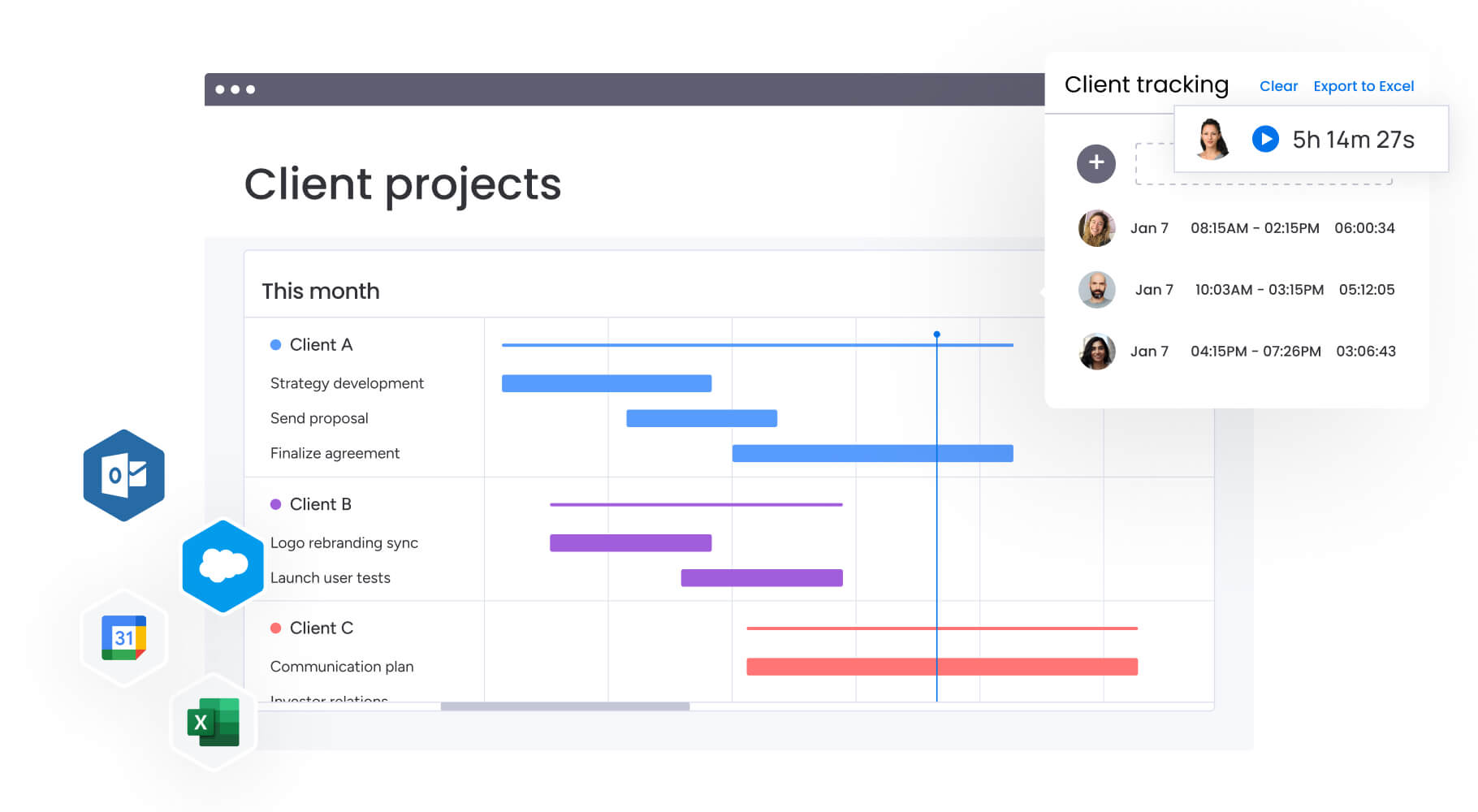
Genpact’s globally distributed marketing team faced the challenge of managing 24 ongoing large-scale marketing campaigns simultaneously, each with multiple cross-channel activations. Their existing approach created significant operational challenges that impacted campaign effectiveness and team collaboration.
The challenge: scattered data and disconnected teams
The team relied on spreadsheets saved across personal desktops, emails, and SharePoint folders. No one knew who had the latest version of campaigns or where to find it. With so many campaigns running simultaneously and multiple stakeholders involved, achieving visibility was almost impossible.
Key pain points included:
- No single source of truth: status, progression, and key information scattered across systems.
- Manual status tracking: finding campaign status meant sifting through emails or SharePoint folders.
- Limited collaboration: teams worked in silos without visibility into related activities.
The solution: unified campaign planning and execution
Genpact implemented monday work management to standardize end-to-end campaign planning and execution. The team created workflow apps outlining the entire activation process for each channel, with columns tracking target dates versus actual timeframes. They utilized Timeline view and dashboards to drill down into critical campaign aspects.
Implementation included:
- High-level GTM calendar: subitems showing hierarchy of programs, campaigns, and activations.
- Cross-team visibility: leadership snapshot of all campaigns at any time.
- Automated workflows: forms and automation recipes for campaign brief submission and approval.
Results achieved: measurable improvements across operations
The transformation delivered significant improvements in collaboration, efficiency, and process standardization:
- 40% improvement in cross-team collaboration for successful campaign planning and execution.
- 100% removal of spreadsheets from the campaign management process.
- 25% decrease in email exchanges through centralized communication and automated workflows.
These results demonstrate how unified campaign management transforms marketing operations, enabling better coordination across distributed teams while reducing administrative overhead.
Transform your marketing reporting with monday work management
Marketing reporting shouldn’t just show you what happened; it should drive what happens next. The platform bridges the gap between performance visibility and operational execution with monday work management, giving you a unified solution that connects campaign metrics, team workflows, and strategic goals in real-time.
Whether you’re managing 50 or 500 people across multiple regions, you get the centralized visibility needed to answer critical questions: Which campaigns are delivering ROI? Where are the bottlenecks? Who has capacity for the next initiative? This operational intelligence transforms reporting from a retrospective exercise into a proactive advantage that drives faster decisions and better results.
Join enterprise marketing teams like Genpact, FARFETCH, and ThoughtWorks who’ve already transformed their operations. Start with pre-built templates designed specifically for marketing teams, connect your existing tools through 200+ native integrations, and see measurable improvements in collaboration, efficiency, and campaign delivery, often within the first month.
The content in this article is provided for informational purposes only and, to the best of monday.com‘s knowledge, the information provided in this article is accurate and up-to-date at the time of publication. That said, monday.com encourages readers to verify all information directly.
Frequently asked questions
What is marketing reporting software?
Marketing reporting software centralizes campaign data, team workflows, and strategic metrics in one platform. Modern solutions connect performance tracking with operational execution, letting you monitor campaigns, manage resources, and optimize workflows simultaneously. The best platforms integrate with your existing marketing stack to automatically pull data from multiple channels, eliminating manual reporting and delivering real-time insights for faster decisions.
How is marketing reporting software different from analytics platforms?
Analytics platforms like Google Analytics focus on data visualization and metrics. Marketing reporting software connects those metrics to work execution, team capacity, and strategic goals. Analytics tools answer "what happened," while marketing reporting software answers "what happened, why, and what to do next." This gives you the operational context to identify bottlenecks, optimize resources, and align daily work with business objectives.
What features should I look for in marketing reporting software?
Look for platforms that combine performance tracking, workflow management, and resource planning. Essential features include customizable dashboards, native integrations with your marketing tools, automated report distribution, campaign workflows, capacity planning, and no-code customization. The best solutions also offer collaboration tools, automation for repetitive tasks, and direct connections between campaign metrics and strategic goals.
How long does it take to implement marketing reporting software?
Implementation time depends on team size and technical complexity. monday work management typically delivers payback in under four months, with many teams seeing benefits immediately. The no-code interface and pre-built templates enable faster deployment than traditional enterprise software. Most teams connect core tools, build dashboards, and standardize workflows within weeks, then add more sophistication over time.
Can marketing reporting software integrate with my existing tools?
Yes. Modern platforms offer extensive integrations with popular marketing tools. monday work management provides 200+ native integrations including Google Analytics, Google Ads, Facebook Ads, HubSpot, and Salesforce. These integrations automatically sync data, eliminating manual work and keeping dashboards current. Verify that any platform supports your specific tech stack and offers the integration depth you need.
How does marketing reporting software improve team collaboration?
Marketing reporting software creates a single source of truth that eliminates version control issues and scattered communication. Teams comment directly on campaigns, tag colleagues, and receive automated notifications. This centralized visibility reduces emails, status meetings, and time searching for information. Genpact achieved 40% better cross-team collaboration and 25% fewer emails by connecting distributed teams around shared goals and real-time updates.

 Get started