


Retail teams operate under constant pressure. Seasonal campaigns collide with store openings, product launches, and last-minute changes that leave little margin for error. When progress is tracked across spreadsheets and disconnected tools, even the best plans lose momentum and leaders are left guessing where attention is needed most.
The right goal tracking software restores clarity. It connects strategic objectives to everyday execution, so project managers can see how a store refit, a promotion rollout, or a merchandising update directly supports revenue targets and growth priorities. Progress updates automatically as work moves forward, replacing manual reporting with real-time visibility.
With goals, projects, and teams aligned in one system, retail organizations move from reactive coordination to confident execution. Teams know what matters, leaders see what is on track or at risk, and peak seasons become manageable instead of chaotic.
What follows breaks down the goal tracking capabilities that actually work for retail project managers. You will see how leading brands align strategy with daily work, eliminate reporting overhead, balance workloads during busy periods, and turn goal tracking into a practical advantage that drives results when it matters most.
Key takeaways
When you’re managing goals across retail teams, the right software transforms scattered spreadsheets and disconnected updates into a unified system that drives results. Here’s what makes the difference between tracking goals and actually achieving them:
- Connect daily work to strategic goals: link every project, campaign, and store operation to your annual objectives so teams see how their work drives business results.
- Replace manual reporting with automated dashboards: eliminate hours of status compilation by setting up real-time views that show goal progress across all retail initiatives automatically.
- Centralize scattered retail workflows: bring seasonal campaigns, product launches, and store operations into one platform instead of juggling multiple spreadsheets and disconnected systems.
- Use goal hierarchies in monday work management: cascade company objectives down to team projects with visual progress tracking that updates automatically as connected work advances.
- Balance team workloads during peak seasons: prevent burnout and missed deadlines by visualizing capacity across all projects and redistributing work before problems occur.
What makes project managers choose monday work management for goal tracking in retail?

Retail project managers choose monday work management because it connects goals directly to daily execution. Instead of tracking objectives in one tool and work in another, progress updates automatically as teams move campaigns, store projects, and launches forward.
This is especially critical in retail, where priorities shift fast and teams operate across locations and functions. monday work management gives project managers:
- Clear goal alignment: link company objectives to campaigns, store operations, and tasks
- Real-time visibility: see goal progress across all retail initiatives in one place
- Less manual reporting: automated updates replace spreadsheets and status chasing
The result is simpler prioritization, faster decisions, and confidence that daily work is driving real business outcomes.
Top features for goal tracking in retail
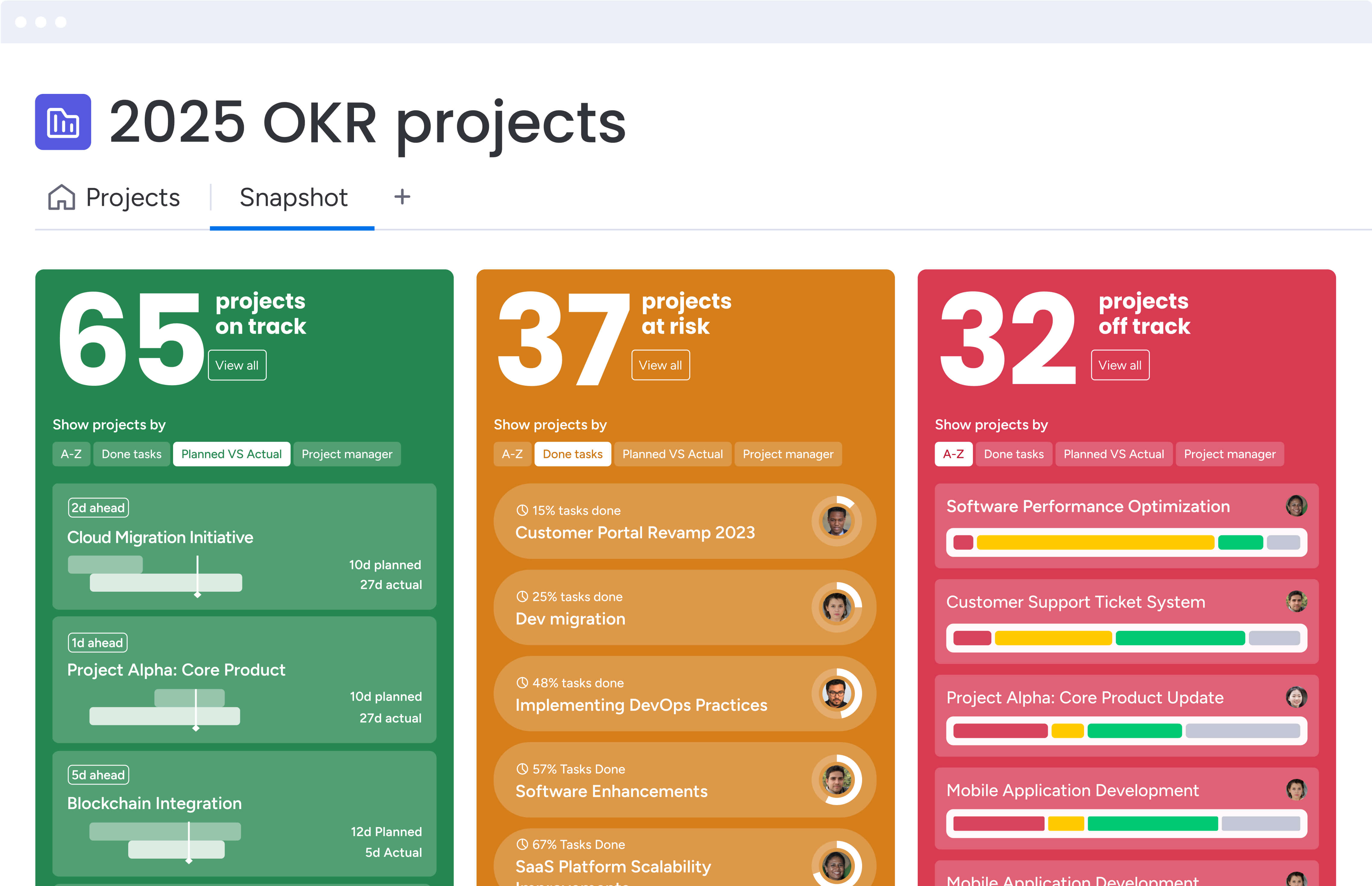
Let’s cut through the feature lists and focus on what actually transforms retail execution. These are the monday work management capabilities that make the difference between smooth seasonal launches and last-minute fire drills:
Goals and OKRs
Setting company-level objectives and tracking how every project contributes to their success becomes straightforward with hierarchical goal structures. The platform allows you to cascade annual strategic objectives down through quarterly initiatives to weekly team projects, ensuring complete alignment across your retail organization.
For project managers in retail, this addresses the constant challenge of connecting daily execution to strategic priorities. When managing simultaneous store openings, seasonal campaigns, and product launches, you need visibility into which activities drive your most important outcomes.
Visual progress tracking updates automatically as connected projects advance, eliminating the manual status reporting that typically consumes hours each week. C
For example, Country Road Group’s Store uses monday work management as a central platform and one-stop shop for all their projects. His team now manages 150+ projects with 25% greater efficiency by connecting their store planning initiatives directly to brand-level objectives.
Portfolio management
Portfolio management is your command hub. It’s where you’ll finally see all your projects at once — which store openings are falling behind, which holiday campaigns need more designers, and which product launches have hidden dependencies that could derail your timeline.
This capability is essential when overseeing portfolios of interconnected projects — from store renovations and product launches to marketing campaigns and seasonal promotions. Managing ten-15 concurrent projects across multiple locations becomes manageable when you can:
- Identify resource conflicts before they impact delivery timelines.
- Spot at-risk initiatives early through automated status tracking.
- Make informed prioritization decisions based on complete visibility.
Dashboards and reporting
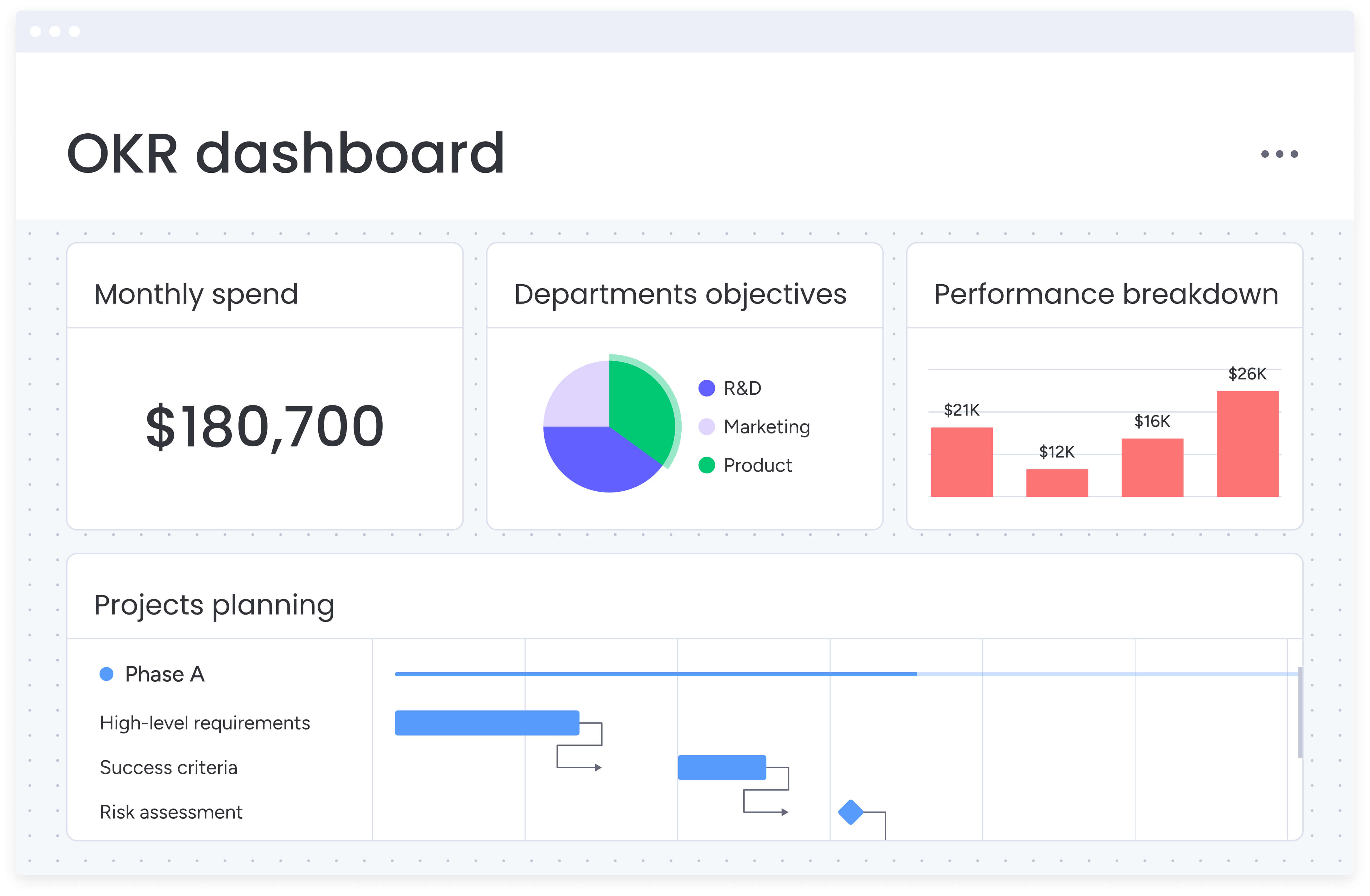
Imagine never compiling another status report. Custom dashboards pull live data from every project, turning what used to be a full day of spreadsheet work into a single screen your executives can check anytime. They get the insights they need, you get your Thursday back.
For retail project managers, this eliminates the exhausting manual reporting cycle before executive reviews. Instead of compiling status updates from multiple sources, automated dashboards pull live data from all connected projects, showing:
- Campaign performance across all active initiatives.
- Launch timelines with dependency tracking.
- Goal achievement percentages in real-time.
Automations
Stop being the human reminder system. Automations handle the tedious stuff — nudging the marketing team when designs are ready for review, alerting store managers when planograms are approved, and keeping your launch checklist moving without your constant attention.
This directly addresses the retail project manager’s challenge of maintaining consistency across multiple concurrent projects while managing tight seasonal deadlines. When coordinating product launches, promotional campaigns, and store operations simultaneously, automations ensure:
- Critical handoffs happen on schedule through automated task assignments.
- Stakeholders receive timely notifications when their input is required.
- Standardized processes execute consistently across all initiatives.
Gantt charts and timeline views
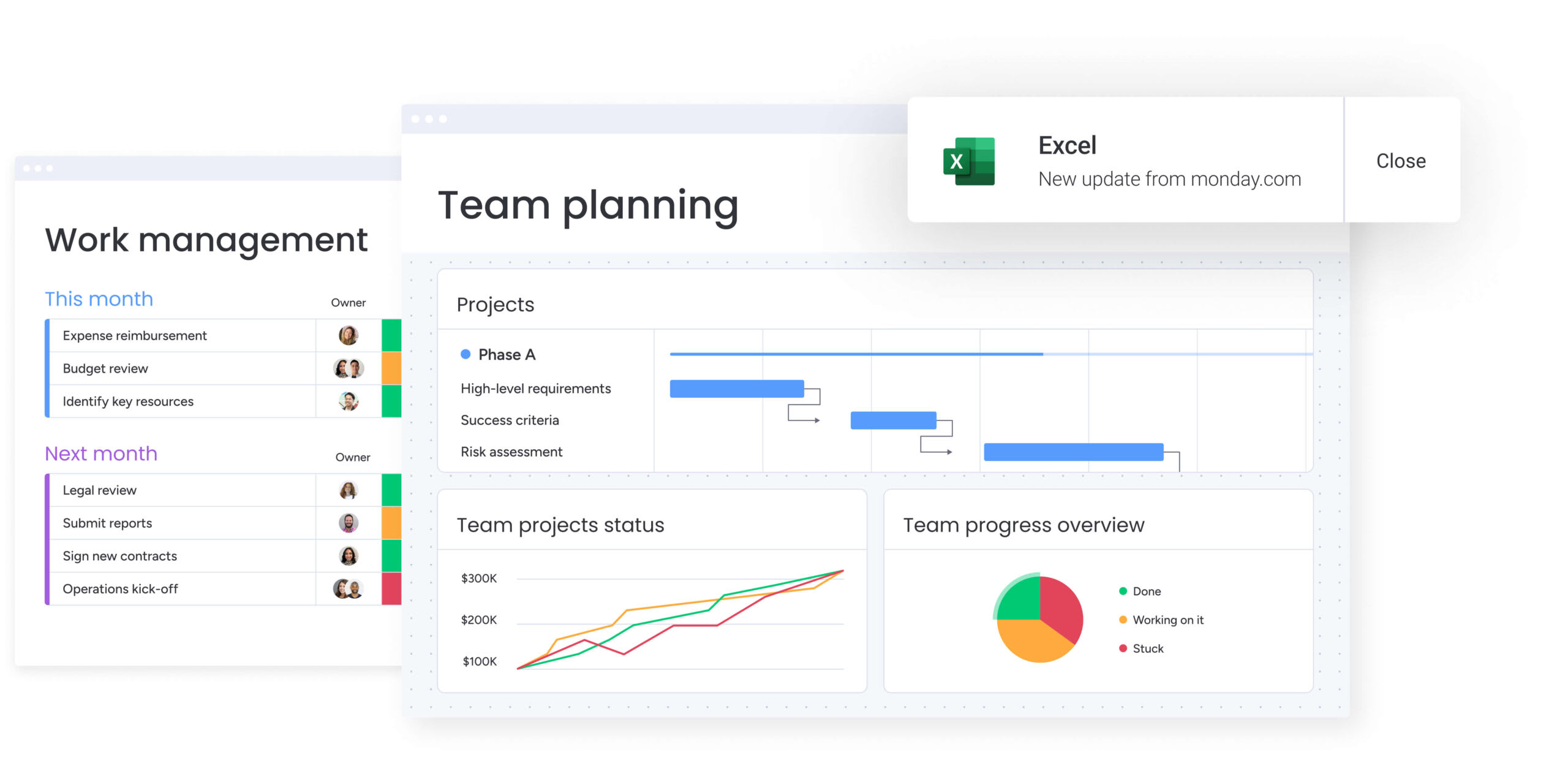
Interactive Gantt views show how project items relate to each other, identify critical paths, and allow dynamic schedule adjustments as circumstances change. These visual tools help retail Project managers see project tasks, milestones, and dependencies within set timelines at a glance.
Managing complex seasonal campaigns and product launches with interdependent activities requires timeline visualization to prevent delays and coordinate cross-functional teams. When your holiday campaign depends on merchandising completing product selection before marketing finalizes creative assets, Gantt charts make these dependencies explicit and help identify scheduling conflicts.
Country Road Group leveraged this capability to transform their store planning process. After implementing monday work management, they managed 150+ concession spaces using under 50 boards with timeline visibility.
Resource management
Resource management features provide visibility into workloads and enable allocation based on skills and availability. Workload views show team capacity across projects, helping identify over-allocation before it leads to burnout or missed deadlines.
This capability is critical when balancing team capacity across seasonal peaks, ongoing operations, and strategic initiatives. Understanding who has bandwidth for new work versus who’s already at capacity prevents the common retail challenge of overloading your best performers while underutilizing other team members.
How retail project managers benefit from monday work management
The platform delivers measurable improvements across key operational areas that matter most to retail organizations. These benefits translate directly into competitive advantages during peak seasons and improved execution throughout the year.
- Time savings: retail project managers eliminate hours of manual status reporting and coordination. Country Road Group achieved 25% greater efficiency managing 150+ projects, while Officeworks saved their back-to-school promotion coordinator one full day per week previously lost to manual administration.
- Cost efficiency: consolidating scattered tools into one platform reduces software licensing costs while improving execution. Officeworks replaced 635+ working spreadsheets, eliminating hidden costs of version control issues, data inconsistencies, and rework caused by fragmented information.
- Compliance and accuracy: a single source of truth for retail project data ensures stakeholders work from consistent, current information. When Country Road Group consolidated nine separate project boards into one overarching board per location, they eliminated duplicate work and confusion about project status.
- Productivity improvements: retail teams accomplish more with the same resources by eliminating coordination friction. FARFETCH saved 3,500 hours per month by centralizing their marketing planning workflows, enabling 400 people across 40 teams to collaborate efficiently on campaigns.
- Output quality improvements: with visibility into dependencies and timelines, retail project managers deliver higher-quality launches and campaigns. Officeworks coordinates over 50 items across multiple teams for each of their 15+ major annual product launches, ensuring products reach store shelves on schedule.
- Visibility and tracking improvements: real-time dashboards replace manual status compilation, giving retail project managers and executives instant insight into portfolio health. Country Road Group’s Store Planning Manager describes their reporting views as “magic for my team meetings” — the team stays aligned with strategic goals and empowered to push projects forward.
How to track and achieve retail goals with monday work management
.jpg)
Let’s turn theory into practice. Here’s exactly how to set up your retail goals so everyone from your CEO to your store managers can see how their work connects — especially during those chaotic holiday and back-to-school rushes.
Step 1: define your goal hierarchy from annual objectives to weekly projects
Start by creating strategic goals in the Goals feature, establishing annual objectives for your retail organization. Break these down into quarterly initiatives, monthly campaigns, and weekly team projects, creating a complete hierarchy that shows how daily execution connects to strategic priorities.
For retail project managers, this might include:
- Annual revenue targets at the top level.
- Quarterly seasonal campaign goals in the middle.
- Weekly store launch or promotional tasks at the operational level.
Step 2: build project boards for each major retail initiative
Create dedicated boards for your key retail projects — store openings, product launches, seasonal campaigns, and promotional events. Structure each board with the phases, tasks, and milestones specific to that initiative type, using customizable columns to track status, owners, deadlines, and dependencies.
Connect these project boards to your strategic goals so progress automatically rolls up to your goal tracking dashboards. This connection ensures that every completed task contributes visibly to your larger objectives.
Step 3: establish automated workflows for recurring retail processes
Set up automation recipes for your standard retail workflows — product launch approvals, campaign review cycles, store opening checklists, and promotional calendar updates. Configure notifications that alert team members when their input is needed, approvals are required, or deadlines are approaching.
This automation ensures consistent execution across all your retail initiatives without requiring manual coordination for every handoff. Focus your time on strategic decisions rather than administrative coordination.
Step 4: create portfolio dashboards for executive visibility
Build customized dashboards that aggregate data from all your connected projects, showing real-time progress toward goals, resource allocation across initiatives, and at-risk projects requiring attention. Configure these dashboards to display the metrics most relevant to your stakeholders:
- Campaign performance metrics and ROI tracking.
- Launch timelines with milestone completion rates.
- Budget utilization across all active initiatives.
- Goal achievement percentages updated in real-time.
Share these dashboards with executives and cross-functional leaders so everyone has current visibility into portfolio health and progress.
Step 5: implement resource management views to balance workload
Activate workload views to visualize team capacity across all your retail projects. Assign estimated hours to tasks and monitor how work is distributed across team members, identifying over-allocation before it causes burnout or missed deadlines.
Use this visibility to make informed decisions about project prioritization, resource reallocation, or timeline adjustments during peak retail seasons. Prevent the common challenge of overloading high performers while underutilizing other team members.
Step 6: review goal progress and optimize based on insights
Schedule regular reviews of your goal tracking dashboards to assess progress, identify patterns, and adjust strategies. Analyze which types of initiatives consistently meet goals versus which encounter obstacles, enabling continuous improvement of your retail project management approach.
Leverage historical data to improve future planning accuracy and resource estimates for similar retail initiatives. This data-driven approach helps you refine processes and set more realistic timelines for future campaigns.
Comparison table: monday work management vs competing platforms
Not all platforms handle retail’s unique challenges equally well.
Here’s an honest look at how monday work management compares to Asana and ClickUp when managing seasonal campaigns and multi-location launches:
| Feature | monday work management | Asana | ClickUp |
|---|---|---|---|
| Visual goal hierarchies | ✓ Goals & OKRs with cascading objectives | ✓ Goals feature with progress tracking | ✓ Goals with targets and key results |
| Portfolio management | ✓ Centralized portfolio view with resource management | ✓ Portfolios feature (Business tier+) | ✓ Portfolio view with workload management |
| Retail-specific templates | ✓ Customizable templates for campaigns, launches, store operations | ✓ General project templates | ✓ Extensive template library |
| Automated progress tracking | ✓ Auto-calculated goal progress from connected boards | ✓ Manual progress updates | ✓ Automated progress rollup |
| Real-time dashboards | ✓ Customizable dashboards with live data | ✓ Reporting dashboards (Business tier+) | ✓ Dashboards with multiple widgets |
| Resource workload view | ✓ Built-in workload management | ✓ Workload feature (Business tier+) | ✓ Workload view included |
| No-code automations | ✓ 250+ automation recipes | ✓ Rules and automation | ✓ Extensive automation options |
| Price per user/month | $12 (Standard, billed annually) | $13.49 (Business, billed annually) | $12 (Business, billed annually) |
| Implementation time | 2-4 weeks typical | 2-4 weeks typical | 2-4 weeks typical |
| G2 rating | 4.7/5 (10,000+ reviews) | 4.3/5 (9,500+ reviews) | 4.7/5 (9,000+ reviews) |
How Country Road Group transformed their retail project management
Country Road Group, a leading Australian fashion retailer with iconic brands including Country Road, Mimco, Trenery, Witchery, and Politix, faced project management chaos across their real estate and store planning operations. Their team managed over 15 different work types using spreadsheets and endless meetings.
The team implemented monday work management to transform their store planning process, focusing on increasing visibility for the collaboration required between multiple teams. Instead of managing nine separate boards, they created one overarching board per location that became the central hub.
The results speak for themselves:
- 25% increase in project management efficiency: streamlined workflows eliminated redundant work.
- 150+ projects managed simultaneously: complete visibility and coordinated execution across all brands.
- Eliminated spreadsheet chaos: consolidated all store planning work into one centralized platform.
The visibility and transparency freed up time for optimization that was previously impossible. The company noted that implementing monday work management also fostered a collaborative, data-driven environment that empowered teams to streamline store planning and deliver exceptional customer experiences.
Ready to transform your retail project management?
In 2026, retail teams don’t fail because they lack goal: they fail because nobody can see how today’s urgent tasks connect to this quarter’s targets. When your holiday campaign lives in one system and your store launch timeline in another, you’re setting yourself up for those painful “how did we miss this?” conversations.
Connected platforms like monday work management tackle these challenges by providing centralized visibility, automated progress tracking, and cross-functional alignment that retail project managers need to succeed. The platform’s combination of goal hierarchies, portfolio management, and real-time dashboards transforms how teams coordinate seasonal campaigns, product launches, and store operations.
The measurable results speak for themselves: country Road Group achieved 25% greater efficiency managing 150+ projects, while Officeworks eliminated over 10,000 emails through automated reporting.
Ready to transform how your retail teams track and achieve their goals? Start by implementing a systematic approach that connects your strategic objectives to daily tasks, leverages automation to reduce manual coordination, and provides the visibility your stakeholders need to make informed decisions.
The content in this article is provided for informational purposes only and, to the best of monday.com’s knowledge, the information provided in this article is accurate and up-to-date at the time of publication. That said, monday.com encourages readers to verify all information directly.
Frequently asked questions
How long does it take to implement goal tracking software in retail?
Implementation timelines for goal tracking software in retail environments typically range from two to four weeks for initial deployment, with full adoption across teams occurring within one to two months. The timeline depends on your organization's complexity, number of concurrent projects, and existing process maturity.
Can goal tracking software handle seasonal retail fluctuations?
Yes, platforms like monday work management are designed to handle variable workloads and compressed timelines characteristic of retail seasonal peaks. Resource management features help visualize team capacity and redistribute work during high-demand periods like holiday campaigns or back-to-school promotions.
What is the best way to train retail staff on new goal tracking tools?
The most effective training approach combines structured onboarding with ongoing support resources. Create a custom rollout plan that shows teams what their work will look like on the platform, then provide support leveraging both internal champions and external resources throughout the year.
What’s the best way to transition from spreadsheets to goal tracking software in retail?
Start with one high-impact workflow, such as a seasonal campaign calendar or product launch tracker. Recreate it in the platform while continuing to use your spreadsheet in parallel for two to four weeks. This low-risk overlap allows teams to build confidence, validate data accuracy, and refine workflows before expanding goal tracking to additional projects and departments.
Which goal tracking software works best for multi-location retail?
Platforms that provide centralized visibility while allowing location-specific customization excel for multi-location retail operations. Look for solutions that enable portfolio-level performance views across all locations while store managers can filter to see only their relevant projects.
What is the average ROI of goal tracking software for retail teams?
ROI varies based on team size and complexity, but retail organizations consistently report significant time savings and efficiency gains. Common results include 25% greater efficiency in project management and one full day per week saved on manual administration tasks.

 Get started