


Services teams live in a world of nonstop complexity. Every client project has its own moving parts — shifting timelines, changing budgets, demanding stakeholders, and resource needs that never stay still. When all of this sits in spreadsheets, emails, and scattered tools, even seasoned PMOs struggle to keep delivery predictable.
Great Gantt chart software changes the game. It pulls every project into one clear view, shows how work connects, and gives teams and clients the visibility they need to stay aligned without constant check-ins. The result? Faster execution, fewer surprises, and measurable gains like 26 percent higher efficiency and three hours saved per person every week.
So let’s dig in. We’ll break down what separates enterprise-ready Gantt platforms from the lightweight tools that crack under pressure. You’ll see the features that matter most for services organizations, how to manage multiple client projects without chaos, and how the right platform helps PMOs scale while protecting quality and profitability.
Key takeaways
Services project managers juggle shifting timelines, complex clients, and constant resource pressure — here are the key things you should keep in mind when choosing Gantt chart software that can actually support that reality:
- Centralized project visibility: bring all client work into a single platform instead of juggling spreadsheets, emails, and disconnected tools.
- Advanced Gantt charts with dependencies: map timelines, connect tasks, and spotlight critical paths across multiple client engagements.
- Portfolio-level management: track dozens or hundreds of projects at once, so PMOs can balance workloads and spot risks early.
- Faster project delivery: services teams achieve up to twice the delivery speed with integrated timelines, automation, and real-time collaboration.
- Scalable processes as teams grow: support small delivery teams and enterprise PMOs within the same platform, without needing to switch tools.
What makes project managers choose the right Gantt chart software?

The best Gantt chart software for services organizations goes beyond basic timeline visualization. It delivers centralized workflows that solve the critical challenge of work scattered across multiple platforms — a pain point that costs services teams hours each week in coordination overhead.
For PMO (Project Management Office) leaders drowning in client projects, the right platform creates a single home where your timelines, team members, and client conversations actually talk to each other. This means visualizing project items, milestones, and dependencies within set timelines while coordinating cross-functional teams across different service delivery areas.
When your work lives under one roof, you’re not wasting hours jumping between systems. You can see exactly what’s happening and deliver for clients in half the time. Services organizations using centralized Gantt chart software report significant efficiency gains — some achieving 26% increases in productivity and saving three hours per person weekly by consolidating their project workflows.
Essential Gantt chart features for services teams
Today’s leading Gantt platforms solve the actual problems services teams face — not the theoretical ones. These features enable project managers to coordinate complex portfolios while maintaining visibility across all client engagements.
Advanced Gantt charts with dependencies
With the right Gantt charts, PMs can map out exactly when things happen, see how tasks connect, and spotlight the milestones that clients actually care about. Interactive Gantt charts enable easy adjustments to schedules and dependencies as project needs evolve, with drag-and-drop functionality that simplifies timeline management.
For services organizations managing multiple client projects simultaneously, seeing all dependencies at a glance prevents delays and ensures proper task sequencing. The visual timeline helps you instantly identify which items must be completed before others can start, eliminating the confusion that comes from managing projects across disparate platforms.
Critical path identification
Critical path isn’t just a fancy feature — it’s your roadmap to what absolutely must happen to hit deadlines. It cuts through the noise and shows you where to focus right now. This advanced capability helps project managers focus resources on the most time-sensitive activities that directly impact delivery dates.
Services firms benefit from critical path analysis when balancing multiple client projects with competing deadlines. By highlighting the shortest road to project completion, this feature enables proactive resource allocation and helps prevent the delays that affect profitability and client satisfaction.
Baseline comparison for schedule tracking
Baseline features allow project managers to take snapshots of original timelines and compare them against actual progress. This capability is essential for services teams who need to provide real-time updates to clients.
For both fixed-fee and time-and-materials projects, understanding schedule variance directly impacts billing and client expectations. Comparing planned versus actual schedules helps identify when projects deviate from plan, enabling data-driven conversations about scope, timeline, or resource adjustments.
Portfolio-level Gantt views
Portfolio-level Gantt views give services teams a clear snapshot of every active client project in one place, making it easier to manage workloads and prevent issues before they escalate.
- See the full picture: view all timelines, milestones, and dependencies across your entire portfolio at a glance.
- Spot conflicts early: identify resource clashes, overlapping deadlines, and capacity gaps before they impact delivery.
- Adjust with confidence: shift timelines, reassign work, or redistribute resources knowing exactly how changes affect other projects.
- Support PMO scale: manage dozens or hundreds of client engagements simultaneously without losing visibility or control.
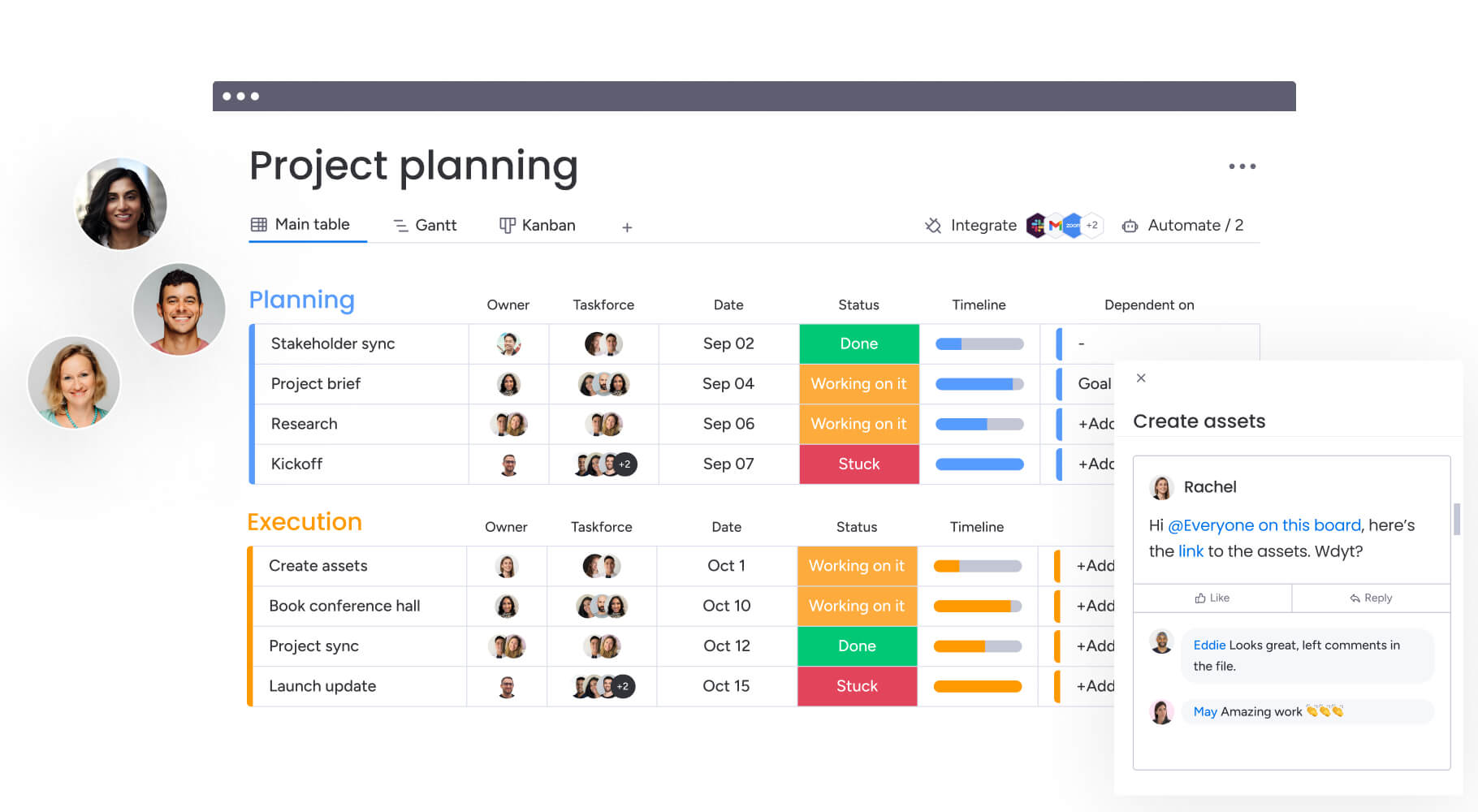
How services organizations benefit from Gantt chart software
When services PMs finally ditch their spreadsheet chaos for proper Gantt software, the difference isn’t subtle: it’s night and day. These improvements span operational efficiency, financial performance, and team productivity across all client engagements.
Key benefits include:
- Time savings: services PMOs save three hours per person weekly by eliminating manual coordination across fragmented platforms.
- Cost efficiency: automated resource release notifications and improved project visibility help services firms avoid unnecessary costs.
- Compliance and accuracy: standardized project templates and automated processes ensure consistent data collection across all client projects.
- Productivity improvements: services teams achieve 2x faster digital project delivery by streamlining workflows.
- Quality improvements: 23% increases in meeting KPIs demonstrate how improved visibility translates to superior project outcomes.
- Enhanced collaboration: 49% increases in transparency give Project Managers and stakeholders real-time insight into project status
6 steps to managing multiple client projects effectively

Juggling multiple client projects without dropping any balls means finding that sweet spot — enough structure to stay organized, but enough flexibility to handle the curveballs clients inevitably throw.
Here’s how project managers in services organizations can leverage Gantt chart software to orchestrate complex portfolios while maintaining quality and efficiency.
Step 1: centralize all client projects
Create a unified project portfolio by importing existing projects from Excel, Jira, or other platforms into your Gantt chart software. Set up standardized project templates that include your services delivery methodology, ensuring consistency across all client engagements.
Key actions:
- Import existing data: transfer projects from spreadsheets and legacy platforms.
- Create templates: build reusable project structures for common service types.
- Establish standards: define consistent naming conventions and project structures.
Step 2: build visual timelines with Gantt charts
Use the Gantt chart view to map out project timelines, adding tasks, milestones, and dependencies for each client project. Define start and end dates, assign team members, and establish the critical path to identify tasks that directly impact delivery dates.
Key actions:
- Map timelines: create visual project schedules with clear start and end dates.
- Add milestones: mark critical deliverables and client checkpoints.
- Identify critical paths: highlight tasks that directly impact project completion.
Step 3: configure dependencies and resource allocation
Link related tasks with dependency relationships to ensure proper task sequencing across projects. Use resource management features to allocate team members based on skills and availability, preventing overallocation across multiple billable projects.
Key actions:
- Set dependencies: connect related tasks to prevent scheduling conflicts.
- Allocate resources: assign team members based on skills and capacity.
- Monitor workloads: track resource utilization across all client projects.
Step 4: set up automated workflows
Create automation recipes that trigger notifications when tasks are delayed, dependencies are broken, or resources need to be released. Configure approval workflows for project intake and scope changes to maintain standardized processes across the PMO.
Key actions:
- Build notifications: automate alerts for delays and dependency issues.
- Create approvals: set up workflows for project changes and scope adjustments.
- Standardize processes: ensure consistent project management across all teams.
Step 5: enable stakeholder visibility
Build custom dashboards that provide real-time insights into portfolio performance, budget tracking, and resource utilization. Share view-only links with external clients so they can check project status without requiring full platform access.
Key actions:
- Create dashboards: build real-time views of portfolio performance.
- Share with clients: provide external access to project status updates.
- Track metrics: monitor budget, timeline, and resource performance.
Step 6: track progress with baselines
Establish project baselines to compare planned versus actual schedules, enabling proactive adjustments when projects deviate from plan. Generate automated portfolio reports for stakeholders that show progress across all client projects in a single view.
Key actions:
- Set baselines: capture original project plans for comparison.
- Monitor variance: track deviations from planned schedules.
- Generate reports: create automated updates for stakeholders and clients.
Comparing Gantt chart software options
Not all Gantt tools are created equal. Here’s what actually matters when you’re choosing software to run your services portfolio. This comparison highlights the capabilities that matter most for services teams managing multiple client projects.
| Feature | monday work management | Asana | Smartsheet |
|---|---|---|---|
| Gantt charts with dependencies | Advanced with critical path, baseline, milestones | Basic Gantt in premium plans | Spreadsheet-based Gantt |
| Portfolio-level visibility | Native portfolio management across all projects | Limited portfolio features | Requires separate portfolio solution |
| Client portal access | View-only sharing without licenses | Limited guest access | Requires paid licenses |
| Resource management | Built-in workload views and capacity planning | Add-on feature in higher tiers | Separate resource management platform |
| Automation capabilities | 200+ automation recipes, no-code builder | Limited automation in lower tiers | Formula-based automation |
| Integration ecosystem | 200+ native integrations + open API | 100+ integrations | Strong Microsoft integration |
| Implementation time | Less than 4 month payback period | 2-3 months typical | 3-6 months typical |
Real-world transformation: services PMO success

Let’s consider a scenario where one gaming software company transformed their PMO department. Project managers were using spreadsheets, email, and notepads to manage countless client projects. As digital transformation accelerated, clients demanded more frequent updates and faster results.
The PMO was losing opportunities to reduce costs, save time, and improve efficiency while struggling to keep up with client expectations across 60 global licensees.
They needed a solution that could scale with their growing complexity.
The transformation approach:
By implementing comprehensive Gantt chart software as their all-in-one project management solution, they created separate boards for preliminary discussions, management approvals, and active portfolios. They customized templates that could be easily duplicated for new client projects and set up automated notifications to prevent bottlenecks.
Measurable results:
- 26% increase in efficiency across the PMO department.
- Up to three hours saved per person weekly through centralized workflows.
- 49% increase in collaboration and transparency with stakeholders.
- 23% increase in meeting KPIs for project delivery.
Transform your project management with the right platform
Selecting the best Gantt chart software depends on your organization’s specific needs, workflow complexity, and growth trajectory. The right platform aligns with your organizational maturity while providing the scalability to grow with you.
For services organizations managing multiple client projects, success comes from choosing a solution that centralizes workflows, provides portfolio-level visibility, and enables real-time collaboration. With features like advanced Gantt charts, automated dependency management, and AI-powered insights, teams can deliver projects faster while maintaining quality and profitability.
Teams that centralize their project management on monday.com experience the benefits of unified workflows, automated processes, and portfolio-level visibility that transforms how services organizations deliver client value. The platform’s comprehensive Gantt chart capabilities, combined with native resource management and stakeholder collaboration features, enable project managers to orchestrate complex portfolios with confidence and precision.
The content in this article is provided for informational purposes only and, to the best of monday.com’s knowledge, the information provided in this article is accurate and up-to-date at the time of publication. That said, monday.com encourages readers to verify all information directly.
Frequently asked questions
How long does it take to implement Gantt chart software in a services PMO?
Most services teams get up and running with new Gantt software in two to four weeks. You won't need months of training — you'll see value almost immediately. Organizations often experience less than a four-month payback period, with intuitive interfaces requiring minimal training and Project Managers able to start building Gantt charts within minutes of account creation.
Can clients view project timelines without needing full licenses?
Yes, modern Gantt chart software allows Project Managers to create shareable view-only links for external clients and stakeholders. Clients can check project status, view Gantt timelines, and see progress updates without requiring paid licenses, addressing the common services industry need for client portal access while controlling software costs.
What integrations are most critical for services organizations?
Services organizations benefit most from integrations with billing systems like Harvest, time tracking platforms like Toggl, CRM platforms, communication tools including Slack and Microsoft Teams, and development platforms like Jira Cloud. Leading platforms offer 200+ native integrations plus open APIs for custom connections, with Excel integration being particularly valuable for services PMOs transitioning from spreadsheet-based project management.
How do Gantt charts handle both fixed-fee and time-and-materials projects?
Modern Gantt chart software supports both project types through customizable fields and views. For fixed-fee projects, project managers set milestones and track progress against predetermined deliverables, while time-and-materials projects integrate time tracking directly into the Gantt view for comparing estimated versus actual hours.
What's the typical ROI timeline for services teams using Gantt software?
Services organizations typically see ROI within four months of implementing comprehensive Gantt chart software. Immediate benefits include time savings from eliminating platform switching and manual coordination, with teams saving three hours per person weekly, while medium-term benefits include improved project delivery speed and increased efficiency.
How many concurrent projects can enterprise Gantt tools manage effectively?
Enterprise Gantt chart software handles hundreds of concurrent projects effectively. Portfolio management capabilities allow Project Managers to view and manage multiple client projects simultaneously without performance degradation, with filtering and grouping features making it easy to focus on specific clients, project types, or delivery teams.

 Get started