


Media production teams juggle constant changes across campaigns, brands, and deadlines. Creative ideas need approval, production timelines shift, and stakeholders expect clear visibility into progress. Without a structured system, project managers (PMs) end up relying on spreadsheets and email threads that slow everything down.
The right Gantt chart software gives media teams more than a simple timeline. It connects creative workflows, resource planning, and production schedules in one place where dependencies are easy to see and adjustments happen quickly. This kind of visibility helps teams stay ahead of delays and keep campaigns moving.
In this hand yguide, you’ll learn what actually works for media production teams, the features that solve real workflow challenges, and how the right platform supports smoother coordination across every stage of content creation.
Key takeaways
- Centralized media workflows: teams bring timelines, creative reviews, and production schedules into one shared workspace for clearer coordination.
- Dependency visibility: Gantt charts help project managers map approvals, production steps, and publishing deadlines to prevent bottlenecks early.
- Streamlined execution: platforms like monday work management unify schedules, automate updates, and help media teams manage high-volume campaigns effectively.
- Balanced workloads: capacity views reveal who is overloaded and who has room to take on more work, reducing burnout across creative teams.
- Time reclaimed through automation: automated notifications and status updates minimize manual tracking so project managers can focus on strategic decisions.
What makes project managers choose monday work management for media project coordination?

Project managers in media choose monday work management because it solves their most pressing challenge: work scattered across multiple disconnected platforms. When you’re juggling campaigns across dozens of brands, creative teams, editorial calendars, and production schedules, visibility becomes impossible without a unified system.
The platform delivers exactly what media project managers need — a centralized workspace where campaign timelines, content calendars, video production schedules, and publishing workflows exist together.
Interactive Gantt charts make dependencies transparent, resource allocation visible, and bottlenecks immediately apparent. You can drag and drop to adjust schedules in real-time as production requirements shift, while color-coded task bars distinguish between creative development, editorial review, and production phases.
For PMs juggling complex media productions, monday work management turns your scattered workflows into one clear picture. The visual interface shows you exactly who’s doing what at a glance, while making team communication seamless and taking reporting off your plate.
Will all these powerful capabilities teams gain the detailed insight they need to move from reactive scrambling to proactive planning.
monday work management top features for media project management

The following features address the specific challenges media PMs face when coordinating complex campaigns across multiple teams and deadlines. Each capability works together to create a unified workspace that transforms chaotic production schedules into streamlined execution.
Gantt charts for media production timelines
monday work management provides Gantt charts built for the fast-moving nature of creative work. You can adjust schedules with simple drag-and-drop actions, view color-coded phases like creative development or editorial review, and see every dependency at a glance.
These Gantt charts help Project Managers coordinate overlapping campaigns and content pipelines with far greater control. They make it easy to map video production schedules, editorial calendars, and digital content timelines side by side.
Key advantages include:
- Clear visibility: understand which teams are in creative, review, or production stages instantly.
- Dependency tracking: spot how shifts in one task affect downstream work across the pipeline.
- Capacity alignment: prevent creative overbooking by viewing workloads alongside timelines.
- Stakeholder clarity: share visual timelines that replace long status reports.
Dependencies for managing creative workflows
The dependencies feature helps you proactively manage your project timeline by highlighting critical task relationships. Set up relationships between tasks that match how your media production actually works — like making sure the script is approved before shooting starts, or ensuring legal review happens before publishing. When something’s running late, you’ll know immediately what else will be affected.
Project managers in media face intricate dependencies between creative concepting, client approvals, production execution, and publishing deadlines. With monday work management’s dependency tracking, when a creative review runs late you immediately see the downstream impact on production schedules (and can proactively adjust resources or communicate delays to stakeholders).
Teams using the platform further report significant improvements in coordination. Playtech’s PMO department achieved substantial gains by using dependency tracking to keep all stakeholders aligned on project progress and requirements. The visibility into task relationships helps teams anticipate bottlenecks before they derail timelines.
Critical path for deadline management
The critical path feature highlights the sequence of tasks that must be completed on time for a project to stay on schedule. It shows which activities have no flexibility, helping you focus on the work that directly affects delivery.
For media teams juggling multiple launches, critical path analysis becomes essential. Whether you’re managing a video with a fixed air date or content tied to a product rollout, the critical path makes it clear which tasks cannot slip.
Key benefits include:
- Priority clarity: identify which tasks require immediate attention to stay on schedule.
- Risk mitigation: spot timing conflicts early and adjust plans before delays cascade.
- Stronger allocation: direct your most capable resources to the tasks that drive final delivery.
- Launch confidence: maintain control even when timelines shift or campaign volume increases.
monday work management integrates critical path analysis with resource planning so teams can deploy the right talent at the right time. This combination helped Playtech’s PMO improve operational performance and strengthen KPI achievement.
Baseline for comparing planned versus actual schedules
Baseline functionality allows you to capture your original project plan and compare it against actual progress throughout the project lifecycle. You can easily see where timelines have shifted, which tasks took longer than estimated, and how scope changes impacted your delivery schedule.
Media PMs benefit from baseline tracking because creative projects rarely go exactly as planned. Client feedback cycles extend, creative concepts require additional iterations, and production challenges emerge. By comparing your baseline to actual progress, you can identify patterns in estimation accuracy and improve planning for future campaigns.
The baseline feature also saves you in stakeholder meetings. When executives ask why a campaign is behind schedule, you won’t be scrambling for explanations. Instead, you’ll show them exactly how the project changed from your original plan: with visual proof of those extra revision rounds or scope additions they requested.
Milestones for tracking campaign checkpoints
Milestones mark significant checkpoints in every project, allowing you to accurately identify and correct bottlenecks as they happen. In media workflows, milestones typically represent key approval gates, content delivery deadlines, or campaign launch dates that multiple teams are working toward.
For media PMs, milestones are your early warning system. Drop them in for the moments that matter— concept approval, first draft delivery, final handoffs, launch day — and suddenly your team knows exactly what’s due when. No more last-minute panic or confusion about priorities.
monday work management’s milestone tracking helped SPH Media manage hundreds of campaigns simultaneously across 40 brands. By marking significant checkpoints in each campaign, the Content Lab team could quickly identify which projects needed attention and which were progressing smoothly toward their launch dates.
Try monday work managementHow project managers in media benefit from monday work management
Managing media production is more than tracking deadlines. It’s keeping creative, editorial, and production teams aligned when plans shift by the hour. monday work management helps project managers bring order to the chaos with benefits that matter in real day-to-day execution.
- Time savings through automation: automated notifications and real-time visibility replace hours of manual check-ins and status chasing. SPH Media’s 130+ team members reclaimed significant time by consolidating communication into centralized project boards.
- Cost efficiency with real-time tracking: track project costs as they evolve and compare planned vs. actual spend. Playtech’s PMO now presents weekly cost-per-project data, enabling early intervention before budget overruns occur.
- Enhanced visibility across productions: instantly understand timelines, dependencies, and content progress across every active project. Stakeholders no longer rely on status meetings — they can see booked, progressing, or completed campaigns at a glance.
- Improved collaboration without email overload: consolidate discussions, files, and approvals in one platform. Creative, editorial, and production teams stay aligned without constant context switching or scattered communication threads.
- Faster campaign delivery: identify delays early and shift resources proactively. M Booth increased deliverables and reduced turnaround time on design assignments after adopting monday work management’s visual workflow tools.
- Resource optimization that prevents burnout: workload views reveal real capacity so assignments match team bandwidth, not assumptions. Media managers make better resourcing decisions and protect creative teams from overload.
How to manage media production workflows with monday work management
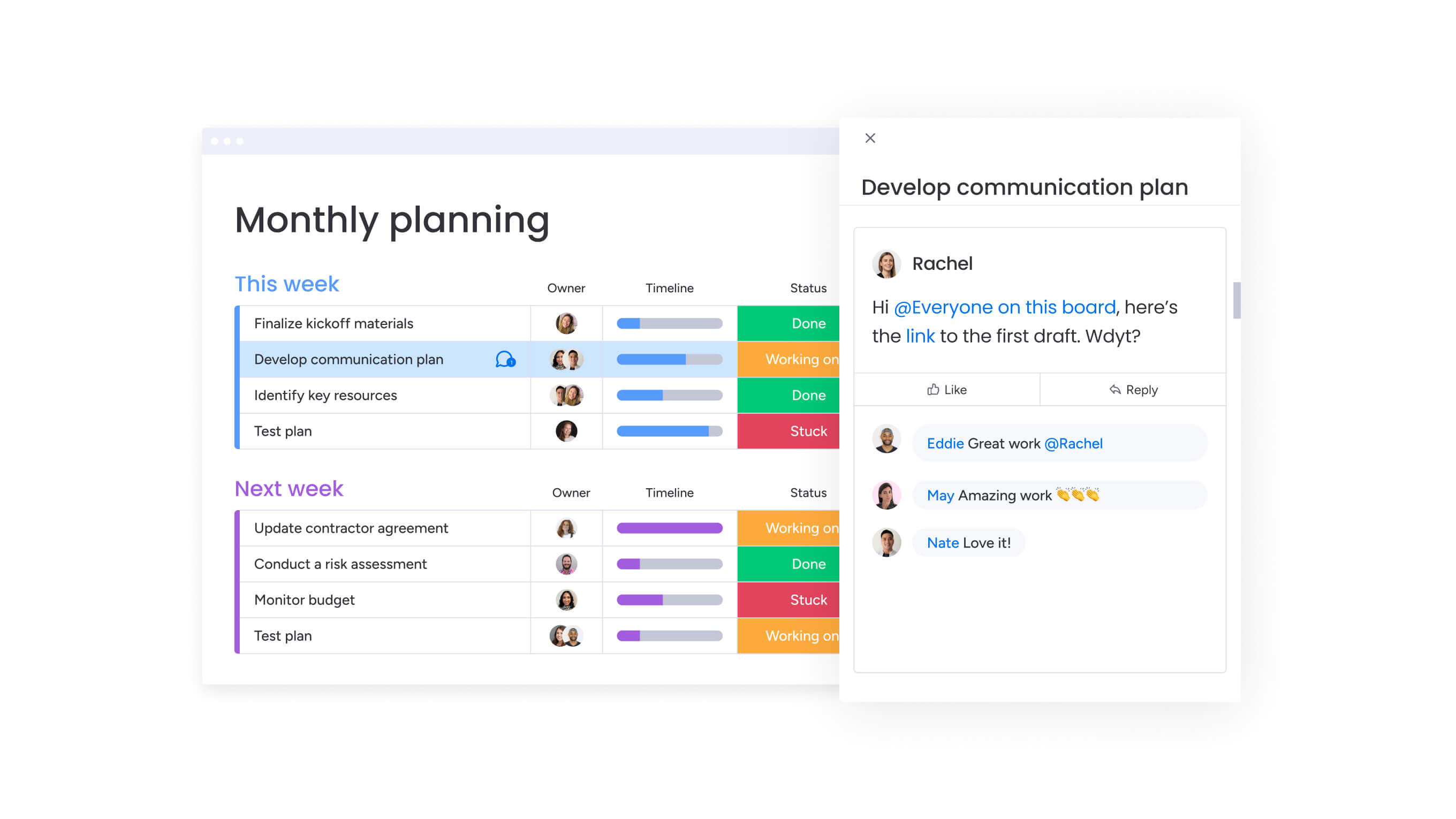
Managing media production effectively requires a systematic approach that aligns with your team’s creative process while maintaining the structure needed for on-time delivery. Here’s exactly how to set up monday work management for your media team: from day one to full adoption.
Step 1: map your content production pipeline
Create a board structure that reflects your media workflow stages: creative concepting, client approval, production, editorial review, and publishing. Use groups to organize campaigns by brand, content type, or launch date, ensuring every project follows a consistent structure.
This foundation gives your team a shared understanding of how work moves through your pipeline.
Step 2: define creative dependencies and milestones
Set up task dependencies that reflect the relationships between creative development, approval cycles, and production execution. Mark critical milestones like concept approval deadlines, first draft delivery dates, and campaign launch dates to ensure visibility into key checkpoints.
These connections help your team understand how delays in one area impact the entire production schedule.
Step 3: allocate resources across projects
Use the workload view to assign creative talent, editors, and producers based on their availability and skills. Visualize each team member’s capacity across all active campaigns to prevent overallocation and ensure sustainable work distribution. This visibility helps you make informed decisions about taking on new projects without overcommitting your team.
Step 4: configure automation rules
Set up automations that trigger notifications when tasks move to review status, send reminders as deadlines approach, and assign follow-up tasks when approvals are completed. This eliminates manual status tracking and ensures nothing falls through the cracks. Your team stays informed without the constant need for check-in meetings.
Step 5: build stakeholder dashboards
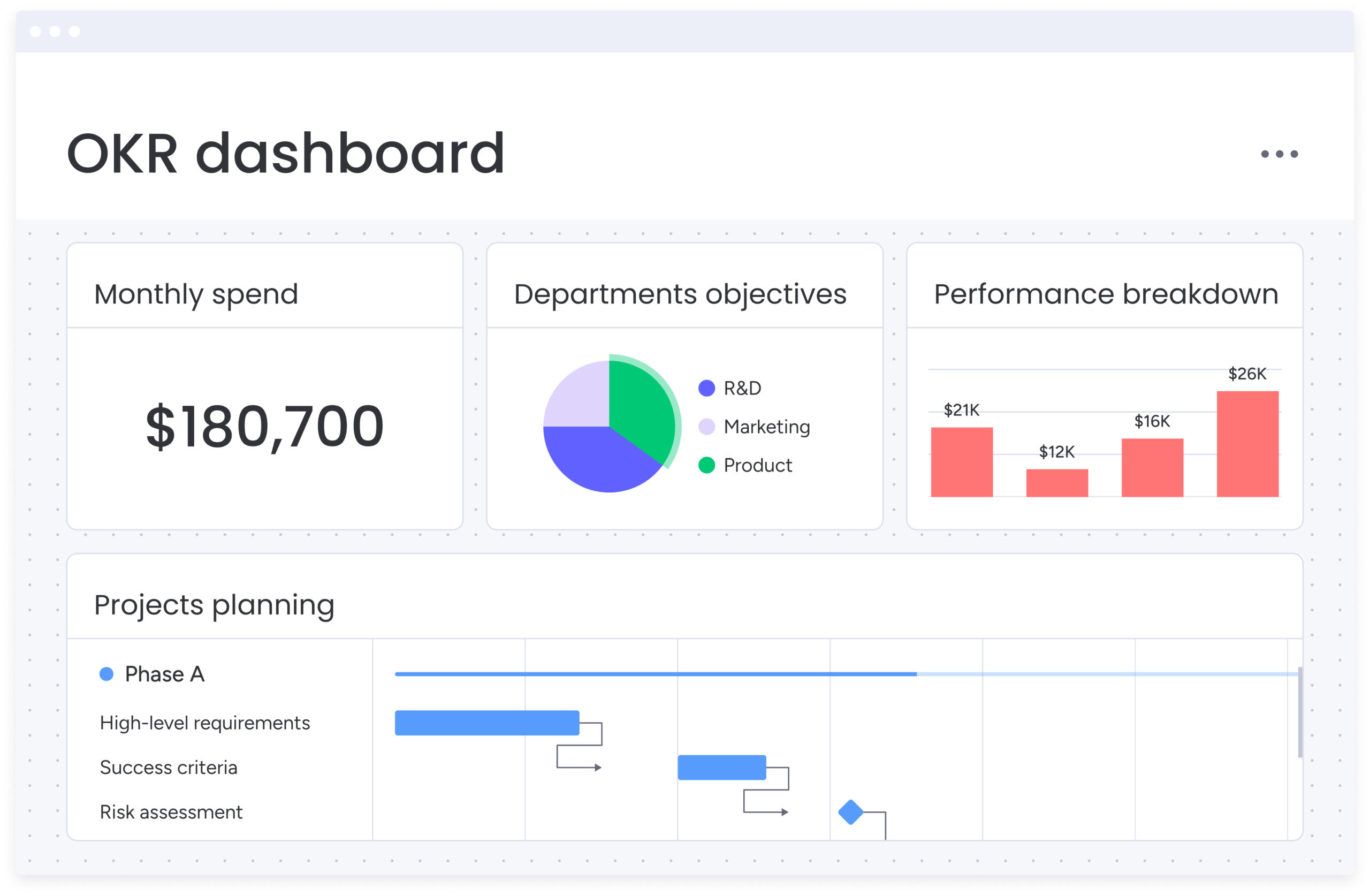
Create custom dashboards that aggregate campaign data for different audiences. Configure widgets that track metrics like campaigns in progress, upcoming deadlines, and budget utilization. These visual reports keep leadership informed while freeing your team from manual reporting duties.
Step 6: integrate your creative tech stack
Connect monday work management with the tools your team already uses — Adobe Creative Cloud for design work, Slack for communication, and Google Drive for asset storage. These integrations ensure project data flows seamlessly across your technology ecosystem without duplicate data entry or context switching.
Try monday work managementComparison: monday work management vs competing platforms for media project management
The following comparison highlights how different platforms address the specific needs of media project managers. Each platform offers unique strengths, but the differences in implementation time, automation capabilities, and media-specific features can significantly impact your team’s productivity.
| Feature | monday work management | Asana | ClickUp |
|---|---|---|---|
| Gantt chart functionality | Advanced with dependencies, critical path, baseline | Timeline view with limited dependencies | Gantt view with usage limits on free plan |
| Resource management | Built-in workload view with capacity planning | Limited to paid plans | Available on paid plans |
| Media-specific templates | Campaign management, content calendar, video production | Generic project templates | Customizable templates |
| Implementation time | Under 1 week | 2-4 weeks | 1-2 weeks |
| Automation capabilities | 200+ automation recipes, no-code builder | Limited automations on free plan | Automations on paid plans |
| Integration ecosystem | 200+ native integrations | 100+ integrations | 1,000+ via Zapier |
| Mobile experience | Full-featured iOS and Android apps | Mobile apps available | Mobile apps available |
| Customer support | 24/7 support on paid plans | Business hours support | Business hours support |
How SPH Media transformed their media campaign management
SPH Media’s Content Lab was responsible for campaigns across more than 40 brands, each with different formats, content types, and deadlines. The team relied heavily on manual coordination, which became unsustainable as volume increased and more stakeholders became involved across creative, content, sales, and ad operations.
To regain control, the team adopted monday work management to centralize production workflows. The color-coded interface provided instant visibility into workloads and progress, while pre-built templates, timeline views, and automated reporting replaced fragmented communication. A tailored configuration, developed in collaboration with SPH Media’s Content Lab and Tech teams, gave them both high-level oversight and detailed project visibility.
The impact was immediate:
- Campaign scale: hundreds of campaigns managed in one platform across 40 brands.
- Cross-team collaboration: more than 130 people working in a unified workspace.
- Higher productivity: automated workflows and centralized communication reduced manual coordination.
- Improved visibility: stakeholders could see campaign status at a glance without requesting updates.
- Faster rollout: quick integration of ad booking systems accelerated implementation.
Transform your media production management
Move beyond the usual chaos of media production. monday work management brings your Gantt charts, capacity planning, and automation into one workspace that creative teams actually enjoy using. With success stories like SPH Media coordinating 40+ brands and Playtech improving cross-team collaboration, the platform gives project managers the visibility and control they need.
The benefits go well beyond tracking tasks. Teams cut manual work through automation, improve stakeholder communication with visual dashboards, and allocate resources more effectively using workload insights. Over time, these improvements compound, shifting your team from reactive problem-solving to proactive planning.
Ready to replace scattered tools and constant catch-up with clear, streamlined workflows? See how monday work management simplifies media production with a 14-day free trial.
The content in this article is provided for informational purposes only and, to the best of monday.com’s knowledge, the information provided in this article is accurate and up-to-date at the time of publication. That said, monday.com encourages readers to verify all information directly.
Try monday work managementFrequently asked questions
How does monday work management handle creative review cycles?
monday work management supports creative review cycles through approval workflows, comment threads on specific tasks, and file proofing capabilities. You can set up multi-stage approval processes where creative concepts move through internal review, client feedback, and final approval, with automated notifications at each stage. The platform tracks all feedback in context, ensuring nothing gets lost in email chains.
What is the typical implementation timeline for a media team?
Media teams typically implement monday work management in under one week. SPH Media's Content Lab got up and running quickly by working with a local partner to integrate their ad booking system and synchronize workflows into project boards. The platform's intuitive interface and pre-built templates accelerate adoption without extensive training requirements.
Can monday work management integrate with Adobe Creative Cloud?
Yes, monday work management integrates with Adobe Creative Cloud through native connections and third-party integration platforms. You can sync creative assets, track file versions, and connect design workflows to project timelines. This integration ensures your creative team can work in their preferred tools while maintaining visibility in the project management platform.
How does monday work management handle multiple content versions?
monday work management handles multiple content versions through custom columns, file attachments, and version tracking. You can create separate tasks for each content variation, use labels to distinguish between versions, and attach different creative files to track iterations. The platform maintains a complete history of changes and approvals for each version.
What ROI can media companies expect from monday work management?
Media companies using monday work management report substantial ROI through time savings and operational gains. Seer Interactive saved 603,000 human actions using automation, reclaiming 1.6 hours per person per week. These efficiency gains compound across teams, reducing project delays and improving campaign delivery rates.
Which features work best for remote production teams?
Remote production teams benefit most from monday work management's mobile apps, real-time collaboration features, and communication integrations. The iOS and Android apps provide full functionality for on-location teams to update task status, upload files, and communicate with the central production team. Real-time updates ensure everyone stays aligned regardless of location.

 Get started