


Teams manage work through numerous processes. Approvals are routed through email, requests are tracked in spreadsheets, and handoffs occur via chat, when they occur at all. While the work gets completed, operational friction accumulates. As organizations scale, this friction can become a significant constraint on growth.
Free workflow software provides a solution. It replaces fragmented coordination with integrated systems that automate routing, notifications, and cross-functional handoffs. Growing teams gain visibility and accountability without initial investment. Organizations can build and automate essential processes on a flexible work management platform, establishing a foundation that scales with their objectives.
Below we examine 15 free workflow platforms designed for operational work, not merely task tracking. You will learn how to evaluate each platform against your specific requirements, identify which features are most critical for growing teams, and implement proven strategies to maximize value from the outset.
Key takeaways
- Target your biggest bottlenecks first: choose workflow software that eliminates your most painful friction points, like approval delays or handoff failures, instead of chasing feature lists.
- Test integrations before committing: ensure the platform connects seamlessly with tools like Slack, Google Drive, and your CRM to avoid creating another data silo.
- Look beyond the “free” label: read the fine print on user caps, automation limits, and feature restrictions to understand where the platform will constrain your growth.
- Prioritize automation that scales: select platforms with intelligent routing and conditional logic, not just basic reminders, so your workflows can handle complexity as you grow.
- Plan your upgrade path early: choose a platform like monday work management with transparent pricing and a clear expansion route so you can scale without migrating data or rebuilding processes.
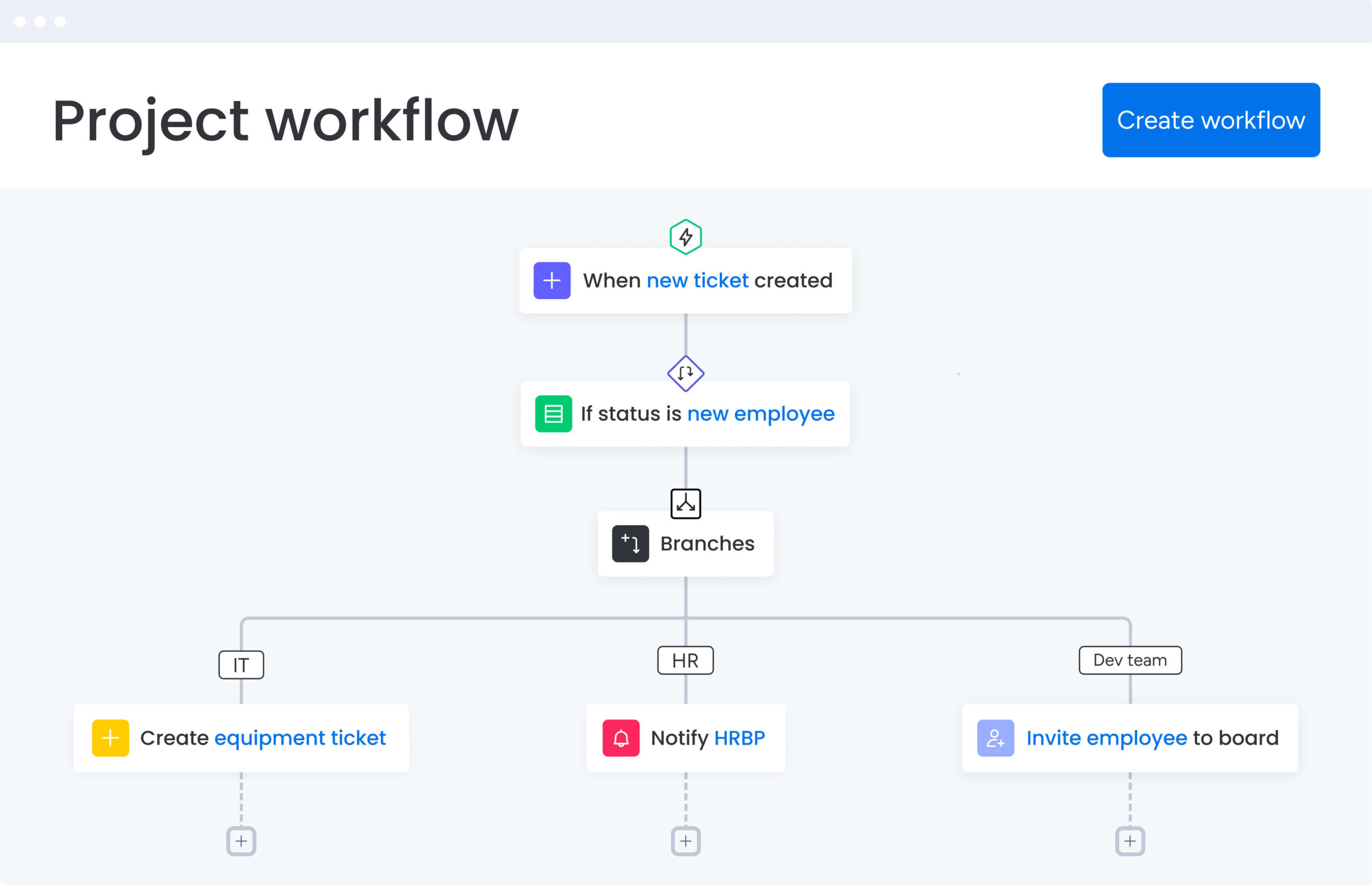
Manual processes create operational inefficiencies. Free workflow software addresses this challenge by replacing static project lists with intelligent systems that handle approvals, requests, and cross-departmental handoffs automatically. It connects work across functions rather than simply organizing individual items.
Consequently, for growing teams, automation represents the critical difference between stagnation and scalable growth.
When projects become dispersed across email threads or spreadsheets, organizational efficiency suffers. A workflow platform establishes a clear, unified path for work progression. Leaders gain visibility into operations, while automated notifications maintain accountability across teams.
As a result, organizations can prepare for growth without significant upfront investment. Teams can build and automate core processes within platforms like monday work management, establishing a foundation that scales with organizational needs. The result is a comprehensive system that manages business operations, not merely a task tracking tool.
5 ways to choose the right free workflow software
Selecting a free workflow platform requires careful evaluation. Many platforms advertise comprehensive organizational capabilities, yet their “free” tiers often include restrictions that limit progress as your operations expand.
Nevertheless, identifying a platform that meets current requirements while supporting future growth is possible by looking beyond marketing claims to evaluate actual performance.
Below you’ll find criteria worth being taken into consideration.
1. Map your workflow complexity
Map how work flows from start to finish. Identify who initiates requests, who approves them, and where decisions happen. Do tasks follow a simple, linear path or do they need smart routing across departments based on type, priority, or resources?
This exercise reveals what you actually need. A single-path workflow? A basic checklist works. But if tasks require intelligent routing, sending design work to one team and legal reviews to another, you need a platform with real automation power.
Mapping your workflow shows whether you need a simple checklist or a system built to scale.It uncovers hidden complexity and prevents you from outgrowing your platform the moment things get serious.
2. Look beyond the “free” label
The value of a free tier depends entirely on the functionality it provides. Examine the specific limitations carefully, as these constraints reveal the true differences between platforms.
Ensure you understand these critical factors before committing:
- User and item caps: what is the hard ceiling on team members and active work items?
- Feature access: are essential tools like automation, third-party integrations, or deep reporting locked away?
- Storage limits: will the file and data allowances support actual operations, or just a pilot project?
3. Test your tech stack connections
Your workflow platform should integrate seamlessly with your existing technology stack rather than operating in isolation. Operational efficiency depends on how effectively the software connects to the applications your team relies on daily.
Ensure the platform integrates with essential tools such as Slack, Google Drive, and other business-critical applications. Work should flow between systems without friction or manual intervention.
4. Put automation to the test
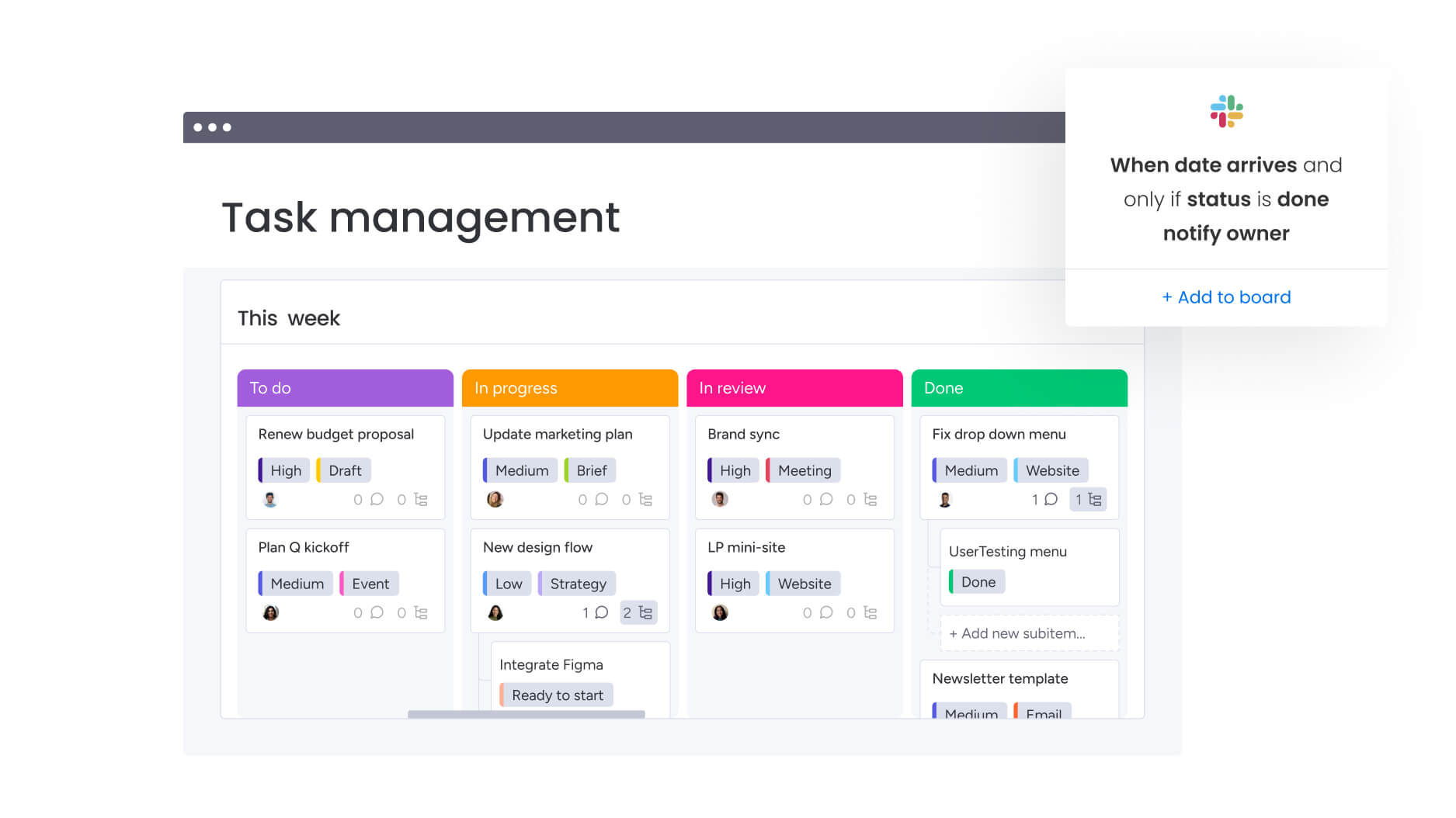
Automation enables your workflows to operate independently. Prioritize platforms that offer advanced automation capabilities, including intelligent routing and conditional triggers that extend beyond simple reminders.
Evaluate whether the system can automatically assign tasks based on project categories or initiate new workflow phases when status conditions are met. These capabilities distinguish a comprehensive workflow platform from a basic task management tool.
5. Plan for your future growth
Select a platform that aligns with your organization’s trajectory, not merely its current state. A transparent upgrade path ensures that costs and features scale predictably as your needs evolve.
With platforms like monday work management, teams can establish operations using a robust free tier and seamlessly expand into advanced capabilities without data migration or workflow reconfiguration. This approach supports organic growth while maintaining operational continuity.
15 free workflow platforms that actually scale
Organizations require a platform capable of unifying work across departments, not just tracking isolated projects. However, identifying a free tool that manages genuine complexity without quickly encountering premium tier restrictions presents a significant challenge. Many free solutions lack the capacity to support organizational growth.
This curated list focuses on platforms that deliver robust automation capabilities, comprehensive integrations, and the flexibility required for cross-departmental collaboration. Each platform enables teams to construct custom workflows that seamlessly connect existing tools.
These solutions extend beyond basic project tracking — they establish the foundation for a more integrated, transparent operational framework.
1. monday work management
Connecting daily tasks to bigger goals is what monday work management does best. It gives you one place to plan, execute, and report, so leaders can see progress without hunting for updates.
Need one place to run projects, handle requests, and manage operations without forcing everyone into the same template? This works. You can standardize key processes while letting teams work in the views they prefer.
Example:
Ideal for organizations looking to unify work across departments by centralizing intake, tracking delivery across multiple projects, and reporting progress in real time.
A PMO, for instance, can streamline project intake via forms and route approvals to stakeholders, tracking everything through Gantt charts. Simultaneously, marketing teams can manage campaign timelines and creative assets in the same ecosystem, ensuring handoffs remain unbroken.
Key features:
- Portfolio-ready visibility: create shareable dashboards that aggregate progress, timelines, and workload, giving stakeholders immediate insight without manual reporting.
- Flexible execution views: maintain consistency across functions while allowing teams to work via Gantt, Kanban, Timeline, Calendar, or Workload views.
- PMO-grade controls: manage scheduling risks and real-world constraints using dependencies, milestones, baselines, and critical path analysis.
Pricing:
- Free: up to two seats with unlimited boards and docs.
- Basic: $9/seat/month (billed annually), unlocks unlimited free viewers and 5 GB storage.
- Standard: $12/seat/month (billed annually), includes Timeline & Gantt views and 250 automation actions/month.
- Pro: $19/seat/month (billed annually), adds private boards, time tracking, Visual Workflow Builder, and 25,000 automation actions/month.
- Enterprise: custom pricing, Enterprise-grade security, governance, and 250,000 automation actions/month.
Why it stands out:
- Fastest adoption path: non-technical teams can get started immediately without sacrificing power.
- Industry recognition: recognized as a Leader in the 2025 Gartner® Magic Quadrant™ for Collaborative Work Management.
- Quick launch: teams can start with pre-built templates and mature into standardized processes.
- Live visibility: leadership gains immediate access to real-time decision-making data.
Advanced AI features:
- Column-based AI blocks: use “Autofill with AI” to summarize content, extract data, improve text, translate languages, or assign owners directly within board columns.
- Automation Center AI: trigger intelligent actions, such as summarizing updates or categorizing incoming requests, automatically.
- Governance: admins retain full control to enable or disable AI features at the account level.
- Free credits: accounts receive 500 free AI credits monthly to test these capabilities, with options to purchase more.
Automations:
- Routing: direct approvals to specific stakeholders upon request arrival and update statuses instantly.
- Operations: trigger reminders based on deadlines or alert owners when dependencies change.
- Standardization: deploy repeatable project structures via templates to ensure correct fields, owners, and milestones are always in place.
Integrations:
- Communication: Slack, Microsoft Teams, Zoom.
- Email & Storage: Gmail, Outlook, Google Drive.
- Dev & Time: Jira Cloud (two-way sync), Toggl, Harvest.
- Data: Excel import for collaborative tracking.
Best free workflow software features:
- Generous access: up to two seats with unlimited boards and docs.
- Structural flexibility: customizable boards and views allow teams to map work exactly as they see fit.
- Scalability: as needs grow, teams can seamlessly add automation volume, advanced views, and deeper reporting through paid tiers.
2. Asana
The Work Graph data model is Asana’s defining feature, linking tasks, projects, and goals to create a clear picture of organizational activity. It pairs a rules-based workflow builder with AI assistance to smooth out cross-functional friction. Adopted by 85% of the Fortune 100, Asana has proven its ability to bring clarity to collaboration at the enterprise level.
Example:
Best suited for teams that need strong cross-tool integrations and compliance, along with solid automation for standard workflows.
Key features:
- Workflow Builder: streamline routine processes using rules-based conditional logic (paid plans).
- Integration Engine: a robust rules engine links Asana to over 300 apps, including Slack, Teams, and Jira.
- AI Studio: paid plans include AI for generating tasks and updates, with an optional add-on for advanced custom AI workflows.
Pricing:
- Personal: free (up to 15 users, core features).
- Starter: $10.99/user/month (annual), adds Workflow Builder, Forms, unlimited automations.
- Advanced: $24.99/user/month (annual), adds Goals, Portfolios, advanced reporting.
- Enterprise: custom, adds SAML/SCIM, 24/7 support.
- Enterprise+: custom, adds audit log API, data residency.
Considerations:
- Automation complexity: while effective for general use, the automation engine may struggle with highly complex, multi-conditional logic compared to specialized tools.
- Governance restrictions: top-tier governance features like SIEM integration are restricted to the highest price point.
3. Trello
Visual thinkers often gravitate toward Trello. Its signature Kanban boards use lists and cards to map workflows in a way that is instantly intuitive. The platform appeals to small and mid-sized teams looking for straightforward tracking, supported by Butler automation to handle repetitive tasks. With massive global adoption, Trello remains a go-to for those who value simplicity.

Example:
Perfect for small teams managing linear workflows where visual stage progression is the primary need.
Key features:
- Butler Automation: define rules, buttons, and scheduled commands to move cards and update fields automatically.
- Power-Ups: extend board functionality with over 200 integrations, including Google Drive and Jira.
- Workspace Quotas: automation runs are pooled at the workspace level, preventing individual user bottlenecks.
Pricing:
- Free: $0 (ten collaborators, ten boards, 250 automation runs/month).
- Standard: $5/user/month (annual), unlimited boards, 1,000 automation runs.
- Premium: $10/user/month (annual), unlimited runs, Calendar/Timeline views.
- Enterprise: $17.50/user/month (annual), SSO, enhanced security.
Considerations:
- Automation quotas: high-volume teams may find automation quotas restrictive, even on premium plans (capped at 250k runs).
- Board-centric structure: the board-centric structure can become unwieldy for complex, cross-departmental workflows.
4. ClickUp
For teams wanting to consolidate a fractured toolset, ClickUp offers a comprehensive “all-in-one” workspace. It merges tasks, docs, chat, and automation into a single environment. The platform leverages AI to assist in building automations and offers extensive integration options, making it a strong contender for those looking to reduce their software footprint.

Example:
Teams willing to navigate a steeper learning curve in exchange for a single platform that handles everything from docs to complex automation.
Key features:
- AI Automation Builder: describe workflows in natural language to generate automations.
- Template Library: access 100+ pre-built automation templates with dynamic fields.
- Native Connectivity: integrates directly with email, chat, and tools like GitHub and Slack.
Pricing:
- Free Forever: $0 (unlimited tasks/members, 100MB storage).
- Unlimited: $7/user/month (annual).
- Business: $12/user/month (annual), 5,000 automation actions.
- Enterprise: custom, 250,000 automation actions.
- AI add-ons: AI and extra automation actions are paid add-ons.
Considerations:
- Feature-dense interface: the interface can be overwhelming to set up.
- Automation limits: limits on the Business tier (5,000 actions) are lower than some competitors.
5. Notion
Notion blurs the line between knowledge management and task execution. It combines databases, documents, and AI agents into a unified workspace, serving organizations that need to keep their documentation and workflows tightly coupled. It has become a favorite for teams aiming to eliminate the separation between planning and doing.

Example:
Excellent for teams that prioritize documentation and need to link content creation directly to automated processes.
Key features:
- Database Automations: visual builders for triggers and actions, including recurring schedules.
- AI Agents: execute multi-step workflows across connected databases and apps.
- Unified Toolset: forms, sites, charts, and email automation live within the same workspace.
Pricing:
- Free: basic features, limited automation.
- Plus: $10/seat/month (annual).
- Business: $20/seat/month (annual).
- Enterprise: custom pricing.
Considerations:
- Automation chaining: database automations cannot trigger other automations, which limits the ability to create daisy-chained workflows.
- Performance lag: large, data-heavy pages can suffer from performance lag.
6. Airtable
If you need the structure of a database with the familiarity of a spreadsheet, Airtable is the answer. It allows teams to build custom workflow applications that scale, specializing in relational data management. Embedded automations make it a powerful choice for those who need structured workflows without the headache of managing a traditional SQL database.

Example:
Teams comfortable with spreadsheet logic who require more power and data-driven automation than Excel can provide.
Key features:
- Server-side automations: triggers and conditional logic run continuously in the background.
- Relational power: link records and create custom views; supports up to 100M records via HyperDB.
- Governance: includes SSO, SOC 2, ISO, and HIPAA support on enterprise plans.
Pricing:
- Free: limited capacity/features.
- Team: $20/collaborator/month (annual).
- Business: $45/collaborator/month (annual).
- Enterprise Scale: custom.
Considerations:
- Automation run limits: can be tight (100/month on Free vs 500k on Enterprise).
- User concerns: some have noted issues regarding price hikes and support responsiveness.
7. Smartsheet
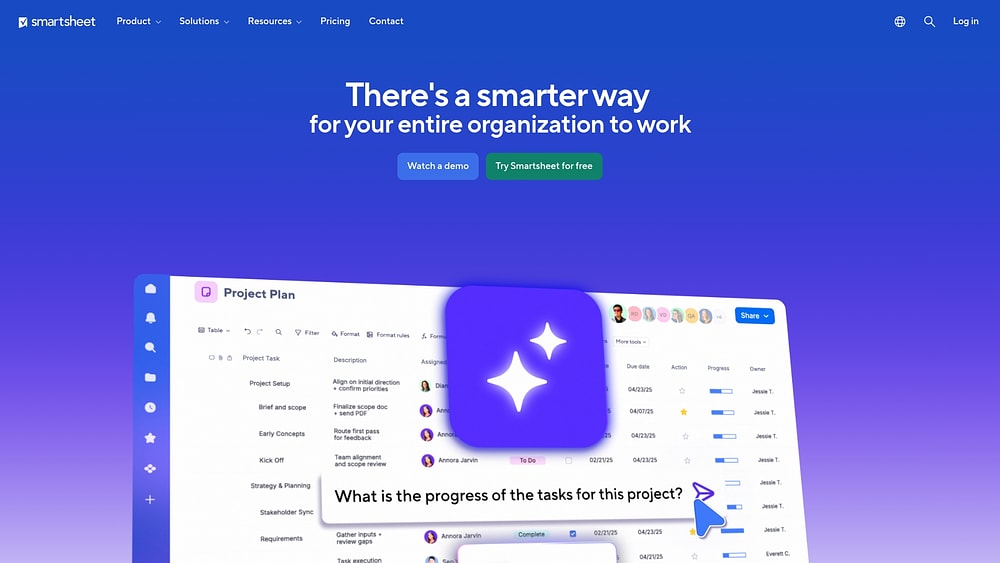
Bridging the gap between Excel and true automation, Smartsheet appeals to organizations ready to evolve from manual entry without abandoning the grid interface they trust. It transforms familiar spreadsheet workflows into automated business processes, offering a comfortable transition for data-heavy teams.
Example:
Organizations moving off static spreadsheets that want enterprise-grade automation within a familiar grid UI.
Key features:
- Visual Workflow Builder: no-code setup for alerts, approvals, and integrations.
- Control Center: manage automation and updates across entire portfolios globally.
- Enterprise Connectors: deep integration with Salesforce, Jira, and Microsoft 365.
Pricing:
- Free: legacy option (two sheets, 100 automations/month).
- Pro: $9/user/month (annual), 250 automations.
- Business: $19/user/month (annual), unlimited automations.
- Enterprise: custom.
Considerations:
- Premium features: Bridge and advanced connectors often require paid add-ons.
- Formula limitations: cross-sheet formula triggers have limitations to prevent loops, which can complicate some workflows.
8. Wrike
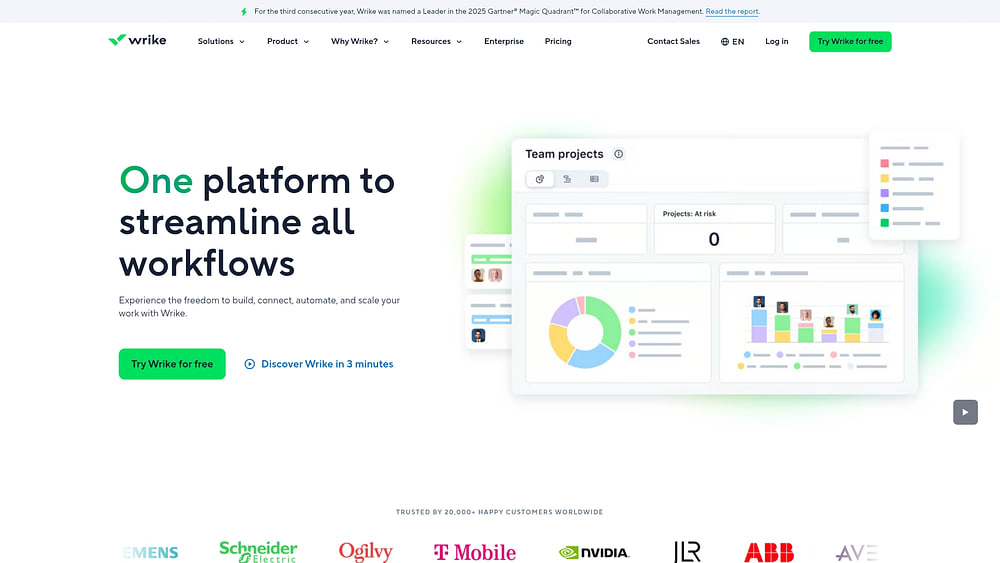
Strict governance and structured approvals are Wrike’s sweet spot. It delivers intelligent work management with deep automation, making it ideal for cross-functional teams that require rigorous oversight. Recognized as a market leader, Wrike balances robust automation capabilities with the security features large enterprises demand.
Example:
Mid-to-large organizations that need governed workflows, formal approvals, and AI-enhanced automation.
Key features:
- Visual automation: no-code builder with AI-powered rule generation.
- Dynamic request forms: use conditional logic and blueprint templates to standardize intake.
- Wrike Integrate: connect to 400+ apps with bidirectional sync (powered by Workato).
Pricing:
- Free: basic task management, no automation.
- Team: $10/user/month, 50 automation actions/seat.
- Business: $25/user/month, 200 actions/seat, dynamic forms.
- Enterprise/Pinnacle: custom pricing.
Considerations:
- Automation rules: generally do not trigger on API changes or imports.
- Feature restrictions: key features like dynamic forms are locked behind the Business plan, which may be costly for smaller teams.
9. Basecamp
Basecamp rejects the “always-on” culture, focusing instead on straightforward project coordination. It replaces complex Gantt charts with message boards, to-do lists, and file sharing. For teams that value asynchronous communication and simplicity over intricate automation, Basecamp offers a refreshing alternative.

Example:
Small teams and agencies that want to coordinate projects without the noise of complex features.
Key features:
- Automatic Check-ins: replace daily stand-ups with scheduled status prompts.
- Project Templates: standardize repeatable work with relative dates.
- Hill Charts: visually track whether a project is in the “figuring it out” or “making it happen” phase.
Pricing:
- Free: one active project.
- Plus: $15/user/month.
- Pro Unlimited: $299/month (unlimited users).
Considerations:
- Native automation: very limited compared to competitors.
- Advanced features: lacks the reporting and AI capabilities that growing operations often require.
10. Jira
Technical teams rarely need an introduction to Jira. Designed specifically for software development, it handles intricate state transitions and conditional logic better than almost any generalist tool. With deep roots in the enterprise, Jira provides the heavy-duty automation infrastructure that development organizations depend on.

Example:
Software teams managing sprints, bug tracking, and release workflows across multiple repositories.
Key features:
- Dev-centric rules: triggers for code commits, pull requests, and version releases.
- Cross-product automation: seamlessly connects with Bitbucket, Confluence, and other Atlassian tools.
- Smart values: handles complex branching logic with full audit trails.
Pricing:
- Free: up to ten users.
- Standard: $7.16/user/month (annual).
- Premium: $12.48/user/month (annual).
- Enterprise: custom.
Considerations:
- Execution limits: execution limits on lower tiers can be a bottleneck.
- Developer-focused interface: the interface is built for developers, making it less accessible for non-technical business units.
11. Activepieces
Data sovereignty and open-source flexibility define Activepieces. It allows teams to connect apps and data flows without fear of vendor lock-in. By combining visual building with self-hosting options, it has gained traction among developers who demand control over their automation infrastructure.

Example:
Teams that need the flexibility to self-host and want unlimited executions at a predictable cost.
Key features:
- Visual Flow Builder: includes 596+ integrations and custom TypeScript support.
- AI & MCP: built-in AI agents and Model Context Protocol support.
- Deployment Choice: self-host for control or use the cloud for convenience.
Pricing:
- Community: free (self-hosted).
- Standard: free for ten flows, then $5/flow/month.
- Ultimate: custom.
Considerations:
- Integration library: smaller than major competitors.
- Stability issues: some have been reported, though updates are frequent.
12. Kissflow
When compliance and audit trails are non-negotiable, Kissflow steps in. It focuses on digitizing paper-based processes and complex approvals for mid-to-large organizations. The platform is particularly valuable in regulated industries where strict governance controls are as important as the workflow itself.

Example:
Enterprises digitizing complex approval chains that require rigorous security and governance.
Key features:
- Process Orchestration: visual builder with parallel processing and SLA timers.
- Decision Tables: reusable logic for governed decision-making.
- Enterprise Integration: 1000+ connections, SSO/SCIM, and compliance certifications.
Pricing:
- Basic: starts at $2,500/month.
- Enterprise: custom pricing.
Considerations:
- Entry cost: the $2,500/month entry point is steep for smaller teams.
- Reporting flexibility: advanced reporting can be rigid, sometimes requiring vendor assistance for customization.
13. Google Workspace
Leveraging an existing investment often makes the most sense. Google Workspace turns familiar tools like Gmail, Docs, and Sheets into a collaborative workflow engine. For organizations already deep in the Google ecosystem, using built-in automation via Apps Script and AppSheet can be a logical first step before adopting a dedicated platform.

Example:
Teams already using Google tools who need basic workflow automation without adding new vendors.
Key features:
- Workspace Studio: create AI agents to automate tasks across Google apps.
- AppSheet: build no-code apps connected to Sheets and Drive.
- Drive Approvals: file-level approval workflows with version awareness.
Pricing:
- Business Starter: $7/user/month.
- Business Standard: $14/user/month.
- Business Plus: $22/user/month.
- Enterprise: custom.
Considerations:
- Apps Script limits: runtime limits constrain heavy automation.
- File-centric approvals: less suitable for complex business processes.
14. Scribe
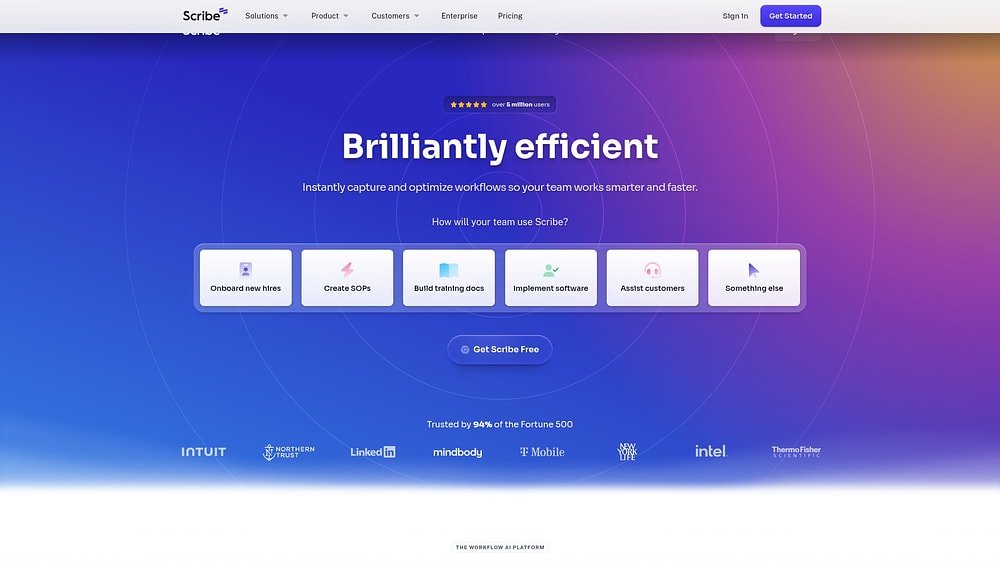
Scribe tackles the “how” rather than just the “what.” It automatically generates step-by-step guides as you work, capturing workflows for documentation and training. By analyzing how work gets done, Scribe helps organizations standardize procedures and identify opportunities for improvement.
Example:
Teams focused on documenting SOPs, training staff, and analyzing workflow efficiency.
Key features:
- Auto-Capture: turns browser actions into visual guides.
- Sidekick: provides in-context access to procedures.
- Optimize Module: identifies bottlenecks and suggests automation ROI.
Pricing:
- Basic: free.
- Pro Personal: $23/month (annual).
- Pro Team: $12/month (annual).
- Enterprise: custom.
Considerations:
- Documentation focus: it documents workflows but does not execute them.
- Browser limitations: browser support is primarily limited to Chrome and Edge extensions.
15. Lindy
Lindy takes a conversational approach to automation. Its AI agents understand natural language instructions to execute multi-step processes, bridging the gap between simple tasks and sophisticated AI execution. It targets teams that want to build workflows by simply describing them, without needing technical expertise.

Example:
Teams looking for AI-first automation that handles both API integrations and UI tasks via natural language.
Key features:
- Prompt-to-Agent: build workflows using plain English.
- Computer Use: agents can operate virtual machines for UI automation.
- Phone Agents: integrated voice capabilities.
Pricing:
- Free: 400 credits.
- Starter: $49/month.
- Standard: $99/month.
- Pro: $199/month.
Considerations:
- Credit-based pricing: can be hard to forecast.
- Website automation detection: may impact the reliability of UI-based tasks.
What to look for in a free workflow platform?
A free workflow platform must be an engine for execution, not just a digital checklist. The goal is to secure a foundation that supports actual work without slamming into a paywall the moment you make progress.
Distinguishing a robust platform from a basic list manager comes down to specific capabilities. Ensure your choice delivers on these four essentials, as they determine whether you are applying a temporary patch or building a long-term solution.
- Visual workflow builders: can you drag and drop elements to map out a process? Look for interfaces that turn complex logic into clear visual roadmaps, supported by templates that jumpstart common tasks like onboarding or approvals.
- No-code automation: this is the key to reclaiming time. You need the ability to set up simple triggers, like routing an item for approval, without writing code or sending emails.
- Real-time collaboration: context is king. The platform must tie conversations and files directly to the task at hand, eliminating the confusion of scattered communication.
- A connected integration ecosystem: avoid creating another data silo. A superior platform connects your existing tools. monday work management, for instance, links to over 200 applications even on its free tier.
These are not optional extras; they are the components of a scalable operating system. Selecting a platform with this DNA means you are building for tomorrow’s complexity, not just today’s to-do list.
How does AI transform workflow management?
AI is shifting workflows from static tracking to dynamic intelligence. The technology now allows platforms to learn, adapt, and predict next steps, democratizing powerful automation for every user.
For your team, this means the software does the heavy lifting. AI-powered features handle the complex logic, allowing humans to focus on strategy and impact.
- Natural language building: simply describe the process you want, and let the AI construct the automation logic for you.
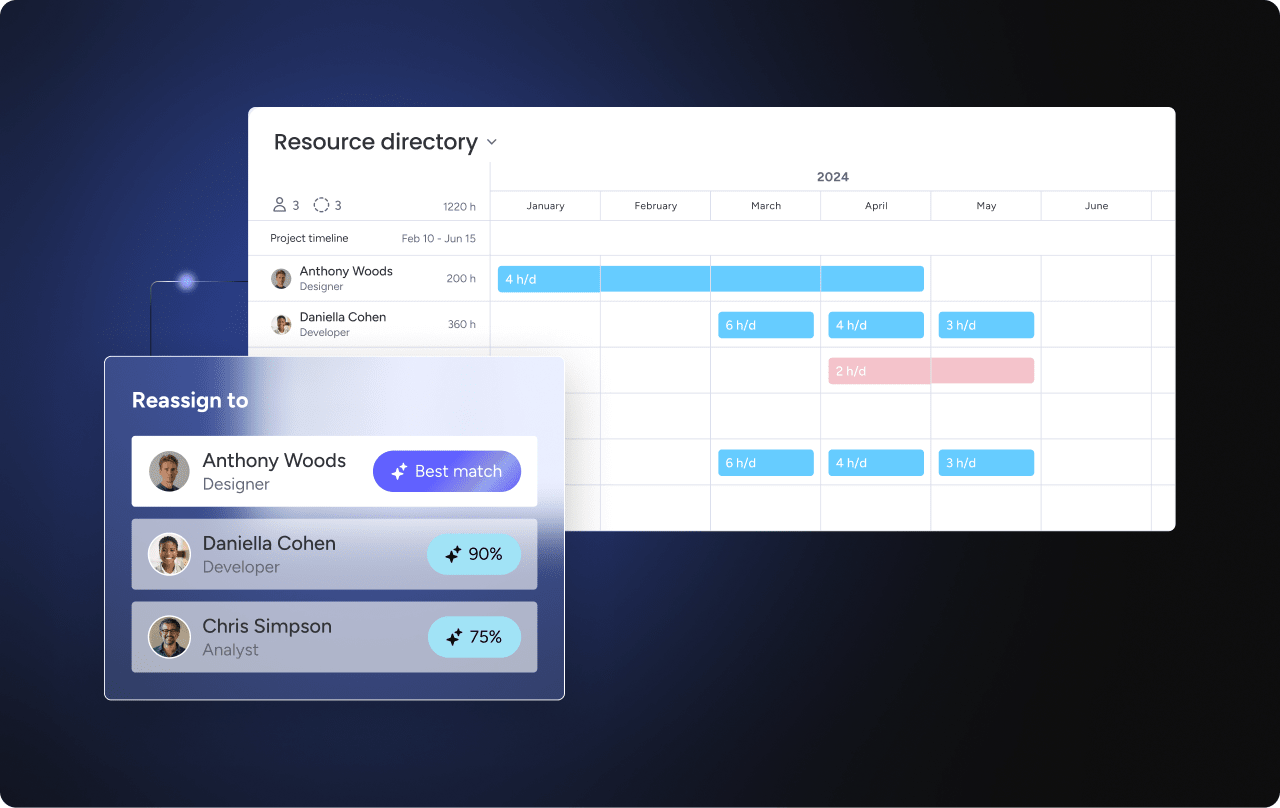
- Intelligent assignment: the system can analyze workload and expertise to route tasks to the right person automatically.
- Instant data extraction: stop manual entry by letting AI pull critical details from emails and documents directly into your workflow fields.
The real revolution is in the ease of creation. Complex configurations are replaced by intuitive design. Leaders use solutions like monday work management to bridge these AI insights with execution, turning efficiency gains into measurable business outcomes.
7 strategies to maximize free workflow software
Treating free workflow software as a mere trial run is a missed opportunity. Instead, it should be the launchpad for a more efficient organization. Transforming basic usage into tangible impact requires a deliberate strategy.
Therefore, use these seven tactics to construct scalable processes that deliver value now while preparing your team for what comes next.
Strategy 1: pinpoint the bottlenecks
Identify where your operations stall. Is it content approval getting lost in email, or customer handoffs dropping the ball? Targeting these high-friction areas first provides immediate relief and visibility.
Solving a painful problem builds momentum. When teams feel the difference in their daily grind, they become internal champions who drive wider adoption.
Strategy 2: don’t automate chaos
Map your process before you automate it. This audit often reveals inconsistencies that need fixing. Define a standard procedure first, ensuring you are automating a best practice rather than accelerating a bad habit.
Standardization is the bedrock of scalability. When the playbook is clear, workflows become predictable and easier to manage as volume increases.
Strategy 3: institutionalize success
Make your team’s best work repeatable by building templates. Whether it’s a project launch or a hiring protocol, templates capture expert knowledge and help new members contribute immediately.
In doing so, these assets preserve institutional memory. They allow you to spin up new initiatives with speed and confidence, knowing the structure is sound.
Strategy 4: bridge the app gap
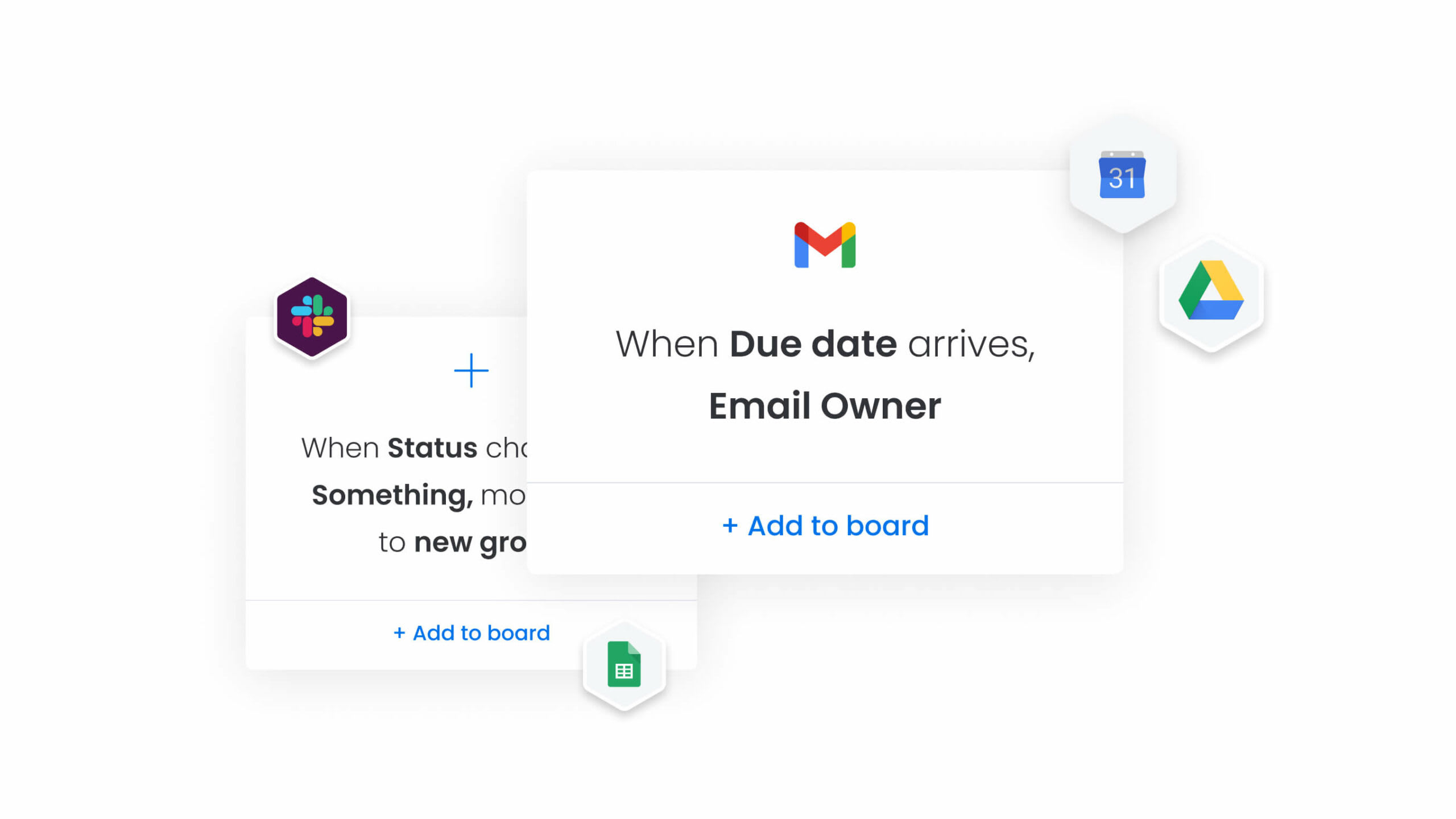
Stop the constant toggle between windows. Prioritize integrating the tools your team lives in, such as Slack, Teams, or Google Drive. Bringing updates and files into the workflow reduces friction significantly.
Connecting core apps creates instant efficiency. It makes the new platform feel like a natural extension of the work environment rather than an intrusion.
Strategy 5: keep an eye on the meter
Monitor your usage against the free tier’s limits. Tracking activity, automation runs, and storage helps you avoid service interruptions and provides data for optimization.
Understanding these usage patterns reveals which processes are driving value. This insight allows you to make informed decisions about when to invest in expanded capacity.
Strategy 6: cultivate internal experts
Find the power users who can lead the charge. These internal champions can create documentation, assist colleagues, and provide the kind of peer-to-peer training that actually sticks.
Champions act as accelerators. They drive adoption, help refine processes, and uncover new ways to leverage the platform that you might have missed.
Strategy 7: forecast the ceiling
Growth is the goal, so anticipate the need for more power. Monitor your trajectory to predict when the free plan will become a constraint. This foresight allows you to evaluate paid tiers based on proven ROI rather than urgency.
Planning the upgrade path ensures you extract maximum value from the free tier and transition smoothly when the business demands it.
A different approach to workflow software
Too often, “free” feels like a trap — a limited trial designed to force a purchase the moment you succeed. Built on a different premise, monday work management empowers teams with genuine tools from day one. It provides a foundation for growth, not a funnel for upgrades.
You get visual, drag-and-drop boards and AI that handles the heavy lifting. Over 200 integrations and enterprise-grade security come included right out of the box. It’s a complete toolkit for unifying work.
But how does this philosophy hold up in a direct comparison? Rather than locking away core features, the platform offers generous access to the capabilities that matter most.
| Feature | monday work management | Asana | ClickUp | Trello |
|---|---|---|---|---|
| Free tier users | Two users, unlimited boards | 15 users, limited projects | Unlimited users, 100MB storage | Unlimited users, ten boards per workspace |
| Automation | Unlimited automations with AI blocks | 100 automation actions/month | 100 automation actions/month | Butler automation with monthly limits |
| Integrations | 200+ integrations included | Limited integrations, paid for premium | 100+ integrations, some require paid plans | Power-Ups limited to one per board |
| AI capabilities | AI blocks, Project Analyzer, Digital Workforce | AI features require paid plans | AI writing assistant in paid plans | No AI features in free tier |
| Storage | 500MB per user | 100MB total | 100MB total | 10MB per file |
| Views | Multiple views (Kanban, Gantt, Calendar, Timeline) | List, Board, Calendar views | Multiple views with limitations | Board view only |

“monday.com has been a life-changer. It gives us transparency, accountability, and a centralized place to manage projects across the globe".
Kendra Seier | Project Manager
“monday.com is the link that holds our business together — connecting our support office and stores with the visibility to move fast, stay consistent, and understand the impact on revenue.”
Duncan McHugh | Chief Operations OfficerBuilding a scalable future
Selecting free workflow software is about more than fixing today’s disorganization; it is about defining how your company will operate at scale. Prioritizing flexibility and integration ensures your tools act as accelerators, not anchors.
As your operations mature, the right platform evolves alongside you, transforming scattered tasks into a cohesive system. Whether streamlining approvals or automating complex handoffs, the objective is constant: building a business that runs with efficiency, transparency, and speed.
Frequently asked questions
What's the difference between free workflow software and free trials?
Free workflow software grants permanent access to a set of core features with specific limits. In contrast, a free trial gives you temporary access to the full premium suite before locking you out or requiring payment.
Can free workflow software integrate with tools like Slack and Google Workspace?
Yes, though the depth varies by vendor. Most offer basic connections, but with over 200 integrations with major business apps directly on its free plan, monday work management stands out.
How many team members can use free workflow software?
Caps usually range between two and 15 users depending on the provider. It is crucial to weigh whether user count or feature restrictions will be the primary bottleneck for your specific team.
Is my data secure in free workflow software?
Top-tier platforms do not compromise on security for free users. For example, monday work management includes two-factor authentication and role-based permissions across all plans.
What happens when my team outgrows the free tier?
You simply upgrade to a paid plan to unlock more capacity. Platforms like monday work management ensure this transition is seamless, preserving all your existing data, workflows, and configurations.
Do free workflow platforms include AI features?
Generally, no; AI is often gated behind paid subscriptions. However, by including AI-powered automation and analysis tools within its free offering, monday work management breaks this mold.

 Get started