

Retail marketing leaders managing 50-100+ person teams face a complex challenge: coordinating hundreds of events across multiple locations while maintaining brand consistency and measuring real business impact. When product launches, seasonal campaigns, and in-store activations happen simultaneously across your retail network, fragmented platforms and manual processes create bottlenecks that limit your team’s ability to execute at scale.
The best event management software available in 2026 addresses this by unifying event planning with broader marketing operations, enabling teams to standardize workflows, optimize resource allocation, and connect every activation to measurable business outcomes.
Let’s explore what separates basic event platforms from the solutions that support enterprise retail marketing at scale. This guide will uncover the essential features for multi-location coordination, compare specialized event platforms with unified work management solutions, and provide a practical implementation roadmap for teams ready to transform scattered event coordination into strategic execution that drives measurable business impact.
Key takeaways
Running events across dozens of retail locations with large teams? The right software doesn’t just organize your calendar — it helps you replace late-night emails and emergency vendor calls with confident, repeatable execution. Here’s the key points to keep in mind for retail marketing leaders:
- Connect events to your bigger marketing picture: link every retail activation to campaign goals and revenue targets so events drive measurable business impact, not just foot traffic.
- Scale from 50 to 500+ events without burning out your team: use standardized templates and automated workflows to handle massive event portfolios while keeping your marketing team productive and focused.
- Get real-time visibility across all retail locations: track event ROI, team capacity, and performance metrics in live dashboards so you can prevent problems before they happen and prove marketing value to executives.
- Transform scattered coordination into unified execution: eliminate platform sprawl by managing events, campaigns, and marketing operations in one place that connects to your retail POS and CRM systems.
- Stop reinventing event planning for every activation: create reusable workflows that work across different store formats while maintaining brand consistency and reducing planning time by 40%.
What makes heads of marketing choose monday work management for retail event management?

If you’re leading a marketing team of 50+ people, you know the truth: event success isn’t measured in perfect logistics. It’s whether that store opening actually drove the revenue and customer acquisition targets in your marketing plan. Unlike standalone event platforms that handle registration and ticketing, comprehensive work management platforms enable you to oversee campaign planning, event launches, and marketing operations in one unified workspace.
Try coordinating a holiday product launch across 200 stores while your team is already maxed out on three seasonal campaigns. Without the right system, someone’s working all weekend to keep it from falling apart. Without centralized visibility, teams reinvent workflows for every event, critical handoffs get missed, and you can’t prove event impact on revenue.
Marketing leaders need more than event checklists — they need operational efficiency through standardization, automation, and customizable templates that prevent constant reinvention.
Advances solutions such as monday work management address these challenges by democratizing information across your entire marketing organization. From store-level event coordinators to executive leadership, everyone accesses real-time dashboards and automated reporting to track campaign ROI, customer acquisition costs, and budget adherence.
With integrations to retail POS systems, CRM platforms, and inventory management tools, the platform becomes your single source of truth — connecting in-store events to online sales and proving the real impact of your retail marketing strategy.
Essential features for enterprise retail event management
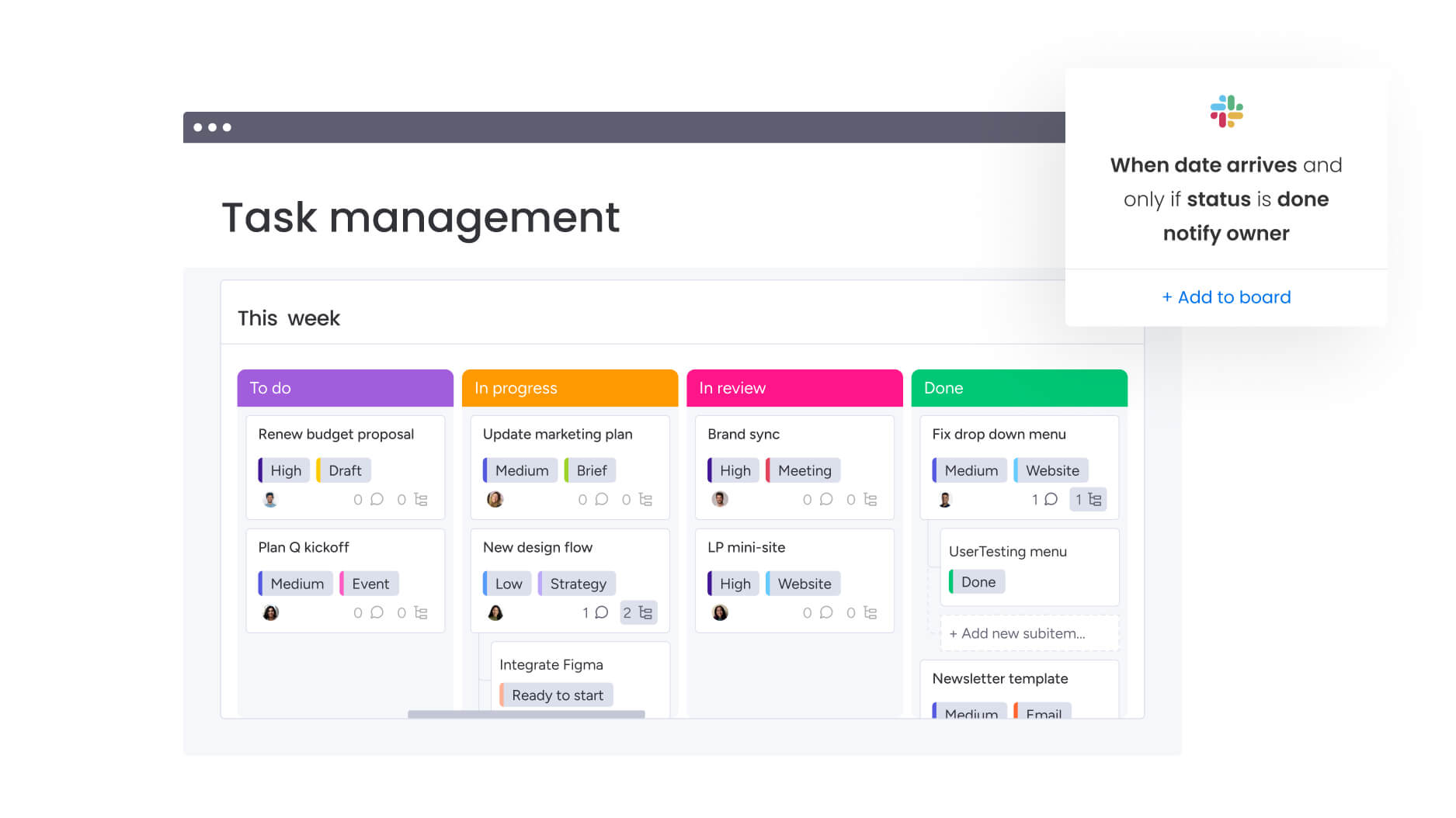
Focus on platforms built for the unique demands of enterprise retail. Retail marketing at scale demands these non-negotiable capabilities that separate real enterprise solutions from basic event tools.
These features below address the complex needs of cross-functional marketing teams operating at scale and ensure your platform can handle the complexity of multi-location retail operations.
Event management workflows
Comprehensive event coordination capabilities let you plan, track, and execute both in-person and virtual retail events from a single platform. The system should support multi-location event planning with customizable boards for different event types — from flagship store openings to franchise activations to pop-up shops.
For heads of marketing managing large-scale retail operations, this eliminates the manual coordination that typically requires countless spreadsheets to manage vendor relationships, store logistics, and promotional calendars. Visual timeline and calendar views provide instant visibility into events happening across your retail network, preventing scheduling conflicts and ensuring adequate resource allocation.
When evaluating platforms, certain workflow capabilities are ‘must have’ for large-scale retail operations. These features ensure you can standardize processes across hundreds of events while maintaining brand consistency. Look for the following:
- Standardized event templates: maintain brand consistency across hundreds of local events while allowing regional customization.
- Automated notifications: keep cross-functional teams aligned on event milestones and deliverables.
- Multi-location planning: coordinate events across different retail formats and geographic regions.
- Vendor management: track contracts, deliverables, and communications in one place.
Campaign management integration
Event management software should connect event planning directly to campaign calendars, ensuring every retail activation supports your multi-channel marketing strategy. Rather than treating events as isolated activities, you need platforms that show how event deadlines impact campaign launches, content production schedules, and promotional timelines.
This integration proves critical for retail marketing leaders who need to measure event impact on overall customer lifetime value and retail sales. By connecting event data to campaign performance dashboards, you can track how in-store activations drive online engagement, how product launch events influence sales velocity, and how seasonal events contribute to quarterly revenue targets.
Resource management and workload visibility
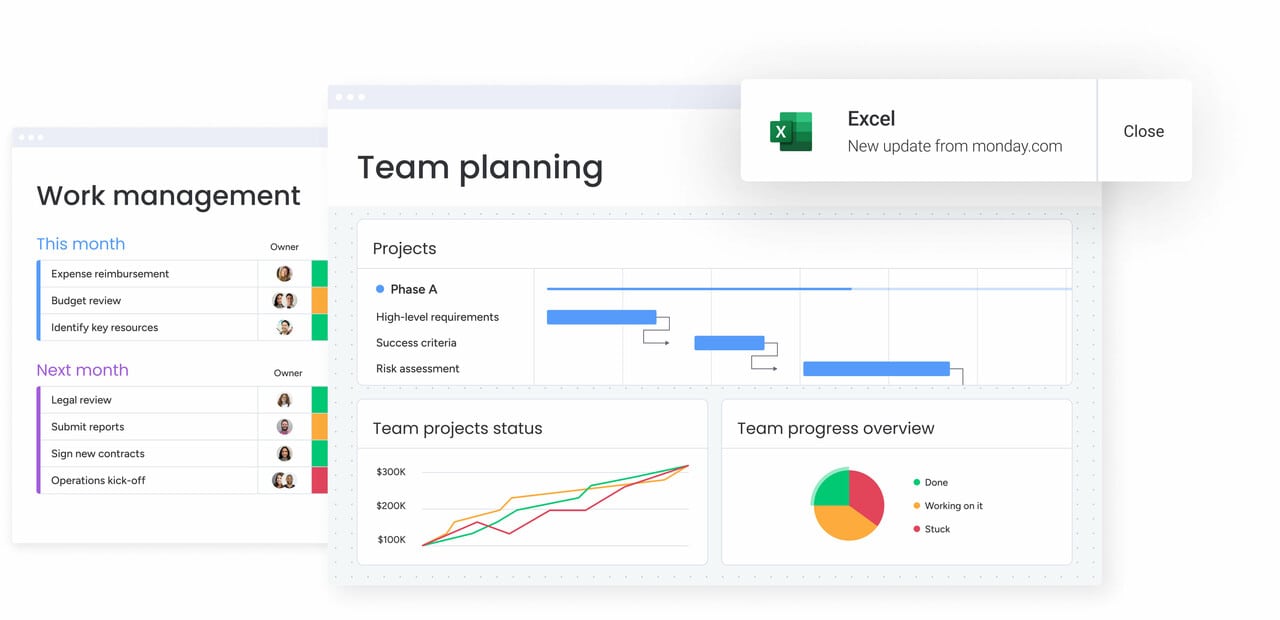
Real-time visibility into team capacity across your entire marketing organization enables strategic resource allocation that prevents burnout during peak retail seasons. The platform you choose should visualize individual and team bandwidth across multiple projects and events simultaneously, identifying overloaded team members before deadlines slip.
For marketing leaders overseeing 50-100+ person teams, this addresses the poor resource utilization that leads to burnout and missed deadlines during critical retail periods like Black Friday and holiday seasons. Visual workload charts make it easy to balance event planning responsibilities across creative, content, acquisition, and event operations teams.
How event management software improves team collaboration
Unified platforms eliminate the tool sprawl that fragments communication and creates version control issues. When all event stakeholders work in the same system, you reduce the endless email chains, missed handoffs, and duplicated work that plague disconnected teams. This centralized approach transforms how marketing, creative, operations, and finance teams coordinate on complex retail events.
Effective collaboration features transform how cross-functional teams work together on retail events:
- Shared boards and real-time updates: everyone sees the latest event status, eliminating the “which version is current?” confusion.
- Automated notifications: team members get alerted when their input is needed, without manual follow-ups.
- Centralized communication: comments, files, and approvals live in context with the work, not scattered across email threads.
- Cross-functional workflows: connect marketing with legal for contract reviews, finance for budget approvals, and operations for logistics.
The transparency that comprehensive platforms provide ensures event planning doesn’t happen in isolation from broader business operations. When legal teams can review event contracts directly in the platform, when finance tracks budgets in real-time, and when product teams see how launch events align with inventory availability, the entire organization moves faster.
The 5 C's for evaluating event management platforms
We’ve broken down what matters into what we call the five C’s of retail event management.
Use this framework to quickly spot platforms that handle the full event lifecycle versus those that’ll leave you hanging halfway through. This framework helps distinguish between point solutions that handle basic logistics and comprehensive platforms that manage events as part of broader marketing operations. .
1. Concept: strategic planning capabilities
The platform should support the initial ideation and planning phase with features for brainstorming, goal-setting, and budget planning. Look for capabilities that connect event concepts to marketing objectives and OKRs, ensuring every activation aligns with strategic priorities.
2. Coordination: cross-functional execution
Evaluate how well the platform facilitates coordination between teams, vendors, and stakeholders. This includes workflow automation, task dependencies, and communication tools that keep everyone aligned throughout the planning process.
3. Control: governance and oversight
The platform should provide governance features like approval workflows, budget controls, and compliance tracking. For enterprise organizations, this includes permission-based access, audit trails, and the ability to maintain brand standards across distributed teams.
4. Culmination: event execution support
Look for features that support day-of execution, including mobile access for on-site teams, real-time updates, and the ability to handle last-minute changes without losing visibility or control.
5. Closeout: analysis and optimization
The platform should facilitate post-event analysis with reporting capabilities, ROI tracking, and the ability to capture lessons learned. This data should feed back into future event planning, creating a cycle of continuous improvement.
Comparison: monday work management vs specialized event platforms
When you’re coordinating events across dozens — or hundreds — of retail locations, the limitations of event-only tools become obvious fast. The table below compares monday work management with specialized event platforms to show how each supports (or struggles with) multi-location execution, resource planning, and portfolio-level visibility.
| Feature | monday work management | Specialized event platforms |
|---|---|---|
| Event + campaign management | Full integration across all marketing work | Events only, separate from campaigns |
| Resource capacity planning | Workload view included for all team members | Requires separate tool or manual tracking |
| Retail system integrations | 200+ integrations including POS and CRM | Limited, primarily ticketing and registration |
| Multi-location templates | Unlimited custom templates for any format | Basic templates, limited customization |
| Cross-functional collaboration | Company-wide platform for all departments | Event teams only, creates silos |
| Portfolio visibility | Real-time dashboards across all initiatives | Event-specific reporting only |
| Implementation time | 2 weeks to 1 month | Varies, often requires custom development |
| Scalability | Handles unlimited events and users | May have event or attendee limits |
Benefits of unified event management for retail marketing teams
The right platform doesn’t just organize your events — it transforms how your entire marketing team operates. Here’s exactly what changes when you implement a system built for retail complexity:
Time and efficiency gains
Retail marketing teams using unified platforms report significant time savings through automated workflows and standardized templates. The elimination of manual coordination that previously consumed days of staff time means teams can execute more events without proportionally increasing headcount.
Organizations achieve substantial ROI by replacing fragmented event management platforms with unified solutions. Centralizing event and campaign management in one platform eliminates the 635+ working spreadsheets and 10,000+ emails that typically bog down coordination.
Cost optimization
Organizations achieve substantial ROI by replacing fragmented event management tools with unified platforms. The elimination of duplicate work that occurs when teams operate in silos, combined with improved resource allocation that prevents costly overtime and agency spending, delivers measurable savings.
Retail marketing teams save hundreds of thousands annually to reinvest in strategic initiatives by optimizing event workflows.
Enhanced visibility and control
Real-time dashboards provide instant visibility into event performance, team capacity, and budget status across your entire event portfolio. Marketing leaders gain the centralized view needed to identify risks early, reallocate resources proactively, and report accurate metrics to executive stakeholders.
This visibility enables tracking of event impact on customer lifetime value and retail sales, connecting event activities to business outcomes that justify marketing spend.
Improved team productivity
Marketing teams experience dramatic improvements in productivity by streamlining event planning processes through unified platforms. The ability to manage 150+ projects simultaneously with increased efficiency demonstrates how the right platform scales to support growing event portfolios without proportional increases in team size.
Teams report significant increases in creative output and weekly campaign volume when freed from administrative tasks.
Implementation roadmap for retail event management at scale

How do you roll out new software to a 50+ person marketing team and ensure adoption? A successful launch isn’t just about the tech — it’s about getting people to actually use it. This proven roadmap handles both sides of the equation. This roadmap ensures smooth adoption while maximizing the platform’s impact on your event operations and broader marketing strategy.
Step 1: map your event portfolio and create a master calendar
Begin by cataloging all planned retail events in a master calendar. Document event types, target audiences, expected attendance, budget allocations, and strategic objectives for each activation.
This comprehensive view enables you to identify scheduling conflicts, balance event distribution across retail locations, and ensure adequate resource allocation throughout the year.
Step 2: build standardized templates for each retail format
Create customizable templates for recurring event types that include pre-configured task lists, timeline milestones, budget tracking columns, and vendor management workflows. Develop separate templates for different retail formats that reflect unique requirements and approval processes.
Include automated workflows for common scenarios like vendor contract approvals and post-event survey distribution.
Step 3: integrate with your retail technology stack
Connect your event management platform to existing retail systems including POS platforms, CRM tools, inventory management software, and marketing automation platforms. Configure two-way data syncing to ensure event registrations flow into your CRM, sales data informs ROI calculations, and inventory levels are visible to event planners.
Step 4: establish cross-functional collaboration workflows
Create shared boards that connect marketing teams with legal, finance, product, and store operations departments. Define clear ownership and approval processes for event-related tasks.
Use automated notifications to alert relevant stakeholders when their input is needed, centralizing event-related communication and eliminating scattered emails.
Step 5: implement resource planning and capacity management
Configure workload views to visualize team capacity across all marketing initiatives, enabling strategic allocation of your 50-100+ person team. Define resource requirements for different event types and use capacity planning features to identify potential bottlenecks during peak retail seasons.
Create automated alerts that flag when teams approach capacity limits.
Step 6: build real-time dashboards for executive reporting
Design custom dashboards that track the metrics executive leadership cares about — event ROI, customer acquisition costs, and strategic alignment with company OKRs. Configure automated reports that compile event data for regular stakeholder updates.
Create role-specific dashboard views so store managers see local performance while executives see portfolio-level metrics.
Level up your retail event management with monday work management
Let’s be honest: spreadsheets and basic event tools break down when you’re running campaigns across 50+ stores with large teams. You need a platform that doesn’t just track dates, but connects every store opening and product demo to actual business results. monday work management eliminates the fragmentation that limits retail marketing impact by uniting event planning, campaign management, and marketing operations in one powerful workspace.
Key transformation benefits include:
- Operational efficiency: eliminate silos between teams and prevent burnout through intelligent resource allocation.
- Strategic alignment: connect every retail event to your broader marketing strategy with integrated campaign management.
- Executive visibility: gain leadership visibility and operational control needed to execute at scale.
- AI-powered insights: leverage risk insights that scan your entire portfolio for proactive decision-making.
The platform also transforms scattered event coordination into strategic execution that drives measurable business impact. With managed templates that standardize workflows across locations and capacity management that optimizes your team’s effort, you gain the operational foundation needed to scale from 50 to 500+ events annually.
Join leading retail brands who trust monday work management to manage their marketing operations efficiently. Experience how the right platform turns event management complexity into competitive advantage.
The content in this article is provided for informational purposes only and, to the best of monday.com‘s knowledge, the information provided in this article is accurate and up-to-date at the time of publication. That said, monday.com encourages readers to verify all information directly.
Frequently asked questions
How long does implementation take for a 50-100+ person retail marketing team?
Implementation timelines typically range from two weeks to one month for retail marketing teams of 50-100+ people, depending on workflow complexity and integration requirements. The platform's intuitive interface enables rapid onboarding, with most teams becoming proficient through self-service resources and hands-on experience building event workflows.
Can event management platforms integrate with retail POS and inventory systems?
Yes, comprehensive platforms offer robust integration capabilities with retail technology systems through native integrations and open APIs for custom connections. These integrations enable you to track how in-store events influence sales, monitor product availability for promotions, sync attendee data with loyalty programs, and measure event impact on retail performance.
What's the typical ROI for retail marketing teams using event management platforms?
Retail marketing teams report significant ROI through multiple value drivers including 6x return on investment, substantial monthly savings, and thousands of hours saved through operational efficiency. The platform delivers value through reduced administrative time, improved resource utilization, and increased event output.
How do I manage franchise or multi-location retail events in one system?
Comprehensive platforms enable centralized management through hierarchical board structures and customizable templates. You can create a master event calendar showing all activations across your network, with individual boards for each location maintaining consistent processes while allowing local customization.
What training do retail marketing teams need for event management software?
Most platforms require minimal formal training due to intuitive, visual interfaces that users navigate easily from day one. Teams typically become proficient within two to four weeks through self-service resources and hands-on experience, with certification programs available for advanced features.
How does event management software support seasonal workforce planning?
Resource management capabilities enable proactive seasonal planning by providing real-time visibility into team capacity across all initiatives. Workload views show individual and team bandwidth, allowing you to identify when additional resources are needed for peak seasons and model different allocation scenarios.

 Get started