


Retail project managers juggle store openings, seasonal campaigns, and vendor coordination across multiple locations while stakeholders demand real-time visibility into progress and performance. When project data lives in scattered spreadsheets and disconnected systems, even experienced teams struggle to maintain oversight of 150+ concurrent initiatives during peak retail seasons.
The challenge isn’t just tracking individual projects. It’s creating unified visibility that connects store operations, merchandising, marketing, and IT teams while providing executives with the portfolio insights they need to make informed decisions.
The best dashboard software for retail environments goes beyond basic project tracking to deliver real-time multi-store visibility, automated vendor coordination, and resource planning capabilities that scale with seasonal demands.
Let’s dive into what makes dashboard platforms work for retail specifically: how they bring scattered data together, take manual tasks off your plate, and deliver the retail-focused features your teams actually need. We’ll examine key capabilities like mobile field access, retail-specific KPI tracking, and we’ll further explore real examples from organizations managing complex retail portfolios at scale.
Key takeaways
Before exploring platforms, features, and real retail case studies, here are the core insights every retail project manager should walk away with — especially if you’re managing dozens (or hundreds) of store-level initiatives at once.
- Unified visibility at scale: centralize store openings, refurbishments, and campaigns into dashboards that update automatically across every location.
- Proactive resource planning: prevent burnout and missed timelines with workload views that reveal capacity issues before peak seasons hit.
- Smarter vendor oversight: track supplier deliverables, contracts, and milestone risks in one place to keep store launches on schedule.
- Less manual reporting: eliminate between five to ten hours a week of status chasing with dashboards that pull real-time data directly from field teams.
- monday work management advantage: manage 150+ concurrent retail projects with dashboards, automations, and retail-ready templates built for multi-location operations
What makes project managers choose monday work management for retail dashboard tracking?

Project Managers in retail face a distinct challenge: work scattered across stores, departments, and systems. Store openings, seasonal campaigns, and inventory initiatives all happen simultaneously, creating chaos without a single source of truth.
Intuitive solutions like monday work management eliminate this fragmentation by connecting all work in one place. The platform addresses the core pain point of scattered project data by providing centralized workflows that unite store operations, merchandising, marketing, and IT teams.
You can track 150+ concurrent projects across multiple locations while maintaining visibility into dependencies, resource allocation, and timeline risks. Visual dashboards update in real-time as teams complete work, eliminating yesterday’s data when making decisions about seasonal launches or store rollouts, providing a streamlined project management dashboard solution.
The efficiency gains come from replacing constant back-and-forth between designers, planners, and store managers with automated workflows that keep everyone aligned on project status and critical dates.
monday work management top features for retail project dashboard management

The following features demonstrate how monday work management addresses the unique challenges of retail project management. Each capability is designed to eliminate manual coordination, provide real-time visibility, and scale with your organization’s growth/
Real-time multi-store visibility
Live dashboards aggregate project status across all retail locations, giving instant visibility into store openings, refurbishments, and campaign rollouts without manual reporting. The platform updates automatically as field teams complete work, showing which stores are on track, which face risks, and where bottlenecks form: all from a single view that refreshes in real-time.
For retail project managers, this feature eliminates hours spent chasing store managers for status updates during seasonal surges. Instead of compiling spreadsheets from multiple sources, you filter your dashboard by region, store type, or project phase to quickly identify where intervention is needed.
Key benefits include:
- Visual status indicators: color coding and progress bars make delays visible at a glance, even when managing 150+ concurrent projects.
- Instant filtering: sort by region, store type, or project phase to focus on specific areas.
- Automated updates: no manual data entry required as field teams complete work.
Automated vendor and supplier tracking
The platform automatically tracks vendor deliverables, contract milestones, and supplier dependencies within project timelines, sending notifications when vendors miss deadlines or when approvals are needed. You link vendor work directly to store opening dates or campaign launch timelines, so delays in fixture delivery or signage production immediately flag as risks to your critical path.
This automation matters because vendor coordination often involves dozens of suppliers per project — from construction contractors to POS system installers to merchandising fixture manufacturers. monday work management centralizes all vendor communication, contracts, and delivery schedules in one place, replacing email chains and phone tag that typically slow store openings.
Vendor management capabilities:
- Automated notifications: alerts when vendors miss deadlines or approvals are needed.
- Centralized communication: all vendor correspondence in one location.
- Escalation workflows: automatic alerts to senior stakeholders when delays threaten launch dates.
Seasonal resource planning capabilities
Workload views and capacity planning features show exactly which team members are overloaded and which have bandwidth — critical during peak retail seasons when project volume can triple. The platform visualizes resource allocation across all projects, letting you rebalance workloads before burnout occurs and ensuring adequate coverage for holiday campaigns, back-to-school initiatives, and store opening clusters.
For retail Project Managers dealing with seasonal surges, this prevents the common scenario where merchandising teams drown in product launches while operations teams have spare capacity. You can drag and drop work between team members, adjust timelines based on actual availability, and run scenarios to see how adding temporary resources would impact delivery dates.
Resource planning features:
- Visual workload views: see team capacity at a glance across all projects.
- Drag-and-drop rebalancing: move work between team members instantly.
- Scenario planning: test impact of adding temporary resources on delivery dates.
- Automatic updates: Workload view refreshes as you make changes.
Mobile access for field teams
Retail work doesn’t happen behind a desk, so your dashboards shouldn’t be stuck there either. With the mobile app, store managers, field coordinators, and regional teams can update progress, flag issues, and upload photos directly from the sales floor or job site. This keeps your dashboards aligned with real conditions—not yesterday’s notes.
The interface mirrors the desktop view, so field teams don’t need separate training or workarounds. They simply open the app and keep projects moving.
Mobile functionality includes:
- Status updates: mark tasks complete as work happens in the store.
- Photo documentation: attach images for store openings, fixture installs, and compliance checks.
- Issue response: flag problems on the spot so HQ can react quickly.
- Consistent interface: same layout and visuals as desktop for easy adoption.
This real-time documentation is especially useful for store openings and merchandising rollouts, giving headquarters immediate visibility into what’s done, what needs attention, and what’s ready for sign-off.
Custom KPI dashboards for retail metrics
Build custom dashboards that track retail-specific KPIs like store opening on-time percentage, campaign launch success rate, average project cycle time, and resource utilization by department — all pulling from live project data without manual data entry.
Dashboard widgets also update automatically as projects progress, giving you and stakeholders accurate performance metrics without the weekly reporting grind common with outdated reporting platforms.
For retail project managers, this means creating different dashboard views for different audiences:
- Executive summary: portfolio health and budget status.
- Store operations view: opening timelines and vendor deliverables.
- Team view: individual workloads and upcoming deadlines.
Each executive dashboard pulls from the same underlying project data, ensuring consistency while tailoring presentation to what each stakeholder needs to see.
Integration with POS and inventory systems
monday work management connects with retail-specific platforms including POS systems, inventory management platforms, and merchandising software through native integrations and API connections. This allows you to link project milestones to system implementations and track technical dependencies within project timelines.
When IT teams complete POS installation work, the status automatically updates in your store opening dashboard, giving accurate visibility into technical readiness without manual coordination.
Integration capability matters because retail projects rarely exist in isolation — store openings depend on POS system configuration, inventory uploads, and staff training completion. By connecting these systems to your project dashboard, you create a single view showing both project work and technical system status.
Integration benefits:
- Automated status updates: system completion triggers dashboard updates.
- Technical dependency tracking: monitor IT readiness alongside project work.
- Unified visibility: single view of project and system status.
- Notification triggers: alerts when systems are ready for testing.
The platform also supports integrations with Excel for importing existing project data, Microsoft Teams and Slack for team communication, and Google Drive for document management — ensuring your dashboard connects to the platforms your retail teams already use daily.
How a project manager in retail benefits from monday work management
Let’s get specific about how monday work management changes the game for retail PMs day-to-day. These benefits translate directly into measurable improvements in efficiency, cost control, and project success rates.
Time savings and efficiency gains
Imagine getting five to ten hours of your week back. That’s what happens when dashboards automatically pull status data from every team and location, ending the manual report-building madness.
Specific time savings include:
- Automated reporting: no more compiling status updates from multiple sources.
- Real-time data: instant access to current project status across all locations.
- Streamlined communication: reduced back-and-forth between teams and stakeholders.
To demonstrate just how much time can be saved, Country Road Group achieved increased efficiency across 150 projects by streamlining workflows in monday work management. Further, Officeworks saved one full day per week for their back-to-school promotion coordinator.
Cost efficiency through reduced delays
Spot risks before they derail your timelines. When you catch bottlenecks early, you protect seasonal windows — and the revenue that comes with hitting store opening dates and campaign launches on time.
FARFETCH achieved 6x ROI by centralizing their retail marketing operations on monday work management, eliminating the costs of scattered platforms and manual coordination.
Compliance and accuracy improvements
Maintain consistent compliance across all locations. Automated tracking keeps vendor contracts, regulations, and brand standards in check across all your locations, cutting down violations and do-overs. The platform maintains audit trails of all project decisions and changes, supporting regulatory reviews and internal audits without manual documentation.
Productivity improvements across teams
Your teams will finish more projects faster when they’re not hunting for files, sitting in endless status meetings, or trying to figure out which spreadsheet has the right data. Officeworks replaced 635+ working spreadsheets and reduced emails significantly, freeing teams to focus on strategic work rather than administrative coordination.
Output quality improvements
Increased visibility into resource availability and project dependencies leads to higher-quality deliverables. Teams aren’t rushing to meet deadlines with inadequate resources.
Quality improvements include:
- On-schedule store openings: all elements complete when doors open.
- Coordinated campaign launches: proper alignment across all channels.
- Smooth inventory rollouts: seamless implementation across locations.
Visibility and tracking improvements
Real-time dashboards give executives, store managers, and field teams instant access to project status, eliminating information delays that cause misalignment and poor decisions. Country Road Group’s Oliver describes the reporting views as “magic for my team meetings” because they provide immediate insights into resourcing and workload across all fashion brands without manual data collection.
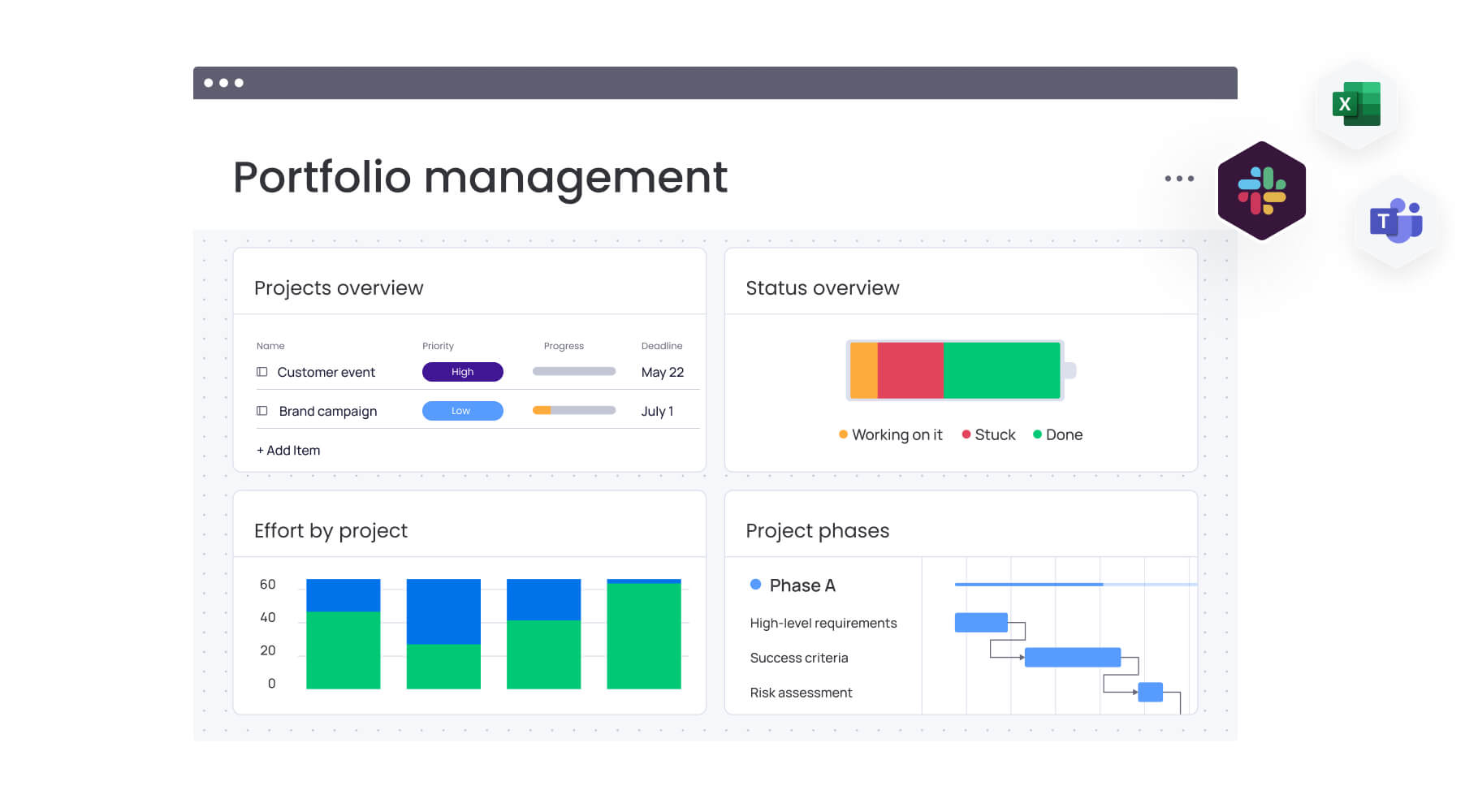
How to manage retail project dashboards with monday work management
Follow these steps to get your retail project dashboards up and running quickly in monday work management. Each step builds on the previous one, creating a comprehensive system that scales with your organization’s needs.
Step 1: centralize all retail projects in one workspace
Create a dedicated workspace for your retail PMO that houses all store openings, campaigns, inventory initiatives, and system implementations. Import existing project data from spreadsheets and legacy platforms, then organize projects by type, region, or brand to establish your single source of truth.
Implementation actions:
- Set up dedicated retail PMO workspace.
- Import existing project data from current systems.
- Organize projects by logical categories (type, region, brand).
- Establish naming conventions for consistency.
Step 2: build custom dashboards for different stakeholder groups
Configure executive dashboards showing portfolio health and budget status. Create operational dashboards tracking store opening timelines and vendor deliverables. Design team dashboards displaying individual workloads and upcoming deadlines. Use widgets that automatically pull from your project boards so dashboards update in real-time without manual reporting.
Dashboard types to create:
- Executive dashboards: portfolio health and budget status.
- Operational dashboards: store opening timelines and vendor deliverables.
- Team dashboards: individual workloads and upcoming deadlines.
Step 3: set up automated workflows for recurring retail processes
Create templates for store openings, seasonal campaigns, and product launches that include all standard work, dependencies, and approval gates. Configure automations that assign work, send notifications, and escalate delays so your team follows consistent processes without manual coordination.
Step 4: connect retail-specific platforms and systems
Integrate your POS systems, inventory management platforms, and merchandising platforms so technical dependencies appear in your project dashboards. Link vendor management systems and contract repositories to track supplier deliverables alongside internal work.
Step 5: enable mobile access for field teams
Roll out the mobile app to store managers, regional directors, and field coordinators so they can update project status, upload photos, and respond to issues from store locations. Train field teams on mobile completion and photo documentation to keep your central dashboard current.
Step 6: establish KPI tracking and reporting cadence
Define retail-specific KPIs like on-time store opening percentage, campaign launch success rate, and resource utilization by department. Configure dashboard widgets that track these metrics automatically, then schedule regular reviews with stakeholders to act on the insights.
Key KPIs to track:
- On-time store opening percentage.
- Campaign launch success rate.
- Resource utilization by department.
- Vendor on-time delivery rate.
Comparison table: monday work management vs competing platforms for retail project dashboards
Not all dashboard tools are built for the realities of retail. This comparison breaks down how each platform performs on key requirements like multi-store visibility, vendor tracking, and resource planning.
| Feature | monday work management | Smartsheet | Asana |
|---|---|---|---|
| Real-time multi-store dashboards | Customizable widgets with live updates across 150+ projects | Static reports requiring manual refresh | Limited dashboard customization |
| Retail-specific KPI tracking | Custom metrics for store openings, campaigns, inventory | Generic project metrics only | Basic progress tracking |
| Mobile field team access | Full-featured iOS/Android app with photo uploads | Mobile view with limited functionality | Basic mobile updates |
| Vendor coordination capabilities | Automated tracking with escalation workflows | Manual vendor management | Limited supplier visibility |
| Resource capacity planning | Visual workload views with drag-drop rebalancing | Spreadsheet-style resource sheets | Basic team workload view |
| POS/inventory integrations | Native retail system connectors + API | Limited retail-specific integrations | Generic app integrations |
| Price per user/month | From $10/user (billed annually) | From $9/user (billed annually) | From $10.99/user (billed annually) |
| Implementation time | 2-4 weeks with templates | 4-6 weeks custom setup | 2-3 weeks basic setup |
| G2 rating | 4.7/5 (12,000+ reviews) | 4.4/5 (14,000+ reviews) | 4.3/5 (12,000+ reviews) |
How Country Road Group transformed their retail project management
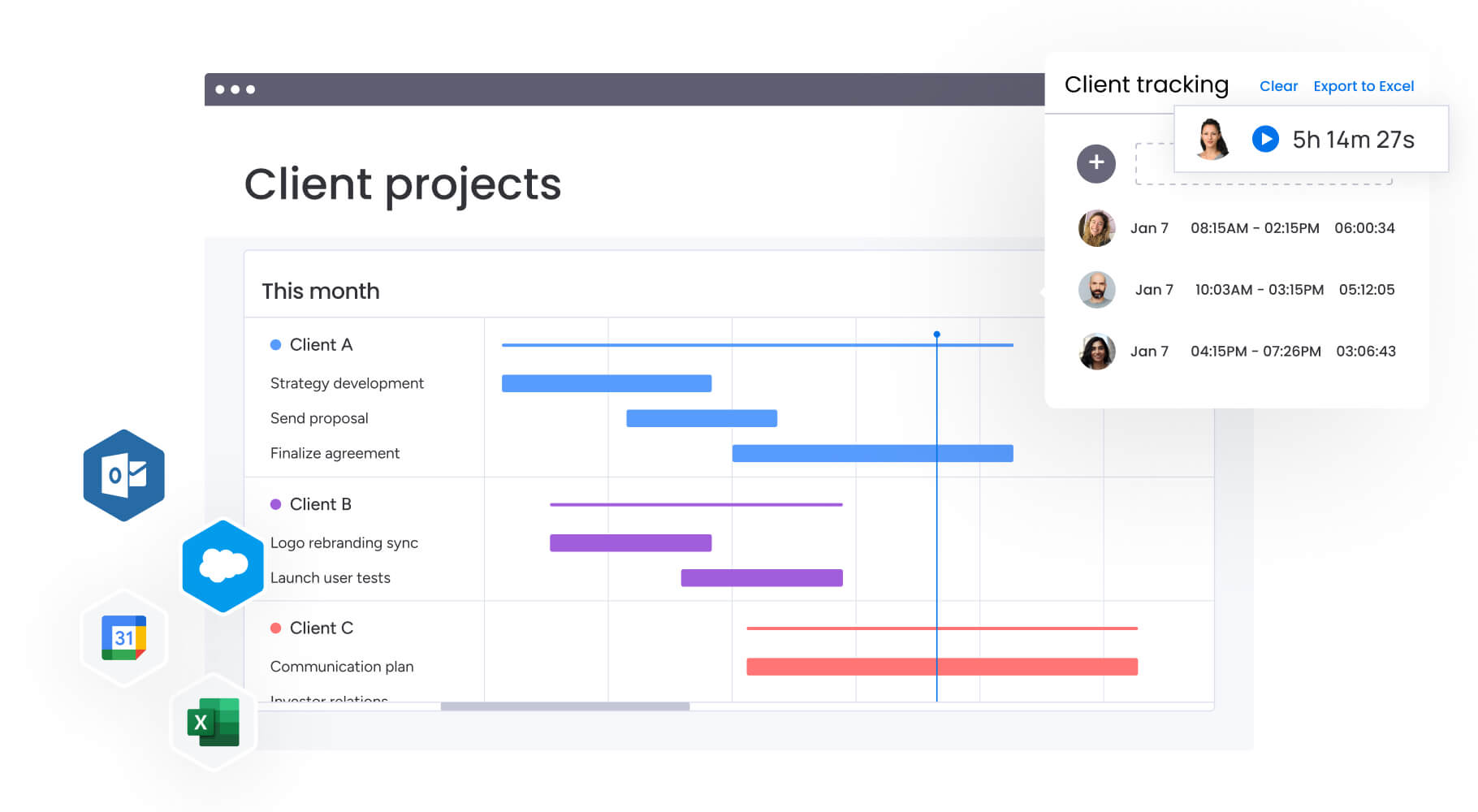
This real-world example demonstrates how monday work management solves complex retail project challenges. Country Road Group’s transformation shows the practical impact of centralized project management on a large retail organization.
The challenge
Country Road Group’s real estate team managed over 15 different work types — from new store openings to refurbishments and department store concessions — using spreadsheets and endless meetings. Store Planning Manager Swithin Oliver described constant back-and-forth between designers and planners, with duplicate work and endless email sifting just to understand where each project stood.
When all their brands re-entered Myer department stores, the influx created a complex workflow challenge. Just one brand like Country Road has multiple departments (home, kids, women’s, men’s), translating to four separate projects within a single Myer store. Multiplied across all brands, that meant up to nine projects per location.
The solution
Country Road Group implemented monday work management to transform their store planning process, creating consolidated views that provided immediate insights for managers on project status and key timelines. Instead of managing nine separate boards, they created one board representing all nine projects for a specific Myer location.
The overarching board became the central hub where individual projects were seamlessly facilitated. Across their extensive footprint of 150+ concession spaces, they visually represented projects in under 50 boards.
Solution components:
- Consolidated project boards: one board per Myer location covering all nine brand projects.
- Central hub approach: overarching board facilitating individual projects.
- Visual representation: 150+ concession spaces managed through under 50 boards.
- Automated workflows: dynamic resource allocation based on project progress.
The results
Country Road Group achieved significant improvements in their retail project management:
- Increased project management efficiency across 150 concurrent projects.
- 150+ projects managed simultaneously with streamlined workflows.
- Eliminated spreadsheet chaos replacing manual coordination with automated workflows.
- Real-time resource insights enabling strategic alignment instead of administrative data collection.
Completely revamp your retail project management with unified dashboards
Done with the wild goose chase of tracking down updates across twenty different spreadsheets?
There’s a more efficient way to run your retail projects. Organizations worldwide trust monday work management to centralize their retail projects, gain real-time visibility across store openings and campaigns, and deliver initiatives on time — even during peak seasons.
The platform’s automated dashboards, resource planning, and vendor tracking capabilities transform how retail teams manage complex, multi-location operations. From Country Road Group’s 150+ concurrent projects to Officeworks’ streamlined seasonal campaigns, retail project managers achieve measurable efficiency gains while maintaining visibility into every critical dependency.
Ready to experience the difference unified project dashboards make for retail operations? Join the organizations already transforming their project management approach with monday work management.
The content in this article is provided for informational purposes only and, to the best of monday.com’s knowledge, the information provided in this article is accurate and up-to-date at the time of publication. That said, monday.com encourages readers to verify all information directly.
Frequently asked questions
How does monday work management help retail teams handle peak seasonal workload?
monday work management provides workload views and capacity planning tools that show exactly how work is distributed across teams and stores. Project Managers can spot overload early, rebalance assignments, and plan staffing for high-volume periods. Seasonal templates for holidays, back-to-school, and promotional windows ensure every project follows a consistent, scalable process during peak demand.
Can monday work management prevent team overload during busy retail periods?
Yes. The platform visualizes team capacity in real time, alerting you when workloads exceed recommended thresholds. You can adjust timelines, shift tasks between team members, or bring in temporary resources before burnout sets in. This proactive visibility keeps store openings, campaigns, and inventory initiatives on track even as project volume spikes
Can monday work management track vendor and supplier performance?
Absolutely. The intelligent platform provides automated vendor tracking that monitors deliverables, contract milestones, and supplier dependencies within your project timelines. You link vendor work directly to store opening dates or campaign launches, so delays in fixture delivery or signage production immediately flag as risks.
What training do store managers need for monday work management?
Store managers typically need 30-60 minutes of training to use the mobile app effectively for updating status, uploading photos, and communicating with headquarters. The mobile interface mirrors the desktop experience, so managers who've seen the dashboards in meetings can quickly navigate the app.
How do project dashboards integrate with retail POS systems?
monday work management connects with POS systems through native integrations and API connections, allowing you to link project milestones to system implementations and track technical dependencies within your project timelines. When IT teams complete POS installation work, the status automatically updates in your store opening dashboard.
What's the typical ROI timeline for retail dashboard implementations?
Most retail organizations see measurable ROI within three to four months of implementing monday work management. Immediate benefits come from time savings — eliminating five to ten hours weekly of manual status reporting and coordination.
Which dashboard metrics matter most for retail project success?
The most critical retail project metrics include on-time store opening percentage, campaign launch success rate, average project cycle time, resource utilization by department, and vendor on-time delivery rate. These metrics directly impact revenue by ensuring stores open during peak seasons and campaigns launch when customers are ready to buy.

 Get started