

Media project managers juggle complex campaigns across creative teams, production schedules, and client feedback loops, all while maintaining visibility into dozens of moving pieces.
When campaigns span multiple channels and involve distributed teams, the difference between success and chaos often comes down to having the right dashboard software in place.
The best dashboard software for media transforms scattered workflows into unified visibility. It connects creative briefs to final deliverables, shows real-time progress across all campaigns, and provides the resource allocation insights needed to prevent bottlenecks before they impact deadlines.
For teams managing multiple concurrent projects with tight timelines and high stakes, centralized dashboards eliminate the hours spent compiling status reports from email threads, spreadsheets, and multiple platforms.
Let’s break down what actually makes dashboard software work for media project managers — from views tailored to each stakeholder to automation that eliminates the administrative work eating up your day. We’ll examine key features that matter most to media teams, compare leading platforms, and show how organizations like SPH Media use centralized dashboards to coordinate hundreds of campaigns.
Key takeaways
Media project managers face a unique challenge: coordinating creative teams, production schedules, and client feedback across multiple campaigns while maintaining visibility and meeting tight deadlines. The right project management dashboard transforms this complexity into clarity.
These five insights will help you evaluate dashboard solutions for media project management:
- Unified visibility eliminates manual reporting: real-time dashboards that pull from where work actually happens save 3+ hours weekly on status updates.
- Multiple view types serve different stakeholders: creative teams need Kanban boards while executives want Gantt timelines — the right platform provides both from the same data.
- Automation reduces administrative burden: no-code automation handles repetitive tasks like notifications and approvals, letting project managers focus on strategic oversight.
- Resource management prevents burnout: visual workload tracking shows who’s overallocated before it impacts delivery.
- Integration depth matters more than breadth: connecting to your existing creative tools and workflows is more valuable than having hundreds of unused integrations.
What makes project managers choose monday work management for dashboard software in media?

Project managers in media face a fundamental problem: work scattered across Excel spreadsheets, email threads, Slack messages, and multiple project platforms. This fragmentation makes it nearly impossible to get a real-time view of campaign progress, resource allocation, or potential bottlenecks.
For project managers overseeing lots of concurrent media campaigns with distributed creative, production, and distribution teams, monday work management provides the unified visibility needed to track progress and make data-driven decisions.
The result is centralized workflows that connect strategy to execution. Project managers gain instant visibility into campaign timelines, resource allocation, budget tracking, and deliverable status across all projects. This empowers them to deliver exceptional media projects on time and within scope, without spending hours compiling status reports from scattered sources.
monday work management top features for dashboard software in media

Let’s look at the specific capabilities that make monday work management click for media teams, so you can judge if it’s the right fit for your challenges. These seven core features address the most common challenges media project managers face when coordinating complex campaigns across multiple stakeholders.
Customizable dashboards and real-time reporting
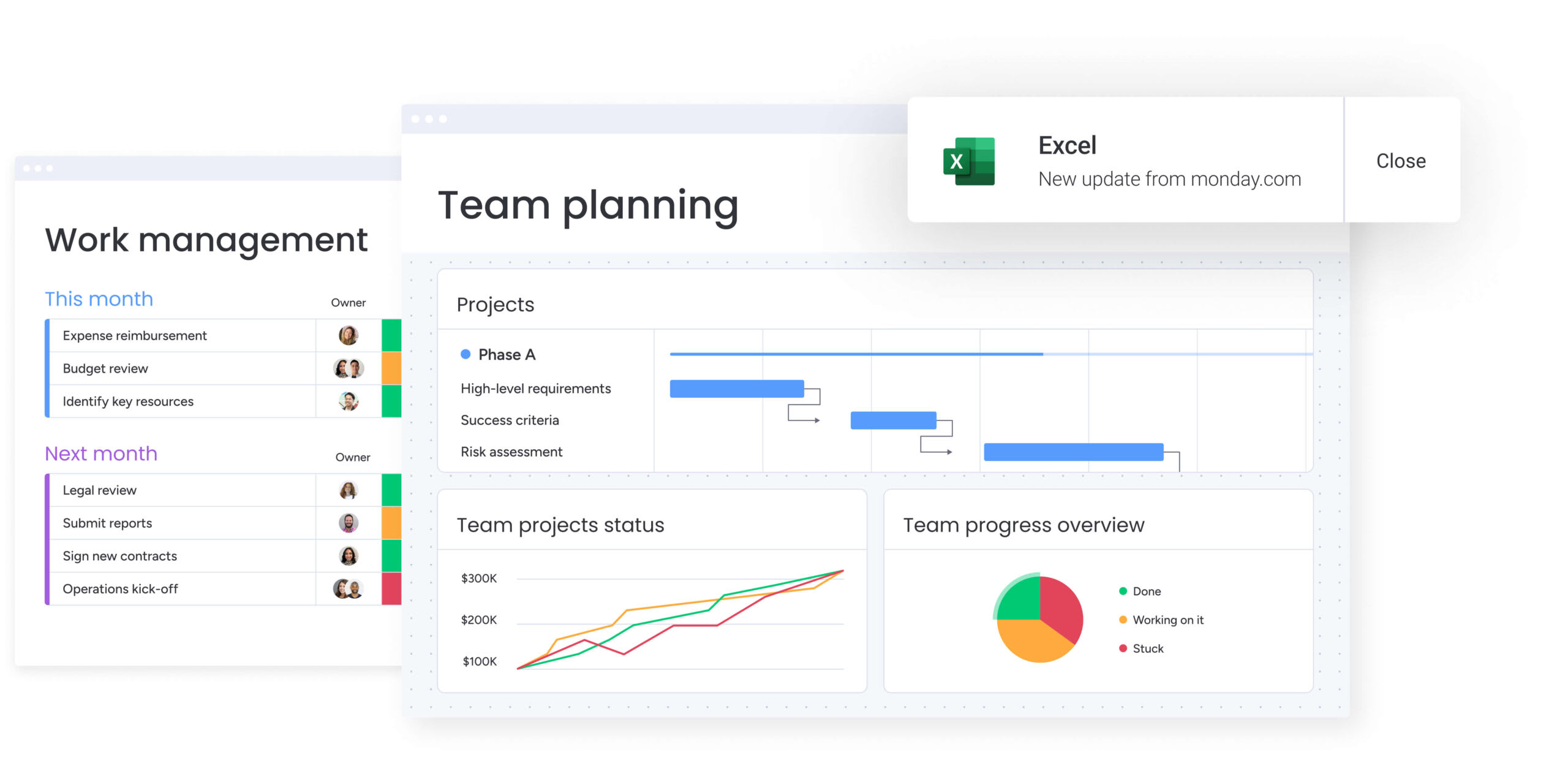
monday work management gives you both ready-to-go and fully customizable dashboards that pull data from all your projects into visuals your team can actually make sense of. project managers create dashboards displaying campaign timelines, budget vs. actual spend, team workload, deliverable status, and custom KPIs — all updating automatically as work progresses.
Media PMs juggling multiple campaigns save 3+ hours every week they’d normally waste compiling status updates by hand. Everything displays in one centralized view that can be filtered by client, campaign, team member, or timeline, offering reporting tools for fast insights.
Multiple project views for different stakeholders
Switch between 10+ different views — from Kanban boards to Gantt charts to Calendar views —depending on what you need to see or who you’re sharing with. All these views display the same underlying project data, but project managers can switch between them instantly or share different views with different stakeholders based on their needs.
This flexibility is a game-changer when you need to show different things to different people:
- Creative teams: who prefer Kanban boards for visual workflow management.
- Executives: who want high-level Gantt timelines for strategic oversight.
- Resource managers: who need Workload views for capacity planning.
One project board serves everyone’s visualization preferences without maintaining separate tracking systems, effectively serving as an executive dashboard for strategic oversight.
For a real-life demonstration of the impact this can have, media teams at VML leveraged these multiple views to improve time to cast talent by 2x.
Automation and integration capabilities
monday work management includes no-code automation that eliminates repetitive manual tasks. Project managers set up automations to send notifications when deadlines approach, move items between status columns automatically, create recurring tasks for regular deliverables, and trigger approval workflows when creative assets are ready for review.
The platform integrates with 200+ applications including Adobe Creative Suite, Slack, Microsoft Teams, Google Drive, and media-specific software. For media project managers coordinating complex workflows between creative, production, and client approval stages, automation ensures nothing falls through the cracks while reducing administrative burden.
Key automation capabilities include:
- Deadline notifications: automatic alerts when tasks approach due dates.
- Status updates: items move between workflow stages automatically.
- Recurring tasks: regular deliverables create themselves on schedule.
- Approval workflows: creative assets trigger review processes when ready.
Resource management and capacity planning
The Workload view and resource management features provide visibility into team capacity. Project managers see who’s overallocated, who has availability, and how work is distributed across projects. They can drag-and-drop to reassign tasks and balance workloads while maintaining project timelines.
This addresses a critical pain point for media project managers: resource allocation blindness. Without capacity views, teams experience burnout from overallocation or miss opportunities due to underutilization. monday work management’s resource features enable data-driven staffing decisions based on actual availability and skills.
The platform helped Playtech’s PMO department achieve a 26% increase in efficiency and save three hours per person per week.
Project intake and approval workflows
Customizable request forms streamline how project managers receive and process new project requests. Stakeholders submit requests through branded forms that capture all necessary details — campaign objectives, target audience, deliverables, deadlines, and budget. Requests automatically populate project boards where project managers review, prioritize, and approve.
For media teams managing constant incoming requests from clients and internal stakeholders, this replaces chaotic email-based intake with a structured, trackable process. Project managers gain visibility into the full request pipeline and can prioritize based on strategic importance.
Benefits of standardized intake include:
- Complete information capture: forms ensure all necessary details are collected upfront.
- Automatic board creation: approved requests become project boards instantly.
- Priority visibility: see the full pipeline of incoming work.
- Reduced back-and-forth: stakeholders provide complete information from the start
.This standardized intake process contributed to M Booth’s 49% increase in deliverables and 80% reduction in time to assign design tasks.
Dependencies and critical path tracking
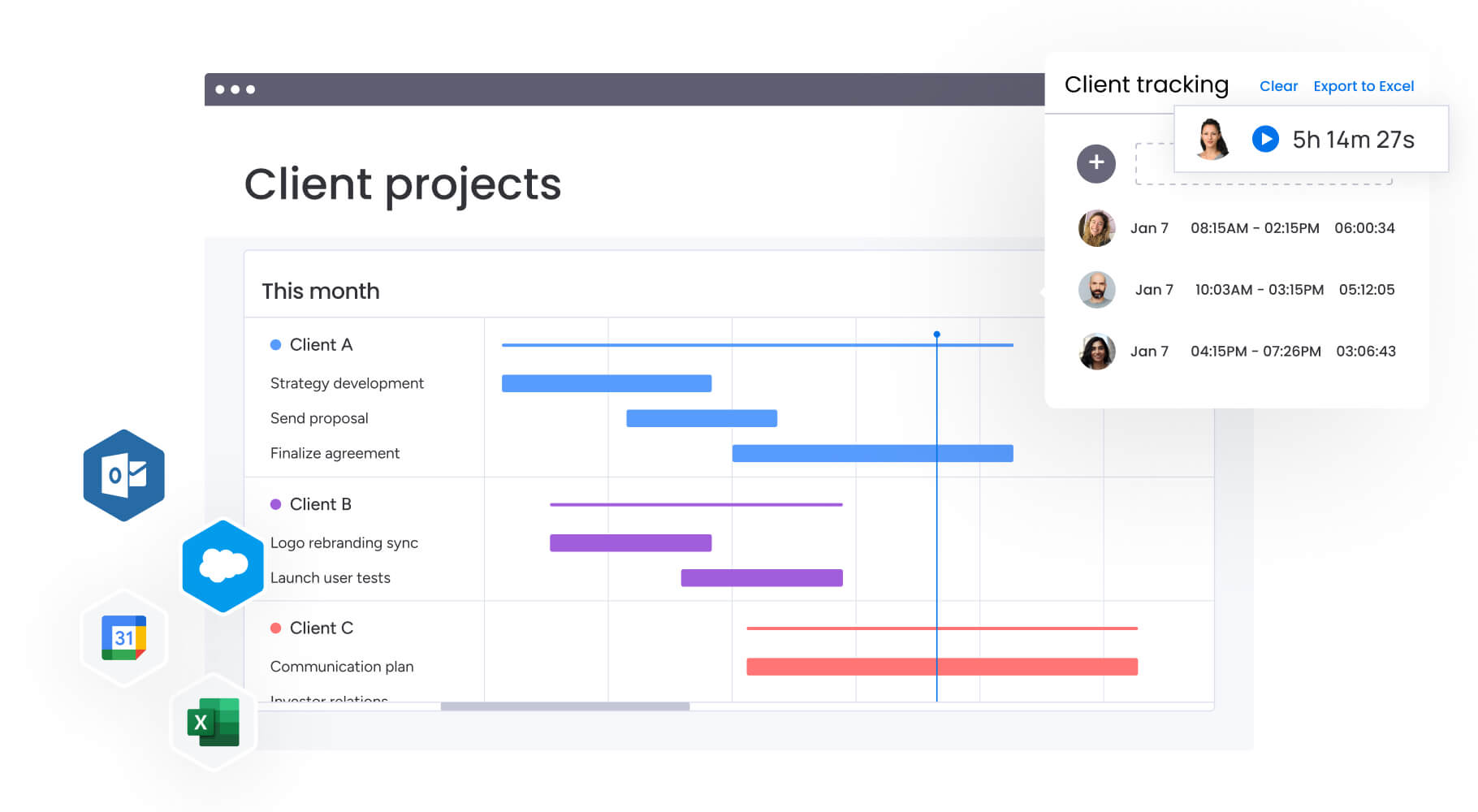
Gantt chart views with dependency mapping show how tasks relate to each other and which sequences are critical to project completion. Project managers identify the critical path — the sequence of tasks that determines the minimum project duration — and focus attention on keeping those tasks on schedule.
For complex media campaigns with interdependent creative, production, and distribution phases, dependency tracking prevents delays from cascading through the project. When one task runs late, project managers immediately see which downstream tasks are affected and can proactively adjust timelines or resources.
The baseline feature allows project managers to compare planned vs actual schedules, making it easy to identify where projects deviate from the original plan and adjust future estimates accordingly.
Collaboration and communication tools
Built-in collaboration features keep all project communication in context. Rather than searching through email chains or Slack threads to find feedback, project managers and team members see all relevant discussions directly on the tasks they reference. This includes @mentions, comments, file attachments, and update threads.
This centralized communication is particularly valuable for media projects involving multiple stakeholders providing feedback on creative deliverables. Clients, creative directors, and production teams can all comment on the same task, creating a single source of truth for project decisions.
SPH Media uses these collaboration features to coordinate between creative, content, sales, and ad operations teams across hundreds of campaigns. The centralized communication reduced information silos and missed deadlines while supporting 130+ people managing work in one platform.
How a project manager in media benefits from monday work management
By utilizing a connected platform like monday work management you will receive benefits that go way beyond a checklist of features. Here’s how it transforms daily work for media project managers across six key areas:
- Time savings: automated dashboards and real-time updates eliminate 3+ hours per week previously spent manually compiling status reports. Project managers spend less time on administrative tasks and more time on strategic project oversight.
- Cost efficiency: consolidating project management, resource planning, time tracking, and reporting into one platform reduces tool sprawl. Media teams report 6-8x ROI through improved efficiency and reduced software licensing costs.
- Visibility improvements: instant visibility across all campaigns, resources, and deliverables means project managers can identify risks, bottlenecks, and capacity issues before they impact delivery. This enables proactive rather than reactive management.
- Productivity improvements: teams deliver projects 25-50% faster through streamlined workflows, ownership, and reduced communication friction. Automation handles repetitive tasks while collaboration features keep everyone aligned.
- Output quality improvements: resource allocation and workload balancing prevent team burnout and rushed deliverables. Project managers ensure the right people work on the right projects at the right time, improving creative output quality.
- Compliance and accuracy: standardized templates and intake processes ensure consistent data collection across all projects. This creates reliable reporting for stakeholders and maintains governance standards without sacrificing flexibility.
How to manage media project dashboards with monday work management
Getting your dashboards right takes a step-by-step approach: start with solid organization before diving into the automation magic.
Follow these six steps to maximize value from your dashboard software implementation and ensure your team can track, manage, and deliver media campaigns efficiently.
Step 1: set up your project portfolio structure
Create a workspace for your media projects with boards for active campaigns, resource planning, and intake requests. Use folder structures to organize by client, campaign type, or team. This foundation ensures your dashboards can pull data from the right sources.
Start by establishing clear naming conventions and organizational hierarchies that will scale as your portfolio grows. Consider how different stakeholders need to access information and structure permissions accordingly.
Step 2: configure your dashboard views
Build customized dashboards pulling data from your project boards. Include widgets for campaign timelines, budget tracking, team workload, deliverable status, and any media-specific KPIs your stakeholders need. monday work management’s drag-and-drop interface makes this configuration intuitive.
Create different dashboard versions for different audiences — executives need high-level portfolio metrics while project teams need detailed operational views. Test dashboard layouts with actual users to ensure the information hierarchy matches their workflow needs.
Step 3: establish intake and approval workflows
Create request forms for new project submissions that capture all necessary campaign details. Set up automation to route requests to appropriate approvers and automatically create project boards when approved. This standardization ensures consistent data flows into your dashboards.
Design forms that collect complete information upfront to reduce back-and-forth communication. Include fields for campaign objectives, target audience, deliverables, deadlines, budget, and any special requirements specific to your media operations.
Step 4: map dependencies and critical paths
For each campaign, identify task dependencies and use Gantt view to visualize the critical path. Set milestones for key deliverables and enable baseline tracking to compare planned vs. actual timelines. This visibility helps prevent delays before they cascade.
Focus on mapping dependencies between creative, production, and distribution phases since these handoffs often create bottlenecks. Use milestone tracking to ensure stakeholder reviews and approvals happen on schedule.
Step 5: implement resource allocation processes
Use Workload view to monitor team capacity across all projects. Assign tasks based on availability and skills, and set up automation to alert you when team members approach overallocation. This proactive approach prevents burnout and maintains quality.
Establish clear capacity thresholds and create automated alerts when team members exceed recommended workloads. Build in buffer time for creative reviews and revisions that are common in media projects.
Step 6: integrate your creative and communication tools
Connect monday work management with your existing tools — Adobe Creative Suite for design files, Slack or Teams for communication, Google Drive for asset storage. This ensures all project information flows into your centralized dashboard automatically, eliminating manual data entry.
Prioritize integrations that eliminate duplicate data entry and create seamless handoffs between tools your team already uses daily. Test integrations thoroughly to ensure data flows correctly and doesn’t create additional administrative burden.
Try monday work managementComparison table: monday work management vs. competing platforms for dashboard software in media
Understanding how different platforms stack up helps you make an informed decision. This comparison highlights key capabilities that matter most to project managers in media:
| Feature | monday work management | Asana | Wrike |
|---|---|---|---|
| Customizable dashboards | Unlimited custom dashboards with 10+ widget types | Limited dashboard customization on lower tiers | Custom dashboards available |
| Real-time data updates | Automatic real-time updates | Real-time updates | Real-time updates |
| Resource management | Built-in Workload view and capacity planning | Workload available on Business tier+ | Resource management included |
| Project views | 10+ views (Gantt, Kanban, Calendar, Timeline, Workload, etc.) | Multiple views available | Multiple views available |
| Automation capabilities | 250+ automation recipes, no-code builder | Automation on Premium tier+ | Automation available |
| Integrations | 200+ native integrations + open API | 100+ integrations | 400+ integrations |
| Media-specific templates | Campaign management, content calendar, creative requests | General project templates | Marketing templates available |
| Price per user/month | From $9/user | From $10.99/user | From $9.80/user |
| Implementation time | Less than 4 months to full value (Forrester study) | Varies by team size | Varies by team size |
| G2 rating | 4.7/5 (12,000+ reviews) | 4.3/5 | 4.2/5 |
How SPH Media transformed their campaign delivery process
This real-world case study demonstrates how a major media organization overcame operational challenges and achieved measurable results using monday work management. SPH Media’s transformation illustrates the practical impact of implementing centralized dashboard management across a complex, multi-brand media operation.
The challenge
SPH Media, Singapore’s leading media group with over 40 media brands, faced mounting challenges managing campaigns across multiple formats and channels. Their Content Lab, providing advertising services to 20,000+ brands, relied heavily on manual processes to coordinate between creative, content, sales, and ad operations teams.
As the business expanded, this approach became unsustainable and the lack of centralized visibility led to information silos, missed deadlines, and difficulty scaling operations.
The solution
SPH Media implemented monday work management to centralize campaign management across all 40 brands. The platform’s clean, color-coded interface provided immediate visibility into what everyone was working on while enabling optimized work management and cross-team communication.
The team worked with monday.com to develop a customized solution offering both high-level and granular views of every project. Campaign managers could monitor timelines, resource allocations, and budgets by client, project, team, individual designer, or the entire department. Automated alerts were configured to send notifications at every project phase, with task reminders as deadlines approached.
Using monday work management’s customizable API, bookings from advertisers were automatically synchronized with creative production processes. All assets and communication became centralized and accessible to every relevant stakeholder, eliminating information silos.
The results
The transformation delivered measurable impact across the organization:
- Hundreds of campaigns: now tracked in one unified platform.
- 130+ people managing work collaboratively: across the whole organization.
- 40 brands: coordinated seamlessly across Asia.
- Significant productivity increase: through pre-made templates and automated reporting.
- Complete workload visibility: enabling resource allocation and performance tracking.
Transform your media project management with centralized dashboards
The right dashboard software completely changes the game for media PMs: from how you coordinate campaigns to how you assign resources and hit deadlines. The right platform eliminates scattered workflows and provides the unified visibility needed to manage complex, multi-stakeholder projects effectively.
monday work management addresses the core challenges media project managers face: fragmented information, manual reporting, resource allocation blindness, and communication silos. Through customizable dashboards, automated workflows, and integrated collaboration tools, teams gain the clarity and control needed to deliver exceptional campaigns on time and within scope.
The evidence from organizations like SPH Media, VML, and M Booth demonstrates that implementing centralized dashboard management delivers measurable improvements in efficiency, quality, and team satisfaction.
Want to see how monday work management could reshape your media projects? Try it yourself. Start with a 14-day free trial to explore customizable dashboards, real-time visibility, and automated reporting with no risk.
The content in this article is provided for informational purposes only and, to the best of monday.com’s knowledge, the information provided in this article is accurate and up-to-date at the time of publication. That said, monday.com encourages readers to verify all information directly.
Frequently asked questions
How does monday work management handle multi-brand media portfolio management?
monday work management supports multi-brand portfolio management through workspace and folder structures that organize projects by brand, client, or campaign type. Project managers create separate boards for each brand while using portfolio-level dashboards to gain visibility across the entire portfolio. Cross-board automations and dependencies ensure coordination between related campaigns, while permission controls allow brand-specific access when needed.
What is the typical implementation timeline for media teams already using multiple tools?
According to Forrester's Total Economic Impact study, organizations achieve full value from monday work management in less than four months. For media teams, initial setup typically takes 2-4 weeks, with teams becoming comfortable within two weeks to one month. The platform's intuitive interface and pre-built media templates accelerate adoption, while migration tools help import existing project data from spreadsheets and other platforms.
How do dashboards accommodate different stakeholder permission levels?
monday work management offers granular permission controls at the workspace, board, and item levels. Project managers create dashboards visible to executives showing high-level portfolio metrics, separate dashboards for clients displaying only their campaign data, and detailed operational dashboards for internal teams. Shareable dashboard links allow external stakeholders to view real-time data without requiring platform access.
Which platforms offer white-label options for agency client reporting?
monday work management provides white-label capabilities for agencies managing client projects. Agencies customize dashboards with their branding, create client-facing portals with restricted access to relevant projects only, and generate branded reports. This enables agencies to provide professional client reporting while maintaining all work within the centralized platform.
What are the security and compliance considerations for media asset tracking?
monday work management maintains enterprise-grade security with SOC 2 Type II certification, ISO 27001 compliance, and GDPR adherence. The platform offers IP restrictions, two-factor authentication, multiple SSO options, BYOK (Bring Your Own Key), and tenant-level encryption. For media teams managing sensitive client assets and campaign data, these security features ensure compliance with industry standards and client requirements.
How do AI-powered features enhance dashboard functionality for predictive insights?
monday work management's AI capabilities analyze org-wide data to identify risks across portfolios, categorize project requests at scale, and provide predictive insights. For media project managers, AI can flag campaigns at risk of missing deadlines, suggest optimal resource allocation based on historical data, and auto-generate project plans with suggested tasks and phases. These AI-powered insights enable proactive decision-making rather than reactive problem-solving.

 Get started