


Marketing teams generate massive volumes of data every day, from campaign performance and pipeline impact to budgets and resourcing. When this information lives across disconnected tools, it becomes difficult to form a clear picture of what is working, what is falling behind, and where teams should focus next.
The best dashboard software brings structure to this complexity by unifying data into a single, real-time view. Instead of manually stitching together reports from multiple systems, marketing leaders gain instant visibility into performance, capacity, and progress, allowing them to make faster, more confident decisions.
In this article, we shine a light on what separates enterprise-grade dashboard platforms from basic reporting tools. You will learn which features matter most for scaling marketing operations, how leading teams use dashboards to prevent bottlenecks, and how real organizations connect daily execution to long-term strategic goals.
Key takeaways
Modern marketing dashboards are no longer just reporting tools, they are operational systems that connect strategy, execution, and decision-making across teams.
- Dashboards must connect directly to where work happens: platforms that reflect live project and campaign data eliminate manual reporting and provide accurate, real-time visibility into execution.
- Enterprise teams need dashboards designed for scale: standardized templates, role-based views, and governance controls help growing organizations maintain clarity across hundreds of campaigns and stakeholders.
- The five-second rule determines dashboard effectiveness: dashboards should communicate the primary insight almost instantly through strong visual hierarchy, minimal clutter, and clear contextual benchmarks.
- AI-powered dashboards shift teams from reactive to proactive: predictive analytics, risk detection, and automated summaries surface issues early and reduce time spent manually interpreting data.
- Unified work management platforms enable deeper operational insight: solutions like monday work management combine dashboards with workflow execution, resource planning, and automation to support complex marketing operations at scale.
What makes heads of marketing choose monday work management for dashboard operations?

Marketing leaders face constant pressure to prove ROI while coordinating dozens of campaigns across large, distributed teams. At the same time, their technology stacks are often fragmented, forcing them to manually piece together performance data instead of focusing on decisions that drive growth.
Modern platforms like monday work management address this challenge by connecting dashboards directly to where work happens. Rather than relying on standalone reporting solutions that require duplicate data entry, teams gain centralized campaign visibility that keeps execution and strategy aligned.
Traditional executive dashboards focus on visualizing outcomes after the fact. By contrast, monday work management connects real-time performance tracking with active workflows, enabling leaders to identify bottlenecks, address resource constraints, and monitor budget adherence as work progresses.
For heads of marketing managing teams of 50–100+ people across content, creative, acquisition, events, and operations, disconnected execution often results in missed deadlines and burnout. These challenges are addressed through:
- Operational efficiency: standardization and automation reduce manual work.
- Capacity planning: allocate resources strategically based on real-time data.
- Strategic alignment: connect daily tasks to business goals.
Dashboard software fundamentals for enterprise teams
.jpg)
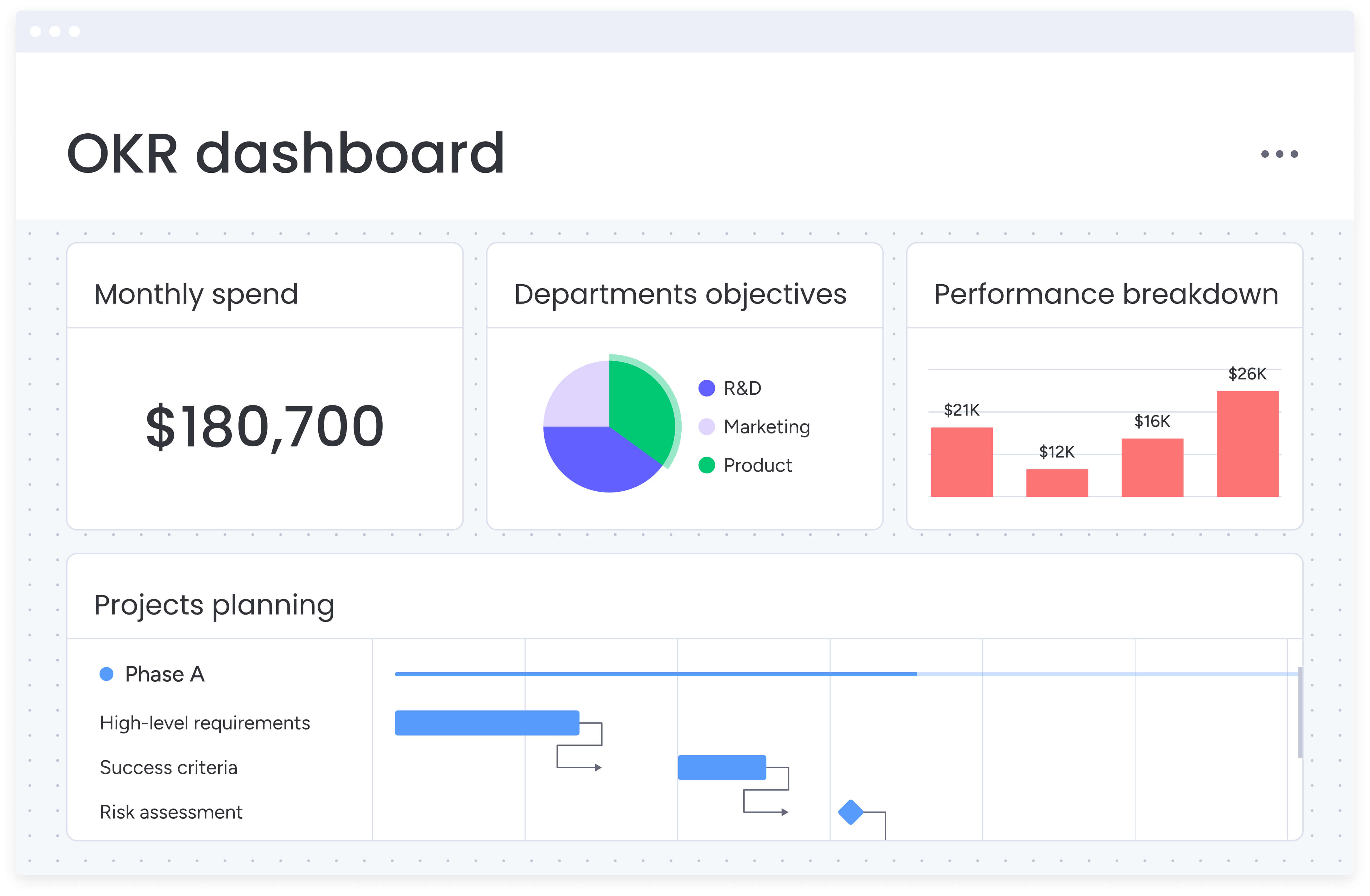
Dashboard software consolidates scattered data into a centralized command center designed for decision-making. For enterprise teams, this shift replaces spreadsheet-driven guesswork with clear, prioritized signals that highlight what requires attention in real time.
High-performing dashboard analytics go beyond static charts. They connect to live data sources, update automatically as work evolves, and surface insights that would otherwise remain buried across disconnected systems. This real-time connection transforms dashboards into operational control layers.
At an enterprise level, dashboard software supports requirements that basic reporting applications cannot meet, including:
- Cross-functional visibility: aggregate data from marketing, operations, finance, and other departments.
- Customization at scale: create role-specific views without technical expertise.
- Automated reporting: generate and distribute updates without manual compilation.
- Predictive insights: identify trends and risks before they impact delivery.
Essential features for marketing dashboard software

Marketing teams need dashboards that do more than display metrics. They need actionable intelligence that connects campaign performance to resource allocation and strategic goals. Here are the capabilities that matter most for driving results at scale.
Step 1: implement real-time campaign tracking
Track KPIs like campaign ROI, customer acquisition cost, and conversion rates across all active initiatives. Visual widgets display budget adherence, timeline progress, and team workload in one view.
Dashboards should update automatically as campaign data changes, eliminating manual reporting that consumes valuable time. This real-time visibility enables immediate course corrections when campaigns underperform or exceed expectations.
Step 2: establish resource management visibility
See exactly who’s working on what, identify team members approaching capacity limits, and strategically allocate resources based on availability and expertise. This capability integrates directly into project workflows, allowing you to plan and adjust resources without switching between platforms.
Resource visibility prevents burnout by distributing workload evenly and ensures critical campaigns receive adequate staffing throughout their lifecycle with a team dashboard.
Step 3: deploy workflow automation capabilities
Create templated project boards for recurring campaign types, set up automated approval chains for creative assets, and trigger notifications when tasks move between stages. No-code automation engines let marketing teams standardize processes without technical resources.
Automation reduces manual coordination time and ensures consistent execution across campaigns, regardless of team size or complexity.
Step 4: enable cross-functional collaboration features
Break down silos between marketing and other departments through shared workspaces where teams collaborate on briefs, provide feedback on creative assets, and track dependencies. Centralized communication keeps all context in one place, reducing time lost to email exchanges.
This collaboration foundation ensures campaigns launch on schedule with proper stakeholder alignment and approval.
Step 5: build analytics and reporting depth
Generate custom reports tracking campaign performance, budget utilization, and team productivity metrics. Reporting engines should aggregate data from multiple boards to provide portfolio-level insights into marketing ROI and content performance.
Deep analytics enable data-driven optimization and provide the metrics leadership needs to evaluate marketing effectiveness.
How AI transforms dashboard capabilities
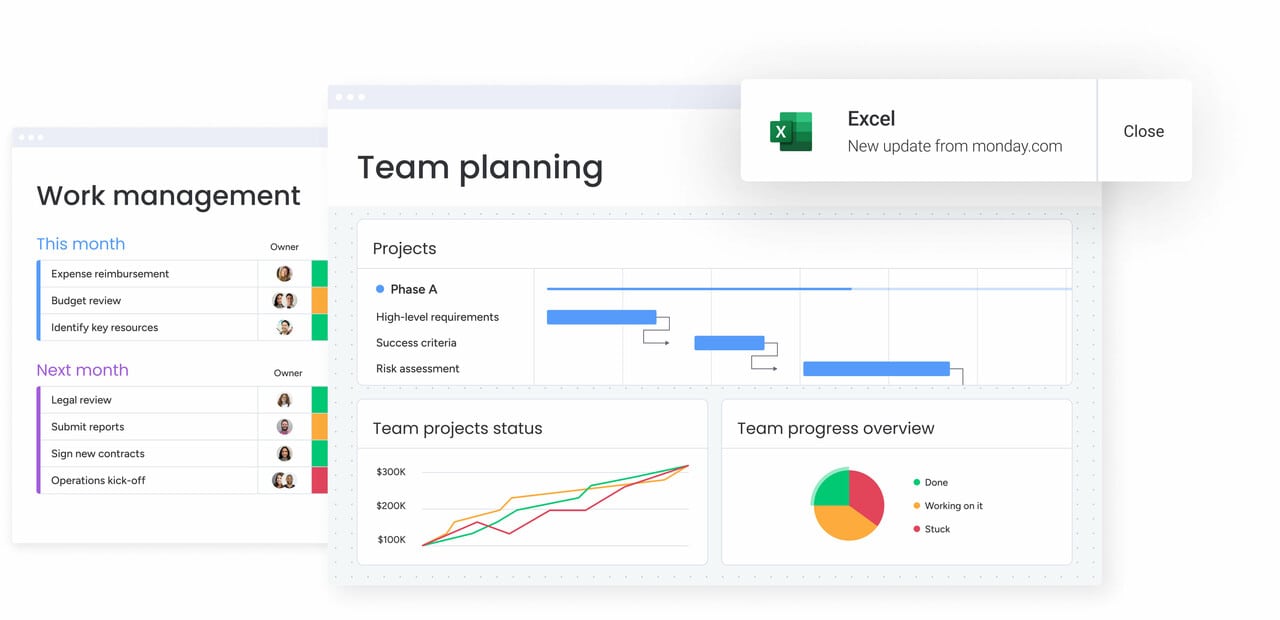
AI has completely flipped how dashboards work. Rather than you hunting for insights, smart dashboards now flag that upcoming campaign risk before you even noticed the warning signs. Your team spends Monday morning planning strategy adjustments instead of compiling last week’s performance data.
Advanced AI features in dashboard software include:
- Predictive analytics: forecast campaign performance and resource needs based on historical patterns.
- Automated categorization: organize incoming requests and feedback by urgency or sentiment.
- Risk detection: identify projects at risk of missing deadlines or exceeding budgets.
- Smart summarization: convert complex data into executive-ready insights instantly.
Within modern platforms like monday work management, AI is embedded directly into dashboards through:
- AI Blocks: pull insights into workflows, automatically extracting takeaways from logs and categorizing feedback.
- Product Power-ups: help leaders monitor resource capacity and flag project risks across entire portfolios.
- Digital Workers: operate continuously, tracking performance and suggesting optimizations based on live data.
Comparing dashboard software: monday work management vs alternatives
Comparing dashboard platforms side by side helps marketing leaders understand how different solutions approach visibility, reporting, and execution. Each platform is built for specific organizational needs, data maturity levels, and operational complexity, including specialized sales dashboard templates designed to track pipeline performance and revenue impact.
| Feature | monday work management | HubSpot marketing hub | Asana | Tableau |
|---|---|---|---|---|
| Campaign dashboards | Real-time, customizable with 50+ widgets | Built-in marketing analytics | Limited project views | Requires data connection setup |
| Resource management | Built-in workload views with capacity planning | Requires additional tools | Basic workload view | Not included |
| Workflow automation | 200+ no-code automation recipes | Marketing automation included | Limited automation rules | Requires separate tools |
| Cross-functional use | Unified workspace for all departments | Marketing-focused | Project-focused | Analytics only |
| AI capabilities | AI Blocks, Digital Workers, risk insights | Predictive analytics | AI summaries | Advanced analytics |
| Implementation time | Less than four months | two to three months typical | two to four weeks typical | Varies significantly |
| Pricing model | Per user/month, scales with features | Per contact + seat costs | Per user/month | Per user/month |
Dashboard design principles: the five-second rule
Effective dashboards communicate their core message immediately. The five-second rule states that if teams cannot understand the main insight within five seconds, the dashboard functions as a data repository rather than a decision-making asset.
Visual hierarchy plays a central role in fast comprehension. Size, color, and placement should guide attention to the most important KPIs first, while related metrics remain grouped to create consistency across dashboard views. Clear structure ensures that insight surfaces before analysis is required.
Chart selection directly affects understanding speed. Line charts highlight trends over time, heat maps reveal resource distribution, and gauges communicate capacity at a glance. Avoid visual clutter that distracts from the metrics leaders rely on to make informed decisions.
Context transforms numbers into action. Including benchmarks, targets, or historical comparisons clarifies performance, while brief annotations explain anomalies or sudden shifts. With context in place, dashboards become tools for action rather than static reporting.
Building dashboards that scale with your organization
Scalable dashboards require intentional design from the start. Focus first on metrics tied directly to strategic objectives, rather than tracking everything that can be measured. This approach prevents complexity from overwhelming clarity as the organization grows.
Standardization supports long-term scalability. Creating templates for campaign performance, resource allocation, and portfolio health ensures consistency while still allowing teams to tailor dashboards to their needs.
Modern platforms like monday work management support this approach through managed templates that standardize dashboards, boards, and automations across large portfolios. Governance remains intact while teams retain flexibility at the execution level.
Integration strategy determines data accuracy. Connecting dashboards to existing CRM, marketing automation, and finance systems prevents duplicate data entry and ensures real-time visibility across the full campaign life cycle.
With more than 200 native integrations available, monday work management enables connected reporting without manual maintenance, keeping dashboards accurate as operations expand.
Governance maintains quality at scale. Clear ownership, defined access permissions, and approval workflows for dashboard changes ensure consistency while regular audits keep reporting aligned with evolving business needs.
How Genpact transformed marketing operations with unified dashboards
Genpact manages more than 24 concurrent global marketing campaigns across 40 distributed teams. Before unification, campaign tracking relied on spreadsheets stored across individual desktops and SharePoint folders, limiting visibility and slowing decision-making.
After adopting monday work management, the team created structured workflow apps that mapped the activation process across channels. Timeline views and dashboards allowed leaders to monitor progress and adjust execution in real time.
Campaign brief submissions were standardized using forms and automation recipes, providing transparency into request status and approval stages. This structure eliminated confusion and reduced turnaround delays across teams.
The shift delivered measurable results:
- 40% improvement in cross-team collaboration for campaign planning and execution.
- Complete elimination of spreadsheets from their workflow.
- 25% reduction in email exchanges through centralized communication on boards.
- Proactive bottleneck identification through real-time progress tracking.
The content in this article is provided for informational purposes only and, to the best of monday.com‘s knowledge, the information provided in this article is accurate and up-to-date at the time of publication. That said, monday.com encourages readers to verify all information directly.
Frequently asked questions
What is the easiest dashboard software to use?
The best dashboard software for enterprise organizations is one that connects to where work actually happens, not a standalone reporting tool. monday work management excels because dashboards visualize the same platform where teams manage projects and campaigns, eliminating integration maintenance and ensuring real-time accuracy. The platform's no-code flexibility, 50+ widget types, and ability to scale across hundreds of projects make it ideal for complex organizations.
What is the five second rule for dashboards?
The five-second rule for dashboards means viewers should grasp the main message within five seconds of viewing. This requires clear visual hierarchy, appropriate chart types, and minimal clutter. Effective dashboards highlight critical KPIs prominently, group related metrics logically, and include context like targets or benchmarks to make data immediately actionable.
What is the data dashboard for a marketing manager?
A data dashboard for a marketing manager centralizes campaign performance, budget tracking, and team workload in one view. It typically includes metrics like ROI, conversion rates, content production status, and resource allocation. The dashboard should update automatically, allow drilling into specific campaigns, and connect marketing metrics to broader business objectives.
What software does a marketing manager use?
Marketing managers typically use a combination of campaign management platforms, analytics tools, creative production software, and collaboration systems. monday work management serves as a unified platform that replaces multiple tools by combining campaign dashboards, resource management, workflow automation, and team collaboration in one system.
How do AI-powered dashboards improve decision-making for enterprise teams?
AI-powered dashboards improve decision-making by automatically surfacing risks, detecting patterns, and recommending actions based on data analysis. They can predict project delays, identify resource conflicts, and generate executive summaries instantly. monday work management's AI capabilities include risk detection across portfolios, automated categorization of requests, and Digital Workers that continuously monitor performance and suggest optimizations.
Which dashboard platforms offer the most customizable and scalable reporting features?
The most customizable and scalable dashboard platforms offer no-code builders, extensive widget libraries, and the ability to handle enterprise data volumes. monday work management provides 50+ customizable widgets, scales to 1,000+ projects, and allows teams to create role-specific views without IT involvement. The platform's managed templates and cross-project visibility features ensure consistency while maintaining flexibility as organizations grow.

 Get started