


Marketing teams in the services industry manage campaigns across multiple channels while coordinating people and resources across departments. When data is scattered across different systems and reporting takes hours of manual work, it’s easy for leaders to lose sight of what’s really happening.
The right dashboard software brings all this information together in one place. It turns scattered metrics into clear insights, helping teams track campaign performance, manage workloads, and make faster decisions. Leaders can finally see the full picture and understand how marketing contributes to business goals.
Modern dashboards do more than show charts. They connect to your existing tools, automate routine reporting, and highlight trends or potential issues so your team can focus on strategy instead of hunting through spreadsheets. With ready-to-use templates, flexible integrations, and role-specific views, teams start seeing results quickly, improve collaboration, and keep daily work aligned with big-picture objectives.
This guide cuts through the noise to show what truly matters in enterprise dashboard platforms.
Key takeaways:
Marketing leaders need insights that go beyond scattered spreadsheets and isolated reports. Effective dashboards consolidate data, provide real-time visibility, and help teams make strategic decisions faster. Here are five essential points from this guide:
- Unified data drives better decisions: centralizing campaign metrics, team workloads, and performance indicators in one platform allows leaders to see the full picture and act quickly.
- Automation reduces manual work: automated reporting, status updates, and notifications save time, increase efficiency, and allow teams to focus on strategic initiatives.
- Real-time visibility improves collaboration: shared dashboards and capacity views break down silos, enhancing cross-team coordination and ensuring accountability.
- Resource optimization enhances productivity: monitoring team bandwidth and skills ensures tasks are assigned effectively, preventing burnout and maximizing output.
- Integrated work management platforms support execution: platforms like monday work management combine dashboards, reporting, and project workflows to help teams connect marketing strategy with daily operations.
What makes heads of marketing choose monday work management for dashboard management?
 Marketing leaders managing teams of 50–100+ across content, creative, acquisition, events, and operations face unique challenges. Disconnected execution, inefficient processes, and limited real-time visibility hinder performance in large marketing organizations. Teams often work in silos, duplicate efforts, and struggle to demonstrate ROI to executive leadership. An executive dashboard helps unify campaign data and provides a clear picture of marketing impact.
Modern platforms like monday work management consolidate campaigns, metrics, and team workloads into a single digital workspace. This approach connects strategy directly to daily execution, making it easier to demonstrate marketing’s contribution to company goals. Leaders gain transparency into every element of their marketing operations, reducing time spent gathering updates and explaining outcomes.
The platform supports three essential capabilities:
- Capacity planning: allocate resources strategically across competing priorities.
- Standardization: use automation and templates to eliminate teams reinventing workflows.
- Visibility: drive maximum impact through real-time insights into work progress.
Marketing leaders can monitor campaign ROI, CAC, MQL-to-Customer conversion, content performance, budget adherence, team productivity, time-to-launch, and stakeholder satisfaction, all from a single source of truth.
What features should you look for in enterprise dashboard software?

Enterprise marketing requires more than visually appealing charts. Dashboard software must handle cross-team projects while maintaining standards without limiting team customization. Essential features include:
- Real-time data synchronization: live updates across all boards and dashboards ensure decisions are based on current information.
- Customizable widgets and views: 30+ widget types that teams can configure without technical expertise.
- Cross-functional visibility: ability to pull data from multiple projects and departments into unified views.
- Automated reporting: scheduled reports and alerts that surface issues proactively.
- Integration capabilities: native connections to your existing marketing and business tools.
- Permission-based access: control who sees what data while maintaining transparency where needed.
monday work management addresses these needs through its three core enterprise pillars:
- Leadership visibility: AI-powered risk insights and portfolio dashboards that scale to 1,000+ projects.
- Standardization and alignment: managed templates that ensure consistency across teams.
- Resource optimization: capacity management and resource directories that prevent burnout while maximizing productivity.
Top dashboard features on monday work management
Understanding how monday work management’s dashboard capabilities address enterprise marketing needs helps leaders evaluate the platform’s fit for their organization. These features work together to create a unified command center that transforms how marketing teams operate and report on their impact.
Dashboards & reporting
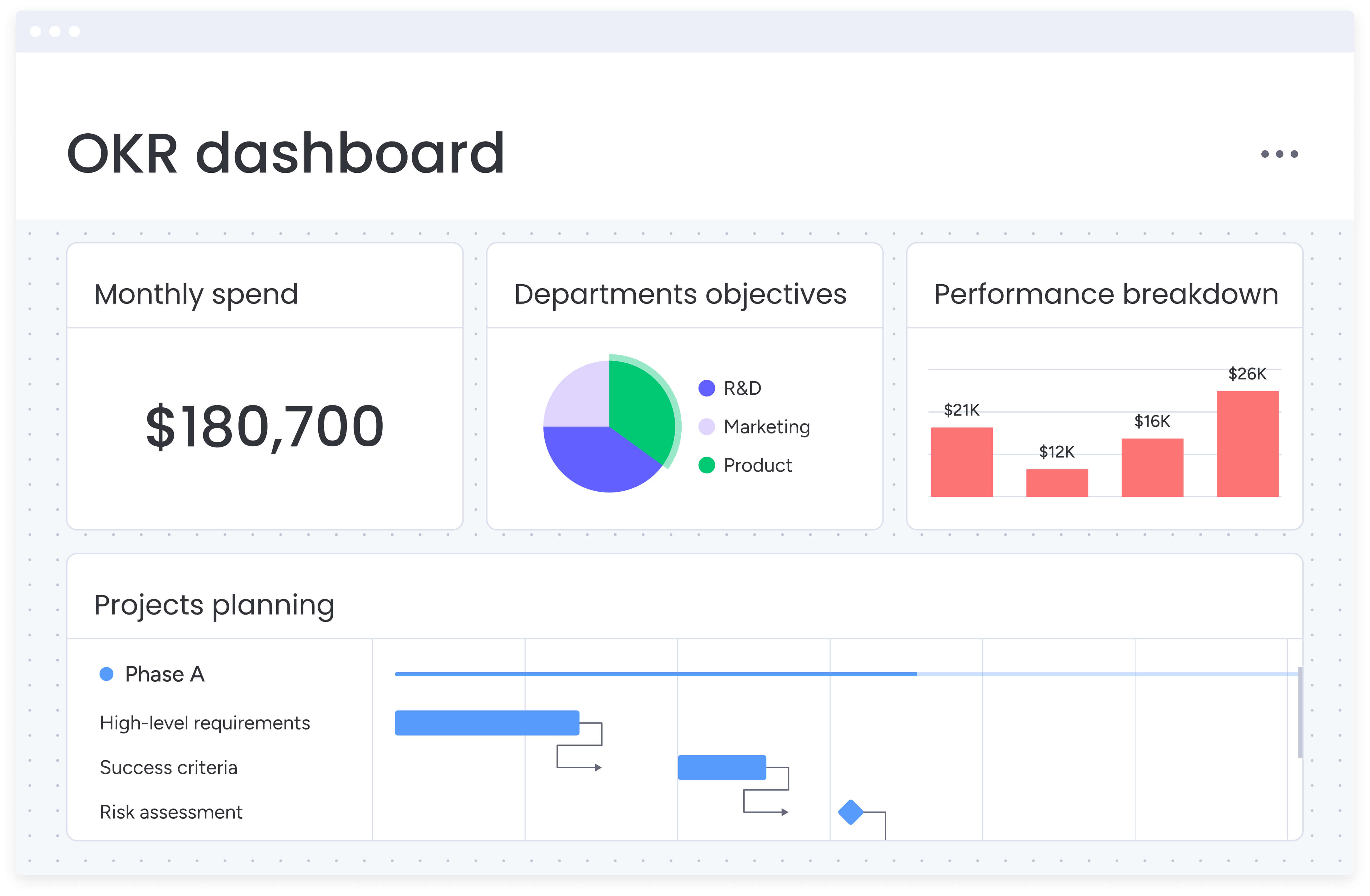
Centralize fragmented marketing data into actionable intelligence. Custom dashboards pull real-time data from multiple boards, creating a single source of truth for campaign performance, workloads, and strategic progress. Pre-built widgets visualize metrics such as ROI, CAC, content velocity, and budget adherence without technical expertise.
- Executive views: high-level strategic progress and ROI visualization for leadership.
- Operational details: granular team performance and workload distribution for managers.
- Custom filtering: sort by team, campaign type, region, or any custom parameter.
Campaign management
Campaign management in monday work management provides end-to-end visibility and coordination that services industry marketing teams need, using a project management dashboard. Plan, launch, and optimize integrated campaigns with calendars, timelines, and performance insights that ensure nothing slips through the cracks.
The platform connects every campaign element in one centralized workspace, from initial brief through creative production, channel activation, and performance analysis. This solves the disconnected execution problem that plagues large marketing organizations.
Core campaign management features:
- Task ownership: clear accountability for every campaign element.
- Automated status updates: real-time progress tracking without manual reporting.
- Dependency tracking: ensure sequential tasks flow smoothly across teams.
Resource management
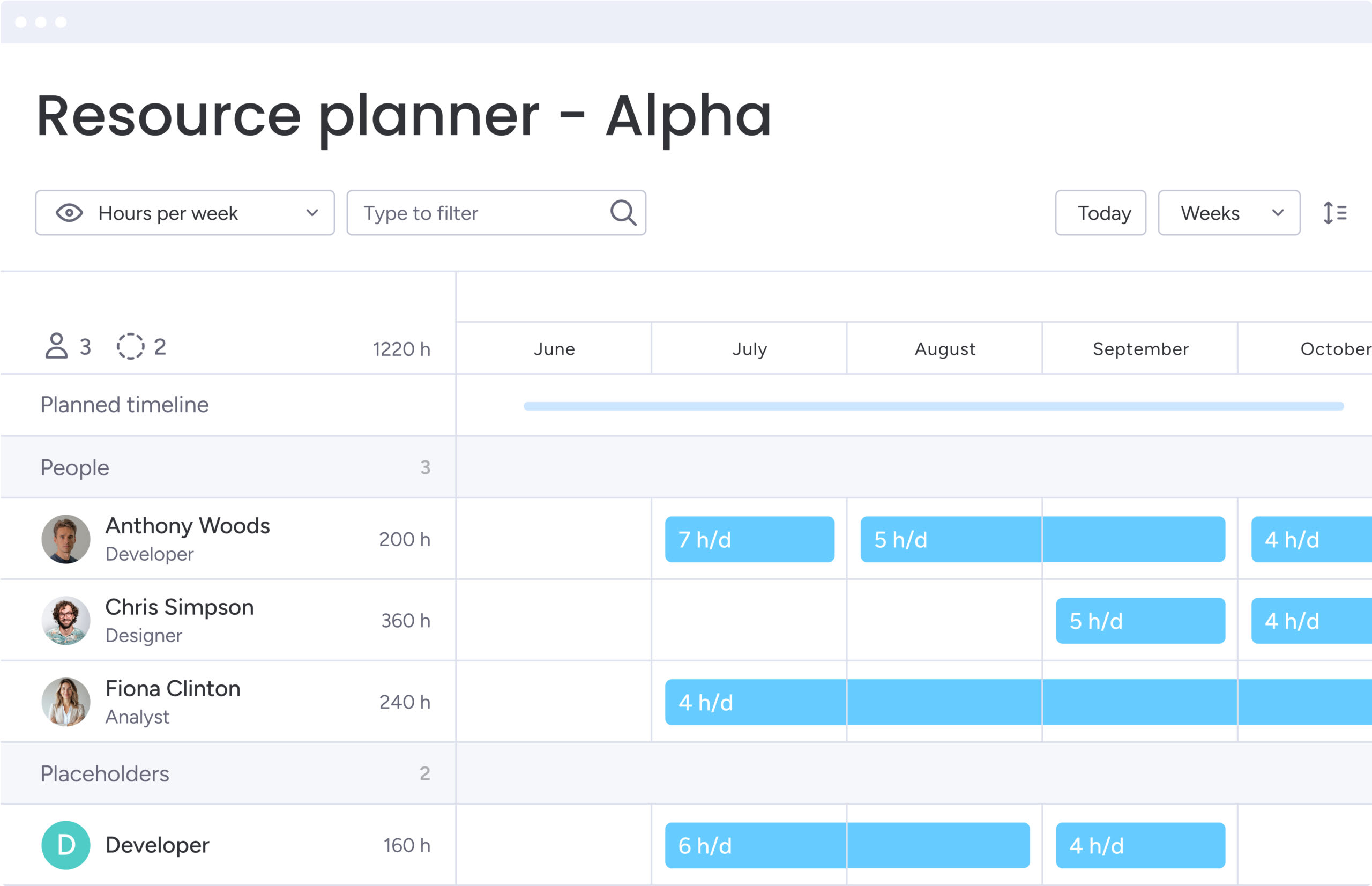
Resource management capabilities address one of the most critical challenges for marketing leaders: optimizing talent allocation across competing priorities. The platform’s workload view provides real-time visibility into team bandwidth, skills, and capacity across multiple projects.
Key resource management features include:
- Workload visualization: see at a glance which team members are over capacity and who has availability.
- Skills-based allocation: match the right people to the right priorities based on expertise.
- Capacity planning: plan resources at the project level and adjust assignments based on availability.
Automations
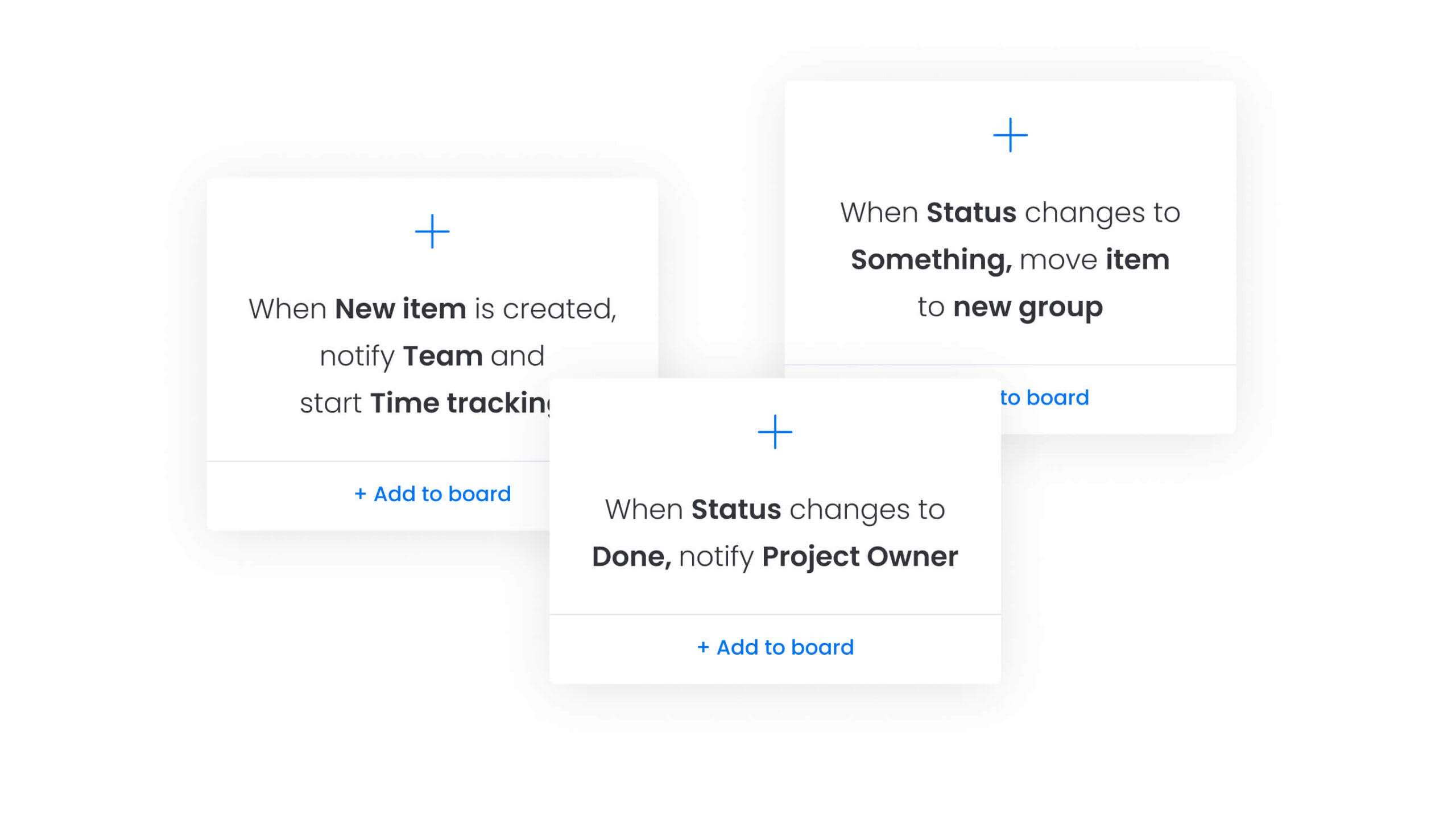
Automation eliminates the manual, repetitive processes that drain marketing team productivity. The platform offers 200+ pre-built automation recipes that trigger actions based on status changes, dates, or custom conditions.
Common automation examples for marketing teams:
- Status notifications: automatically notify stakeholders when campaigns move to review.
- Task creation: generate follow-up items when content is approved.
- Budget alerts: send notifications when spending reaches thresholds.
- Report generation: create weekly performance summaries automatically.
How AI-powered dashboards differ from traditional reporting tools
Traditional dashboards rely on historical data and manual analysis. AI-powered dashboards in monday work management actively interpret data, identify risks, and suggest actions to prevent issues from affecting performance.
Key AI capabilities include:
AI blocks
Prebuilt AI capabilities that integrate directly into dashboards and workflows. These blocks categorize data at scale, summarize complex information instantly, and extract actionable insights from any document.
Marketing teams use AI Blocks to:
- Categorize requests: automatically sort campaign requests by urgency and priority.
- Summarize reports: transform performance data into key takeaways for executives.
- Extract insights: pull actionable information from customer feedback and market research.
Product power-ups
AI-powered features that address specific enterprise challenges at scale. Risk management capabilities identify at-risk projects across hundreds of campaigns by analyzing update patterns and performance metrics. Resource allocation features automatically match tasks to team members based on skills, availability, and current capacity.
Digital workforce
Always-on AI assistants that work in the background to monitor, analyze, and optimize dashboard data. The Project Analyzer continuously scans your portfolio to flag bottlenecks and suggest solutions. The Campaign Manager analyzes performance across channels to recommend budget reallocation.
Instead of staring at charts trying to spot issues, these AI assistants flag problems, suggest solutions, and automate routine analysis. Your team can focus on implementing insights rather than hunting for them.
Benefits of real-time dashboards for marketing teams
Real-time dashboards fundamentally change how marketing teams work, with concrete improvements in time savings, budget efficiency, and cross-team collaboration. These tangible benefits make it easier to secure buy-in and set clear expectations for what your team will achieve.
Time savings
Marketing leaders save thousands of hours monthly by eliminating manual status updates and report compilation. Real-time data synchronization means teams no longer spend hours gathering information from multiple sources or creating weekly status reports.
Proven time savings include:
- Genpact: 25% decrease in email exchanges and complete removal of spreadsheets.
- FARFETCH: 3.5K hours saved per month through automated reporting.
- ThoughtWorks: 55% reduction in email communication and 41% reduction in conference calls.
These time savings allow heads of marketing to focus on strategic initiatives rather than administrative coordination.
Cost efficiency
Dashboard automation delivers measurable ROI through improved resource utilization. When teams can see capacity and performance in real time, they make decisions that optimize budget allocation and prevent costly delays.
Documented cost savings:
- FARFETCH: 6x ROI and $118K monthly savings through process optimization.
- McDonald’s: 1,224 hours monthly savings (equivalent to seven full-time employees) with 615% ROI.
- VML: 7,000 hours saved per account monthly through streamlined workflows.
For services industry marketing leaders managing large budgets, these efficiency gains directly improve budget adherence and forecasting accuracy.
Improved visibility
Real-time visibility transforms how marketing leaders demonstrate impact. Centralized dashboards eliminate the lack of visibility that prevents tracking progress, capacity, and ROI in real time.
Leaders can report to executives with confidence, tracking:
- Campaign performance: ROI, CAC, and MQL-to-Customer conversion rates.
- Content metrics: production volume, performance, and engagement rates.
- Operational efficiency: budget adherence, team productivity, and time-to-launch.
Enhanced collaboration
Dashboards break down silos between teams by providing shared visibility into priorities and progress. When everyone works from the same data, alignment improves and execution accelerates.
Genpact achieved 40% improvement in cross-team collaboration for successful campaign planning and execution. Teams can see dependencies, understand priorities, and coordinate efforts without constant meetings or status updates.
Step-by-step guide: how to implement marketing dashboards with monday work management
.jpg)
Getting marketing dashboards right requires both strategy and pragmatism. Follow these six steps to deliver immediate results while creating a system that can grow with your organization.
Step 1: centralize your marketing data sources
Connect your marketing technology stack through 200+ native integrations. Link Google Analytics, Meta Ads, Google Ads, email platforms, CRM systems, and ecommerce platforms to create a unified data foundation.
Start with your most critical data sources:
- Performance platforms: Google Analytics, Meta Ads, Google Ads for campaign metrics.
- CRM systems: Salesforce, HubSpot for lead tracking and conversion data.
- Communication tools: Slack, Teams for project updates and notifications.
This eliminates the disconnected execution that results from scattered marketing data across multiple platforms.
Step 2: define your core marketing KPIs and OKRs
Establish key performance indicators that align with company goals. Focus on metrics that matter to both marketing performance and business outcomes.
Essential KPIs to track:
- Campaign effectiveness: ROI, CAC, MQL-to-Customer conversion rate.
- Content performance: production volume, engagement rates, content velocity.
- Operational metrics: budget adherence, team productivity, time-to-launch.
- Strategic alignment: progress toward company OKRs and quarterly goals.
Link these KPIs to company OKRs to demonstrate marketing’s strategic alignment and business impact.
Step 3: build role-specific dashboard views
Create customized dashboards for different stakeholders based on their decision-making needs and responsibilities. Each role requires different levels of detail and different types of insights.
Dashboard configurations by role:
- Executive leadership: high-level strategic progress, ROI summaries, and alignment with company goals.
- Team leads: operational details, workload distribution, and team performance metrics.
- Individual contributors: personal task lists, campaign-specific metrics, and deadline tracking.
This ensures everyone has the visibility they need without information overload or irrelevant data.
Step 4: implement automated reporting workflows
Set up automations that trigger status updates and send performance alerts when KPIs hit thresholds. Generate scheduled reports for stakeholders automatically to eliminate manual reporting work.
Key automation workflows:
- Performance alerts: notify teams when campaigns underperform or exceed targets.
- Status updates: automatically update stakeholders when projects reach milestones.
- Scheduled reports: generate weekly or monthly summaries for executive review.
This operational efficiency through standardization ensures consistent communication and frees teams to focus on strategic work.
Step 5: establish resource planning and capacity tracking
Configure workload views to monitor team bandwidth across your marketing organization. Track capacity across content, creative, acquisition, events, and operations teams to prevent burnout and optimize allocation.
Resource management setup:
- Workload visualization: see team capacity and availability at a glance.
- Skills tracking: match team members to projects based on expertise.
- Capacity alerts: get notified when teams approach overallocation.
Use the resource directory and capacity manager to prevent burnout and optimize allocation strategically across competing priorities.
Step 6: scale dashboard access across teams and regions
Roll out standardized dashboard templates across your global marketing organization while allowing customization for regional needs. Train teams on dashboard usage and establish governance for data accuracy.
Scaling considerations:
- Template standardization: create consistent reporting frameworks that teams can adapt.
- Regional customization: allow local teams to add region-specific metrics and views.
- Training programs: ensure teams understand how to use and maintain dashboards.
- Data governance: establish processes for maintaining accuracy and consistency.
Managed templates ensure consistency while maintaining flexibility for local adaptation and specific team needs.
Dashboard platform comparison: integration capabilities
Integration capabilities determine whether dashboard software becomes a unified command hub or another disconnected tool. Marketing teams need platforms that connect their entire tech stack seamlessly to avoid creating additional data silos.
| Integration type | monday work management | Traditional BI tools | Project management platforms |
|---|---|---|---|
| Marketing automation | Meta, Google Ads, HubSpot, Marketo | Limited, requires custom APIs | Basic email integrations only |
| Analytics platforms | Google Analytics, Adobe Analytics | Native support | Limited or none |
| Communication tools | Slack, Teams, Zoom | Basic notifications | Native collaboration |
| CRM systems | Salesforce, HubSpot, Pipedrive | Data warehouse connections | Limited CRM support |
| Creative tools | Adobe Creative Cloud, Canva | None | File storage only |
| Implementation time | Days with no-code setup | Weeks to months | two to four weeks typical |
monday work management’s 200+ integrations connect through no-code interfaces, eliminating the need for technical resources. Marketing teams can pull data from multiple sources into unified dashboards without waiting on IT support. The platform’s open API enables custom connections for specialized tools, ensuring no data remains siloed.
Case study: how Genpact transformed campaign management with dashboards
Genpact’s globally distributed marketing department runs 24 ongoing large-scale campaigns simultaneously, each with multiple cross-channel activations managed jointly by campaign managers and channel owners across 40 different teams. Their transformation illustrates how enterprise dashboard implementation solves real operational challenges.
The challenge: scattered data and no visibility
Campaign managers relied heavily on spreadsheets scattered across personal desktops, emails, and SharePoint folders. No one knew who had the latest version or where to find it. This made achieving visibility across hundreds of stakeholders and contributors nearly impossible.
Key challenges included:
- No single source of truth for campaign status and progression.
- Version control issues with multiple spreadsheet copies.
- Limited visibility across 40 different teams and stakeholders.
- Manual reporting that consumed significant time and resources.
The solution: standardized workflows and unified dashboards
Genpact implemented monday work management to standardize campaign planning and execution. The team created workflow apps outlining the entire activation process for each channel, with columns tracking target dates versus actual completion times.
Implementation included:
- Timeline views and dashboards to monitor outstanding campaign items.
- High-level GTM calendar with sub-items showing program and campaign hierarchy.
- Forms and automation streamlining digital and creative processes.
- Automated notifications serving as queues for requests.
The results: measurable improvement across all metrics
The transformation delivered immediate, measurable impact across collaboration, efficiency, and visibility, including a:
- 40% improvement in cross-team collaboration.
- Complete removal of spreadsheets from campaign management.
- 25% decrease in email exchanges through centralized communication.
The platform’s flexibility allowed Genpact to quickly adapt during pandemic-related changes. The marketing department now uses the Workload feature for resource allocation to ensure consistent delivery without overloading teams.
Elevate marketing operations in the services industry with monday work management
Services marketing teams need more than visibility. They need a system that connects insight to execution, aligns people with priorities, and scales across complex, cross-functional work. monday work management delivers this by combining enterprise-grade dashboards with the workflows teams rely on every day.
Instead of managing performance in one tool and execution in another, the intelligent platform brings everything together in a single operating layer. Dashboards update in real time as work progresses, giving leaders confidence that decisions are based on what’s actually happening, not last week’s report.
Key benefits for heads of marketing in the services industry include:
- Dashboards connected to real work: performance metrics, capacity data, and campaign progress all reflect live execution, not static snapshots.
- Clear ownership and accountability: every campaign, task, and deliverable has a visible owner, status, and timeline.
- Faster decision-making: leaders can identify bottlenecks, rebalance resources, and adjust priorities before issues escalate.
- Scalable standardization: templates and automations create consistency across regions and teams without limiting flexibility.
- Built-in AI support: proactive risk detection, automated summaries, and intelligent recommendations reduce manual analysis.
For services organizations where marketing success depends on coordination, speed, and accountability, monday work management acts as a central command center. It enables teams to spend less time compiling updates and more time delivering measurable business impact.
If your marketing operation has outgrown spreadsheets, disconnected dashboards, or manual reporting, monday work management provides a clear path forward — bringing structure, clarity, and momentum to every campaign.
The content in this article is provided for informational purposes only and, to the best of monday.com‘s knowledge, the information provided in this article is accurate and up-to-date at the time of publication. That said, monday.com encourages readers to verify all information directly.
Frequently asked questions
How does monday work management handle both campaign metrics and team workload?
To handle both campaign metrics and team workload, monday work management uniquely combines marketing performance dashboards with resource management in one platform. Dashboard functionality tracks campaign ROI, CAC, and performance metrics by pulling data from integrated platforms.
Can dashboards in monday work management integrate with project workflows?
Yes, dashboards are built directly into the work management platform, creating seamless integration between performance tracking and project execution. When you view campaign performance on a dashboard, you can click through to see the underlying project board with all items, owners, deadlines, and dependencies.
What is the typical learning curve for marketing teams?
Marketing teams typically achieve proficiency within two weeks to one month. The platform's intuitive, visual interface requires no technical expertise to build dashboards, create automations, or customize workflows. Genpact's team found it "really easy to use from the start" without needing new skills.
How do you ensure data accuracy across integrated platforms?
monday work management maintains data accuracy through native integrations that automatically sync data from connected platforms. The platform serves as a single source of truth by centralizing data from multiple sources and providing visibility into when data was last updated. Automated workflows trigger alerts when data anomalies occur.
What's the difference between marketing dashboards and business intelligence tools?
Traditional BI platforms focus exclusively on data visualization and historical analysis, requiring technical expertise. monday work management dashboards combine performance visualization with work management capabilities, enabling you to track both campaign performance and team workloads while adjusting workflows in real time — all within the same platform.
How quickly can large teams adopt and see value from dashboard software?
Large marketing teams get actionable dashboards running in days, not months with monday work management. The intuitive interface and flexible customization mean high adoption rates without lengthy change management. Teams start seeing value immediately through pre-built templates and easy configuration.

 Get started