


Marketing teams in retail juggle dozens of campaigns across multiple channels, often tracking performance in fragmented tools and spreadsheets. When leadership asks for ROI mid-meeting, teams scramble through disconnected data, losing valuable decision-making time. This lack of visibility not only slows action but can misdirect resources and obscure which campaigns truly drive results.
The right dashboard software consolidates scattered data into a single, intuitive view, turning raw numbers into actionable insights. Marketing leaders can see campaign performance, team capacity, and budget status at a glance, enabling faster adjustments and smarter decisions. Dashboards are no longer just static reports, they are dynamic workspaces where insights directly influence workflow and strategy.
This guide cuts through the noise to show you what really matters when choosing dashboard software.. When implemented thoughtfully, dashboards reduce manual work, improve transparency, and empower marketing teams to focus on high-impact initiatives rather than chasing data.
Key takeaways
Marketing dashboards are essential for unifying scattered data, providing leaders with real-time visibility into campaigns, budgets, and team capacity. The following points summarize the core insights from this article:
- Dashboards connect execution to insights: consolidating multiple data sources into a single view enables faster, smarter decision-making across teams.
- Different dashboard types serve different purposes: operational, analytical, strategic, and tactical dashboards address unique management needs and should be chosen according to team priorities.
- Speed and usability matter: dashboards must load critical information quickly, ideally within five seconds, to ensure adoption and maintain decision momentum.
- AI enhances dashboard functionality: intelligent insights, predictive analytics, and automated recommendations reduce manual reporting and help proactively manage campaigns.
- monday.com connects execution to insights: as a work management platform with dashboards, it integrates campaigns, team capacity, and performance metrics in real time to streamline marketing operations.
What is dashboard software and why does it matter?
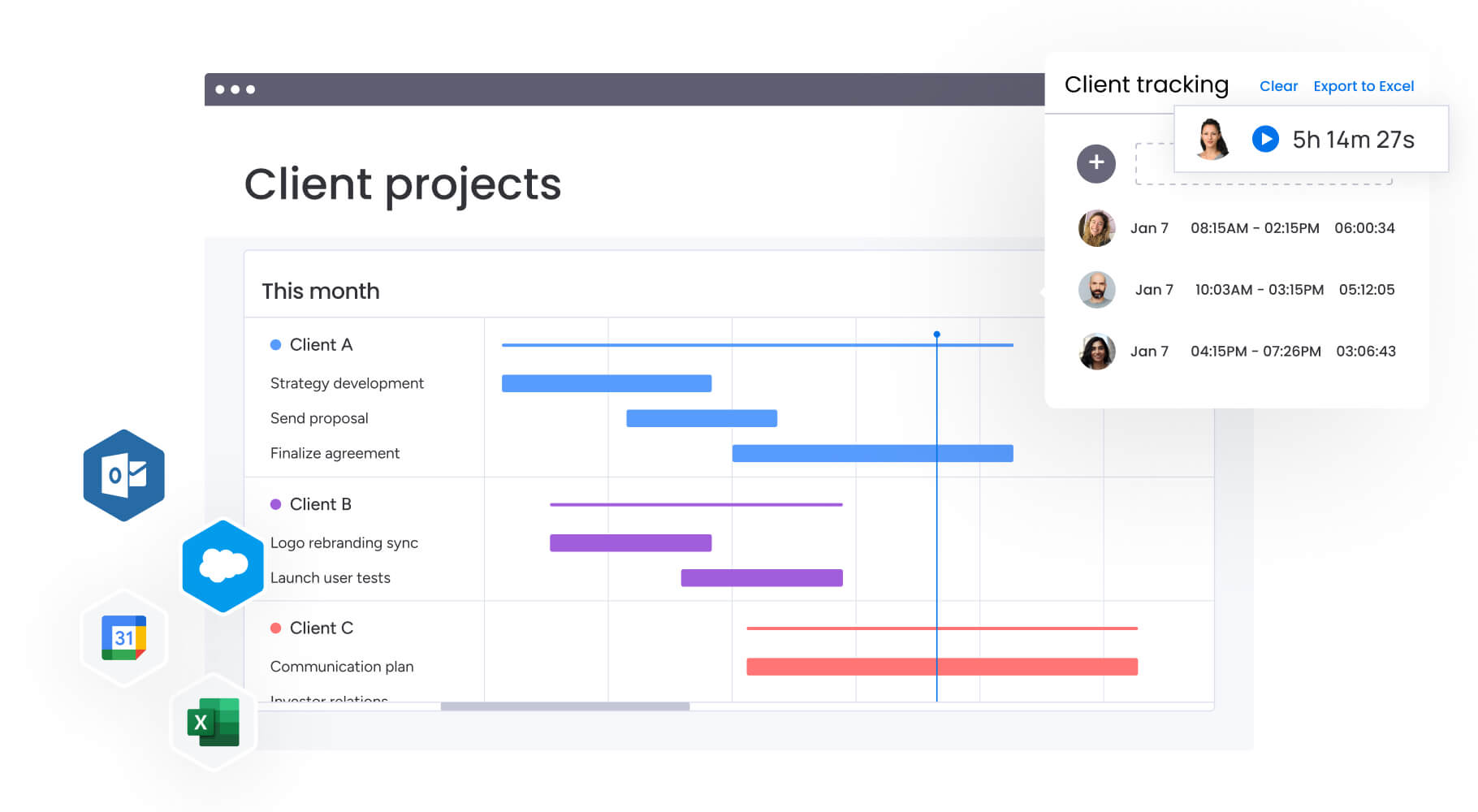
Dashboard software pulls your data from everywhere it lives and turns it into visual displays that help teams make quicker, smarter decisions. It’s your marketing command center, where all those scattered spreadsheets, disconnected reports, and siloed metrics finally come together in real time to drive actual action.
Managing 50–100+ people across content, creative, acquisition, and operations teams presents a persistent challenge: without centralized visibility, campaign performance, team capacity, and budgets are difficult to track. When marketing data lives across Google Ads, Salesforce, project management systems, and spreadsheets, charts alone are insufficient. Organizations need a system that connects work execution with measurable outcomes.
The right dashboard software and sales dashboard templates eliminate the ten-15 hours teams waste weekly on manual reporting. It surfaces campaign performance, team capacity, and budget adherence instantly. Most importantly, it transforms static reports into dynamic workspaces where insights immediately translate to workflow adjustments, resource reallocation, and strategic pivots.
What is a marketing dashboard (and why do marketing managers need one)?
A marketing dashboard provides a single, real-time view of campaign performance, team workloads, budget tracking, and key metrics. For leaders managing complex multi-channel operations, this visibility allows proactive problem-solving rather than reactive firefighting.
Marketing dashboards address three critical challenges:
- Fragmented visibility: campaign data scattered across advertising platforms, CRM systems, and project management tools creates blind spots that delay critical decisions.
- Manual reporting burden: consolidating weekly executive reports from multiple sources consumes hundreds of hours monthly that could drive strategic work.
- Misaligned execution: without real-time visibility into team capacity and campaign progress, resources get misallocated and deadlines slip.
When campaign ROI, team capacity, and OKR progress are visible at a glance, teams can make faster adjustments, demonstrate value to leadership, and focus on priorities. This visibility is especially crucial during peak seasons when managing multiple campaigns across regions and channels.
Identify the four types of dashboards (and which one you actually need)

Understanding dashboard types ensures organizations select the solution that addresses their challenges. Each type serves a specific purpose and helps different roles make informed decisions.
- Operational dashboards: track daily execution, project progress, and team performance in real time. Marketing teams monitor deliverables, creative timelines, and daily capacity to answer questions like “What is due this week?” and “Who can handle urgent requests?”
- Analytical dashboards: focus on performance trends and historical patterns. They help leaders analyze campaign effectiveness, channel performance, and customer behavior, guiding budget allocation and forecasting.
- Strategic dashboards: connect daily work to long-term objectives. Executive dashboards provide high-level visibility into OKRs, revenue targets, and market share goals without operational detail.
- Tactical dashboards: bridge operational and strategic views by showing resource distribution, skill gaps, and bottlenecks. Marketing operations managers use these dashboards to balance capacity, prevent burnout, and align priorities.
Most enterprise marketing teams rely on operational and tactical dashboards for day-to-day management and strategic dashboards for executive reporting. The key is selecting a platform that supports multiple dashboard types without requiring separate systems.
Evaluate what to look for in dashboard software for large organizations
Enterprise marketing teams face challenges that basic solutions cannot address. Evaluating platforms for organizations with 100+ employees and complex workflows requires attention to integration, customization, governance, and real-time data flow.
- Integration depth: platforms must automatically consolidate data from 200+ marketing systems, including advertising platforms, CRM, project management, and analytics solutions. Manual exports or complex APIs create friction.
- No-code customization: marketing needs evolve constantly. The platform should allow non-technical users to build and modify dashboards using drag-and-drop interfaces, visual workflow builders, and adaptable templates.
- Enterprise governance: permission controls, audit trails, and compliance features must exist without requiring months of setup. Platforms should balance security with usability.
- Real-time data flow: dashboards should update instantly as work occurs. When execution connects directly to visualization, teams avoid delays caused by batch data imports or slow syncs.
Apply the five-second rule for dashboard performance
The five-second rule states dashboards should load critical information in five seconds or less. Fast dashboards maintain decision momentum and ensure adoption. Slow dashboards reduce confidence and force teams to guess rather than verify insights.
Performance depends on three factors:
- Data architecture: efficient processing and display of information from multiple sources.
- Query optimization: pre-calculation of common metrics versus on-demand processing.
- Visual rendering: fast display of charts, graphs, and tables.
Platforms built on modern cloud infrastructure with intelligent caching consistently meet this standard. Legacy systems retrofitted with dashboards often struggle to maintain speed with large datasets.
Compare the best dashboard software for marketing operations

Selecting the right project management dashboard requires understanding how different solutions address specific marketing challenges. Each platform excels in particular areas, and the best choice depends on your team’s technical capabilities, existing infrastructure, and primary use cases.
This comparison below helps you match platform strengths to your organizational needs.
| Platform | Best for | Key strength | Implementation time |
|---|---|---|---|
| monday work management | Unified work management + dashboards | Real-time execution visibility | Two to four weeks |
| Tableau | Advanced analytics teams | Statistical analysis depth | Three to six months |
| Power BI | Microsoft-centric organizations | Office 365 integration | Six to twelve weeks |
| Looker | Technical teams | Data modeling control | 8-16 weeks |
monday.com
monday.com transforms dashboards from static reports into dynamic command centers where insights drive immediate action. The platform’s strength lies in connecting strategy to execution, dashboards don’t just display data, they live where work happens.
Key capabilities:
- Real-time campaign dashboards: visualize campaign status, budget burn, and performance metrics that update as teams work.
- Workload view: see team capacity and resource allocation across all marketing initiatives instantly.
- AI-powered insights: automatically flag at-risk campaigns and suggest resource reallocations.
- 200+ integrations: connect advertising platforms, CRM systems, and analytics tools without manual data entry.
Best for: marketing teams managing multi-channel campaigns who need unified visibility across execution and performance.
Tableau
Tableau excels at deep data analysis and complex visualizations. It handles massive datasets and creates sophisticated analytical models that reveal hidden patterns in marketing performance.
Key capabilities:
- Advanced statistical analysis and predictive modeling.
- Extensive visualization options for complex data relationships.
- Strong data governance and enterprise security features.
- Powerful calculation engine for custom metrics.
Best for: organizations with dedicated analytics teams who need advanced statistical capabilities beyond standard marketing metrics.
Power BI
Microsoft’s Power BI integrates seamlessly with Office 365 and Azure ecosystems. It provides robust business intelligence capabilities with familiar Microsoft interfaces.
Key capabilities:
- Native integration with Microsoft products and services.
- AI-powered insights and natural language queries.
- Extensive pre-built connectors for enterprise systems.
- Mobile-optimized dashboards for on-the-go access.
Best for: enterprises already invested in Microsoft infrastructure who want consistent tools across departments.
Looker
Looker (now part of Google Cloud) specializes in creating a semantic layer that ensures consistent metrics across all dashboards. It prevents the “multiple versions of truth” problem common in large organizations.
Key capabilities:
- Centralized data modeling for metric consistency.
- Version control and development workflows for dashboards.
- Embedded analytics for customer-facing applications.
- Strong API for custom integrations.
Best for: technical teams who want complete control over data definitions and dashboard development processes.
Leverage AI-powered dashboards to eliminate manual reporting
AI transforms dashboards from passive displays into proactive assistants that surface insights, predict issues, and automate responses. For marketing teams drowning in manual reporting, AI capabilities mean the difference between spending days on analysis and getting answers instantly. Understanding how AI enhances dashboard functionality helps you identify platforms that deliver genuine automation rather than basic alerts.
Modern AI-powered dashboards deliver three transformative capabilities that fundamentally change how marketing teams interact with data:
- Automated insight detection: AI continuously analyzes data patterns to identify anomalies, trends, and opportunities without human prompting.
- Predictive risk management: machine learning models forecast campaign performance issues and resource bottlenecks before they impact delivery.
- Intelligent recommendations: AI suggests specific actions based on historical patterns and current conditions.
Platforms like monday.com integrate AI directly into dashboard workflows through AI Blocks, which categorize incoming requests, extract insights from campaign reports, and summarize complex data into actionable recommendations. Digital Workers operate in the background, monitoring portfolio health and flagging risks across hundreds of projects simultaneously.
For example, when campaign performance declines, AI analyzes contributing factors, suggests budget reallocations, and can trigger automated workflows to address issues. This turns dashboards into tools that do more than show what happened, they actively help fix problems.
How to connect dashboard integrations to your existing tech stack
Integration quality determines whether your dashboard software becomes a unified command center or another silo. Marketing teams typically use five to ten specialized tools for campaigns, analytics, and project management. Without seamless connections, dashboards can’t deliver the complete picture needed for strategic decisions. Evaluating integration capabilities upfront prevents data fragmentation and ensures your dashboard investment delivers comprehensive visibility.
Effective dashboard integrations must handle three critical functions that separate basic connectors from enterprise-grade solutions:
- Bi-directional data flow: information should move both ways, so dashboard insights can trigger actions in connected systems.
- Real-time synchronization: data updates should reflect immediately, not through scheduled batch processes.
- Field mapping flexibility: different tools use different data structures, integrations must translate between them intelligently.
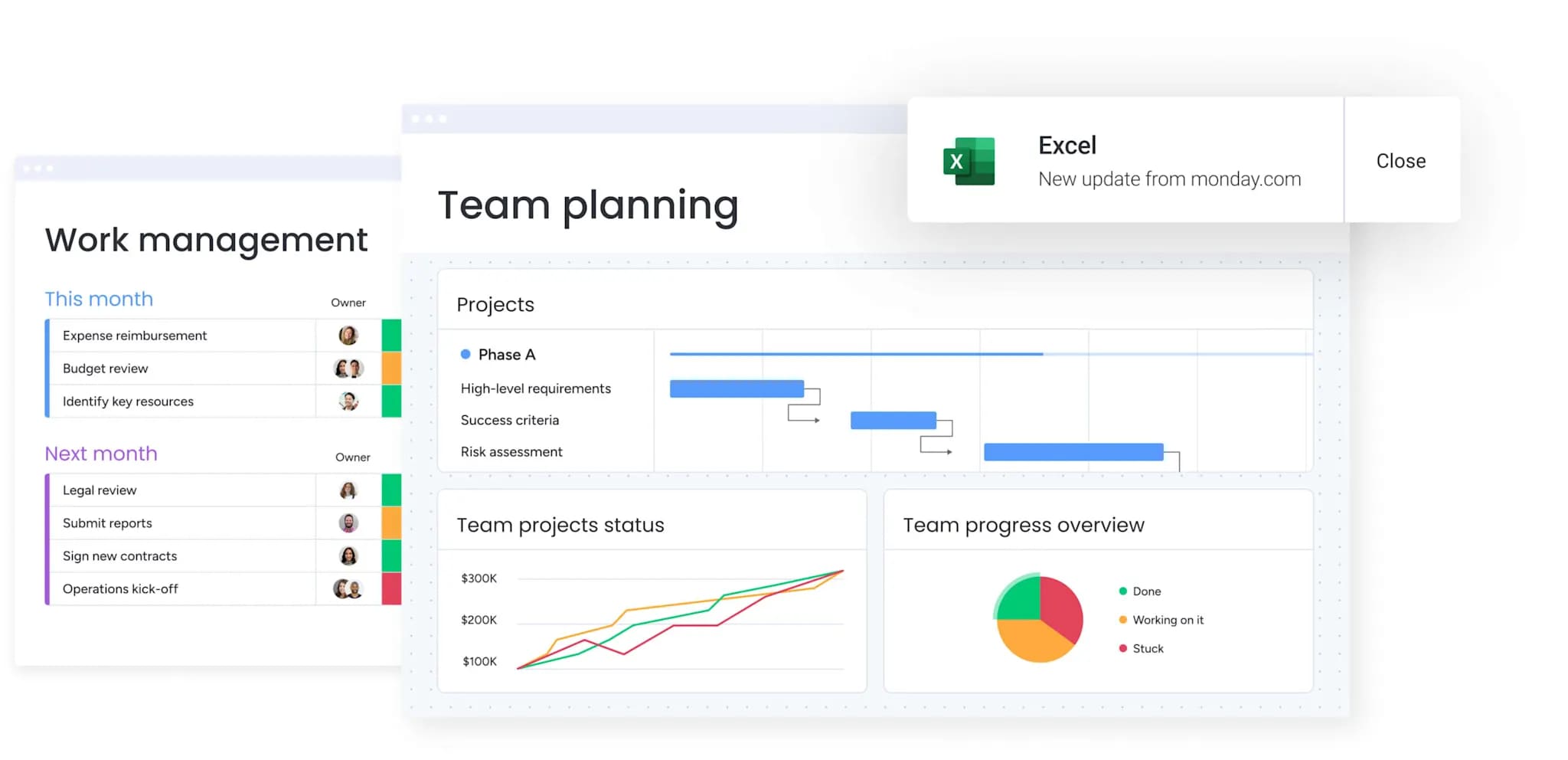
Native integrations outperform generic connectors because they are tailored for specific use cases. When monday.com connects with Google Ads, it maps campaigns to projects, links performance to team efforts, and enables automated responses to metric changes.
The platform’s 200+ integrations cover the marketing technology stack. Advertising platforms provide campaign performance, CRM systems share pipeline data, analytics solutions offer behavioral insights, and project management platforms coordinate cross-functional work. Everything flows into unified dashboards, giving marketing leaders a complete operational view.
How to plan implementation from selection to adoption
Dashboard implementation success depends more on change management than technical setup. Even the most powerful platform fails if teams don’t adopt it consistently. Understanding realistic timelines and resource requirements prevents costly false starts. Proper planning ensures your dashboard investment delivers value quickly and scales across the organization effectively.
Implementation timelines vary dramatically by platform type:
Traditional BI tools like Tableau typically require three to six months for full deployment. This includes data warehouse setup, model development, dashboard design, and extensive training. Marketing teams often need dedicated technical resources throughout this period.
Modern work management platforms with built-in dashboards deploy much faster. monday.com typically achieves full adoption in two to four weeks because dashboards connect to existing workflows rather than requiring separate infrastructure. Teams start seeing value within days as they build their first operational dashboards.
Successful adoption requires structured rollout:
- Start with pilot teams: choose motivated, technically comfortable teams to build initial dashboards and identify quick wins.
- Create internal champions: let pilot teams become advocates who drive broader adoption through success stories.
- Build template library: develop dashboard templates for common use cases like campaign tracking, resource planning, and executive reporting.
- Accelerate with proven patterns: give teams starting points they can customize rather than building from scratch.
Change management determines long-term success:
Schedule regular training sessions focused on specific use cases rather than generic feature tours. Show marketing managers how dashboards solve their actual problems, like identifying which campaigns drive pipeline or balancing creative workloads.
Establish dashboard governance early. Define who owns different metrics, how often dashboards update, and what actions should follow specific insights. This prevents dashboard proliferation and ensures everyone works from consistent data.
The content in this article is provided for informational purposes only and, to the best of monday.com‘s knowledge, the information provided in this article is accurate and up-to-date at the time of publication. That said, monday.com encourages readers to verify all information directly.
Frequently asked questions
What is the best software for dashboards?
The best dashboard software depends on your organization's specific needs and technical capabilities. For marketing teams needing unified work management with real-time dashboards, monday.com excels by connecting execution directly to insights.
What are the four types of dashboards?
The four types of dashboards are operational (tracking daily execution and task progress), analytical (examining performance trends and patterns), strategic (monitoring long-term goals and OKRs), and tactical (optimizing resource allocation and capacity). Most organizations need multiple types, with operational and tactical dashboards supporting daily management while strategic dashboards serve leadership reporting needs.
What is the five second rule for dashboards?
The five-second rule for dashboards means critical information should load and display within five seconds or less. This ensures dashboards remain useful during meetings, enable quick decision-making, and actually get used by teams. Slow-loading dashboards frustrate users and often get abandoned, regardless of their analytical capabilities.
What is a data dashboard for a marketing manager?
A data dashboard for a marketing manager is a centralized visual interface displaying real-time campaign performance, team workloads, budget tracking, and strategic metrics. It consolidates information from multiple marketing tools into one view, eliminating manual report compilation and enabling faster decisions about resource allocation, campaign optimization, and strategic priorities.
How do dashboard platforms integrate with existing marketing tools?
Dashboard platforms integrate through native connectors, APIs, or middleware services like Zapier. The best integrations offer bi-directional data flow, real-time synchronization, and intelligent field mapping between different systems. Platforms like monday.com provide 200+ native integrations that automatically sync data from advertising platforms, CRM systems, and analytics tools without manual configuration.
What features should I look for in dashboard software?
Essential dashboard software features include no-code customization for rapid adaptation, real-time data updates rather than periodic refreshes, role-based permissions for enterprise governance, mobile accessibility for on-the-go decisions, and AI-powered insights that surface risks and opportunities automatically. The platform should also scale to handle hundreds of projects while maintaining sub-five-second load times.

 Get started