


Marketing teams manage more content than ever before. Blog posts, social campaigns, video series, email sequences, and event materials flow through multiple departments, each with different timelines, approval processes, and success metrics. When you’re juggling dozens of campaigns across channels while trying to maintain brand standards, those scattered systems and endless email threads don’t just slow you down — they create real gaps in your content pipeline.
The right content calendar software organizes complex workflows, turning fragmented processes into a single, smooth operation. These platforms connect content planning directly to resource management, campaign execution, and performance measurement: providing real-time visibility into what every team is working on, where bottlenecks are forming, and how content initiatives drive business outcomes.
Let’s break down what separates basic scheduling applications from true content operations systems that drive results. You’ll discover what enterprise teams actually need, how AI makes content workflows smarter, and real ways to build processes that connect your daily work to what matters strategically. You’ll also see how platforms like monday.com enable marketing teams to coordinate complex content operations while maintaining the flexibility to adapt as priorities shift.
Key takeaways
- Transform scattered content operations into unified visibility: connect planning, production, and performance across all teams and channels so everyone works from the same strategic foundation.
- Leverage AI to prevent delays before they happen: use intelligent content marketing automation to identify timeline risks, optimize resource allocation, and categorize content at scale without manual coordination.
- Build workflows that scale with your organization: deploy standardized templates with built-in flexibility so teams follow proven processes while adapting to unique requirements and market needs.
- Gain real-time insights that drive strategic decisions: track content velocity, team productivity, and campaign ROI through customizable dashboards that connect daily work to business outcomes.
- Streamline approvals and eliminate bottlenecks: monday.com’s multi-level approval workflows automatically route content based on type and urgency, cutting review cycles from days to hours.
What makes content calendar software essential for enterprise teams?

Content calendar software is no longer just about scheduling posts. For enterprise organizations, it’s the operational backbone that connects planning, execution, and measurement across complex marketing ecosystems. Understanding why these platforms have become mission-critical helps you evaluate what capabilities your team actually needs.
Enterprise content operations span multiple departments, channels, and stakeholders. Marketing teams manage blog content, social media, email campaigns, video production, and event materials — often simultaneously. Without a unified system, this complexity creates information silos where critical details get lost, deadlines slip, and teams duplicate effort.
Content calendars have also evolved from basic scheduling applications to full operations platforms because content now drives business strategy. Enterprise teams need systems that handle:
- Cross-functional coordination: content, creative, legal, product, and finance teams all touch content workflows.
- Multi-channel orchestration: blog, social, email, video, and paid media require different workflows but shared visibility.
- Scalable governance: approval processes, brand compliance, and quality control across hundreds of assets.
- Performance measurement: connecting content activities to revenue, engagement, and strategic KPIs.
When these capabilities click together, your content calendar isn’t just where you schedule posts — it becomes mission control for everything your team produces.
Learn more: Content management template
Core features that define enterprise content calendar platforms
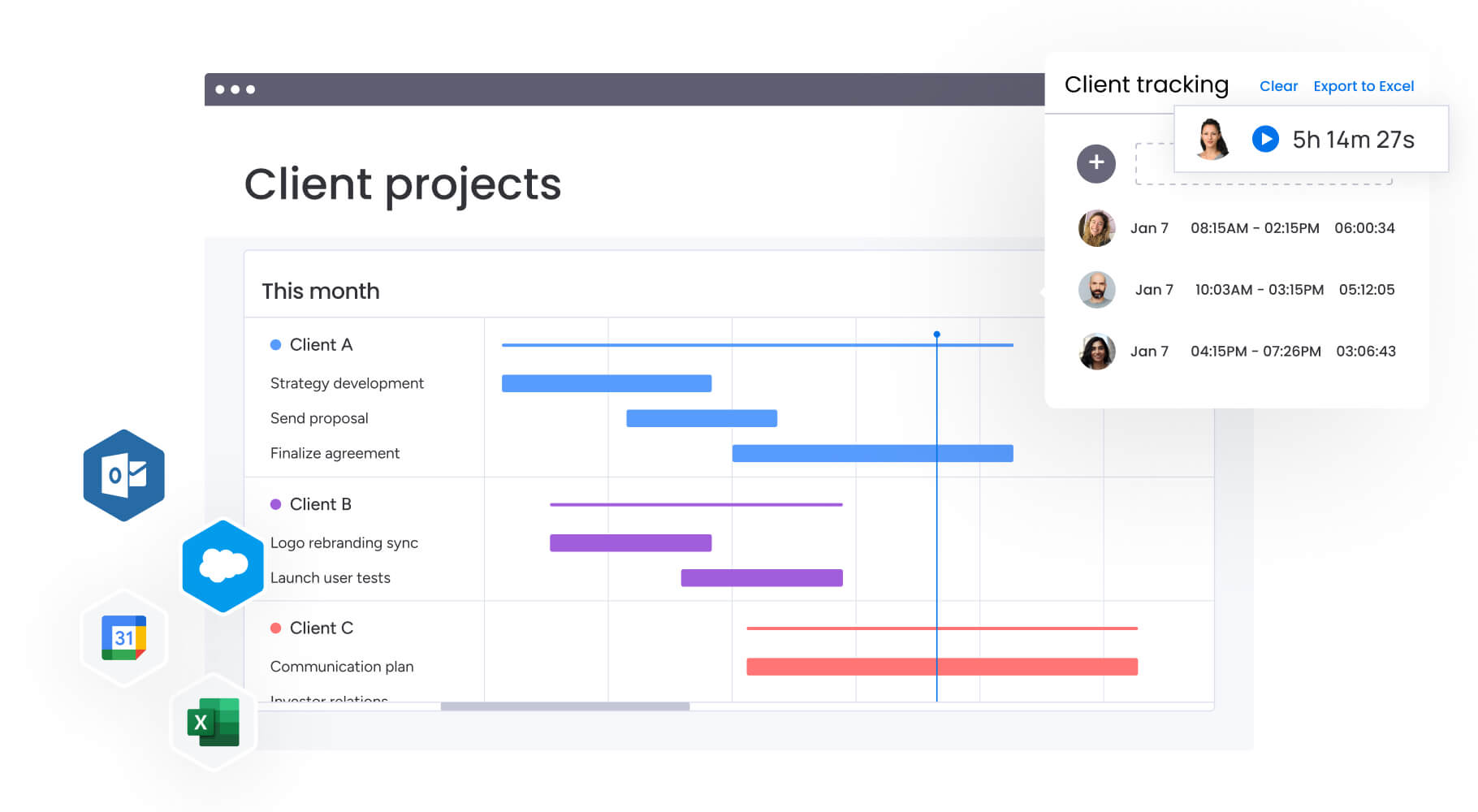
Let’s be honest: most content calendars crumble under enterprise demands. The platforms that actually work at scale have specific features built for the messiness of large marketing teams.
These features separate basic scheduling tools from comprehensive content operations platforms.
Visual content planning across multiple formats
Enterprise teams need flexibility in how they visualize and manage content. The most effective platforms offer multiple views that serve different purposes and accommodate different working styles across your organization.
Essential view types include:
- Calendar view: see publication schedules and identify content gaps at a glance.
- Timeline view: track campaign dependencies and multi-phase initiatives.
- Kanban boards: manage content through production stages from ideation to publication.
- Grid view: preview visual content layouts for social media planning.
This flexibility lets different team members work in formats that match their workflows while maintaining a single source of truth. Creative teams might prefer visual grids, while project managers rely on timeline views to track dependencies.
Workload management and capacity planning
Gaining a comprehensive view of team capacity does something crucial: it helps prevent the burnout and missed deadlines that constantly derail content teams. Enterprise platforms provide workload visibility that shows real-time resource allocation and helps you make informed staffing decisions.
Key capacity insights include:
- Individual capacity: who’s overloaded and who has bandwidth for new assignments.
- Team utilization: how work distributes across departments and roles.
- Resource forecasting: future capacity needs based on upcoming campaigns.
monday.com’s Workload view gives you this visibility in real time, allowing you to rebalance assignments before deadlines are at risk. You can see capacity across multiple projects and quickly identify when teams need support or when resources sit idle.
Multi-level approval workflows
Enterprise content requires layers of review — from team leads to legal to executive stakeholders. Effective platforms automate these workflows while maintaining flexibility for different content types and organizational structures.
Approval workflows should route content based on:
- Content type and risk level: blog posts might need one reviewer while campaign materials require multiple approvals.
- Stakeholder availability: automatically reassign reviews when primary approvers are unavailable.
- Deadline urgency: escalate time-sensitive content through expedited approval paths.
Centralized workflows keep all communication and updates in one place, maintaining oversight without the need for follow-up messages. These workflows cut approval time in half while maintaining the oversight you need.
Real-time dashboards and reporting
Leadership needs instant visibility into content performance and team productivity. Enterprise platforms deliver this through customizable dashboards that transform raw data into actionable insights for strategic decision-making.
Critical dashboard metrics include:
- Content volume and velocity: how much content you’re producing and how quickly it moves through workflows.
- Campaign performance: which initiatives drive engagement and ROI.
- Team productivity: output metrics, on-time delivery rates, and bottleneck identification.
- Budget tracking: resource costs against campaign budgets and forecasts.
These insights transform how marketing leaders make decisions. Instead of waiting for monthly reports, you can spot issues immediately and adjust strategies based on live data.
How AI transforms content calendar management
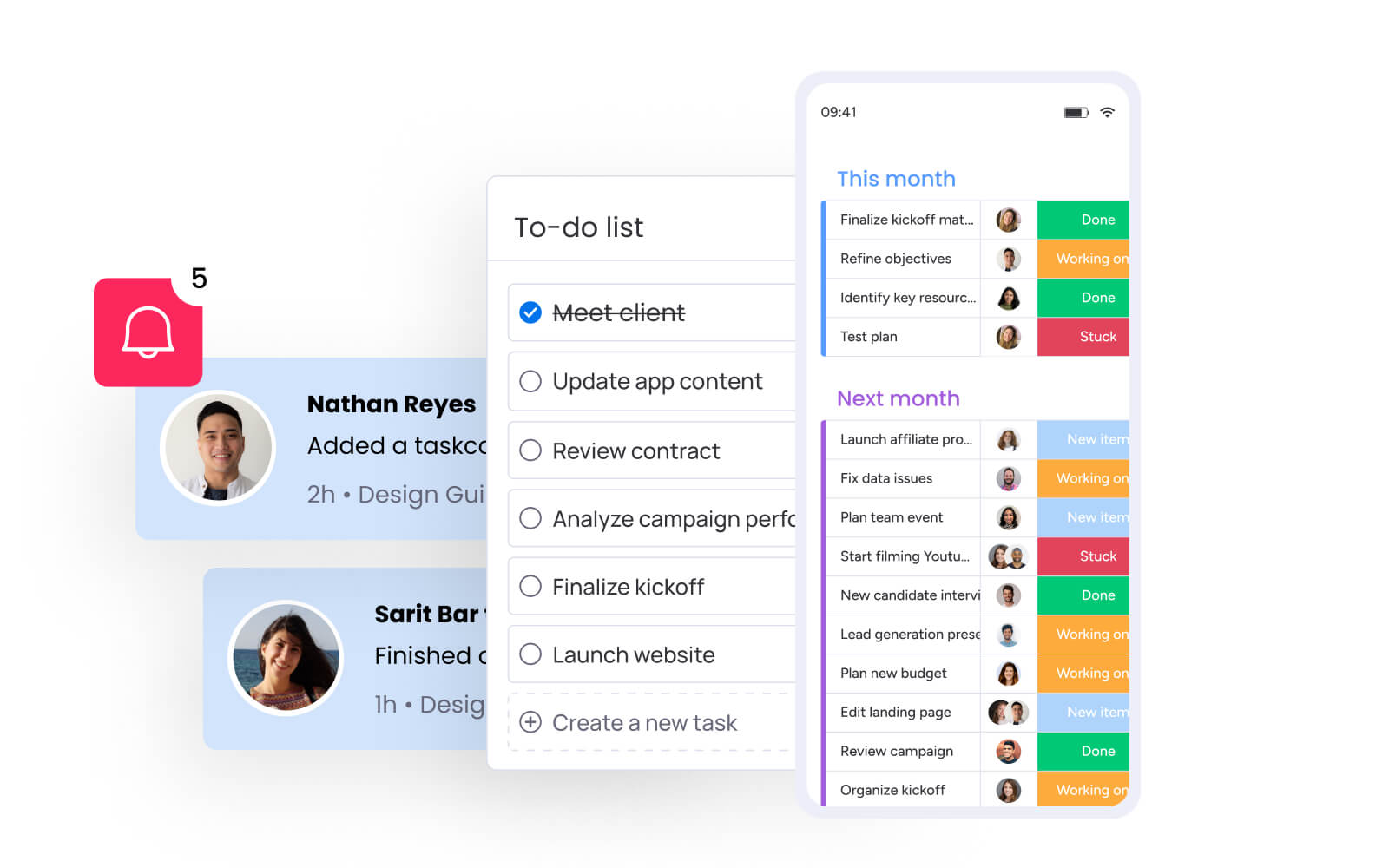
AI is transforming the content game for enterprise teams by moving beyond scheduling to predict performance, flag bottlenecks, and automate time-consuming processes.
Understanding these AI applications helps you identify opportunities to streamline your current processes.
Leveraging intelligent content categorization and organization
AI automatically analyzes and organizes content at scale, eliminating the manual tagging and sorting that slows teams down. This capability becomes essential when managing hundreds of content pieces across multiple campaigns and channels.
AI-powered organization includes:
- Automatic topic classification: AI identifies themes and categories across hundreds of content pieces.
- Sentiment analysis: understand the tone and emotional impact of content before publication.
- Priority scoring: AI ranks content based on strategic importance and deadline urgency.
monday.com’s AI Blocks handle these tasks within your existing workflows. The Categorize block can instantly organize incoming content requests by type, urgency, or campaign, while the Sentiment block helps ensure brand voice consistency across all materials.
Proactive risk identification
AI monitors your content pipeline to flag potential issues before they impact delivery. This predictive capability transforms risk management from reactive problem-solving to proactive prevention.
AI identifies risks including:
- Timeline risks: projects trending toward missed deadlines based on current progress.
- Resource conflicts: overlapping assignments that could create bottlenecks.
- Quality concerns: content that might not meet brand standards or compliance requirements.
The platform’s AI-powered risk insights scan updates across your portfolio, surfacing urgent issues with clear ownership and mitigation options. This shifts risk management toward proactive prevention, allowing teams to address issues before they escalate.
Enabling automated content optimization
AI doesn’t just organize — it actively improves your content operations through intelligent recommendations and automated improvements that enhance both efficiency and quality.
Optimization capabilities include:
- Smart task assignment: match work to team members based on skills, availability, and past performance.
- Workflow optimization: identify process inefficiencies and suggest improvements.
- Content performance prediction: forecast which content will resonate based on historical data.
Digital Workers like the Campaign Manager analyze your marketing data to recommend budget allocation and content focus areas, helping you maximize impact without manual analysis.
Building scalable content workflows with monday.com
Scaling your content workflows takes more than just templates: you really need systems flexible enough to handle your team’s specific quirks while keeping everyone on the same page.
Follow the steps below and this will ensure your workflows grow with your organization (while maintaining quality and efficiency standards).
Step 1: deploy standardized templates with built-in flexibility
monday.com’s managed templates provide the foundation for scalable content operations. These templates standardize entire workspaces — including projects, automations, and dashboards — while allowing teams to customize for their specific needs.
This approach delivers:
- Consistent processes: every team follows proven workflows while maintaining flexibility for unique requirements.
- Faster onboarding: new team members immediately understand how work flows through the system.
- Continuous improvement: update templates based on lessons learned and automatically propagate changes across all instances.
For example, your blog content template might include standard stages (ideation, writing, editing, design, publication) with built-in automations for status updates and approvals. Regional teams can adapt this template for local market needs without losing core governance.
Step 2: establish cross-functional alignment through connected workflows
Content creation involves multiple departments, each with different priorities and processes. Effective platforms connect these workflows without forcing everyone into the same rigid structure, ensuring seamless collaboration across organizational boundaries.
monday.com enables this through:
- Cross-project dependencies: link content production to campaign launches so delays in one area automatically update related timelines.
- Shared resource directory: central repository of team members’ skills, roles, and availability for optimal assignment.
- Portfolio-level visibility: leadership sees how individual content pieces contribute to campaign and business goals.
This connectivity ensures marketing, creative, legal, and other teams stay aligned without constant meetings or status updates.
Step 3: implement automation that eliminates manual coordination
The right automations transform content operations by removing repetitive tasks that consume team time. Focus automation on high-impact areas where manual coordination creates the most friction and delays.
Key automation areas include:
- Status transitions: automatically move content through stages based on completion criteria.
- Notification triggers: alert relevant team members when their input is needed.
- Data synchronization: keep information consistent across boards, dashboards, and integrated tools.
- Recurring content: generate templates for regular content series with pre-populated information.
These automations work in the background, ensuring smooth operations without manual intervention. Teams spend less time on coordination and more time on creative and strategic work.
Comparison: leading content calendar platforms for enterprise
Choosing the right platform means looking beyond feature lists to see how each option handles what your team actually needs. The following comparison examines how leading solutions address enterprise requirements across key functional areas.
| Feature | monday work management | Asana | CoSchedule | Airtable |
|---|---|---|---|---|
| Visual content views | Calendar, timeline, Kanban, grid | Calendar, timeline, board | Calendar-focused | Grid, calendar, Kanban |
| Workload management | Built-in capacity planning | Available (Business+) | Limited visibility | Basic resource tracking |
| AI capabilities | AI Blocks, Digital Workers | AI teammate (limited) | AI headline analyzer | AI field suggestions |
| Approval workflows | Multi-level with routing | Basic approvals | Included workflows | Custom with automations |
| Enterprise scale | 1000+ projects supported | Portfolios (Business+) | Team-focused | Depends on plan |
| Integration depth | 200+ native, open API | 200+ apps | Marketing-specific | Extensive via API |
| Customization | No-code building blocks | Limited flexibility | Marketing templates | Highly customizable |
| Implementation time | 2-4 weeks typical | 2-4 weeks | 4-6 weeks | 3-5 weeks |
Each platform has strengths, but monday.com stands out for its combination of enterprise scalability, AI-powered insights, and flexibility to adapt to any team’s workflow without requiring technical expertise.
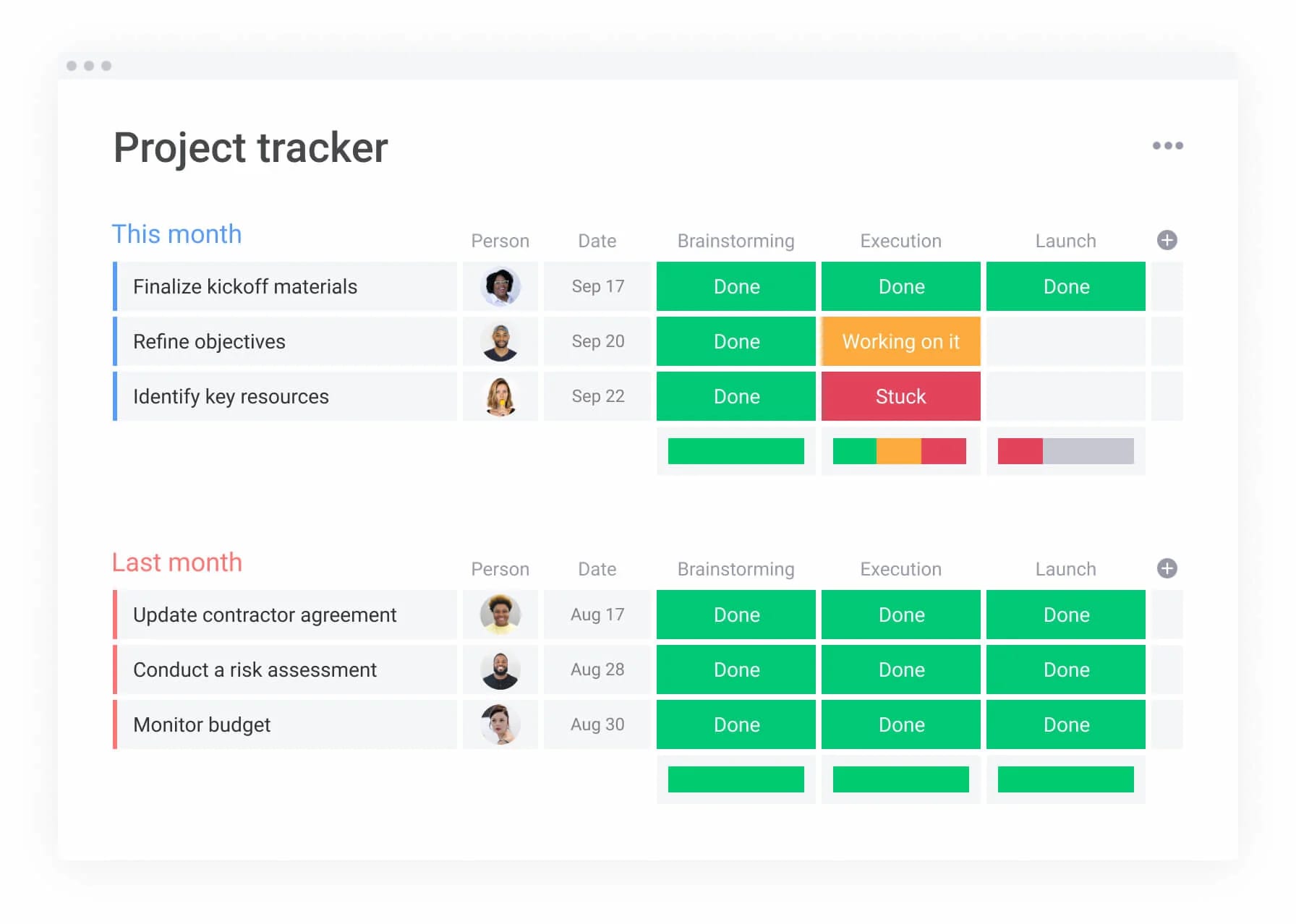
Measuring content calendar ROI and impact
Want to prove your content calendar is worth the investment? Track these specific metrics that directly tie to revenue and growth. Enterprise teams using unified content platforms report measurable improvements across multiple dimensions.
Understanding these metrics helps you build a compelling business case and track ongoing success.
Time and efficiency gains
The most immediate impact appears in operational efficiency. Teams eliminate hours of manual coordination through automated processes and centralized visibility, creating measurable time savings across the organization.
Key efficiency improvements include:
- Automated status updates: no more chasing team members for progress reports.
- Centralized communication: reduce email volume by 25-40% by keeping discussions in context.
- Streamlined approvals: cut review cycles from days to hours with automated routing.
FARFETCH saved 42,000 hours annually after implementing their centralized content calendar, while Genpact reduced conference calls by 41% through improved visibility and coordination.
Quality and consistency improvements
Unified content operations drive higher quality outputs through standardized processes and improved collaboration. These quality gains often translate directly to more effective campaign performance and brand consistency.
Quality improvements include:
- Standardized workflows: ensure every piece follows proven quality processes.
- Clear feedback loops: capture review comments in context for faster revisions.
- Version control: eliminate confusion from multiple document versions.
SPH Media manages content for 40+ brands through one platform, maintaining quality standards while increasing productivity through templates and automated reporting.
Strategic alignment and visibility
Here’s what really matters: good content calendar software shows exactly how your daily content work drives actual business results. This alignment transforms how leadership views marketing operations and enables data-driven resource allocation decisions.
Strategic benefits include:
- OKR tracking: link content initiatives directly to company objectives.
- Performance attribution: understand which content drives revenue and engagement.
- Resource optimization: allocate talent based on strategic priorities, not just availability.
This visibility transforms how leadership views marketing — from a cost center to a strategic driver of business growth.
Transform your content operations with intelligent automation
Content calendars aren’t just about scheduling anymore. The best platforms now connect everything — from initial planning to final measurement — giving you one place to see how your content actually performs. For enterprise marketing teams managing complex, multi-channel operations, the right platform eliminates silos, automates coordination, and provides the visibility leadership needs to make confident decisions.
The transformation from scattered tools to unified content operations delivers measurable impact across every aspect of your marketing function. Teams gain hours of productive time through automation, leadership gains strategic visibility through real-time dashboards, and organizations gain competitive advantage through faster, more consistent content delivery.
Platforms like monday.com bring these capabilities together in one intuitive solution. From AI-powered risk insights that prevent delays to workload management that prevents burnout, it transforms how enterprise teams deliver content at scale. Managed templates further help standardize processes across departments while maintaining flexibility for unique needs, and Digital Workers continuously optimize your operations automatically.
Ready to see how unified content operations can transform your marketing execution?
Try monday.comThe content in this article is provided for informational purposes only and, to the best of monday.com’s knowledge, the information provided in this article is accurate and up-to-date at the time of publication. That said, monday.com encourages readers to verify all information directly.
Frequently asked questions
How does content calendar software handle multiple brands or regions?
Content calendar software manages multi-brand operations through workspace separation and custom permissions. You can create dedicated spaces for each brand while maintaining portfolio-level visibility. Teams access only their assigned brands, while leadership sees everything. Approval workflows route content through brand-specific reviewers, ensuring consistency without sacrificing efficiency.
What's the typical implementation timeline for large marketing teams?
Implementation for 100+ person teams typically takes two to four weeks. Start with your content calendar as the foundation, then expand to campaign management and resource planning. The key is beginning with one high-impact use case rather than migrating everything at once. Most teams see value within the first month as they standardize workflows and gain visibility.
How do content calendars integrate with other marketing tools?
Enterprise content calendar platforms connect through native integrations and APIs. Critical connections include social media platforms for publishing, creative tools for asset management, analytics platforms for performance tracking, and communication tools for collaboration. monday.com offers 200+ native integrations plus an open API for custom connections, ensuring your content calendar works within your existing tech stack.
What's the difference between content calendars and content operations platforms?
Content calendars focus on scheduling and publishing, while content operations platforms encompass the entire content lifecycle. Operations platforms include resource management, workflow automation, performance analytics, and strategic alignment capabilities. They transform content from a tactical activity into a strategic business function that scales with organizational growth.
How can AI improve content calendar management?
AI enhances content operations through intelligent automation and predictive insights. It categorizes content automatically, identifies risks before they impact delivery, suggests optimal resource assignments, and analyzes performance patterns. AI Blocks on monday.com handle these tasks within your workflows, while Digital Workers provide proactive recommendations based on your data.
What security features should enterprise content calendars have?
Enterprise platforms require multi-level permissions, audit trails, data encryption, and compliance certifications. Look for SOC two compliance, GDPR adherence, single sign-on support, and role-based access controls. monday.com provides enterprise-grade security with granular permissions, ensuring teams access only what they need while maintaining governance standards.

 Get started