


Marketing teams are managing a high volume of campaigns spanning multiple channels, regions, and stakeholders. When coordinating creative assets, approvals, and performance with only spreadsheets and status meetings, this approach can quickly lead to operational bottlenecks. The real challenge isn’t launching campaigns: it’s maintaining visibility into progress, optimizing resource allocation, and proving ROI to leadership while everything moves at breakneck speed.
Great campaign management software cuts through this chaos. It puts everything — planning, workflows, and performance tracking — in one place, so you can actually see what’s happening across all your marketing work. When campaigns, creative assets, and team capacity live in one system, marketing leaders gain the control and insights needed to deliver consistent results at scale.
In this detailed guide, we’ll break down the top campaign management platforms built for enterprise marketing teams. You’ll learn which features actually matter for complex operations, uncover how different platforms stack up, and get a practical framework to pick the right solution for your team.
Key takeaways
- Choose platforms that unify your entire marketing operation: look for software that connects campaign planning, resource management, and performance tracking in one system instead of juggling multiple disconnected tools.
- Prioritize user adoption over feature complexity: the best platform is one your team will actually use daily — focus on intuitive interfaces and quick implementation rather than overwhelming feature lists.
- Transform campaign chaos with monday work management: use AI-powered risk detection, real-time capacity management, and customizable workflows to prevent bottlenecks and keep campaigns on track across large teams.
- Evaluate total cost beyond licensing fees: factor in implementation time, training resources, integration costs, and productivity during transition when calculating your platform investment.
- Start with your organizational complexity, not vendor features: map your team size, campaign volume, and approval workflows first to identify which platform capabilities actually matter for your specific needs.
What software do marketing managers use to run campaigns?

Marketing managers typically rely on a mix of specialized and general-purpose platforms to orchestrate campaigns. Understanding these different platform types helps you identify gaps in your current tech stack and make informed decisions about where to invest. The marketing technology landscape is mainly composed of three categories, each serving a distinct aspect of campaign execution.
1. Campaign management platforms:
Coordinate the entire lifecycle from planning through performance analysis. These systems provide workflow automation, resource allocation, and cross-channel visibility. Examples include monday work management, Adobe Workfront, and Wrike, which offer comprehensive features for managing complex, multi-channel campaigns.
2. Channel-specific platforms:
Handle execution within particular marketing channels. HubSpot excels at email and inbound marketing, Hootsuite manages social media campaigns, and Google Ads focuses on paid search. While powerful within their domains, these platforms create silos when teams need unified visibility.
3. Supporting infrastructure:
Includes CRM systems for customer data, analytics platforms for performance measurement, and creative tools for asset production. These integrate with campaign management software to create a complete marketing ecosystem.
The challenge for enterprise marketing teams isn’t finding tools — it’s connecting them. When different teams use different platforms, you lose visibility into campaign status, struggle with resource allocation, and spend hours compiling reports from disconnected sources.
That’s why unified campaign management platforms have become essential for organizations running 20+ campaigns simultaneously across multiple channels and regions.
Essential features for effective campaign management software

Selecting the right campaign management platform requires understanding which capabilities directly address your team’s operational challenges. These features form the foundation of effective campaign execution at scale and determine whether your investment will deliver measurable results.
Step 1: evaluate campaign planning and calendaring capabilities
Visual campaign calendars provide a centralized view of all marketing activities across channels and teams. Look for platforms that offer multiple views — timeline, Gantt, calendar — to accommodate different planning styles.
Key planning features to prioritize:
- Multiple view options: timeline, calendar, and Gantt chart views for different planning preferences.
- Campaign hierarchies: ability to create programs > campaigns > tactics structure for organization.
- Cross-channel visibility: see all marketing activities in one unified calendar.
- Drag-and-drop scheduling: easy timeline adjustments without manual updates.
Step 2: assess resource management and capacity planning tools
Understanding who’s working on what prevents burnout and ensures optimal resource allocation. Workload views should show real-time capacity across team members, while skills-based assignment helps match the right people to the right projects.
Essential resource management capabilities:
- Real-time capacity views: visual workload distribution across team members.
- Skills-based assignment: match projects to team members with relevant expertise.
- Bandwidth tracking: monitor team capacity to prevent overallocation.
- Resource forecasting: plan future capacity needs based on upcoming campaigns.
This level of visibility is critical for preventing burnout and ensuring optimal allocation when managing 50+ person teams across creative, content, and digital functions.
Step 3: examine workflow automation and template options
Standardized workflows ensure consistency while automation eliminates manual coordination. Key automation capabilities include:
- Status-based triggers: automatically notify stakeholders when campaigns move between stages.
- Approval routing: send creative assets through review cycles without manual handoffs.
- Template libraries: replicate successful campaign structures for faster launches.
- Conditional logic: create dynamic workflows that adapt based on campaign type or complexity.
Step 4: review cross-functional collaboration tools
Breaking down silos requires built-in collaboration features that keep communication contextual. Look for platforms offering @mentions, file sharing, threaded comments, and integration with existing communication tools like Slack or Teams.
Critical collaboration features:
- Contextual communication: comments and discussions tied to specific campaigns or work items.
- File management: centralized asset storage with version control.
- Real-time updates: instant notifications when campaign status changes.
- Integration capabilities: connect with existing communication and creative tools.
Step 5: analyze performance dashboards and reporting
Real-time visibility into campaign performance enables data-driven decisions. Essential reporting features include customizable dashboards for different stakeholders, automated report generation, and the ability to connect campaign metrics to business outcomes like revenue and customer acquisition.
Must-have reporting capabilities:
- Customizable dashboards: tailored views for executives, managers, and team members.
- Automated reporting: scheduled reports that eliminate manual compilation.
- Performance tracking: connect campaign activities to business outcomes.
- Real-time metrics: live updates on campaign progress and performance.
Step 6: consider AI and intelligent automation features
Leading campaign management platforms leverage AI to enhance campaign execution through:
- Risk detection: identify campaigns at risk of missing deadlines or budgets.
- Resource optimization: suggest optimal team assignments based on skills and availability.
- Predictive insights: forecast campaign performance based on historical data.
- Intelligent categorization: automatically organize and tag campaign requests.
Campaign management software vs CRM: understanding the key differences
It’s common to see campaign management software and CRM systems used interchangeably, but they are designed to solve different business challenges.
Understanding their distinct roles (outlined below) helps you build a more effective and efficient marketing technology stack. They might both touch marketing, but they solve completely different problems!
| Feature | Campaign management software | CRM systems |
|---|---|---|
| Primary Focus | Campaign planning, execution, and workflow management | Customer relationship and data management |
| Core Capabilities | Project coordination, resource allocation, creative workflows | Contact management, sales pipeline, customer tracking |
| User Base | Marketing teams, creative teams, project managers | Sales teams, customer service, marketing automation |
| Data Type | Campaign timelines, task status, resource allocation | Customer profiles, interaction history, sales data |
CRM systems:
Manage customer relationships and data throughout the buyer journey. They excel at storing contact information, tracking sales interactions, managing pipelines, and analyzing customer behavior patterns. Popular CRMs like Salesforce and HubSpot CRM focus on the customer database and sales process.
Campaign management software:
Orchestrates the planning, execution, and analysis of marketing campaigns. These platforms manage workflows, creative production, channel coordination, and team collaboration. They focus on the operational side of marketing rather than customer data management.
The two systems serve complementary roles:
- CRM provides the “who”: customer segments, contact lists, and behavioral data.
- Campaign management provides the “how”: workflows, timelines, and execution processes.
Many organizations need both systems working together. Campaign management platforms pull audience data from the CRM to inform targeting, while pushing campaign engagement metrics back to enrich customer profiles. This integration ensures marketing teams can execute efficiently while maintaining a complete view of customer interactions.
For organizations evaluating their needs, consider that CRM marketing features often suffice for basic email campaigns and lead nurturing. However, once you’re coordinating multi-channel campaigns across large teams with complex approval processes, dedicated campaign management software becomes essential.
Leading campaign management software platforms
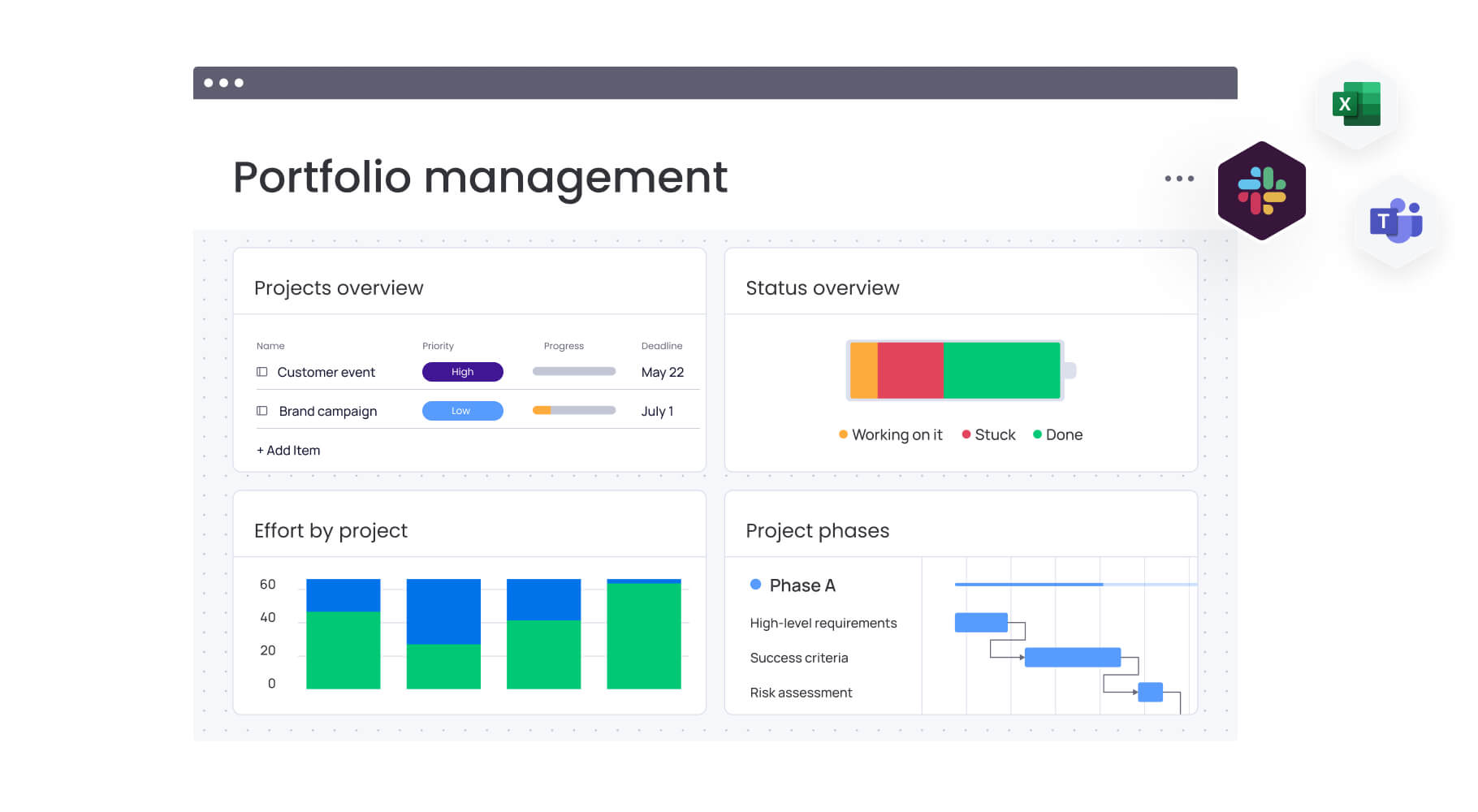
Here are the platforms that actually work for enterprise marketing teams running campaigns at scale. Each has its sweet spot — whether you’re a nimble team of specialists or a marketing department spanning continents.
monday work management
monday work management brings order to your campaign chaos without forcing you into rigid processes. It bridges the gap between big-picture strategy and day-to-day execution with boards you can customize, automation that eliminates busywork, and AI that spots issues before they derail your campaigns.
Key strengths:
- Flexibility with governance: teams can customize workflows to match their processes while maintaining standardization through managed templates that scale across hundreds of campaigns.
- Enterprise-grade visibility: portfolio dashboards provide real-time analysis across 1,000+ projects, with AI-powered risk insights that scan updates to surface issues before they impact delivery.
- Resource optimization: the platform’s resource directory and capacity manager give leaders instant visibility into team bandwidth, enabling smarter allocation decisions.
- Rapid adoption: intuitive interface that teams actually enjoy using, with typical implementation in two to four weeks versus months for traditional enterprise platforms.
Best for: mid-to-large marketing organizations (50+ people) seeking to unify fragmented operations while maintaining flexibility for different campaign types.
HubSpot Marketing Hub
HubSpot Marketing Hub integrates inbound marketing tools with CRM data to create personalized customer experiences. The platform combines email marketing, landing pages, social media management, and marketing automation in one system.
Key strengths:
- Deep CRM integration: seamless connection between marketing campaigns and customer data.
- Comprehensive toolkit: all-in-one solution for inbound marketing activities.
- Lead nurturing capabilities: advanced email marketing and automation workflows.
- Content optimization: built-in SEO and content performance tools.
Best for: b2B organizations focused on inbound marketing and lead generation with strong CRM requirements.
Adobe Workfront
Adobe Workfront provides enterprise work management with deep integration into Adobe’s creative ecosystem. The platform emphasizes creative production workflows and digital asset management.
Key strengths:
- Creative ecosystem integration: native connection with Adobe Creative Cloud applications.
- Advanced approval workflows: sophisticated proofing and review processes for creative assets.
- Digital asset management: centralized storage and organization for marketing materials.
- Resource planning: scenario planning capabilities for complex resource allocation.
Best for: large enterprises with heavy creative production needs and existing Adobe investments.
Wrike
Wrike offers project management with marketing-specific features including creative approvals, campaign templates, and performance tracking. The platform balances flexibility with structure for growing teams.
Key strengths:
- Visual proofing: built-in tools for reviewing and approving creative assets.
- Custom workflows: flexible process design with request forms and automation.
- Real-time collaboration: live editing and communication features.
- Campaign planning: gantt charts and timeline views for project coordination.
Best for: marketing teams transitioning from basic project management to specialized campaign management.
Asana
Asana provides work management with features tailored for marketing teams including campaign calendars, creative briefs, and workflow automation. The platform emphasizes ease of use and team adoption.
Key strengths:
- Timeline planning: visual campaign scheduling with dependency management.
- Request management: forms for streamlining creative and campaign requests.
- Portfolio oversight: high-level view of multiple campaigns and projects.
- Automation rules: trigger-based workflows to reduce manual tasks.
Best for: small to mid-size marketing teams seeking user-friendly campaign coordination.
Smartsheet
Smartsheet combines familiar spreadsheet interfaces with project management capabilities. The platform offers campaign tracking, resource management, and automated workflows.
Key strengths:
- Familiar interface: spreadsheet-like design for easy user adoption.
- Powerful automation: advanced logic rules and workflow triggers.
- Template library: extensive collection of pre-built marketing workflows.
- Reporting capabilities: comprehensive dashboards and analytics features.
Best for: teams comfortable with spreadsheets wanting more sophisticated campaign management.
ClickUp
ClickUp positions itself as an all-in-one productivity platform with extensive customization options for marketing teams. The platform offers multiple views, automation, and integration capabilities.
Key strengths:
- High customization: flexible interface that adapts to different work styles.
- Multiple view options: various project visualization methods in one platform.
- Integrated features: built-in docs, goals, and communication tools.
- Competitive pricing: affordable option for budget-conscious teams.
Best for: small to mid-size teams wanting maximum customization at an affordable price point.
Step-by-step guide to choosing the right campaign management software
Finding the right platform isn’t about feature lists — it’s about matching software to how your team actually works. Here’s a practical approach to cut through the sales pitches and find a solution that will still make sense two years from now.
Step 1: assess your organizational complexity
Start by mapping your current state and future needs to understand the scale and sophistication required from your platform:
Team structure analysis:
- Team size and distribution: how many people need access? Are teams centralized or distributed across regions?
- Functional diversity: how many different roles (creative, content, digital, analytics) need platform access?
- Reporting hierarchy: what approval levels exist for different campaign types and budgets?
Campaign volume assessment:
- Concurrent campaigns: how many campaigns run simultaneously during peak periods?
- Channel complexity: what’s the mix of digital, traditional, and emerging channels?
- Campaign types: do you manage everything from quick social posts to multi-month product launches?
Workflow complexity evaluation:
- Approval stages: how many review cycles do campaigns typically require?
- Stakeholder involvement: how many departments contribute to campaign development?
- Compliance requirements: what legal, brand, or regulatory approvals are mandatory?
Organizations managing 50+ concurrent campaigns with cross-functional dependencies need enterprise-grade capabilities like portfolio management, resource planning, and standardized templates. Smaller teams might prioritize ease of use and quick implementation over advanced features.
Step 2: evaluate scalability and flexibility requirements
You need a platform that won’t buckle when your team doubles in size or your campaign volume triples. Key considerations include:
Customization capabilities:
- Workflow adaptation: can teams modify processes without IT involvement?
- Field customization: how easily can you add campaign-specific data fields?
- View personalization: can different roles see relevant information without clutter?
Standardization features:
- Template management: how easily can you enforce consistency while allowing regional variations?
- Governance controls: what approval mechanisms exist for workflow changes?
- Brand compliance: how does the platform ensure consistent brand standards?
Performance at scale:
- User capacity: will the platform maintain speed with hundreds of users?
- Data volume: can it handle thousands of projects without performance degradation?
- Integration load: how well does it perform with multiple connected systems?
monday work management addresses these needs through managed templates that standardize workflows across teams while preserving flexibility for local adaptation. The platform’s architecture supports 1,000+ concurrent projects without performance degradation.
Step 3: consider adoption and change management factors
The most feature-rich platform fails if teams don’t use it. Prioritize these adoption-critical elements:
User experience factors:
- Interface intuitiveness: how quickly can new users become productive without extensive training?
- Mobile accessibility: can teams stay connected and productive while traveling or working remotely?
- Learning curve: what’s the typical time investment for different user types to reach proficiency?
Change management support:
- Training resources: what onboarding materials, tutorials, and ongoing education exist?
- Implementation support: how much guidance is available during rollout?
- User community: are there forums, user groups, or peer networks for ongoing support?
Cultural alignment:
- Work style compatibility: does the platform’s approach match how your teams prefer to collaborate?
- Communication preferences: how well does it integrate with existing communication patterns?
- Flexibility tolerance: can the platform accommodate different team preferences within your organization?
Step 4: calculate total cost of ownership
Look beyond licensing fees to understand the complete financial impact:
Direct costs:
- Licensing fees: per-user costs across different tiers and feature sets.
- Implementation expenses: professional services, data migration, and setup costs.
- Integration development: custom connectors and API development expenses.
- Training investment: time and resources for user education and change management.
Indirect costs:
- Opportunity cost: what’s the impact of delayed implementation or poor adoption?
- Productivity loss: how much efficiency is lost during transition periods?
- Maintenance overhead: ongoing administration and system management requirements.
- Upgrade expenses: future costs for additional features or capacity.
Value realization timeline:
- Quick wins: what immediate benefits justify early investment?
- Long-term gains: how do efficiency improvements compound over time?
- ROI measurement: what metrics will demonstrate platform success?
Step 5: build your evaluation framework
Create a structured approach to platform selection that involves all stakeholders and reduces decision-making bias:
Evaluation process:
- Define success criteria: what specific outcomes must the platform deliver for different user groups?
- Identify stakeholders: include representatives from all teams who’ll use the system regularly.
- Create scoring rubrics: develop weighted criteria that reflect your organization’s priorities.
- Request demonstrations: see platforms in action with your actual use cases and data.
- Run pilot programs: test finalist platforms with a small team before full rollout.
Decision validation:
- Reference checks: talk to similar organizations about their implementation experiences.
- Vendor stability: assess the long-term viability and roadmap of potential partners.
- Support quality: evaluate responsiveness and expertise of customer success teams.
- Exit strategy: understand data portability and contract terms for future flexibility.
Transform your campaign management today with monday work management
Running campaigns at scale isn’t about better to-do lists. It’s about seeing exactly where 50+ projects stand, knowing your team isn’t overloaded, and showing leadership exactly how marketing drives revenue. The right platform doesn’t just organize your work — it becomes the central nervous system that turns your marketing strategy into consistent results.
Advanced solutions like monday work management bring these capabilities together in one platform that teams actually want to use. From AI-powered risk detection that flags issues before they derail campaigns to resource optimization that prevents burnout, the platform addresses the real challenges marketing leaders face daily.
The platform delivers three core advantages:
- Leadership visibility: instant access to progress and risks across your entire campaign portfolio.
- Standardization and alignment: managed templates that scale best practices while preserving team flexibility.
- Resource optimization: real-time capacity management that prevents overallocation and maximizes team productivity.
Marketing leaders gain instant visibility into progress and risks across their entire portfolio, while teams maintain the flexibility to adapt workflows to their specific needs. This balance between control and autonomy creates an environment where campaigns launch faster, execute more smoothly, and deliver measurable results.
Ready to see how monday work management can transform your campaign operations? Experience how unified campaign management drives real results at scale.
Frequently asked questions
How long does it take to implement campaign management software for a large marketing team?
Implementation timelines vary significantly based on platform complexity and organizational readiness. For a 50-100 person marketing team, basic deployment typically takes two to four weeks for intuitive platforms like monday work management, while traditional enterprise solutions often require two to three months. The key factors affecting timeline include data migration requirements, integration complexity, and the extent of workflow customization needed.
Can campaign management software handle both digital and traditional marketing campaigns?
Yes, comprehensive campaign management platforms support both digital and traditional channels within the same system. You can track digital campaigns (email, social, paid search) alongside traditional efforts (print, broadcast, events) using customizable workflows and fields. The platform becomes your single source of truth for all marketing activities, regardless of channel.
What's the typical ROI timeline for campaign management software?
Most organizations see measurable returns within three to four months of implementation. Initial gains come from time savings through automation and reduced coordination overhead. Longer-term value emerges from improved resource utilization, faster campaign launches, and enhanced visibility into performance. Some teams report saving 20-30 hours weekly on manual coordination alone.
How does AI enhance campaign management capabilities?
AI transforms campaign management through predictive insights, intelligent automation, and proactive risk detection. Modern platforms use AI to automatically categorize campaign requests, suggest optimal resource assignments, flag at-risk projects, and generate executive summaries. These capabilities reduce manual decision-making while surfacing insights humans might miss.
Should we replace our existing project management tool with campaign management software?
The decision depends on your team's specific needs and current tool limitations. If your existing project management platform lacks marketing-specific features like campaign hierarchies, creative approvals, or marketing dashboards, upgrading makes sense. However, some organizations successfully extend general project management tools with customizations. Evaluate whether the efficiency gains justify the transition effort.
How do campaign management platforms ensure data security and compliance?
Enterprise campaign management platforms implement multiple security layers including encryption, access controls, audit trails, and compliance certifications (SOC 2, GDPR, HIPAA). Look for platforms offering role-based permissions, SSO integration, and data residency options. Regular security audits and compliance documentation should be standard for any platform handling sensitive marketing data.

 Get started