


Marketing teams running 20+ campaigns across multiple channels face a familiar challenge: keeping everything coordinated without drowning in status updates. When campaigns span regions, involve cross-functional teams, and require constant stakeholder alignment, the platform you choose determines whether your team focuses on strategic work or spends hours chasing project details across scattered spreadsheets and email threads.
Great campaign management software does one thing exceptionally well: it turns chaos into a structured, visible workflow. Your campaigns live in one digital workspace, routine processes run on autopilot, and you can finally connect everyday marketing work to actual business results. For financial services marketing leaders, this means consolidating their tech stack and strengthening compliance controls — without sacrificing speed.
In this helpful article, we’ll dig deep into what actually works for enterprise marketing teams, spotlight the features that eliminate administrative headaches, and share real stories of marketing teams who’ve dramatically improved how they collaborate and execute campaigns.
We’ll also share some practical implementation advice and first-hand examples of marketing operations transformed at scale.
Key takeaways
When marketing teams manage dozens of simultaneous campaigns across multiple channels and regions, the difference between success and chaos comes down to one thing: having the right campaign management software. The platform you choose determines whether your team spends time on creative strategy or chasing status updates across spreadsheets.
These are the essential outcomes your campaign management software should deliver:
- Centralize all campaigns in one workspace: stop chasing updates across spreadsheets and emails by managing every campaign, timeline, and stakeholder in a single platform that gives everyone real-time visibility.
- Automate repetitive work to reclaim strategic time: teams reclaim 30-40% of their time spent on repetitive work through automated workflows, freeing marketing professionals to focus on creative strategy instead of status updates.
- Connect daily work to business goals: link every campaign and project to company objectives so you can prioritize high-impact initiatives and demonstrate marketing’s strategic value to leadership.
- Transform resource management with capacity planning: use monday.com’s Workload view to balance team capacity across campaigns, preventing burnout while maximizing productivity and budget efficiency.
- Build compliance-ready workflows for regulated industries: maintain audit trails and multi-level approval processes that meet financial services requirements while keeping campaigns moving at market speed.
What makes heads of marketing choose monday.com for campaign management?

When you’re leading a marketing team of 50-100+ people spread across content, creative, acquisition, events, and operations, you’re not just tracking projects. You’re conducting an orchestra of complex, multi-channel initiatives that need to stay perfectly in tune. That’s exactly why enterprise marketing leaders turn to monday.com — they need a platform built for these real-world challenges.
The intelligent platform gives these leaders what they actually need: a comprehensive, real-time view of everything happening at once. Your campaign planning, execution, and results all live in one place, breaking down the walls between teams and eliminating redundant work. You’ll see exactly who’s doing what, which campaigns are on track, and where your budget stands — all in real time. This means you can shift resources where they’re needed most, keeping your team productive without burning them out.
Templates and automation don’t just save time — they completely change how your team works. Marketers spend less time on admin busywork and more time on the creative, strategic thinking that actually moves the needle.
monday.com top features for campaign management
The following features represent the core capabilities that make monday.com the preferred choice for enterprise marketing teams.
Each feature addresses specific operational challenges while contributing to overall campaign success and team efficiency. For leadership, this translates to a direct line of sight from strategic investment to campaign execution and business impact.
Campaign management
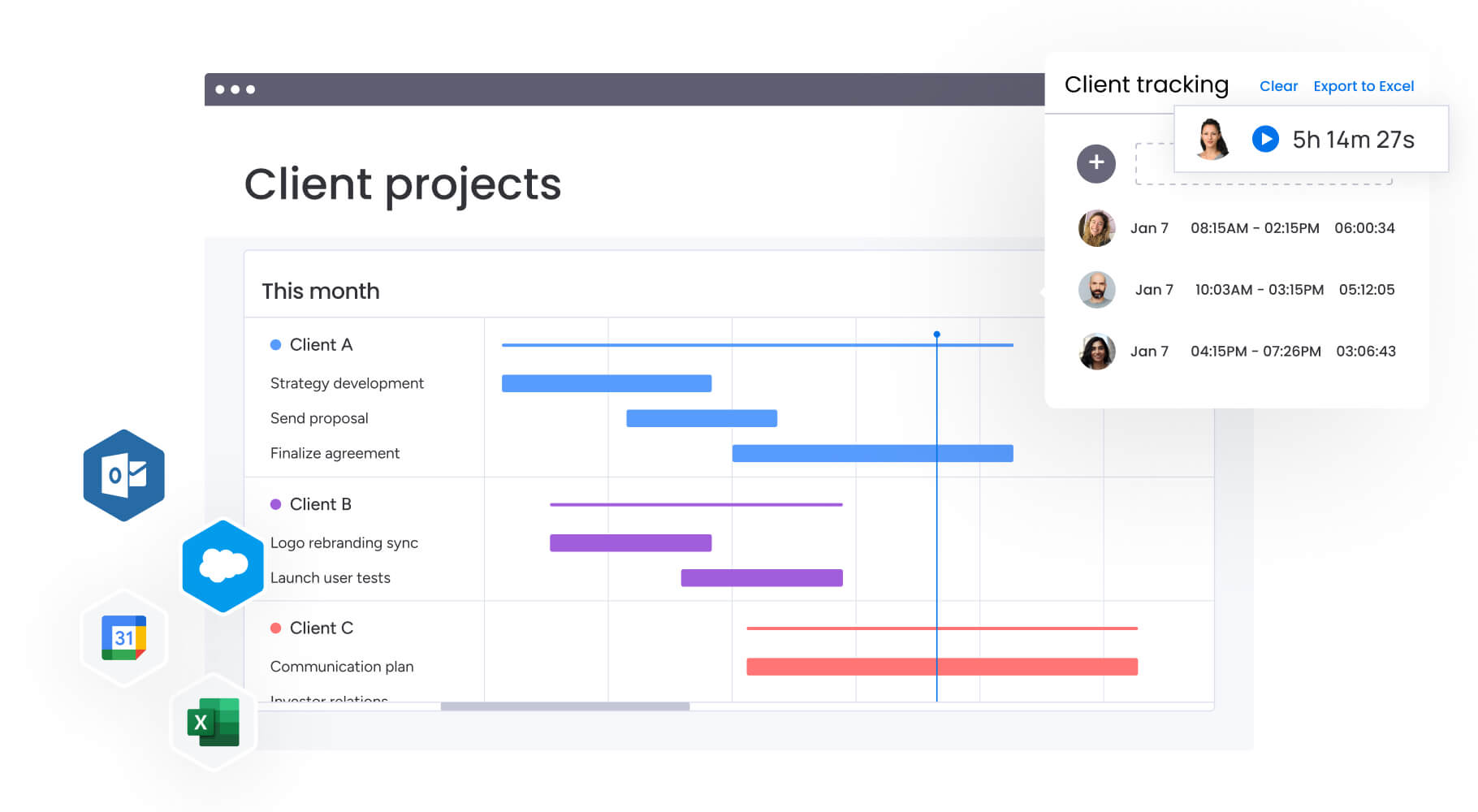
With monday.com, you’ll plan, launch, and optimize campaigns using intuitive calendars and timelines that catch potential issues before they become problems. From initial brief to final delivery, you see everything in one place. Need a different perspective? Switch between Kanban boards, Gantt charts, calendars, or timelines with a single click to get the view that makes most sense for your needs.
For heads of marketing managing multiple simultaneous campaigns across regions and channels, this centralized visibility eliminates hours spent chasing updates. You can track campaign ROI, CAC, and MQL-to-customer rates in real-time dashboards that make executive reporting straightforward.
Resource management
Resource management features provide real-time visibility into bandwidth, skills, and workload so you can allocate resources strategically and keep teams focused on high-impact delivery. The Workload view shows team capacity across multiple projects, enabling you to identify when teams are over capacity and proactively prioritize work.
This capability directly addresses one of the most critical pain points for heads of marketing: poor resource utilization that leads to burnout in some areas while others remain underutilized. With visibility into who’s working on what and their current capacity, you can balance workloads across your team to ensure effective use of budget and resources.
Dashboards & reporting
The dashboard capabilities in monday.com connect data from multiple projects with pre-built or custom visualizations that provide real-time insights. You can filter data to uncover the metrics that matter most — campaign ROI, budget adherence, team productivity, time-to-launch, and stakeholder satisfaction — all in executive-ready formats.
For marketing leaders who compile reports for C-suite presentations, these automated dashboards eliminate manual reporting work. The platform’s AI-powered alerts proactively flag risks early, allowing you to respond quickly and keep execution on track.
Automations
Automation capabilities allow you to standardize workflows while assigning ownership for efficient execution and faster delivery. You can create templated project boards, set approvals and reminders, and trigger actions based on status changes — all designed to help marketing teams maintain standardized processes without sacrificing flexibility.
This feature directly combats inefficient processes where teams constantly reinvent workflows. By automating repetitive tasks like status updates, approval requests, and stakeholder notifications, your team reclaims time for strategic work. The no-code automation builder makes it easy to customize workflows to your specific needs.
Creative requests & approvals
Creative request and approval workflows accelerate production by connecting teams to the right information in real-time through automated request processes. Using WorkForms by monday.com, you can formalize creative brief submission and approval processes, providing campaign managers with visibility into request status and turnaround times.
For marketing leaders managing creative, content, and digital teams, this eliminates the visibility gap where campaign managers can’t see where their request stands in the queue.
The workflow app also serves as a queue for requests, allowing creative teams to manage incoming work while providing campaign managers with realistic expectations. This transparency reduces constant status update requests and allows creative teams to focus on production rather than project management.
Goals & OKRs
The goals and OKRs feature helps translate strategic marketing plans into execution with roadmaps and tracking that drive measurable results. You can set and track company-level goals and objectives, ensuring campaigns and projects contribute to their success while maintaining alignment with business goals, timelines, and budgets.
This capability is essential for heads of marketing who must align marketing strategy with company goals and demonstrate how initiatives drive business outcomes. The visual connection between daily work and strategic objectives helps teams understand how their efforts contribute to larger goals, which is where marketing planning software can play an important role.
In addition, the platform allows you to verify where a project fits into company goals by matching them with relevant OKRs and provides an at-a-glance view of project performance, budgets, timelines, and project owners.
Integrations
The powerful and connected monday.com iplatform integrates with over 200 marketing platforms, and you can build custom integrations using the open API to connect your existing martech stack. Native integrations include Slack, Microsoft Teams, Google Drive, Gmail, Outlook, and major marketing platforms, ensuring seamless data flow across your technology ecosystem.
For marketing leaders in finance who need integration with financial planning systems and CRM platforms, this connectivity is critical. The platform eliminates data silos by connecting marketing execution tools with financial systems, enabling accurate budget tracking and forecasting.
To demonstrate how this has helped in a real-world scenario, FARFETCH integrated the platform with Slack so any time an email or push notification was marked as ‘under quality review,’ it automatically triggered a message to a dedicated Slack channel: this created a quality assurance process that became a game-changer.
How a head of marketing in finance benefits from monday.com
Marketing teams using monday.com achieve significant operational improvements that directly impact both efficiency and output quality. Understanding these benefits helps you evaluate the platform’s potential impact on your organization across five key areas of improvement.
Time and productivity gains
Teams report dramatic time savings through automation and streamlined workflows:
- VML: 7,000 hours saved per account monthly.
- FARFETCH: 3,500 hours saved per month.
- Giant Bicycles: 6,007 hours saved per year.
For marketing leaders, this means reclaiming 40+ hours every month to focus on high-value strategic work instead of manual reporting and coordination calls. Imagine what your team could do with that time focused on strategy instead.
Financial impact and ROI
Organizations achieve substantial cost savings and return on investment:
- ROI range: 6x to 24x return on investment.
- FARFETCH: $118K saved per month.
- VML: $250K saved annually.
- Indosuez Wealth Management: $139K+ saved per year.
These savings come from reduced administrative overhead, eliminated tool redundancy, and improved resource utilization.
Compliance and data accuracy
The platform provides comprehensive audit trails, multi-level approval workflows, and version control essential for financial services compliance. Genpact achieved 100% removal of spreadsheets from their processes, while maintaining the documentation and approval processes required in regulated industries.
Team collaboration and output
Teams experience measurable improvements in collaboration and campaign execution:
- Genpact: 40% improvement in cross-team collaboration.
- Software AG: 66% increase in campaign planning and execution.
- Deezer: 142% increase in number of campaigns per week.
- Canva: 3x creative output improvement.
Communication efficiency
- Genpact: 25% decrease in email exchanges.
- Thoughtworks: 55% reduction in email communication.
- Officeworks: 10K+ fewer emails.
How to manage enterprise marketing campaigns with monday.com
Rolling out monday.com across your enterprise marketing team works best when you start simple and build from there. These six steps have helped our most successful customers get quick wins while setting themselves up for long-term success.
Step 1: centralize campaign planning in a master calendar
Create a high-level campaign calendar that shows all marketing programs, campaigns, and activations across your team. Use subitems to establish hierarchy between programs, campaigns, and individual activations. This provides leadership with a snapshot view while giving teams detailed execution visibility.
Step 2: standardize workflows with templates and automation
Build templated workflow boards for common campaign types — product launches, events, content campaigns — that include standard phases, approval gates, and stakeholder touchpoints. Apply automations to trigger notifications, update statuses, and move work through stages without manual intervention.
Step 3: implement creative request and approval processes
Use monday.com forms to formalize creative brief submissions, automatically creating items in your creative team’s workflow board. Set up approval workflows with ownership and automated notifications so campaign managers have visibility into request status and realistic turnaround expectations.
Step 4: connect campaigns to strategic goals and OKRs
Link individual campaigns and projects to company-level objectives, ensuring every marketing initiative contributes to measurable business outcomes. Use this connection to prioritize work and demonstrate marketing’s strategic impact to executive leadership.
Step 5: configure resource management and capacity planning
Implement the Workload view to gain visibility into team capacity across all active campaigns. Set capacity limits for individuals and teams, and use this data to proactively identify when teams are over capacity, enabling strategic prioritization before burnout occurs.
Step 6: build executive dashboards for real-time reporting
Create custom dashboards that track the metrics that matter to your C-suite — campaign ROI, CAC, MQL-to-customer rates, budget adherence, and team productivity. Configure automated reports that eliminate the hours weekly typically spent compiling executive presentations.
Comparison table: monday.com vs competing platforms
If you’re comparing campaign management platforms for enterprise marketing teams, it’s really helpful to get some top-level insight on features, pricing, and implementation timelines.
This table provides a comprehensive comparison of monday.com against leading alternatives, focusing on capabilities critical for heads of marketing managing large teams in regulated industries.
| Feature | monday work management | HubSpot | Asana |
|---|---|---|---|
| Campaign calendar with hierarchy | ✓ Unlimited campaigns with subitems | ✓ Campaign calendar included | ✓ Timeline view available |
| Resource capacity planning | ✓ Workload view with capacity limits | ✗ Requires Operations Hub | ✓ Workload (Premium tier only) |
| Multi-level approval workflows | ✓ Customizable approval chains | ✓ Approval workflows included | ✓ Approvals (Business tier+) |
| Real-time executive dashboards | ✓ Unlimited custom dashboards | ✓ Custom reports (Professional+) | ✓ Reporting (Business tier+) |
| Audit trails for compliance | ✓ Comprehensive activity logs | ✓ Activity logs included | ✓ Audit log (Enterprise only) |
| Financial system integrations | ✓ Open API + 200+ integrations | ✓ 1,500+ integrations | ✓ 200+ integrations |
| Price per user/month (annual) | $12-19 (Standard/Pro) | $20-100+ (Starter-Professional) | $10.99-24.99 (Starter-Business) |
| Implementation time | 2 weeks to 1 month | 4-6 weeks typical | 2-4 weeks typical |
| G2 rating | 4.7/5 (12,000+ reviews) | 4.4/5 (11,000+ reviews) | 4.3/5 (12,000+ reviews) |
How Genpact's global marketing team transformed their campaign management
Genpact’s globally distributed marketing team faced significant challenges managing 24 ongoing large-scale campaigns simultaneously. Each campaign involved multiple cross-channel activations and numerous stakeholders, yet the team relied heavily on spreadsheets saved across personal desktops, emails, and SharePoint folders. This fragmented approach made it impossible to identify the latest version or track campaign status effectively.
The implementation approach
The solution came through implementing monday.com to create a high-level GTM campaign calendar with subitems showing the hierarchy of programs, campaigns, and activations.
The team built workflow boards outlining the end-to-end activation process for each channel with target dates and actual timeframes to identify bottlenecks. They formalized creative brief submission using monday.com forms, creating automated notification workflows that provided campaign managers with visibility into request status and turnaround times.
Measurable transformation results
The results transformed their marketing operations:
- 40% improvement in cross-team collaboration for end-to-end campaign planning and execution.
- 100% removal of spreadsheets from campaign management processes.
- 25% decrease in email exchanges as centralized visibility eliminated status update requests.
- Real-time visibility into campaign timelines enabling accurate answers to stakeholder questions.
Revamp your marketing operations now with monday.com
Your choice of campaign management software fundamentally shapes your marketing team’s ability to execute at scale. Pick the right platform, and your teams collaborate effortlessly. The right platform ensures your teams collaborate effortlessly, with synchronized workflows and automated reporting that drives strategic decisions.
In 2026, enterprise marketing teams juggling complex campaigns across distributed teams need more than a fancy feature list: the need a platform flexible enough to adapt to workflows but structured enough to maintain control. It should be intuitive enough that people actually use it, while powerful enough to connect your daily work to business results.
When you find that sweet spot, scattered campaign execution becomes a synchronized engine driving real, measurable impact.
Key benefits of monday.com for marketing teams:
- Centralized operations: eliminate tool sprawl and data silos through unified campaign management.
- Strategic alignment: connect daily execution to company goals and demonstrate marketing impact.
- Resource optimization: prevent burnout while maximizing team productivity through capacity planning.
- Compliance readiness: meet regulatory requirements with comprehensive audit trails and approval workflows.
- Rapid implementation: achieve ROI within four months through intuitive design and proven methodologies.
Over 245,000 organizations trust monday.com to centralize marketing operations, eliminate silos, and drive measurable impact. Experience real-time campaign visibility, resource management, and automated workflows that help your team focus on strategic work rather than administrative tasks.
The content in this article is provided for informational purposes only and, to the best of monday.com‘s knowledge, the information provided in this article is accurate and up-to-date at the time of publication. That said, monday.com encourages readers to verify all information directly.
Frequently asked questions
How long does implementation take for a 100-person marketing team?
The time it takes to implement monday.com for a 100-person marketing team is typically two weeks to one month. Success depends on creating a structured rollout plan with phased implementation, building base structures so teams can visualize workflows, and providing ongoing support through internal champions and the monday customer success team.
What compliance certifications does monday.com have for financial services?
monday.com provides enterprise-grade security with SOC two Type II certification, ISO 27001, ISO 27018, ISO 27017, GDPR compliance, and HIPAA compliance options. The platform offers comprehensive audit trails, multi-level approval workflows, IP restrictions, two-factor authentication, multiple SSO options, BYOK (Bring Your Own Key), and tenant-level encryption.
How does monday.com handle multi-currency budgeting for global campaigns?
The platform supports custom fields and formulas configured for multi-currency tracking. You can create budget columns with currency formatting, set up conversion rate calculations, and build dashboards that aggregate campaign spend across currencies for comprehensive financial visibility.
Can monday.com integrate with financial planning systems like SAP or Oracle?
Yes, monday.com provides an open API that enables custom integrations with enterprise financial systems including SAP, Oracle Financials, and other ERP platforms. The platform offers 200+ native integrations and supports tools like Zapier for connecting to financial planning systems.
What are the key features of campaign management software?
Organizations report achieving ROI within four months or less according to Forrester's Total Economic Impact study. Genpact achieved 40% collaboration improvement within months of implementation, FARFETCH saves 3,500 hours per month, and VML saves 7,000 hours per account monthly.
How much training is required for marketing teams to adopt the platform?
Handily, monday.com requires minimal formal training due to its intuitive interface. Most teams become proficient within two to four weeks through self-guided exploration, monday.com Academy resources, and support from customer success teams. The platform's visual design and no-code approach accelerate adoption across technical and non-technical users.

 Get started