


Project managers in tech companies juggle an average of five to ten different platforms daily. While engineering teams work in Jira and marketing operates from spreadsheets, executives demand consolidated reports. Communication is spread across Slack, email, and meeting rooms. This fragmentation obscures critical dependencies, delays decision-making, and forces teams to spend valuable time hunting for information instead of delivering results.
Effective business operations software addresses this challenge by providing a centralized platform where cross-functional teams coordinate work, track dependencies, and maintain visibility across all initiatives. Instead of forcing teams to abandon their preferred approaches, these platforms adapt to existing methodologies while creating the unified oversight project managers need to orchestrate complex work at scale.
This guide explores what sets the most effective business operations platforms apart, from AI-powered automation that reclaims hours weekly to portfolio management capabilities that surface bottlenecks before they impact delivery.
We’ll also examine the core features that transform scattered workflows into streamlined execution, walk through a proven implementation approach, and show how organizations like Playtech achieved measurable improvements in efficiency and collaboration.
Key takeaways
When project managers in tech face scattered work across disconnected platforms, the right business operations software becomes essential for maintaining visibility and control. Here’s what sets the most effective platforms apart:
- Unified workspace consolidation: replace five to ten fragmented tools with one centralized platform for complete project visibility.
- AI-powered automation: reclaim 3+ hours weekly through intelligent workflow automation and proactive risk identification.
- Real-time portfolio insights: monitor cross-functional teams with customizable dashboards that surface bottlenecks before they impact delivery.
- Flexible standardization: build custom workflows that adapt to your methodology while maintaining enterprise governance.
- Rapid deployment: experience measurable ROI in less than four months through intuitive design and high adoption rates.
What makes project managers choose the right business operations software?

The core challenge facing project managers in tech isn’t managing individual projects — it’s orchestrating work that spans multiple tools, teams, and methodologies. When engineering uses Jira, marketing operates in spreadsheets, and executives demand consolidated reports, the resulting fragmentation creates context-switching fatigue and obscures critical dependencies.
Leading business management software solutions address this by providing a centralized platform where cross-functional teams coordinate, track dependencies, and maintain visibility across all initiatives. For PMO departments specifically, the right platform adapts to your existing methodology without forcing teams to abandon their preferred approaches.
This flexibility proves especially valuable in tech environments where engineering teams follow Scrum while business teams use traditional project management methods. The impact becomes measurable quickly. For example, Playtech’s PMO department achieved a 26% increase in efficiency and saved three hours per person weekly after consolidating their workflows.
Top features that transform business operations
.jpg)
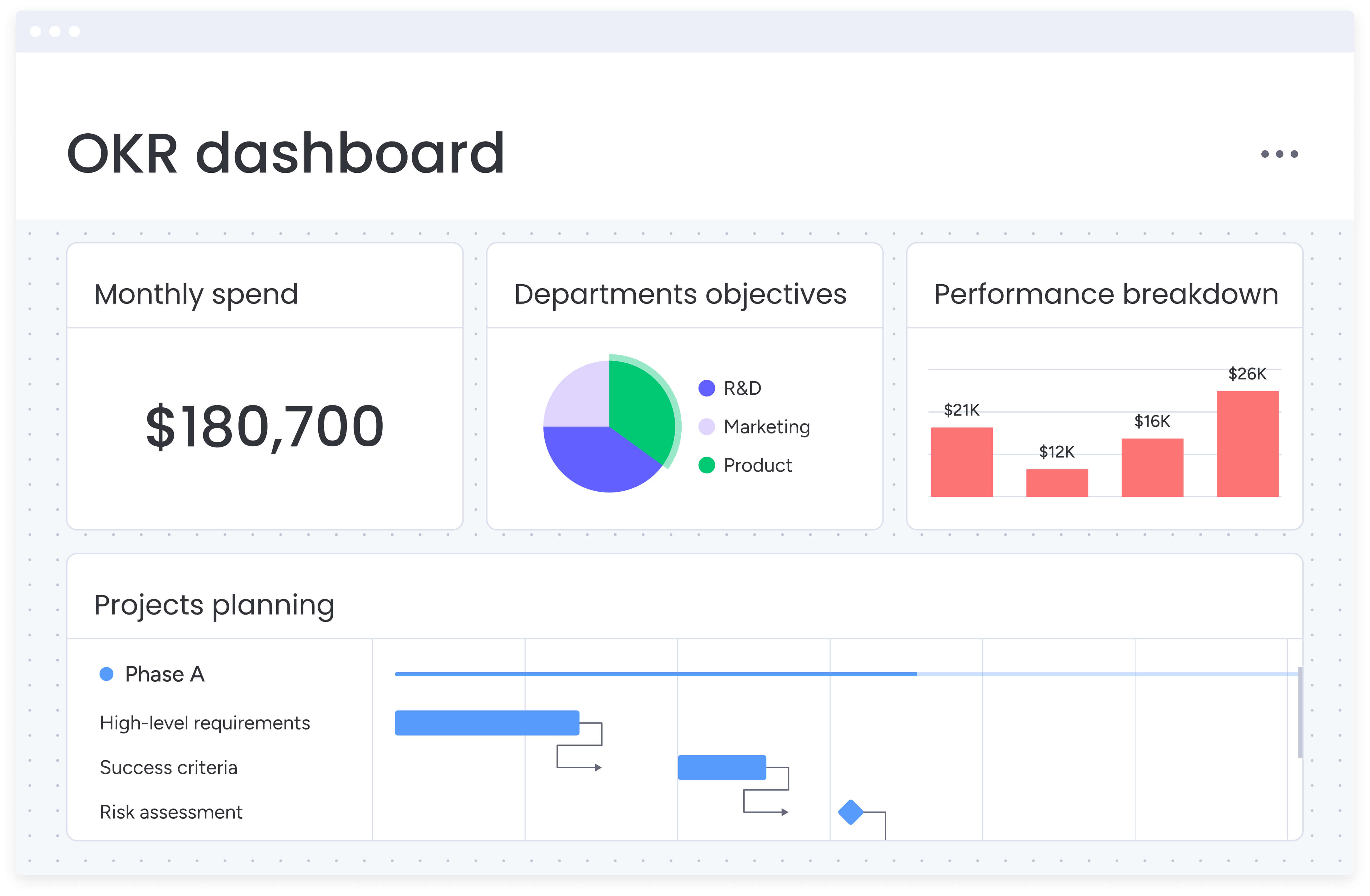
Modern business process management software delivers value through five core capabilities that address the specific challenges project managers face in tech environments. These features work together to eliminate tool sprawl, improve visibility, and accelerate project delivery across complex, cross-functional teams.
Centralized workflow management
Centralized workflow management replaces fragmented tools with a single operational hub where teams plan, execute, and track work together. Instead of stitching updates together from Jira, Slack, spreadsheets, and email, project managers get one reliable source of truth.
Modern business operations software centralizes work without forcing teams to abandon their existing tools. It connects your tech stack and surfaces everything in one place, so coordination happens faster and decisions are based on real-time data.
Key benefits of centralized workflows include:
- One workspace for cross-functional work: projects, tasks, files, and conversations live together, reducing context switching and lost information.
- Connected tools, not replaced ones: native integrations with Jira, GitHub, Slack, and Microsoft Teams keep teams working how they prefer while maintaining centralized oversight.
- Consistent execution at scale: standardized boards and templates ensure repeatable workflows across releases, launches, and initiatives.
- Clear ownership and dependencies: linked tasks and automated handoffs make responsibilities and blockers visible before they slow delivery.
Advanced portfolio management capabilities
In many B2B software contexts, portfolio management features provide project managers with strategic oversight across all initiatives, enabling intelligent resource allocation and early risk identification. These capabilities let you track multiple projects simultaneously, visualize dependencies between initiatives, and understand how individual projects contribute to organizational goals.
Real-time portfolio dashboards aggregate data from all projects, providing instant insights into:
- Budget utilization: track spending against allocations across all initiatives.
- Timeline adherence: monitor schedule performance and identify delays.
- Resource capacity: understand team availability and workload distribution.
- Risk indicators: surface potential issues before they impact delivery.
This visibility proves essential for balancing competing priorities and communicating status to executives. Rather than manually compiling reports from disparate systems, portfolio management provides instant access to project health metrics, allowing proactive bottleneck resolution.
AI-powered automation and intelligence
Today’s AI doesn’t just handle basic task automation — it actively prevents problems. The system spots potential delays, resource bottlenecks, and scope creep by analyzing your project data, flagging issues to keep your timeline on track.
Automation capabilities that make the biggest impact include:
- Status update triggers: automatically request and compile progress reports.
- Approval routing: direct requests to the right stakeholders based on project rules.
- Risk detection: flag projects showing signs of delay or budget overrun.
- Task assignment: match work to team members based on capacity and skills.
To demonstrate the real impact of utilizing this feature, McDonald’s Australia reduced project management timelines by 25% using intelligent automation.
Customizable dashboards and reporting
Effective business operations software provides both pre-built and custom dashboard capabilities that transform raw project data into actionable insights. Project managers can create role-specific views tailored to different stakeholder needs.
Dashboard flexibility addresses diverse reporting requirements:
- Executive views: high-level portfolio health and strategic alignment metrics.
- Team lead displays: resource allocation and capacity planning visuals.
- Individual dashboards: personal task lists and deadline tracking.
Real-time updates eliminate manual status report compilation, while customizable widgets let you surface the exact metrics that matter for your organization. Unilever International delivers 250+ projects annually across 120+ countries using these dashboard capabilities to maintain visibility at scale.
Resource management and workload balancing
Visibility into team capacity, skill availability, and workload distribution prevents the bottlenecks that delay projects. Resource management features display individual and team workloads in hours or percentages, making it easy to identify over-allocation before burnout occurs.
For tech companies where specialized skills create natural bottlenecks, this visibility enables:
- Proactive capacity planning: forecast resource needs across quarters.
- Skills-based allocation: match expertise to project requirements.
- Workload balancing: redistribute tasks to prevent team burnout.
- Time-off planning: account for vacations and planned absences.
The platform’s resource directory centralizes information about team members’ skills, departments, and availability, enabling informed assignment decisions without relying on institutional knowledge or manual tracking spreadsheets.
How project managers benefit from unified operations platforms
Ditching your fragmented tools for one unified platform delivers real, measurable wins right away. And here’s the best part — these benefits actually multiply as your team grows and your projects get more complex.
Time and efficiency gains
You’ll reclaim 3+ hours every week when you automate recurring work like status updates, approval routing, and report generation. This time savings comes from eliminating:
- Manual status collection: automated updates replace email chains and meetings.
- Report compilation: dashboards generate real-time insights without manual assembly.
- Context switching: centralized information reduces tool-hopping overhead.
- Duplicate data entry: integrated systems sync information automatically.
Cost reduction through consolidation
Replacing five to ten separate platforms with one unified solution reduces both subscription costs and the hidden expenses of maintaining multiple systems. Organizations typically see cost savings through:
- Reduced licensing fees: one platform replaces multiple subscriptions.
- Lower training costs: single system requires less onboarding time.
- Decreased IT overhead: fewer integrations and systems to maintain.
- Improved efficiency: less time spent on tool management and data reconciliation.
Enhanced compliance and governance
Enterprise governance requirements demand audit trails, version control, and approval histories. Unified platforms maintain these records automatically while ensuring data accuracy through centralized workflows. Using accounting practice management software, this systematic approach to compliance reduces risk and simplifies audits.
Accelerated project delivery
Teams using unified business operations software report delivering projects 2x faster through improved coordination and reduced delays. Clear ownership, automated reminders, and proactive risk identification prevent the miscommunication and missed handoffs that typically slow delivery.
6 steps to implement business operations software successfully
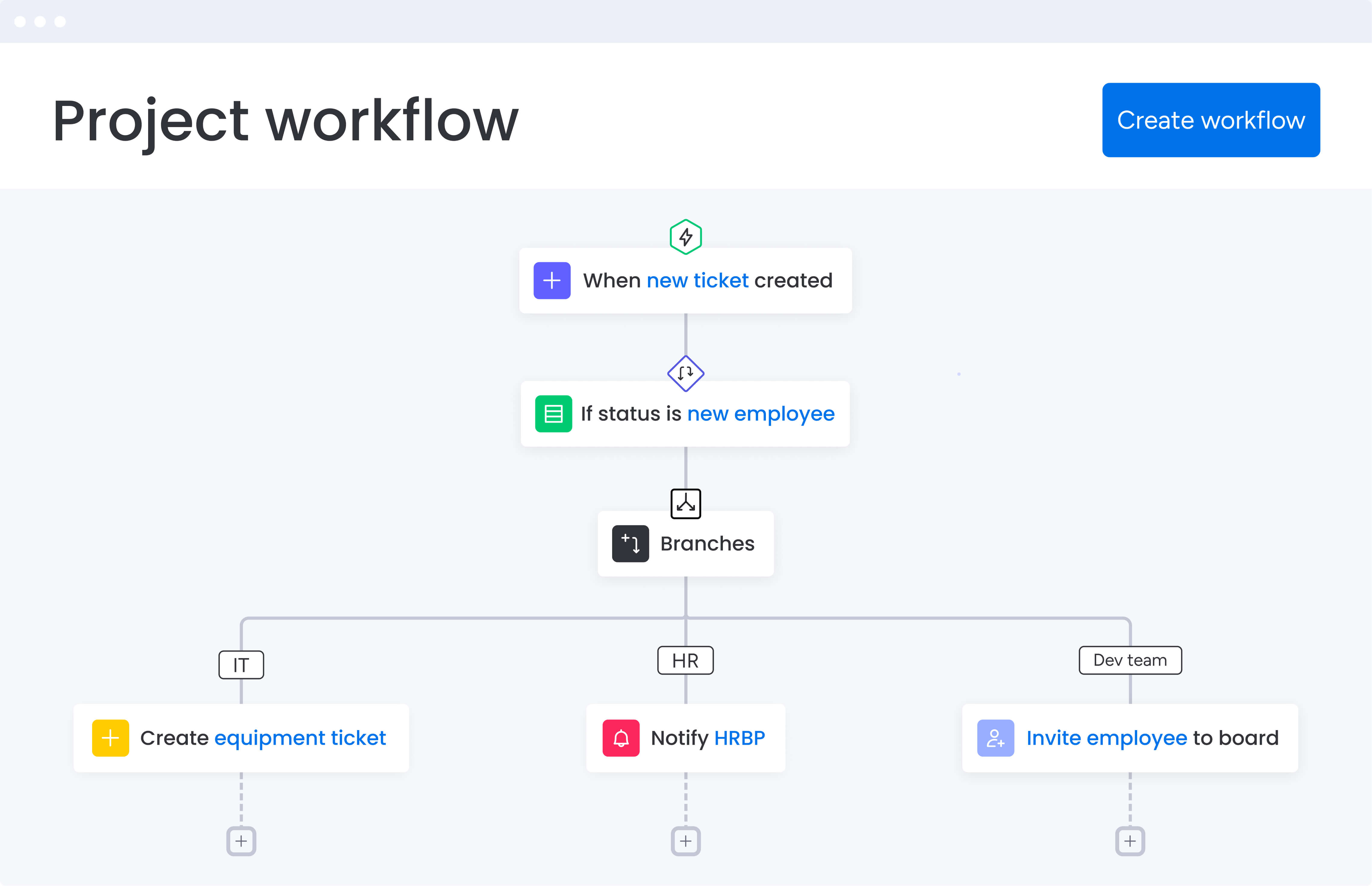
Getting this right means more than just setting up the software — you need to bring your team along for the ride. Here’s how to nail both the technical setup and the people side. Alongside business planning software, these steps ensure your team adopts the new platform quickly while maintaining productivity throughout the transition process.
Step 1: audit your current tool landscape
Document all platforms currently used for project management, communication, file storage, and reporting. Identify where information gets lost between systems and which redundancies create the most friction. This audit shows you exactly where your teams are losing time jumping between platforms and where you’ll get the biggest wins by consolidating.
Step 2: design your centralized workspace structure
Create a workspace hierarchy that mirrors your organizational structure. Set up boards for active projects, resource planning, portfolio tracking, and intake requests. Use customizable templates to ensure consistency while allowing teams to adapt workflows to their specific needs.
Step 3: configure essential integrations
Connect your business operations platform to critical tools like Jira, GitHub, Slack, and Google Workspace. Configure two-way syncs to ensure development updates flow into project boards automatically. This integration strategy maintains continuity with existing tools while centralizing oversight.
Step 4: build automated workflows
Identify repetitive tasks that consume time without adding strategic value. Common automation targets include:
- Status update requests: schedule automatic check-ins with task owners.
- Approval routing: direct requests based on project type and value.
- Deadline reminders: alert teams before milestones approach.
- Report distribution: send weekly summaries to stakeholders.
Step 5: establish stakeholder dashboards
Create role-specific dashboards that surface relevant metrics without information overload. Configure automated report distribution to eliminate manual status report compilation. These dashboards should provide instant answers to common stakeholder questions about project health, resource allocation, and delivery timelines.
Step 6: migrate and train systematically
Begin with a pilot project to validate your configuration before broader rollout. Systematically migrate active projects while providing targeted training for different user groups. Focus on demonstrating immediate value through time savings and improved visibility to drive adoption.
Comparing business operations platforms
Not every business operations platform is built to handle the complexity of modern tech organizations. Some tools focus on task tracking, others on isolated team workflows, and a few are designed to coordinate work across engineering, product, and business functions at scale.
The comparison below highlights how leading platforms differ in the areas that matter most to project managers in tech: centralized workflow management, portfolio visibility, automation depth, resource planning, and integration with development tools. Rather than listing features in isolation, it shows how each platform supports real-world execution as teams and project volumes grow.
Use this table to evaluate which solution provides long-term operational clarity and which ones introduce friction as your organization scales.
| Feature | monday work management | Asana | ClickUp | Wrike |
|---|---|---|---|---|
| Centralized workflow management | Full platform with 200+ integrations | Limited task management focus | Available with complex setup | Available with learning curve |
| Portfolio visibility | Native portfolio dashboards | Requires Portfolios add-on | Available in paid plans | Available in Business+ plans |
| AI risk identification | Included in platform | Not available | AI features cost extra | Included in all plans |
| Resource management | Built-in workload view | Limited to Advanced plan | Native time tracking | Available in Business+ |
| Developer integrations | Jira, GitHub, GitLab native | Basic Jira integration | Basic integrations | Strong integration library |
| Monthly pricing per user | $12-24 (Standard-Pro) | $13.49-30.49 | $10-19 | $10-25 |
| Implementation timeline | 2-4 weeks typical | 1-2 weeks | 2-3 weeks | 3-4 weeks |
Real-world transformation: playtech's PMO success story
This case study demonstrates how a leading tech company transformed their project management approach using monday work management. The results showcase the tangible benefits that project managers can achieve when consolidating fragmented workflows into a unified platform.
The challenge
Playtech’s PMO department managed countless client projects using spreadsheets, email, and notepads. This fragmented system couldn’t scale with growing client expectations for frequent updates and faster delivery.
Project managers lacked visibility into preliminary discussions and often booked resources for undefined projects. Without centralized tracking for costs, timelines, or resource allocation, meeting client demands while maintaining project constraints became increasingly difficult.
The solution
Playtech implemented monday work management to create an end-to-end project management system from initiation to closure. The PMO built separate boards for project opportunities, active projects, and portfolio tracking.
They configured custom formulas for cost calculations, integrated Jira for development visibility, and created reusable templates for consistent project execution. Custom notifications alert stakeholders about potential bottlenecks affecting scope, schedule, or cost.
The measurable results
The transformation delivered concrete improvements across multiple metrics:
- 26% increase in efficiency: streamlined workflows reduced administrative overhead.
- 3 hours saved weekly per person: automation eliminated manual status collection.
- 49% increase in collaboration: improved transparency with all stakeholders.
- 23% increase in KPI achievement: better visibility enabled proactive management.
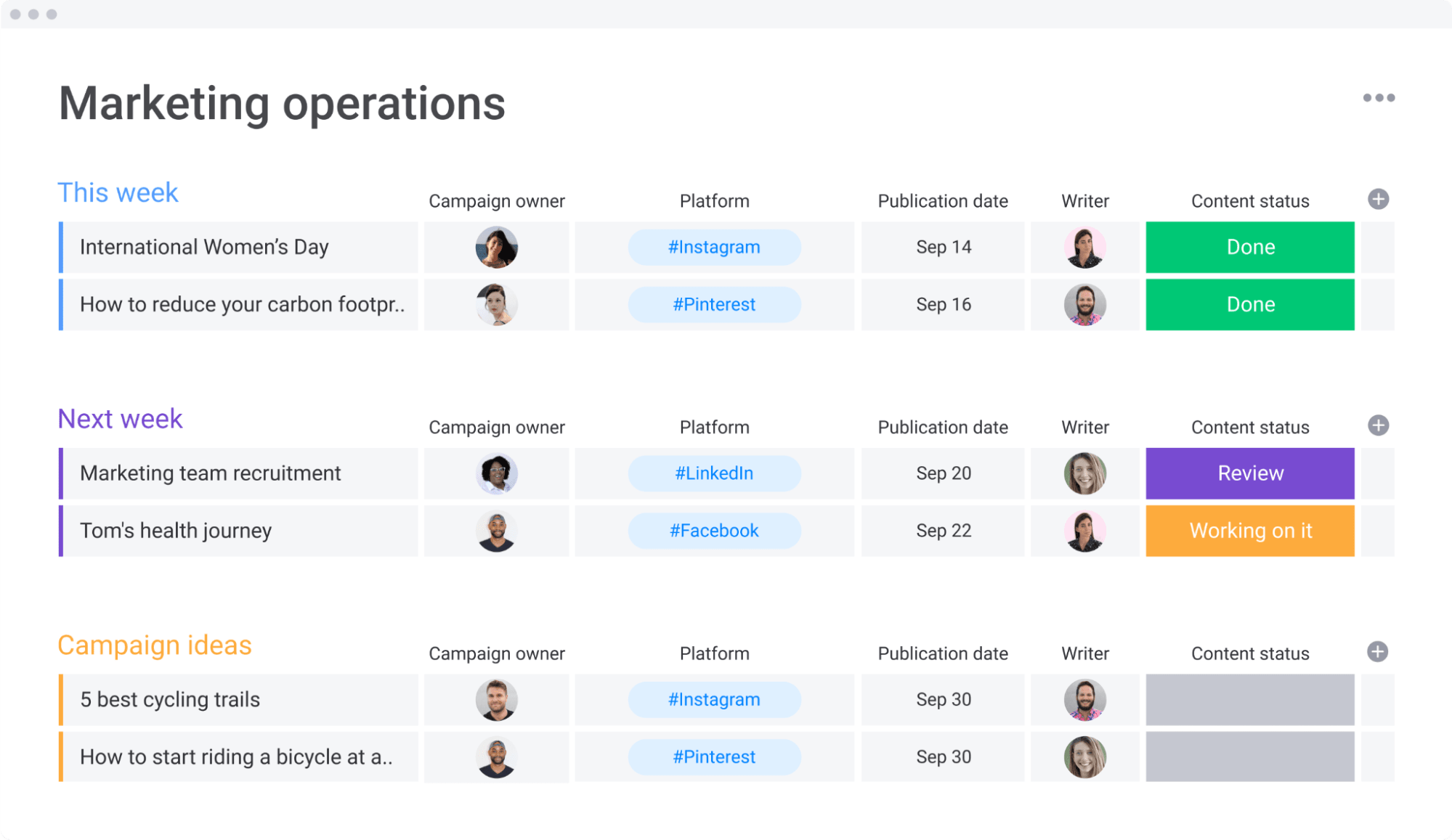
Unify your operations with monday work management for measurable results
Business operations software transforms how project managers orchestrate complex, cross-functional work in tech environments. By consolidating fragmented tools into a unified platform, teams gain the visibility, automation, and control needed to deliver projects faster and more efficiently.
The benefits extend beyond individual project success to organizational transformation that enterprise management software can accelerate. Teams save 3+ hours weekly through automation, reduce costs by eliminating tool sprawl, and deliver projects 2x faster through improved coordination. These improvements compound as organizations scale, creating sustainable competitive advantages.
Success requires systematic implementation that balances technical configuration with change management. Start with a tool audit, design your workspace structure, configure essential integrations, and migrate systematically while providing targeted training. Organizations that follow this approach typically see measurable ROI within four months.
The content in this article is provided for informational purposes only and, to the best of monday.com’s knowledge, the information provided in this article is accurate and up-to-date at the time of publication. That said, monday.com encourages readers to verify all information directly.
Frequently asked questions
How long does implementing business operations software take for tech teams?
The time it takes to implement business operations software for tech teams is typically two to four weeks, depending on complexity and integration requirements. Basic functionality becomes available within days, while advanced configurations like custom automations and developer tool integrations may require additional setup time.
Can business operations software replace multiple project management tools?
Yes, comprehensive business operations platforms consolidate multiple tools into one system. Most tech teams successfully replace three to five tools while improving workflow efficiency through unified task management, resource planning, time tracking, and reporting capabilities.
What distinguishes business operations software from traditional project management tools?
Unlike basic project tools, business operations platforms give you the complete picture — from portfolio-wide insights to resource planning to automated workflows that connect teams who'd otherwise never talk to each other. These platforms provide enterprise-wide visibility and standardized workflows across departments, connecting daily work to business objectives.
How much does business operations software cost for a tech team?
Pricing typically ranges from $12-24 per user monthly for standard to professional plans when billed annually. A ten-person team would pay $120-240 monthly depending on required features, with enterprise pricing available for advanced security and custom implementations.
Which integrations are essential for tech project managers?
Essential integrations include Jira or GitHub for development tracking, Slack or Teams for communication, Google Workspace or Microsoft 365 for documents, and Zoom for meetings. Additional valuable integrations include time tracking tools, CRM systems, and analytics platforms.
How do you measure ROI from business operations software implementation?
How can you prove the value of the investment? Track these four key areas:

 Get started