


Look inside most companies and you’ll find a mess of disconnected tools. Marketing lives in their platform, operations uses something completely different, finance clings to their spreadsheets, and HR? They’re off in their own world entirely. This fragmentation doesn’t just create blind spots — it paralyzes decisions and leaves teams guessing how their work actually connects to what’s happening three desks over. When teams can’t coordinate effectively, even well-planned initiatives struggle to deliver results.
Great business operations software tackles this mess head-on by pulling all your work into one place where everyone can actually see it. No more juggling a dozen different tools. These platforms give you one workspace where your teams collaborate, your leaders see real progress, and everyone knows exactly what matters most right now.
In this detailed guide, we’ll cut through the marketing noise around today’s top operations platforms, compare what they actually deliver, and show you which features truly matter for your specific challenges. You’ll learn the crucial differences between real operations software and basic task trackers, get honest assessments of the leading platforms, and walk away with a clear decision framework tailored to your growth stage.
Key takeaways
Managing business operations across multiple departments and systems creates unnecessary complexity. The right business management software solutions transform scattered workflows into unified execution, giving teams the visibility and control they need to deliver results at scale.
Here’s what sets leading platforms apart:
- Cross-departmental workflows: connect operations, finance, HR, and marketing in one platform instead of juggling 10+ disconnected tools.
- AI-powered intelligence: proactively identify risks, optimize resources, and automate decisions without manual oversight.
- Speed to value: teams become operational in under one month with 95%+ adoption rates — no extensive training required.
- Enterprise-grade governance: maintain security and compliance while giving teams flexibility to customize workflows.
What software do operations managers actually need?

If you’re running operations, you know the fundamental challenge: work is everywhere. Your projects cross every department. Your data? Trapped in silos. And your teams? They’re all using different tools entirely. This fragmentation makes it nearly impossible to see the full operational picture or make informed decisions quickly, which is why robust business process management software can unify workflows across siloed teams.
Those single-purpose solutions you’ve collected? They’re creating more problems than they solve. Every new app you add makes things more complex and actually makes it harder to see what’s happening:
- Inventory management systems: handle stock but miss demand planning.
- Scheduling tools: track time but ignore resource capacity.
- Task trackers: monitor individual work but lose strategic context.
Operations managers need comprehensive platforms that unify work across the entire organization. Comprehensive business operations software goes beyond basic project tracking to connect strategic planning with daily execution.
The shift from multiple specialized tools to enterprise management software reflects how work has evolved. Organizations no longer operate in departmental silos:
- Product launches: involve marketing, operations, finance, and HR working in parallel.
- Customer onboarding: touches sales, support, IT, and legal simultaneously.
- Strategic initiatives: require coordination across every department.
These cross-functional workflows demand systems that speak the same language and share the same data, which is often delivered by advanced B2B software solutions.
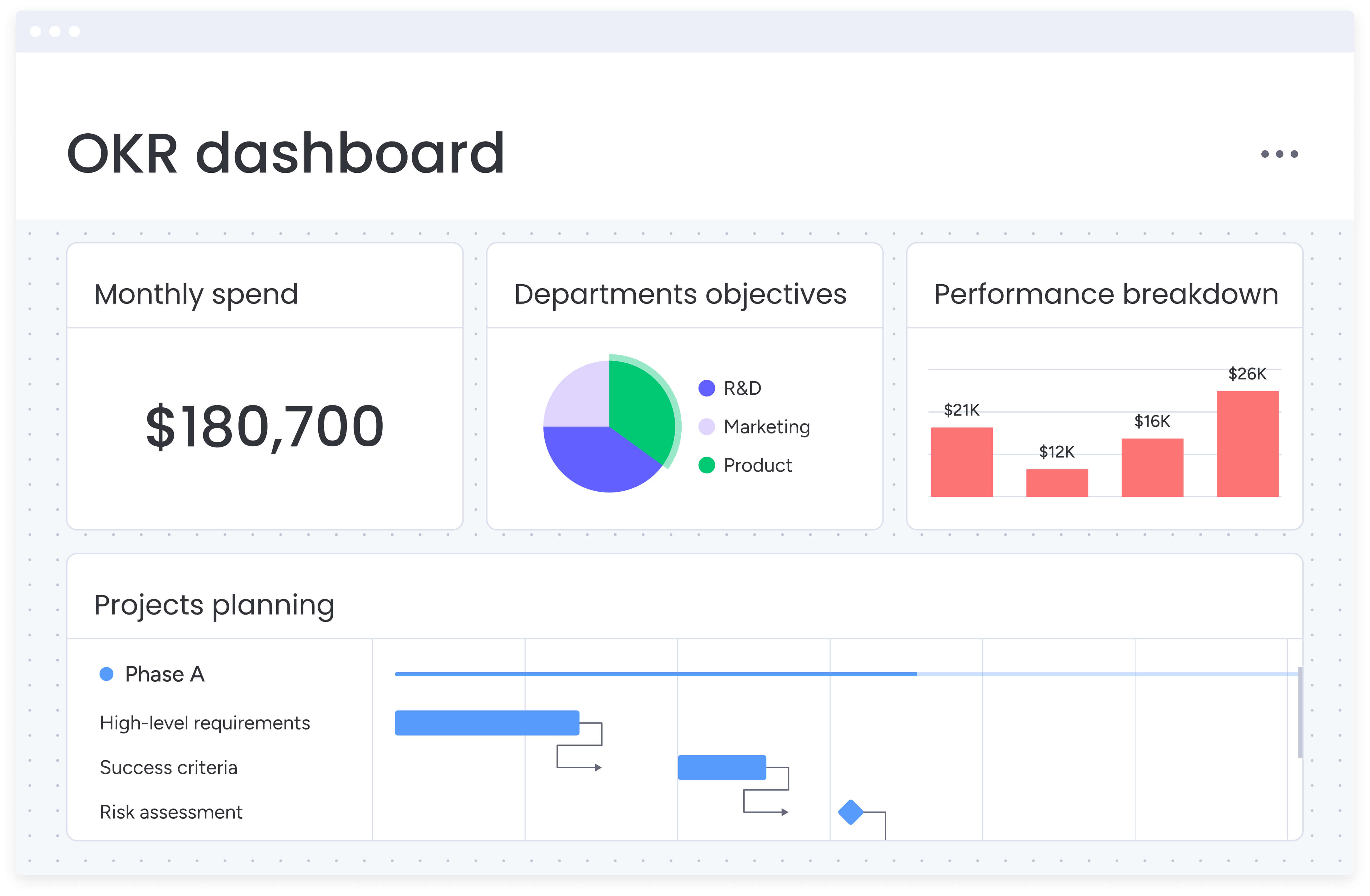
Business operations software vs project management tools: what's the difference?
.jpg)
Let’s be direct about a common confusion: project management platforms and business operations software aren’t the same thing — and knowing the difference will save you from making an expensive mistake. Project management tools excel at managing individual projects with defined start and end dates, but business operations extend far beyond discrete projects.
Operations software encompasses the full spectrum of organizational work:
- Process management: ongoing workflows like invoice processing, employee onboarding, and customer support.
- Resource planning: capacity management, skill allocation, and workload balancing across departments.
- Cross-functional coordination: workflows that span multiple teams and require synchronized execution.
- Strategic alignment: connecting daily work to OKRs, KPIs, and business objectives.
Think of it this way: project management tools help you launch a new product, while business operations software helps you run the entire company — from the product launch to supply chain management to financial reporting, including accounting practice management software, to talent development.
Organizations outgrow project management tools when coordination becomes the bottleneck.
Common signs include:
- Marketing waits on product updates without visibility into development timelines.
- Finance can’t see project budgets or resource allocation in real-time.
- HR doesn’t know about upcoming hiring needs from project expansions.
These handoff delays and visibility gaps signal the need for comprehensive operations software that connects every piece of work.
Top seven business operations software platforms
The market for operations software is massive, with options built for everyone from scrappy startups to sprawling global enterprises. Each platform shines in different areas — and knowing these strengths will help you avoid the painful realization six months in that you’ve picked the wrong tool for your team.
1. monday.com
monday.com stands out as a comprehensive business operating system that unifies work across departments. The platform combines powerful automation, AI-driven insights, and enterprise-grade governance without sacrificing the intuitive design that drives adoption.
Key differentiators:
- True cross-departmental workflows: native support for processes spanning operations, HR, finance, marketing, and IT.
- AI-powered operational intelligence: proactive risk identification, intelligent resource allocation, and automated categorization at scale.
- Rapid deployment: organizations achieve full operational status in under four weeks with minimal IT involvement.
- No-code customization: operations managers build complex workflows using visual builders — no developers required.
The platform’s three enterprise pillars — Leadership Visibility, Standardization & Alignment, and Resource Optimization — provide the governance layer organizations need without disrupting how teams work. Features like AI-powered portfolio reports, managed templates, and cross-project dependencies help enterprises maintain control while scaling rapidly.
Best for: mid-to-large organizations (100+ employees) seeking to unify fragmented workflows and gain real-time operational visibility.
2. Asana
Asana focuses on work management with strong project tracking and team collaboration features. The platform offers multiple views, automation capabilities, and portfolio management for tracking initiatives across teams.
Strengths:
- Timeline and portfolio views for multi-project visibility.
- Workflow automation with custom rules.
- Forms for standardized work intake.
Limitations: limited resource management capabilities and less flexibility for complex cross-departmental workflows.
Best for: teams prioritizing project collaboration and task management over comprehensive business operations.
3. ClickUp
ClickUp positions itself as an all-in-one productivity platform with extensive customization options. The platform includes docs, goals, time tracking, and multiple view types within a single workspace.
Strengths:
- Highly customizable with numerous features.
- Built-in docs and wiki functionality.
- Competitive pricing for small teams.
Limitations: feature complexity can overwhelm new users, and performance can lag with large datasets.
Best for: small to mid-size teams wanting maximum features at an affordable price point.
4. Smartsheet
Smartsheet brings spreadsheet familiarity to work management, making it accessible for teams comfortable with Excel. The platform emphasizes structured data management and reporting capabilities.
Strengths:
- Familiar spreadsheet interface.
- Strong reporting and dashboard capabilities.
- Good for data-heavy operations.
Best for: organizations with spreadsheet-centric workflows requiring structured data management.
5. Wrike
Wrike targets enterprise teams with advanced project management and collaboration features. The platform includes custom workflows, advanced analytics, and extensive integration options.
Strengths:
- Advanced resource management tools.
- Custom request forms and approvals.
- Strong security and compliance features.
Limitations: steeper learning curve and higher price point for full functionality.
Best for: large enterprises with complex project portfolios requiring detailed resource planning.
6. Airtable
Airtable combines database functionality with visual interfaces, allowing teams to build custom applications for their workflows. The platform excels at structured data management with flexible views.
Strengths:
- Database-powered flexibility.
- Visual interface builder.
- Strong API and integration capabilities.
Limitations: requires more technical knowledge to maximize value and less suited for traditional project management.
Best for: teams needing database functionality with user-friendly interfaces for custom workflows.
7. Notion
Notion offers a modular workspace combining notes, databases, tasks, and wikis. The platform emphasizes flexibility and knowledge management alongside project tracking.
Strengths:
- Highly flexible and customizable.
- Excellent for documentation and knowledge management.
- Clean, minimal interface.
Limitations: less robust for complex project management and limited native automation capabilities.
Best for: teams prioritizing documentation and knowledge management alongside basic project tracking.
Platform comparison: key features and capabilities
After exploring how each platform supports business operations in practice, it helps to step back and look at them side by side. This snapshot highlights the differences that tend to matter most as operations scale, from cross-departmental workflows to AI capabilities and time to value.
| Feature | monday work management | Asana | ClickUp | Smartsheet | Wrike | Airtable | Notion |
|---|---|---|---|---|---|---|---|
| Cross-departmental workflows | Native support | Limited | Moderate | Limited | Moderate | Custom build | Limited |
| AI capabilities | AI Blocks, Digital Workers, risk insights | Basic AI features | AI writing assistant | Limited | AI work intelligence | Limited | AI writing |
| No-code customization | Extensive | Moderate | Extensive | Limited | Moderate | Extensive | Extensive |
| Resource management | Resource directory, capacity manager | Basic | Moderate | Moderate | Advanced | Custom build | Limited |
| Enterprise governance | Managed templates, cross-project dependencies | Portfolio management | Moderate | Good | Strong | Limited | Limited |
| Time to value | Under 1 month | 1-2 months | 1-2 months | 2-3 months | 3-4 months | 1-2 months | Under 1 month |
| Starting price (per user/month) | $9 | $13.49 | $7 | $9 | $10 | $10 | $8 |
Key features to look for in business operations software
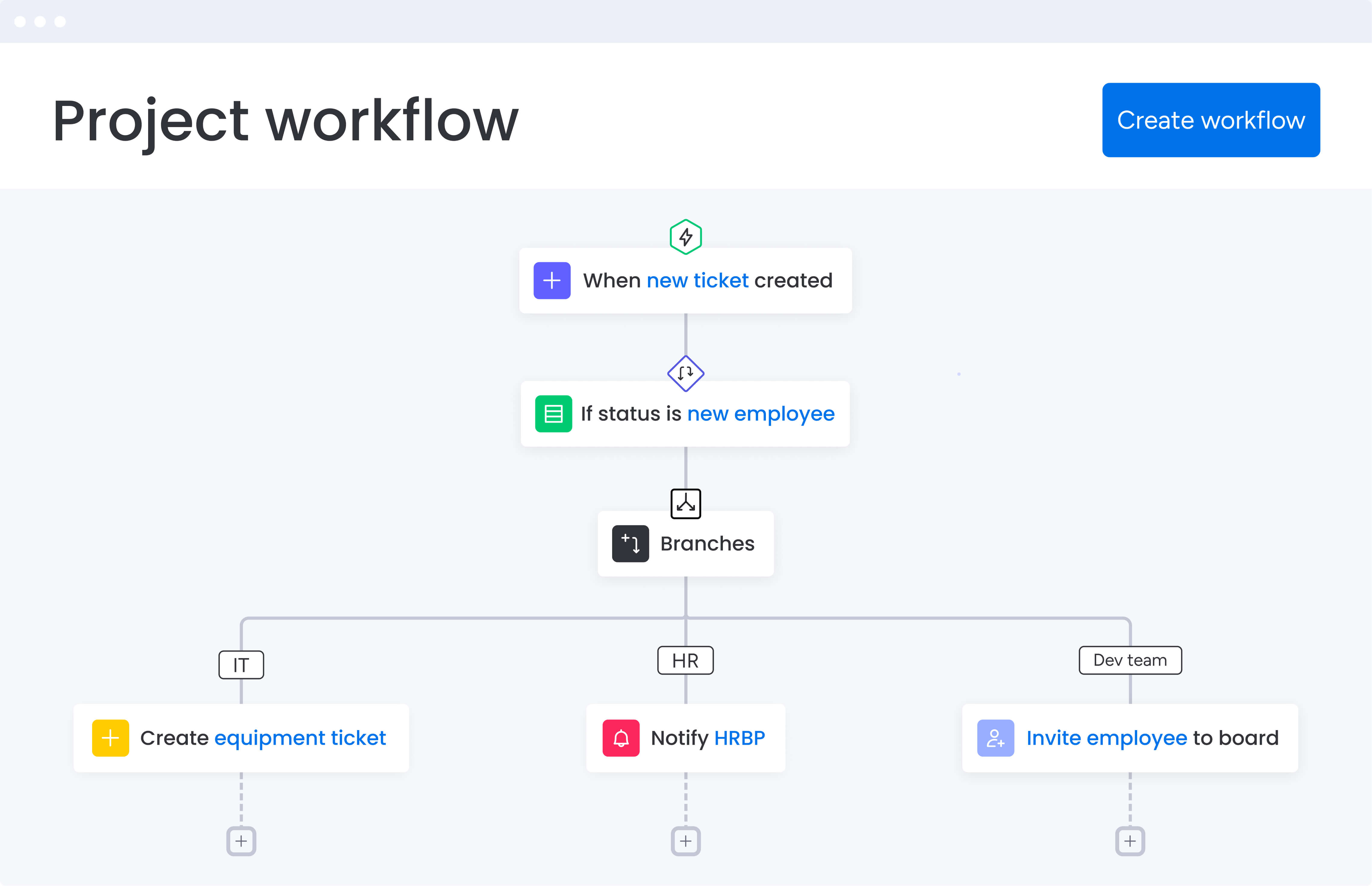
Follow the steps below and you will soon be able to identify the things you should be looking for.
Remember, focus on the capabilities that will actually transform how your team works — not just the flashy features. Look for features that solve your biggest headaches today but won’t become limitations when you double your team size next year.
Step 1: evaluate automation and AI capabilities
Today’s operations demand intelligent automation that goes beyond simple if-then rules. Look for platforms offering advanced AI features that reduce manual work and provide predictive insights:
- Predictive insights: AI that identifies risks before they impact delivery.
- Intelligent routing: automatic assignment based on skills, capacity, and priority.
- Smart categorization: AI-powered tagging and organization at scale.
Platforms like monday.com have embraced the power of AI, offering AI Blocks that categorize requests, summarize updates, and extract insights from documents. Digital Workers take this further by continuously monitoring project health and suggesting optimizations without human intervention.
Step 2: assess cross-departmental workflow support
Operations software must handle workflows that span multiple teams without creating new silos. Essential capabilities include:
- Unified data model: consistent information across departments.
- Flexible permissions: control access without creating barriers.
- Process orchestration: coordinate handoffs and dependencies automatically.
Platforms that treat departments as isolated units create the very silos operations managers work to eliminate. Choose software that naturally supports how work flows across your organization.
Step 3: review integration ecosystem depth
Your operations platform must connect with existing systems to avoid creating another data silo. Evaluate these integration capabilities:
- Native integrations: pre-built connections to common tools.
- API depth: ability to build custom integrations.
- Data synchronization: real-time updates across systems.
The best platforms act as orchestration hubs, connecting your tech stack rather than replacing it entirely.
Step 4: test customization without complexity
Every organization works differently, and your platform should adapt without requiring technical expertise. Look for:
- Visual workflow builders: drag-and-drop process design.
- Flexible data structures: custom fields and relationships.
- Template libraries: pre-built workflows you can modify.
monday.com achieves this balance through no-code builders that let operations managers create sophisticated workflows in hours, not weeks.
Step 5: verify real-time visibility and reporting
Operational decisions require current data, not yesterday’s reports. Critical features include:
- Live dashboards: real-time metrics without manual updates.
- Custom reports: tailored views for different stakeholders.
- Predictive analytics: forecasting based on historical patterns.
Look for platforms that surface insights automatically rather than requiring manual report generation.
How to choose the right business operations software for your organization
Choose a platform based on how your team actually works, rather than getting caught in a feature-for-feature comparison. The right operations software fits how your team actually works — not how some vendor thinks you should work. The selection process requires careful evaluation of your current state, future needs, and organizational readiness for change.
Start by mapping your current operational landscape. Document where work happens today, which tools teams use, and where friction occurs. Pay special attention to handoffs between departments — these reveal where unified operations software delivers the most value and can be refined with business planning software to keep every strategy on track.
Step 1: evaluate based on organizational maturity
Your selection criteria should reflect your operational maturity and growth stage. Different organizations require different approaches:
For growing organizations (100-500 employees):
- Prioritize ease of adoption and quick time to value.
- Focus on platforms that scale without major migrations.
- Look for strong templates and best practices built-in.
For established enterprises (500+ employees):
- Emphasize governance and compliance capabilities.
- Require enterprise features like managed templates and cross-project dependencies.
- Evaluate vendor stability and support infrastructure.
Step 2: consider total cost of ownership
Platform pricing represents just one component of your investment. Factor in the complete cost picture:
- Implementation costs: time and resources for deployment.
- Training requirements: how quickly teams become productive.
- Integration expenses: connecting to existing systems.
- Opportunity cost: impact of slow adoption or failed implementation.
Organizations using monday.com report payback in under four months, demonstrating how the right platform delivers rapid ROI through improved efficiency and reduced tool costs.
Step 3: run focused pilots before full deployment
Before committing organization-wide, run targeted pilots that test real workflows with actual users:
- Choose a cross-functional process: select a workflow spanning multiple departments.
- Set clear success metrics: define what improvement looks like.
- Involve actual users: include the people who will use the platform daily.
- Measure adoption: track how quickly teams embrace the new system.
Successful pilots reveal not just whether a platform works, but how it fits your culture and processes.
Revolutionize your operations with unified work management
To put it directly: business operations software isn’t optional anymore — it’s as essential as your financial systems or customer database. Organizations that unify their operations gain the visibility, efficiency, and agility needed to compete in dynamic markets where coordination speed determines success.
The platforms covered here each offer paths to operational excellence, but success depends on matching capabilities to your specific needs. Consider your current challenges, future growth trajectory, and organizational readiness when making your selection.
monday.com provides the comprehensive foundation growing organizations need — from AI-powered insights that prevent problems before they occur to enterprise governance that scales without adding friction. The platform’s ability to connect strategy to execution while maintaining the flexibility teams love makes it particularly valuable for organizations ready to move beyond fragmented tools.
Ready to unify your business operations and gain the visibility you need to scale? Explore how monday.com can transform your operational efficiency and drive results across every department.
The content in this article is provided for informational purposes only and, to the best of monday.com’s knowledge, the information provided in this article is accurate and up-to-date at the time of publication. That said, monday.com encourages readers to verify all information directly.
Frequently asked questions
What's the difference between ERP and business operations software?
The difference between ERP and business operations software is that ERP (Enterprise Resource Planning) systems focus on core back-office processes like accounting and procurement with rigid workflows. In contrast, business operations software provides flexible work management across all departments, emphasizing collaboration and customization.
How long does it take to implement business operations software?
Implementation timelines vary by platform complexity and organizational size. Modern cloud-based platforms like monday.com can be operational in under one month for most teams. Traditional enterprise solutions may require three – six months for full deployment including training and integration.
Can operations software integrate with our existing tools?
Yes, leading business operations platforms offer extensive integration capabilities through native connectors and APIs. Most connect with common tools like Microsoft Office, Google Workspace, Salesforce, and Slack, allowing you to maintain existing systems while gaining unified visibility.
What's the typical ROI for business operations software?
Organizations typically see positive ROI within four to six months through reduced tool costs, improved efficiency, and faster project delivery. Specific returns depend on current inefficiencies and implementation scope, but companies often report 20-40% productivity gains in the first year.
How do you ensure team adoption of new operations software?
Successful adoption requires choosing intuitive platforms, involving users early in selection, providing adequate training, and demonstrating quick wins. Platforms with high adoption rates like monday.com achieve success through user-friendly interfaces and immediate value delivery without extensive change management.
Should small businesses invest in business operations software?
Small businesses benefit from operations software when they experience growing pains like missed handoffs, unclear task ownership, or difficulty tracking project status. Starting with affordable, scalable platforms allows small teams to establish good operational habits that support future growth.

 Get started