


The modern workplace is fragmented. Your marketing team lives in Asana, finance clings to spreadsheets, and leadership gets updates through a patchwork of status meetings that never quite reveal the full picture. This fragmentation isn’t just annoying — it’s costly.
What if you could bring all this scattered work into one place that everyone — from frontline teams to executives — actually wants to use? Instead of adding yet another system to your tech stack, the right operations platform actually replaces your patchwork of solutions. It connects teams across departments, eliminates tedious manual tasks, and shows you exactly what’s happening — right now, not in last week’s status report.
In this post, we’ll break down why growing companies need operations software that scales with them, which features actually deliver ROI, and how the right platform can transform scattered workflows into coordinated execution. You’ll learn practical steps for choosing the right platform, rolling out features your team will actually use, and putting AI to work on your toughest operational challenges.
Key takeaways
- Replace fragmented tools with unified operations software: connect scattered workflows across departments to eliminate visibility gaps, reduce manual overhead, and accelerate strategic execution.
- Leverage AI to shift from reactive to proactive management: use predictive insights to identify risks weeks in advance and optimize resource allocation before problems impact delivery.
- Automate repetitive processes to focus on high-impact work: eliminate 25-40% of manual tasks through workflow automation, freeing teams to drive measurable business results.
- Transform operations with monday work management’s enterprise capabilities: gain AI-powered portfolio insights, standardized templates, and resource optimization that delivers 26% efficiency improvements and 2x faster project delivery.
- Choose platforms that scale with organizational growth: prioritize solutions offering customization, integration capabilities, and enterprise-grade security that adapt as your business evolves.
What is business operations software?
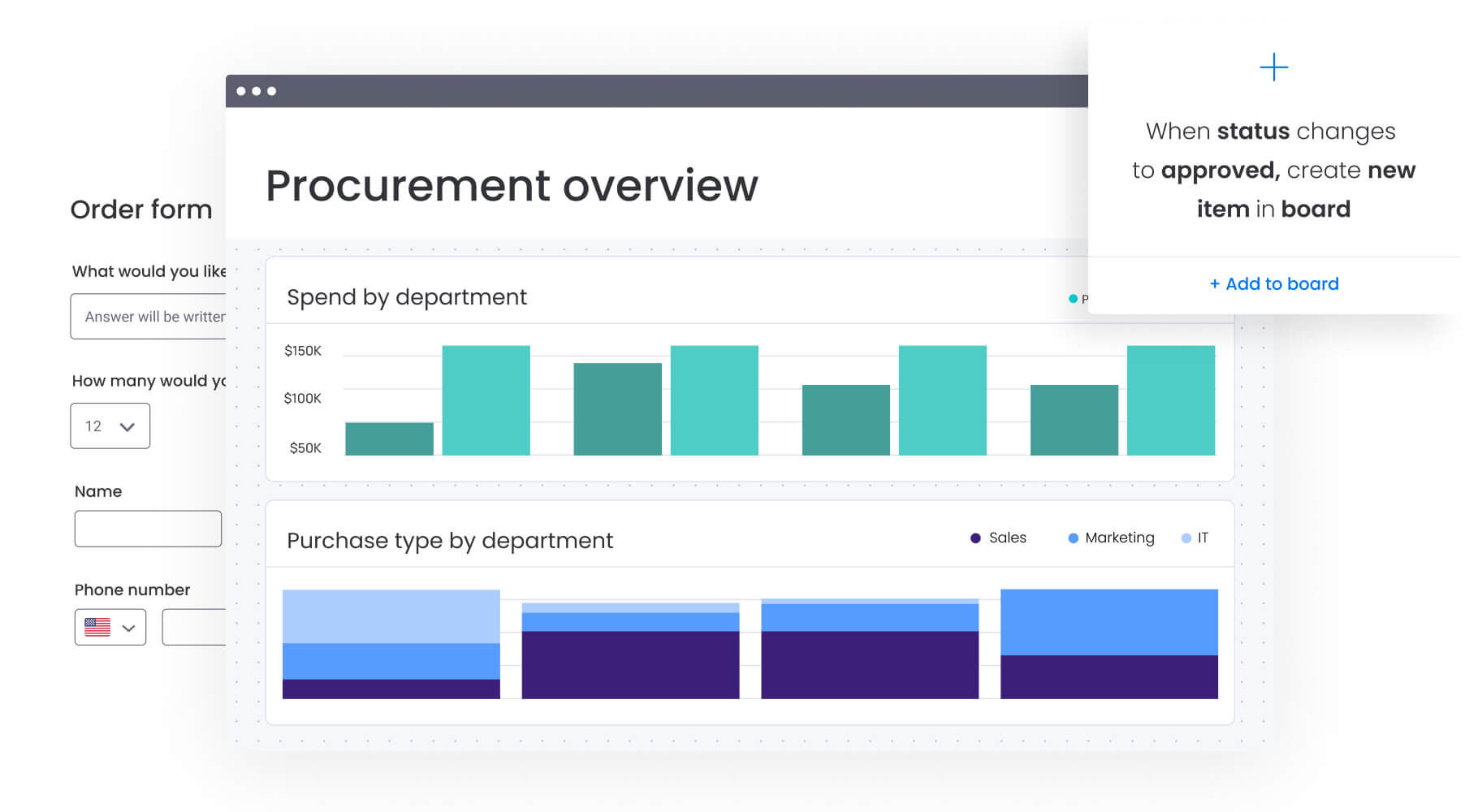
Business operations software is a comprehensive digital platform that centralizes, automates, and optimizes core business processes across multiple departments and functions. It replaces fragmented tool ecosystems with unified work management systems that connect teams, projects, and strategic objectives.
Unlike point solutions that handle specific tasks, business operations software and business management software serve as your organizational backbone — managing everything from project execution and resource allocation to strategic planning and performance monitoring. The platform brings together four essential capabilities that transform how work flows across your organization:
- Cross-departmental workflows: connect marketing campaigns, finance approvals, IT requests, and HR processes in one system.
- Real-time visibility: surface project status, resource capacity, and performance metrics through unified dashboards.
- Process automation: eliminate manual handoffs, status updates, and repetitive tasks that slow teams down.
- Strategic alignment: link daily tasks to company objectives, ensuring work drives measurable outcomes.
For mid-to-large organizations managing complex workflows across departments, business operations software transforms scattered work into coordinated execution. Teams gain the structure needed to scale operations while maintaining the flexibility to adapt as priorities shift.
Why organizations need business operations software
When your company spans multiple time zones and departments, things get messy fast. Without a unified system, you’re left with blind spots where projects stall, resources sit idle, and your strategic priorities get lost in the daily chaos. Recognizing these warning signs is your first step toward fixing the problem, not just living with it.
Step 1: identify the hidden costs of operational fragmentation
When work lives in disconnected tools — spreadsheets here, project trackers there, communication scattered across email threads — organizations face compounding inefficiencies that drain productivity and slow strategic execution:
- Visibility gaps: leaders lack real-time insight into project health, resource allocation, and strategic progress.
- Manual overhead: teams spend 20-30% of their time on status updates, data entry, and context switching.
- Delayed decisions: critical information sits in silos, preventing timely course corrections.
- Misaligned priorities: departments work toward different goals without understanding dependencies or conflicts.
These challenges intensify as organizations grow. What starts as minor friction becomes major operational drag, limiting your ability to execute strategy effectively.
Step 2: shift from reactive management to proactive execution
Comprehensive solutions like enterprise management software shift organizations from reactive firefighting to proactive optimization. You can anticipate delivery timelines with confidence. AI flags that marketing campaign at risk three weeks before launch day.
And forget those Friday afternoons spent cobbling together executive updates — your leadership dashboard already shows exactly where things stand.
This transformation enables measurable improvements across four key areas:
- Faster delivery: automated workflows and clear ownership reduce project cycle times.
- Resource optimization: visibility into capacity prevents burnout while eliminating idle time.
- Strategic focus: teams spend less time on coordination and more time on value-driving work.
- Continuous improvement: data-driven insights reveal process bottlenecks and optimization opportunities.
Core capabilities that drive operational excellence
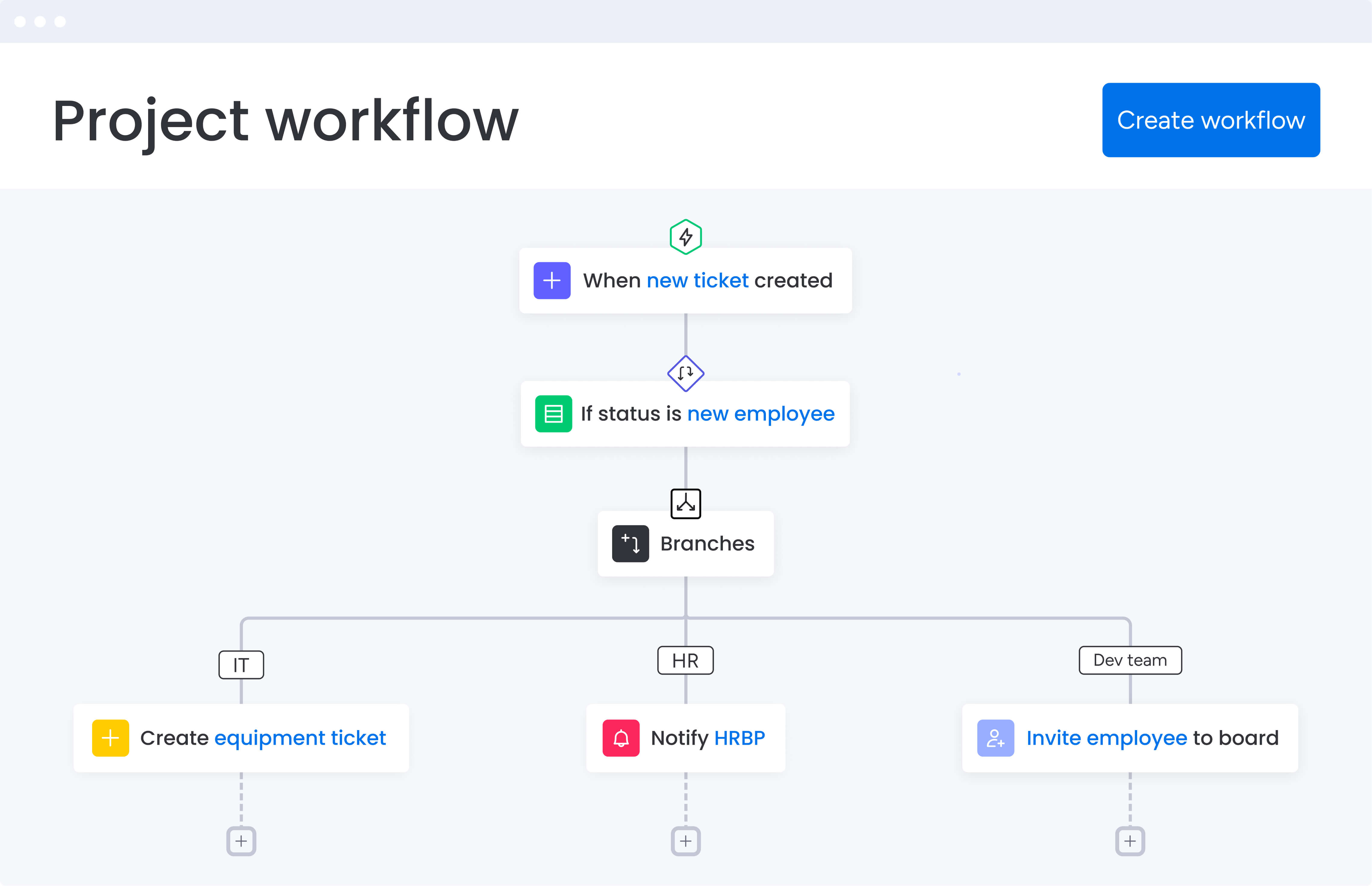
Let’s cut through the feature lists and focus on what actually transforms how your team works. These core capabilities separate true operations platforms from glorified project trackers.
Keep in mind that many teams also rely on business process management software to streamline and automate cross-departmental tasks.
Workflow automation and process standardization
Automation eliminates the manual work that slows teams down. Modern platforms offer no-code automation builders that let teams create custom workflows without IT involvement.
Key automation capabilities include:
- Conditional triggers: automatically assign tasks, send notifications, or update statuses based on specific criteria.
- Approval workflows: route requests through proper channels with automatic escalations for delays.
- Template libraries: standardize processes across departments while allowing customization for specific needs.
- Integration automation: sync data between systems to eliminate duplicate entry and maintain consistency.
Platforms like monday work management provides 200+ pre-built automation recipes plus custom automation capabilities, enabling teams to reduce manual work by 25-40% within the first six months.
Real-time dashboards and reporting
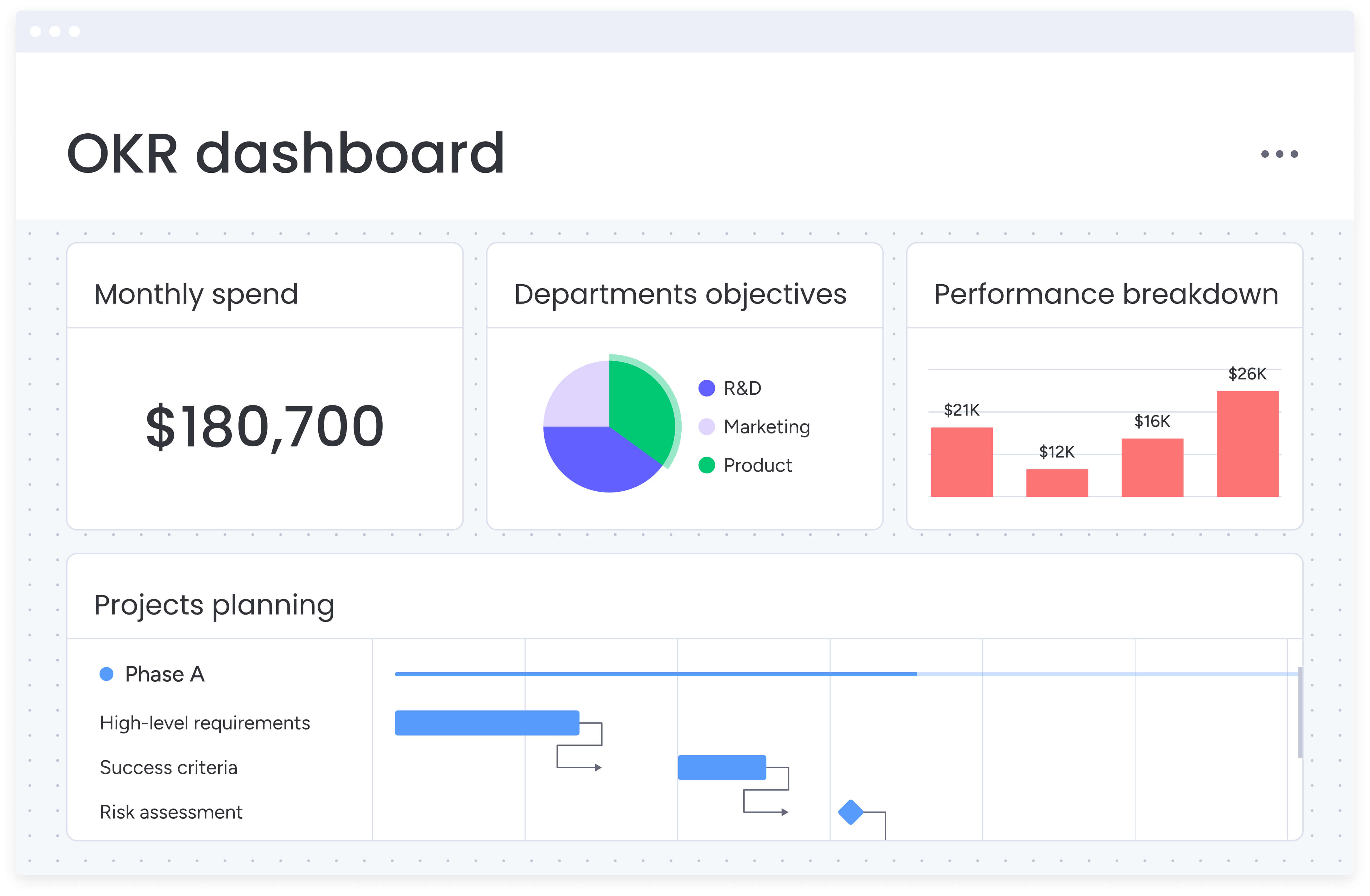
Visibility drives better decisions. Business operations platforms consolidate data from across your organization into customizable dashboards that update in real time.
Essential dashboard features include:
- Portfolio views: monitor multiple projects simultaneously to identify trends and risks.
- Resource utilization: track team capacity and workload distribution.
- Performance metrics: measure KPIs, cycle times, and quality indicators.
- Custom widgets: build specific visualizations for your unique business needs.
These dashboards transform raw data into actionable insights, helping leaders spot opportunities and address challenges before they impact delivery.
For external collaborations, b2b software can also help bridge partnerships and streamline supplier interactions.
Resource management and capacity planning
Understanding who’s available, what skills they have, and how work is distributed prevents both burnout and underutilization. Advanced resource management features help you optimize talent allocation across projects and departments.
Critical resource capabilities include:
- Workload visualization: see team capacity at a glance to prevent overallocation.
- Skills mapping: match work to the right people based on expertise and availability.
- Capacity forecasting: plan future resource needs based on upcoming projects.
- Cross-project visibility: understand resource conflicts and dependencies across initiatives.
A comprehensive integration ecosystem
Business operations software must connect with your existing technology stack. Native integrations and robust APIs ensure seamless data flow between systems.
Integration priorities include:
- ERP systems: SAP, Oracle, NetSuite for financial data synchronization.
- Communication tools: slack, Microsoft Teams for collaborative workflows.
- CRM platforms: salesforce, HubSpot for customer data alignment.
- Specialized software: industry-specific tools that support unique business needs.
Intelligent solutions like monday work management offer 200+ native integrations plus open API access, enabling organizations to build custom connections that support their specific workflow requirements.
This also includes seamless syncing with accounting practice management software for streamlined financial oversight.
How AI transforms business operations
.jpg)
AI is what transforms your operations platform from a fancy record-keeping system into a strategic advisor. It doesn’t just tell you what happened yesterday — it warns you about next month’s resource crunch and suggests which projects need attention now.
This foresight gives you a genuine competitive edge — you’re solving problems while competitors are still discovering them, and reallocating resources to high-impact work while others are stuck in status meetings.
Enables predictive risk identification
AI analyzes patterns across hundreds of projects to identify risks before they become critical. By examining factors like update frequency, sentiment analysis, and historical data, these systems flag potential issues weeks in advance.
Intuitive feature withing platforms such as monday work management, like AI-powered risk insights, scan project updates continuously: surfacing risks with urgency levels and suggested mitigation strategies. This proactive approach helps teams address problems while they’re still manageable.
Facilitates intelligent resource allocation
AI optimizes resource distribution by analyzing skills, availability, and project requirements. Instead of manual assignment based on whoever seems available, AI matches the right people to the right work based on multiple factors.
AI capabilities can:
- Predict capacity conflicts: identify resource bottlenecks before they impact timelines.
- Suggest optimal assignments: match tasks to team members based on skills and workload.
- Forecast resource needs: anticipate hiring requirements based on project pipeline.
Leverages automated insights and recommendations
AI transforms data overload into clear, actionable guidance. Rather than forcing teams to analyze complex reports, AI surfaces the insights that matter most.
Examples of AI-driven insights include:
- Performance trends: identify which processes are improving or declining.
- Optimization opportunities: highlight workflows that could benefit from automation.
- Strategic alignment: show how current work connects to organizational objectives.
Choosing the right business operations software for finance
Selecting a platform requires understanding both your current needs and future growth trajectory, which is why business planning software remains essential for aligning strategic goals with daily operations. The best solution balances immediate value with long-term scalability.
It’s crucial to take the time to evaluate thoroughly now, and you’ll avoid the painful rip-and-replace cycle that comes with outgrowing your systems too quickly.
Step 1: apply evaluation criteria for enterprise organizations
When assessing business operations software, consider these critical factors that determine long-term success:
Adoption and usability:
- How quickly can teams learn the platform?
- Does the interface encourage consistent use?
- What training and support resources are available?
Customization and flexibility:
- Can you build workflows that match your processes?
- How easily can you modify the system as needs change?
- Does customization require technical expertise?
Scalability and performance:
- Can the platform handle your current volume and complexity?
- How does it perform with hundreds or thousands of concurrent users?
- What are the limits on projects, data, and integrations?
Security and compliance:
- Does the platform meet your industry’s regulatory requirements?
- What security certifications does it maintain?
- How is data protected and who has access?
Step 2: address implementation considerations
Successful deployment depends on more than just technical capabilities. Consider these implementation factors that impact adoption and ROI:
- Time to value: how quickly can you see measurable results?
- Change management: what support exists for driving adoption?
- Integration complexity: how difficult is connecting to existing systems?
- Total cost of ownership: beyond licensing, what are implementation and maintenance costs?
Organizations using monday work management typically achieve initial value within weeks and full payback in under four months, according to Forrester research.
Take control of your operations with monday work management
The sophisticated monday work management platform brings together the capabilities modern organizations need to unify operations and accelerate execution. The solution combines powerful functionality with intuitive design, ensuring teams actually use the tools that drive operational excellence.
Some of the biggest features organizations value most are:
Enterprise-grade capabilities for scale
monday work management provides three core pillars that address enterprise operational challenges:
Leadership visibility:
- AI-powered portfolio reports generate executive summaries instantly.
- Out-of-the-box dashboards analyze hundreds of projects in real time.
- Portfolio Gantt views track progress and risks across initiatives.
Standardization and alignment:
- Managed templates standardize entire workspaces while allowing flexibility.
- Cross-project dependencies visualize and resolve conflicts.
- Strategic alignment connects daily work to organizational OKRs.
Resource optimization:
- Resource directory centralizes people, skills, and availability data.
- Capacity manager provides live views across projects and portfolios.
- Smart assignment capabilities match work to the right talent.
Rapid adoption drives measurable impact
The platform’s intuitive interface and no-code customization enable quick deployment without extensive training. Teams can launch initial projects within days, customize workflows to match existing processes, and scale gradually as comfort and sophistication grow.
Organizations report significant improvements after implementing monday work management:
- 26% increase in operational efficiency.
- 40% reduction in manual administrative tasks.
- 2x faster project delivery times.
- 90%+ user adoption rates.
Built for integration and innovation
monday work management connects your entire tech ecosystem through native integrations and open APIs. The platform continuously evolves with new capabilities like Digital Workers — AI agents that handle complex operational tasks autonomously.
These innovations ensure your investment grows more valuable over time, adapting to new challenges and opportunities as your business evolves.
From scattered work to unified execution: try monday work management now
The right operations platform doesn’t just change your tools — it transforms how your entire organization executes. It brings scattered work into one place, eliminates hours of manual busywork, and gives everyone — from executives to frontline teams — a clear view of what’s happening right now. The right platform eliminates operational friction while enabling teams to focus on high-impact work that drives measurable results.
Enterprises today need solutions that combine workflow automation, AI-powered insights, resource optimization, and comprehensive integration capabilities, but small business management also benefits greatly from these streamlined processes. These features work together to create operational excellence that scales with organizational growth and complexity.
monday work management delivers this unified approach through enterprise-grade capabilities, intuitive design, and continuous innovation. Organizations achieve rapid adoption, measurable efficiency gains, and the operational foundation needed to execute strategy effectively in today’s competitive landscape.
Ready to transform your operations from scattered work to unified execution? Start building workflows that connect strategy to daily work and drive measurable business impact.
The content in this article is provided for informational purposes only and, to the best of monday.com’s knowledge, the information provided in this article is accurate and up-to-date at the time of publication. That said, monday.com encourages readers to verify all information directly.
Frequently asked questions
What's the difference between business operations software and project management tools?
Business operations software encompasses entire organizational workflows across departments, while project management tools focus on individual project execution. Operations platforms include resource management, strategic alignment, process automation, and cross-functional visibility that project tools typically lack.
How long does it take to implement business operations software?
Implementation timelines vary by scope and complexity. Small teams can launch initial workflows within two weeks using templates. Enterprise deployments involving multiple departments and custom integrations typically require two to four months for full rollout, though teams often see value within the first month.
What integrations should business operations software support?
Essential integrations include ERP systems (SAP, Oracle), CRM platforms (Salesforce, HubSpot), communication tools (Slack, Teams), and financial software (QuickBooks, NetSuite). The platform should also offer APIs for custom connections to specialized industry tools.
How do you measure ROI from business operations software?
Track metrics including time saved on manual tasks, project delivery speed, resource utilization rates, and reduction in operational errors. Organizations typically see 25-40% efficiency gains, faster project completion, and reduced administrative overhead within six months.
What security features should business operations software include?
Look for SOC two certification, ISO 27001 compliance, role-based access controls, audit trails, data encryption, and single sign-on capabilities. Enterprise platforms should also support IP restrictions, custom security policies, and regular third-party security audits.
Can business operations software work for small teams?
Yes, modern platforms scale from small teams to large enterprises. Start with basic workflows and templates, then expand functionality as your organization grows. The key is choosing a platform that offers both simplicity for initial use and sophistication for future needs.

 Get started