


Tech project managers (PMs) navigate a nonstop flow of projects, shifting priorities, and scattered tools while trying to keep development, product, and business teams aligned. With work spread across Slack, Jira, email, and spreadsheets, even simple updates turn into hours of manual coordination that slow delivery and increase the risk of missed deadlines.
Automation changes the game.
The right software centralizes work, removes repetitive tasks, and gives teams real-time visibility so projects move forward without constant check-ins or status hunting. It creates the clarity, speed, and predictability that tech teams need to operate at scale.
In this practical post, you’ll learn which automation features drive impact fastest, how leading platforms compare in real-world environments, and the implementation strategies that help teams unlock measurable gains in efficiency and delivery speed. You’ll also see how organizations like Playtech use automation to cut busywork, accelerate execution, and create smoother cross-team collaboration.
Key takeaways
- Unify scattered work across platforms: centralize tasks, timelines, and reporting in one workspace to eliminate context switching and save 13+ hours weekly on manual coordination.
- No-code automation democratizes efficiency across teams: any team member can build custom workflows without IT involvement, accelerating adoption 10x faster than traditional solutions.
- monday work management delivers proven results at scale: organizations achieve 26% efficiency gains, three hours saved per person weekly, and 2x faster project delivery through automated workflows.
- AI-powered insights prevent delays before they impact deadlines: proactive risk detection and intelligent task assignment help you address bottlenecks early rather than react to missed milestones.
- Deep integrations eliminate manual data transfer: platforms with 200+ native connections automatically sync data between tools like Jira, Slack, and GitHub without manual updates.
Real-world results from project managers

Thousands of project managers have ditched their spreadsheet chaos for monday work management, cutting delivery times in half. Real-world results demonstrate the platform’s impact on operational efficiency and team collaboration.
For example, Playtech’s PMO department achieved measurable improvements after implementing monday work management’s automation capabilities:
- 26% increase in efficiency: across the department.
- Three hours saved per person per week: on administrative tasks.
- Enhanced stakeholder communication: across 60+ global licensees.
What makes project managers choose monday work management for automation?
Why do PMs switch to monday work management? Simple: they’re tired of hunting for information across a dozen disconnected tools.
Let’s break down the three problems monday work management actually solves for tech teams:
- Unified workspace eliminates tool sprawl: instead of managing projects through email threads, spreadsheets, and multiple specialized platforms, you get everything in one transparent workspace. This consolidation reduces context switching and ensures all project information lives in a single source of truth.
- No-code automation empowers every team member: the platform enables you to automate repetitive workflows without coding skills, integrate seamlessly with your existing tech stack, and gain real-time visibility into project status across all teams. The no-code automation builder means you can create custom workflows matching your exact processes, whether you’re managing Agile sprints, Waterfall projects, or hybrid methodologies.
- Proven results at scale: Pllaytech’s PMO department achieved 2x faster digital project delivery after implementing monday work management. The platform’s automation capabilities eliminated manual status updates, streamlined approval processes, and provided stakeholders with instant visibility into project progress without requiring technical expertise.
monday work management top features for automation
These automation features below transform how project managers coordinate work across tech teams. Each capability addresses specific pain points that consume hours of manual effort weekly.
Gantt chart
Unlike static spreadsheets, our Gantt charts update in real-time as your team completes work, automatically keeping timelines accurate as things shift. Unlike static Gantt charts in spreadsheets, this version updates in real-time as team members complete work, displaying project tasks, milestones, and dependencies within a set timeline.
Real-time bottleneck prevention: for project managers coordinating between development, product, and business teams, this automated visualization prevents bottlenecks before they occur. You can quickly identify which tasks are behind schedule and how delays impact downstream work, enabling proactive resource reallocation rather than reactive firefighting.
Proven impact on KPI performance: playtech uses Gantt charts to maintain realistic deadlines across their 60+ global licensees.. The automated timeline tracking helped them achieve a 23% increase in meeting KPIs.
Dependencies
Dependencies show you exactly which delayed tasks are putting your deadline at risk, highlighting ripple effects before they become emergencies. When you set up task dependencies, the platform automatically adjusts timelines when predecessor tasks shift, eliminating manual schedule recalculation.
Cross-functional coordination made simple: this automation proves essential for project managers coordinating cross-functional tech teams where development depends on design completion, QA depends on development, and deployment depends on QA. Instead of manually tracking these relationships across multiple tools, dependencies provide instant visibility into delay ripple effects.
Immediate conflict detection: tech companies using monday work management report significant reductions in project delays because automated dependency tracking flags conflicts immediately. The system sends automatic notifications to affected team members when upstream tasks shift, ensuring alignment without constant status meetings.
Baseline
With baseline tracking, you’ll instantly see where your project is falling behind plan — perfect for those status meetings where everyone claims they’re ‘on track.’ This automation eliminates manual variance tracking between planned and actual timelines, giving project managers instant visibility into whether projects are on track.
Data-driven estimation improvement: for project managers in tech companies managing multiple concurrent projects, baseline tracking provides data to improve future estimates. The platform automatically calculates variance between planned and actual completion times, building a historical database that makes forecasting more accurate over time.
Trend identification for process optimization: Genpact’s marketing team uses baseline tracking to improve campaign delivery timelines. The company created a column that included target dates they wanted to meet, as well as a separate column that has the actual time frame of how long it took. This allowed Genpact to see trends and identify bottlenecks causing delays.
Critical path
Critical path overlays the sequence of tasks directly impacting your project completion date on top of Gantt charts. monday work management automatically calculates and highlights which tasks your team must complete to finish projects on time, eliminating manual critical path identification in complex projects.
Resource allocation optimization: this automation helps project managers in tech maintain realistic deadlines across teams with varying velocities. Instead of manually analyzing task dependencies to find the critical path, the platform does this calculation automatically and updates it in real-time as work progresses.
Strategic decision-making support: automated critical path identification helps project managers focus team resources on tasks that truly matter for on-time delivery. When non-critical tasks slip, you make informed decisions about whether to reallocate resources or accept delays without impacting final deadlines.
Milestones
Milestones mark significant checkpoints in every project, automatically flagging when teams reach or miss key deliverables. The platform sends automated notifications as milestone dates approach and provides visual indicators when milestones are at risk.
Stakeholder alignment without manual reporting: for project managers coordinating between development, product, and business teams, automated milestone tracking ensures stakeholder alignment without manual status reporting. The system automatically updates milestone status based on underlying task completion, providing executives with accurate progress visibility.
Global operations transparency: playtech’s PMO department uses automated milestone tracking across global operations. Automated notifications ensure stakeholders are alerted when projects reach critical checkpoints, reducing manual status updates and improving transparency by 49%.
Time tracking
Time tracking automatically monitors task completion duration, building a database that helps project managers plan more accurately for future projects. Team members track time directly within tasks, and data automatically flows into reports and dashboards without manual compilation.
Estimation accuracy improvement: this automation helps project managers in tech companies improve estimation accuracy and identify where teams spend time. Instead of manually collecting timesheets and calculating project costs, monday work management automates the entire process, providing real-time visibility into time allocation.
Resource optimization through historical analysis: automated time tracking supports resource optimization. By analyzing historical time data, project managers identify which task types consistently take longer than estimated and adjust future plans accordingly, reducing missed deadline risk.
Project intake and approvals
Project intake and approvals streamline the request process through automated workflows. Anyone can submit project requests with relevant details through customizable forms, and stakeholders manage approvals through automated routing that ensures requests reach the right decision-makers.
Request management without email chaos: for project managers dealing with constant incoming requests from multiple departments, this automation prevents requests from getting lost in email threads. Automated approval workflows ensure consistent evaluation criteria and provide requesters with visibility into queue status.
Formalized process implementation: genpact formalized their campaign brief submission and approval process using automated forms. “When a new form is submitted, specific team members receive automated notifications through the workflow app that serves as the queue for requests,” says Sarah Pharr, AVP Marketing.
Dashboards and reporting
Dashboards and reporting features automatically compile data from across your portfolio to provide real-time insights into project performance, budget status, and workload distribution. Pre-built dashboard widgets automatically update as work progresses, eliminating manual report compilation.
Instant data-driven decision making: this automation enables data-driven decisions quickly. Instead of spending hours weekly pulling data from multiple tools and building reports, automated dashboards provide instant visibility into metrics that matter most.
Enhanced stakeholder communication: automated reporting improves stakeholder communication. Project managers share live dashboards with executives and clients, ensuring everyone sees the same real-time data without manual report distribution.
Views
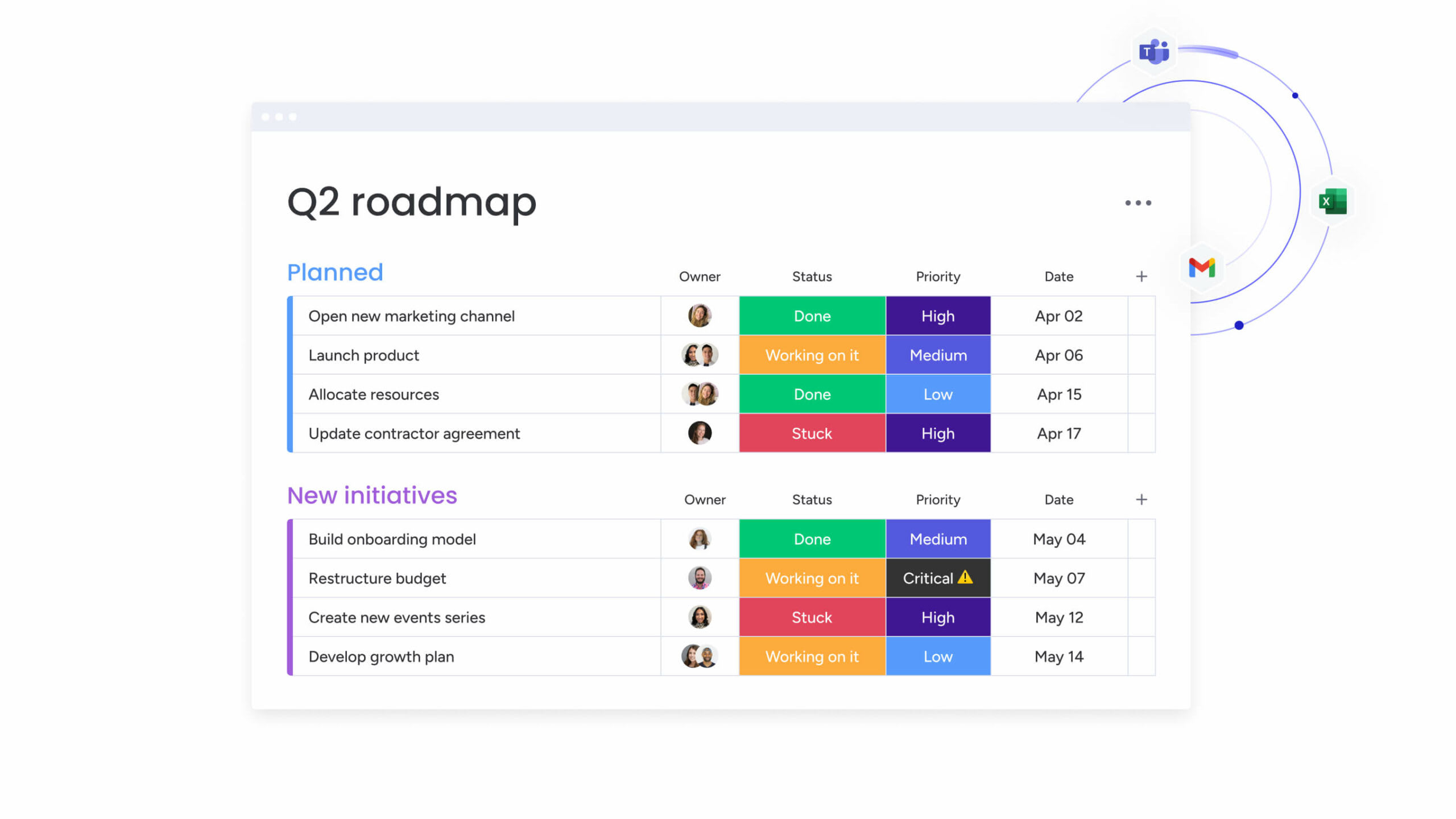
Multiple customizable views including Gantt chart, Kanban board, Workload, Calendar, and Timeline automatically display the same project data in different formats. Project managers switch between views instantly without manual data transformation, allowing different team members to work in their preferred format.
Multi-methodology support: for project managers coordinating between tech teams with different working styles, this automation eliminates the need to maintain separate tools for different methodologies. Development teams work in Kanban view while executives review progress in Gantt view, with all data automatically synchronized.
Scalable decision-making: automated view switching supports decision-making at scale. Switch to Workload view to assess team capacity. Switch to Gantt view to present timelines to stakeholders. The platform automatically reformats your data without manual export and import processes.
Automations
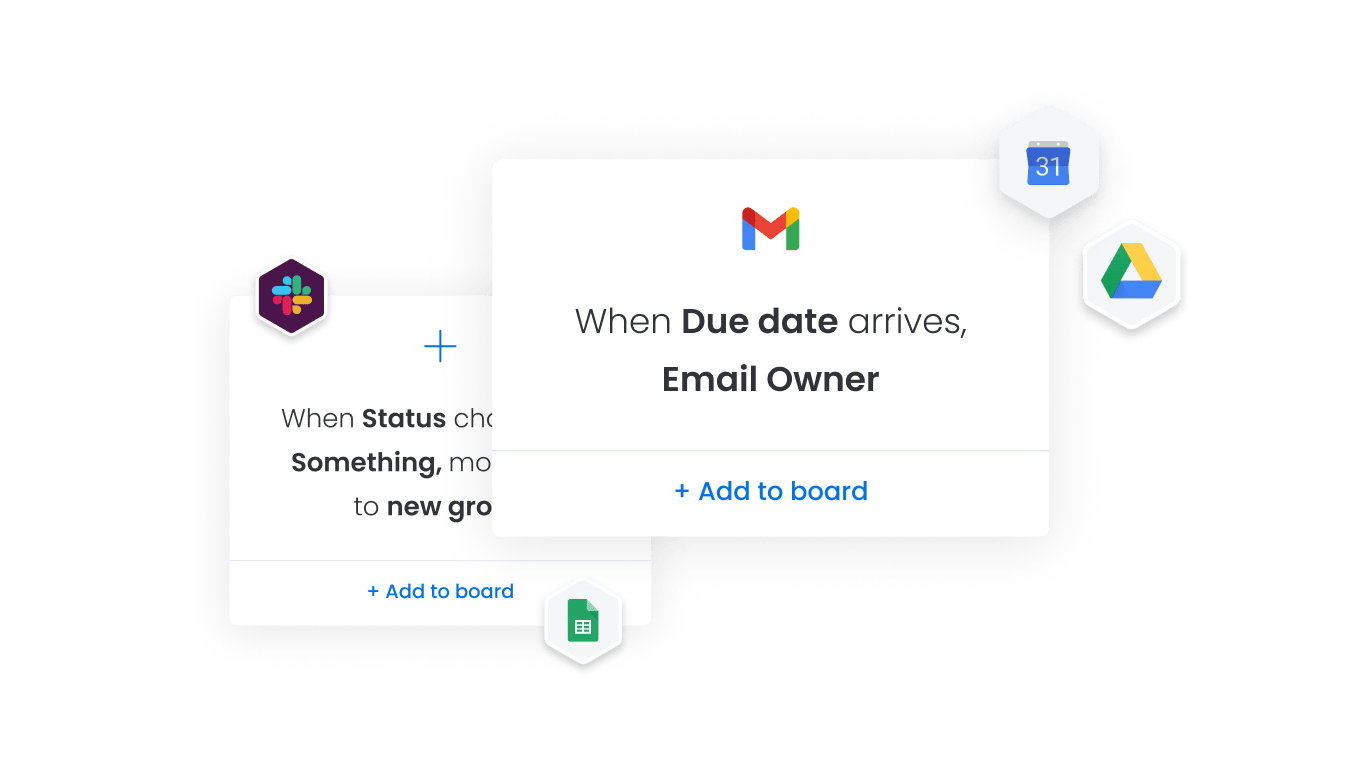
The automation center provides a no-code builder where project managers create custom automation rules or select from pre-built templates. The platform automatically assigns tasks based on triggers, sends notifications when conditions are met, and moves items between boards when status changes.
Transformation of manual processes: this capability transforms project management for tech teams who previously relied on manual task assignment and status tracking. Instead of spending hours weekly updating task assignments and sending reminder emails, create automation rules that handle these repetitive processes automatically.
Massive scale efficiency gains: falkbuilt increased project capacity significantly by saving 40,000+ human actions monthly with automations. Automated workflows eliminated manual handoffs between teams, reduced tasks falling through cracks, and freed project managers to focus on strategic planning.
Try monday work management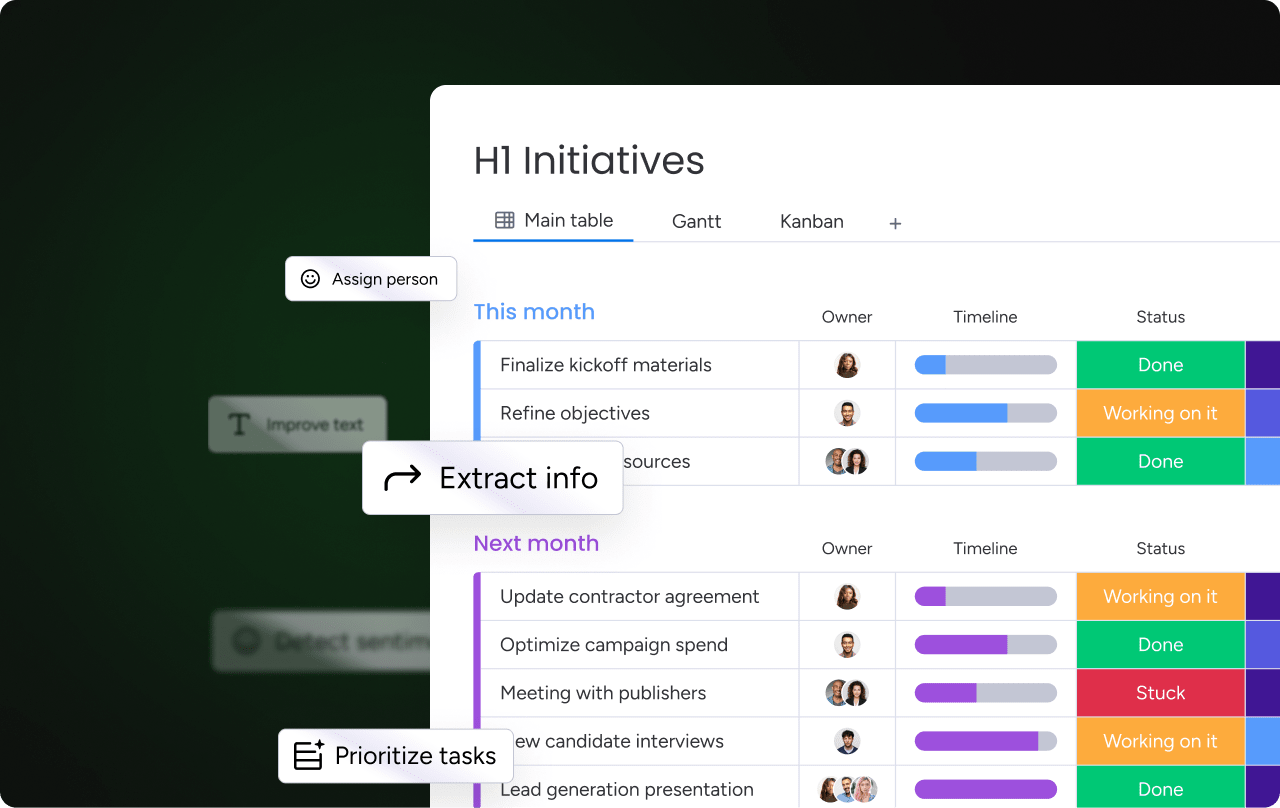
How project managers in tech benefit from monday work management
Tech PMs see immediate improvements in the metrics that matter most: faster delivery times, fewer status meetings, and smoother collaboration across development, product, and business teams. These gains compound as teams scale, creating long-term operational advantages.
Time savings through intelligent automation
monday work management removes the manual work that slows teams down. Project managers typically save 13+ hours each week by automating status updates, task assignments, and reporting.
Key outcomes include:
- Automated updates that eliminate recurring check-ins.
- Task routing that removes manual handoffs.
- Instant report generation that replaces spreadsheet work.
Playtech’s PMO saves three hours per person per week, redirecting time to strategic planning and risk mitigation.
Cost efficiency at scale
Automation reduces operational overhead while consolidating redundant tools.
Teams benefit from:
- Lower project management costs through reduced manual processes.
- Higher ROI driven by improved productivity.
- Reduced reliance on multiple disconnected platforms.
Enhanced compliance and accuracy
Built-in governance ensures consistency without adding administrative burden.
PMs gain:
- Approval workflows that enforce standardized procedures.
- Templates that maintain process accuracy across teams.
- Automatic audit trails that eliminate manual documentation.
Measurable productivity improvements
Centralized work and automation accelerate cross-team execution.
Improvements include:
- Stronger cross-functional collaboration as work stays aligned.
- Automated routing that keeps tasks moving without intervention.
- Higher throughput as fewer tasks stall waiting for updates.
Complete visibility and tracking
Real-time dashboards and automated reporting provide a unified view of project health and team capacity.
This delivers:
- Immediate insight into risks and progress.
- Earlier detection of bottlenecks before deadlines slip.
- Portfolio-wide visibility without chasing status updates.
How to implement automation software successfully in tech teams
Before teams can benefit from automation, they need a clear and structured rollout plan. The steps below help PMs replace scattered workflows with a unified system — without disrupting active projects or overwhelming stakeholders. This approach gives tech teams a smooth transition, faster adoption, and immediate productivity gains.
Step 1: audit your current tool landscape
Ready to centralize your scattered workflows while keeping your team aligned and productive? Follow this step-by-step plan that keeps your team productive during the transition. This approach has helped thousands of teams ditch their spreadsheet chaos for a single source of truth—without missing a single deadline along the way.
Document all tools your team currently uses for project management, communication, file storage, and reporting. Create a detailed inventory that includes:
- Primary project management tools: list platforms used for task tracking, timeline management, and resource allocation.
- Communication channels: document Slack workspaces, Microsoft Teams, email systems, and video conferencing tools.
- Data storage systems: identify file repositories, shared drives, and document management platforms.
- Integration requirements: note which tools contain critical project data and which integrations you’ll need to maintain during the transition.
Step 2: map your core project workflows
Define the standard workflows your team follows from project intake through delivery. This mapping exercise reveals automation opportunities and ensures nothing gets lost in the transition.
Document your current processes systematically:
- Project initiation workflows: how requests enter your system and get approved.
- Task assignment processes: who assigns work and how team members receive notifications.
- Status reporting cadence: when and how progress gets communicated to stakeholders.
- Approval processes: document handoff points between teams and recurring tasks that could benefit from automation.
Step 3: configure your monday work management workspace
Set up boards for your key project types using the template library or custom configurations. This foundation determines how effectively your team adopts the new system.
Build your workspace strategically:
- Board structure design: create boards that mirror your actual project types and team structures.
- Custom field configuration: set up fields for project status, priority levels, team assignments, and budget tracking.
- View customization: configure Gantt, Kanban, Calendar, and Workload views that match your team’s working style.
- Permission settings: establish access controls that maintain security while enabling collaboration.
Step 4: build automation rules for repetitive tasks
Use the no-code automation builder to create rules for task assignment, status updates, and notifications. Start simple and expand complexity as your team gains confidence with the system.
Implement automations progressively:
- Basic notification rules: start with simple automations like “when status changes to complete, notify project manager”.
- Task assignment automation: create rules that automatically assign work based on team capacity or expertise.
- Status update workflows: automate progress reporting to stakeholders when milestones are reached.
- Advanced workflow automation: expand to more complex workflows as your team gains confidence with the platform.
Step 5: integrate your essential tools
Connect monday work management to your existing tech stack including Jira, Slack, GitHub, and other critical tools. These integrations eliminate manual data entry and ensure information flows seamlessly between systems.
Configure integrations strategically:
- Development tool connections: link Jira, GitHub, and other development platforms for automatic progress updates.
- Communication platform sync: connect Slack or Microsoft Teams for instant notifications and updates.
- File storage integration: link Google Drive, SharePoint, or other storage systems for seamless document access.
- Two-way data sync: configure bidirectional sync where needed to ensure data flows automatically between systems without manual updates.
Step 6: train your team and iterate
Onboard your team with hands-on training focused on their specific workflows. This final step determines adoption success and long-term platform value.
Execute training systematically:
- Role-based training sessions: provide training tailored to how each team member will use the platform.
- Workflow-specific guidance: focus on the actual processes your team follows rather than generic platform features.
- Feedback collection process: gather feedback during the first 30 days to identify pain points and optimization opportunities.
- Continuous refinement: refine your automation rules, views, and integrations based on actual usage patterns and team feedback.
Comparison: monday work management vs competing platforms
The following comparison highlights key automation capabilities across leading platforms. These features directly impact how quickly project managers eliminate manual work and achieve ROI from their automation investment.
| Feature | monday work management | Asana | ClickUp |
|---|---|---|---|
| No-code automation builder | ✓ Unlimited automations on Enterprise | ✓ 25,000 actions/month on Advanced | ✓ Unlimited on Business Plus |
| AI-powered risk prediction | ✓ Included | ✗ Not available | ✗ Not available |
| Cross-board automations | ✓ Included | ✗ Limited | ✓ Included |
| Native time tracking | ✓ Included | ✗ Third-party only | ✓ Included |
| Resource capacity planning | ✓ Workload view included | ✓ Advanced plan only | ✓ Included |
| Jira integration | ✓ Two-way sync | ✓ One-way sync | ✓ Two-way sync |
| Price per user/month | $12-24 (billed annually) | $13.49-30.49 (billed annually) | $10-19 (billed annually) |
| Implementation time | Less than 4 months to ROI | 2-4 weeks to basic adoption | 2-4 weeks to basic adoption |
| G2 rating | 4.7/5 (12,000+ reviews) | 4.5/5 (13,300+ reviews) | 4.6/5 (4,400+ reviews) |
How Playtech's PMO transformed their project delivery
This real-world case study demonstrates how monday work management transforms project management operations at scale. Playtech’s experience illustrates the practical benefits and measurable outcomes achievable through strategic automation implementation.
The challenge
When Yossi Shamir joined Playtech eleven years ago, project managers used spreadsheets, email, and notepads to manage countless client projects across 60 global licensees. As the gaming software industry underwent digital transformation, clients demanded more frequent updates and faster results.
The PMO department faced critical operational challenges:
- Lack of project visibility: no centralized view of project costs, resource allocation, and progress across their portfolio.
- Resource booking inefficiencies: “we didn’t have a good way to keep track of preliminary discussions and sometimes ended up booking resources only to find out later that the project wasn’t yet defined,” says Shamir.
- Manual coordination overhead: excessive time spent on administrative tasks instead of strategic project management.
The solution
Playtech implemented monday work management to bring their methodology to life and manage projects from initiation to closure in one place. The PMO department configured custom boards for project intake, approval workflows, budgeting calculations, and portfolio tracking.
Their implementation strategy included:
- Custom workflow automation: built automation rules to notify relevant stakeholders when projects hit critical checkpoints.
- Development team integration: integrated Jira to provide visibility into development team progress without manual status collection.
- Financial process automation: used formula columns to automate cost calculations that previously required manual spreadsheet work.
The results
The transformation delivered measurable improvements across all key performance indicators:
- 26% increase in efficiency across the PMO department.
- 49% increase in collaboration and transparency with stakeholders.
- 23% increase in meeting KPIs through improved project tracking.
- Three hours saved per person per week on administrative tasks.
Unlock better project delivery with monday work management
Shift your team from reactive problem-solving to proactive, strategic execution. Automation gives PMs the clarity and control they’ve been missing: fewer tools to juggle, faster delivery cycles, and hours reclaimed every week. Playtech’s results make it clear: the right platform doesn’t just support your work, it elevates how your entire team operates.
Key outcomes you can expect
Teams that centralize work on monday work management consistently report:
- 13+ hours saved weekly: reduced manual updates, fewer status meetings, and automated reporting.
- 26–49% cost reduction: streamlined workflows and eliminated redundant tools.
- 2x faster delivery cycles: automated coordination keeps work moving without PM intervention.
Implementation factors that drive success
The highest-performing teams follow a clear rollout strategy:
- Audit existing tools and workflows.
- Configure workspaces to reflect real processes.
- Build automations progressively, starting with high-impact tasks.
- Integrate essential systems to maintain a single source of truth.
- Train teams on their actual workflows for faster adoption.
Why automation creates long-term strategic advantage
No-code automation empowers every team member to improve processes without waiting on IT. This shifts innovation to the point of work, accelerates adoption, and ensures your systems evolve as your teams do.
Ready to eliminate scattered tools and manual coordination? Project managers across the tech industry trust monday work management to streamline workflows and automate the work that slows teams down.
The content in this article is provided for informational purposes only and, to the best of monday.com’s knowledge, the information provided in this article is accurate and up-to-date at the time of publication. That said, monday.com encourages readers to verify all information directly.
Frequently asked questions
What is the average implementation time for project management automation software?
The average implementation time for project management automation software varies by organizational complexity. Most project managers in tech companies implement monday work management and see initial value within two to four weeks. Organizations achieve full ROI in less than four months. The implementation timeline depends on workflow complexity and integration requirements, but teams start using basic features immediately while gradually adopting advanced automation capabilities.
How much can automation software reduce manual work for project managers?
Automation software reduces manual work for project managers by 13+ hours per week through automated status updates, task assignments, and report generation. Playtech's PMO department saves three hours per person per week using monday work management's automation features. Larger organizations report greater savings, with Genpact achieving 100% removal of spreadsheets and 25% decrease in email exchanges after implementing automated workflows.
Which automation features deliver the fastest ROI for tech teams?
The automation features delivering fastest ROI for tech project managers include automated task assignment based on team capacity, integration with existing tools like Jira and Slack to eliminate manual data entry, automated status reporting to stakeholders, and workflow automation for approval processes. These features immediately reduce the administrative burden consuming 13+ hours weekly for most project managers.
Can automation software handle both Agile and Waterfall methodologies?
Automation software like monday work management supports both Agile and Waterfall methodologies through customizable workflows and multiple view options. Tech teams use Kanban boards for Agile sprints while simultaneously managing Waterfall projects in Gantt view, all within the same platform. Playtech's project managers use Waterfall methodology while their development teams follow Agile, with Jira integration providing visibility into both approaches from one centralized workspace.
What security certifications should project management automation tools have?
Project management automation software for tech companies should maintain SOC 2 Type II certification, ISO 27001 compliance, and GDPR compliance at minimum. monday work management provides enterprise-grade security including IP restrictions, two-factor authentication, multiple SSO options, BYOK (Bring Your Own Key), and tenant-level encryption. These security protocols ensure automated workflows don't create compliance risks for tech companies handling sensitive data.
How do AI features enhance project management automation?
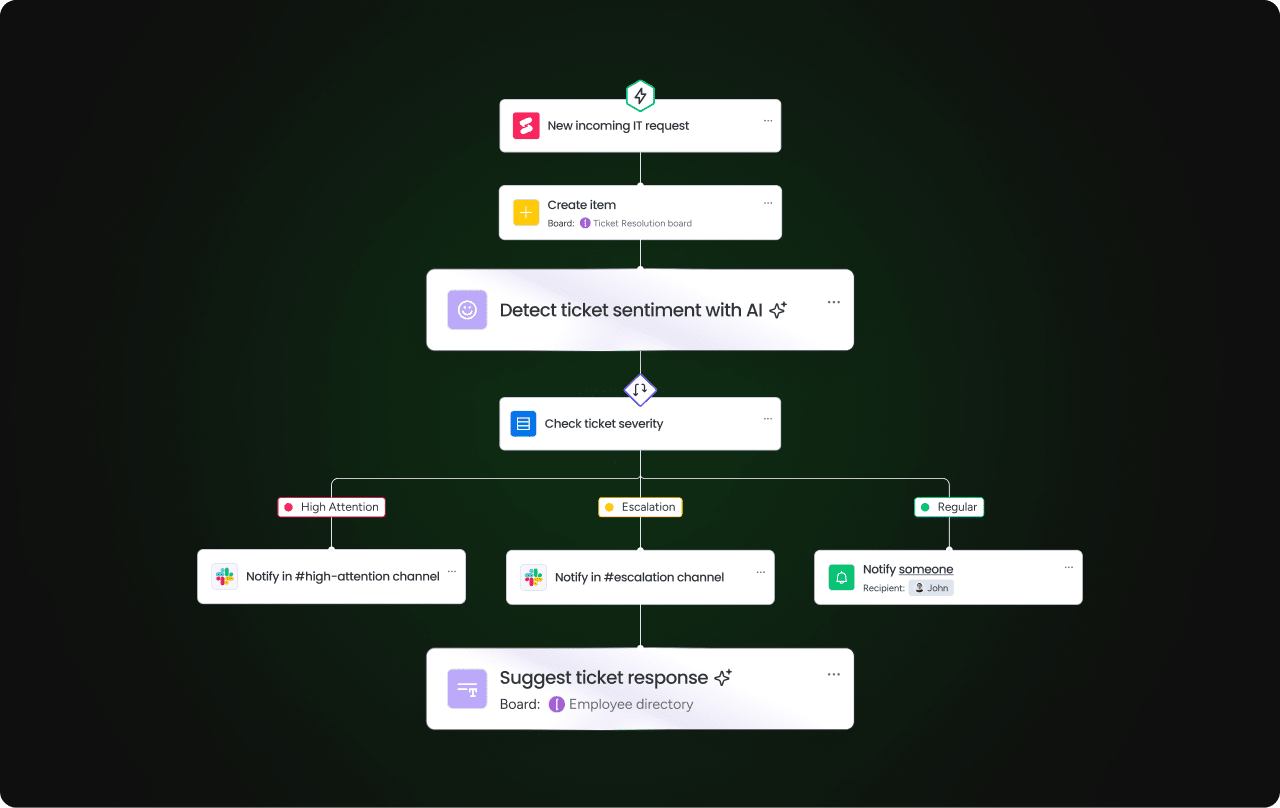
AI features in monday work management enhance automation by predicting project risks before they occur, automatically categorizing incoming project requests, and generating detailed project plans from simple prompts. The AI analyzes org-wide data to flag potential bottlenecks, suggests optimal task assignments based on team capacity and skills, and creates automation rules based on your team's working patterns.

 Get started