


Professional services teams live in a constant balancing act. Every project needs to move quickly, resources need to be used wisely, and clients expect polished delivery without delays. When work is scattered across spreadsheets, emails, and disconnected tools, even the best teams struggle to keep pace. Automation changes that reality by creating a single place where projects stay organized, communication flows smoothly, and every task moves forward without constant oversight.
The impact is real. Playtech boosted efficiency by 26% and saved three hours per person every week simply by removing manual coordination from their daily work. For firms handling multiple client engagements at once, gains like these translate directly into higher margins, stronger client relationships, and a team that finally has space to focus on meaningful work.
This article breaks down what today’s most effective automation platforms offer that basic project tools do not. Readers will learn which features drive measurable results for services teams, how leading platforms compare in real use cases, and what a successful rollout looks like from day one to full adoption
Key takeaways
Before diving into specific platforms and features, it helps to anchor the core advantages automation brings to professional services teams. These takeaways outline the biggest gains firms see when they move from manual coordination to connected, automated project delivery.
- Reclaim weekly time: remove administrative work so teams recover 10 or more hours for client delivery.
- Create unified visibility: bring project data, timelines, and communication into one shared workspace that everyone can access.
- Scale processes easily: use platforms like monday work management to build automation that grows with your team and client portfolio.
- Achieve measurable improvements: replicate proven strategies that lead to major efficiency gains and consistent project performance.
- Forecast ROI confidently: evaluate billable hour recovery, margin trends, and delivery speed to justify investment and plan future scaling.
What makes project managers choose automation software for services firms?

Project managers in professional services face a unique challenge: delivering multiple client projects simultaneously while maintaining quality, meeting deadlines, and protecting margins, which highlights the importance of understanding work management vs. project management. The fragmentation of work across spreadsheets, email chains, communication platforms, and various project tools creates blind spots that lead to missed deadlines, resource conflicts, and revenue leakage.
The right automation software transforms this chaos into a structured, visible system. Instead of manually updating project statuses, chasing approvals, or building reports from scratch, project managers can focus on what actually drives value — strategic planning, client relationships, and team development.
For real-life context, when Playtech’s PMO implemented comprehensive automation, they achieved a 26% efficiency increase and saved three hours per person weekly by eliminating manual coordination tasks.
For services firms managing 5-15 team members across concurrent projects, this shift from reactive firefighting to proactive management is transformative: automation creates a single source of truth where project data, client communications, and team workflows converge, making it possible to see exactly where every project stands and what needs attention next.
Try monday work managementCore automation features that transform project delivery
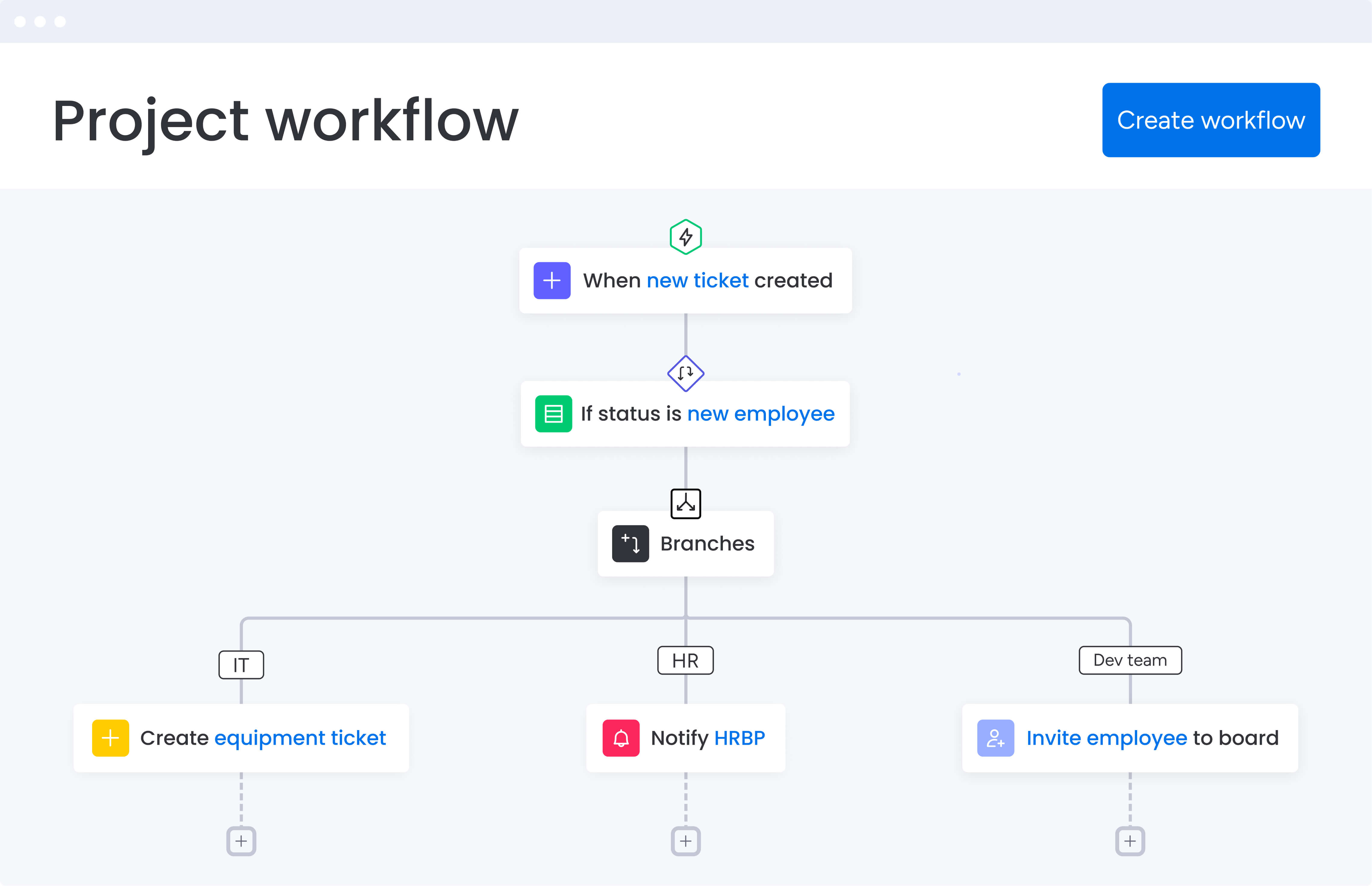
Leading automation platforms deliver three essential capabilities that fundamentally change how professional services teams operate. These features work together to eliminate manual coordination, provide real-time visibility, and optimize resource allocation across your entire project portfolio.
No-code workflow automation
The ability to build sophisticated automations without technical expertise fundamentally changes how project managers operate. Modern platforms offer extensive libraries of pre-built automation recipes that handle common scenarios — from status change notifications to deadline reminders and task assignments.
Here’s what no-code automation enables for services teams:
- Status update automation: when tasks move to completion, the system automatically notifies the next team member, updates project timelines, and logs time for billing.
- Approval routing: client deliverables automatically route through review stages with the right stakeholders notified at each step.
- Resource reallocation: when team members reach capacity, work automatically redistributes based on availability and skills.
Playtech leveraged these capabilities to eliminate project bottlenecks entirely. Their custom notifications alert relevant stakeholders instantly when approvals are needed, contributing directly to their 26% efficiency gain.
Keep in mind that this isn’t about replacing human judgment — it’s about removing the manual busywork that prevents project managers from applying that judgment where it matters most.
Real-time dashboards and reporting
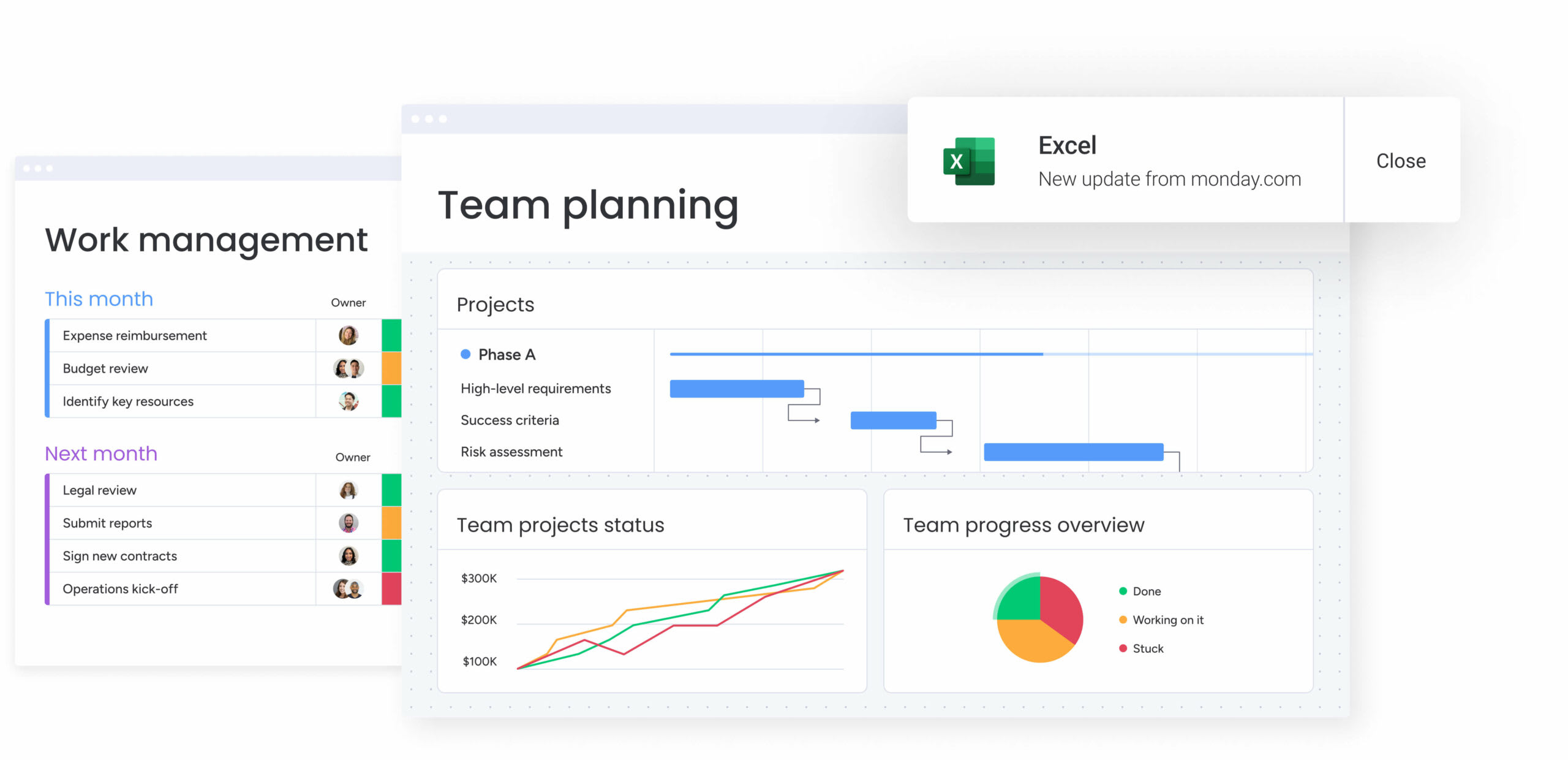
Visibility transforms project management from guesswork to data-driven execution. Customizable dashboards aggregate information from multiple projects, providing instant insights into portfolio health without manual compilation.
These dashboards deliver several critical capabilities:
- Portfolio-level visibility: see project status, budget consumption, and resource utilization across all initiatives from one view.
- Live stakeholder updates: share real-time progress with executives and clients without creating separate reports.
- Performance tracking: monitor key metrics like project velocity, team productivity, and deadline adherence automatically.
For another real-world example, Genpact’s global marketing team achieved 40% improvement in cross-team collaboration by implementing unified dashboards. Their high-level GTM calendar shows marketing programs, campaigns, and activations across teams, creating transparency that drives seamless coordination and faster decision-making.
Integrated time tracking and resource management
Professional services profitability depends on accurate time capture and optimal resource allocation. Built-in time tracking that connects directly to project tasks eliminates the revenue leakage that occurs when billable hours go unrecorded.
Resource management capabilities include:
- Workload visualization: see team capacity across all projects to identify overallocation before it causes delays.
- Skills-based assignment: match tasks to team members based on expertise, not just availability.
- Capacity forecasting: predict future resource needs based on project pipeline and historical utilization data.
The Student Hotel transformed their operations using these features. As their CEO noted, having monday work management as their organizational backbone provides an overview they can trust — eliminating the uncertainty that previously plagued resource planning decisions.
Comparison: leading automation platforms for services firms
When you’re choosing automation software, you need to know how each platform tackles your team’s unique challenges. The right platform should offer comprehensive automation capabilities, seamless integrations, and proven scalability for growing services organizations.
| Feature | monday work management | Wrike | Asana | ClickUp |
|---|---|---|---|---|
| No-code automation builder | 200+ recipes, custom creation | Limited recipes | Basic rules only | 100+ automations |
| Built-in time tracking | Native integration | Native | Requires add-on | Native |
| Client portal access | Guest & viewer roles | External users | Limited access | Guest access |
| Resource workload view | Visual capacity planning | Advanced planning | Basic view | Resource view |
| AI capabilities | Proactive risk identification | AI features | Not available | AI writing tools |
| Mobile functionality | Full feature parity | Full features | Limited features | Most features |
| Implementation time | Days to weeks | Weeks to months | Days to weeks | Days to weeks |
| Starting price | From $9/user/month | From $10/user/month | From $13.49/user/month | From $7/user/month |
Once the features are viewed side by side, one theme becomes clear: adoption is just as important as capability. monday work management consistently earns some of the highest user ratings on G2, backed by more than twelve thousand reviews. Teams embrace it quickly because the interface is intuitive and the automation builder requires no technical setup.
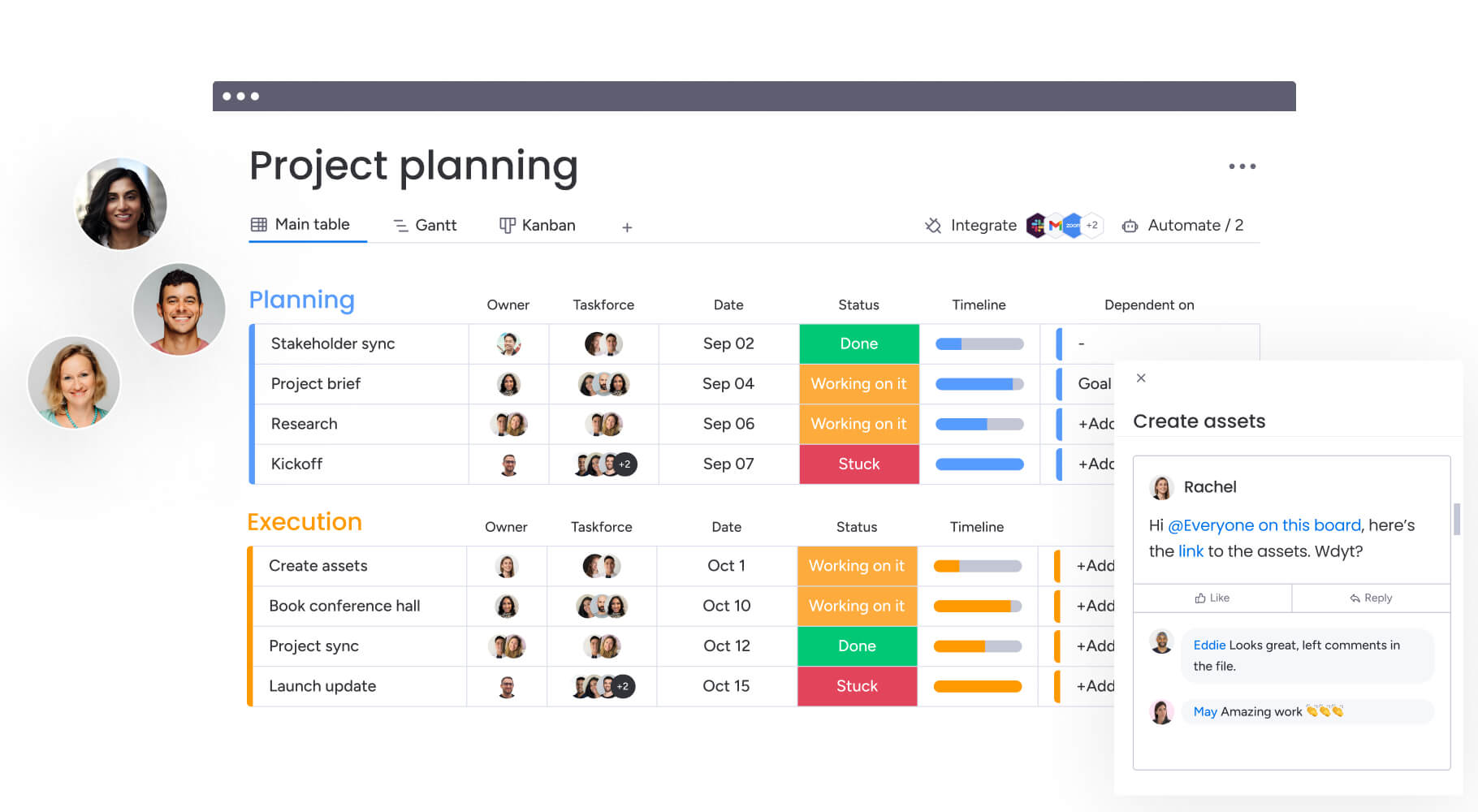
How services firms achieve measurable results
Let’s look at how real companies have completely changed their operations with the right automation tools. These success stories reveal specific strategies and measurable outcomes that growing firms can replicate in their own organizations.
Playtech’s transformation story
Playtech faced a crisis familiar to many growing services firms. With 60 global licensees and countless concurrent projects, their project managers relied on spreadsheets, emails, and memory to coordinate work. The lack of centralized visibility created three critical problems that threatened their ability to scale.
The challenges they faced:
- Undocumented project discussions: preliminary conversations weren’t recorded, leading to premature resource commitments.
- Invisible project costs: management had no visibility into budget consumption, making cost control impossible.
- Team silos: technical and non-technical teams operated independently with no cross-functional visibility.
Their solution involved implementing monday work management as a unified platform. They created separate boards for project initiation and active projects, preventing resource booking errors. They also built connected Management Approval and Project Budgeting boards with formula columns for automatic cost calculations. Custom project templates could then be duplicated instantly for new engagements while maintaining consistency.
The measurable results:
- 26% increase in efficiency across the PMO department through automated workflows.
- 3 hours saved per person weekly by eliminating manual status updates and coordination.
- 49% increase in collaboration with internal and external stakeholders.
- 23% improvement in KPI achievement for project delivery metrics.
Step-by-step implementation roadmap for services automation
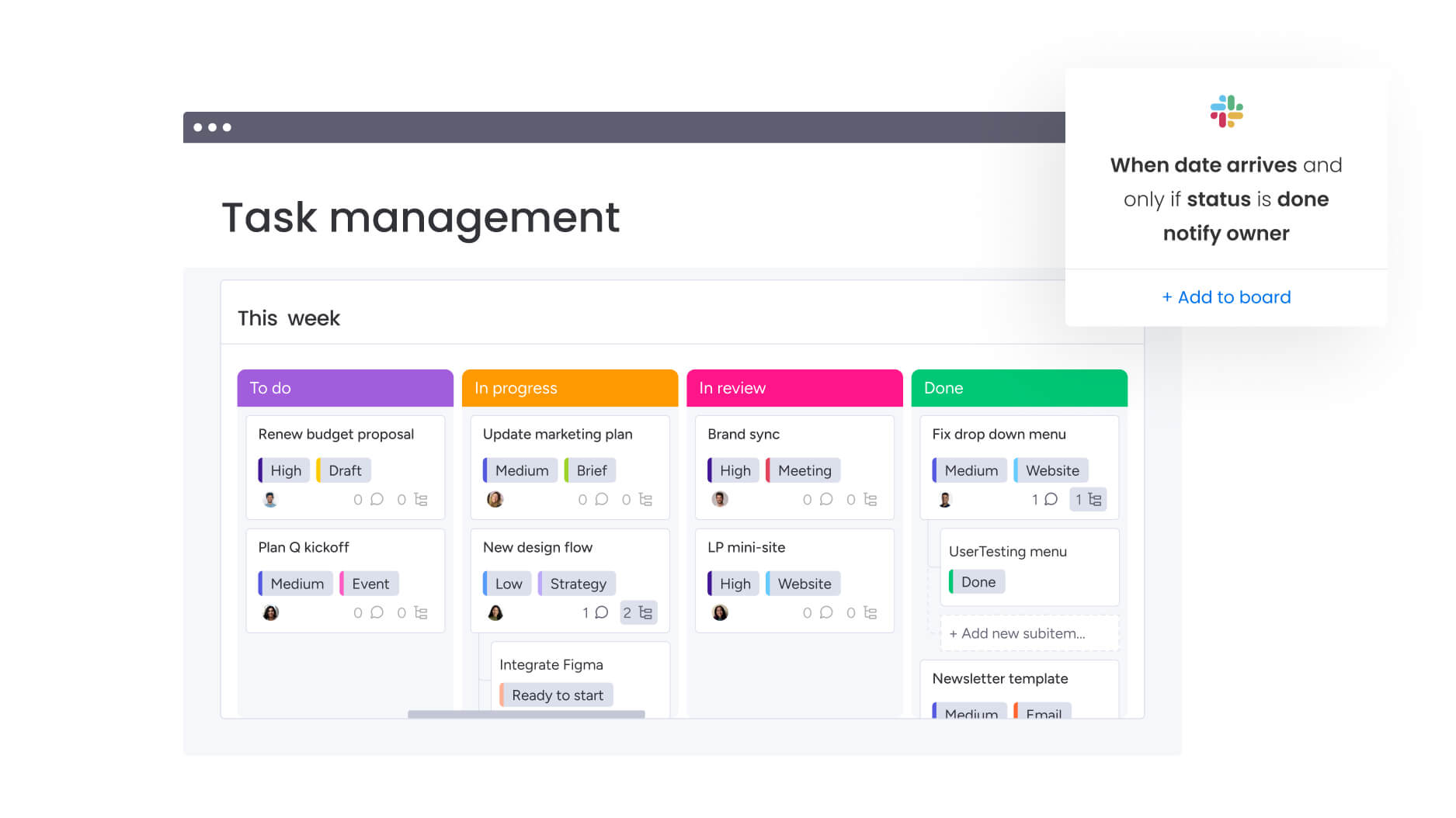
To implement automation successfully, you need a clear plan that won’t disrupt your current work and will get your team on board quickly. This six-step roadmap guides services firms through the complete transformation from scattered tools to unified automation.
Step 1: centralize your project data
Begin by migrating existing projects from scattered tools into your automation platform. Use import wizards to transfer task lists, timelines, and team assignments from Excel and other systems. Create a workspace structure that mirrors your service delivery methodology, ensuring logical organization from day one.
The centralization process should include:
- Data audit: identify all current project information sources.
- Priority migration: start with active projects before historical data.
- Structure design: create hierarchies that reflect your organizational model.
Step 2: configure automation rules
Set up automation recipes for your most time-consuming repetitive tasks using task automation software. Start with pre-built templates for common scenarios like status notifications, approval routing, and deadline reminders. Customize these based on your firm’s specific workflows and communication preferences.
Focus your initial automation on:
- High-frequency tasks: activities that occur multiple times daily.
- Error-prone processes: areas where manual work creates mistakes.
- Communication workflows: status updates and stakeholder notifications.
Step 3: build client project templates
Create standardized templates that include typical project phases, deliverables, and approval gates. Configure custom fields to capture client-specific information while maintaining consistency. Build automation rules directly into templates so new projects launch with workflows already active.
Template components should include:
- Standard project phases aligned with your methodology.
- Pre-configured automation rules for common workflows.
- Client-specific custom fields for unique requirements.
- Built-in approval gates and quality checkpoints.
Step 4: connect your tech stack
Integrate your automation platform with existing CRM, accounting, and communication tools. Configure bidirectional sync to ensure data flows automatically between platforms. Test integrations thoroughly with pilot projects before organization-wide rollout.
Critical integrations for services firms:
- CRM systems: Salesforce, HubSpot for pipeline management.
- Financial tools: QuickBooks, Xero for invoicing and billing.
- Communication platforms: Slack, Microsoft Teams for collaboration.
- Development tools: Jira, GitHub for technical project tracking.
Step 5: establish resource management processes
Set up workload views to visualize team capacity across all projects. Define resource allocation rules and capacity thresholds based on your utilization targets. Create automations that alert managers when team members approach overallocation, enabling proactive rebalancing.
Step 6: deploy stakeholder dashboards
Build role-specific dashboards for different stakeholder groups. Configure widgets showing relevant metrics for executives, clients, and team members. Set up automated dashboard sharing on weekly or monthly schedules to keep everyone informed without manual effort.
Measuring automation success in professional services
To truly see how automation helps your business, track metrics that show actual value, not just activity. Services firms should monitor both efficiency gains and quality improvements to build a complete picture of automation ROI.
Key performance indicators for automation success:
- Utilization rate improvement: track billable hours as a percentage of total available time.
- Project margin enhancement: monitor profitability changes after automation implementation.
- Delivery timeline reduction: measure average project completion time before and after automation.
- Client satisfaction scores: assess whether automation improves service quality and responsiveness.
- Revenue per employee: calculate productivity gains from automation investment.
Calculating your automation ROI:
Calculate your automation ROI by comparing time saved against platform costs. For a 10-person team saving three hours weekly per person, that’s 1,560 hours annually. At an average billing rate of $150/hour, this represents $234,000 in recovered capacity that can be redirected to billable work.
Beyond quantitative metrics, assess qualitative improvements like team morale, work-life balance, and strategic focus. When project managers spend less time on administrative tasks, they have more capacity for client relationships, team mentoring, and business development.
Scale your automation with monday work management
Professional services firms need more than basic project tracking — they need intelligent automation that scales with growth while maintaining the flexibility to adapt to client needs. monday work management delivers this through a unique combination of no-code customization, enterprise-grade capabilities, and AI-powered intelligence.
The platform’s enterprise features address the specific challenges of scaling services organizations:
- Leadership visibility: AI-powered risk insights scan project updates to surface issues before they impact delivery, while portfolio dashboards provide real-time analysis across hundreds of concurrent projects.
- Standardization and alignment: managed templates ensure consistency across teams while allowing customization for specific clients, and cross-project dependencies prevent resource conflicts.
- Resource optimization: the resource directory centralizes team skills and availability, while the capacity manager provides live visibility into utilization across your entire portfolio.
What sets monday work management apart is how these capabilities integrate seamlessly into existing workflows. Teams don’t need to learn new processes — the platform adapts to how they already work while adding governance and visibility layers that leadership requires.
AI capabilities take automation beyond simple if-then rules
AI Blocks can automatically categorize project requests by urgency, extract key information from client documents, and summarize complex project updates into actionable insights. Digital Workers operate continuously in the background, monitoring project health, flagging risks, and suggesting resource reallocations based on real-time data.
For growing services firms, this means the difference between reactive project management and proactive portfolio optimization. Instead of discovering problems during weekly status meetings, you’ll receive instant alerts when projects trend off-track. Rather than manually calculating resource availability, AI suggests optimal task assignments based on skills, capacity, and project priorities.
Transform your project delivery with intelligent automation
As we’ve discussed above, what separates good project teams from great ones isn’t extra hours: it’s having the right automation that eliminates busywork and focuses energy where it counts. Services firms that embrace comprehensive automation don’t just save time; they fundamentally transform how they deliver value to clients.
Successful automation implementation requires the right platform, structured approach, and commitment to change management. The firms that achieve the most dramatic results — like Playtech’s 26% efficiency gain — combine powerful automation capabilities with thoughtful process design and consistent team adoption.
With monday work management, that transformation becomes accessible without the complexity typically associated with enterprise software. The platform’s combination of no-code flexibility, AI-powered intelligence, and proven scalability helps services firms automate the right work while maintaining the human touch that clients value. From initial intake through final delivery, every aspect of project management becomes more efficient, transparent, and profitable.
The content in this article is provided for informational purposes only and, to the best of monday.com’s knowledge, the information provided in this article is accurate and up-to-date at the time of publication. That said, monday.com encourages readers to verify all information directly.
Frequently asked questions
How does automation software handle complex services billing and invoicing workflows?
To handle complex services billing and invoicing workflows, automation software integrates directly with accounting platforms to streamline the entire billing cycle for professional services firms. Time entries logged against project tasks automatically sync to your accounting system, where they convert to invoices based on configured billing rates and client agreements. The platform supports multiple billing models including time and materials, fixed fee, retainer-based, and milestone billing, with custom fields tracking billing status, invoice numbers, and payment terms directly within project boards.
What's the typical implementation timeline for a mid-size professional services firm?
Implementation timelines vary based on firm complexity and existing tool landscape. Small teams of 5-15 people typically achieve full adoption within two to four weeks, including data migration and initial automation setup. Mid-sized firms with 15-50 people generally require four to eight weeks for complete rollout, allowing time for template customization and integration configuration. Enterprise implementations with complex requirements may take two to three months to fully configure advanced features, integrate with existing systems, and train users across multiple departments.
How do I calculate potential time savings for my specific team size and project volume?
Start by auditing current time spent on administrative tasks across your team. Track hours dedicated to status updates, report generation, data entry between tools, and coordination activities. Multiply these hours by team size for your baseline. Based on customer data, project managers typically save over three hours weekly through automation. For a ten person team, this equals 30 hours weekly or 1,560 hours annually, which can be converted to dollar value using your average billing rate.
Which automation features deliver the fastest ROI for professional services teams?
Essential automation features that deliver immediate value include automated status notifications when tasks complete, deadline reminders for upcoming milestones, approval routing for client deliverables, time tracking reminders to ensure accurate billing, and resource allocation alerts when team members approach capacity. These foundational automations address the biggest time drains first. After establishing these essentials, expand to advanced features like AI-powered risk prediction, automated project categorization, and cross-board automations connecting sales to delivery.
Can automation software scale from departmental use to enterprise-wide deployment?
Yes, modern automation platforms are designed for seamless scaling. Teams typically start with basic project boards and simple automations, then progressively add advanced features like portfolio management, resource planning, and AI capabilities as they grow. The pricing structure supports this evolution with plans ranging from basic team licenses to custom enterprise agreements. Successful scaling requires maintaining consistent processes while allowing departmental customization, which platforms achieve through managed templates and flexible permissions.
How does automation software ensure data security and compliance for services firms?
Enterprise automation platforms provide multiple security layers including SOC 2 and ISO certifications, GDPR and HIPAA compliance options, role-based access controls, audit trails for all system activities, and encrypted data transmission and storage. For services firms handling sensitive client data, platforms offer additional features like IP restrictions, single sign-on integration, and granular permission settings that control access at the board, item, and column level.

 Get started