


Retail project managers are navigating more complexity than ever — more locations, more data, more vendors, and far less time to get things right. What once felt like a predictable workflow is now a constant balancing act across campaigns, inventory, store operations, and shifting customer demand.
Manual coordination can’t keep pace. It slows teams down, hides critical information, and turns simple delays into costly issues across multiple stores. Automation changes that dynamic. When the routine work handles itself, retail teams move faster, stay aligned, and deliver consistently no matter how large the operation grows.
This article breaks down exactly how to get there. You’ll learn which automation capabilities actually matter in a retail environment, how leading platforms compare, and how retail teams use automation to streamline launches, strengthen supplier relationships, and keep every location operating smoothly. You’ll also see how monday work management brings these workflows together in one place so teams can scale with confidence.
Key takeaways
Before diving deeper, it helps to level-set on the benefits the right automation platform delivers. These takeaways highlight what today’s retail project teams gain when they shift from manual coordination to connected, automated workflows.
- Unified visibility: see project progress, store performance, and campaign status in one place without switching tools.
- Operational speed: automate routine coordination so teams act faster and avoid delays across locations.
- Vendor clarity: track deadlines, updates, and handoffs in a shared workflow that reduces back-and-forth.
- Data-backed decisions: use real-time insights to spot risks early and adjust plans with confidence.
- Scalable retail workflows: use platforms like monday work management to standardize processes and support growth across regions.
What is automation software for retail project management?
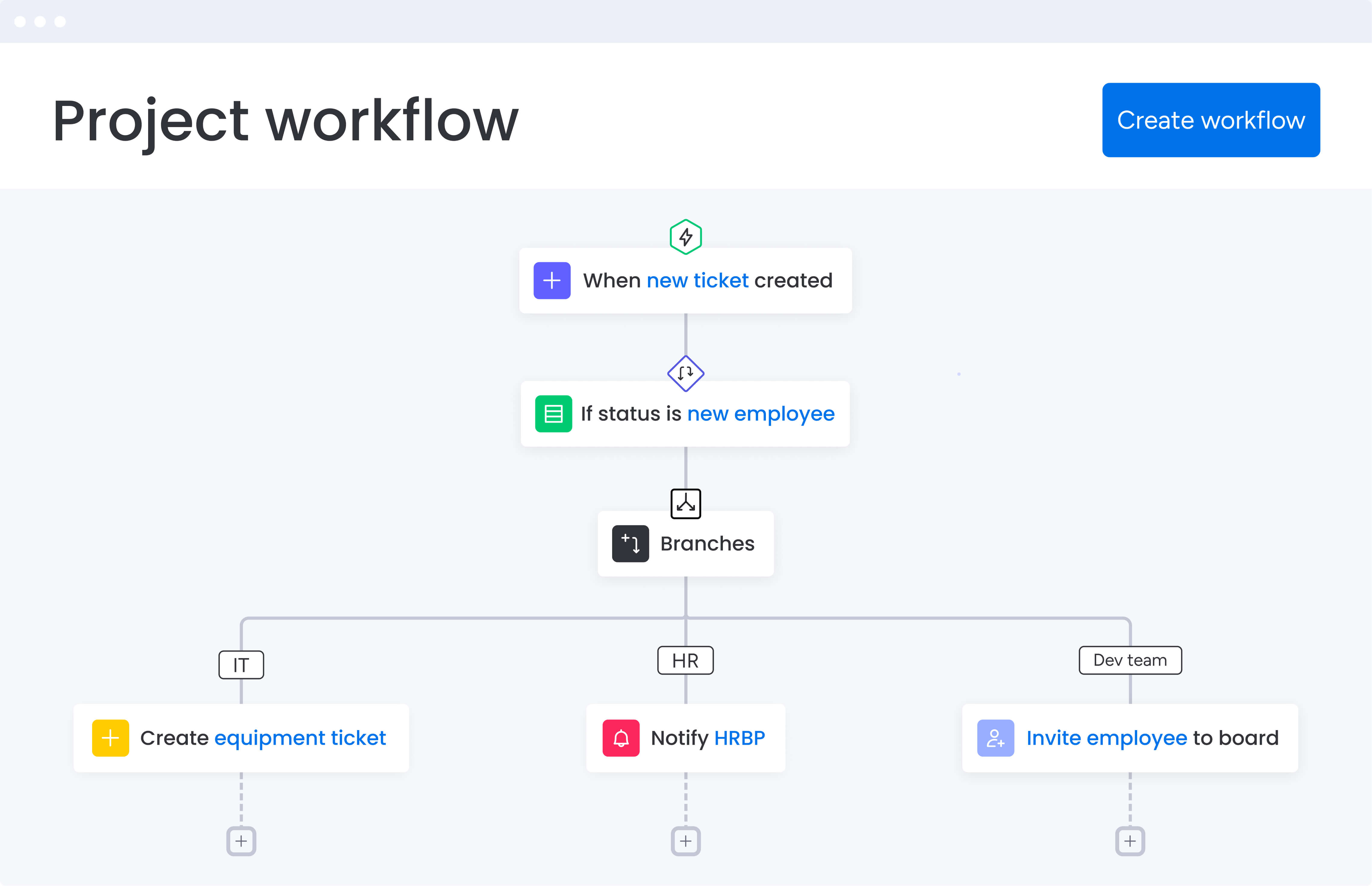
At its core, retail automation software takes all the manual work you’re drowning in — status updates, inventory checks, vendor follow-ups—and turns it into automated workflows that keep everyone on the same page, whether they’re at headquarters or in your smallest store.
These platforms go beyond simple task tracking — they orchestrate the complex dance of inventory, campaigns, and store operations that define modern retail.
Retailers face challenges that no amount of spreadsheet wizardry can solve:
- Multi-location product launches: where timing is everything.
- Vendor relationships: that need constant monitoring.
- Marketing campaigns: that must sync perfectly with in-store displays.
The right platform turns these moving parts into connected workflows where updates flow automatically, stakeholders stay informed, and nothing falls through the cracks.
Today’s leading automation platforms now incorporate AI that actively helps you work smarter. They categorize incoming requests instantly, spot project risks before they impact store operations, and suggest optimal resource allocation based on actual performance data. For retail project managers coordinating dozens of simultaneous initiatives, these platforms become the operational backbone that keeps everything running smoothly.
Why retail project managers need automation in 2026
Retail has exploded in complexity. If you managed five stores a decade ago, you’re now juggling a lot more: each pumping out constant data that needs your immediate decision-making. Manual methods that worked five years ago now create dangerous bottlenecks that ripple across the entire operation.
Consider what happens when a project manager spends hours updating spreadsheets for executive reports. While they’re buried in manual work, critical signals get missed:
- Inventory shortages: at key locations.
- Vendor delivery delays: that impact launch timelines.
- Shifting customer patterns: that require immediate response.
By addressing these issues proactively, you protect revenue and build customer loyalty that keeps them coming back.
AI automation is no longer a luxury, it’s a fundamental requirement for keeping pace with competitors who are already using it to accelerate their operations. Retail organizations leveraging automation software can launch campaigns faster, reduce coordination overhead significantly, and respond to market changes in real time.
These platforms also help project managers orchestrate complex initiatives — think nationwide product launches or seasonal promotions — with precision, automatically adjusting timelines when suppliers face delays or reallocating resources when specific regions show unexpected demand patterns.
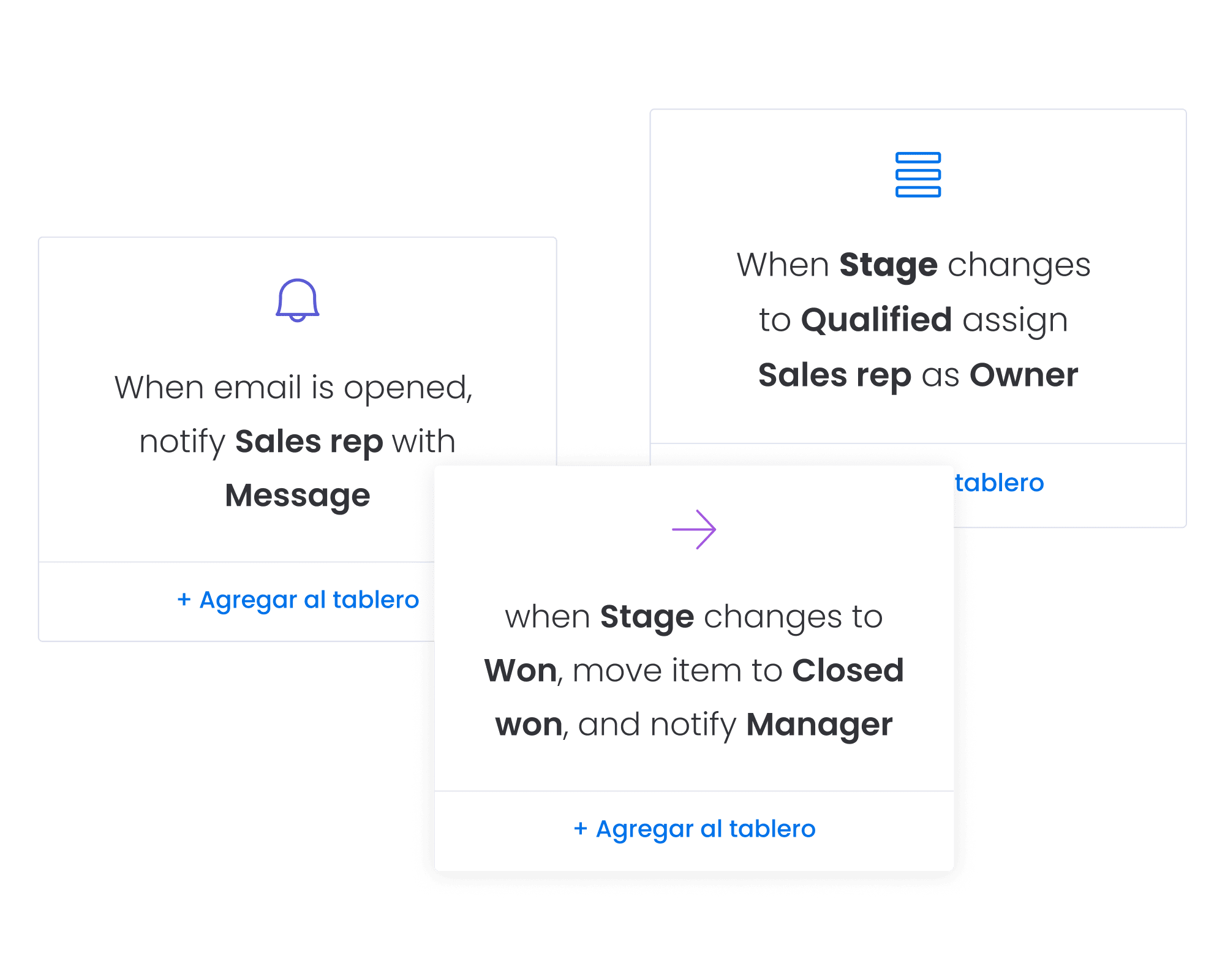
Top automation platforms for retail project managers
Before you choose a platform, you need to know what’s actually out there and which options fit your specific retail operation — both today and where you’re headed. Each solution we will explore below brings distinct strengths to retail operations, from unified workflow management to specialized campaign coordination.
1. monday work management: centralizing scattered retail workflows
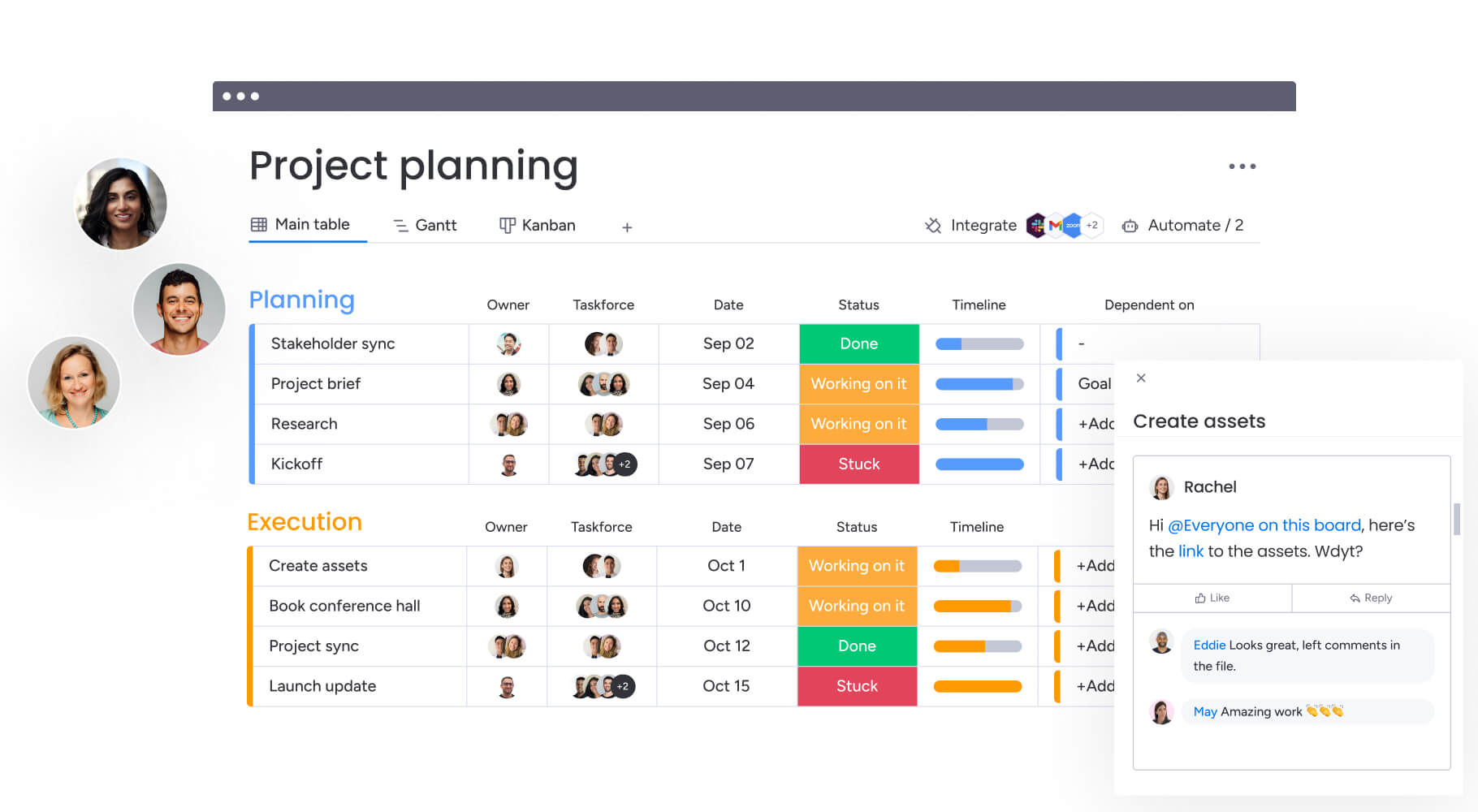
The intuitive monday work management platform transforms fragmented retail operations into unified workflows where every store, campaign, and initiative connects seamlessly. The solution’s visual interface shows exactly where each project stands across hundreds of locations simultaneously, while AI-powered risk insights flag potential delays before they impact store operations.
What makes monday work management highly valuable for retail teams is its ability to standardize processes across locations while maintaining flexibility for regional variations. The platform handles everything from vendor approval workflows to inventory reorder triggers automatically, freeing project managers to focus on strategic initiatives.
Key capabilities include:
- 200+ integrations: including retail-specific systems to connect your entire tech stack.
- Managed templates: ensure consistency across all locations while allowing customization for local market needs.
- Resource planning features: assign the right people to projects based on skills and availability.
- Portfolio dashboards: give leadership instant visibility into performance across the entire retail operation.
2. Asana: multi-channel campaign coordination
Asana excels at coordinating marketing campaigns across digital and physical channels. Its timeline view helps retail project managers visualize how online promotions align with in-store displays, ensuring consistent customer experiences. Asana excels at coordinating marketing campaigns across digital and physical channels. Its timeline view helps retail project managers visualize how online promotions align with in-store displays, ensuring consistent customer experiences.
The platform’s portfolio management features additionally provide visibility into multiple campaigns running simultaneously, though it lacks some of the AI-powered insights that accelerate decision-making.
3. ClickUp: customizable retail operations
ClickUp offers extensive customization options that adapt to unique retail workflows. Project managers can build custom views for inventory tracking, vendor management, and store performance metrics. The platform’s hierarchy system organizes work from corporate initiatives down to individual store tasks.
Considerations:
- Learning curve: can slow down teams seeking quick implementation.
- Feature abundance: may overwhelm users initially.
4. Smartsheet: spreadsheet-style automation
Smartsheet appeals to retail teams comfortable with Excel but seeking automation capabilities. The familiar grid interface reduces adoption barriers while automated workflows handle approval chains and status updates. Project managers can create Gantt charts for store renovation timelines or use card view for visual merchandising planning.
The platform works really well for teams transitioning from manual processes, though it may feel limiting for complex cross-functional workflows.
5. Wrike: enterprise retail chains
Wrike provides enterprise-grade features for large retail organizations managing hundreds of locations. Its resource management capabilities help allocate staff across stores during peak seasons, while custom request forms standardize how stores submit project proposals to corporate teams. The platform’s advanced analytics track project performance across the entire retail portfolio, making it valuable for organizations with complex reporting needs.
6. Trello: visual task management
Trello’s card-based system is highly effective for smaller retail teams managing store operations and local marketing initiatives due to its visual and intuitive interface. Each card can represent a store project, moving through stages from planning to completion. While simple to adopt, Trello lacks the advanced automation and reporting features that larger retail operations require for scaling effectively.
Essential automation features for retail operations

Not all automation platforms can handle retail’s specific demands. You need features built for your world (otherwise, you’re just moving the same headaches from spreadsheets to expensive software). Understanding these core requirements helps you evaluate platforms based on real operational needs rather than marketing promises.
Inventory and stock level automation
Retail project managers need platforms that automatically trigger reorder points, alert teams about stock discrepancies, and synchronize inventory data across locations. The system should connect with existing inventory management systems to provide real-time visibility into stock levels, automatically adjusting project timelines when supply chain disruptions occur.
Advanced capabilities include:
- AI-powered predictions: forecast inventory needs based on historical patterns and upcoming promotions.
- Automated alerts: prevent stockouts during critical sales periods.
- Cost optimization: reduce carrying costs from overordering.
Multi-location project coordination
Managing projects across dozens or hundreds of stores requires sophisticated coordination capabilities. The platform must support location-specific variations while maintaining corporate standards, automatically rolling out updates to relevant stores based on geography, store format, or performance metrics.
Essential features:
- Consolidated views: see all locations with drill-down capability for individual store performance.
- Performance identification: identify which locations need additional support and which can serve as models.
- Automated rollouts: deploy updates based on specific criteria.
Vendor collaboration capabilities
Retail success depends on smooth vendor relationships. Automation platforms must provide secure portals where suppliers update delivery schedules, submit invoices, and respond to quality issues. Automated approval workflows route purchase orders through appropriate channels while maintaining audit trails for compliance.
Key requirements:
- Performance monitoring: flag vendor issues automatically.
- Alternative suggestions: recommend backup suppliers when delays threaten timelines.
- Proactive management: prevent small vendor issues from becoming major operational problems.
Real-time dashboards and reporting
Executive visibility demands dashboards that update automatically as projects progress. These dashboards should display KPIs relevant to retail operations — same-store sales growth, inventory turnover, campaign ROI, and store compliance rates.
Critical capabilities:
- Custom reporting: create reports for different stakeholders without manual data manipulation.
- Automated generation: weekly updates for store managers or quarterly reviews for the board.
- Real-time updates: ensure all reports reflect current data.
Mobile functionality for store teams
Store associates and managers work on the floor, not at desks. Mobile apps must provide full functionality for updating task status, submitting requests, and accessing project information. Offline capabilities ensure work continues even when internet connectivity fails, syncing updates once connections restore.
Mobile requirements:
- Intuitive interface: part-time staff can use effectively with minimal training.
- Full functionality: complete feature access from mobile devices.
- Offline capabilities: work continues without internet connectivity.
What makes project managers choose monday work management?
As we’ve alluded to above, project managers in retail face place a plethora of unique challenges — they need enterprise-grade capabilities that scale across hundreds of locations while remaining simple enough for store associates to use daily. Sophisticated solutions like monday work management address this by combining powerful automation with an intuitive interface that consistently achieves high user adoption rates.
The platform’s AI capabilities continuously monitor retail projects, flagging potential issues before they impact store operations. When vendor delays threaten a product launch or staffing shortages risk campaign execution, project managers receive proactive alerts with suggested mitigation strategies. This predictive capability transforms reactive firefighting into proactive management.
Key differentiators include:
- Managed templates: standardize workflows across all locations while allowing regional customization.
- Spreadsheet elimination: teams achieve faster digital project delivery.
- Complete visibility: gain insight into resource allocation across the entire retail portfolio.
Core features powering retail project success
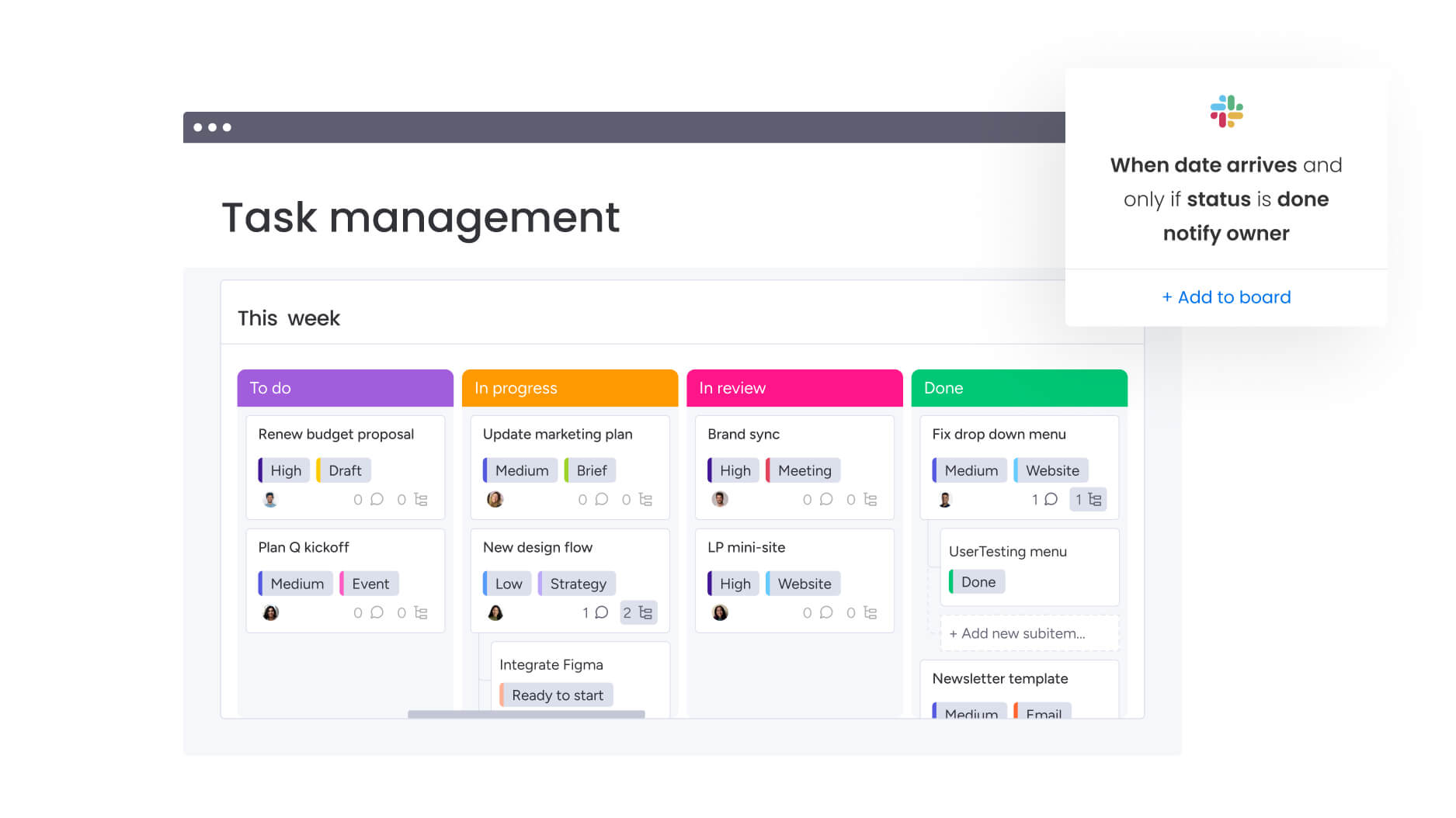
monday work management provides comprehensive features that address every aspect of retail project management, from strategic planning to daily task execution. These capabilities work together to create a unified platform that scales with your retail operations while maintaining the flexibility needed for diverse store formats and regional requirements.
Visual project tracking features
- Gantt charts: visualize entire retail programs from conception to completion, tracking dependencies between store renovations, product launches, and marketing campaigns.
- Dependencies: link related tasks across departments to ensure coordinated execution — when merchandise delivery delays affect store setup, dependent tasks automatically reschedule.
- Critical path: identify task sequences that determine project completion dates, focusing attention on activities that directly impact store openings or campaign launches.
- Baseline tracking: compare planned versus actual performance to identify trends and improve future planning accuracy.
Resource and capacity management
- Workload views: monitor actual hours spent on different project phases to improve resource planning.
- Time tracking: reveal which activities consume unexpected resources, enabling adjustments to staffing levels.
- Resource planning: assign work based on skills, roles, and availability across teams.
- Capacity management: get live snapshots of team workloads to prevent over- or under-allocation.
Workflow standardization and automation
- Project intake forms: standardize how stores submit requests with customizable forms that capture all necessary information upfront.
- Automated approvals: route requests to appropriate stakeholders based on project type, budget level, or geographic region.
- Custom workflows: build any workflow your retail operation needs without coding knowledge.
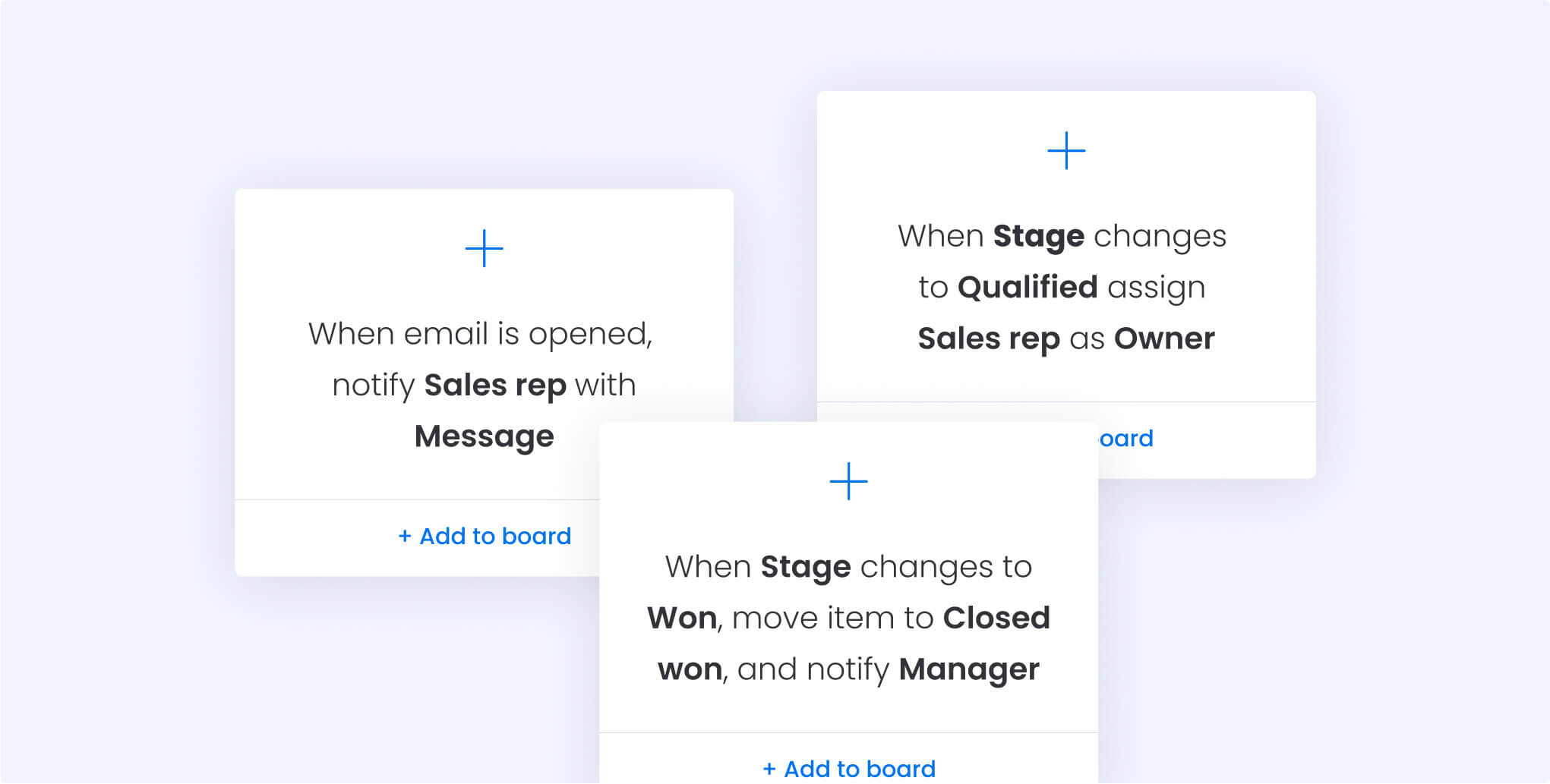
- 200+ automation recipes: eliminate repetitive tasks — notify regional managers when stores fall behind, create follow-up tasks when vendors miss deliveries.
Visibility and insights
- Portfolio dashboards: create real-time visibility into performance with dashboards that aggregate data from hundreds of projects.
- AI-powered insights: automatically detect project risks, categorize incoming requests, and suggest resource optimizations.
- Multiple view options: switch between Kanban boards for visual merchandising, calendar view for promotions, or workload view for resource balancing.
How retail project managers transform operations with monday work management
The change hits from day one — suddenly all those Excel nightmares, endless email threads, and systems that never talk to each other live in one place where everyone can actually see what’s happening. Project managers who previously spent hours compiling status reports now access real-time dashboards that update automatically as teams complete work across locations.
Immediate improvements include:
- Strategic resource allocation: capacity management features show exactly which team members have bandwidth for new initiatives.
- Burnout prevention: ensure critical projects receive adequate support without overloading teams.
- AI-powered optimization: receive recommendations for optimal resource assignments based on skills, availability, and past performance.
The platform also restores confidence in execution. Project managers know exactly where every initiative stands, which risks require attention, and how decisions impact overall portfolio performance.
This visibility extends to executive leadership, who gain unprecedented insight into operational efficiency without disrupting day-to-day workflows.
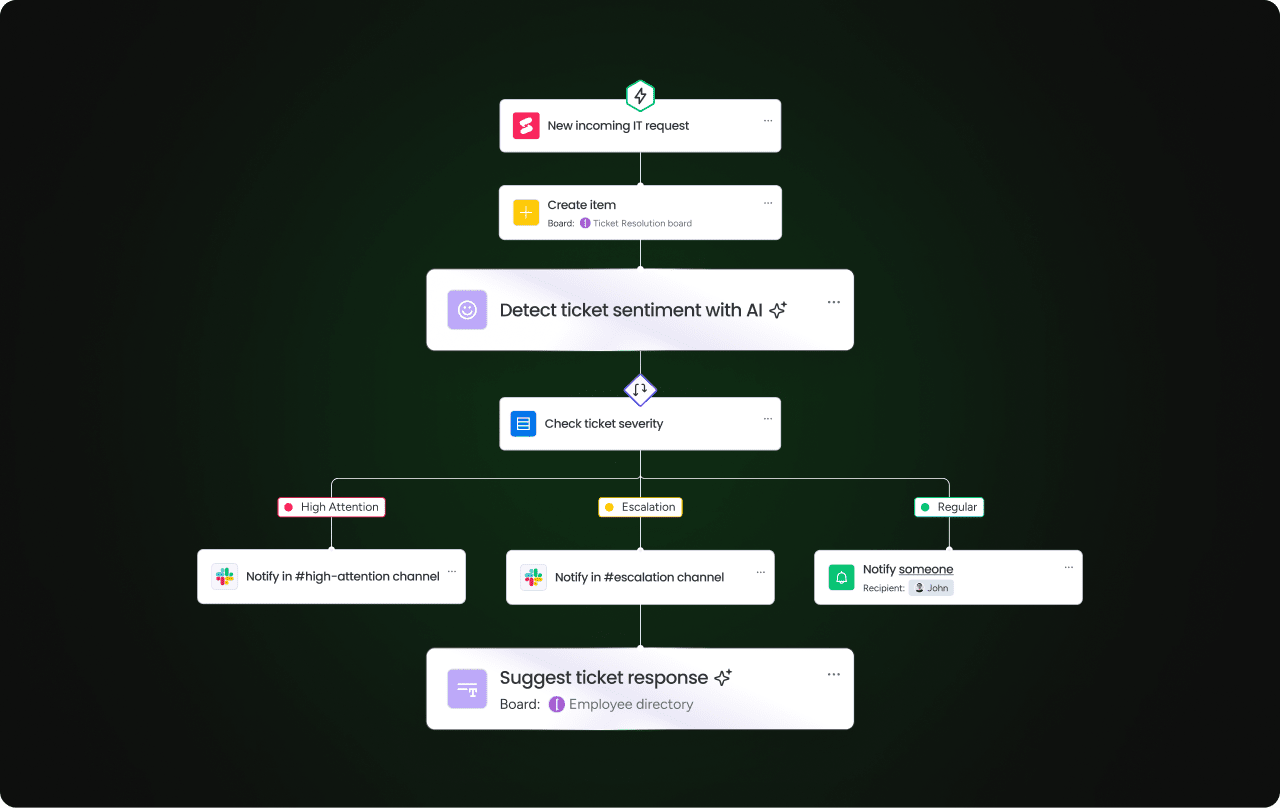
How to build a strong automation foundation in retail
Before retail teams can automate effectively, they need a clear understanding of how work currently moves across stores, vendors, and corporate teams. Establishing this foundation ensures that every workflow you automate solves a real operational challenge rather than adding more complexity.
Step 1: building your retail automation foundation
Centralizing retail operations starts with mapping existing workflows to identify automation opportunities. Document how project requests currently flow from stores to corporate teams, noting manual handoffs and approval bottlenecks that slow execution.
Foundation elements:
- Workflow mapping: identify current processes and pain points.
- Bottleneck identification: note manual handoffs that create delays.
- Automation opportunities: highlight repetitive tasks suitable for automation.
Step 2: creating standardized templates
Build standardized templates for common retail projects — store renovations, product launches, seasonal campaigns, and vendor onboarding. These templates include pre-configured automations that handle routine tasks like status updates and stakeholder notifications. The managed templates feature ensures consistency across locations while allowing regional teams to customize workflows for local requirements.
Step 3: integrating existing systems
Connect existing retail systems through native integrations or API connections. Pull inventory data from warehouse management systems, sync customer insights from CRM platforms, and push project updates to communication tools. This integration eliminates duplicate data entry while ensuring all systems reflect current project status.
Integration benefits:
- Eliminated duplication: single source of truth across all systems.
- Real-time synchronization: automatic updates across platforms.
- Comprehensive visibility: complete view of operations from one dashboard.
Step 4: implementing phased rollout
Roll out the platform incrementally, starting with pilot stores or regions before expanding organization-wide. This phased approach allows teams to refine workflows based on real-world usage while building internal champions who support broader adoption.
Platform comparison for retail project management
Understanding how platforms compare on retail-specific criteria helps project managers make informed decisions about their automation investment. This comparison below focuses on capabilities that directly impact retail operations rather than generic project management features.
| Feature | monday work management | Asana | ClickUp | Smartsheet |
|---|---|---|---|---|
| Multi-location coordination | Managed templates with location variants | Portfolio views | Hierarchy system | Requires setup |
| Inventory automation | Native automation + integrations | Via integrations | Custom fields | Formula-based |
| Vendor collaboration | Dedicated guest access + portals | Basic guest access | Full guest access | Limited guest features |
| AI-powered insights | Risk detection + recommendations | Basic AI features | AI writing assistant | No native AI |
| Mobile functionality | Full-featured mobile app | Complete mobile app | Full mobile access | Limited mobile features |
| Retail system integrations | 200+ including retail-specific | 100+ general integrations | 1000+ via Zapier | 80+ enterprise focused |
| Time to value | 2-4 weeks average | 4-6 weeks | 6-8 weeks | 4-8 weeks |
| User adoption rate | Highest in industry | High | Moderate | Moderate |
Real-world transformation: Country Road Group's success story
Country Road Group’s transformation demonstrates how the right automation platform revolutionizes retail project management at scale. Managing five distinct brands across hundreds of locations, they faced a common challenge — disconnected spreadsheets and email chains that made coordination nearly impossible.
Initial challenges:
- Manual reporting: project managers spent entire days compiling reports from regional teams.
- Outdated information: led to resource conflicts and missed deadlines.
- Budget overruns: store renovations regularly exceeded budgets due to lack of visibility.
- Coordination failures: e-commerce projects requiring IT, marketing, and store operations alignment.
The company implemented monday work management as their unified project management platform, starting with a pilot program in flagship stores. They created standardized templates for store renovations, product launches, and digital initiatives, each with built-in automations that eliminated manual status updates.
Results achieved:
- 2x faster delivery: digital project delivery speed doubled within six months.
- Spreadsheet elimination: complete elimination of spreadsheet dependence.
- 15 hours weekly savings: project managers reclaimed time previously spent on manual reporting.
- Smarter resource allocation: platform revealed stores needing additional support during renovations.
Ready to transform your retail project management?
The retail landscape demands agility, visibility, and coordination at unprecedented scale. Project managers who embrace automation gain the operational excellence needed to execute complex initiatives while maintaining the flexibility to respond to market changes.
The right platform transforms scattered workflows into strategic advantages, turning project management from a bottleneck into a competitive differentiator.
Successful retail automation starts with choosing a solution that understands your unique operational challenges. From multi-location coordination to vendor collaboration, the features you select today determine your competitive position tomorrow. monday work management provides the comprehensive capabilities, proven results, and industry-specific expertise that retail organizations need to thrive in an increasingly complex marketplace.
The content in this article is provided for informational purposes only and, to the best of monday.com’s knowledge, the information provided in this article is accurate and up-to-date at the time of publication. That said, monday.com encourages readers to verify all information directly.
Frequently asked questions
How long does it take to implement automation software across multiple retail locations?
The time it takes to implement automation software across multiple retail locations varies, but most retail companies achieve full deployment within 2–4 months. monday work management's phased rollout approach starts with pilot locations in week one, expands to regions by month two, and achieves organization-wide adoption by month three or four.
What's the typical ROI for automation software in retail environments?
Retail organizations typically see positive ROI within 4-6 months of implementation. Organizations using monday work management achieve significant ROI over three years, with immediate benefits from reduced manual work and faster project delivery.
Can automation software handle both corporate and franchise locations?
Yes, modern automation platforms support complex ownership structures through permission controls and workspace separation. monday work management's managed templates ensure brand standards while allowing franchisees to customize workflows for local market conditions.
How do automation platforms manage seasonal retail planning?
Automation platforms excel at seasonal planning by creating reusable templates for recurring campaigns. The system automatically adjusts timelines based on key dates, triggers inventory orders at optimal times, and coordinates marketing activities across channels to maximize seasonal opportunities.
What training is required for retail teams to adopt automation software?
Training requirements depend on platform complexity and user roles. monday work management's intuitive interface typically requires 2-4 hours of initial training for basic users, with project managers needing 8-12 hours to master advanced features like automation building and dashboard creation.
Do automation platforms work offline for in-store operations?
Most cloud-based platforms require internet connectivity for full functionality, though some offer limited offline capabilities. monday work management's mobile app caches essential data, allowing store teams to view project information offline, with updates syncing once connectivity returns.

 Get started