


You’re managing a video campaign with tight deadlines when the creative team uploads final assets to Dropbox, the client sends feedback via email, approvals get stuck in a separate review platform, and you’re manually updating project status across three different systems. By the time you consolidate everything for the stakeholder meeting, half your day is gone and the project timeline has already shifted.
Media project managers (PMs) face this reality daily. Creative workflows span multiple platforms, approval chains create bottlenecks, and production timelines demand constant coordination between internal teams, freelancers, and clients. The best automation software for media teams goes beyond basic project management. It pulls your scattered processes together, handles repetitive handoffs automatically, and gives you real-time visibility/
In this article, we’ll dig into exactly how the right automation tools reshape media project management: connecting your workflows, handling tedious tasks, and linking directly with the creative platforms your team already uses. We’ll also examine the key features that matter most for media teams and compare leading platforms on the market today.,
Key takeaways
Here are the core insights to keep in mind as you evaluate automation software for media project management — the points that shape better workflows, faster delivery, and smarter collaboration:
- Centralize workflows: bring briefs, assets, approvals, and communication into one workspace to eliminate tool-switching and lost information.
- Automate repetitive tasks: offload status updates, approval routing, file handoffs, and reminders so teams reclaim hours every week.
- Improve real-time visibility: see project health, deadlines, and bottlenecks instantly across all campaigns without manual reporting.
- Integrate creative tools: connect Adobe Creative Cloud, Frame.io, Slack, and cloud storage so creative work and feedback stay organized.
- Scale operations smoothly: use templates, workload views, and standardized processes to handle more campaigns without increasing overhead.
What makes project managers choose monday work management for media automation?

Project managers in media organizations choose monday work management because it eliminates the chaos of managing work scattered across multiple platforms. Instead of juggling project management software, creative review applications, communication channels, and file storage systems, the platform provides a single source of truth where all work lives on one platform.
For media PMs, this centralized approach tackles your biggest headache head-on: workflows scattered across too many systems. When you’re tracking video production in one system, approvals in another, and campaign deliverables somewhere else entirely? Visibility disappears and bottlenecks pop up everywhere.
The platform’s visual AI workflow automation connects these processes without requiring technical expertise or coding knowledge.
The value becomes evident through real-world results:
- SPH Media: manages hundreds of campaigns across 40+ media brands, tracking all work in one platform with 130+ people collaborating seamlessly.
- Seer Interactive: saved 603,000 human actions through automation.
- M Booth: increased deliverables by 49% after adoption.
These results show what’s possible when project managers finally get everything in one place with automation handling the busy work—projects simply move faster.
monday work management top features for media automation
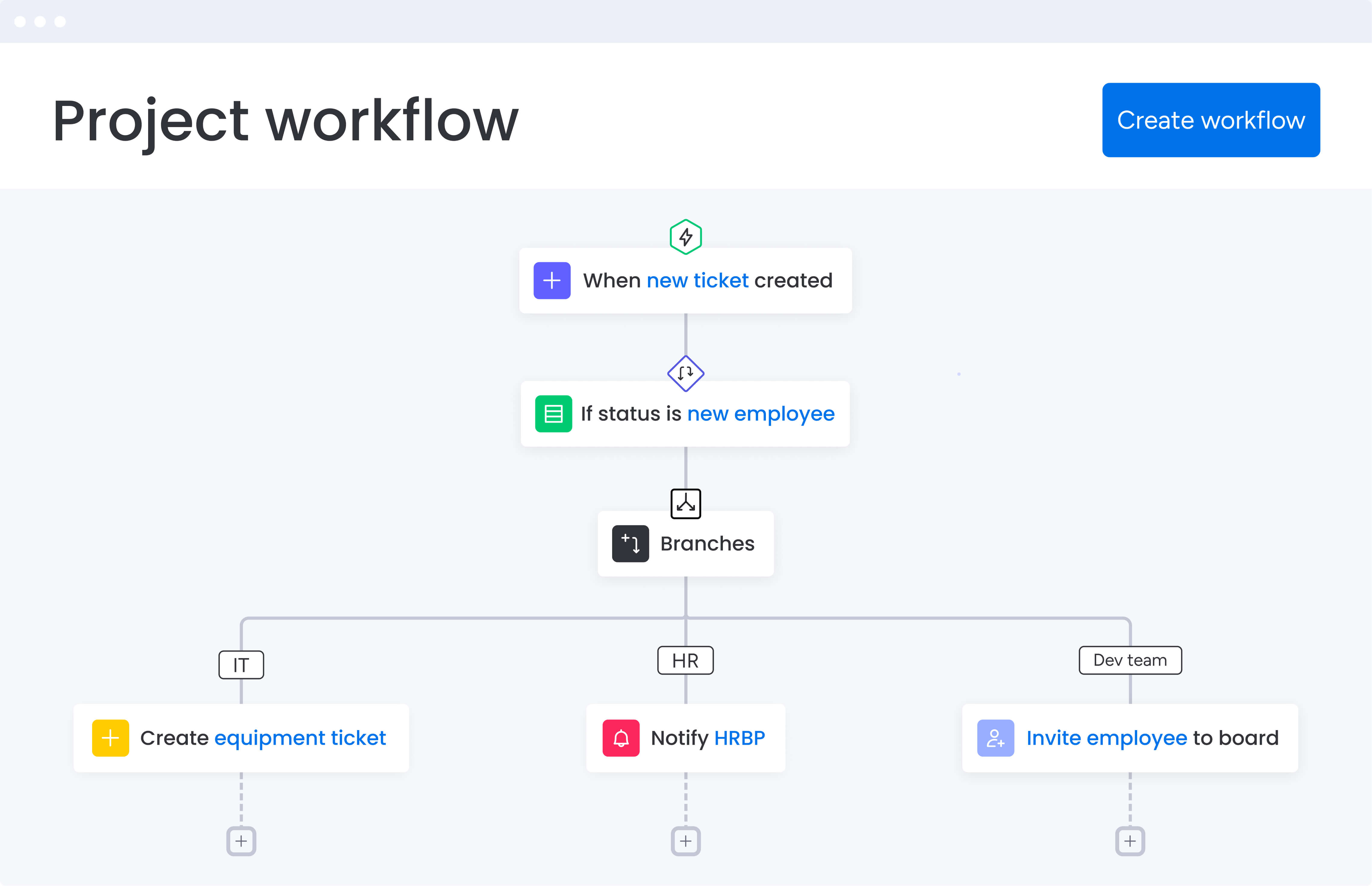
Let’s look at how monday work management tackles the exact problems you’re facing as a media PM. Each feature below directly solves a daily frustration while delivering real efficiency and collaboration gains you can measure.
Visual workflow automation
With the automation center, you’ll build custom workflows without touching a line of code. Need to ping designers when new assets arrive? Want status labels to update themselves after approvals? Looking for automatic deadline reminders? Just click to set up these rules and more. The platform offers pre-built automation templates specifically designed for media workflows, including:
- Approval routing: automatically move projects through review stages.
- Feedback collection: consolidate stakeholder input in one location.
- Deliverable handoffs: trigger notifications when assets are ready for next steps.
When you’re juggling complex media timelines where everything depends on something else, these automations are game-changers. They handle status updates for you and slash the admin work that eats up your day. Instead of spending hours updating stakeholders via email or Slack, automations handle routine communications for you.
This frees you up to focus on strategic project decisions and creative problem-solving.
Customizable dashboards and reporting
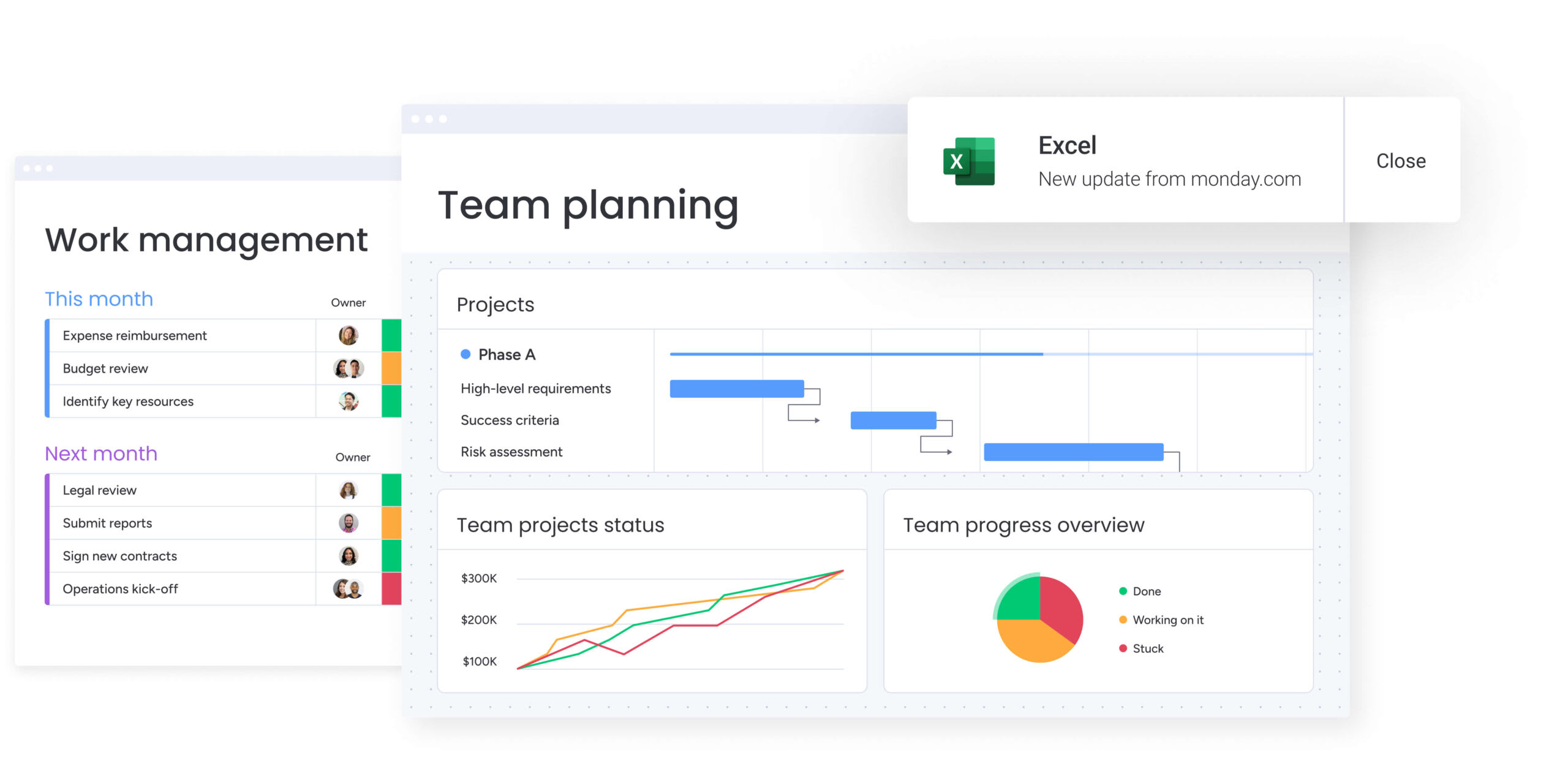
Real-time dashboards pull everything together in one view, so you can instantly see how campaigns are progressing, where your resources are stretched, and how budgets are holding up. You can customize dashboard widgets to display the metrics most relevant to media projects and share these views with stakeholders without manual report generation.
This visibility is a lifesaver when you’re tracking several campaigns at once and keeping internal teams, freelancers, and clients all moving in the same direction. Rather than compiling status reports from scattered sources, dashboards automatically update as work progresses, ensuring stakeholders always have access to current information.
Integration with creative and communication platforms
The platform connects with over 200 apps your team already uses — Adobe Creative Suite, Slack, Teams, Google Drive, Zoom, Frame.io, and many more. This means creative files, feedback, and team chats all land right where they belong in your workspace, so nobody wastes time jumping between tools.
For PMs managing creative workflows, these integrations deliver specific benefits:
- Direct file attachment: designers can attach files directly from Adobe Creative Cloud.
- Integrated feedback: stakeholders provide feedback through connected review applications.
- Linked discussions: team conversations from Slack automatically connect to relevant project processes.
This connectivity reduces the friction that typically slows media projects and ensures all feedback is captured and contextualized.
Project templates for media workflows
Customizable templates designed for common media project types include video production, content campaigns, editorial calendars, and multi-channel launches. Project managers can duplicate these templates for recurring project structures, ensuring consistency while adapting details for specific client requirements or campaign objectives.
These templates accelerate project setup and embed best practices into workflows from the start. Rather than rebuilding project structures for each new campaign, Project managers can launch projects in minutes with pre-configured processes, approval stages, and milestone tracking already in place.
Resource management and workload views
The workload view provides visual representation of team capacity, showing Project managers exactly who has bandwidth and who is approaching overallocation. This visibility is critical when managing distributed creative teams that include in-house staff, freelancers, and agency partners working across multiple simultaneous projects.
The resource management capabilities allow PMs to balance workloads proactively, preventing burnout while ensuring projects have adequate staffing. You can filter views by skill set, department, or project to make informed decisions about resource allocation without relying on manual spreadsheets or guesswork.
How project managers in media benefit from monday work management
When media PMs switch to monday work management, they see their entire workflow transform. The platform reshapes how your team works together and delivers results in five crucial ways.
Time savings and efficiency gains: automation eliminates hours of manual work each week. Project managers reclaim time previously spent consolidating information from multiple platforms, allowing focus on strategic project decisions and stakeholder management. The reduction in administrative overhead means more time for creative problem-solving and proactive project guidance.
Cost efficiency through consolidation: organizations reduce software licensing costs while improving data accuracy by consolidating multiple platforms into one business automation software. SPH Media now manages hundreds of campaigns with 130+ people in one platform, eliminating the need for separate project management, communication, and reporting applications.
Enhanced visibility across portfolios: real-time dashboards provide instant insight into project health, resource allocation, and potential bottlenecks across all campaigns. Project managers can identify risks early and take corrective action before delays impact delivery, allowing them to identify risks early and take corrective action before delays impact delivery.
Improved collaboration and communication: centralized communication keeps all project-related discussions, feedback, and decisions in context. Teams spend less time searching for information across email, Slack, and meeting notes, while stakeholders gain transparency into project progress without requiring constant updates from Project managers.
Accelerated project delivery: streamlined approval workflows and automated handoffs accelerate project velocity. M Booth cut average time to assign design processes by 80%, while VML improved time to cast talent by 2x, demonstrating how workflow optimization directly impacts project timelines.
Try monday work management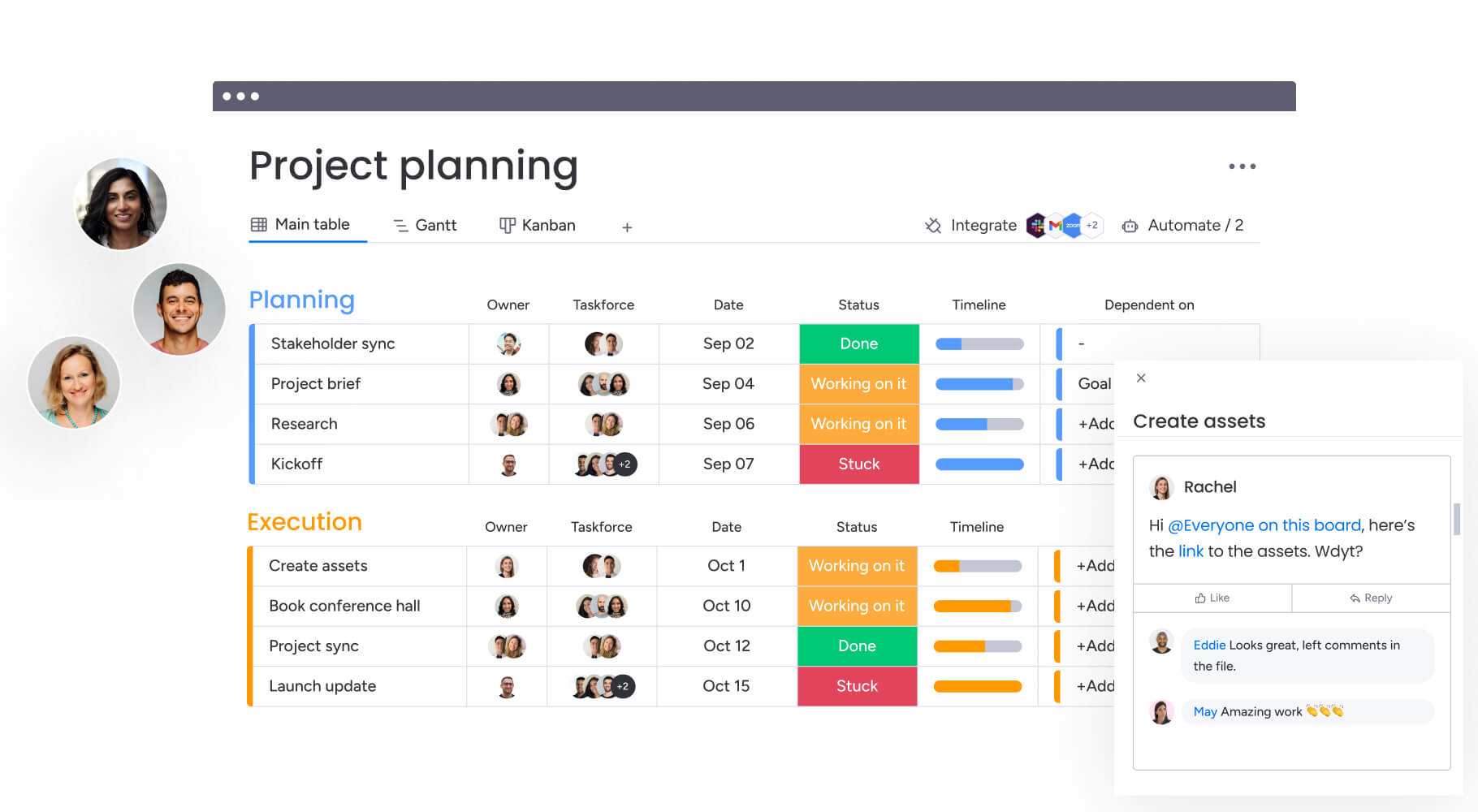
How to solve media automation with monday work management
Here’s our six-step roadmap for getting your media team up and running with monday work management. Each step naturally flows into the next, building a system that’ll completely change how you deliver creative projects from start to finish.
Step 1: map your current media production process
Start by sketching out your current process from kickoff to delivery. Make note of every tool your team uses, each approval gate projects pass through, and all the handoffs between team members along the way. This mapping reveals automation opportunities and integration requirements that will form the foundation of your automated system.
Step 2: configure your project workspace
Set up boards for different project types using templates as starting points. Customize columns to track media-specific data like platform specifications, asset formats, and approval stages. The visual interface makes it easy to see how work flows through your organization.
Step 3: build automation rules for repetitive processes
Create automations for common scenarios that slow down media projects:
- Designer notifications: alert team members when creative briefs are approved.
- Status updates: automatically change project status when assets are uploaded.
- Deadline reminders: send alerts 48 hours before due dates.
- Review notifications: notify stakeholders when projects enter review stages.
Step 4: connect your creative and communication platforms
Integrate your essential applications to create seamless workflows:
- Adobe Creative Suite: for asset management.
- Slack or Microsoft Teams: for communications.
- Google Drive or Dropbox: for file storage.
- Frame.io: or similar platforms for video review.
These connections ensure work flows into monday work management automatically without manual data entry.
Step 5: establish approval workflows and feedback processes
Configure multi-stage approval chains that route creative work through appropriate stakeholders. Consolidate feedback in process comments and track approval status visually. Define ownership for each approval stage to prevent bottlenecks and keep projects moving forward.
Step 6: create dashboards for stakeholder visibility
Build customized dashboards showing project status, resource allocation, budget tracking, and upcoming deadlines. Share these views with executives, clients, and team leads to provide transparency without requiring manual reporting or constant status meetings.
Comparison: monday work management vs competing platforms for media automation
The following comparison table highlights how leading automation platforms address the specific needs of media project managers:
| Feature | monday work management | Asana | Wrike | ClickUp |
|---|---|---|---|---|
| Visual workflow automation | No-code automation center with 200+ templates | Basic automation on paid plans | Custom automation available | Extensive automation options |
| Creative platform integrations | Adobe Creative Suite, Frame.io, 200+ apps | Limited creative integrations | Adobe Workfront integration | Good integration library |
| Approval workflows | Multi-stage customizable approvals | Proofing on Business tier | Advanced proofing features | Approval automation available |
| Resource management | Built-in workload views and capacity planning | Workload on Business tier | Resource management included | Workload view available |
| Media-specific templates | Video production, campaigns, editorial calendars | Generic project templates | Industry templates available | Extensive template library |
| Real-time dashboards | Unlimited customizable dashboards | Limited on lower tiers | Customizable dashboards | Dashboard widgets available |
| Price per user/month | From $9 (billed annually) | From $10.99 (billed annually) | From $10 (billed annually) | From $7 (billed annually) |
| Implementation time | Less than 4 months to full value | 2-4 weeks typical | 4-6 weeks typical | 2-3 weeks typical |
How SPH Media transformed their media campaign delivery
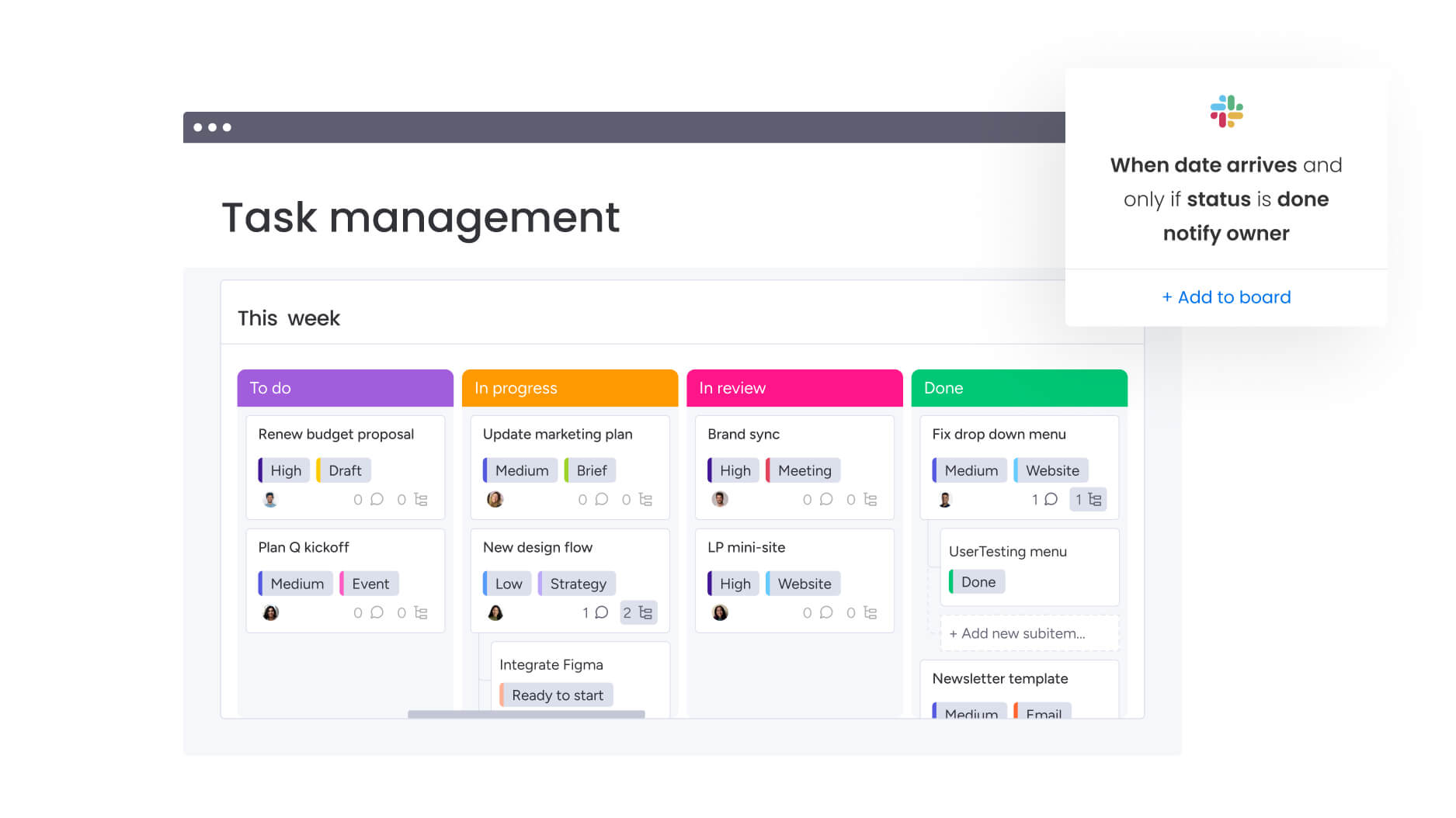
SPH Media — one of Singapore’s largest media groups with 40+ brands — managed thousands of campaigns across multiple formats and channels. Their Content Lab supported more than 20,000 advertisers, yet much of the coordination between creative, content, sales, and ad ops relied on manual processes. As demand grew, this approach became unsustainable. They needed a system that could handle complex workflows, maintain creative momentum, and keep every team aligned.
The challenge
SPH Media’s teams were juggling:
- Multiple disconnected tools for campaign planning, creative production, and approvals.
- Manual handoffs between departments that slowed delivery.
- Limited visibility into timelines, workloads, and bottlenecks across hundreds of projects.
As campaigns scaled in volume and complexity, delays became harder to prevent and transparency suffered.
The solution
SPH Media adopted monday work management to unify campaign operations. Their implementation focused on:
- Centralizing campaign tracking: color-coded boards offered real-time snapshots of all work in progress.
- Using pre-built templates: timeline views, automated reporting, and structured workflows created immediate efficiency gains.
- Custom integrations: bookings from advertisers synced automatically into production workflows using the platform’s API.
- Automated alerts: reminders and notifications ensured teams stayed aligned at every project phase.
Together, SPH Media’s Content Lab and Tech teams built a system offering both high-level portfolio oversight and granular visibility into each campaign.
The impact
The shift to monday work management delivered significant operational improvements:
- Hundreds of campaigns now tracked in a single platform rather than across scattered systems.
- 130+ team members collaborating seamlessly in one unified workspace.
- 40 media brands operating with clearer coordination, consistent reporting, and stronger cross-team visibility.
With all campaign data centralized, project managers gained flexible control — from drilling into individual designer workloads to reviewing full department performance at a glance. The result was a faster, more transparent, and more scalable campaign delivery process.
Ready to transform your media automation function?
Media project management shouldn’t mean endless app-switching and hunting for updates across a dozen tools. Put your workflows in one place, automate the tedious stuff, and see everything in real time—and suddenly your team can focus on what they do best: creating exceptional work that hits deadlines and budgets.
monday work management provides the workflow automation software capabilities, integrations, and visibility that media teams need to deliver projects faster while maintaining quality. Project managers gain the strategic oversight they need while teams experience smoother collaboration and fewer administrative bottlenecks.
Ready to transform how your media team works? Get the visual automation, single-source visibility, and friction-free collaboration that keeps creative projects on track and your team focused and productive.
The content in this article is provided for informational purposes only and, to the best of monday.com’s knowledge, the information provided in this article is accurate and up-to-date at the time of publication. That said, monday.com encourages readers to verify all information directly.
Frequently asked questions
Can monday work management handle large media files and video assets?
To handle large media files and video assets, monday work management integrates with cloud storage platforms like Google Drive, Dropbox, and Box to manage them efficiently. Rather than storing massive video files directly in the platform, you can attach links to assets stored in your preferred cloud service, maintaining fast performance while keeping all project information centralized.
How long does it take to train a creative team on monday work management?
Most creative teams become comfortable with monday work management within two to four weeks. The platform's intuitive, visual interface requires minimal training compared to traditional project management software. The platform includes interactive onboarding guides, video tutorials, and template libraries that help teams get started quickly without extensive formal training.
What's the typical ROI for media teams using monday work management?
Media organizations report substantial ROI from implementation. M Booth increased deliverables by 49% while cutting average time to assign design processes by 80%. Seer Interactive saves 1.6 hours per person per week, translating to 603,000 human actions saved through automation annually. These efficiency gains translate directly to cost savings and increased project capacity.
Does monday work management support freelancers and external collaborators?
monday work management supports guest access and external collaborators without requiring full licenses. Project managers can invite freelancers, clients, and agency partners to specific boards or projects, controlling exactly what information they can view and edit. This capability is essential for media teams that regularly work with external creative talent, allowing seamless collaboration without exposing unrelated projects or sensitive information.
How does monday work management ensure brand consistency across media projects?
The platform supports brand consistency through customizable templates, approval workflows, and centralized asset libraries. PMs can create standardized project structures that embed brand guidelines, required approval stages, and quality checkpoints into every campaign. Custom fields can track brand-specific requirements like tone, visual style, or platform specifications, ensuring teams reference correct guidelines throughout production.
What security features protect sensitive client media assets?
Your clients' confidential projects stay that way with monday work management's enterprise-level security. monday work management's enterprise-level security includes IP restrictions, two-factor authentication, flexible SSO options, BYOK encryption, and tenant-level protection to keep sensitive media assets secure. The platform maintains ISO 27001, SOC2 Type II, and CSA STAR certifications, meeting compliance requirements for handling sensitive client media.

 Get started