

Selecting a work management platform defines how work flows through your organization. It shapes collaboration, sets priorities, and determines whether teams can execute efficiently at scale. The choice isn’t just about tracking tasks — it’s about creating a system that supports real-world business operations.
Platforms differ in how they structure work and connect people, data, and processes. Some focus on team-level task management, others on client-facing projects, while others unify operations across departments with a single source of truth. This distinction influences adoption, productivity, and long-term flexibility.
This comparison explores Asana, Teamwork, and monday work management through the lens of practical impact. You’ll see how each platform handles automation, resource allocation, reporting, and cross-department collaboration and which delivers the strongest results as your organization grows.
Key takeaways
- Choose based on your organization’s scope: Asana works for task-focused teams. Teamwork serves client-billing agencies. monday work management unifies entire organizations across departments and workflows.
- Flexibility determines long-term success: flexible platforms adapt to your unique processes. For example, some platforms use customizable building blocks and data relationships to match your workflows.
- ROI happens faster with comprehensive platforms: with monday work management, you’ll see payback in under four months thanks to tool consolidation and efficiency gains across departments.
- Enterprise scalability requires true Work OS architecture: task management tools hit walls at scale; monday work management grows from simple projects to complex enterprise operations, no platform switching required.
- User adoption drives platform success: monday work management’s visual design gets teams to actually use the platform daily, which means you get real value from your software investment.

What is Asana?
Asana is a work management platform built around project-based organization. It transforms scattered emails and spreadsheets into structured lists and boards, providing teams with visibility into task ownership and timelines. The platform focuses on project tracking and team collaboration, serving as a centralized hub for task execution.
Core capabilities and strengths
Asana excels at visualizing linear workflows. Teams can toggle between list, board, timeline, and calendar views, ensuring project data stays accessible regardless of visual preference. The platform’s Portfolios feature lets managers monitor multiple projects simultaneously, providing a high-level view of progress against goals.
Asana delivers three key capabilities that define its operational strengths:
- Task association: multi-home tasks across projects without duplication, ensuring updates reflect everywhere.
- Goal tracking: connect individual tasks to company objectives, helping teams see how daily work drives bigger outcomes.
- Workflow builder: create automated processes and standardize intake forms without technical expertise.
Ideal team types and examples
Asana works well for creative, marketing, and product teams where collaboration flows naturally but deadlines stay fixed. It suits organizations prioritizing task completion and project visibility over complex data manipulation or financial reporting.
Marketing teams use Asana for managing editorial calendars, campaign launches, and creative asset approvals. Product management teams track feature requests, sprint planning, and roadmap visualization. Operations teams streamline recurring processes like employee onboarding or vendor management.
Platform limitations to consider
While strong in task management, Asana encounters friction when workflows require deep customization or complex data relationships. Teams can’t easily build custom applications or manage extensive resource inventories within the platform.
Enterprise-level reporting often requires exporting data to third-party BI tools. Native time-tracking and financial management features remain limited compared to specialized competitors.
What is Teamwork?
Teamwork is a project management platform designed specifically for agencies and professional services. Its architecture prioritizes client management, time tracking, and profitability, making it a specialized choice for organizations that bill by the hour.
Core capabilities and strengths
Teamwork distinguishes itself by integrating project management directly with financial metrics. Time serves as a primary resource, with time-tracking and billing functionality built into core workflows rather than added as supplementary features.
Teamwork’s strengths center on client-facing work and revenue tracking. Here’s what sets it apart from general project management tools:
- Client management: granular permissions let agencies invite clients into projects while protecting sensitive internal data.
- Profitability tracking: real-time dashboards monitor project budgets against billable hours, alerting managers when projects risk exceeding budget.
- Retainer management: specific features handle recurring revenue models, tracking hours against monthly retainers.
Ideal for client services and agencies
Teamwork serves digital agencies, IT consultancies, and architectural firms that need seamless flow from task completion to invoicing. Every hour must be accounted for in these environments.
Digital agencies manage website builds, SEO retainers, and ad campaigns while tracking billable hours per client. Consultancies oversee multiple client engagements with strict data separation. Professional services handle complex project delivery where resource allocation directly impacts profit margins.
Platform limitations to consider
Teamwork’s specialized nature can be a constraint for internal, non-billable departments. HR, legal, and operations teams often find the billable-hour setup rigid and irrelevant.
Moreover, customization is limited compared to flexible Work OS platforms, which makes it tough to adapt for broad, cross-departmental use cases outside of client delivery.
What is monday work management?
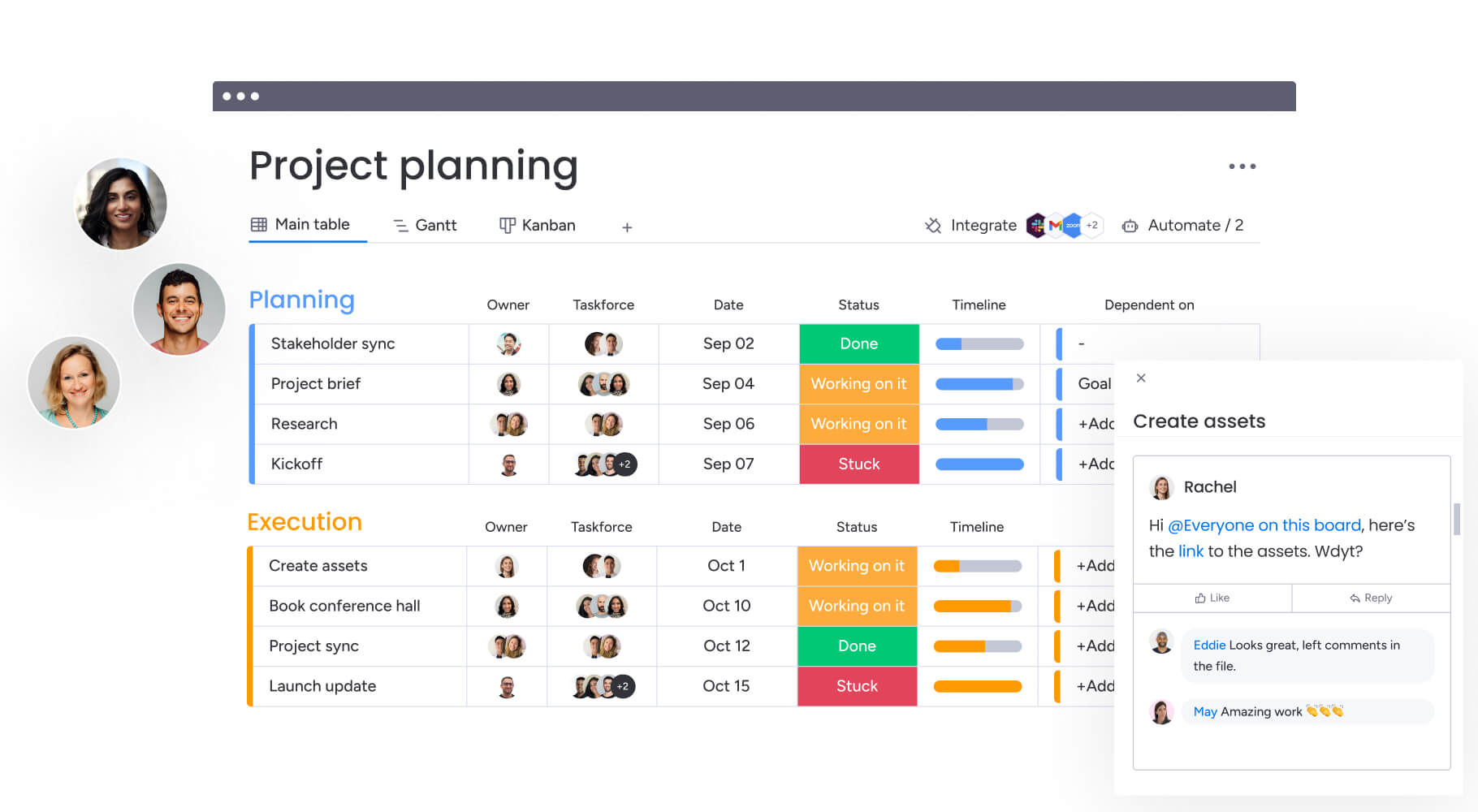
A Work Operating System (Work OS) that puts software power in the hands of non-technical teams, monday work management goes beyond project management to connect strategy to execution across entire enterprises, allowing you to build custom workflows, applications, and solutions that fit your unique processes.
Core capabilities and strengths
The platform uses flexible building blocks (columns, views, automations, and integrations) that you combine to create tailored solutions. This setup supports complex data relationships, so teams can connect projects, clients, and assets across different boards and departments.
Handling the full spectrum of organizational needs, monday work management delivers these core features:
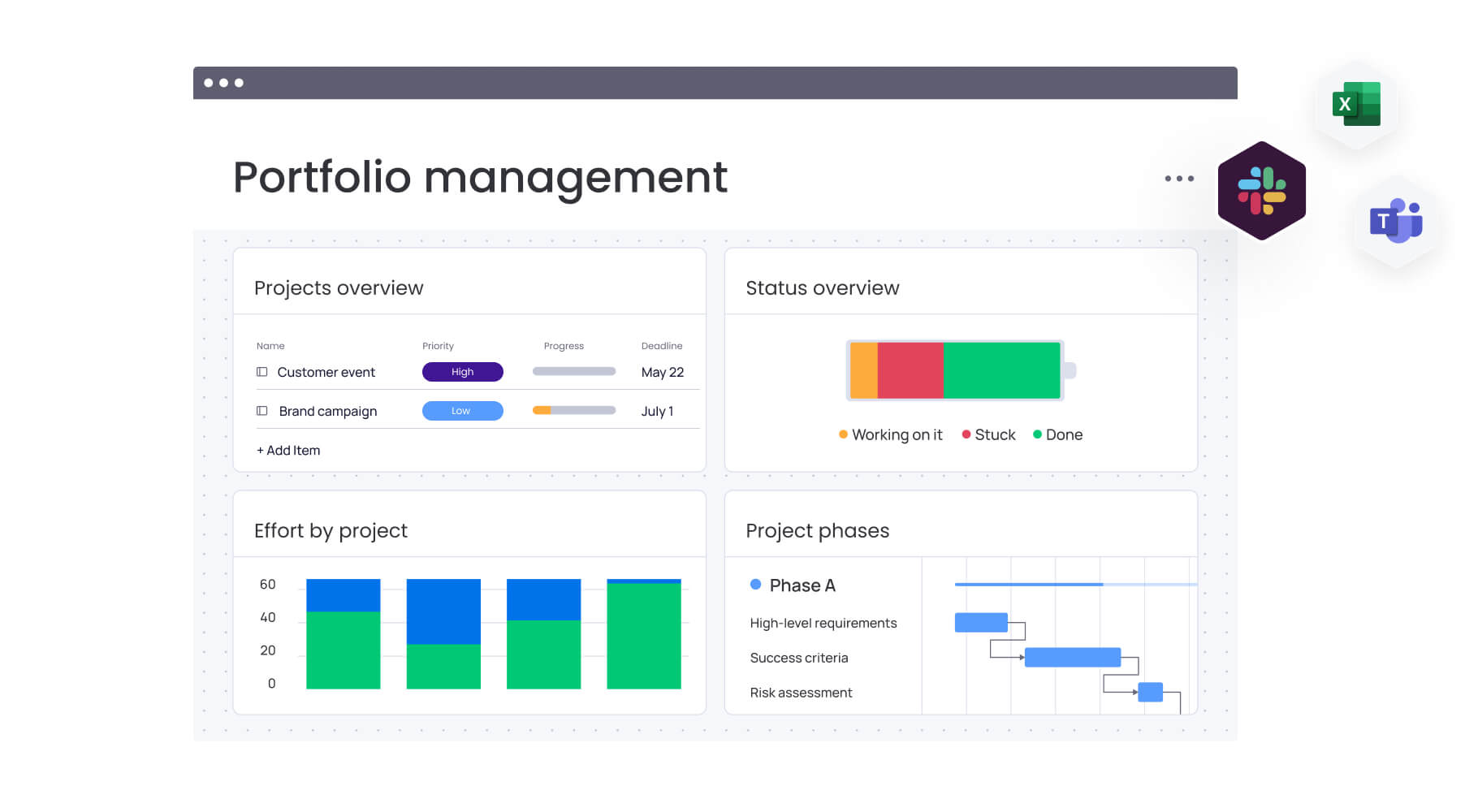
- Dynamic views: visualize data through Gantt charts, Kanban boards, Workload views, and interactive dashboards that update in real time.
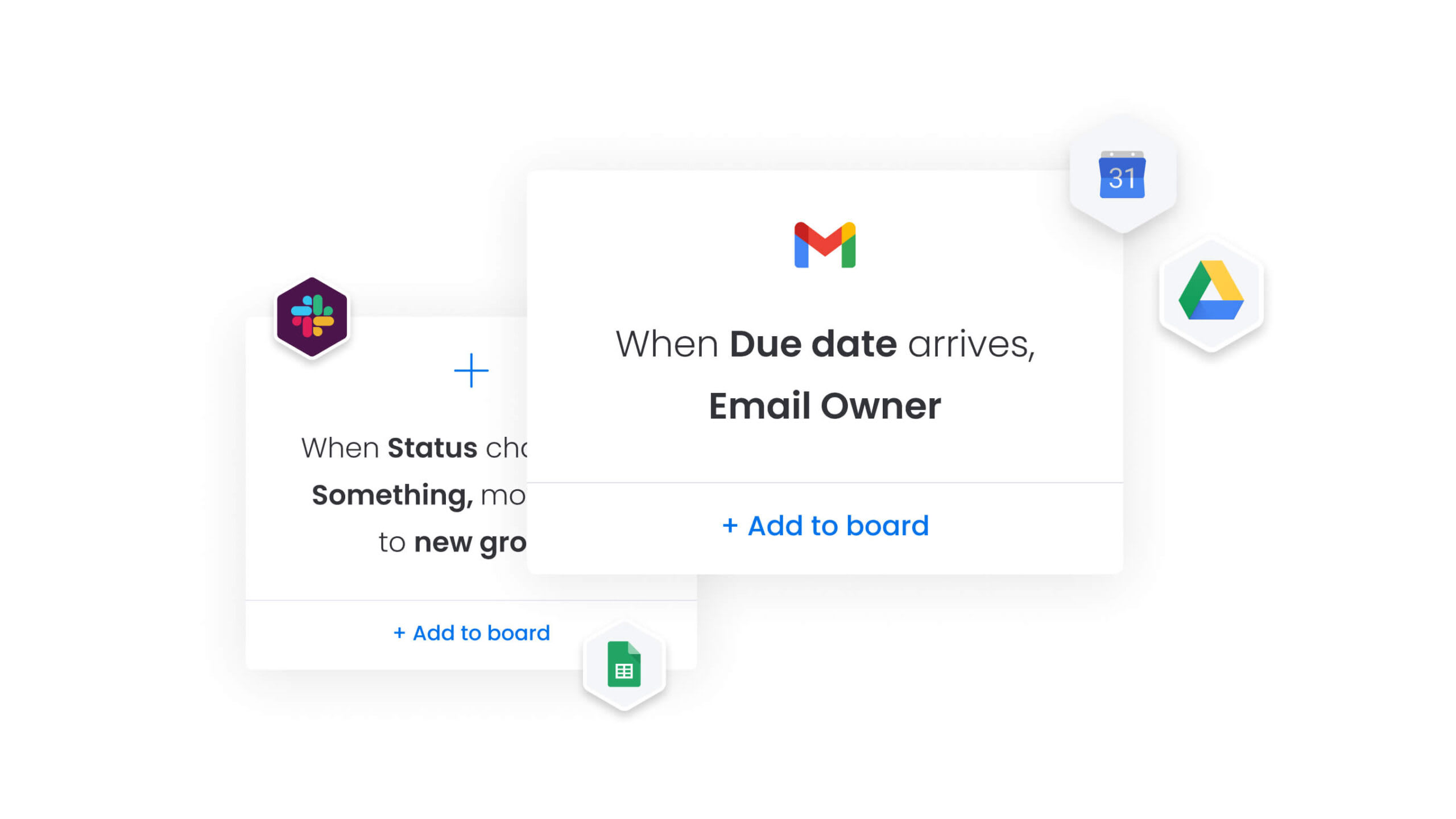
- Advanced automations: no-code automation handles repetitive tasks, status updates, and notifications, reducing manual administrative work.
- Data connectivity: connect Boards columns create relational database structures, linking high-level strategy boards directly to task boards.
Versatility across all industries
Operating as a true platform, monday work management supports over 200 distinct use cases across 190 industries. It works for construction firms managing job sites, software companies running agile sprints, and retail giants overseeing supply chains.
PMO and strategy teams align portfolio management with corporate strategy and resource planning. Marketing and creative departments manage end-to-end campaign lifecycles and digital assets. IT and operations handle request ticketing, inventory management, and facility operations.
Unique platform advantages
What sets the platform apart? Speed to value and user adoption. You’ll typically see payback in less than four months thanks to rapid implementation and high engagement.
Furthermore, enterprise-grade security and governance features let IT maintain control and give business units autonomy to build their own workflows. Recognized as a leader in Gartner Magic Quadrants, the platform bridges organizational silos with a single source of truth.
5 key differences between Asana vs Teamwork
To choose between these platforms, you need to understand their fundamental architectural philosophies. Each platform approaches work differently, which shapes how teams interact with the software daily. These differences impact daily workflows and long-term scalability.
1. Work management philosophy
Each platform employs a distinct approach to structuring and presenting work:
| Platform | Philosophy | Core structure |
|---|---|---|
| Asana | Task-centric | Organization > Team > Project > Task |
| Teamwork | Client-centric | Client > Project > Billable hours |
| monday work management | Data-centric Work OS | Fully customizable, relational database |
Asana views work as a collection of tasks to be completed, with structure that’s hierarchical and follows a fixed pattern. Teamwork views work as billable projects delivered to external stakeholders, with structure revolving around the client-project relationship. Work becomes a flexible database of items including projects, leads, assets, and tickets with monday work management, where structure is entirely customizable.
2. Customization and flexibility
Customization determines how well a platform adapts to unique business processes. Can you shape the platform to match your workflows, or do you have to reshape workflows to match the platform?
| Feature | Asana | Teamwork | monday work management |
|---|---|---|---|
| Building blocks | Pre-defined fields and templates | Fixed project structures | 30+ column types to build any workflow |
| Data relationships | Limited task multi-homing | Basic project linking | Relational database capabilities across boards |
| Interface customization | Standardized UI | Rigid layout | Fully customizable dashboards and views |
These differences become critical when you need to adapt quickly to changing business requirements or scale across departments with varying needs.
3. Enterprise readiness
Enterprise readiness comes down to security, governance, and scale. A truly enterprise-ready platform offers multi-level permissions that secure data at the account, workspace, board, and column level, giving you granular control. With multi-level permissions that secure data at the account, workspace, board, and column level, monday work management delivers this granular control.
Asana provides robust security but lacks the granular data governance required for complex, sensitive workflows. Teamwork’s permissions excel for client separation but offer less flexibility for internal hierarchy.
4. User experience design
Adoption is the biggest hurdle in software implementation. A visual, intuitive interface that mimics familiar spreadsheet behaviors while delivering powerful functionality is what monday work management prioritizes.
Asana offers a minimalist design that’s easy to learn but can become cluttered with complex projects. Teamwork’s interface is functional and data-dense, often requiring a steeper learning curve for new users.
5. Cross-departmental capabilities
Unifying departments is key to organizational efficiency. Asana connects teams through shared tasks but often struggles to unify disparate departmental data. Teamwork isolates client projects, making cross-departmental visibility difficult.
Excelling here, monday work management links HR requests, marketing campaigns, and sales pipelines into a single, unified ecosystem. Teams gain visibility across departments while maintaining their unique workflows.
Asana vs Teamwork vs pricing breakdown
Pricing models reflect the target users for these tools. To understand total cost of ownership, look beyond the sticker price to the value delivered. The different approaches to pricing impact both immediate costs and long-term investment returns.
Free plan feature comparison
Each platform offers different limitations and capabilities in their free tiers:
| Platform | User limit | Key restrictions | Best for |
|---|---|---|---|
| Asana | Up to 15 users | Limited dashboards, no custom fields, basic automations | Small startups testing task management |
| Teamwork | Up to five users | Only two projects, no billing features, rigid structure | Freelancers with minimal needs |
| monday work management | Up to two users | Full platform access with customizable boards, automations, and integrations, just scaled for smaller teams | Teams serious about testing enterprise-grade capabilities before scaling |
Professional tier pricing and value
The Standard or Premium tiers represent where most organizations begin their journey. Asana’s Premium plan unlocks timelines and custom fields. Teamwork’s Deliver plan adds time tracking and invoicing.
The Standard plan from monday work management introduces timeline views, automations, and integrations, offering a balance of power and affordability for growing teams.
Enterprise plans and ROI potential
For large organizations, ROI is the critical metric. With payback periods of less than four months, monday work management demonstrates rapid value driven by efficiency gains and tool consolidation. The Enterprise plan includes advanced analytics, audit logs, and premium support.
Asana’s Enterprise tier focuses on security and administrative controls. Teamwork’s Scale plan targets large agencies needing advanced profitability reporting.
Which platform delivers superior automation?
Automation drives scale by removing manual work from daily operations, and the platforms vary widely in sophistication and flexibility. How automation functions often determines whether a solution can grow alongside your evolving organizational needs.
Asana automation rules
Asana uses a Rules system based on triggers and actions. When a task moves to Done, the system notifies the manager. It’s user-friendly, but this approach can be restrictive for complex, multi-step logic that enterprise teams often need.
Asana’s automation capabilities include:
- Trigger-action rules: simple if-this-then-that logic automates basic task updates and notifications.
- Template workflows: pre-built automation bundles standardize common processes across projects.
- Limited conditional logic: basic AND/OR conditions work for straightforward scenarios but struggle with complex, multi-step workflows.
Teamwork workflow automation
Teamwork’s automation focuses on project hygiene and client communication. It excels at automating recurring task creation and status updates based on billing triggers. But it lacks broader workflow flexibility needed for cross-departmental processes.
Teamwork’s automation strengths center on client-facing operations:
- Billing-based triggers: automate actions when time entries hit budget thresholds or retainer limits.
- Recurring task generation: automatically create task lists for monthly retainers or repeated project phases.
- Client notification workflows: streamline status updates and approval requests sent to external stakeholders.
No-code automation excellence with monday work management
A robust, no-code automation center that transforms how teams work is what monday work management offers. Users create complex workflows using plain language. When a status changes to Stuck AND the date is past due, the system notifies the Project Manager and creates an item in the Risks board.
This capability extends across boards, so an action in one department can trigger responses in another. Teams save valuable time by automating crucial elements:
- Creating templated project boards: instantly duplicate complex board structures with pre-configured columns, automations, and integrations.
- Sending approval notifications and reminders: automatically route requests to stakeholders and escalate when deadlines approach.
- Managing cross-functional handoffs: trigger actions across departments when marketing completes creative assets or sales closes deals.

Resource management capabilities compared
Balancing team workload prevents burnout and ensures delivery. Each platform offers different levels of visibility and control over resource allocation. Effective resource management becomes increasingly critical as you scale and projects become more complex.
Workload visualization features
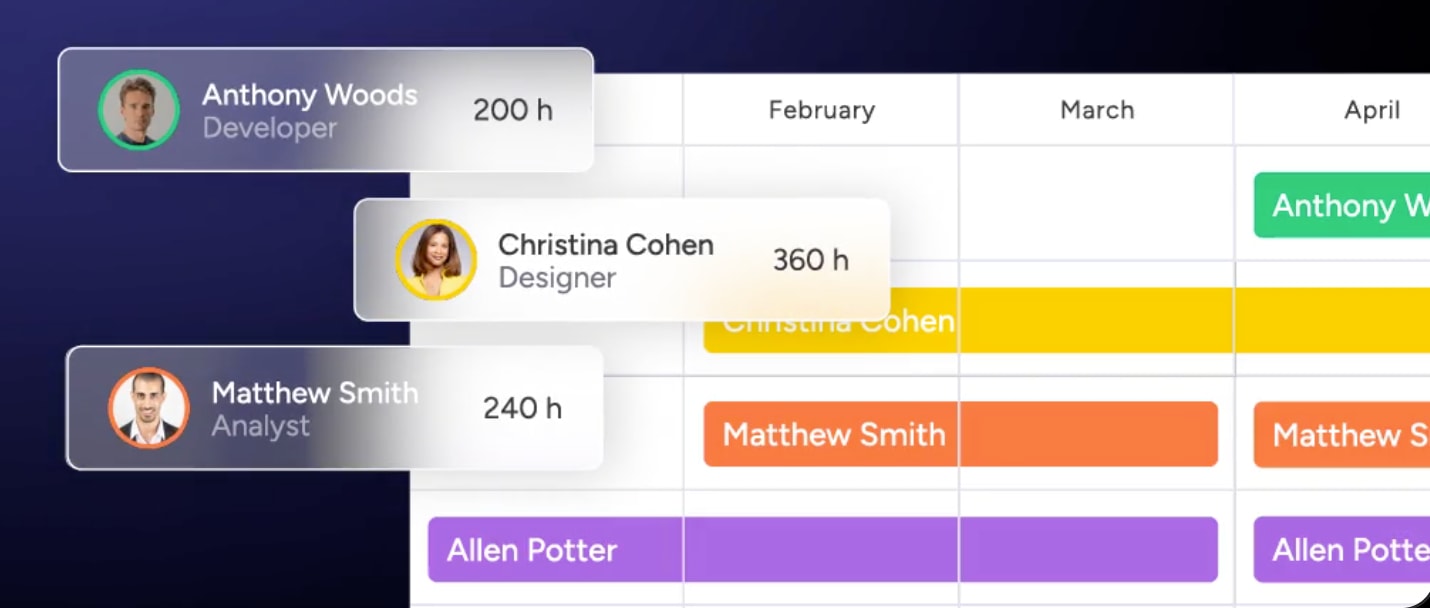
The Workload View in monday work management shows team capacity at a glance. Managers instantly see who’s overbooked and who has bandwidth, then rebalance with drag-and-drop. The color-coded interface flags capacity issues before burnout happens.
Asana offers workload features in higher tiers with timeline and calendar views to spot scheduling conflicts. Teamwork provides time-based reports showing billable utilization rates for client-facing teams.
Capacity planning tools
Teams can assign effort values (hours, story points, or custom counts) to forecast capacity weeks ahead with monday work management. The platform adapts to however your team measures work.
Asana’s capacity planning uses task duration and assignee availability to visualize future workload. Teamwork focuses on billable hours and project budgets to forecast resource needs based on client commitments.
Resource optimization analytics
Dashboards from monday work management track resource utilization trends over time. Leadership spots hiring needs or bottlenecks before they impact delivery. Custom widgets visualize utilization rates, project velocity, and team performance metrics.
Asana tracks task completion and project progress, though deeper analytics require external BI tools. Teamwork excels at profitability analytics, showing which projects and clients generate the highest margins to help agencies optimize their service mix.
Client project management feature analysis
Collaborating with external stakeholders requires a careful balance between openness and security. How a platform manages guest access and permissions can directly impact project efficiency, client trust, and data protection. Choosing the right approach ensures teams can work transparently with clients while safeguarding internal information.
External collaboration options
The platforms offer distinct approaches to external collaboration:
- Asana: guests can be invited to specific projects or tasks.
- Teamwork: unlimited client users with restricted access as a core feature.
- monday work management: shareable Boards allow unlimited guest access while keeping internal main boards completely private.
Time tracking and profitability
For project-based teams, real-time calculation of actual versus estimated effort is a critical metric. A native time-tracking widget feeds directly into reporting dashboards with monday work management, providing instant visibility into project performance.
Teamwork matches this with deeper invoicing integration, making it particularly strong for agencies that bill by the hour. Asana relies on third-party integrations for robust time tracking capabilities, which can add complexity to your tech stack.
Client access and permissions
Balancing transparency with security is essential when collaborating with external stakeholders. Granular control over what external users see and do comes standard with monday work management: you can restrict guests to viewing specific columns or editing only status updates, ensuring data integrity while fostering collaboration.
Teamwork excels at client separation with unlimited client users and restricted access built into its core architecture. Asana allows guest invitations to specific projects or tasks, though permission controls are less granular than the other platforms.
AI capabilities that transform work management
AI now actively participates in workflows. The way platforms integrate AI varies, affecting daily operations in different ways. Increasingly, the depth and sophistication of AI features are what set platforms apart and drive competitive advantage.
AI-powered project intelligence
Platforms use AI to predict project outcomes based on historical patterns. But each platform approaches AI-powered intelligence differently:
- Asana: AI Smart Goals suggest project milestones based on similar past projects, though predictive capabilities remain limited to basic pattern recognition.
- Teamwork: AI features focus primarily on time estimation and budget forecasting for client projects, with limited cross-project intelligence.
- monday work management: AI analyzes past data across your entire organization to suggest realistic timelines, resource allocation, and potential bottlenecks, helping teams avoid overpromising and underdelivering.
Automated risk management
Proactive risk identification separates reactive teams from strategic ones. Here’s how each platform handles risk detection:
- Asana: manual risk tracking through custom fields and status updates, requiring managers to actively monitor and flag issues.
- Teamwork: budget alerts notify when projects approach spending limits, but broader risk detection requires manual oversight.
- monday work management: Portfolio Risk Insights proactively scan project boards, automatically flagging potential risks like scope creep, resource conflicts, or timeline slippage before they derail projects.
This lets you identify risks across hundreds of projects simultaneously. Managers can intervene early instead of reacting to problems after they happen.
Digital Workforce innovation
The next evolution of AI goes beyond suggestions to active participation in workflows:
- Asana: AI Smart Answers provide basic responses to platform questions, but don’t actively participate in workflow execution.
- Teamwork: limited AI capabilities focus on text generation for project descriptions and status updates.
- monday work management: Digital Workers act as actual team members, the Project Analyzer and monday.com Expert audit workflows, suggest optimizations, and build complex reporting structures upon request.
These digital workers constantly learn from human interactions, proactively solve problems, and move business forward. This sets the platform apart from basic text-generation features found in competitors.
Integration ecosystem deep dive
A platform’s value multiplies when it connects to your existing tech stack. Connectivity determines how well work management software fits into your existing tech stack. The breadth and depth of integrations often determine whether a platform can serve as a central digital workspace or remains a standalone solution.
Native integration options
With over 200 native integrations, monday work management connects seamlessly with Slack, Microsoft Teams, Jira, Salesforce, and GitHub. These provide deep, two-way syncs that keep data consistent across platforms.
API capabilities and flexibility
For custom needs, an open API with extensive documentation is available through monday work management. Developers build custom widgets, views, and integrations that sit directly within the platform interface.
Most valuable connections
The following integrations deliver the highest impact for cross-functional teams:
- CRM integration: syncing sales wins in Salesforce directly to project kickoff boards.
- Development sync: connecting Jira issues to high-level product roadmaps for executive visibility.
- Communication: turning Slack messages into actionable items within the Work OS.
Compare:
- Notion vs Asana vs monday work management
- Airtable vs Asana vs monday work management
- Notion vs Asana vs monday work management
- Airtable vs Asana vs monday work management
- Wrike vs Asana vs monday work management
- Trello vs Asana vs monday work management
- ClickUp vs Asana vs monday work management
- Smartsheet vs Asana vs monday work management
Time to value and implementation speed
How quickly a platform delivers value determines investment success. Implementation timelines vary significantly across platforms. You need to balance thorough setup with the urgency of seeing immediate results.
Deployment timeline reality
Even with the right platform, the way you roll it out can make or break early results. Understanding each step of deployment, from decisions and approvals to action items and review triggers, helps set realistic expectations and keeps your team aligned throughout implementation.
| Component | Purpose | Example |
|---|---|---|
| Decision summary | Captures the essence of the choice | Migrate to cloud-based CRM |
| Business context | Details the problem being solved | Market expansion requiring scalable infrastructure |
| Decision authority | Identifies who approved the decision | VP of operations, September 15th, 2024 |
| Alternatives evaluated | Documents rejected options | On-premise solution rejected due to maintenance costs |
| Rationale | Articulates the logic behind the choice | 20% cost reduction, improved developer experience |
| Action items | Lists immediate next steps | Assign migration lead, schedule vendor kickoff |
| Review trigger | Defines when to reassess | Q2 2025 or if costs exceed projections by 15% |
User adoption success rates
High user adoption rates are consistently reported with monday work management because the platform is actually enjoyable to use. The visual, colorful interface makes enterprise software less intimidating and encourages daily engagement. G2 has awarded monday work management the Highest User Adoption for Enterprises.
Measurable ROI timelines
According to Forrester studies, organizations using monday work management typically see return on investment in less than four months. This rapid payback comes from immediate efficiency gains and consolidating redundant platforms.
Customer support excellence comparison
When questions come up, support quality matters. In each platform different levels of assistance and resources are offered. The quality and accessibility of support often determines whether you can maximize your platform investment.
Comprehensive support that keeps your team moving forward comes standard with monday work management:
- 24/7 support channels: get help via chat and email with average response times under 60 minutes, resolving critical issues quickly so you maintain momentum.
- Self-paced training resources: the monday Academy offers comprehensive certification courses, plus a vast library of webinars, tutorials, and templates to master the platform without external consultants.
- Active global community: a worldwide network of users and partners actively shares workflows and solutions through monday community forums, providing rich resources for troubleshooting and discovering new ways to work.

“monday.com has been a life-changer. It gives us transparency, accountability, and a centralized place to manage projects across the globe".
Kendra Seier | Project Manager
“monday.com is the link that holds our business together — connecting our support office and stores with the visibility to move fast, stay consistent, and understand the impact on revenue.”
Duncan McHugh | Chief Operations OfficerTransform your organization with the right work management platform
The right work management platform shapes how your organization operates for years to come. Your choice between task-focused tools, specialized client platforms, and comprehensive Work OS solutions determines your team’s ability to scale, adapt, and deliver results.
What sets monday work management apart is that it serves as more than project management software — it’s an environment for running a business. Organizations gain the flexibility to build custom workflows while maintaining the simplicity that drives adoption. The platform grows with your needs, supporting everything from simple task lists to complex enterprise hierarchies.
The rapid ROI and high adoption rates demonstrate that teams can have both powerful functionality and a user-friendly design. With enterprise-grade security, extensive integrations, and AI-powered insights, the platform provides the foundation for sustainable growth and operational excellence.
| Feature | Asana | Teamwork | monday work management |
|---|---|---|---|
| Primary focus | Task management | Client projects | Comprehensive Work OS |
| Flexibility | Low (structured) | Low (rigid) | High (building blocks) |
| Cross-departmental | Limited | Siloed | Unified |
| Scalability | Medium | Medium | High (enterprise) |
Frequently asked questions
What is the difference between Teamwork and monday work management?
Teamwork is a specialized platform designed specifically for client service work and billable hours, while monday work management is a comprehensive Work OS that handles client work but also unifies operations, HR, marketing, and strategy across the entire organization.
How does Asana handle complex enterprise workflows?
Asana struggles with complex resource management and data reporting in enterprise environments, lacking the database-like flexibility required to build custom applications or manage extensive non-project workflows.
Who are monday work management's biggest competitors?
While Asana and Teamwork compete in the project management space, the platform also competes with enterprise solutions like Smartsheet and Wrike, though its unique positioning as a Work OS places it in a category of its own regarding flexibility and adoption.
Is monday work management more cost-effective than Asana?
The platform often delivers lower total cost of ownership due to its ability to replace multiple other tools, with ROI data indicating payback periods of less than four months.
Which platform is best for agencies?
Teamwork excels for agencies that only need billing and project tracking, but the Work OS proves superior for agencies wanting to integrate creative workflows, CRM, and strategic planning into their client delivery process.
How do I migrate from Asana or Teamwork to monday work management?
Migration is streamlined through native import capabilities that transfer projects, tasks, and users directly, with dedicated support resources and partners available to assist with complex enterprise transitions.

 Get started