

Modern teams operate across dozens of applications. Slack handles communication, spreadsheets track progress, email manages approvals, and specialized platforms address niche requirements. Each tool promises efficiency gains. Yet hours vanish into copying data between systems, chasing status updates, and manually processing requests that automation could resolve instantly.
AI productivity tools transform this reality. These platforms move beyond basic automation to analyze workflows, predict bottlenecks, and execute repetitive tasks without constant supervision. Teams reclaim significant hours each week: time redirected from administrative maintenance to strategic initiatives. Leading work management platforms embed AI directly into daily operations, converting fragmented processes into coordinated execution.
The following analysis examines 15 AI productivity tools that deliver measurable time savings for enterprise teams. This guide distinguishes specialized applications from comprehensive platforms, establishes evaluation criteria for specific organizational needs, and provides a practical implementation framework that scales across departments.
Key takeaways
- Reclaim strategic capacity: AI productivity tools free teams from repetitive work, turning hours spent on manual tasks into time for high-impact projects that drive business results.
- Choose integration over fragmentation: specialized apps solve niche problems, but comprehensive platforms embed AI across your entire operation eliminating data silos and keeping teams aligned. Organizations using monday work management connect AI directly to their daily operations, turning scattered processes into coordinated execution.
- Start with quick wins, then scale: launch AI with focused pilots that deliver measurable time savings, then expand across departments using a documented playbook that ensures consistent adoption.
- Measure ROI with precision: track time savings, calculate financial impact, and connect AI investments to tangible business outcomes proving value to leadership and securing long-term buy-in.
- Build for the long term: the best AI systems learn and adapt over time, creating compounding intelligence that becomes a durable competitive advantage your competitors can’t replicate overnight.
What are AI productivity platforms?
AI productivity platforms handle routine tasks, process data, and sharpen decision-making. Rather than simply executing static commands, these tools analyze your team’s specific workflows to identify optimization opportunities proactively.
Basic automation is old news. While legacy software depended on rigid “if-then” logic, AI-driven platforms utilize adaptive learning and contextual awareness to navigate complex operations, gaining efficiency with every completed project.
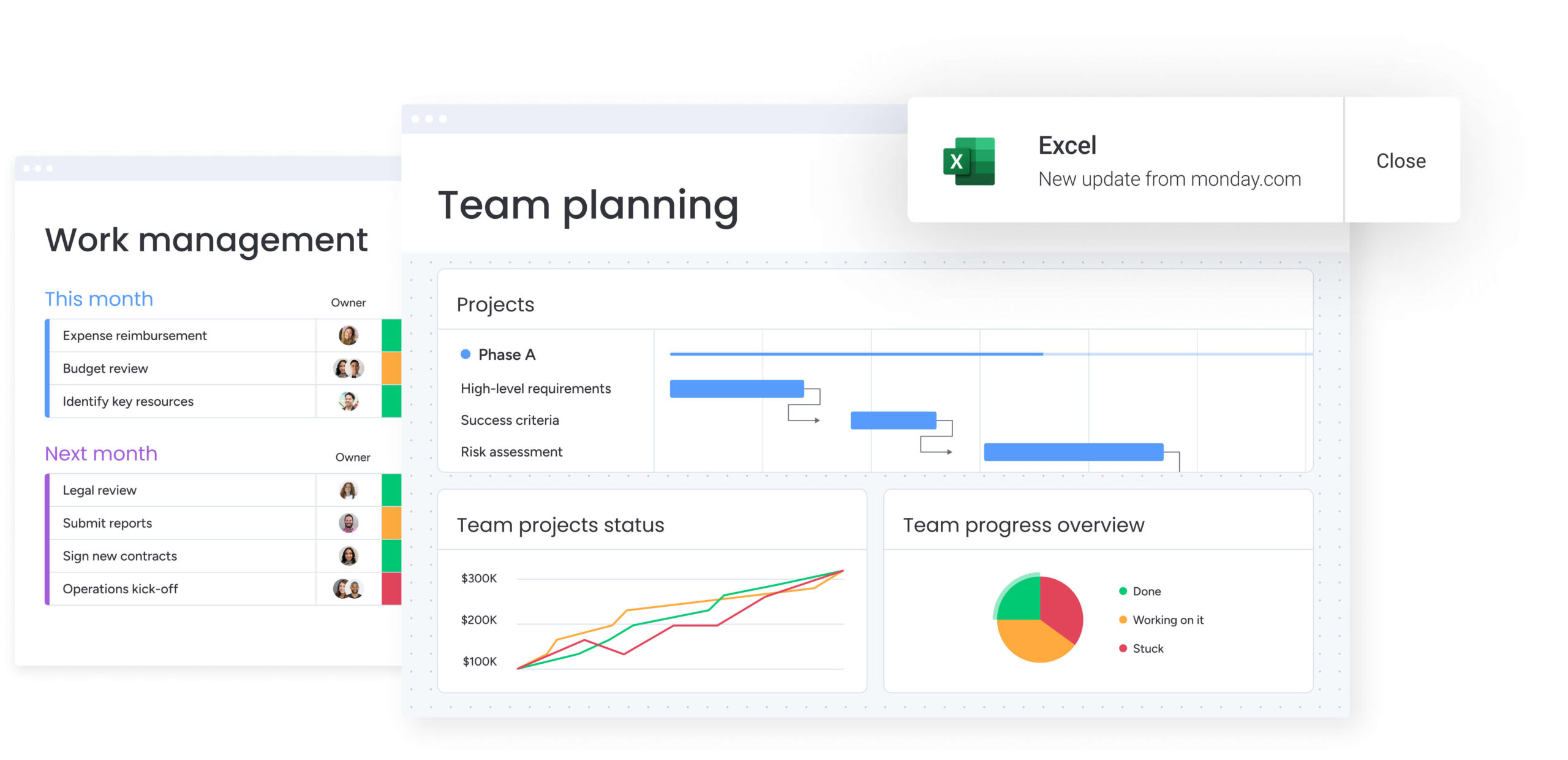
The platform predicts requirements, spots risks, and recommends actions to keep work moving. In monday work management, for instance, teams align cross-departmental efforts by using AI to link high-level strategy directly to daily execution, keeping everyone synchronized through a lightweight, efficient process.
15 AI productivity apps to elevate team performance
Modern AI tools function as strategic enablers rather than simple computational utilities. These platforms serve as operational co-pilots, translating high-level objectives into measurable outcomes. Leading applications extend beyond process execution to augment organizational intelligence and provide clear pathways to strategic goals.
The AI productivity landscape divides into two distinct categories. Specialized tools address specific functional requirements including meeting transcription and code generation, while comprehensive platforms integrate AI capabilities across the entire operational infrastructure. The decision between point solutions and unified systems fundamentally shapes workflow architecture and cross-functional coordination.
Organizations need not limit themselves to a single approach. A hybrid strategy often delivers optimal results: deploying specialized applications for discrete technical requirements while establishing a central platform as the operational foundation. This architecture provides teams with advanced capabilities while maintaining organizational alignment and data coherence.
1. monday work management
Scattered work transforms into coordinated execution with monday work management, bringing projects, processes, and reporting into one shared workspace. Built on the monday.com Work OS, it supports cross-functional teams in mid-to-large organizations with the building blocks they need to run project management, portfolio management, resource management, and requests and approvals in one place.
Instead of juggling multiple tools, teams run repeatable workflows with views, dashboards, automations, and AI capabilities that live where the work happens. Leaders get real-time insights across initiatives, while teams stay in sync on ownership, timelines, and dependencies.

Example:
A PMO uses AI-powered intake to automatically categorize requests, assign the correct project template, and notify stakeholders. This eliminates hours of manual data entry and “chasing updates,” allowing the team to focus on delivery rather than administration.
Key features:
- Portfolio management: connect projects across the organization and roll them into portfolio-level reporting, so leaders can review progress, value, and owners in a single view. This makes it easy to standardize project data, compare initiatives, and keep stakeholders aligned with dashboards and reporting.
- Goals and OKRs: track progress toward strategic objectives and connect high-level priorities to execution. This helps teams see that their work ties directly to the goals leaders care about.
- Resource optimization: plan and allocate work with visibility into capacity using resource management capabilities like the Workload View. Managers can spot who’s overloaded or underused early and shift work before timelines slip.
- AI-powered automation: build no-code workflows from the Automation center and add AI actions to automate decisions like categorizing incoming work, summarizing updates, and triggering the right workflow steps automatically.
- 200+ native integrations: connect the systems your teams already rely on so work stays in context, including Microsoft Teams, Slack, Zoom, Outlook, Gmail, Google Drive, Jira Cloud, Excel, and more.
Pricing:
- Free: $0 (up to two seats with limited boards and docs).
- Basic: $9/seat/month billed annually (unlimited items, 5GB storage, prioritized support).
- Standard: $12/seat/month billed annually (Timeline/Gantt views, guest access, 250 automation actions).
- Pro: $19/seat/month billed annually (private boards, time tracking, 25,000 automation actions).
- Enterprise: custom pricing (portfolio management, advanced security, 250,000 automation actions).
- Annual billing discount: 18% savings compared to monthly rates.
- Nonprofit discounts: available upon request.
- AI credits: included with trial; additional credits available for purchase.
Why it stands out:
- Proven ROI: the Forrester Total Economic ImpactTM research reports less than a 4-month payback period, and documents 346% ROI for Motorola.
- High adoption: teams adopt monday work management quickly because it’s intuitive, which keeps portfolio data current and useful for leadership decisions.
- Recognized by analysts: monday.com is named a Leader in the 2025 Gartner® Magic QuadrantTM for Collaborative Work Management, and a Leader in the 2025 Gartner® Magic QuadrantTM for Adaptive Project Management and Reporting (and is also recognized in marketing work management).
2. Perplexity
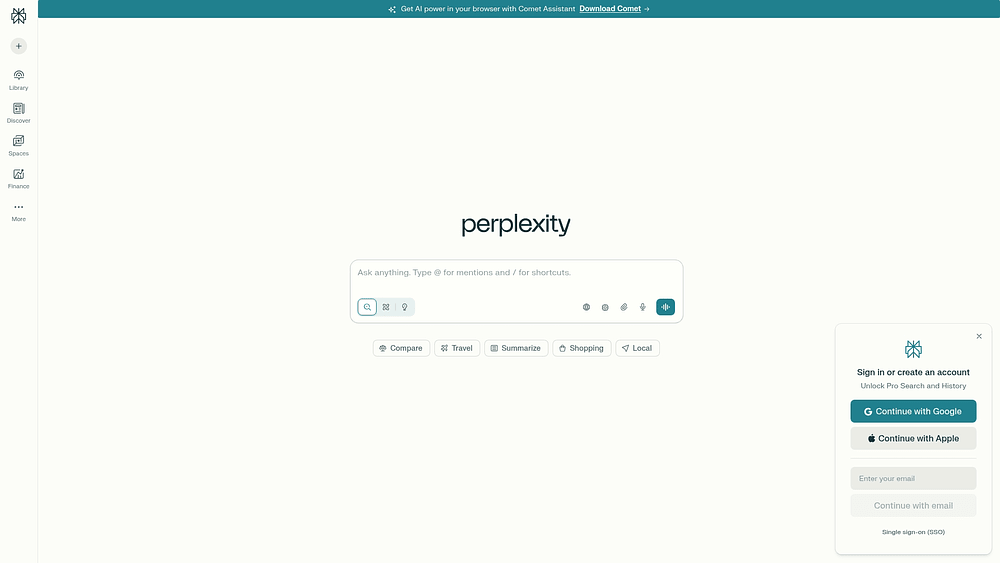
Perplexity changes how search works by using AI to synthesize information instead of just indexing it. Instead of presenting a list of links, the platform interprets natural language queries, scans authoritative sources, and constructs a cohesive answer complete with citations. This lets teams skip hours of manual review and speed up market research, competitive intelligence, and strategic planning.
Example:
The platform works especially well for independent research and kicking off projects. It combines knowledge organization through Spaces with app-level connectors to keep artifacts, actions, and teams aligned.
Key features:
- Research mode: runs dozens of searches, reads hundreds of sources, and produces cited reports within minutes for comprehensive analysis.
- App connectors: direct integration with Asana, Jira, Linear, Slack, Teams, and file storage platforms to create tasks and share updates without context switching.
- Labs functionality: creates deliverables beyond text including dashboards, spreadsheets, and simple web apps using deep browsing and code execution.
Pricing:
- Free: standard features with basic search capabilities.
- Pro: $20/month or $200/year with unlimited Pro searches and expanded citations.
- Enterprise Pro: $40/seat/month or $400/seat/year with collaboration features and enterprise controls.
- Enterprise Max: $325/seat/month or $3,250/seat/year with advanced models and unlimited Research/Labs usage.
- Annual billing discount: approximately 16% savings compared to monthly rates.
- Volume discounts: available for organizations with 250+ seats.
Considerations:
- Gradual connector rollout: some connectors are rolling out gradually and may not be available to all users immediately, with several connectors supported on web only.
- Enterprise feature requirements: enterprise audit logs and advanced admin features require 50+ seats or Enterprise Max subscription to enable.
3. ChatGPT
ChatGPT brings together planning, research, and execution through a conversational interface. It’s built for organizations going AI-first, combining deep research with automated process management and secure company knowledge. With over 1 million business customers, it’s a central digital workspace where teams consolidate work management into one intelligent stream.

Example:
ChatGPT works as a full-service assistant that brings together planning, automation, and collaboration. It uses persistent Projects, proactive Tasks, and cited company knowledge to simplify daily operations.
Key features:
- Projects and Tasks: smart workspaces that group related conversations, files, and instructions with automated, scheduled workflows that run proactively across devices.
- Company knowledge integration: securely connects to apps like Slack, Google Drive, and SharePoint, returning answers with citations while respecting existing permissions.
- Agent mode and deep research: performs multi-step web tasks and delivers comprehensive, cited reports through asynchronous browsing and synthesis.
Pricing:
- Free: limited reasoning, messages, uploads, and Projects.
- Plus: $20/month with expanded limits and access to advanced models including Tasks and custom GPTs.
- Pro: $200/month with highest model access, deep research capacity, and early feature availability.
- Business: $25/user/month (annual billing) with secure workspace, SAML SSO/MFA, and company knowledge features.
- Enterprise: custom pricing with expanded context, RBAC, analytics, and 24/7 support.
Considerations:
- Platform availability gaps: atlas currently macOS-only and company knowledge limited to web interface.
- Automation limits: tasks have hard limits of 10 active automations, which may constrain workflow breadth for complex operations.
4. Claude
Anthropic’s Claude handles the hard work for teams dealing with massive documentation and complex reasoning tasks. Its ability to maintain context across up to 150,000 words makes it indispensable for analyzing contracts, technical specs, and strategic reports. Designed with a safety-first philosophy, the platform pairs deep analytical power with the security controls required by enterprise environments.

Example:
Claude changes how teams digest and act on dense information. It provides verifiable insights and citations across extensive documents and connected data sources, facilitating faster synthesis.
Key features:
- Projects workspace: organize work with project-scoped knowledge bases, custom instructions, and persistent memory that carries context between sessions.
- Research mode: perform multi-step searches across web and connected sources like Google Workspace, returning synthesized answers with verifiable citations.
- Artifacts canvas: create and collaborate on live documents, code, diagrams, and lightweight applications that teams can refine and share internally.
Pricing:
- Free: basic web and mobile access with image/document analysis and web search.
- Pro: $20/month (or $17/month annually) with increased usage, Projects, Research, and Google Workspace connections.
- Max: from $100-$200/person/month with 5-20x Pro usage limits and early feature access.
- Team Standard: $30/month per user ($25 annually, 5-user minimum) with centralized billing and admin controls.
- Team Premium: $150/user/month adds Claude Code and higher usage limits.
- Enterprise: custom pricing with SSO, SCIM, audit logs, and data retention controls.
Considerations:
- Limited free tier: some advanced features like Research and extended thinking require paid plans, limiting functionality for free users.
- Security evaluation required: custom connectors via Model Context Protocol introduce security considerations that require careful evaluation.
5. NotebookLM
NotebookLM organizes the chaos of research by turning scattered materials into a coherent, AI-powered knowledge base. It focuses on source-grounded intelligence, meaning every insight is tied to your specific uploads with inline citations. This makes it a powerful ally for strategy groups, researchers, and knowledge workers who need to distill complex information rapidly without losing accuracy.

Example:
Teams leverage NotebookLM to build dedicated research hubs. It analyzes multiple documents to generate summaries, audio overviews, and briefing materials, all anchored in the provided source text.
Key features:
- Source-grounded chat: ask questions about uploaded materials and receive answers with clickable citations linking directly to supporting passages.
- Studio outputs: generate structured deliverables including audio overviews, video summaries, study guides, briefing documents, and mind maps from your sources.
- Multimodal reasoning: analyze text, images, charts, and diagrams across Google Docs, PDFs, slides, websites, and YouTube videos in a single notebook.
Pricing:
- Free: core features with 100 notebooks, up to 50 sources each, and daily usage caps.
- Google AI Pro: $19.99/month with 5x higher limits, advanced sharing, and notebook analytics.
- Google AI Ultra: $249.99/month (promotional pricing available) with maximum limits and premium capabilities.
- Enterprise: quote-based pricing through Google Cloud with enterprise-grade security and governance controls.
Considerations:
- Limited cross-notebook reasoning: notebooks operate independently without cross-notebook reasoning, which can fragment knowledge for complex programs.
- Mobile feature gaps: mobile app currently lacks several core Studio features like report generation and sharing controls.
6. Cursor
Cursor reimagines the coding experience with an AI-enhanced editor that deeply understands project context. It accelerates development by generating substantial code blocks that adhere to existing conventions, reducing the friction of writing boilerplate. The platform supports agentic workflows that span planning, execution, and review, accessible across Slack, mobile, and desktop IDEs.

Example:
Developers use Cursor to speed up feature implementation and cut down on debugging time. The AI assistance catches potential issues during the writing process, preventing bugs before deployment.
Key features:
- Multi-agent interface: run multiple AI agents in parallel across desktop, web, and mobile, with the ability to pick the best result for each coding challenge.
- Background agents: continue development work on web and mobile devices with collaboration features to review diffs, create PRs, and hand off seamlessly to desktop.
- Integrated code review: Bugbot provides pre-merge quality gates with low false-positive rates and one-click “fix with agent” capabilities.
Pricing:
- Hobby: free with 1-week Pro trial and limited usage.
- Pro: $20/month for individual developers.
- Pro+: $60/month with enhanced features.
- Ultra: $200/month with priority features and high usage limits.
- Teams: $40/user/month for business collaboration.
- Enterprise: custom pricing with pooled usage, SCIM, and advanced admin controls.
- Bugbot add-on: available as separate subscription with Free tier and Pro at $40/user/month.
Considerations:
- Usage-metered costs: heavy agent users can see significant cost increases, with daily users typically spending $60-$100/month and power users $200+/month on top of base subscriptions.
- Server-side dependency: no self-hosted deployment options currently available, requiring all prompt-building and model hosting to occur on Cursor’s servers.
7. Grok
Grok bridges the gap between teams and real-time information through conversational intelligence and live search. It excels at permission-aware knowledge retrieval, making it a strong choice for organizations that require instant access to fresh data streams. By respecting existing permissions while providing cited insights, Grok enables collaboration in AI-first workspaces without compromising security.

Example:
Grok changes how teams synthesize information by offering real-time search across web, news, and X data streams. Automatic citations allow for faster decision-making by reducing the need for manual verification.
Key features:
- Real-time agentic search: access current information from web, news, and X with configurable sources and automatic citations.
- Permission-aware retrieval: connect Google Drive and other apps while respecting native permissions and providing quoted snippets.
- Enterprise security: SOC 2 compliance, SSO, SCIM directory sync, and Enterprise Vault with dedicated data planes and customer-managed encryption keys.
Pricing:
- Grok Business: $30 per seat/month (self-serve).
- Grok Enterprise: contact sales for custom pricing.
- X Premium+: $40/month or $395/year (includes Grok access on X).
- Additional costs: API and agentic usage costs may apply for developer scenarios.
Considerations:
- Limited integrations: integrations beyond Google Drive may restrict immediate workflow connectivity.
- Platform stability: platform transitions and feature deprecations indicate ongoing development that could affect stability.
8. Zapier
Zapier acts as the connective tissue for your tech stack, linking nearly 8,000 applications to automate workflows without a single line of code. It specializes in AI-enhanced orchestration, perfect for teams navigating complex, cross-departmental processes. Trusted by over 3.4 million businesses, Zapier eliminates the friction between disparate work management platforms.

Example:
The platform removes data entry bottlenecks and synchronization issues. It automatically triggers actions across your software ecosystem whenever specific conditions are met, keeping everything in sync.
Key features:
- Cross-app automation: connect project management, CRM, and communication platforms with intelligent triggers that sync data and launch follow-up actions in real-time.
- AI-powered workflow suggestions: Copilot analyzes your tool usage patterns and recommends automation opportunities you might miss manually.
- Visual process mapping: Canvas provides AI-enhanced diagramming to map, optimize, and centralize your automation landscape for better oversight.
Pricing:
- Free: $0/month with 100 tasks monthly and basic two-step automations.
- Professional: starting at $19.99/month (billed annually) with multi-step workflows, premium app access, and 2-minute polling.
- Team: starting at $69/month (billed annually) for up to 25 users with shared folders, SAML SSO, and 1-minute polling.
- Enterprise: custom pricing with unlimited users, advanced admin controls, and dedicated technical account management.
- Annual billing discount: 33% savings across all paid plans.
- Overage charges: pay-per-task overages apply at 1.25× the standard rate.
Considerations:
- Polling delays: polling-based triggers can create delays (15 minutes on free plans, down to one minute on enterprise tiers) that may impact time-sensitive workflows.
- Healthcare limitations: not HIPAA compliant, limiting use cases for healthcare organizations handling protected health information.
9. Warp Terminal
Warp Terminal modernizes the command line, turning it into an AI-powered workspace for collaborative development. It merges intelligent command assistance with real-time session sharing, streamlining CLI workflows for developers and DevOps engineers. This approach reduces knowledge silos and makes terminal operations more accessible to the entire technical team.

Example:
Warp centralizes team knowledge using cloud-synced runbooks and parameterized workflows. Collaborative terminal sessions further accelerate troubleshooting and onboarding processes.
Key features:
- Warp Drive: cloud-synced knowledge base with executable workflows, runnable documentation (Notebooks), reusable AI prompts, and governed environment variables accessible via Command Palette.
- Real-time session sharing: multi-user collaborative terminal sessions with granular permissions and one-click shareable blocks for support and debugging.
- Universal Input with AI assistance: single interface for shell commands and agent prompts with intelligent command suggestions and plain-language explanations of complex operations.
Pricing:
- Free: $0/month with 150 AI credits for two months (then 75/month), limited Drive objects (ten Workflows, three Notebooks), up to five shared sessions.
- Build: $18/month with 1,500 AI credits, unlimited Drive objects and collaboration, private email support, reload credit discounts.
- Business: $45/user/month (teams up to 50 seats) with enforced team-wide zero data retention, SAML-based SSO, unlimited session sharing.
- Enterprise: custom pricing with dedicated compute environments, account manager, white-glove onboarding, Bring Your Own LLM.
- Annual billing discount: 10% off all paid plans.
Considerations:
- Internet dependency: drive requires internet connectivity to create and sync objects, with offline mode limited to read-only access for existing content.
- Session constraints: session sharing has limitations including 100MB session size caps, 1GB daily user data limits, and maximum ten participants per session.
10. Edubrain
Edubrain streamlines the academic workflow by offering AI-powered assistance across more than 90 subjects. It serves students, teachers, and lifelong learners with a unified workspace that handles everything from instant problem-solving to presentation design. By offering both free and premium options, Edubrain ensures advanced learning tools are available to users at every level.

Example:
The platform accelerates learning by converting static materials into interactive experiences. It adapts to individual comprehension levels, making study sessions more effective.
Key features:
- Multi-format content intake: supports text, images, PDFs, and audio files up to 32 MB for flexible learning inputs.
- Integrated study workflow: covers everything from notes generation to flashcard creation, diagrams, and presentation building in one place.
- Step-by-step explanations: provides iterative learning refinement with follow-up question capabilities that adapt to comprehension levels.
Pricing:
- Free plan: $0/week with unlimited use (ad-supported).
- AI-Plus: $3.99/week for ad-free experience with advanced reasoning capabilities.
- Expert help: starting at $3.99 per service for human tutoring support.
Considerations:
- Technical limitations: single-file processing and 10,000 character maximum for text inputs may restrict complex projects.
- Subscription cancellation: requires email requests with non-refundable fees and weekly auto-renewal billing.
11. Higgsfield AI
Higgsfield AI democratizes high-end video production, allowing teams without specialized skills to create cinematic content. By aggregating top AI models into a single collaborative workspace, it empowers marketers and creatives to produce professional-grade videos at scale. The platform, developed by former Snap executives, prioritizes the camera control and visual consistency often missing in standard text-to-video tools.

Example:
Teams use Higgsfield to automate video workflows while ensuring brand guidelines and cinematic quality are maintained across all outputs.
Key features:
- Multi-model video generation: access leading AI video generators including Sora 2, Veo 3.1, Kling, and Minimax within one platform for flexible content creation.
- Cinematic camera controls: apply professional techniques like crash zooms, dolly moves, and dynamic angles to maintain consistent visual storytelling across all outputs.
- End-to-end creative workflow: manage the complete production cycle from script editing and storyboard creation through video editing and audio integration in one workspace.
Pricing:
- Basic: $20/month ($16/month billed annually).
- Pro: $66/month ($53/month billed annually).
- Ultimate: $110/month ($88/month billed annually).
- Enterprise: custom pricing with quote-only access.
- Annual billing discount: 20% savings across individual tiers.
- Credit packs: one-time purchases available for additional usage with 90-day validity.
Considerations:
- Usage throttling concerns: user reviews report throttling on “unlimited” plans and billing friction with non-prorated cancellations.
- Integration documentation gaps: limited public documentation on external integrations compared to established video platforms.
12. Granola
Granola turns conversation into structured data, capturing meeting insights without the intrusion of bots. It focuses on device-audio transcription and intelligence, providing a solution for teams overwhelmed by back-to-back calls who need actionable takeaways rather than raw transcripts.

Example:
Teams reclaim hours by automating documentation. Granola builds a searchable knowledge base that links discussions to specific people, companies, and projects.
Key features:
- Bot-free transcription: captures device audio directly during virtual and in-person meetings without adding meeting participants.
- Ask Granola chat: query across multiple meetings with citations to find insights like “Why are we losing deals this quarter?”
- Workflow automation: integrates with 8,000+ apps via Zapier to automatically create tasks in project management platforms and update CRMs.
Pricing:
- Basic: free with AI meeting notes, limited history, and basic features.
- Business: $14/month per user with unlimited notes, advanced AI models, and premium integrations.
- Enterprise: $35/month per user including SSO, enterprise security controls, and admin features.
Considerations:
- No stored audio recordings: limits exact quote verification for detailed documentation needs.
- Google Workspace dependency: requires Google Workspace login currently, with Microsoft 365 support still on the roadmap.
13. Reclaim
Reclaim defends your time by using AI to orchestrate your calendar intelligently. It balances meetings, focus blocks, and personal habits, making it a vital tool for knowledge workers facing fragmented schedules. By prioritizing calendar-first work management, it helps teams navigate competing demands effectively.
Example:
The platform automatically schedules and adjusts tasks, habits, and focus time around fixed meetings. Its unified priority system adapts dynamically as work requirements shift.
Key features:
- Smart scheduling: AI analyzes work patterns and automatically schedules tasks during optimal productivity windows while defending focus time against meeting encroachment.
- Priority-driven orchestration: universal priority model (P1-P4) governs when tasks, habits, meetings, and focus blocks are scheduled and what can be overbooked.
- Calendar sync and analytics: prevents double-booking across Google and Outlook calendars while providing privacy-preserving team analytics on focus time and meeting load.
Pricing:
- Lite: free for one user with limited scheduling range and basic features.
- Starter: $10/month per user (annual) for small teams up to ten seats with 8-week scheduling range.
- Business: $15/month per user (annual) for larger teams up to 100 seats with 12-week scheduling range and unlimited scheduling links.
- Enterprise: $22/month per user (annual) for 100+ seats with SSO, SCIM, and advanced support.
- Annual billing discount: 20% savings across all paid plans.
- Educational discounts: available for nonprofit and startup organizations.
Considerations:
- Mobile app limitations: no native mobile apps, relies on web interface and managing events through Google/Outlook mobile apps.
- iCloud calendar constraints: support limited to shared feeds with potential sync delays of hours or days.
14. Grammarly
Grammarly safeguards brand reputation by treating written communication as a strategic asset. Through AI-powered editing and governance, it ensures consistent, professional messaging across every channel. For organizations where communication quality directly influences business results, Grammarly provides essential oversight.

Example:
Organizations use Grammarly to enforce brand standards and professional tone across all written work, from emails to documentation, while measuring ROI through improved communication effectiveness.
Key features:
- Style guides and brand tones: enforce organizational writing standards with real-time suggestions that keep all communications on-brand across 1,000,000+ apps and websites.
- Knowledge share and snippets: surface relevant company terms, documents, and pre-approved text blocks directly within existing workflows to accelerate content creation.
- Analytics and ROI measurement: track communication quality improvements through the Effective Communication Score and quantify business impact with detailed ROI reporting.
Pricing:
- Free: $0 with basic grammar checking, tone insights, and 100 AI prompts per month.
- Pro: $12 per member/month billed annually or $30 monthly with 2,000 AI prompts per member/month, style guides, brand tones, and team analytics.
- Enterprise: custom pricing with unlimited prompts, advanced security features, data loss prevention, and granular permissions.
Considerations:
- Limited mobile support: advanced features like style guides may restrict on-the-go brand governance.
- Reduced workflow integration: recent discontinuation of app actions feature reduces direct workflow integration capabilities with project management platforms.
15. Gumloop
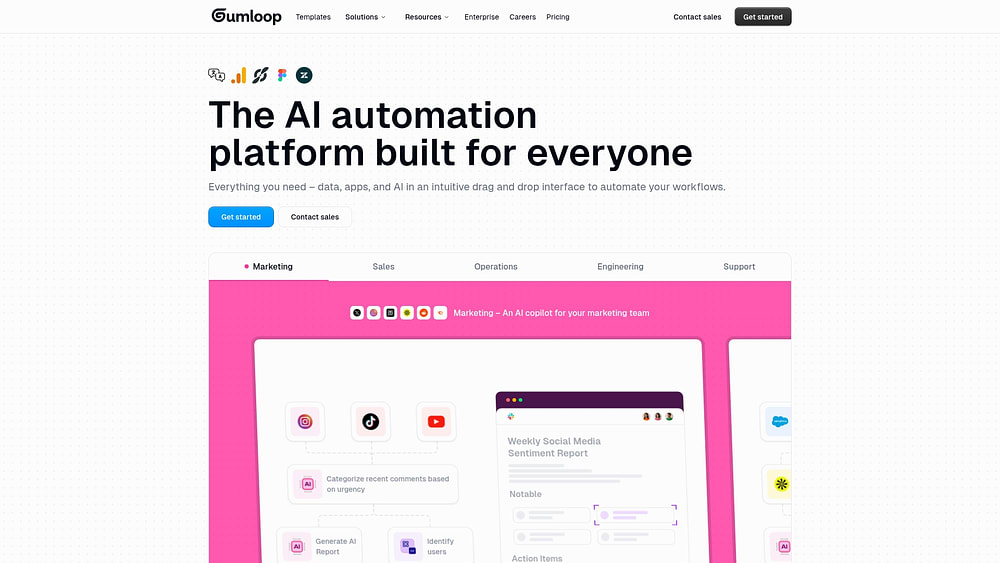
Gumloop brings drag-and-drop automation directly to Slack, turning repetitive processes into intelligent workflows. It leverages MCP-powered integrations to serve cross-functional teams that need seamless automation without the technical overhead.
Example:
The platform eliminates manual data work and coordination tasks. It combines deterministic workflows with conversational AI agents that reside within your team’s Slack channels.
Key features:
- Visual workflow builder: drag-and-drop automation for complex business processes without requiring technical expertise.
- Slack-deployed AI agents: orchestrate workflows through natural language commands directly within team communication channels.
- MCP (Model Context Protocol) nodes: generate custom integrations with work management platforms like Asana, Jira, and ClickUp for seamless connectivity.
Pricing:
- Free: $0/month with 2,000 credits, one seat, basic automation features.
- Solo: $37/month with 10,000+ credits, unlimited triggers, webhooks, email support.
- Team: $244/month with 60,000+ credits, ten seats, dedicated Slack support, usage analytics.
- Enterprise: custom pricing with RBAC, SAML/SCIM, audit logs, VPC deployments.
- Annual billing discount:20% savings compared to monthly rates.
- Credit overages: $0.005 per credit (up to 2× monthly allocation).
Considerations:
- Credit-based consumption model: requires careful planning to avoid unexpected costs as usage scales.
- Slack channel limitations: channels limited to one active agent by default, requiring custom setup for multiple agents per channel.
How to build your AI productivity system?
Constructing an effective AI ecosystem requires more than just accumulating software; it demands a unified intelligence layer that enhances your entire organization. The objective is to weave AI into the very fabric of your daily operations rather than treating it as a series of isolated tasks.
The distinction between a high-value investment and shelfware lies in integration. A robust system connects seamlessly with your existing technology and scales alongside your team’s ambitions, evolving into a business operating system that learns and improves with every project.
Prioritize key capabilities for team success
Select an AI platform based on foundational capabilities that drive long-term performance rather than short-term fixes. These core elements determine whether the technology will provide sustained value.
- Cross-platform integration: your AI needs access to context from your entire software suite, including CRMs and communication tools. monday work management exemplifies this with AI blocks, which deliver context-aware insights directly within established workflows.
- Collaborative AI: real impact stems from collective efficiency. Choose AI that improves visibility and coordination across the board, transforming individual productivity gains into organizational advantages.
- Scalable automation: as your data volumes grow and decisions become more complex, your AI must keep pace. It should serve as a permanent asset that handles increased load without faltering.
- Dynamic learning: avoid static solutions. A superior system continuously adapts to your team’s behavior, refining its recommendations to match your specific operational patterns over time.
Connect AI to your tech stack
The power of an AI platform is limited by its connectivity. Without deep integration, even advanced features remain isolated from actual work. To make AI a natural part of your operations, ensure it syncs data in real-time.
Your teams should be able to act on AI-driven insights without breaking their flow or switching screens. Workflow continuity is the ultimate test of a successful integration.
Ensure enterprise-grade security and compliance
Entrusting a platform with business data requires rigorous security evaluation. You need the same level of protection you would demand from any critical infrastructure.
Look for platforms that offer complete control, including robust privacy measures, compliance with frameworks like SOC 2 and GDPR, and granular access controls.
Security isn’t just about protection; it’s about earning the trust required to deploy AI at scale.
5 steps to implement AI platforms for business productivity
Adopting AI is a strategic journey, not a shopping spree. Organizations that succeed start with a clear plan, prove value early, and scale with intention. It’s about engineering a smarter way to work, step by step.
Step 1: assess your team’s needs
Diagnosis must precede prescription. Before evaluating vendors, identify exactly where your team’s productivity is stalling. Ignore the marketing hype and look closely at your actual workflows to find the bottlenecks.
Map out your current processes to spot repetitive tasks and manual data entry. To pinpoint the best opportunities:
- Quantify the effort: measure the hours lost to tasks like report generation or request categorization.
- Ask your team: gather feedback on their biggest frustrations and where they see potential for automation.
- Prioritize impact: focus on areas where a small technical lift can yield significant time savings.
Step 2: start with quick wins
Momentum is built on early victories. Launch your AI initiative by automating simple, repetitive tasks that have clear success metrics. This strategy builds confidence and creates internal champions for the technology.
Select a pilot team that is eager to experiment and has a well-defined process ready for improvement. Track concrete outcomes that resonate with both the team and leadership. These initial wins are crucial for generating the enthusiasm needed for broader adoption.
Step 3: scale across departments
Moving from a pilot to a company-wide rollout requires a playbook. Document the lessons learned from your initial success and create a guide for other departments. While specific needs may vary between sales and operational teams, a flexible platform can accommodate everyone without creating new silos.
Manage the change proactively by involving department heads early and offering role-specific training. Designate AI champions within each team to provide peer support. Using platforms like monday work management, unified workflows allow you to coordinate these initiatives, ensuring every team remains aligned with the company’s core strategy as you scale.
Step 4: measure and optimize
Accountability relies on measurement. To validate your AI initiatives, track their impact on productivity and performance from the outset. Define your key metrics early and monitor them rigorously.
Look beyond simple time savings. Track improvements in work quality, such as error reduction, and survey your teams to gauge satisfaction. Empowered, happy users are often the best indicator that your implementation is on the right track.
Step 5: continuous innovation
AI is a practice, not a one-time installation. To stay ahead, foster a culture of experimentation where teams feel safe to explore new applications.
Evaluate emerging capabilities systematically, but adopt only those that solve genuine business problems. Encourage teams to test new ideas in a controlled environment before full deployment. Organizations that integrate learning into their DNA are the ones that sustain a competitive advantage.
Maximizing ROI from your AI productivity investment
ROI is the language of leadership. To secure buy-in, you must connect AI investments to tangible business outcomes. This requires a framework that clearly demonstrates the financial return.
Track time savings and efficiency gains
Establishing a baseline is the first step. Document current performance metrics for specific activities, such as weekly reporting or data entry, before introducing AI.
Once the technology is in place, measure the improvements against this baseline. This provides a credible comparison. If an AI feature saves each employee 30 minutes a week, a 40-person team reclaims 20 hours of capacity monthly: time that can be redirected toward accelerating projects and decision-making.
Calculate business impact
Translate time savings into financial terms. Multiply the hours saved by your average labor cost to calculate direct cost reductions. Then, look at revenue acceleration: how does this freed-up capacity allow teams to pursue new opportunities?
The most significant benefit often lies in strategic capacity. When AI handles the grunt work, your talent can focus on high-value activities. Platforms like monday work management make these gains visible, linking time savings directly to strategic goals.
Focus on long-term value creation
Intelligence compounds over time. A smart AI investment creates a durable competitive advantage by enabling better decisions and more capable teams.
As AI provides faster insights and predictive data, leaders can mitigate risks early and model various strategic outcomes. This operational maturity is difficult for competitors to replicate instantly, securing your position as a market leader.
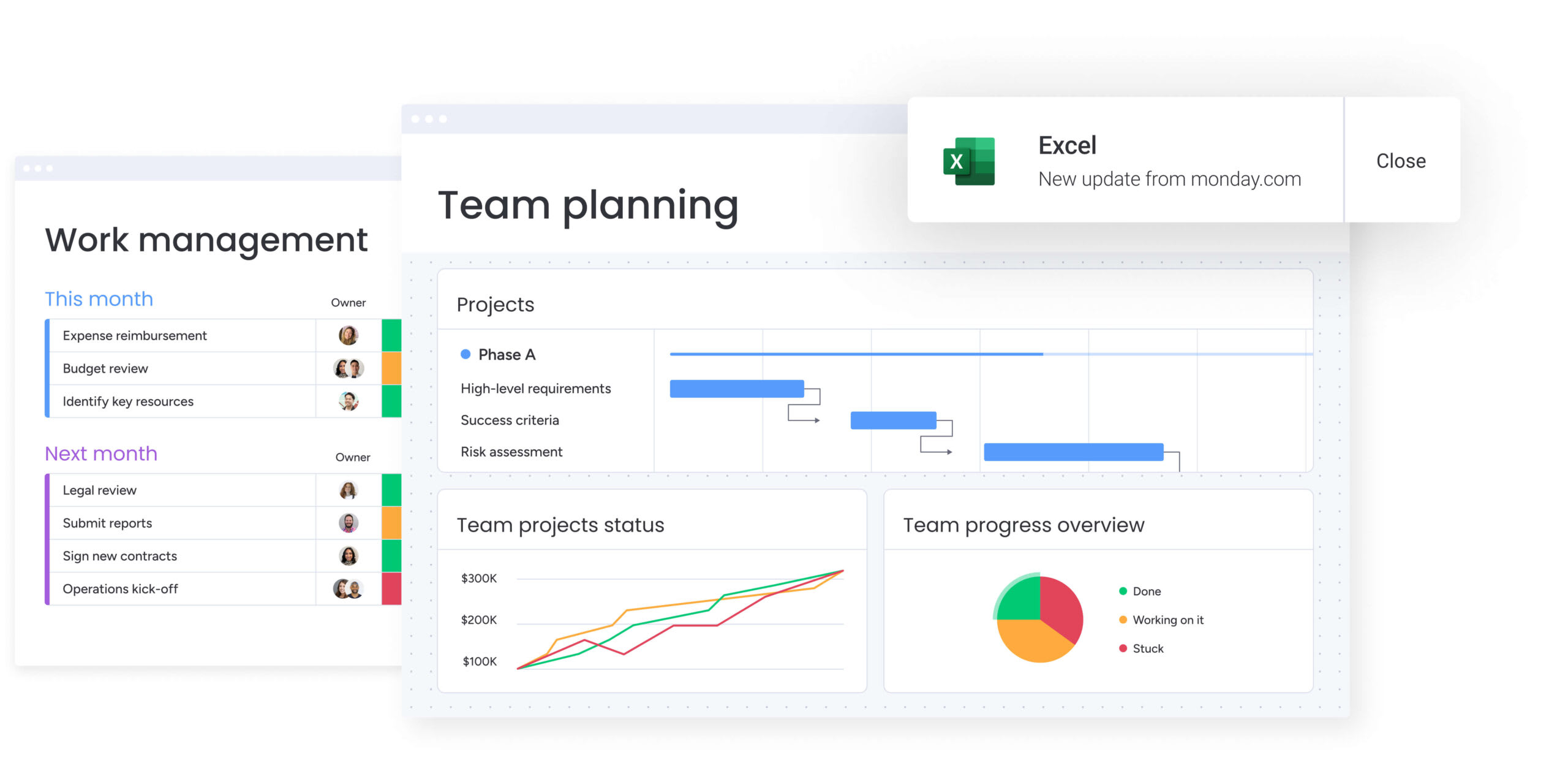
Transform your team with the AI platform from monday work management
Imagine powering your workflows with AI without the headache of managing yet another software subscription. By embedding intelligent automation directly into the digital workspace your teams already inhabit, you eliminate friction and make AI immediately accessible and contextual.
AI integrates into the core of your operations with monday work management. This approach ensures that every insight is grounded in your actual business processes, creating a smarter, more connected system for running your entire organization.
Automate workflows instantly with AI blocks
AI blocks serve as intelligent building blocks that automate complex tasks within your existing workflows. They interpret project context and data to deliver instant results, requiring no complicated setup.
Leverage AI blocks to:
- Categorize information at scale: automatically sort thousands of items, from support tickets to feedback, bypassing hours of manual triage.
- Summarize anything: turn long documents or email chains into concise digests that keep the key takeaways and cut the noise.
- Generate content in your brand voice: produce consistent, high-quality text for updates and reports in seconds.
Put an AI workforce on your team
Digital Workers act as specialized AI teammates that monitor work, flag risks, and execute tasks 24/7. They operate alongside your human team, utilizing the same business context to drive productivity.
These specialists include:
- Project Analyzer: watches over portfolio health, predicting delays and suggesting interventions.
- Sales Advisor: scans your pipeline to identify high-priority deals and recommend next steps.
- Campaign Manager: evaluates marketing performance in real-time, suggesting budget shifts to maximize ROI.
Scale with enterprise-grade security and trust
Powerful AI built for the enterprise, monday work management combines the governance, compliance, and data protection large organizations demand with an intuitive user experience.
Security is intrinsic to the platform, featuring robust encryption, granular access controls, and audit trails. With certifications including SOC 2, ISO 27001, GDPR, and HIPAA, your data and workflows remain secure and compliant.
| Capability | monday work management | Standalone AI tools | Traditional project management |
|---|---|---|---|
| AI integration depth | Native AI is embedded throughout the platform, accessing full work context | Separate tools require data export and import | Limited or no native AI capabilities |
| Workflow automation | Pre-built AI Blocks and custom actions require no coding | Tool-specific automation often requires technical setup | Manual, rules-based automation only |
| Cross-functional visibility | A unified platform spans all departments and workflows | Visibility is fragmented across multiple tools | Work is isolated in department-specific silos |
| Enterprise security | SOC 2, ISO 27001, GDPR, and HIPAA compliance with granular controls | Security standards are inconsistent and require individual vetting | Enterprise security is available but without AI governance |
| Total cost of ownership | A single platform license covers both AI and work management | Multiple licenses and integration costs add up quickly | Lower initial cost but with limited AI value |
With monday work management, AI acts as the engine of your business, not an accessory. By unifying intelligent automation in one platform, you empower teams to execute faster and achieve exceptional results.
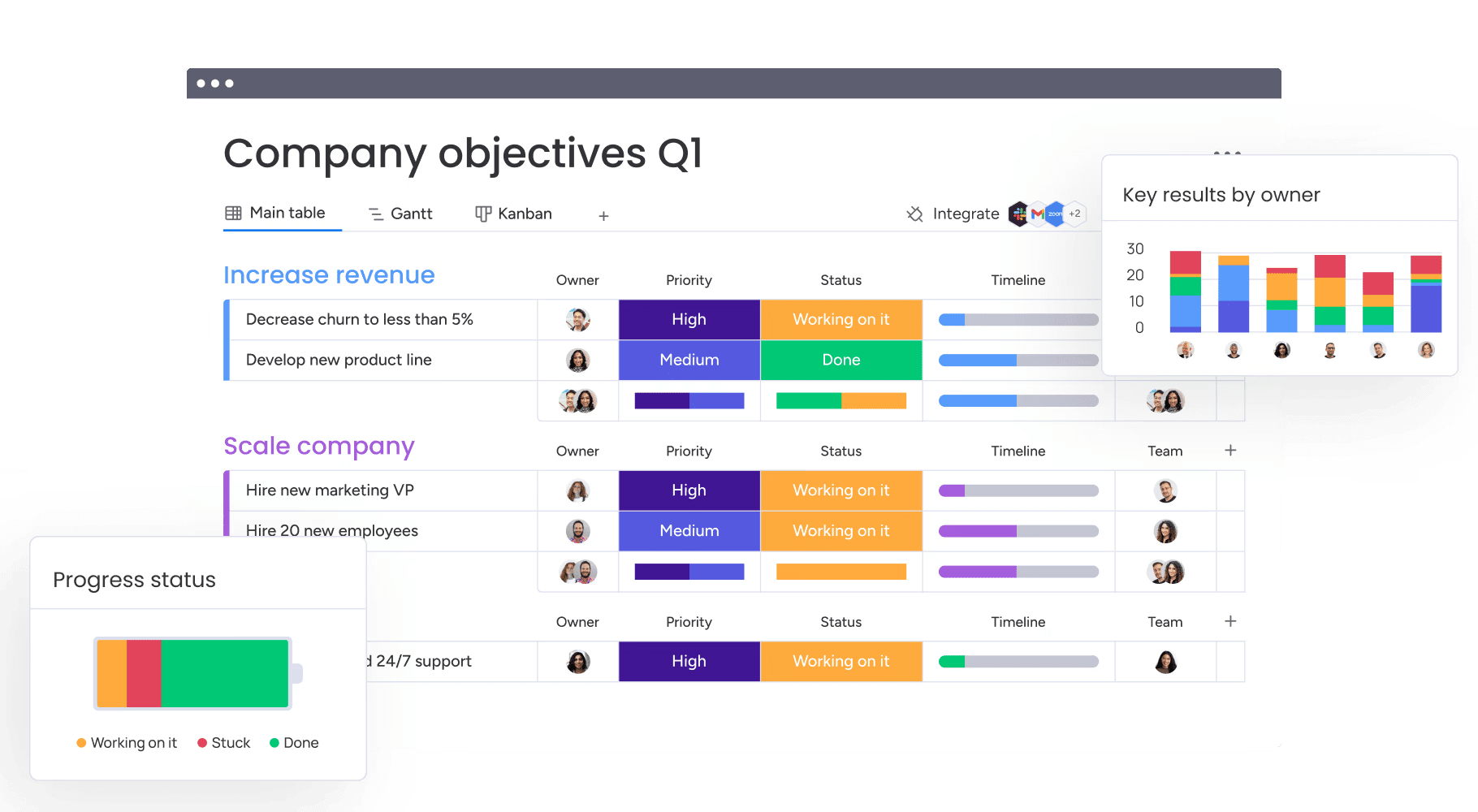
Accelerate your team's AI transformation today
AI has graduated from experiment to essential capability. Leading organizations leverage it to reclaim hundreds of hours from manual processes. True transformation occurs when you assess specific needs, run focused pilots, and scale successful strategies across the enterprise.
This systematic approach builds momentum and prevents the formation of data silos. It begins with a strategy that prioritizes integration and scalability over a collection of disconnected tools.
A unified platform is the catalyst. Teams using monday work management integrate AI into their daily rhythms, connecting every process from inception to delivery. The result is a single source of truth that eliminates context switching and provides leaders with the visibility needed to drive transformative growth.
Frequently asked questions
What is the best free AI tool for productivity?
The best free AI tool for productivity depends on your specific goals, whether that's content generation or workflow automation. For teams looking to connect AI directly to their work, monday work management offers a free trial to test its integrated capabilities.
How much do AI productivity tools typically cost for teams?
Costs generally range from $10–$30 per user per month, varying by feature set. Large organizations with specific security and support requirements can access enterprise pricing.
Can AI productivity tools integrate with existing project management software?
While most AI platforms offer integrations, they often result in data silos. A platform with native AI, such as monday work management, avoids this by embedding intelligence directly into your workflows.
What skills do teams need to use AI productivity tools effectively?
Effective use requires strategic thinking rather than technical expertise. Modern platforms utilize no-code configurations, making advanced AI accessible to all team members.
How long does it take to see ROI from AI productivity tools?
ROI can be realized in weeks by automating repetitive tasks. Broader organizational impacts, such as substantial time savings, typically materialize within three to six months as adoption spreads.
Which AI productivity app works best for remote teams?
Remote teams benefit most from cloud-based systems that unify collaboration. An integrated platform like monday work management uses AI to align distributed teams and maintain momentum across different time zones.

 Get started