


Most teams do not have a scheduling problem in isolation. They have a coordination problem.
A calendar can show when people are busy, but it usually does not show whether a project is behind, whether a team is over capacity, or whether the next meeting is actually tied to a meaningful decision. That gap is where work starts to drift. Meetings get booked without context, focus time disappears, and follow-up tasks live in notes, chats, or someone’s memory instead of a shared workflow.
AI calendar tools and other AI scheduling tools are designed to close part of that gap. Some focus on personal productivity by finding time for deep work or automatically rescheduling tasks. Others help teams coordinate meetings, summarize discussions, and connect action items to the work that follows. The most valuable tools go beyond availability and start using context: deadlines, priorities, capacity, dependencies, and ownership.
In this guide, we’ll look at 11 AI calendar tools that help individuals and teams manage time more intelligently. We’ll also cover what to look for in an AI calendar, how these tools support cross-functional coordination, and how monday.com’s AI Work Platform helps teams connect scheduling context to project execution.
Get started with monday.comKey takeaways
- AI calendars help teams move beyond basic scheduling by using context like availability, priorities, deadlines, task ownership, and project status
- The best AI calendar tools can protect focus time, suggest meeting times, reschedule tasks, and connect calendar blocks to the work that needs to get done
- For cross-functional teams, integrations matter. Calendar intelligence is more useful when it connects to project boards, CRM systems, communication tools, and workflow automations
- Meeting follow-through is becoming a key differentiator. AI can help summarize discussions, extract action items, assign owners, and turn decisions into trackable work
- monday.com’s AI Work Platform helps teams connect scheduling context with project work, dashboards, automations, integrations, and AI-powered capabilities in one workspace
What is an AI calendar?
An AI calendar is a scheduling tool that uses artificial intelligence to help manage time, meetings, tasks, and availability. Unlike a traditional calendar, which mainly stores events, an AI calendar can help interpret priorities, recommend schedule changes, protect focus time, and connect tasks to open time blocks.
At a basic level, AI calendars can help users find meeting times or automatically schedule tasks. More advanced tools can analyze workload, understand deadlines, summarize meetings, suggest follow-ups, and connect scheduling decisions to broader project workflows.
For individuals, this can make it easier to plan the day around meaningful work rather than reacting to every open slot. For teams, AI calendars can support better coordination by helping people understand not only when someone is available, but also what work is urgent, what needs attention, and what should happen after a meeting ends.
Traditional calendars vs. AI calendars
Traditional calendars are useful, but they are mostly passive. They show commitments, availability, and meeting details. They do not usually understand whether a task is high priority, whether a team member is overloaded, or whether a meeting should trigger follow-up work.
AI calendars add a layer of intelligence to that process.
The main shift is that AI calendars can turn scheduling from a static record into a more active planning layer.
Learn more: AI calendar agent
Core capabilities to look for in an AI calendar
Not every AI calendar tool is built for the same kind of user. Some are designed for individuals who want a smarter daily plan. Others are better suited for teams that need meeting coordination, workload visibility, and project follow-through. When comparing tools, look for the following capabilities.
Natural language scheduling
Natural language scheduling lets users create or adjust events with simple prompts, such as “find time for a 30-minute design review next week” or “block two hours tomorrow for the launch plan.” This reduces manual calendar management and makes scheduling feel more like working with an assistant.
Task-to-calendar sync
Task-to-calendar sync connects work from task lists, project boards, or productivity tools to a user’s calendar. This helps people reserve real time for tasks instead of treating the calendar as only a place for meetings.
Focus time protection
Focus time protection helps preserve deep work blocks by defending them from lower-priority meetings or automatically finding another time when conflicts arise. This is especially useful for teams that struggle with meeting overload.
Intelligent rescheduling
When priorities shift, AI calendar tools can suggest schedule changes instead of leaving users to manually rearrange the day. The strongest tools consider deadlines, estimated task duration, and the relative importance of each commitment.
Meeting intelligence
Meeting intelligence can include agenda preparation, notes, summaries, action items, and follow-up tasks. This is where AI calendars start connecting time management to execution.
Integrations with work tools
AI calendars are more useful when they connect with the tools teams already use, such as Google Calendar, Outlook, Slack, Microsoft Teams, Jira, Asana, ClickUp, Salesforce, or monday.com. Integrations help reduce duplicate updates and keep scheduling decisions tied to work context.
Governance and permissions
For organizations, AI calendar tools need appropriate permissions, access controls, admin settings, and auditability. This is especially important when calendars contain sensitive information about customers, hiring, revenue, product plans, or leadership decisions.
11 best AI calendar tools for coordinating work in 2026
1. monday.com’s AI Work Platform
Best for: Cross-functional teams that want to connect scheduling context, project work, dashboards, automations, and AI-powered capabilities
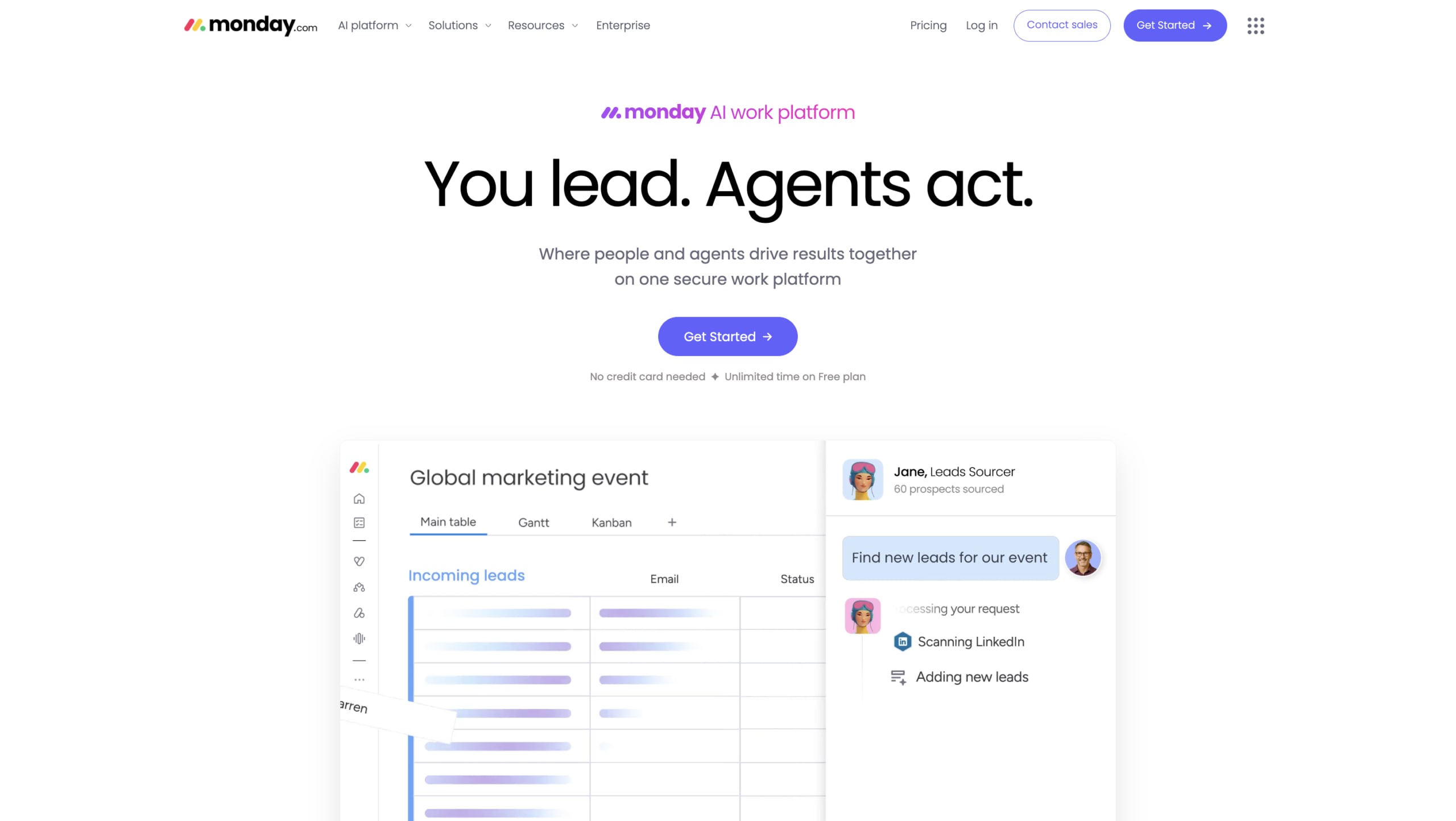
monday.com’s AI Work Platform is not a standalone personal calendar app. It is a broader work platform that helps teams connect the context around meetings, tasks, projects, dashboards, automations, and follow-up work.
That makes it especially useful for teams that want to connect calendar-related activity to execution. A meeting is rarely valuable on its own. What matters is what happens before and after it: the project context, the decisions made, the owners assigned, and the work that moves forward as a result.
With monday.com, teams can manage project boards, timelines, owners, updates, dashboards, and workflows in one place. AI-powered capabilities can support that work by summarizing updates, organizing information, surfacing risks, and helping teams turn unstructured input into clearer next steps.
Key features:
- monday sidekick can help teams summarize information, work with workspace context, and focus on items that need attention
- monday agents can support defined workflows by helping teams analyze work, summarize updates, surface risks, and keep processes moving with the right context and guardrails
- monday vibe can help teams turn workflow ideas into apps and structured workspaces using natural language
- AI columns and the AI workflow builder can help teams categorize, summarize, extract, or generate information inside workflows
- Boards, dashboards, automations, and integrations help teams connect meetings, tasks, ownership, timelines, and reporting
Best fit: monday.com is a strong fit for teams that need more than personal schedule optimization. It works well for teams that want meeting context, project execution, dashboards, automations, and follow-up work connected in one workspace.
Considerations: Teams looking only for a lightweight personal calendar assistant may prefer a dedicated scheduling tool. monday.com is best when scheduling context needs to connect to shared work and team execution.
Get started with monday.com2. Reclaim.ai
Best for: Individuals and small teams that want to protect focus time and automatically schedule tasks

Reclaim.ai helps users make room for important work by automatically scheduling tasks, habits, meetings, and focus time. It integrates with Google Calendar and Outlook and can pull tasks from tools such as Asana, Todoist, ClickUp, Linear, and Jira.
Its main strength is priority-aware scheduling. Instead of forcing users to manually move calendar blocks throughout the day, Reclaim can reschedule tasks as availability changes.
Key features:
- Automatic task scheduling based on deadlines, duration, and priority
- Focus time protection for deep work, routines, breaks, and recurring habits
- Smart meeting scheduling that looks for times that reduce disruption
- Calendar sync across work and personal calendars
Best fit: Reclaim.ai is useful for knowledge workers, managers, and small teams that need more control over meeting load and focus time.
Considerations: Reclaim is strongest in its role as a scheduling layer. Teams that need project dashboards, workflow automations, or broader execution tracking will likely need to connect them to other tools.
3. Sunsama
Best for: Professionals who want structured daily planning across multiple work tools
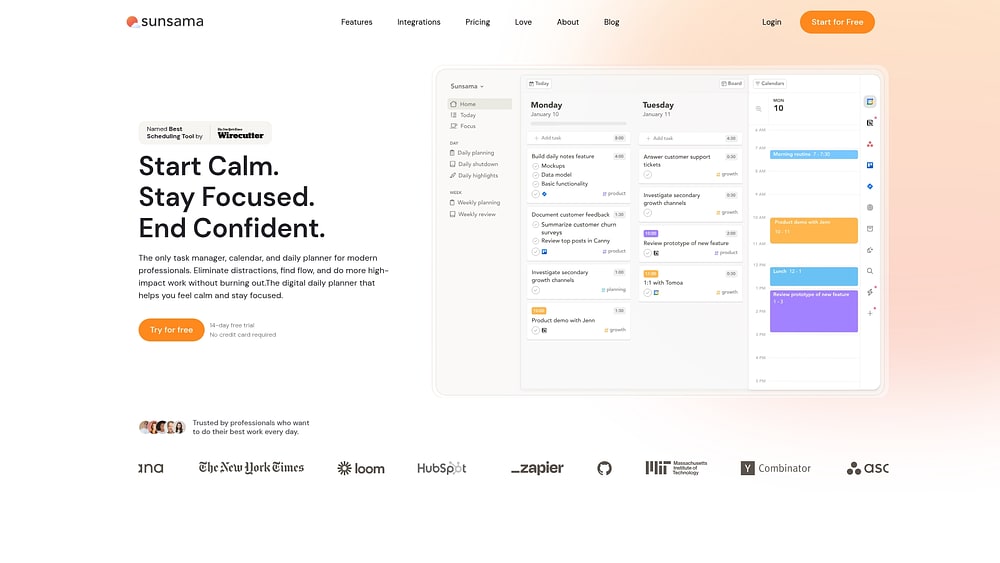
Sunsama combines task planning, time blocking, and calendar management into a calm daily planning workflow. Rather than automatically reshuffling everything, it encourages users to plan intentionally and commit to a realistic workload.
Sunsama pulls tasks from tools like Asana, Trello, Jira, GitHub, Todoist, and ClickUp, then helps users decide what to work on and when.
Key features:
- Daily planning workflow that helps users choose priorities intentionally
- Task imports from multiple project and productivity tools
- Calendar-based time blocking for focused work
- AI-assisted planning through Sunsama’s assistant
Best fit: Sunsama is a good fit for professionals seeking a more mindful daily planning system and a single view of tasks across multiple sources.
Considerations: It is more focused on individual planning than team-wide project coordination. Organizations that need shared visibility and workflow reporting may need additional tools.
4. FlowSavvy
Best for: Individuals who want automatic task placement based on deadlines and available time

FlowSavvy is designed to automatically place tasks into open calendar slots. Users add tasks, deadlines, and estimated durations, and FlowSavvy builds a schedule around existing events.
It is particularly useful for people who want the benefits of time blocking without having to manually rebuild their calendar every day.
Key features:
- Automatic task placement into available calendar time
- Deadline-aware scheduling
- Urgency-based visual indicators
- Recalculation controls when plans change
- Sync with external calendars
Best fit: FlowSavvy is useful for students, freelancers, and individual professionals who want structured time-blocking without heavy project-management features.
Considerations: It is primarily an individual scheduling tool. It does not provide the shared workflows, dashboards, or team execution features needed for larger cross-functional teams.
5. Morgen
Best for: Professionals managing multiple calendars and task sources

Morgen brings multiple calendars and task tools into one interface. It supports users who manage work and personal calendars, as well as task lists, across different systems.
Its AI planning features can suggest time blocks while keeping the user in control. This is useful for people who want help planning their week without fully handing off scheduling decisions.
Key features:
- Multi-calendar consolidation
- Task integrations with tools like Todoist, Notion, ClickUp, and Linear
- AI-assisted planning with user approval
- Scheduling links, group polls, and booking workflows
- Calendar automation features such as buffer time and travel time
Best fit: Morgen is a good fit for consultants, founders, managers, and busy professionals who need a consolidated view of their schedules across multiple calendars.
Considerations: It is less focused on enterprise project execution and may not provide the same level of cross-functional workflow visibility as a broader work platform.
6. Motion
Best for: Individuals and small teams that want AI-driven task scheduling and project planning

Motion combines calendar management, task scheduling, meeting booking, and project planning. Its AI scheduling engine automatically places tasks on the calendar based on priority, deadline, and available time.
Motion is useful for users who want their calendar to continuously adjust as work changes.
Key features:
- AI-powered task scheduling
- Automatic rescheduling when priorities or availability change
- Meeting booking and calendar coordination
- Project and task management features
- AI meeting notes and follow-up support
Best fit: Motion is a strong option for busy professionals and small teams that want a more automated way to plan tasks and meetings.
Considerations: Some teams may find the automatic scheduling approach helpful, while others may prefer more manual control. Larger organizations should also review governance, integrations, and workflow needs carefully.
7. SkedPal
Best for: Individuals who want advanced time blocking based on priorities and preferred work windows

SkedPal uses AI-assisted scheduling to place tasks into the best available time slots based on urgency, importance, and user-defined preferences. Users can define “Time Maps” that tell SkedPal when different types of work should happen.
This makes it a good fit for people whose days change often but who still want a structured plan.
Key features:
- Priority-based time blocking
- Time Maps for preferred work windows
- Automatic schedule adjustment
- Task budgeting and planning
- Calendar integration
Best fit: SkedPal is useful for consultants, managers, and knowledge workers who want flexible but structured time planning.
Considerations: SkedPal is a personal productivity tool rather than a team execution platform. It does not provide shared project boards or cross-functional workflow management.
8. Google Gemini
Best for: Teams already working inside Google Workspace

Google Gemini brings AI assistance into Google Workspace, including Gmail, Docs, Drive, and Calendar-related workflows. For organizations already using Google Calendar, Gemini can help with scheduling support, summaries, and productivity across the Google ecosystem.
Its value comes from being embedded in tools that many teams already use every day.
Key features:
- Natural language support across Google Workspace
- Calendar-related assistance within the Google ecosystem
- AI-generated summaries and drafts
- Support for searching and working across Gmail, Docs, Drive, and related tools
Best fit: Gemini is a natural option for teams that already rely heavily on Google Workspace and want AI assistance without adding another standalone app.
Considerations: Gemini is strongest inside the Google ecosystem. Teams using a broader mix of tools may need additional integrations or a work platform that connects project context across systems.
9. Akiflow
Best for: Professionals who want one place to plan tasks from many tools

Akiflow helps users collect tasks from many sources and turn them into a daily plan. It combines task capture, calendar blocking, and meeting support in a single planning interface.
Its strength is task consolidation. Users can bring work from different tools into one place, then decide what to schedule and prioritize.
Key features:
- Universal inbox for tasks from multiple sources
- Calendar-based planning and time blocking
- AI assistant for scheduling and planning support
- Meeting assistant for summaries and action items
- Integrations with task and calendar tools
Best fit: Akiflow is useful for founders, operators, managers, and individual contributors who need to consolidate work from many systems.
Considerations: Some AI and meeting features may have usage limits or still be evolving. Teams should review the current plan details and feature availability before choosing it as a core workflow tool.
10. Structured
Best for: Individuals who prefer visual daily planning

Structured turns tasks and events into a visual timeline. It is especially useful for people who prefer seeing their day laid out chronologically rather than managing a long to-do list.
Its AI Planner can help users turn text, voice, or visual input into a proposed plan.
Key features:
- Visual timeline-based daily planning
- Drag-and-drop task scheduling
- AI-assisted planning from text, voice, or images
- Reminders, subtasks, and color-coded tasks
Best fit: Structured is useful for individuals, students, creatives, and anyone who prefers a visual approach to personal planning.
Considerations: Structured is more of a personal planner than an organizational scheduling system. It is not built for project execution, dashboards, or cross-functional coordination.
11. Toki
Best for: Individuals and small teams that want conversational scheduling

Toki is a conversational scheduling assistant that helps users create events, coordinate meetings, and capture plans from text, voice, screenshots, and email. It is designed to speed up event creation and coordination, especially on mobile.
Key features:
- Conversational meeting coordination
- Event capture from voice, text, screenshots, and email
- Calendar connections across common calendar providers
- Proactive reminders and scheduling prompts
Best fit: Toki is useful for individuals and small teams that want a lightweight, conversational way to manage events and meetings.
Considerations: Toki is more focused on personal and small-team scheduling than project execution. Teams that need integration with task boards, dashboards, or enterprise workflows may need a broader platform.
Get started with monday.comSeven capabilities to look for in an AI calendar assistant
AI calendar tools vary widely. Some are simple booking assistants. Others help plan tasks, protect focus time, summarize meetings, and connect scheduling to work systems. Before choosing a tool, evaluate how much context it can access and how much control your team needs.
1. Natural language and context awareness
A useful AI calendar should understand requests written in everyday language. For example, “schedule a 30-minute campaign review next week” should be enough for the tool to identify possible times and create an event.
Stronger tools go further by considering context. That might include project deadlines, participant availability, task priority, or the need to preserve focus time before a major deliverable.
2. Cross-platform calendar and task sync
Many professionals work across multiple tools. A calendar assistant that only sees one calendar may miss important commitments. Look for tools that connect to the calendars, task managers, and communication platforms your team already uses.
For teams, this is especially important. A scheduling decision should reflect not only whether someone is free, but whether they have urgent work, upcoming deadlines, or active blockers.
3. Focus time protection
A calendar full of open space does not mean someone is available for more meetings. Sometimes that time is needed for deep work, planning, writing, analysis, or delivery.
AI calendar tools can help protect focus time by reserving work blocks, rescheduling flexible tasks, and reducing unnecessary meeting disruption.
4. Intelligent meeting booking
A basic booking link shows open slots. An intelligent meeting assistant can consider urgency, priority, time zones, focus time, and participant schedules before suggesting a meeting time.
For distributed teams, this can reduce coordination overhead and create a fairer scheduling process across regions.
5. Meeting preparation and follow-up
Meetings create value only when they lead to decisions, alignment, or action. AI calendar tools can help by preparing agendas, summarizing discussion, extracting action items, and creating follow-up tasks.
This capability is especially useful when connected to a work platform. Follow-up tasks should not stay in a meeting transcript. They should become assigned, visible, and trackable work.
Get it now: Meeting agenda template
6. Time analytics
AI calendar tools can help individuals and teams understand where time is going. This can reveal patterns like too many recurring meetings, insufficient focus time, or overloaded teams.
For leaders, time analytics can support better decisions about capacity, hiring, prioritization, and meeting culture.
7. Governance and permissions
Enterprise teams need AI tools that respect privacy, access controls, and administrative boundaries. Calendars often contain sensitive information about customers, hiring, strategy, product launches, and financial decisions.
Before choosing a tool, evaluate how it handles permissions, admin controls, audit logs, user consent, data access, and human review.
How AI calendars support cross-functional teams

Cross-functional work creates scheduling complexity because different departments operate on different rhythms. Marketing may plan around campaigns. Engineering may plan around sprints. Sales may work around pipeline stages. Customer success may be driven by renewals, escalations, or onboarding milestones.
A traditional calendar can show availability, but it cannot always connect those different operating rhythms. AI calendar tools can help by adding context.
Aligning work across different team cadences
When multiple teams contribute to the same initiative, scheduling should reflect the sequence of work. For example, a product launch may require product readiness, enablement materials, campaign approvals, sales training, support documentation, and executive review.
AI-powered scheduling can help teams think beyond open meeting slots. The better question is: what needs to happen before this meeting, and what should happen after?
Connecting calendar events to project data
Calendar intelligence becomes more valuable when it connects to live project data. If a project deadline moves, related meetings may need to move too. If a dependency is complete, a review can happen earlier. If a team is overloaded, a manager may need to protect delivery time instead of adding another meeting.
This is where a broader platform can help. With monday.com’s AI Work Platform, teams can connect boards, owners, timelines, dashboards, updates, automations, and AI-powered capabilities. Scheduling context becomes part of the workflow instead of a separate layer.
Turning meetings into trackable work
Many teams lose momentum after meetings because decisions are not turned into clear ownership. AI can help summarize what happened, extract action items, and organize follow-up tasks.
The goal is not to automate judgment. People still need to make decisions and review important work. But AI-powered support can reduce the manual work between discussion and execution.
Security, permissions, and governance for AI calendars
Calendars can reveal more than availability. They can show customer conversations, hiring plans, investor meetings, product timelines, leadership priorities, and sensitive internal decisions. That makes governance essential.
When evaluating AI calendar tools, consider:
- What data the AI can access
- Whether access follows user permissions
- How meeting data, transcripts, or summaries are stored
- Whether admins can manage settings centrally
- Whether there are audit logs or activity records
- Whether users can review or approve AI-generated actions
- How the tool handles external guests and confidential events
For larger organizations, governance should not be treated as an afterthought. AI-powered scheduling can be useful only if teams trust the system and understand how it works.
How monday.com connects scheduling context to work execution
Most AI calendar tools focus on optimizing an individual’s schedule. That can be valuable, but cross-functional teams often need more. They need to connect time, tasks, owners, dashboards, approvals, updates, and outcomes.
monday.com’s AI Work Platform helps teams manage that broader connection.
Connect scheduling context to live project data
With monday.com, teams can connect meetings, tasks, owners, timelines, and dashboards in one workspace. That helps managers understand not only when people are available, but also what work is due, what is blocked, and what needs attention.
Turn meeting outcomes into action
AI-powered capabilities can help summarize updates, extract action items, and organize follow-up work. Teams can then track those next steps on boards, assign owners, and monitor progress through dashboards.
Use automations to keep work moving
Calendar-related events can connect to workflows through automations and integrations. For example, teams can create follow-up tasks, notify stakeholders, update statuses, or trigger review steps based on changes in a project workflow.
Build workflows around how your team works
monday.com gives teams flexible boards, dashboards, automations, integrations, and AI-powered capabilities to build workflows that match their processes. This makes it easier to connect scheduling, planning, and execution without forcing every team into one rigid system.
Get started with monday.comTransform your calendar from a time record into a coordination layer
A calendar should do more than show when people are busy. For modern teams, it should help protect focus time, support better meetings, connect follow-up work to owners, and give teams a clearer view of how time is being used.
AI calendar tools can help individuals plan better days and help teams reduce the coordination work that often slows execution. The right tool depends on the problem you are trying to solve. If you need personal time blocking, tools like Reclaim.ai, Sunsama, Motion, SkedPal, Morgen, Akiflow, Structured, or Toki may be a strong fit. If you already work inside Google Workspace, Gemini may be the most natural place to start.
If your goal is to connect scheduling context to team execution, monday.com’s AI Work Platform offers a broader path. Teams can connect meetings, tasks, dashboards, automations, integrations, and AI-powered capabilities in one workspace, so scheduling becomes part of how work moves forward.
Get started with monday.comThe content in this article is provided for informational purposes only and, to the best of monday.com’s knowledge, the information provided in this article is accurate and up-to-date at the time of publication. That said, monday.com encourages readers to verify all information directly.
Frequently asked questions about AI calendars
What is an AI calendar?
An AI calendar is a scheduling tool that uses artificial intelligence to help manage meetings, tasks, focus time, and availability. Some AI calendars can also suggest meeting times, reschedule tasks, summarize meetings, or connect scheduling decisions to project work.
What is the best AI calendar tool?
The best AI calendar tool depends on what you need. Reclaim.ai, Motion, Sunsama, Morgen, SkedPal, and Akiflow are often used for personal scheduling and time blocking. monday.com’s AI Work Platform is a strong option for teams that want scheduling context connected to project work, dashboards, automations, and AI-powered workflows.
Is there a free AI calendar tool?
Yes, some AI calendar tools offer free plans or free trials. Free plans may include limits on users, events, scheduling links, integrations, or AI usage, so teams should check the current plan details before choosing a tool.
Can AI calendars sync with Google Calendar and Outlook?
Many AI calendar tools connect with Google Calendar, Outlook, or both. The level of sync varies by platform, so check whether the tool supports one-way sync, two-way sync, meeting scheduling, task blocking, or project management integrations.
What is the difference between an AI calendar and a booking link?
A booking link shows available time slots so someone can choose a meeting time. An AI calendar can go further by considering priorities, focus time, deadlines, tasks, and conflicts before suggesting or adjusting meeting times.
How can monday.com support AI-powered scheduling workflows?
monday.com’s AI Work Platform helps teams connect scheduling context with project work. Teams can use boards, dashboards, automations, integrations, monday sidekick, monday agents, monday vibe, AI columns, and the AI workflow builder to summarize updates, track follow-ups, assign owners, and keep work moving after meetings.
 Get started