


Your marketing stack comprises twelve platforms, three spreadsheets for tracking campaign performance, and a Slack channel where team members regularly inquire about the latest version. Each platform performs its designated function adequately in isolation. However, enabling these platforms to share data, trigger actions, and consolidate reporting in a unified location presents significant challenges.
Marketing platforms for small business only deliver real value when they work together. Isolated platforms create isolated data, which means your team spends more time reconciling reports than acting on insights. The goal isn’t collecting logos in your tech stack. It’s building a connected system where a new lead automatically updates your CRM, triggers a follow-up sequence, and notifies sales without anyone copying and pasting between tabs.
This guide covers 15 marketing platforms selected specifically for their integration capabilities, from email automation and social scheduling to SEO research and CRM. You’ll also find a practical framework for building a connected stack and strategies to prevent the tool sprawl that slows teams down. Whether you’re consolidating what you have or starting fresh, the focus is on platforms that play well together.
Key takeaways
- Unify fragmented marketing operations into one workspace: eliminate spreadsheets, email chains, and disconnected tools that waste time and create visibility gaps across your marketing team.
- Choose platforms based on integration capabilities, not features alone: the best marketing stack connects seamlessly, allowing data to flow automatically and actions to trigger across systems without manual intervention.
- Build a connected system where marketing work ties directly to business outcomes: from lead capture to CRM updates to sales notifications, every step should happen automatically in one unified workflow with platforms like monday.com.
- Focus on platforms with open APIs and native integrations: these connections future-proof your stack and enable you to scale without rebuilding your entire marketing infrastructure.
- Measure cross-platform performance with unified dashboards: move beyond isolated reports and track KPIs that show how your entire marketing engine drives growth, not just individual tool metrics.
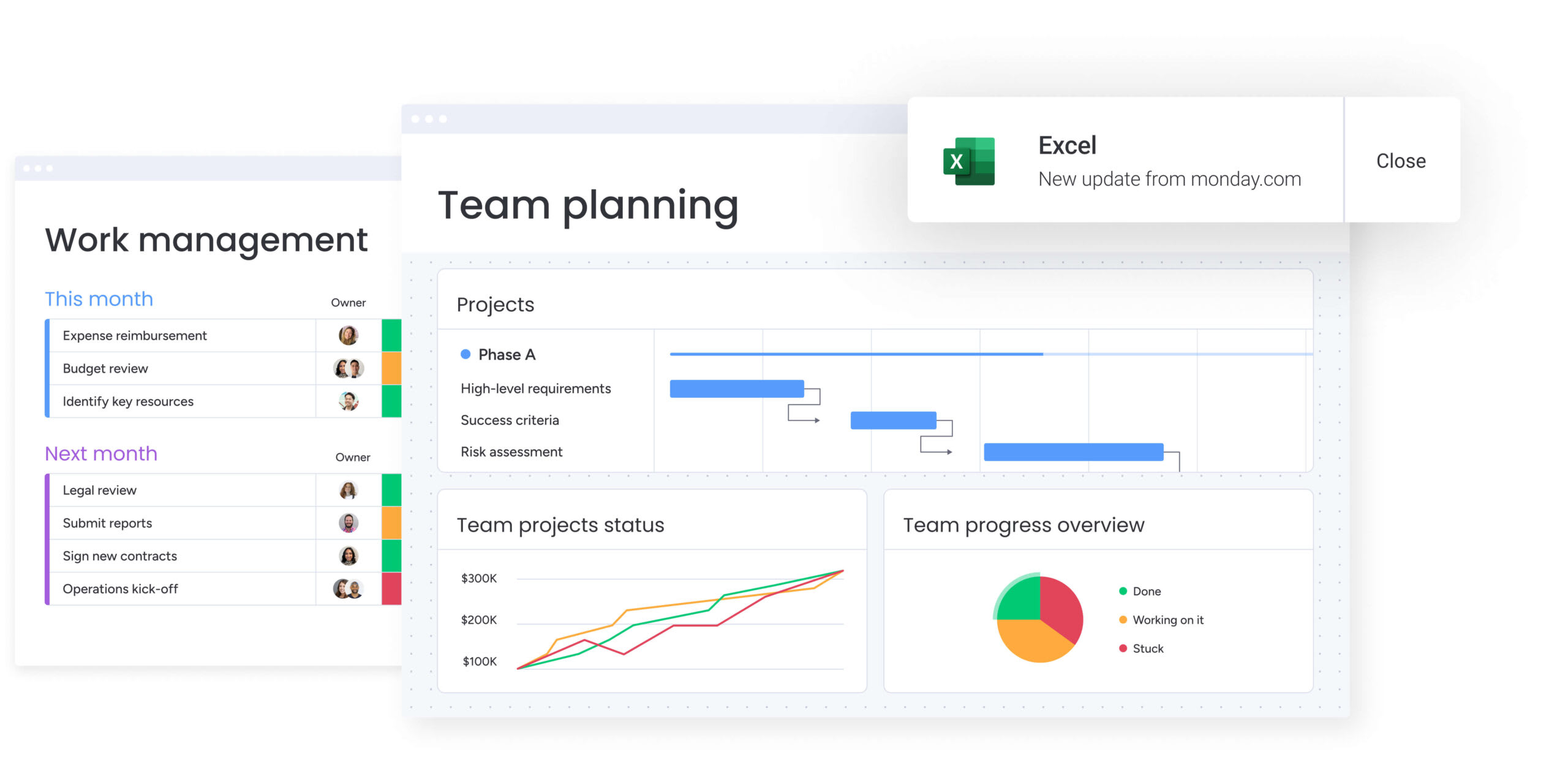
Marketing teams frequently manage multiple platforms, yet achieving seamless communication between them presents significant challenges. When email systems, analytics tools, and advertising platforms operate independently, teams invest considerable time consolidating data rather than leveraging insights. Building an effective marketing engine requires addressing the fundamental issue of platform isolation.
True integration enables platforms to function as a unified system rather than separate entities. Data transfers automatically, actions trigger across connected systems, and comprehensive visibility is maintained from a single location. This approach replaces fragmented tool management with a cohesive system that enhances operational efficiency and team coordination.
You can see exactly how marketing work drives business results — all from one workspace. For example, a new lead from a campaign can instantly update your CRM, initiate a follow-up sequence, and notify sales. This capability allows you to move beyond simple campaign management and start orchestrating genuine growth across the entire organization.
15 best marketing platforms for small business integration
A powerful marketing stack isn’t measured by how many tool logos you can display: it’s defined by how well those tools communicate with each other. When platforms operate in isolation, they create data silos and workflow friction that slow your team down. The objective is clear: build a connected system where every tool amplifies the others, enabling your team to execute faster and smarter.
The 15 platforms featured here earned their place through proven integration capabilities. Each one connects naturally with complementary tools, facilitates smooth data exchange, and maintains workflow continuity across your entire marketing operation, eliminating the context-switching and manual data entry that drain productivity.
Strategic integrations transform fragmented activities into cohesive marketing execution. When connected properly, many of these platforms extend beyond their primary function, creating compounding value across your stack and delivering capabilities that exceed the sum of their parts.
1. monday.com
Scattered marketing work pulls together into one rhythm with monday.com, from intake to execution to reporting. Rather than handling campaigns in one silo, approvals in another, and reporting elsewhere, teams can execute the entire workflow within a single workspace that offers shared visibility.
Your marketing work stays tied to what matters: launches, growth goals, and cross-team projects. Marketing, ops, and leadership see the same plan and progress. No more status meetings.

Example:
Small businesses leverage monday.com to align marketing campaigns with broader business operations, ensuring every channel and deliverable is tied to a specific goal, owner, and timeline.
A typical scenario involves running a full campaign cycle in one location: intake a creative request, map the timeline, manage production, and share performance reporting with stakeholders, without copying updates between systems.
Key features:
- Campaign management with cross-functional visibility: utilize 15+ board views like Calendar, Timeline, Kanban, and Gantt to coordinate launch dates, dependencies, and handoffs.
- AI-powered workflow support: leverage AI blocks and AI Automations, including Categorize, Summarize, Improve text, Extract information, Detect sentiment, and Translate, enabling teams to convert updates, files, and feedback into actionable data.
- Resource management for constrained teams: use Workload View and the Workload Widget to balance assignments and pivot plans when priorities shift.
Pricing:
- Free: $0/month for up to two seats and three boards.
- Standard: $12/seat/month billed annually with 250 automation and 250 integration actions per month, plus guest access.
- Pro: $19/seat/month billed annually with 25,000 automation and 25,000 integration actions per month, plus advanced time tracking.
- Enterprise: custom pricing with portfolio management and 250,000 combined automation/integration actions per month.
Advanced AI features:
- AI blocks: assist teams in handling repetitive content and data work at scale, including Categorize, Summarize, Improve text, Extract information, Detect sentiment, and Translate.
- Autofill with AI: apply AI actions directly to supported columns (including Text, Status, Dropdown, and People) so boards remain structured as work arrives.
- Admin controls: enable account admins to toggle AI capabilities at the account level.
- Note: every account receives 500 free AI credits per month to explore AI capabilities. Teams can purchase additional credits as needed.
Automations:
- Automation center: select templates or build custom automations for approvals, reminders, and status-based routing.
- AI Automations: categorize incoming requests, summarize updates, or improve and translate text automatically (available on Pro and Enterprise plans).
- Trigger notifications and follow-ups: keep work in motion across teams without manual intervention.
Integrations:
- Native integrations: connect essential platforms like Slack, Microsoft Teams, Gmail, Google Drive, Outlook, and Zoom, keeping conversations and assets tied to the work.
- Project ecosystem connections: integrate with platforms like Jira Cloud (including two-way syncing) when marketing needs visibility into development timelines.
- Open API: build tailored integrations when your workflow demands a custom connection.
Marketing tools for small business features:
- Content calendar and campaign planning: use Calendar and Timeline views to coordinate channel dates, content dependencies, and launch moments.
- Creative requests and approvals: standardize intake and approvals through Forms, route work to owners, and track progress in the same board.
- Executive reporting: roll up key campaign and operational metrics into dashboards so leadership can review progress at a glance.
Why it stands out:
- Industry recognition: recognized as a Leader in the 2024 Gartner® Magic Quadrant™ for marketing work management, and a Leader in the 2025 Gartner® Magic Quadrant™ reports for collaborative work management and adaptive project management and reporting.
- Proven ROI:Forrester Total Economic Impact™ research highlights 346% ROI (Motorola case study) for monday.com.
- Built for scale: capabilities like portfolio management, enterprise-ready controls, and flexible customization enable marketing to work in sync with the rest of the business.
2. Mailchimp
For small businesses ready to expand beyond basic newsletters, Mailchimp acts as a comprehensive growth engine. It merges email automation, audience segmentation, and multichannel marketing capabilities, making it a top choice for scaling customer relationships.

Example:
Mailchimp is particularly effective for businesses building sophisticated marketing campaigns that evolve with their audience, ranging from simple updates to complex automation sequences that nurture leads and drive conversions.
Key features:
- Campaign Manager: plan and execute multichannel campaigns from a unified timeline, coordinating emails, SMS, social posts, and automated workflows.
- AI-powered optimization: Send Time Optimization and Intuit Assist help maximize engagement by recommending optimal send times and generating content.
- Advanced segmentation: target specific customer groups using purchase history, website behavior, and demographic data for personalized messaging.
Pricing:
- Free: up to 250 contacts and 500 monthly sends with basic features.
- Essentials: $13/month for 500 contacts with enhanced automation and support.
- Standard: $20/month for 500 contacts including Campaign Manager and optimization features.
- Premium: starts at $350/month for high-volume senders, with priority support, advanced testing, and pricing that scales with your contact list.
- Nonprofit discount: 15% off available, plus 14-day free trials for Essentials and Standard plans.
Considerations:
- Advanced automation and Campaign Manager features: require paid plans, limiting functionality for budget-conscious startups.
- SMS marketing: is an add-on feature, available only in select countries and requiring a separate application and credit purchase.
3. Constant Contact
Simplicity and support define the Constant Contact experience, offering an all-in-one solution that merges email campaigns with event management and social media tools. By prioritizing an accessible interface, it allows teams without technical expertise to maintain high deliverability rates and keep campaigns out of spam folders.

Example:
Small businesses and nonprofits seeking a unified marketing platform that combines email campaigns, social media scheduling, and event management with award-winning customer support.
Key features:
- Campaign calendar with external calendar sync: coordinate email, SMS, and social media campaigns across channels.
- .Automation Path Builder: leverage pre-built workflows for welcome series, behavioral triggers, and re-engagement campaigns
- Event marketing suite: create landing pages, manage ticketing and payment processing, and automate reminder sequences.
Pricing:
- Lite: $12/month for up to 500 contacts.
- Standard: $35/month with automation and advanced reporting.
- Premium: $80/month with full automation, segmentation, plus 500 SMS messages included.
- Lead Gen & CRM: custom pricing, quote-based for pipeline management features.
- Free trial: 30-day trial available with no credit card required.
- Annual prepay discounts: 10% off for six months or 15% off for twelve months.
- Nonprofit discounts: 20% off for six months or 30% off for twelve months with documentation.
Considerations:
- Calendar sync limitations: view-only functionality means edits made in external calendars don’t update Constant Contact campaigns.
- SMS marketing restrictions: limited to US customers only, with specific registration requirements that may exclude some business types.
4. Hootsuite
Organizations managing complex social strategies often turn to Hootsuite to bring order to their operations. It converts social media chaos into coordinated campaigns through structured workflows, multi-level approvals, and enterprise-grade governance. With AI-powered content creation and Talkwalker-enhanced listening capabilities, it serves as a performance-focused solution for serious teams.

Example:
Hootsuite is ideal for unifying social media operations across multiple platforms while maintaining brand consistency through structured approval workflows and team collaboration features.
Key features:
- Multi-platform scheduling: coordinate content calendar visualization across Facebook, Instagram, Twitter, LinkedIn, Pinterest, and YouTube.
- Three-layer approval workflows: manage role-based permissions and internal collaboration through comments and mentions.
- Unified social inbox: handle team routing, collision avoidance, SLA tracking, and productivity analytics for customer service management.
Pricing:
- Standard: pricing varies by region with 30-day free trial available.
- Advanced: multi-user collaboration features with approval workflows included.
- Enterprise: custom pricing with advanced compliance features and SSO integration.
- Annual billing: save up to 38% compared to monthly payments.
- Nonprofit discount: up to 60% savings for qualifying organizations.
- Enterprise add-ons: include Employee Advocacy, Talkwalker Listening, Advanced Analytics, and Proofpoint compliance integration.
Considerations:
- Approval workflows and advanced collaboration features: require higher-tier plans, limiting functionality for smaller teams on basic plans.
- Whiteboard capacity and listening data depth: restricted on lower tiers, potentially constraining larger multi-brand operations.
5. Buffer
Prioritizing a clean interface over feature density, Buffer streamlines the path from ideation to publication. It appeals to small businesses, creators, and agencies who need efficient social management without the complexity of enterprise suites. The platform’s transparent pricing and unlimited team collaboration make it a strong contender for growing teams.

Example:
Buffer is best suited for organizing social media work from ideation to analytics, offering end-to-end workflow management through dedicated spaces for content creation, scheduling, team collaboration, and performance tracking.
Key features:
- Kanban-style content boards: move ideas from concept to published content using visual workflow management with tags, templates, and AI assistance.
- Multi-network scheduling: publish across major platforms including Instagram, TikTok, LinkedIn, X, Facebook, and newer networks like Threads and Bluesky.
- Unlimited team collaboration: add unlimited users on Team plans with role-based permissions and single-step approval workflows.
Pricing:
- Free: up to three channels, ten scheduled posts per channel, basic analytics, one user.
- Essentials: $5/channel/month (billed annually), unlimited scheduled posts, advanced analytics, one user.
- Team: $10/channel/month (billed annually), everything in Essentials plus unlimited users and approval workflows.
- Annual billing: provides 20% discount and nonprofits receive 50% off all plans.
Considerations:
- Single-step approval process: lacks the multi-tier governance workflows needed for larger organizations with complex review requirements.
- Analytics coverage: excludes some content types like Facebook Stories and Instagram Reels due to platform API limitations.
6. Sprout Social
Turning scattered conversations into structured relationships is Sprout Social’s primary strength. It unifies publishing, engagement, and care workflows, specializing in social customer service with enterprise-grade case management. This makes it a robust choice for businesses handling significant support volume through social channels.

Example:
Sprout Social is designed for growing businesses that need to manage social media as both a marketing channel and customer service touchpoint, with sophisticated approval workflows and CRM integrations.
Key features:
- Smart Inbox with case management: automated routing and team collaboration features for streamlined social customer care.
- Multi-step approval workflows: external approver capabilities and shared publishing calendar for content governance.
- Deep CRM integrations: connect with Salesforce, Zendesk, and HubSpot to link social conversations with broader customer data.
Pricing:
- Standard: $199/seat/month (annual billing).
- Professional: $299/seat/month (annual billing).
- Advanced: $399/seat/month (annual billing).
- Enterprise: custom pricing.
- Add-ons available: Premium Analytics, Listening, and Employee Advocacy.
- Free trial: 30-day trial available.
- Nonprofit discounts: available for qualifying 501(c)(3) organizations.
Considerations:
- Premium seat-based pricing: may be cost-prohibitive for smaller teams or businesses with limited social media budgets.
- Advanced automation features and helpdesk integrations: require the highest-tier Advanced plan, limiting access to key workflow capabilities.
7. HubSpot
HubSpot bridges the gap between marketing efforts and sales results by embedding work management directly into a robust CRM. This platform combines content management, email marketing, social media, and analytics into a single subscription. Its CRM-first philosophy ensures every marketing activity is linked to sales outcomes and customer data.

Example:
HubSpot is powerful for teams wanting to unify marketing activities with sales processes, embedding work management capabilities directly where go-to-market teams already operate.
Key features:
- Unified CRM integration: tasks, projects, campaigns, and collaboration live within the Smart CRM, linking work directly to deals, contacts, and campaign performance.
- AI-powered workspaces: Sales, Customer Success, and Help Desk workspaces provide team-specific guidance, tasks, and next actions in centralized team “homes.”
- Campaign orchestration: centralized planning and ROI measurement with marketing calendar, task coordination, and analytics comparisons across campaigns.
Pricing:
- Free: $0 (basic CRM, email marketing, and forms).
- Starter: from $15/seat per month.
- Professional: from $1,450/month (five seats included).
- Enterprise: from $4,700/month (seven seats included).
- Annual billing: offers up to 25% savings on Starter plans.
- Onboarding fees: Professional and Enterprise tiers may include required onboarding fees.
Considerations:
- Projects and Campaigns require Professional or Enterprise tiers: limiting full orchestration capabilities for smaller budgets.
- Seat-based pricing can increase costs as teams scale: View-Only seats unable to create or edit work.
8. CoSchedule
With a calendar-first philosophy, CoSchedule brings visibility to content planning, social media scheduling, and team collaboration. It is particularly effective for marketing teams struggling with scattered workflows and fragmented communication, offering a unified view of all upcoming activities.

Example:
CoSchedule serves content-focused marketing teams who need to coordinate blog posts, social media campaigns, and email marketing from a single, unified calendar view.
Key features:
- Marketing calendar with drag-and-drop scheduling: connects content planning to social media and email campaigns.
- Team Management Dashboard: provides real-time workload visualization and task reassignment across marketing projects.
- Request Forms and approval workflows: automatically route submissions to Kanban boards for streamlined campaign management.
Pricing:
- Free Calendar: $0/month for one user with basic social scheduling.
- Social Calendar: $19/month per user (billed annually) for up to three users with social analytics and automation.
- Agency Calendar: $59/month per user (billed annually) for client management and approval workflows.
- Content Calendar: custom pricing via sales for advanced reporting and campaign management.
- Marketing Suite: custom pricing via sales with full governance, DAM, and enterprise features.
- Twitter/X profiles: require additional monthly fees ($8-$25 per profile depending on plan).
Considerations:
- Several email platform integrations are read-only: requiring users to switch systems for content editing.
- Advanced work management features like Task Rules and Team Management Dashboard: limited to higher-tier plans, pushing governance capabilities into more expensive tiers.
9. BuzzSumo
Data-driven strategy replaces guesswork with BuzzSumo, which analyzes billions of articles and social engagements to reveal what truly resonates. By offering proprietary scoring systems and real-time monitoring, it bridges the gap between content discovery and actionable insights, helping teams understand their audience’s preferences.

Example:
BuzzSumo empowers marketing teams to identify trending topics, analyze competitor content performance, and discover influential voices in their industry to inform strategic content planning.
Key features:
- Content performance analysis: track engagement metrics across 8+ billion archived articles to identify high-performing content formats and trending topics.
- Influencer identification: discover and monitor influential voices who regularly share content on specific topics, with access to a database of 3+ million influencers.
- Real-time monitoring: set up automated alerts for brand mentions, competitor content, and trending topics with direct integration to Slack and RSS feeds.
Pricing:
- Content Creation: $199/month (annual billing, one user, two alerts).
- PR & Comms: $299/month (annual billing, five users, five alerts).
- Suite: $499/month (annual billing, ten users, ten alerts).
- Enterprise: $999/month (annual billing, 30 users, 50 alerts).
- Annual billing: offers approximately 20% savings over monthly plans.
- Educational and non-profit discounts: available for qualifying organizations.
- API access: included with all paid plans.
Considerations:
- Limited project management capabilities: beyond organizing research artifacts in Projects workspace.
- Sentiment analysis not currently available: requiring manual interpretation of content tone and context.
10. Semrush
Digital strategies rely on visibility, and Semrush provides the intelligence needed to dominate search results. It combines extensive keyword research, competitor analysis, and cross-channel insights, making it indispensable for businesses that depend on data-driven marketing decisions.

Example:
Semrush is essential for unifying SEO strategy with competitive intelligence, enabling marketing teams to make informed decisions across content, paid search, and social media campaigns.
Key features:
- Comprehensive keyword research and competitor analysis: access 27.5 billion keywords and 43 trillion backlinks to identify content opportunities and competitive gaps.
- AI-powered workflow automation: daily recommendations through AI Copilot prioritize high-impact SEO tasks and connect directly to actionable reports.
- Cross-channel marketing coordination: integrated social media scheduling, content planning, and reporting consolidate multiple marketing functions in one platform.
Pricing:
- Pro: $139.95/month (includes SEO toolkit and basic features for one user).
- Guru: $249.95/month (adds historical data, branded reports, and multi-user access).
- Business: $499.95/month (includes API access, extended limits, and advanced sharing).
- Semrush One: starting at $165/month annually (combines SEO with AI visibility tracking).
- Additional users: cost $45-$100/month depending on plan tier.
- Annual billing: saves approximately 17% across all plans.
Considerations:
- Learning curve: requires significant training investment for teams new to SEO and competitive analysis.
- Add-on costs: accumulate quickly with per-user fees, toolkit subscriptions, and App Center purchases.
11. Ahrefs
Built on a massive backlink database and proprietary crawling tech, Ahrefs offers the technical depth required by serious SEO professionals. It serves agencies and enterprises with insights that convert search visibility into measurable growth. With over a decade of web-scale data collection, it pairs technical rigor with enterprise-grade security.

Example:
Ahrefs is the tool of choice for competitive analysis and content strategy, helping marketing teams identify high-impact opportunities through backlink research, keyword analysis, and technical SEO auditing.
Key features:
- Site Explorer: reveals complete backlink profiles and competitive link-building opportunities with real-time data updates every 15-30 minutes.
- Keywords Explorer: provides search volume, difficulty scores, and click-through rate data to prioritize content opportunities with the strongest ROI potential.
- Site Audit: continuously monitors technical SEO health with automated alerts for critical issues that impact search rankings.
Pricing:
- Lite: $129/month (monthly billing).
- Standard: $249/month (monthly billing).
- Advanced: $449/month (monthly billing).
- Enterprise: custom pricing with annual commitment.
- Annual billing: provides approximately 17-20% discount across all plans.
- Optional add-ons: include Project Boost, Report Builder ($999/year), and Brand Radar AI.
Considerations:
- Advanced access controls and audit logs: restricted to Enterprise plans only.
- Portfolio features: currently work only with Site Explorer, limiting cross-tool visibility for comprehensive campaign management.
12. Moz
Moz makes search optimization accessible through a blend of proprietary metrics and extensive educational resources. It combines powerful keyword research, site auditing, and rank tracking with learning materials, making it a solid foundation for businesses building long-term SEO expertise. Its Domain Authority metric remains a standard for measuring site credibility.

Example:
Small businesses gain SEO confidence through Moz’s user-friendly interface and educational approach, making complex search optimization strategies achievable without requiring technical expertise.
Key features:
- Keyword research with search volume and difficulty scores: guide content strategy and competitive analysis with opportunity metrics that identify high-value targets.
- Site crawl capabilities: identify technical SEO issues with prioritized recommendations and progress tracking to maintain search performance.
- Local SEO management: optimize business listings and monitor local rankings for businesses serving specific geographic areas.
Pricing:
- Starter: $49/month (monthly billing).
- Standard: $99/month (monthly billing).
- Medium: $179/month (monthly billing).
- Large: $299/month (monthly billing).
- Annual billing: offers approximately 20% discount across all plans.
- Add-ons available: extra campaigns, keywords, and crawl pages.
Considerations:
- Link index may be less comprehensive: compared to competitors like Ahrefs, potentially limiting backlink analysis depth.
- Geographic scope for local SEO features: focuses primarily on US, UK, and Canada markets.
13. Salesforce
For organizations requiring sophisticated automation and deep CRM connectivity, Salesforce unifies the entire customer journey. It excels at linking marketing activities directly to sales outcomes, offering enterprise-grade capabilities like AI-powered lead scoring and advanced segmentation. This makes it ideal for growing businesses with complex sales processes.

Example:
Organizations with sophisticated sales processes, multiple product lines, and teams that need extensive customization to connect marketing automation with CRM data and sales outcomes.
Key features:
- Marketing Cloud integration: sophisticated email marketing with CRM-triggered campaigns, advanced segmentation, and personalization based on customer data and behavior.
- Unified customer journey tracking: complete visibility from first marketing touch to closed deal, with social media interactions connected to customer records.
- AI-powered lead scoring: automatic prospect prioritization based on engagement across multiple channels, feeding directly into sales workflows.
Pricing:
- Marketing Cloud: $1,250/month (annual billing).
- Sales Cloud Enterprise: $175/user/month (annual billing).
- Service Cloud Enterprise: $175/user/month (annual billing).
- Slack integration: $7.25/user/month for Pro plan.
- Additional costs: increase based on contacts, features, and add-ons.
- Premier Success Plan: adds 30% of net license fees.
Considerations:
- Implementation complexity: requires significant planning and often external consulting due to platform sophistication and customization options.
- Cost structure: high entry point with additional expenses for advanced features, making it more suitable for established businesses rather than early-stage companies.
14. Zoho
Eliminating integration headaches, Zoho offers a massive business suite where marketing, finance, and collaboration apps live under one roof. It connects email marketing, social media, and customer data natively across 50+ applications. This integrated approach brings enterprise-grade capabilities to small businesses at a fraction of the usual cost.

Example:
Small businesses seeking an all-in-one marketing solution that grows with their needs while maintaining seamless data flow between marketing campaigns, customer relationships, and business operations.
Key features:
- Email marketing with advanced segmentation: automation and A/B testing that triggers campaigns based on CRM data and website behavior.
- Social media management capabilities: schedule posts and monitor performance alongside email campaigns.
- Native integration with Zoho CRM, Analytics, and SalesIQ: unified customer journey tracking.
Pricing:
- Zoho Campaigns Free: $0/month for up to 2,000 contacts and 6,000 emails per month.
- Zoho Campaigns Standard: $3/month for up to 500 contacts with advanced features.
- Zoho One: $37/user/month for 45+ applications including all marketing capabilities.
- Annual billing discounts: available across most plans.
Considerations:
- Individual Zoho applications may lack some advanced features: found in specialized marketing platforms.
- Learning curve can be moderate: when navigating the extensive suite of interconnected applications.
15. Optimize HQ
Specialized automotive service integrations set Optimize HQ apart, pairing social media management with operational workflows. It combines a Social CRM dashboard with managed services, making it uniquely valuable for tire dealers and auto shops needing both marketing execution and business coordination.

Example:
Small businesses with significant social media presence that want to centralize content scheduling, customer engagement, and operational workflows while maintaining transparency and control over their marketing activities.
Key features:
- Multi-platform social posting: real-time scheduling, unified inbox for messages and reviews, and consolidated analytics reporting.
- Automotive-specific integrations: Epicor Service CRM for appointment reminders, OBD4 KPI dashboards, and AutoOps scheduling.
- Content approval workflows: pre-publish review capabilities and up to 50 user access for larger teams.
Pricing:
- Social CRM package: quote-based pricing with 12-month service commitment.
- Add-ons available: additional social profiles, reputation protection, enhanced analytics, and social feeds.
- Partnership benefits: reduced pricing on Yelp advertising for clients.
Considerations:
- Pricing transparency is limited: most packages require demo booking and custom quotes rather than published rates.
- Mobile app availability and advanced enterprise governance features: not publicly documented on their website.
Build your connected marketing stack in 5 steps
Creating an integrated marketing stack involves more than just adopting new software; it requires designing a system that fuels growth. The objective is to establish seamless workflows that minimize manual effort and provide unified insights across all activities. This process converts a collection of disparate tools into a single, intelligent engine.
Step 1: map your current marketing workflow

An audit of existing processes reveals how work and data actually move through your organization. Identify where manual handoffs cause delays or where data tends to disappear. Documenting the full customer journey highlights where information flows freely and where bottlenecks exist, providing a clear roadmap for improvement.
This audit helps pinpoint exactly where to focus integration efforts. Pay close attention to:
- Data silos: where does customer or campaign data live in more than one system?
- Manual processes: what reports or updates require someone to copy and paste information?
- Platform inventory: which platforms handle execution, analytics, content, and customer data?
Step 2: identify your integration requirements
With a clear map in hand, you can determine which connections will yield the highest return. Connecting every single tool isn’t necessary. Instead, concentrate on integrations that remove tedious tasks, enhance data accuracy, and empower your team to make faster, better-informed decisions.
Critical connections often involve linking your CRM to email marketing platforms, social media to analytics, and project management to your broader ecosystem. Teams streamline project execution within platforms like monday.com by creating a central hub that bridges platforms lacking direct integrations, turning disconnected tasks into a unified workflow.
Step 3: prioritize platforms by connection capabilities
Look beyond standalone features and evaluate platforms based on their integration ecosystems. A solution with extensive, well-documented APIs and third-party connectors often provides greater long-term value than a feature-rich tool that operates in a vacuum. Can the platform scale alongside you?
This is the moment to choose between a suite of best-of-breed tools or a single all-in-one solution. By offering a central, flexible core, platforms like monday.com makes a best-of-breed approach more viable, allowing you to select the ideal tool for each task without sacrificing visibility.
Step 4: test your integration points
Pilot programs are essential before a full rollout to ensure integrations function correctly for both the technology and the team. Establish test workflows with sample data to verify that information transfers accurately and automations fire as intended. This is the opportunity to identify issues before they affect live campaigns.
Involve the team members who will actually use the integrated workflows. Their feedback is crucial for spotting usability hurdles that technical testing might overlook. A technically flawless integration that confuses your team will fail to deliver the desired results.
Step 5: measure cross-platform performance
Integration requires unified metrics. Move past platform-specific reports and define KPIs that gauge the effectiveness of your entire marketing engine. How much time is automation saving? Has data accuracy improved?
Construct dashboards that offer a single, consolidated view of marketing performance across every channel. Leaders depend on solutions like monday.com to link strategy to execution, aggregating data into executive-level views that prove the ROI of a truly connected marketing operation.
4 smart strategies for building a connected marketing stack
Is your marketing stack beginning to resemble a tangled web rather than a growth engine? Tool sprawl generates friction through fragmented data and siloed workflows, hindering your team’s speed. These strategies assist in building a connected, robust tech stack that accelerates execution.
Strategy 1: choose platforms with open APIs
The strength of a platform’s API dictates how effectively it connects with your other tools. Prioritizing solutions with open APIs grants you the flexibility to build custom connections, future-proofing your stack. This approach helps you establish a truly unified digital workspace.
But how do you determine if an API is built for scale? Before committing, check for clear documentation, active developer communities, and support for third-party connectors. These are indicators of a healthy, well-maintained integration ecosystem.
Robust work management platforms like monday.com can serve as a central hub. It links your entire marketing stack, enabling you to construct powerful workflows without requiring every tool to integrate directly with one another.
Strategy 2: prioritize native integration support
Native integrations provide immediate reliability and support, whereas open APIs are excellent for custom work. They are engineered to function seamlessly, keeping data synchronized and workflows running without interruption. Seek out true, two-way data flow rather than just an embedded window.
To maximize value, focus on integrations that connect the dots in your customer journey. This ensures data moves automatically and actions trigger across platforms without manual interference.
- Sync your CRM and email marketing: keep contact data fresh and campaigns targeted.
- Automate social promotion: push published content directly to your social channels.
- Consolidate reporting: pull performance data into a single view without manual exports.
Leveraging a platform like monday.com with its vast library of native integrations means every tool you connect gains access to the entire ecosystem. It transforms a collection of separate platforms into a single, cohesive system.
Strategy 3: implement workflow automation

Existing platforms gain new power through workflow automation, which connects current systems and converts manual, repetitive processes into hands-off operations. This not only saves hundreds of hours but also maximizes the utility of the tools you already possess.
Begin small by automating frequent tasks, then expand from there. Teams can use solutions like monday.com to orchestrate sophisticated automations across their entire stack, without needing a separate, specialized system.
- Lead management: new leads are automatically added to your CRM, assigned to a rep, and enrolled in a welcome sequence.
- Content distribution: a blog post is automatically shared on social media and added to the next newsletter.
- Campaign reporting: performance data from multiple channels is automatically pulled into a unified dashboard.
Learn more: Social media management tools for teams and enterprises
Strategy 4: monitor tool utilization metrics
Regular audits prevent budget waste by identifying redundant or underutilized subscriptions. This simple practice reveals opportunities to consolidate platforms, cut costs, and simplify workflows.
A quarterly review helps you make data-driven decisions. Focus on key metrics to understand what delivers value and what merely creates noise.
- User adoption: who is actually using the platform, and how often?
- Feature utilization: are teams using the advanced features you’re paying for?
- Integration activity: is the platform connected and contributing to automated workflows?
By centralizing work within platforms like monday.com, you gain a clear view of how different platforms are utilized within your workflows. This visibility makes it easy to spot consolidation opportunities and ensure every tool in your stack serves a distinct, valuable purpose.
Why does monday.com power small business marketing operations?
Small business marketing teams possess big ambitions. But how do you achieve enterprise-level results without an enterprise-sized budget or IT department? The solution is a smarter method for running your entire marketing operation from a single, connected platform.
The operational backbone that links your marketing strategy to your company’s bottom line comes from monday.com. By unifying workflows in a single, flexible platform, marketing ceases to be a silo and becomes the growth engine for the entire business. Teams acquire a central digital workspace to coordinate campaigns, track goals, and measure real impact.
This unified approach brings your entire campaign lifecycle into one visual, collaborative space. You can plan content on shared calendars, manage production on Kanban boards, and map out major launches with Gantt charts. With powerful automations and AI from monday.com, your team can concentrate on creative, high-impact work instead of manual routines, ensuring you extract the most from every resource.
| Capability | Separate platforms approach | All-in-one marketing platform | monday work management approach |
|---|---|---|---|
| Integration effort | High: requires connecting 5-10 different platforms | Medium: built-in integrations but limited to one ecosystem | Low: a central hub that connects to your existing platforms |
| Time to value | Months to integrate and configure everything | Weeks to implement and customize the platform | Days to get started, with the ability to scale as you grow |
| Team collaboration | Fragmented across platforms, making coordination difficult | Unified within the platform but siloed from other departments | Seamless across marketing and the entire business |
| Reporting capabilities | Requires manual data consolidation from multiple sources | Built-in marketing reports with limited cross-functional insights | Unified dashboards combining marketing and business metrics |
| Total cost | High: multiple subscriptions and hidden integration costs | Medium-high: a single subscription with premium feature pricing | Flexible: one platform with transparent pricing that grows with you |

“monday.com has been a life-changer. It gives us transparency, accountability, and a centralized place to manage projects across the globe".
Kendra Seier | Project Manager
“monday.com is the link that holds our business together — connecting our support office and stores with the visibility to move fast, stay consistent, and understand the impact on revenue.”
Duncan McHugh | Chief Operations OfficerTransform your small business marketing with connected tools
Individual marketing platforms offer capabilities, but a truly connected system creates momentum. When your platforms work in concert, you gain unified insights and eliminate the manual work that slows your team down, allowing even small businesses to compete at any scale.
A flexible Work OS provides the foundation for this integration, serving as the digital workspace for your entire operation. Within monday.com, teams connect campaign planning, content creation, and performance tracking into a single, coordinated workflow, giving you the power of specialized platforms with the visibility of a unified system.
This approach turns your marketing operation into a growth engine, not just a cost center. As your business evolves, your connected system compounds in value, freeing your team to focus on the creativity and strategy that drives results.
Frequently asked questions
What is the best free marketing software for small business?
The best free marketing software depends on your specific goals, as different tools excel at email, social media, or analytics. The key is finding a platform that can unify these separate activities into a single, cohesive workflow.
How many marketing tools should a small business use?
A small business should aim for five to seven core marketing tools. Prioritize platforms that integrate seamlessly, as connected systems deliver more value than a larger number of disconnected ones.
Do marketing platforms for small businesses integrate with each other?
Yes, many platforms offer native integrations, but capabilities vary widely. A central work management platform can connect tools that don't integrate directly, eliminating data silos.
What is the most important marketing automation platform for small business?
Email marketing automation typically offers the highest ROI for a small business. However, the most important platform is always the one that best supports your primary customer acquisition channel.
How much should small businesses budget for marketing software?
Small businesses often budget 2–5% of revenue for marketing software. Focus on the return on investment a platform provides, not just its absolute cost.
Can small business marketing platforms handle WhatsApp and emerging channels?
Many modern platforms are adding support for emerging channels like WhatsApp. To stay current, prioritize solutions with strong, open APIs that can adapt to new communication trends.

 Get started