


Brand breakdowns rarely happen because of a bad idea. More often, they start with small gaps, someone uses the wrong logo, approvals get stuck in email, or a regional team launches outdated messaging. Over time, these minor issues pile up and weaken consistency across campaigns.
As teams expand across channels and regions, keeping everything aligned becomes harder. Brand management software brings structure to that complexity. It connects strategy to daily execution, centralizes assets, and replaces scattered updates with shared visibility.
Below, we review 15 leading platforms for 2026. Each one helps teams protect brand consistency while moving faster and working more smoothly across departments.
Key takeaways
- Brand operations are becoming more complex: as teams expand across regions and channels, disconnected workflows increase the risk of inconsistency, delays, and compliance gaps.
- Centralization improves visibility and control: bringing assets, approvals, timelines, and stakeholders into one shared platform reduces confusion and keeps everyone aligned on priorities.
- Automation reduces manual coordination: structured intake forms, status-based notifications, and approval workflows minimize delays and help teams move campaigns forward without constant follow-ups.
- Cross-functional collaboration drives consistency: when marketing, creative, legal, and regional teams work from the same dashboards and shared data, brand standards are easier to maintain at scale.
- Flexible platforms support operational growth: solutions like monday work management help organizations structure brand workflows, connect them to broader operational processes, and maintain governance as they scale.
What is brand management software?
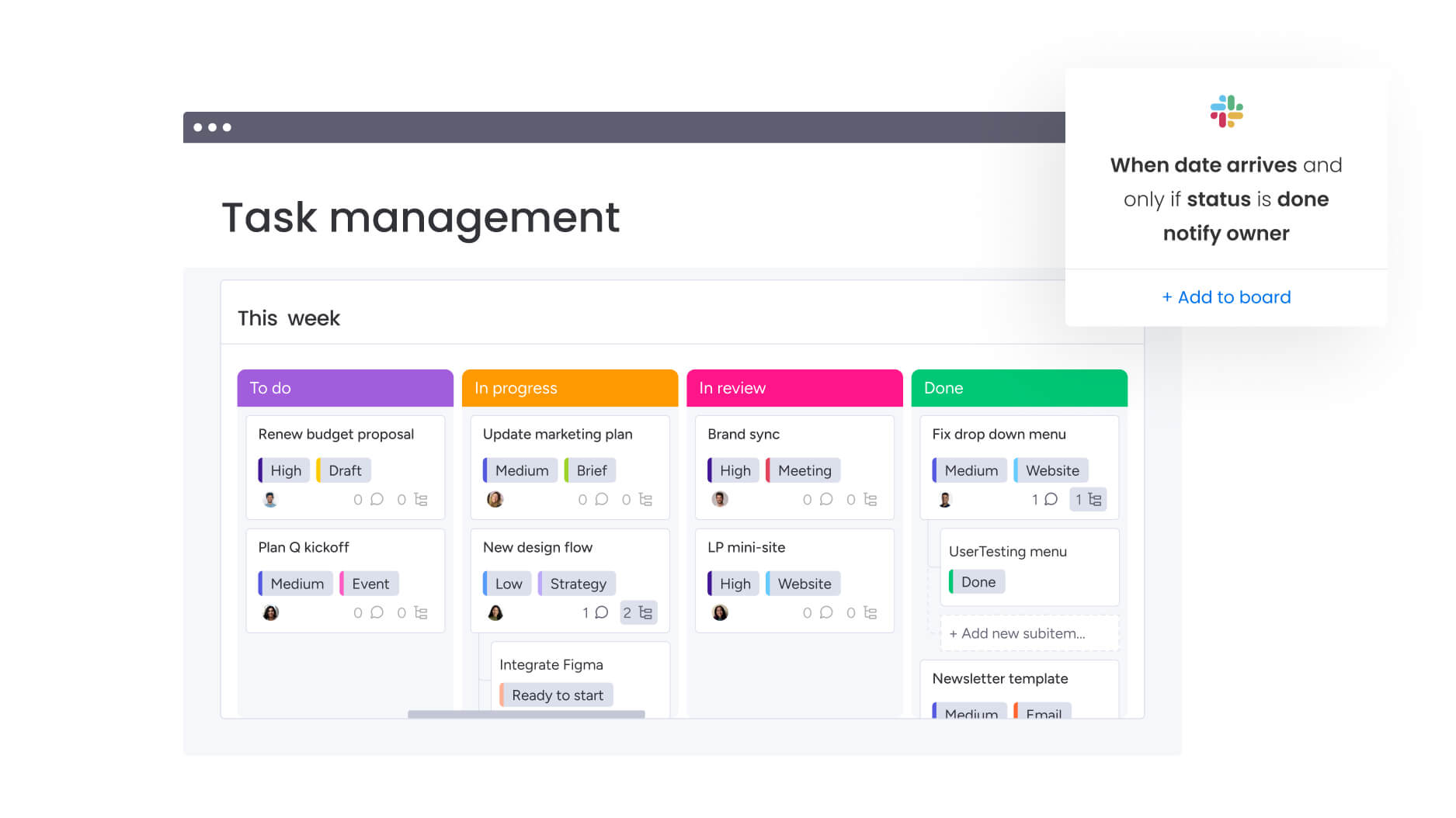
Shared drives and endless email threads might hold your files, but they do not keep your brand aligned. Brand management software connects strategy directly to execution, giving your team one place to plan campaigns, manage assets, and track progress. Everything lives in context, not scattered across inboxes.
Instead of chasing approvals or searching for the latest version, you work from a shared source of truth. Marketing builds campaigns, creative moves production forward, and sales pulls approved materials instantly. The result is simple: fewer delays and far less confusion.
As your organization grows, complexity grows with it. You need structure that supports speed, not red tape. Brand management software adds clarity, visibility, and control without slowing your team down.
15 best brand management platforms for workflow excellence
Brand management is no longer about protecting a logo. It is about turning strategy into shipped campaigns without losing consistency along the way. The right platform keeps leadership informed and teams aligned without constant check-ins.
The real pressure shows up when deadlines get tight. Approvals stall, assets get misplaced, and messaging drifts. Strong platforms eliminate that friction by clarifying ownership, automating reviews, and keeping work visible from start to finish.
Below are fifteen platforms designed to bring structure to brand operations. Each is analyzed for strengths to help find the best fit for operational workflows.
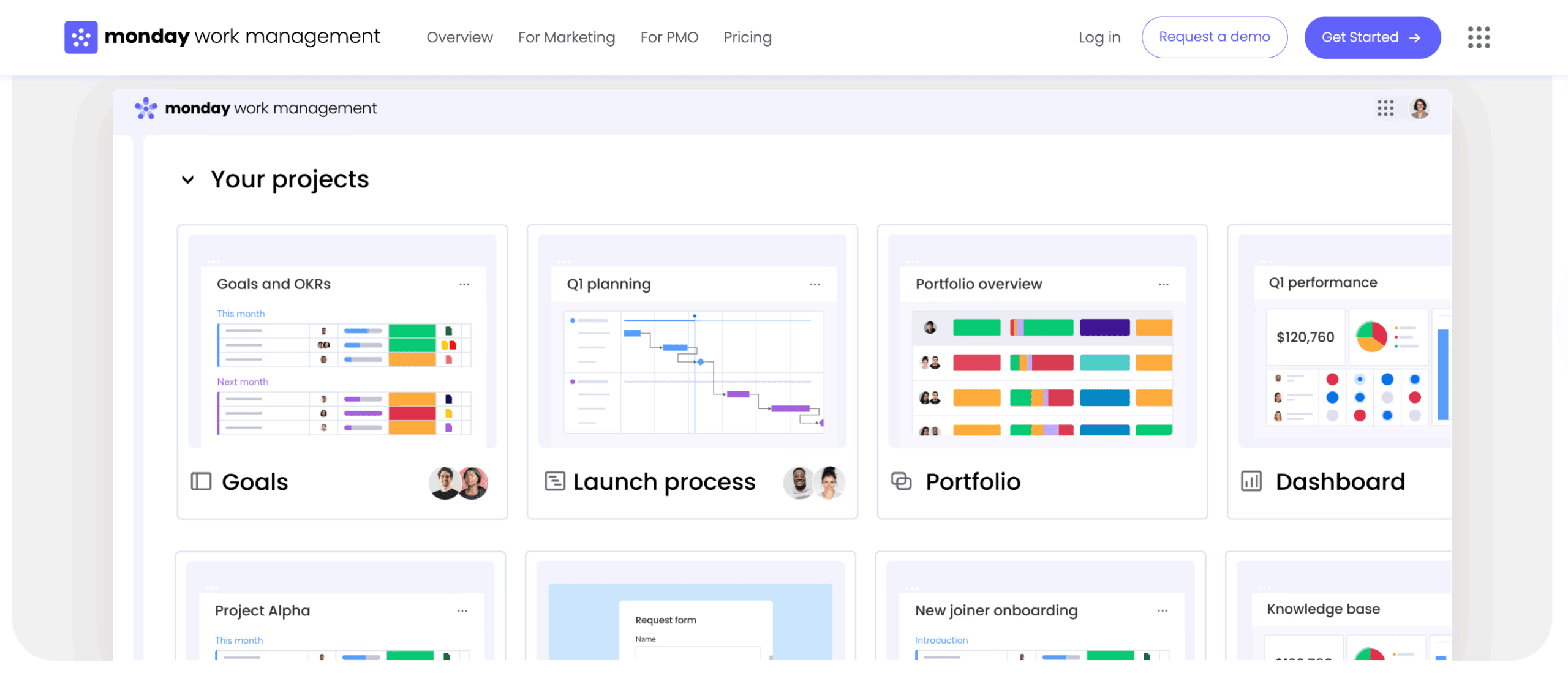
1. monday work management
monday work management approaches brand consistency as an active process, not a static archive. Campaigns, creative production, and approvals connect inside structured workflows. That shared structure keeps marketing, legal, creative, and regional teams aligned without endless status meetings.
When you are managing multiple launches across markets, visibility becomes everything. monday work management gives you a clear, high-level view while your team focuses on execution. You see what is moving, what is at risk, and where attention is needed.
Example:
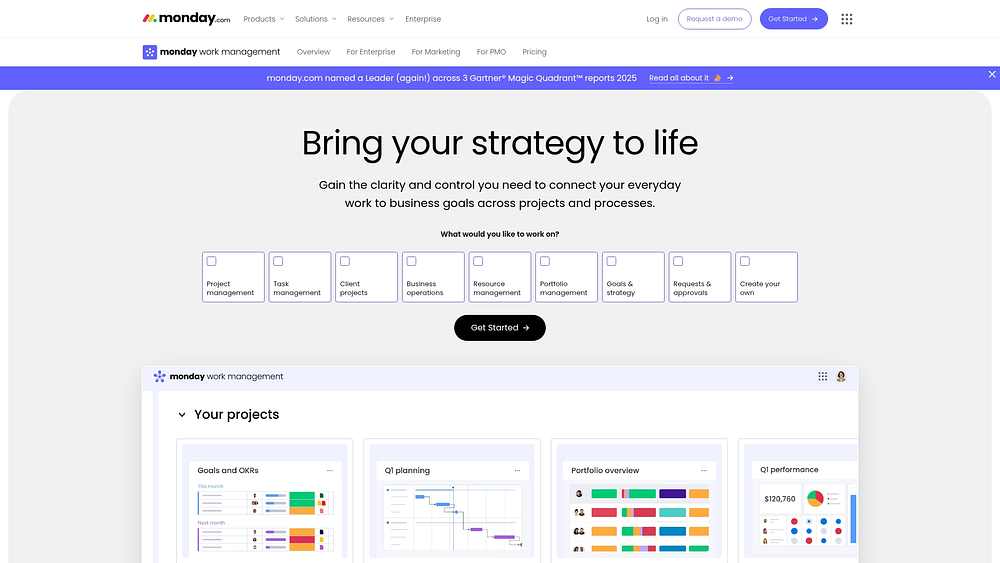
Many teams use monday work management to run campaigns from intake through launch reporting. Briefs, timelines, owners, and approvals stay connected in one workspace. Calendar and Timeline views map delivery dates, while dashboards roll up progress across boards.
Key features:
- Cross-department collaboration: work lives in shared boards and dashboards, so everyone sees the same status and deadlines. During high-stakes launches, that visibility prevents last-minute surprises.
- Custom approval and intake flows: structured forms capture the right details upfront and route requests automatically. Notifications trigger when something changes, keeping momentum strong without constant reminders.
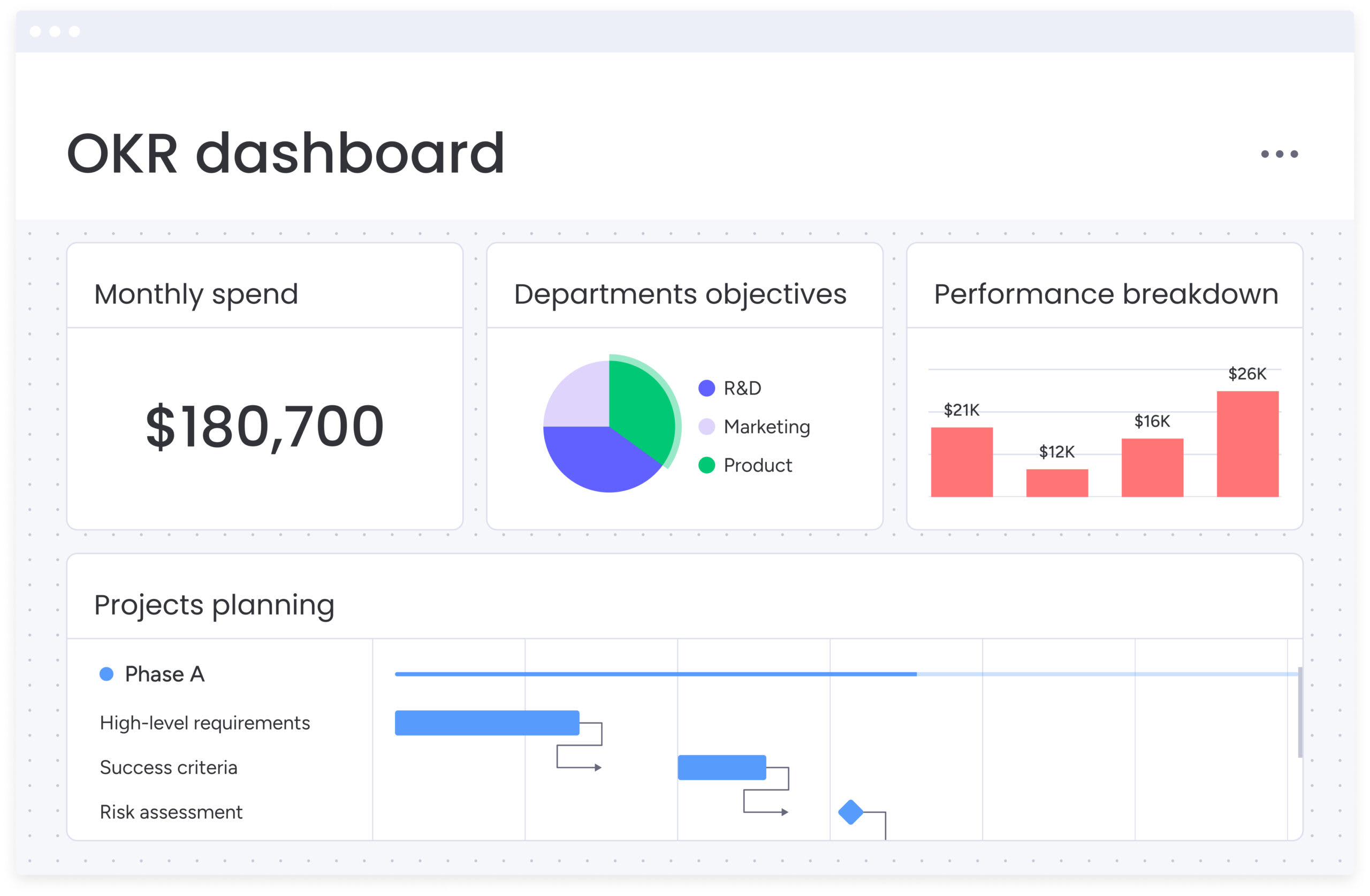
- Portfolio and reporting visibility: dashboards surface campaign health across regions and teams. Gantt charts and milestones make risks visible early, giving you time to adjust before timelines slip.
- Flexible work views: switch between Kanban, Timeline, Calendar, Gantt, and Workload views depending on what you need to see. You change the perspective, not the process.
Pricing:
- Free: up to two seats, three boards, three docs.
- Basic: $9/seat/month (billed annually) includes unlimited items and a 1-board dashboard.
- Standard: $12/seat/month (billed annually) adds Timeline/Gantt views, guest access, and 5-board dashboards.
- Pro: $19/seat/month (billed annually) features private boards, time tracking, and up to 20-board dashboards.
- Enterprise: custom pricing unlocks exclusive features like portfolio management, advanced resource planning, and 250,000 automation actions per month.
- Annual billing: offers approximately 18% savings, with discounts available for nonprofits.
Why it stands out:
- Strategy connected to execution: high-level goals connect directly to day-to-day tasks. You plan, execute, and measure in one unified platform.
- Fast adoption: the interface feels intuitive, so teams actually keep information updated. Forrester’s Total Economic Impact™ study reports a payback period of under four months.
- Structured flexibility: templates and automations allow teams to customize workflows while maintaining consistent intake, tracking, and approval standards.
Advanced AI features:
- AI Blocks: integrate AI directly into boards to manage administrative work that often bogs down brand teams. Capabilities include:
- Summarize: condense lengthy campaign briefs or threads into actionable points.
- Extract info from files: pull essential details from PDFs, images, and documents (such as contracts or invoices) directly into board columns.
- Categorize: automatically tag incoming requests by urgency, channel, or region for faster routing.
- Translate: facilitate localization by translating text for different markets.
- Detect sentiment: analyze qualitative feedback (e.g., survey comments) to quickly identify themes.
- AI Automations: available on Pro and Enterprise plans, these allow AI actions to trigger based on workflow events (e.g., when a new request is received).
- Digital Workforce (coming soon): digital workers will handle tasks 24/7. Digital Workers will handle work 24/7. For brand operations, this includes the Project Analyzer, which identifies bottlenecks, and the Campaign Manager, which analyzes performance for insights.
Automations:
- Automation center workflows: the Automation Center allows teams to configure reminders, handoffs, and status-based notifications, keeping approvals in motion and reducing manual follow-up.
- Standardize recurring brand processes: combine templates and automations for repeatable tasks like creative requests, launches, and audits.
- AI-powered automation blocks (Pro and Enterprise): incorporate AI actions like categorizing, summarizing, and extracting information into automation recipes for high-volume tasks.
Integrations:
- Connect collaboration to execution: link communication tools like Slack and Microsoft Teams to ensure updates and decisions are tied to the work.
- Keep inbox work from getting lost: connect Gmail and Outlook to convert emails into trackable items.
- Keep files in context: integrate Google Drive to attach, share, and preview files directly within the workflow.
- Bring in your project ecosystem: connect with Jira Cloud for technical delivery timelines or sync planning data from Excel.
- Open API: marketing teams can link their tech stack or build custom integrations to maintain data consistency across systems.
Brand management software features:
- Request intake that protects your team’s time: WorkForms and board forms gather necessary details upfront (channel, region, due date), while automations route requests to the correct owners.
- Governance through structured workflows: utilize Project Intake & Approvals patterns, milestones, and Gantt charts to maintain consistent reviews across regions and stakeholders.
- Execution visibility for leaders: dashboards aggregate campaign delivery, workload, and timelines into live reports, enabling executives to identify risks and adjust priorities early.
2. Frontify
Frontify brings scattered brand assets into one organized space, so your team isn’t chasing files across drives and inboxes. Instead of relying on static documents, you create interactive brand guidelines that people can actually use. This structure makes it easier to manage approvals and keep every market aligned. If you’re running brand operations at scale, that level of control matters.
 Use case:
 Use case:
Best suited for organizations that rely on detailed documentation and structured guideline management. It works especially well when you need dedicated brand portals for both internal teams and external partners.
Key features:
- Interactive brand guidelines: replace static PDFs with dynamic, web-based portals.
- Embedded Kanban workflows: configurable approval steps tied directly to assets.
- AI Brand Assistant: supports compliance checks, content suggestions, and automated tagging.
Pricing:
- Custom pricing: quote-only based on a Monthly Active Users (MAU) model.
- Free trial: 30-day trial available.
- Pricing structure: MAU-based with 6-month averaging to accommodate usage spikes.
- Enterprise features: like Provisioning may involve extra costs.
Considerations:
- Teams new to digital asset management may need time to get comfortable.
- The mobile app requires an internet connection and does not support offline access.
3. Brandfolder
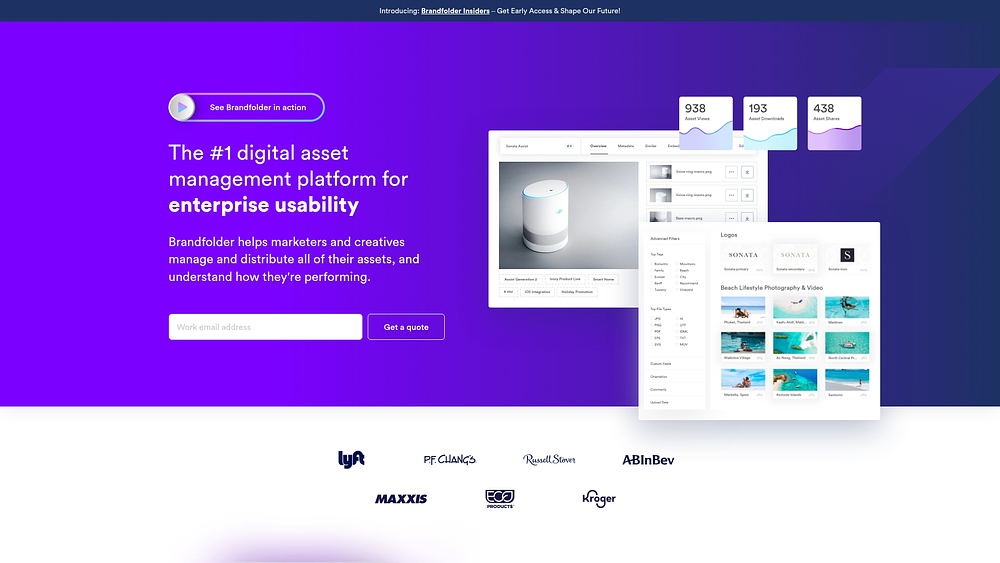
Brandfolder is built for organizations juggling large, complex asset libraries. By pairing AI-driven asset intelligence with Smartsheet’s work management capabilities, it brings structure to distributed brand operations. You gain visibility into how assets are used while keeping everything organized. For enterprise portfolios, that oversight becomes essential.
Use case:
Ideal for companies managing layered brand portfolios that need advanced organization, automated workflows, and detailed usage analytics across multiple teams.
Key features:
- AI-driven Brand Intelligence: auto-tagging plus video scene and speech recognition for deeper insights.
- Smart CDN: on-the-fly asset transformations and seamless embedding across channels.
- Content Automation: controlled templates that allow non-designers to create on-brand materials.
Pricing:
- Premium: quote-only, includes SSO, analytics, and core automation.
- Enterprise: custom pricing for advanced automation, enterprise controls, Insights data connector, and vanity URLs.
- Professional services: are available for workflow setup and integration.
Considerations:
- Quote-only pricing can make budget forecasting less predictable.
- Some users mention upload slowdowns and a learning curve when setting up taxonomy.
4. Bynder
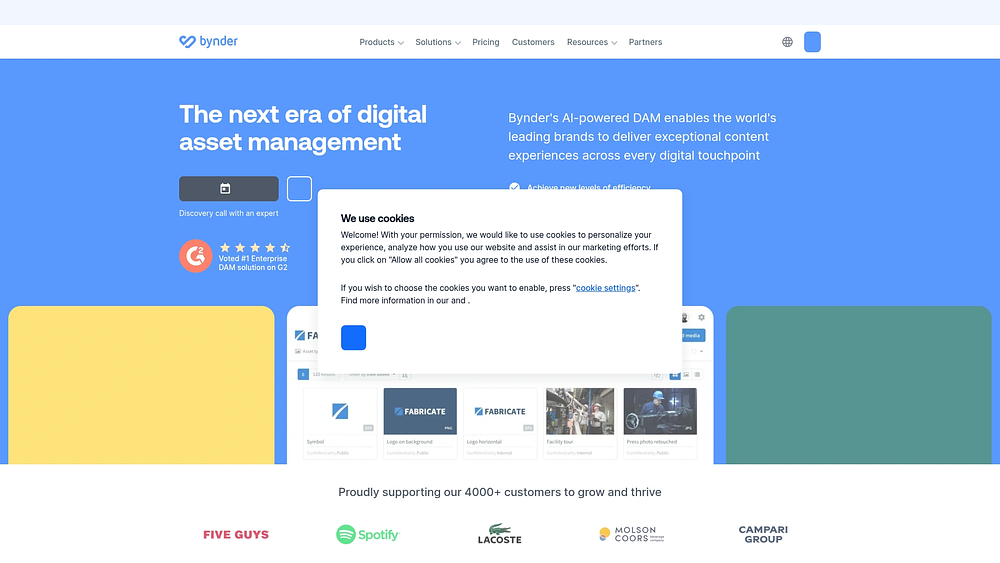
Bynder helps global brands manage the complexity of content creation across regions. It connects creative approvals with structured editorial workflows, so nothing moves forward without the right sign-off. As a result, your brand stays consistent even when multiple teams are producing content simultaneously. For international operations, that coordination is critical.
Use case:
Large enterprises managing global brand operations that require extensive workflow automation and robust integration capabilities.
Key features:
- Asset workflow automation: configurable approval paths with annotations, version control, and multi-step reviews.
- Content workflow management: planning, templating, drafting, and reviewing editorial work with real-time collaboration and CMS connectors.
- Enterprise integrations: connects with over 145 prebuilt integrations across CMS, PIM, marketing automation, and eCommerce platforms.
Pricing:
- Custom pricing: quote-only, tailored to users, storage, and product mix.
- Modular approach: core AI-powered DAM with add-ons for Asset Workflow, Content Workflow, Studio, and Analytics.
- Free trial: 14-day self-service trial for the Content Workflow module.
- Enterprise focus: costs vary based on ecosystem usage and negotiated terms.
Considerations:
- Some organizations report complex initial setups and time-intensive implementations.
- The Content Workflow interface is English-only, which may hinder localization efforts.
5. Sprout Social
Sprout Social focuses on keeping your brand voice consistent across busy social channels. It combines publishing, monitoring, and governance features into one structured environment. That balance between automation and control helps large organizations avoid missteps. Its Salesforce Service Cloud integration also ties social conversations directly to customer service workflows.

Use case:
Organizations with complex social brand operations that need strict governance, automated workflows, and integrated customer service tools.
Key features:
- Smart Inbox with case management: centralizes social monitoring and customer service.
- Multi-step approvals: includes external stakeholders and automated routing based on content type.
- Embedded AI assistance: supports content creation, reply suggestions, and sentiment analysis.
Pricing:
- Standard: $199/month per seat (five social profiles).
- Professional: $299/month per seat (unlimited profiles, AI Assist for posts).
- Advanced: $399/month per seat (AI Assist for replies, sentiment analysis, API integrations).
- Enterprise: custom pricing (white-glove onboarding, SSO, priority support).
- Add-ons: premium Analytics and Listening are available as add-ons.
- Nonprofit discounts: available for qualifying organizations.
Considerations:
- Advanced automation features are limited to higher-tier plans.
- Seat-based pricing increases steadily, and key add-ons require separate purchases.
6. Canva
Canva makes professional design accessible without lowering brand standards. You give your team structured templates and clear brand kits, then let them create within guardrails. That balance reduces back-and-forth with design while protecting your visual identity. It’s a practical option when speed and accessibility matter.
Use case:
Organizations that want non-designers to create compliant materials while keeping centralized oversight of brand assets.
Key features:
- Brand kit functionality: centralizes colors, fonts, logos, and templates for consistency.
- Template management and collaboration: ready-made layouts with real-time editing and task assignments.
- Approval workflows and publishing: approver roles and scheduling tools to maintain quality control.
Pricing:
- Free: $0/month with core editor, one Brand Kit, and 5GB storage.
- Pro: $15/month includes premium content, five Brand Kits, and 100GB storage.
- Business: $20/month adds collaboration admin tools, 100 Brand Kits, and 500GB storage.
- Enterprise: custom pricing with SSO, multi-team management, and 1TB storage.
- Promotional offers available: periodic discounts and limited-time pricing incentives may apply.
- Nonprofit pricing options: discounted plans are available for eligible nonprofit organizations.
Considerations:
- It does not offer the depth of dedicated work management platforms for resource planning or portfolio analytics.
- Enterprise-grade security features and AI indemnity are typically limited to higher tiers.
7. Marq
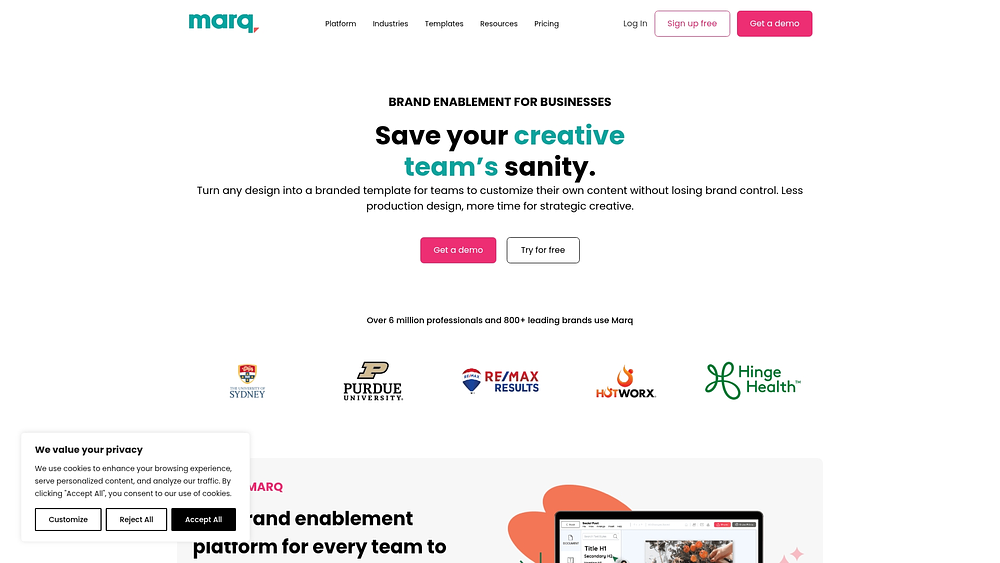
Marq focuses on template control, which is useful when brand consistency cannot slip. By locking critical elements like logos and fonts, it protects your identity while still allowing local customization. Automated workflows reinforce those guardrails, so content moves quickly without breaking standards. For regulated industries, that control can be non-negotiable.
Use case:
Companies that require strict adherence to brand standards through controlled templates, especially those generating high volumes of similar materials across regions.
Key features:
- Template governance: locks logos, fonts, and colors to prevent off-brand edits.
- Approval workflows: configurable at account, template, and user levels with real-time collaboration.
- Data automation: smart fields connected to CRM systems and data sources to reduce manual errors.
Pricing:
- Free: $0/month for individuals with basic needs.
- Pro: individual plan with premium templates and smart fields.
- Team: SMB plan with advanced locking and admin roles.
- Enterprise: quote-based with unlimited storage, SSO, and advanced analytics.
- Annual billing: offers savings of 30-33%.
Considerations:
- Advanced analytics may require higher tiers or add-ons.
- Complex InDesign imports can require template redesign.
8. Canto
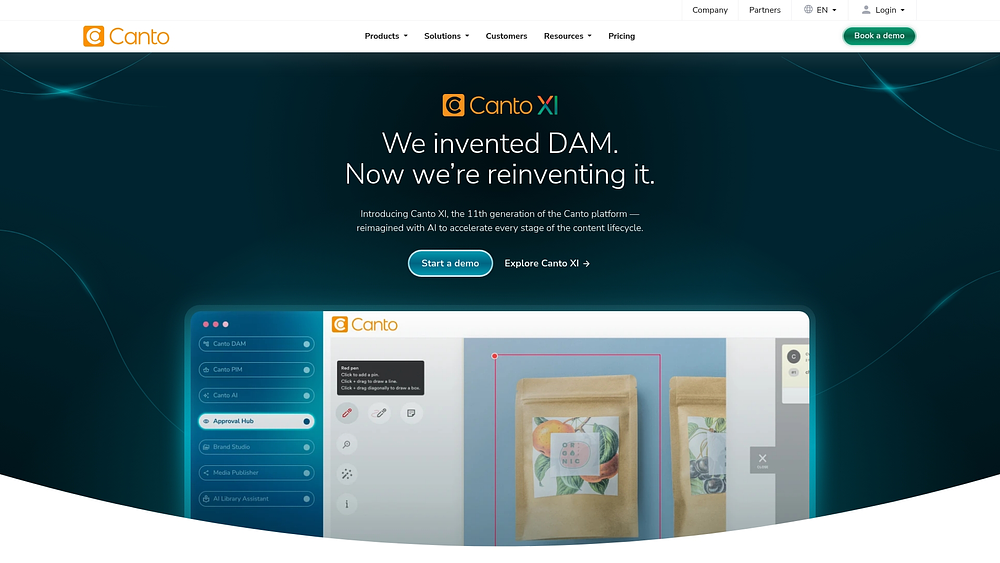
Canto emphasizes visual discovery, making it easier to locate assets in large libraries. Its AI-powered search and filtering tools reduce the time you spend hunting for the right file. Built-in proofing and approval capabilities keep collaboration tied directly to the asset itself. That combination supports both speed and control.
Use case:
Organizations needing sophisticated asset organization paired with native review workflows, particularly those requiring multiple branded portals.
Key features:
- AI visual search: image recognition and intelligent filtering for faster discovery.
- Approval Hub: centralized proofing with markup tools and version comparison.
- Workspaces: private areas for in-progress assets with controlled access.
Pricing:
- Core essentials: custom quote for foundation features.
- Enhanced collaboration: custom quote for advanced capabilities.
- Add-ons: approval Hub, Media Publisher, and Workflows sold separately.
- Free trial: available on request.
Considerations:
- Workflow structures are typically linear, which may limit complex project needs.
- Several advanced workflow capabilities require separate add-ons.
9. Hootsuite
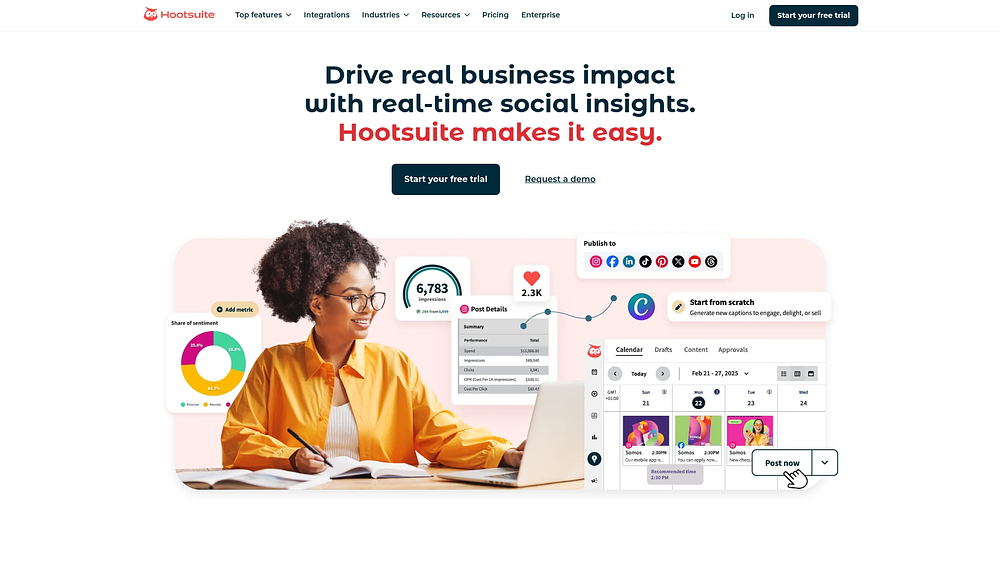
Hootsuite serves as the command center for large teams and regulated industries, helping brands maintain a strong social presence without missteps. It excels in coordinated planning and multi-tier approvals, ensuring that content adheres to strict compliance standards before it ever reaches the public eye.
Use case:
Perfect for organizations managing multiple social channels that need scheduling, monitoring, and governed collaboration.
Key features:
- Multi-tier approval workflows with granular permissions.
- Advanced Inbox with skill-based routing and sentiment detection.
- Unified calendar for collaborative planning and cross-platform scheduling.
Pricing:
- Standard: $99/month per user (annual).
- Advanced: $249/month per user (annual).
- Enterprise: custom pricing with add-ons.
- Nonprofit discounts: reduced pricing available for qualifying organizations.
Considerations:
- Advanced governance features require higher-tier plans.
- Some Advanced Inbox features are only available as Enterprise add-ons.
10. Slate
Slate is not a brand management platform, it’s a digital media publisher known for thoughtful journalism and a unique editorial voice. It functions as a content destination rather than a solution for managing brand assets or workflows.

Use case:
Ideal for readers who want in-depth reporting and podcasts from experienced journalists, rather than workflow software.
Key offerings:
- In-depth articles and opinion pieces from a team of seasoned journalists.
- A popular network of podcasts, including Slow Burn and Political Gabfest.
- Slate Plus, a premium membership for ad-free experiences and bonus content
Pricing:
- A Slate Plus membership is available for a monthly or annual fee.
Considerations:
- Slate provides insight and entertainment, not brand or workflow management.
11. Meltwater
Meltwater blends media intelligence with workflow oversight, giving teams the ability to monitor brand reputation while coordinating approvals for internal content. It supports complex processes while tracking sentiment across traditional and digital channels, which is essential for proactive communications teams.
Use case:
 Use case:
Organizations needing integrated media monitoring combined with social workflow management and enterprise-grade governance.
Key features:
- Multi-step approval workflows with up to five approvers.
- Unified inbox with agent collision prevention and automated moderation.
- Integrated influencer marketing workflows within the social suite.
Pricing:
- Enterprise pricing available through custom quotes only.
- Self-serve plans were discontinued in April 2026.
- Professional services are priced separately for implementation and setup.
Considerations:
- Quote-only pricing requires sales conversations.
- Some users note a learning curve due to the platform’s complexity.
12. Sprinklr
Sprinklr operates as an all-in-one experience management platform, connecting marketing, social media, advertising, and customer service. Large enterprises can consolidate workflows from campaign creation to delivery, ensuring every touchpoint reflects the brand.
Use case:
 Use case:
Large enterprises managing brand experiences across multiple touchpoints require a unified platform.
Key features:
- Unified campaign orchestration from intake to delivery.
- Editorial calendar and production dashboards connected to publishing and analytics.
- AI-powered compliance scanning and governance controls.
Pricing:
- Enterprise pricing: custom quotes only.
- Self-serve options: discontinued as of April 2026.
- Professional services: additional costs for setup.
Considerations:
- Steep learning curve may require technical consultants.
- Pricing is enterprise-focused and may not suit smaller teams.
13. Agorapulse
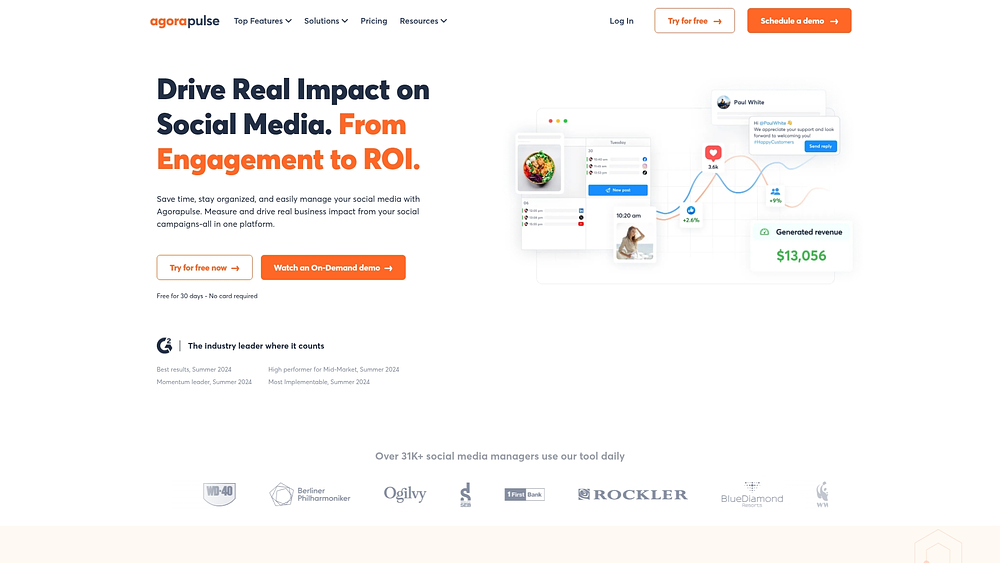
Agorapulse helps agencies and marketing teams streamline approvals and collaboration across social channels. It centralizes content calendars and provides performance insights, making it easy to manage multiple clients or stakeholders without losing control.
Use case:
Organizations managing brand presence across social channels that need scheduling, monitoring, and streamlined client approvals.
Key features:
- External shared calendars: allow unlimited client approvals without extra seats.
- Unified social inbox: centralizes mentions and messages with collision detection.
- ROI dashboard integration: connects social performance to Google Analytics.
Pricing:
- Free: $0/month for one user and three profiles.
- Standard: $79/user/month (annual) for ten profiles.
- Professional: $119/user/month (annual) adds team workflows.
- Advanced: $149/user/month (annual) includes bulk publishing.
- Custom: quote-based for enterprise needs.
Considerations:
- Multi-step approvals are limited to custom enterprise plans.
- X (Twitter) capabilities require a separate paid add-on.
14. Brand24
Brand24 delivers real-time brand monitoring, giving teams immediate insights into online conversations. By using AI to track mentions and sentiment across social media, news, and blogs, it helps teams respond quickly and collectively to emerging opportunities or risks.
Use case:
 Use case:
Organizations needing comprehensive brand monitoring with cross-team collaboration for rapid response.
Key features:
- Real-time tracking across social media, news, and blogs with customizable alerts.
- AI-powered sentiment analysis and anomaly monitoring.
- Project-based organization with QuickShare reporting.
Pricing:
- Individual: $199/month ($149/month annually).
- Team: $299/month ($249/month annually).
- Pro: $399/month ($299/month annually).
- Business: $599/month ($499/month annually).
- Enterprise: from $999/month.
- API access: available for an additional fee.
Considerations:
- Historical data backfill is limited to roughly 30 days.
- API restrictions prevent access to private Facebook groups or Instagram Stories.
15. Awario
Awario scans billions of web pages daily to give instant brand intelligence. Combining web crawling with social APIs, it surfaces important conversations, letting teams act on high-impact opportunities and threats quickly.
Use case:
Ideal for organizations seeking broad brand monitoring with straightforward pricing and immediate setup.
Key features:
- Real-time mention tracking with Boolean search capabilities.
- Sentiment analysis and influencer identification.
- Team collaboration features, including role-based access.
Pricing:,
- Starter: $29/month (annual).
- Pro: $89/month (annual).
- Enterprise: $249/month (annual).
- Custom: quote-based for larger quotas.
Considerations:
- Task assignment relies on tags rather than formal assignee workflows.
- Export features are restricted to higher tiers.
Essential features of workflow-centric brand management platforms
A strong brand system does more than store files, it connects planning with execution, transforming scattered tasks into structured workflows that consistently deliver results.
The following four features distinguish basic file storage from a full-featured brand command center:
Automated approval workflows
Relying on email approvals can slow progress and create bottlenecks. Automated workflows move tasks to the right people at the right time, letting teams focus on decisions instead of chasing updates.
- Intelligent routing: tasks advance automatically with reminders to keep timelines on track.
- Custom triggers: automations notify the next reviewer, route requests by category, or escalate items approaching deadlines.
- Enhanced oversight: dashboards give leadership a real-time view of pending, blocked, and ready-to-launch items.
Cross-departmental collaboration
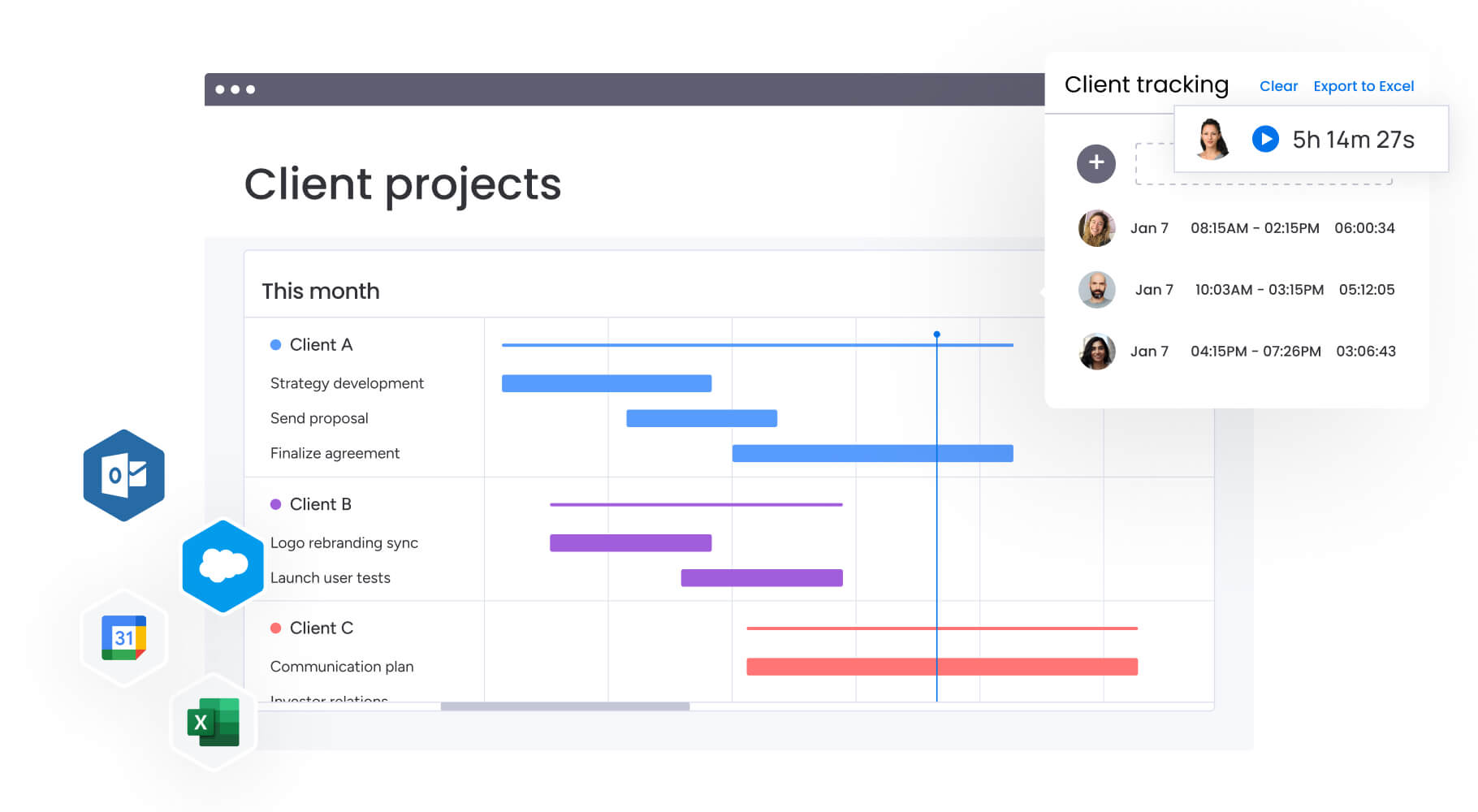
Consistency requires teams to work in sync. Marketing, creative, legal, and regional teams need a shared workspace to see progress in real time, avoiding confusion over file versions.
Product launches are a prime example: Calendar, Timeline, and Gantt views keep positioning, campaigns, and support materials coordinated, while shared dashboards align stakeholders on schedules and priorities.
AI-powered brand governance
Strong governance prevents issues before they arise. AI helps filter noise and surface items requiring human judgment, letting teams focus where it matters most.
- Triage at scale: the Categorize AI Block labels incoming requests by urgency or region.
- Trackable documents: Extract info from files captures key details from briefs or contracts into structured workflow fields.
- Global rollouts: Translate accelerates localization, while Summarize condenses briefs into actionable snapshots.
Seamless tech stack integration
A brand platform works best when it connects with the tools teams already use. Integrations reduce manual handoffs by linking conversations, files, and requests to execution.
Teams can connect Gmail or Outlook for inbound requests, Slack or Microsoft Teams for updates, and Google Drive for file storage, keeping every workflow grounded in a single source of truth.
Try monday work management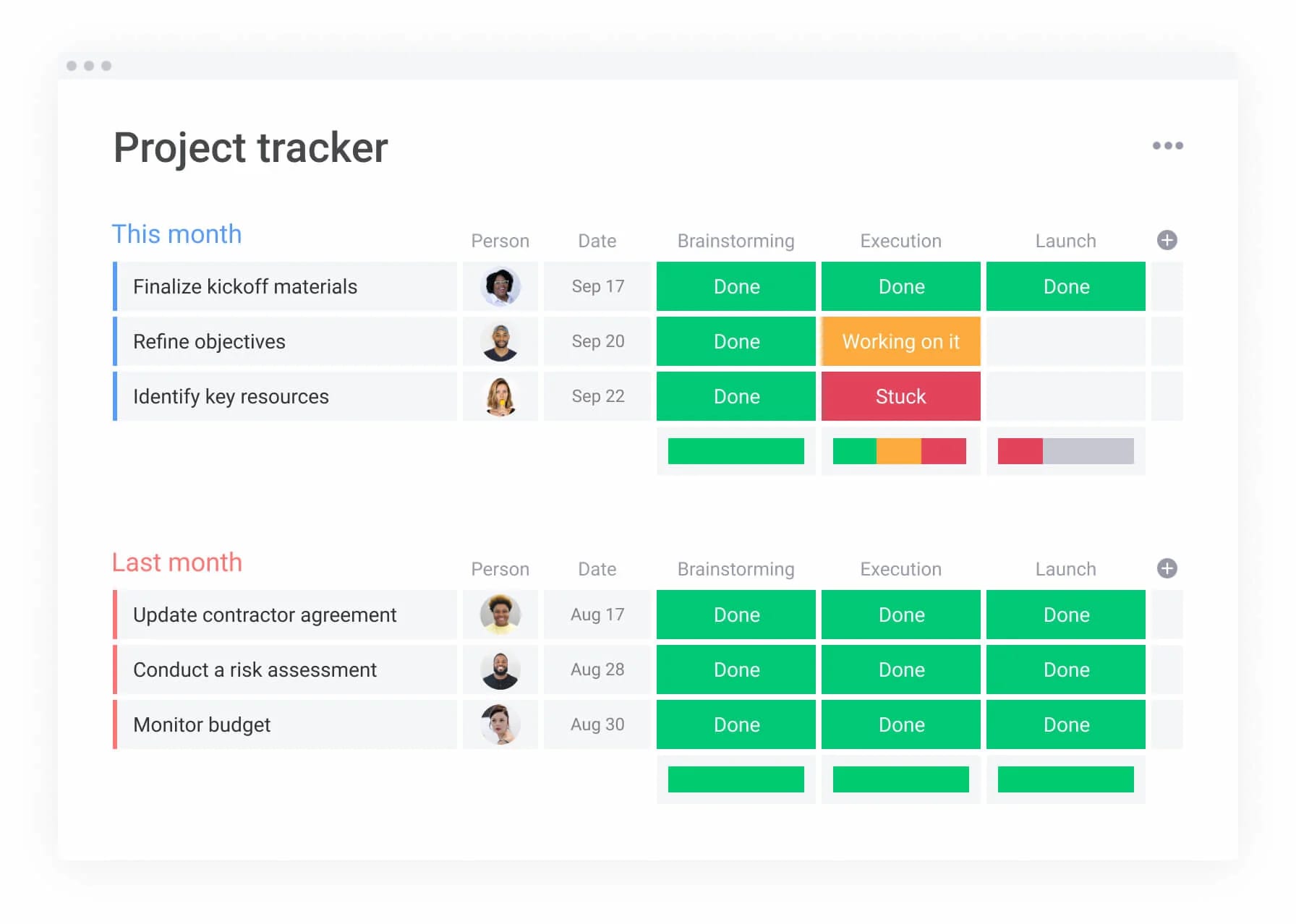
7 key benefits of operational brand management software
Brand software goes beyond storing assets. It ties strategy to execution, giving leaders real-time visibility, teams a clear roadmap, and everyone the insights to make confident decisions. Operationalizing your brand yields faster coordination, tighter governance, and predictable delivery.
Accelerated campaign execution
Campaign delivery accelerates when manual handoffs are eliminated through marketing planning automation. Automated workflows link intake, production, review, and launch, ensuring everyone knows the next step.
Marketing teams use automations, Calendar, and Gantt views to track timelines, notify reviewers, and avoid bottlenecks, resulting in consistent and timely campaign delivery.
Optimized resource distribution
Efficient staffing requires visibility into team capacity.
Managers use Workload views to assign tasks based on priorities and availability. Dashboards offer a clear picture of resource allocation, ensuring work is balanced without guesswork or burnout.
Enhanced brand compliance across teams
Consistency builds trust. Structured workflows keep all departments following the same review process, even across regions or agencies.
Teams on monday work management standardize request fields, approval stages, and milestones through marketing planning frameworks so stakeholders understand what “ready” implies. AI Blocks categorize requests and summarize change logs, simplifying governance at scale.
Real-time performance visibility

Leaders need insight without constant status meetings. Live dashboards consolidate data across boards, tracking campaigns, risks, and deadlines in real time.
This transparency lets leaders act quickly, spot delays, and reduce surprises while teams stay focused on execution.
Reduced asset recreation costs
Rework often happens when context is missing or inputs are outdated. Connected workflows link briefs, files, owners, and timelines, so teams reuse assets instead of recreating them.
Centralized forms, integrations, and approval tracking help maintain context and streamline production.
Improved cross-regional coordination
Global brands require HQ frameworks with local execution. Shared workflows maintain consistency, while AI tools assist across time zones.
Teams track regional variants, use Translate and Summarize for handoffs, and keep leadership informed through dashboards without slowing local teams.
Streamlined stakeholder alignment
Alignment improves when everyone references the same source of truth. When stakeholders view status, owners, and dates in one location, decisions occur faster.
monday work management grounds alignment in live reporting, offering dashboards for leadership and detailed views for teams. This reduces status meetings and simplifies approval management.
How to select the right brand management platform?
Selecting a brand platform is a strategic move, it shapes how your company plans, executes, and measures brand success. The ideal solution connects planning, execution, and reporting, serving as the backbone for all brand operations.
Step 1: map your workflows as they are, not as you wish they were
Document how work flows from intake to delivery, capturing handoffs, hidden delays, and approval stages. This audit becomes your blueprint for evaluating platforms.
Step 2: demand a connected ecosystem
Brand work touches multiple systems. Platforms that integrate with collaboration, email, and file storage reduce manual work and version drift. Open APIs allow teams to connect custom tools and maintain smooth workflows.
Step 3: plan for growth and complexity
As organizations expand, workflows grow more complex. Platforms must handle multiple regions, stakeholders, and initiatives without enforcing rigid processes. Flexible views and dashboards let leaders manage portfolios efficiently across teams.
Step 4: define your return on investment
ROI depends on adoption and ongoing data accuracy. Platforms should enable daily workflow usage, delivering measurable results quickly. Studies show that connected brand management solutions can achieve payback in under four months.
Try monday work management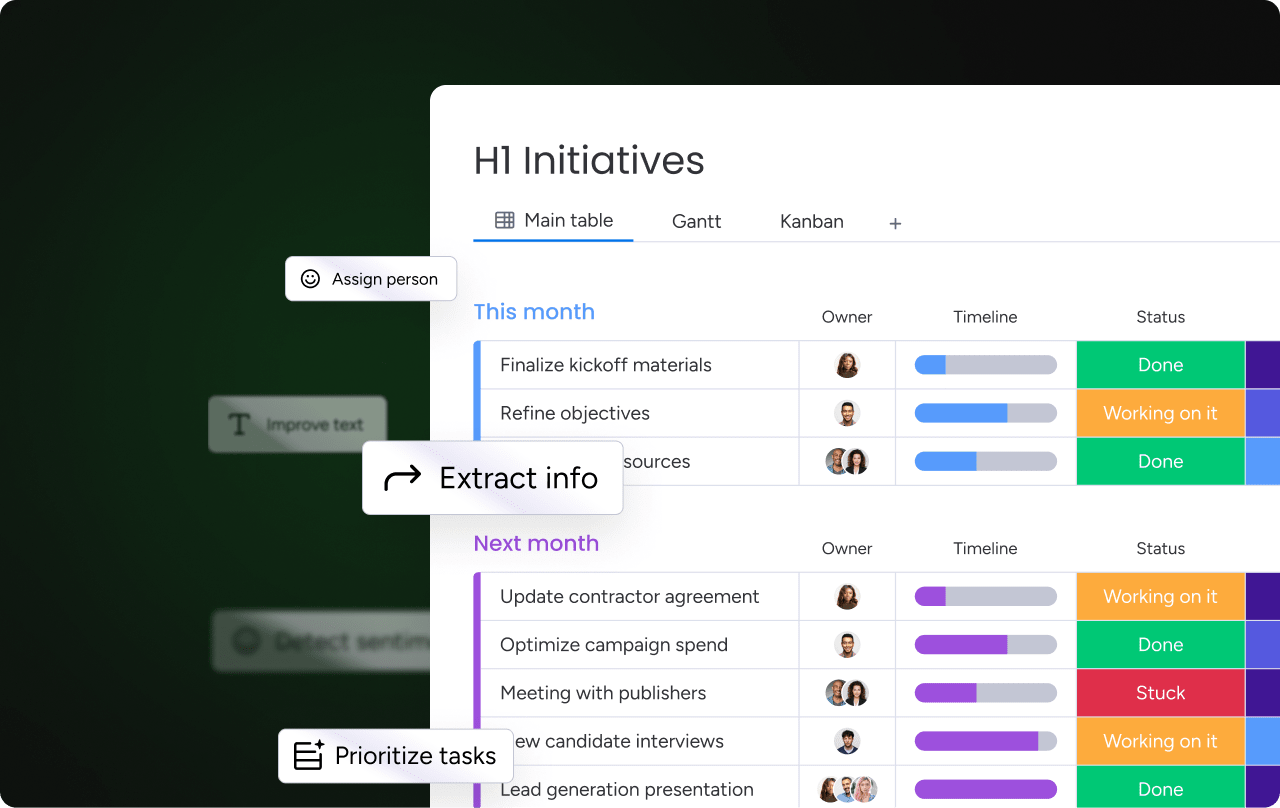
3 emerging trends transforming brand management
Brand management is evolving from reactive checklists to proactive operational systems. Forward-looking organizations embrace AI, predictive analytics, and enterprise-wide orchestration to scale without losing control.
AI digital workers for brand operations
Digital workers handle repetitive operational tasks, freeing teams to focus on strategic decisions.
As part of monday.com’s AI offering, the Digital Workforce (coming soon) includes:
- Project analyzer: flags bottlenecks and keeps projects on track.
- Campaign manager: analyzes performance and delivers actionable insights.
Currently, AI Blocks reduce manual work by categorizing requests, summarizing discussions, extracting details, and translating content.
Predictive analytics for brand performance
Centralized execution data allows leaders to spot trends early rather than reacting late. Dashboards aggregate delivery signals, helping teams adjust priorities with confidence.
Enterprise-wide brand orchestration
A brand is the sum of every customer touchpoint. Workflow alignment across departments ensures consistent experiences, while dashboards maintain leadership visibility without micromanaging teams.
AI digital workers
As brand volume grows, so does the admin load. monday.com’s AI offering helps teams keep pace by converting unstructured inputs into action-ready data.
- Summaries that move work forward: use the Summarize AI Block to turn briefs and threads into decisions.
- Faster intake processing: use Categorize to label requests by urgency or region.
- Structured data from messy inputs: use Extract info from files to pull details from documents into your workflow.
| Capability | monday work management | Traditional DAM systems | Social media platforms |
|---|---|---|---|
| Primary focus | Running workflows across teams and stakeholders | Managing and organizing assets | Publishing and managing social channels |
| Approvals and intake | Forms, automations, and project intake & approvals patterns | Usually asset-level reviews | Typically limited to content review |
| Cross-department collaboration | Shared boards and dashboards across departments | Often centered on marketing and creative | Usually centered on social teams |
| AI support | AI Blocks (plus Digital Workforce listed as coming soon) | Commonly focused on organizing assets | Commonly focused on channel analytics |
| Integration ecosystem | Integrations with common work apps and an open API | Often centered on creative and storage apps | Centered on social networks |
| Customization | Flexible views, dashboards, and workflow design | More fixed to DAM structure | More fixed to channel workflows |
While asset systems focus on files and social platforms on channels, monday work management helps teams run the operational system behind the brand, from intake to delivery to reporting.
Why monday work management leads in operational brand excellence
Disconnected tools slow campaigns, obscure progress, and create inefficiencies. Platforms that operationalize brand strategy transform daily tasks into structured, accountable workflows.
monday work management directly addresses these challenges by turning brand strategy into structured, executable workflows. It connects daily tasks to broader business goals, giving teams a single system to plan, execute, review, and report on brand work without adding operational overhead.
How monday work management enables operational brand excellence:
- Centralized collaboration: marketing, creative, legal, and regional teams share one workspace.
- Automated intake and approvals: forms and automations accelerate decision-making.
- Leadership visibility: dashboards aggregate campaigns and timelines across portfolios.
- AI-powered governance: categorize requests, summarize briefs, extract data, and support localization.
- Flexible execution: customizable views adapt to team needs while preserving control.
The result is faster execution, stronger compliance, better resource use, and clearer alignment between strategy and work. Operational brand excellence is no longer about tools, it’s about running your brand as a connected system.
Try monday work managementFrequently asked questions
What is brand management software?
Brand management software is a centralized platform that connects people, processes, and assets to maintain brand consistency across teams, regions, and channels. It goes beyond basic file storage to become the operational system for running brand work—managing campaigns, automating approvals, coordinating creative production, and ensuring every asset aligns with brand guidelines. Modern brand management software transforms scattered workflows into structured, repeatable processes that improve efficiency, governance, and visibility.
How does brand management software improve operational efficiency?
Brand management software improves efficiency by eliminating manual handoffs, automating approval workflows, and centralizing work in one shared system. Teams spend less time searching for files, chasing approvals, or coordinating across email threads. Automated routing ensures requests reach the right people at the right time, while dashboards provide real-time visibility into campaign status, bottlenecks, and delivery timelines. This allows teams to focus on execution rather than administration, accelerating campaign delivery and reducing rework.
What features should I look for in brand management software?
Look for platforms that offer automated approval workflows, cross-departmental collaboration tools, AI-powered governance features, and seamless integrations with your existing tech stack. The best brand management software provides flexible views (Kanban, Timeline, Gantt, Workload) to match how teams actually work, customizable dashboards for leadership visibility, and standardized intake processes to protect team capacity. Platforms like monday work management combine these capabilities in one adaptable system designed for operational excellence.
How does AI enhance brand management?
AI enhances brand management by automating repetitive administrative tasks that slow teams down. AI-powered features can categorize incoming requests by urgency or region, summarize lengthy campaign briefs into actionable points, extract key details from documents directly into workflows, translate content for global markets, and detect sentiment in feedback. This allows teams to maintain governance at scale without adding manual overhead, freeing people to focus on strategic decisions rather than operational busywork.
Can brand management software support global teams?
Yes. Modern brand management software is built to coordinate work across regions, time zones, and languages. Shared workflows ensure consistency while allowing local teams to execute within their context. Features like AI-powered translation, centralized dashboards, and flexible permissions enable headquarters to set the framework while regions adapt and deliver locally. Platforms like monday work management provide the visibility global leaders need without slowing down regional execution.
How is monday work management different from traditional DAM systems?
Traditional Digital Asset Management (DAM) systems focus primarily on organizing and storing files. monday work management focuses on running the workflows behind the brand—from intake and planning through execution, approvals, and reporting. While DAM systems manage assets, monday work management manages the work itself, connecting marketing, creative, legal, and regional teams in shared workflows with automated approvals, live dashboards, and AI-powered governance. It's the difference between storing a brand and actively running one.
What is the typical ROI of brand management software?
ROI is realized when teams adopt the platform, keep data current, and reduce time spent on manual coordination. Organizations using monday work management report faster campaign delivery, reduced approval bottlenecks, better resource utilization, and stronger brand compliance. According to Forrester's Total Economic Impact™ study, monday work management delivers a payback period of less than 4 months, driven by high adoption rates, reduced rework, and improved cross-team visibility.
How do I choose the right brand management platform for my organization?
Start by mapping your current workflows to identify bottlenecks, handoffs, and approval cycles. Look for platforms that integrate with your existing tech stack, support flexible workflow design, and scale as your organization grows. Prioritize systems that encourage adoption through intuitive interfaces and provide leadership visibility without requiring constant manual updates. Test platforms with real workflows during trials, and define clear ROI metrics—faster delivery, reduced rework, or improved compliance—to measure success.

 Get started