



Your sales team has five different platforms, three spreadsheets, and two manual processes just to track one deal from lead to close. Sound familiar? Most revenue teams accumulate tools over time without thinking about how they work together, creating a fragmented ecosystem where reps spend more time managing systems than selling.
A sales enablement tech stack is the software that supports your entire sales process, from prospecting to retention. Unlike a random collection of tools, an effective stack is connected. It eliminates duplicate data entry, provides real-time visibility, and automates repetitive tasks. The difference between a strategic stack and platform sprawl determines whether your team operates efficiently or drowns in admin work.
What makes a tech stack actually work, when to consolidate, and how to build a system your team will use? The article below answers those questions. You’ll learn which platform categories matter, the integration challenges no one warns you about, and practical frameworks to audit your stack, close gaps, and drive real adoption — not just add another unused tool.
Key takeaways
- Stop paying for platforms your team doesn’t use: audit current software usage and eliminate expensive platforms that create more work than value, redirecting budget to solutions teams actually adopt.
- Make your CRM the foundation, not just another platform: choose a CRM that connects seamlessly with other platforms and serves as the foundation where all customer data lives and flows.
- Consolidate before you accumulate more platforms: address fragmentation by integrating existing tools or replacing multiple platforms with one comprehensive solution rather than adding more disconnected software.
- Focus on workflows, not feature lists: map your actual sales process first, then find platforms that support how your team works instead of forcing them to adapt to rigid systems.
- Eliminate manual tasks with no-code automation: use built-in AI features in solutions like monday CRM like sentiment detection and information extraction to handle data entry and routing automatically, freeing reps to focus on selling.
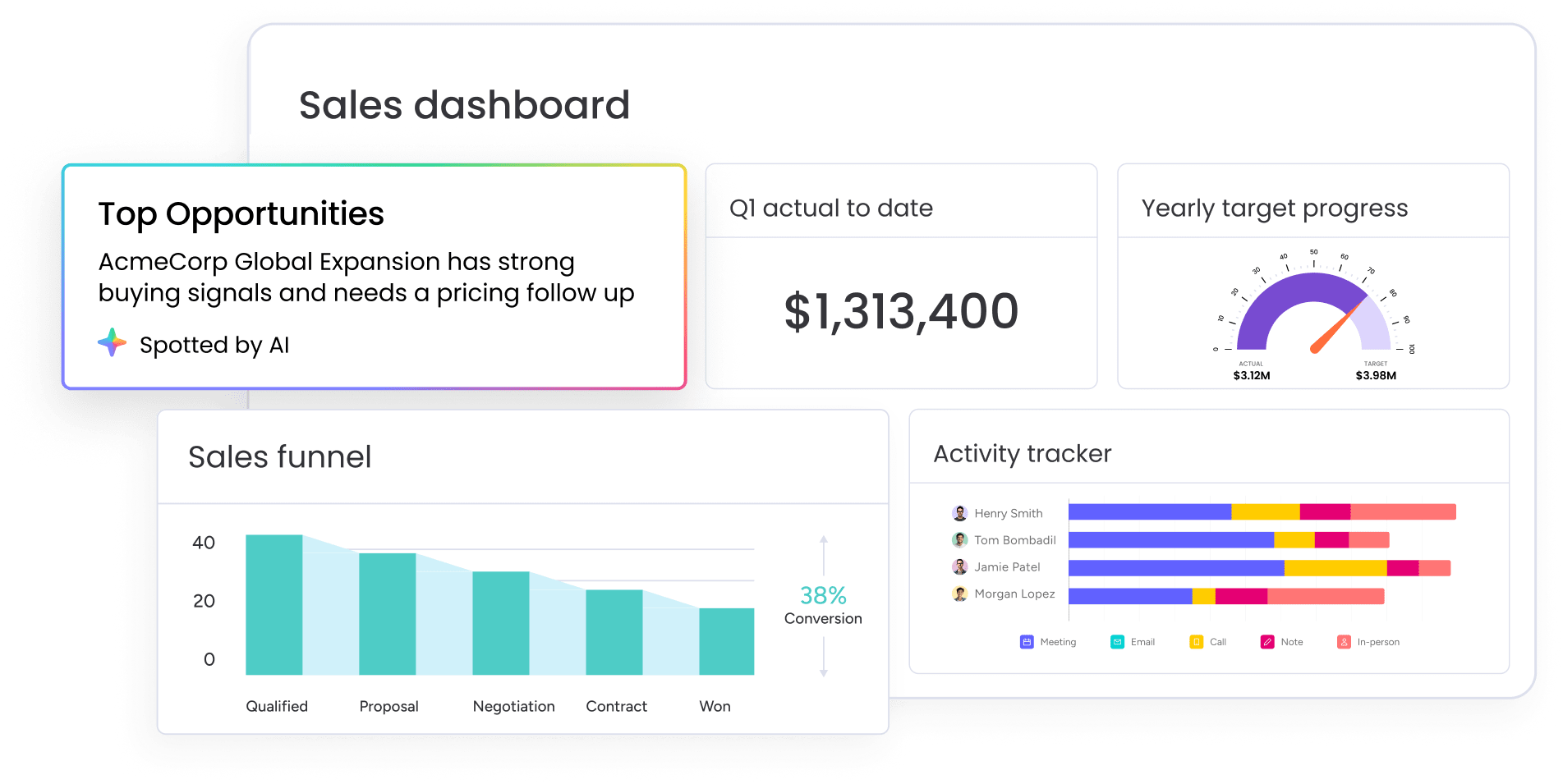
What is a sales enablement tech stack?
A sales enablement tech stack is the collection of software platforms that support sales teams throughout the entire sales process. This includes everything from lead generation to deal closure and customer retention. Unlike a random assortment of sales software purchased reactively, a true tech stack is strategically integrated to work together seamlessly.
This distinction matters, as most teams just keep adding platforms without thinking about how they connect. One team adopts a prospecting platform, another implements a content management system, and leadership invests in analytics software. Each solves an individual problem but creates a fragmented ecosystem that ultimately slows teams down.
Understanding the sales technology stack
Sales tech used to be simple contact databases. Now it’s full ecosystems that touch every part of the sales process. What started as digital Rolodexes in the 1980s is now smart software that automates work, predicts what’ll happen next, and shows you what’s going on right now.
Four things separate tech stacks that work from piles of disconnected software:
| Characteristic | What it means | Why it matters |
|---|---|---|
| Integration capabilities | Data flows seamlessly between systems without manual intervention | Eliminates duplicate data entry and reduces errors |
| Data centralization | Creates a single source of truth that eliminates conflicting information | Ensures everyone works from the same accurate information |
| Automation features | Handles repetitive tasks so sales reps can focus on relationship building | Frees up selling time and reduces administrative burden |
| Scalability | Allows the stack to grow with the business without requiring complete overhauls | Protects your investment as your organization expands |
This integration ensures that leads captured via marketing automation flow seamlessly into the CRM to trigger personalized engagement sequences. When a prospect interacts, the system dynamically updates lead scores, alerts the sales team, and provides the necessary content to move the deal forward.
This entire process happens automatically, with seamless data entry, a unified system, and complete information readily accessible.
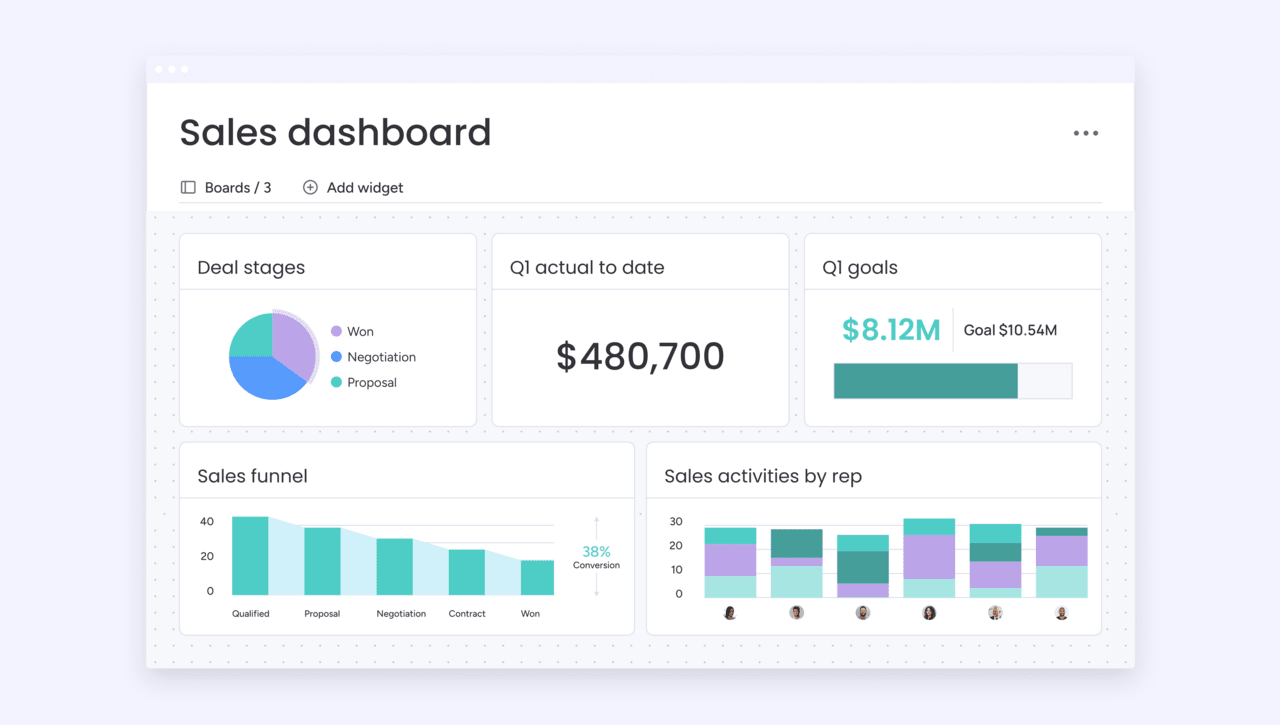
Essential categories of sales enablement platforms
A comprehensive sales enablement tech stack comprises several core categories, each serving distinct but interconnected functions. Knowing these categories makes it easier to see what you have, what you’re missing, and where you can consolidate.
Customer relationship management (CRM) systems
They’re like the central hub that stores customer data, tracks interactions, manages pipeline progression, and serves as the foundation for all other sales platforms. CRMs go far beyond contact databases to include:
- Workflow automation capabilities: automate repetitive tasks and ensure consistent process execution.
- Comprehensive reporting features: gain deep insights into pipeline health and team performance.
- Integration frameworks: connect the entire tech stack to create a single source of truth.
Sales engagement platforms
Once your data is organized, you need a way to act on it at scale. Sales engagement platforms empower reps to maintain a high volume of outreach without losing the “human touch” that closes deals. These systems specialize in:
- Email sequencing and automation: deliver personalized messages based on prospect behavior.
- Call scheduling optimization: time outreach based on historical response patterns.
- Social selling integration: incorporate LinkedIn and other platforms into unified workflows.
- Multi-channel campaign management: coordinate touchpoints across email, phone, social media, and direct mail.
These platforms ensure no prospect falls through the cracks while maintaining authentic, human connections.
Content management systems
In a complex sale, the right information at the wrong time is useless. Specialized sales content repositories move beyond simple file storage to ensure your team is always armed with the most persuasive materials. These platforms provide:
- Content libraries organized by buyer stage: surface the right materials at the right moment.
- Usage tracking and analytics: show which materials actually influence deals.
- Alignment tools for buyer stages: match content to where prospects are in their journey.
- Effectiveness measurement capabilities: identify high-performing materials and content gaps.
Unlike basic file storage, these systems surface exactly what reps need when they need it.
Sales analytics and reporting platforms
To improve your process, you have to be able to see it. Analytics platforms transform raw data into a strategic roadmap, moving you from “gut feel” to data-driven decision-making. These tools offer:
- Pipeline analysis and bottleneck identification: reveal where deals get stuck in your process.
- Deal scoring and prioritization: focus reps on opportunities most likely to close.
- Forecast accuracy tracking: compare predictions to outcomes and improve over time.
- Performance benchmarking: identify what top performers do differently.
They show you what’s working, where deals get stuck, and how to fix your process.
Communication and collaboration platforms
Strategic sales execution requires synchronized efforts across the entire organization. These platforms provide the necessary infrastructure for real-time internal coordination and seamless customer engagement, ensuring that all stakeholders, from marketing to legal, remain aligned on the ultimate objective of securing the deal.
Training and coaching platforms
Continuous improvement is what separates elite teams from the rest. Modern coaching platforms use objective data to accelerate the learning curve for new hires and sharpen the skills of veterans through:
- Structured onboarding programs: accelerate new hire productivity through guided learning paths.
- Skill assessments and gap analysis: identify individual strengths and development areas.
- Call recording and analysis: provide objective feedback on actual customer interactions.
- Personalized coaching recommendations: deliver targeted improvement suggestions based on performance data.
Workflow automation capabilities
The most sophisticated tech stack is worthless if it creates more work for your reps. Automation acts as the glue, handling the “invisible” tasks that keep the engine running smoothly. These capabilities manage:
- Lead routing and assignment: direct opportunities based on territory, expertise, or workload balance.
- Follow-up scheduling: create tasks and reminders based on prospect actions or time triggers.
- Data updates and synchronization: propagate changes across systems automatically.
- Approval processes: route contracts or discounts through proper channels.
The most effective tech stacks transcend traditional category boundaries through seamless integration. A lead routing workflow may span CRM, engagement platform, and communication capabilities. Content recommendations can draw from the content management system, CRM data, and analytics insights. When properly integrated, separate platforms function as a unified system.
Why does CRM form your tech stack foundation?
Your CRM is the center of your tech stack. It holds all the customer data every other platform needs to work. Other platforms might do specific things really well, but the CRM keeps the full customer story that gives everything else context.
CRM capabilities extend far beyond the “contact database” misconception that many people hold. Advanced CRM systems include:
- Sophisticated workflow automation: that eliminates manual tasks.
- Comprehensive reporting: that surfaces insights across the entire sales process.
- Integration frameworks: that connect seamlessly with other business systems.
The CRM serves as more than a data repository; it orchestrates how information flows throughout your organization.
Other platforms in the stack connect to and enhance CRM functionality rather than replacing it. A sales engagement platform might automate email sequences, but those interactions are logged in the CRM to maintain a complete customer history. An analytics platform might provide advanced forecasting, but it draws its data from the CRM’s pipeline records.
This is why selecting the right CRM is your most critical tech stack decision. The CRM’s integration capabilities, data model, and flexibility determine what’s possible with the entire ecosystem. A rigid CRM with limited integration options constrains the entire stack.
A flexible CRM with no-code customization capabilities enables the entire ecosystem to work together seamlessly, adapting to unique business processes rather than forcing standardization.
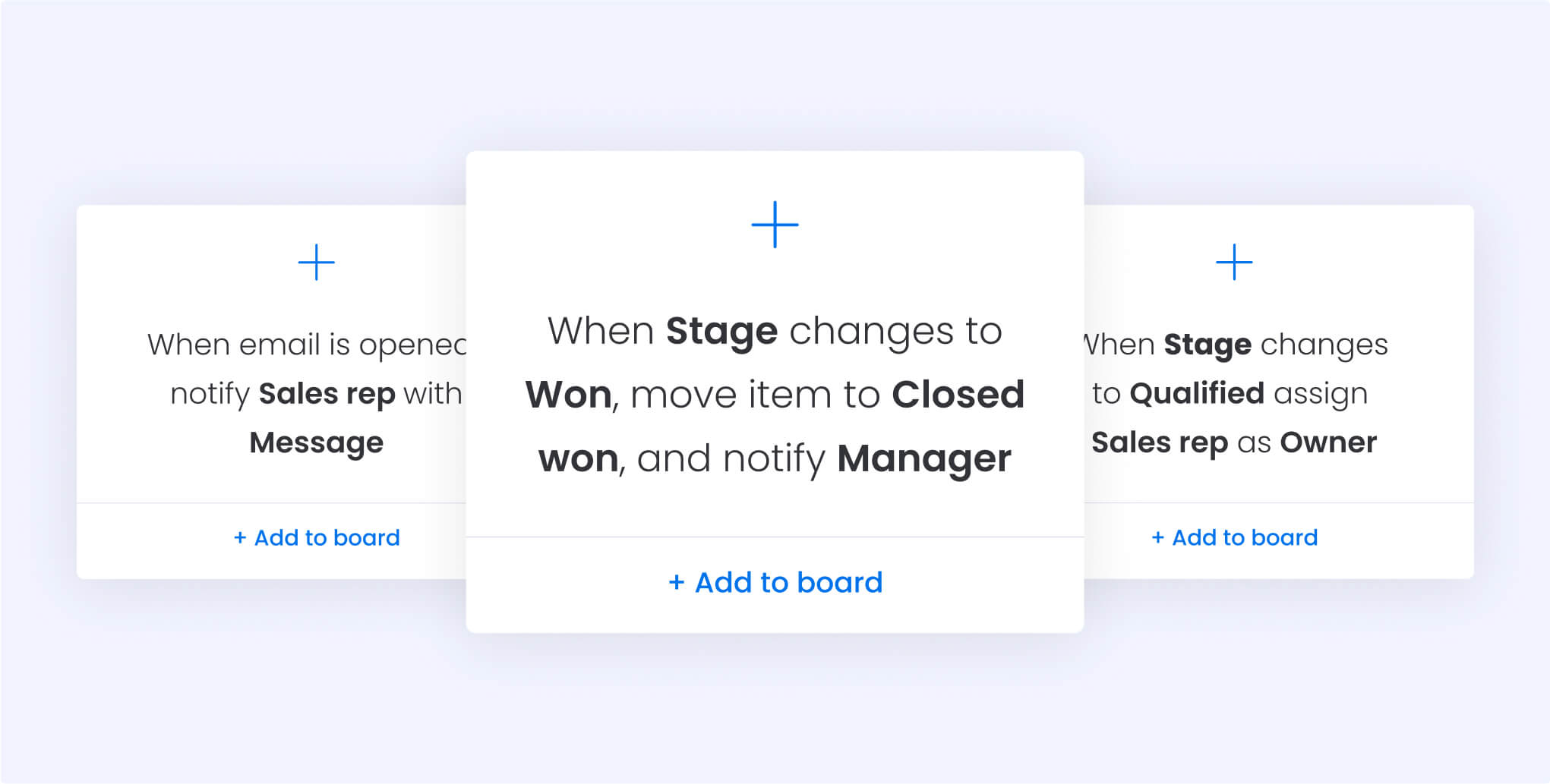
The real cost of a fragmented sales stack
A fragmented sales stack creates operational burdens that far outweigh aggregate licensing fees. While individual tools may seem cost-effective, the hidden expenses of disconnection (data silos, manual reconciliation, and technical debt) often lead to a significant competitive disadvantage. For mid-market leaders, these inefficiencies compound until they actively erode profit margins and agility.
When too many platforms hurt productivity
The paradox of platform proliferation is that additional systems can reduce productivity by increasing cognitive load and requiring constant context switching. Sales representatives spend mental energy tracking which information is located in which systems and navigating between different platforms.
Information fragmentation inherently disrupts workflow momentum. When critical data is siloed across multiple systems, representatives cannot retrieve insights in real-time, leading to operational friction and delayed responses.
This lack of cohesion forces a “multi-entry” documentation process, where a single customer interaction requires redundant updates across several platforms, diverting time away from high-value selling activities.
Consolidated platforms address this challenge by centralizing all functionality within a unified interface that adapts to your workflows.
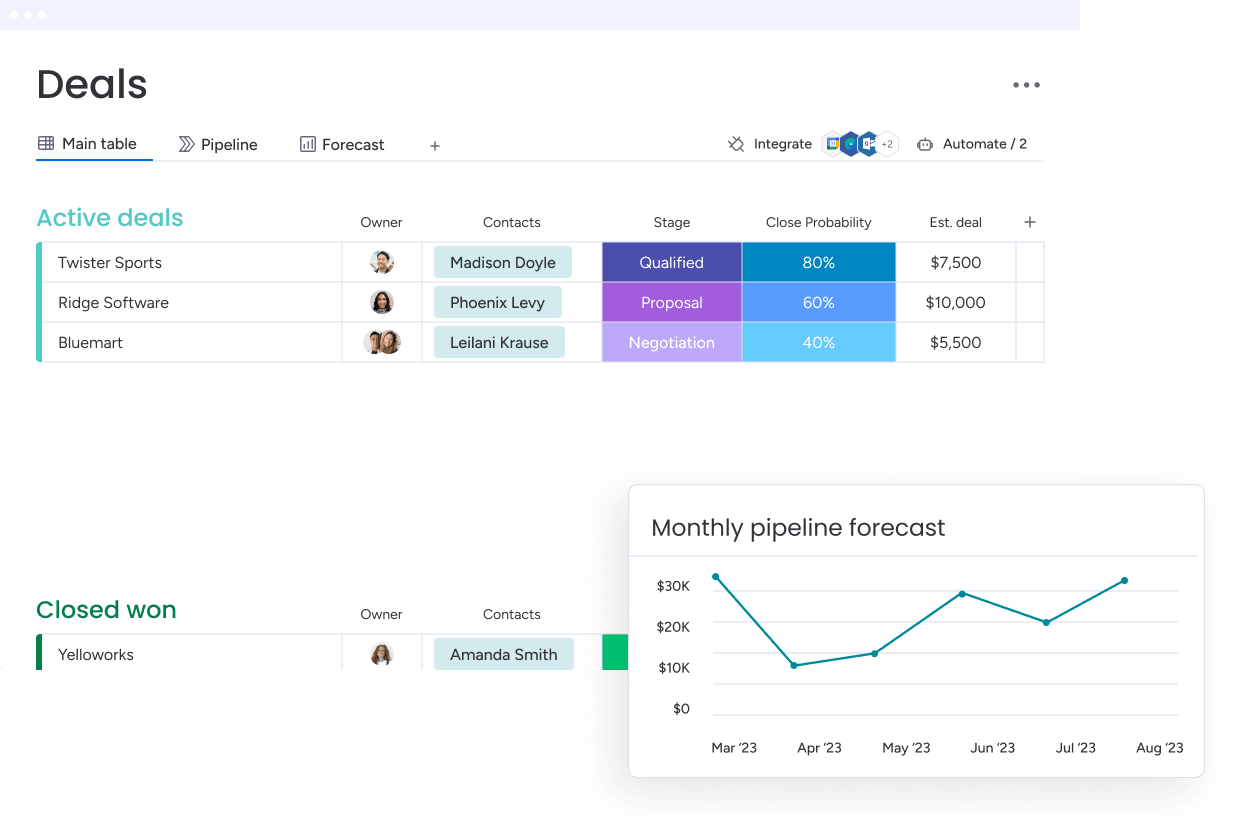
Revenue teams find that platforms like monday CRM address this directly because all customer information, communication history, content resources, and workflow automation exist in a single interface that adapts to their actual work processes.
Hidden expenses beyond software licenses
Fragmented stacks cost way more than the price tags suggest. Lots of expenses hide outside your software budget. These hidden costs pile up fast as you grow. What works with ten reps breaks down completely at 50.
- Training time for each new platform: every platform requires onboarding, ongoing education, and troubleshooting support. With five separate platforms, training time multiplies by five, and that’s before considering the complexity of understanding how they’re supposed to work together.
- IT support and maintenance overhead: each platform needs monitoring, updates, security patches, and user management. IT teams spend hours each week managing access, troubleshooting integration failures, and coordinating vendor relationships across multiple systems.
- Data migration and integration costs: connecting disparate platforms requires expensive middleware, custom development, or ongoing manual data transfer. Integration projects that seem straightforward during vendor demos often require months of technical work and ongoing maintenance.
- Duplicate functionality licensing: organizations often pay for the same capabilities multiple times because different platforms include overlapping features. Email functionality might exist in the CRM, sales engagement platform, and marketing automation platform, each requiring separate licenses.
- Opportunity cost of time spent on platform management rather than selling: if each rep spends 30 minutes daily switching between platforms and managing data across systems, that’s 2.5 hours per week of lost selling time. For a team of 20 reps, that’s 50 hours weekly lost to platform management.
How to overcome common integration challenges
The more platforms you add, the messier integrations get. With three platforms, you need three integration points. With five platforms, you need ten. With ten platforms, you need forty-five. Each integration represents a potential failure point that requires monitoring and maintenance.
The technical challenges extend beyond simple connectivity:
- Different systems use different data models: what one platform calls a “lead” might be an “opportunity” in another and a “prospect” in a third.
- Field names don’t match: data types conflict, and business logic differs across platforms.
- Integration complexity multiplies: each connection requires ongoing monitoring and maintenance as vendors update their systems.
When integrations break, you get data silos that defeat the whole point of having a tech stack. When the connection between CRM and email platform breaks, customer interactions go unrecorded. When the link between sales engagement and analytics fails, forecasts become inaccurate. These failures sneak by unnoticed until they’ve already caused real damage.
Even successful integrations have limitations. Most pre-built connectors sync data on schedules rather than in real-time, creating delays between when actions occur and when they’re reflected across systems. Custom integrations require ongoing maintenance as vendors update their APIs or change their data structures.
Platforms designed for adaptability eliminate many integration challenges through native functionality. When sales engagement, content management, automation, and analytics exist within the same platform, data flows instantly without integration middleware.
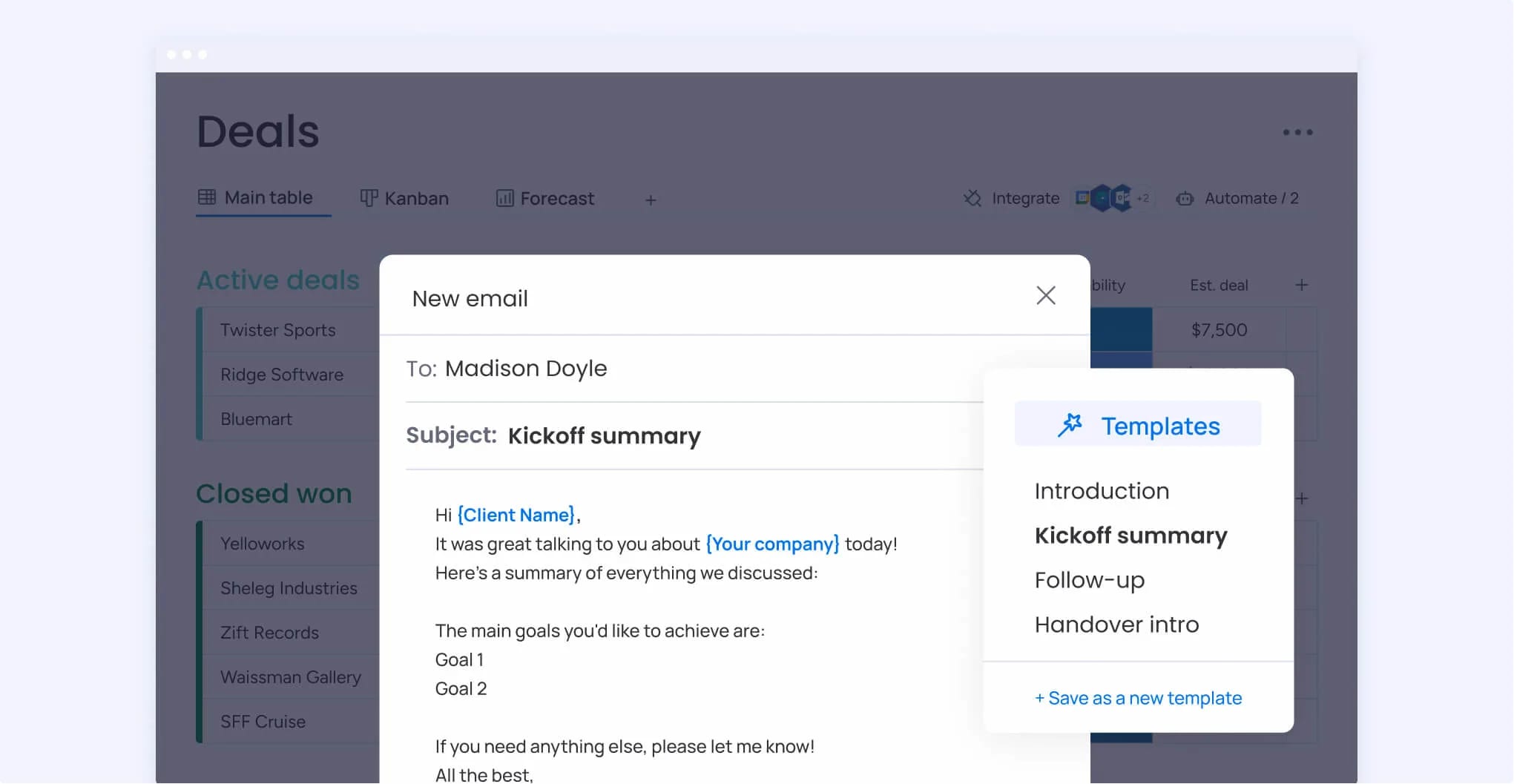
5 signs you need sales tech stack consolidation
Catch these warning signs early and you’ll avoid bigger productivity and revenue problems later. Each signal means your platform mess has hit the point where consolidating would help right away.
1. Reps spend more time managing platforms than selling
Watch for these signs:
- Duplicate data entry: reps logging the same information multiple times across different platforms
- Constant platform switching: spending significant portions of their day navigating between systems
- Platform avoidance: actively avoiding certain platforms because they’re too cumbersome to use
All this admin work cuts into revenue because reps spend less time prospecting, building relationships, and closing deals. Sales professionals thrive on customer interactions and deal progression, not data entry and system navigation. When platform management dominates their day, job satisfaction plummets and top performers start looking elsewhere.
2. Customer data lives in multiple places
Scattered data means you never see the full customer picture, which leads to bad decisions and awkward conversations. Important information exists in one system but remains invisible when reps need it most, whether during prospect calls, in deal reviews, or when crafting proposals.
Scattered customer data creates serious compliance and quality risks:
- GDPR compliance challenges: privacy regulations require organizations to know where customer data lives and maintain control over it.
- Security vulnerabilities: information spreads across multiple platforms with different security models and retention policies.
- Coaching limitations: data silos prevent effective sales coaching because managers can’t see the complete picture of rep activities and customer interactions.
3. Expensive platforms sit unused
Shelfware is one of the most definitive signs that your tech stack isn’t working. This happens when organizations:
- Add platforms reactively: implementing new tools without considering the existing stack.
- Purchase based on features: choosing platforms based on checklists rather than actual workflows.
- Implement overly complex solutions: deploying tools that prove too difficult for daily use.
Usage analytics often reveal a frustrating reality: a significant portion of licensed software users never actually log in. In many organizations, core features remain untouched while teams develop manual workarounds that bypass expensive platforms entirely.
This represents more than just a line-item waste in the budget; it is a loss of strategic momentum. Capital that could fund high-impact growth initiatives is instead trapped in “shelfware” and unused licenses.
Consolidation lets you spend money on things that actually help instead of unused licenses. Rather than paying for five platforms with overlapping functionality, organizations can invest in one comprehensive platform that teams actually use.
GSA’s 2025 OneGov agreement with Oracle demonstrates this principle, providing up to a 75% discount on license-based technology through consolidation under a single agreement.
4. Manual tasks still dominate your day
Common manual tasks that should be automated in a well-designed tech stack persist when platforms don’t integrate properly or lack automation capabilities:
- Data entry across multiple systems: logging the same information repeatedly in different platforms.
- Follow-up scheduling and reminders: manually creating tasks and calendar entries for each prospect interaction.
- Report generation and compilation: pulling data from various sources and combining it manually.
- Lead routing and assignment: manually distributing new opportunities to the right team members.
These manual processes persist not because automation is impossible, but because fragmented platforms make it impractical. Each system might offer automation capabilities, but they don’t extend across the entire workflow. The result is partial automation that still requires manual intervention at handoff points.
Teams using advanced platforms like monday CRM leverage its automation capabilities to handle data entry, follow-up scheduling, lead routing, and report generation without requiring technical expertise to configure. They can build automations using a visual interface that anyone can understand.
5. Getting a full picture requires five exports
The frustrating experience of needing to export data from multiple systems to create comprehensive reports signals fundamental tech stack dysfunction. This mirrors findings from a government-wide review where none of the nine federal agencies evaluated had ‘fully determined whether their five most widely used software licenses were over- or under-purchased’ because they did not consistently track usage or compare it to purchase records across fragmented systems.
Managers who want to understand pipeline health must:
- Export CRM data: pulling deal information and pipeline status from the primary system.
- Pull engagement platform metrics: gathering activity tracking and outreach performance data.
- Gather content usage statistics: extracting which materials are being used from content management systems.
- Compile calendar information: analyzing time allocation across different activities.
- Manually combine everything: merging all data sources in spreadsheets to see the complete picture.
This manual reporting process delays decision-making and reduces confidence in data accuracy. By the time reports are compiled, the information is already outdated. Errors creep in during manual data combination. Decision-makers question whether they’re seeing the full truth or just what the available data shows.
Effective sales enablement software requires real-time visibility across all sales activities in unified dashboards that update automatically. When this visibility exists, managers can identify issues as they emerge and make data-driven decisions with confidence.
Building your sales enablement solution framework
Successful organizations think in terms of integrated capabilities that support their entire sales process rather than selecting individual platforms. This framework approach starts with desired outcomes, then identifies the capabilities needed to achieve those outcomes.
The shift from platform-centric to capability-centric thinking changes the entire sales strategy selection process. Instead of asking “Which CRM should we buy?” organizations ask “What capabilities do we need to manage customer relationships effectively?” This broader question often reveals that traditional category boundaries don’t match actual business needs.
Revenue intelligence and forecasting

Revenue intelligence combines data analytics, AI insights, and predictive capabilities to help sales teams make informed decisions throughout the sales process. This goes beyond basic reporting to provide actionable insights and early warning signals that enable proactive management.
Key features include:
- Pipeline analysis: that identifies bottlenecks and predicts where deals might stall.
- Deal scoring: that prioritizes opportunities based on likelihood to close and strategic value.
- Forecast accuracy tracking: that compares predictions to outcomes.
- Performance benchmarking: that reveals what top performers do differently.
The predictive capabilities distinguish revenue intelligence from traditional reporting. Rather than simply showing what happened, these systems forecast what’s likely to happen and suggest actions to improve outcomes. AI analyzes historical patterns to identify deals that match successful profiles or flag warning signs that indicate potential losses.
Sales engagement and outreach
Sales engagement platforms help reps execute consistent, personalized outreach at scale without sacrificing the authentic relationships that drive sales success. These capabilities balance efficiency with personalization, automating repetitive tasks while ensuring each interaction feels relevant and human.
Core capabilities include:
- Email sequencing: that delivers personalized messages based on prospect behavior and engagement.
- Call scheduling: that optimizes timing based on historical response patterns.
- Social selling integration: that incorporates LinkedIn and other platforms into unified workflows.
- Multi-channel campaign management: that coordinates touchpoints across email, phone, social media, and direct mail.
Integration requirements with CRM systems ensure all interactions are properly tracked and analyzed. Every email sent, call made, or social interaction should flow back into the CRM to maintain a complete customer history. Organizations find that solutions like monday CRM enable this through its Emails & Activities feature, which logs and tracks every interaction including emails, meetings, and notes in one timeline.
Content management systems
Sales content management differs from general document storage by focusing on sales-specific needs like content discoverability, usage tracking, and buyer-stage alignment found in sales enablement software. Sales reps need to find the right content at the right moment, whether during prospect calls, in proposal development, or when answering specific objections.
Essential features include:
- Content libraries: organized by buyer stage, use case, and industry.
- Sales playbooks: that guide reps through proven processes and provide relevant content at each step.
- Proposal automation: that assembles customized proposals from approved content blocks.
- ROI tracking: that shows which materials actually influence deals.
The challenge of keeping content current and relevant intensifies as content volume grows. Analytics help identify high-performing materials, flag outdated content, and surface gaps where new materials are needed. Usage data shows which case studies resonate with specific industries and which presentations correlate with closed deals.
Training and coaching platforms
Sales training and coaching platforms support continuous skill development and performance improvement rather than one-time training events. The focus has shifted from periodic classroom sessions to ongoing development programs that adapt to individual needs and provide just-in-time learning.
Core capabilities include:
- Onboarding programs: that accelerate new hire productivity through structured learning paths.
- Skill assessments: that identify individual strengths and development areas.
- Call recording and analysis: that provides objective feedback on actual customer interactions.
- Personalized coaching recommendations: based on performance data and skill gaps.
AI-powered coaching provides real-time feedback and identifies improvement opportunities at scale. Rather than relying solely on manager observations, AI analyzes call recordings to identify successful patterns, flag missed opportunities, and suggest specific improvements.
Workflow automation capabilities
Workflow automation in the sales context eliminates manual, repetitive tasks while ensuring consistent process execution. The goal is reducing errors, ensuring compliance, and freeing reps to focus on relationship building, not replacing human judgment in customer interactions.
Examples of automatable workflows include:
- Lead routing: that assigns new opportunities based on territory, product expertise, or workload balance.
- Follow-up scheduling: that creates tasks and reminders based on prospect actions or time triggers.
- Data updates: that propagate changes across systems automatically.
- Approval processes: that route contracts or discounts through proper channels.
The balance between automation and maintaining personal touch is critical. Automation should handle administrative tasks and process enforcement, but customer-facing interactions should remain authentic and human.
Revenue teams leverage automation capabilities provided by platforms like monday CRM to handle these administrative workflows while keeping reps focused on meaningful conversations.
How to build a sales technology stack in 5 steps
Successful sales tech implementation requires strategic planning rather than ad-hoc platform selection. As each step builds on the previous one, they create a cohesive system that actually serves business needs.
Step 1: audit current platform usage and gaps
A systematic evaluation of existing platforms and identification of gaps begins with understanding what the organization actually uses versus what it pays for. This audit combines quantitative usage data with qualitative user feedback to reveal the true state of the current tech stack.
Conducting user interviews provides insights that usage data alone can’t reveal. Sales reps explain which platforms they find valuable, which they avoid, and what workarounds they’ve developed. Managers describe reporting challenges, visibility gaps, and process breakdowns.
Critical audit questions to address include:
- Platform utilization: how often is each platform actually used? Which features are adopted versus ignored?
- Overlap identification: which platforms provide similar functionality? Where are you paying for duplicate capabilities?
- Integration assessment: how well do current platforms work together? Which integrations function reliably versus frequently failing?
- User satisfaction: what do reps love or hate about current platforms? What features do they wish existed?
- Cost analysis: what is the total cost of ownership for each platform, including licenses, training, support, and integration maintenance?
Step 2: map your complete sales process
Documenting the end-to-end sales process from lead generation to customer retention provides the foundation for identifying technology requirements and integration points. This mapping exercise must involve sales reps, managers, and operations teams to capture both formal processes and informal practices.
Start with major stages:
- Lead generation: identifying and attracting potential customers through various channels.
- Qualification: determining whether prospects fit your ideal customer profile and have genuine need.
- Discovery: understanding prospect challenges, requirements, and decision-making processes.
- Proposal: presenting tailored solutions that address specific prospect needs.
- Negotiation: working through pricing, terms, and implementation details.
- Closing: finalizing agreements and securing commitment.
- Onboarding: ensuring smooth implementation and initial customer success.
- Expansion: identifying opportunities for upsells, cross-sells, and account growth.
Within each stage, identify specific activities, required information, decision criteria, and handoffs to other teams or systems.
Documenting both formal processes and informal workarounds reveals the gap between intended and actual practice. Formal processes might specify that all customer interactions get logged in the CRM, but informal practice might involve reps keeping notes in personal systems because CRM data entry is too cumbersome. These workarounds signal opportunities for improvement.
Step 3: define must-have integrations
Identifying critical data flows and system connections required for the sales process distinguishes between nice-to-have and must-have integrations based on business impact. Not all integrations are equally important.
Must-have integrations are those where failure causes immediate operational problems:
- Lost leads: prospects fall through the cracks when systems don’t communicate.
- Missed follow-ups: opportunities go cold without automated reminders and task creation.
- Inaccurate forecasts: disconnected data leads to unreliable revenue predictions.
- Compliance issues: fragmented systems create audit trails that don’t meet regulatory requirements.
Nice-to-have integrations provide convenience or efficiency gains but don’t prevent core work from happening.
Examples of essential integrations include:
- Marketing automation to CRM: seamless lead handoff ensures no prospect gets lost in transition.
- CRM to email platforms: automatic communication tracking maintains complete customer history.
- Sales platforms to analytics: real-time performance measurement enables data-driven decisions.
Organizations discover that advanced platforms like monday CRM offer powerful integrations with existing platforms while also providing native capabilities that reduce the need for external connections.
Step 4: plan for growth and flexibility
Selecting platforms and designing processes that can scale with business growth prevents the painful migrations that occur when organizations outgrow their systems. Common scaling challenges include:
- User limits: that force expensive upgrades as teams expand.
- Data storage restrictions: that require archiving valuable information prematurely.
- Feature restrictions: that prevent advanced use cases as needs evolve.
Evaluating vendor roadmaps and platform extensibility provides insight into future capabilities and strategic direction. Vendors committed to continuous improvement regularly release new features, respond to customer feedback, and invest in emerging technologies like AI.
Teams benefit from adaptability through no-code customization that allows business users to modify workflows, data structures, and automation without IT dependency. This flexibility means the platform grows with the organization rather than constraining it.
Step 5: create your rollout timeline
Last step, sequencing platform implementation to minimize disruption and maximize adoption, requires careful planning that balances speed with change management. Phased rollouts reduce risk by implementing capabilities incrementally, allowing teams to adjust gradually.
A typical phased approach might:
- Start with core CRM functionality: implement foundational features for one team to build confidence.
- Add automation and engagement features: expand capabilities once the foundation is solid and users are comfortable.
- Expand to additional teams and advanced capabilities: scale successful patterns across the organization.
Each phase builds confidence and demonstrates value before moving forward.
The importance of quick wins early in the rollout builds momentum and user confidence. Identifying high-impact, low-complexity features that can be implemented quickly demonstrates immediate value and creates enthusiasm for the broader transformation.
7 ways to drive sales tech stack adoption
Even the best-designed tech stack fails without user adoption. But technology itself is never the primary barrier. Resistance comes from change fatigue, unclear value propositions, inadequate training, or platforms that don’t fit actual workflows.
1. Select platforms teams actually want to use
Involving end users in platform selection rather than making top-down decisions dramatically improves adoption outcomes. Sales reps who participate in evaluation understand why specific platforms were chosen, feel ownership over the decision, and become advocates rather than resisters.
Furthermore, conducting user research, pilot programs, and feedback sessions during the evaluation process reveals preferences and concerns that executives might miss. User-friendly interfaces and intuitive workflows significantly impact adoption rates because they reduce the learning curve and friction in daily use.
2. Start small with quick wins
Implementing high-impact, low-complexity features first builds user confidence and demonstrates value before tackling more challenging changes. Examples of quick wins include:
- Automated data entry: eliminates duplicate information entry.
- Simplified reporting: replaces manual spreadsheet compilation.
- Streamlined communication workflows: reduce context switching.
Early successes create momentum for more complex implementations by proving the value of change and building trust in the new system. As a result, users who experience immediate benefits become enthusiastic supporters.
3. Invest in hands-on training
Effective hands-on training differs fundamentally from ineffective overview sessions that demonstrate features without connecting them to real work. To be effective, hands-on training uses:
- Real scenarios: that mirror daily challenges.
- Actual data: from the organization.
- Practical exercises: that build muscle memory.
Role-specific training that addresses real workflows and use cases ensures relevance and applicability. Sales reps need different training than sales managers, who need different training than operations teams. Each role has unique workflows, priorities, and pain points.
4. Track and reward real usage
Measuring meaningful adoption metrics beyond simple login counts reveals whether users are actually getting value from the system. Real usage metrics include:
- Data quality improvements: showing users are entering complete, accurate information.
- Process completion rates: indicating users are following workflows through to completion.
- User-generated content: demonstrating users are actively contributing.
By creating positive reinforcement through recognition programs, performance metrics, and success celebrations, you can encourage continued engagement and improvement.
5. Automate the worst tasks first
Identifying manual tasks that sales reps find most frustrating and time-consuming focuses automation efforts where they’ll have the greatest impact. These tasks are often obvious when you ask reps directly.
Eliminating these pain points first creates immediate value and builds goodwill for the new system. Users who see their biggest frustrations disappear become enthusiastic supporters.
For example, teams using solutions like monday CRM can leverage AI capabilities to automate data entry through features like Extract Information, which automatically pulls key details from files and documents directly into board columns.
6. Document processes that work
Creating accessible, up-to-date process documentation helps users understand not just how to use platforms, but when and why to use specific features. Moreover, effective documentation explains the reasoning behind processes and helps users understand how their work fits into larger workflows.
Effective documentation formats include:
- Step-by-step guides: with screenshots.
- Video tutorials: that demonstrate processes in action.
- Quick reference cards: that provide at-a-glance reminders for common tasks.
7. Build feedback loops
Creating systematic channels for collecting and acting on user feedback ensures the system continues to meet evolving needs. Feedback collection shouldn’t be a one-time post-implementation survey but an ongoing conversation.
The importance of closing the feedback loop by communicating how input is being used to improve the system maintains user engagement and trust. It is important, because users who provide feedback but never see results become cynical and stop participating.
Measuring sales stack success beyond ROI
While ROI is important, it doesn’t capture the full value of an effective sales enablement tech stack. Financial metrics show whether the investment paid off, but they miss the operational improvements, capability development, and strategic advantages that drive long-term success.
Human-centric performance metrics
Human-centric metrics focus on user experience, satisfaction, and capability development rather than just productivity numbers. These measurements recognize that sustainable performance comes from engaged, skilled team members who feel supported by their platforms.
Key human-centric metrics to track include:
- User satisfaction scores: regular surveys measuring platform usability and value perception reveal whether users find the tech stack helpful or frustrating.
- Skill development tracking: improvements in sales capabilities and knowledge retention show whether training and coaching features are actually developing team capabilities.
- Time allocation analysis: percentage of time spent on high-value activities versus administrative tasks indicates whether automation is working.
- Stress and burnout indicators: workload balance and job satisfaction measures signal whether the tech stack is helping or hurting team wellbeing.
Cross-team efficiency gains
Effective sales tech stacks improve collaboration and efficiency across departments, not just within sales teams. These cross-functional benefits often exceed the direct sales productivity gains but are harder to measure.
Metrics that capture cross-functional value include:
- Reduced handoff time: between marketing and sales.
- Improved forecast accuracy: of sales forecasts used by finance.
- Faster issue resolution: of customer issues through information sharing.
- Enhanced product feedback loops: from sales to development.
Revenue teams find that platforms like monday CRM support this cross-functional collaboration by enabling teams to work seamlessly with other departments like legal and finance, all within the same platform.
Leading indicators of tech stack health
Leading indicators are early warning signals that predict future performance issues or opportunities before they manifest in lagging metrics like revenue or customer satisfaction.
Valuable leading indicators include:
- Data quality trends: showing whether information accuracy is improving or degrading.
- Integration performance metrics: revealing whether system connections are stable.
- User engagement patterns: indicating whether adoption is growing or declining.
- System performance benchmarks: showing whether response times meet user needs.
AI and the future of sales enablement platforms
AI is transforming sales enablement beyond simple automation by becoming the intelligence layer that connects and optimizes all aspects of the sales tech stack. This transformation moves AI from isolated features to comprehensive infrastructure that makes entire platforms smarter and more adaptive.
AI as infrastructure, not just features
The shift from AI as isolated features to AI as the underlying intelligence that powers entire sales platforms represents a fundamental change in how sales technology works. Feature-level AI provides point solutions. Infrastructure-level AI provides comprehensive intelligence that makes every aspect of the platform smarter.
AI infrastructure enables capabilities like:
- Predictive analytics: that forecast outcomes across all sales activities.
- Intelligent automation: that adapts workflows based on results.
- Adaptive workflows: that optimize themselves based on performance patterns.
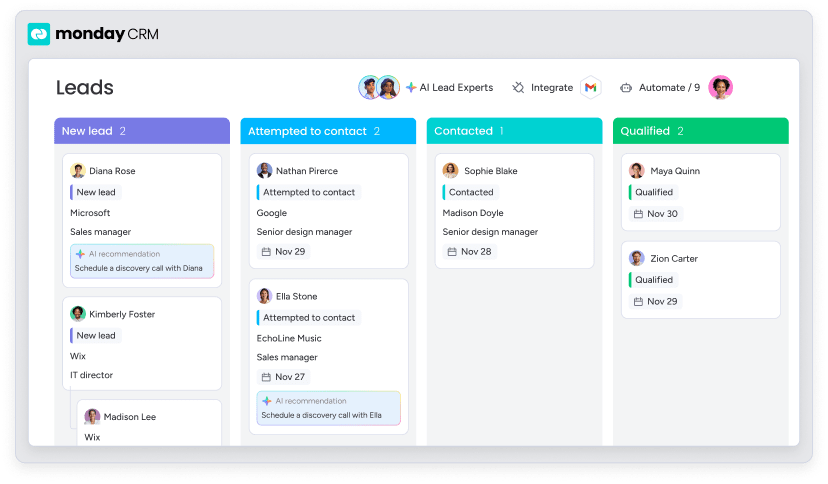
Organizations using solutions like monday CRM experience this approach through AI capabilities that work across the entire platform. The AI Timeline Summary creates short, concise summaries of all communication events, helping sales and support teams save valuable time on research. AI email composition helps reps write effective messages faster.
Practical AI applications for sales teams
AI is being used in sales enablement in concrete, practical ways that deliver immediate value. Teams leverage monday CRM’s AI actions that can be applied to columns on any board:
- Detect sentiment: determines whether text input can be categorized as Positive, Negative, or Neutral, helping reps prioritize responses.
- Extract information: automatically extracts and organizes key information from files like invoices, resumes, or contracts directly into board columns.
- Writing assistant: provides prompts that guide AI to write text for columns, with options to adjust tone and length.
- Assign label: analyzes text sources and automatically assigns appropriate status or dropdown labels.
- Assign person: assigns the best teammate for tasks based on defined roles and key skills.
These capabilities eliminate manual data entry while ensuring complete, accurate customer information.
Building self-improving workflows
AI enables sales processes that continuously optimize themselves based on performance data and user behavior. Rather than requiring manual process improvement initiatives, these adaptive workflows learn from results and adjust automatically, which shifts in how sales processes work.
While traditional workflows are static, adaptive workflows monitor outcomes, identify what’s working, and modify themselves to do more of what succeeds.
Self-improving systems reduce the ongoing management burden while increasing effectiveness. Rather than requiring constant tuning and optimization, these systems handle improvement automatically.
How to build a sales tech stack that drives revenue?
Building an effective sales enablement tech stack isn’t about collecting the most platforms or implementing the latest features, but about creating a unified system that eliminates friction, provides real-time insights, and adapts to how your team actually works. The organizations that succeed focus on integration over accumulation, user adoption over feature counts, and measurable outcomes over impressive demos.
The path forward starts with honest assessment of your current state and clear vision of where you want to go. Whether you’re dealing with platform fragmentation, poor adoption rates, or simply outgrowing your current systems, the solution lies in strategic consolidation around platforms that can grow with your business.
Teams using monday CRM discover that the right platform eliminates the trade-offs between functionality and usability, between customization and simplicity, between comprehensive capabilities and user adoption. When your tech stack works seamlessly together, your team can focus on what matters most: building relationships and closing deals.

“With monday CRM, we’re finally able to adapt the platform to our needs — not the other way around. It gives us the flexibility to work smarter, cut costs, save time, and scale with confidence.”
Samuel Lobao | Contract Administrator & Special Projects, Strategix
“Now we have a lot less data, but it’s quality data. That change allows us to use AI confidently, without second-guessing the outputs.”
Elizabeth Gerbel | CEO
“Without monday CRM, we’d be chasing updates and fixing errors. Now we’re focused on growing the program — not just keeping up with it."
Quentin Williams | Head of Dropship, Freedom Furniture
“There’s probably about a 70% increase in efficiency in regards to the admin tasks that were removed and automated, which is a huge win for us.“
Kyle Dorman | Department Manager - Operations, Ray White
"monday CRM helps us make sure the right people have immediate visibility into the information they need so we're not wasting time."
Luca Pope | Global Client Solutions Manager at Black Mountain
“In a couple of weeks, all of the team members were using monday CRM fully. The automations and the many integrations, make monday CRM the best CRM in the market right now.”
Nuno Godinho | CIO at Velv
“monday.com provides developmental flexibility, operational efficiency, and data transparency — all in one place. We became a company that moved from chasing data to leading with it.”
Hyunghan Lee | Team Lead, Sandbox Network
"monday.com brought every part of our business into one connected space. The harmony between work management and CRM has become our operating system — giving us the clarity and confidence to scale.”
Jennifer Chinburg | Executive Vice President of Corporate Development & Brand, Chinburg Properties
“We just weren’t getting value from our old CRM. With monday.com, it's a thousand times better. Our sales teams are more informed, more consistent, and far more connected."
James Arnold | Chief Operating Officer, CenversaFrequently asked questions
What is the difference between a sales tech stack and a CRM?
A sales tech stack is the complete collection of software platforms that support your entire sales process, while a CRM is the central hub of that stack. The CRM stores customer data and manages relationships, but a full tech stack includes additional platforms for engagement, content management, analytics, and automation that work together.
How many platforms should be in a sales tech stack?
There's no magic number, but most effective sales tech stacks include three to seven core platforms, depending on company size and complexity. The key is ensuring each platform serves a distinct purpose and integrates well with the others, rather than accumulating platforms that create redundancy.
What are the most common signs that a sales tech stack needs consolidation?
The clearest signs include sales reps spending more time managing platforms than selling, customer data scattered across multiple systems, expensive platforms sitting unused, and needing multiple data exports to get a complete picture of sales performance.
How long does it typically take to implement a new sales tech stack?
Most organizations see initial value within 30-60 days and full adoption within three to six months. Phased rollouts that start with core functionality and gradually add advanced features tend to be more successful than attempting to implement everything at once.
What's the biggest mistake organizations make when building their sales tech stack?
The most common mistake is selecting platforms based on feature checklists rather than actual workflows and user needs. Organizations often choose impressive-sounding platforms that look good in demos but prove difficult to use in daily practice. Successful tech stack building starts with understanding how your team actually works.
How do you measure the ROI of a sales enablement tech stack?
ROI measurement should go beyond simple cost savings to include productivity gains and user satisfaction. Key metrics include time saved on administrative tasks, increased deal velocity, improved forecast accuracy, and higher user adoption rates.
