



Outbound calling software has become a critical tool for sales teams looking to maximize productivity. Traditional manual dialing, logging calls, and toggling between multiple applications consumes a large portion of a rep’s day, leaving less time for meaningful conversations. Automating these repetitive tasks allows teams to focus on interactions that actually move deals forward.
The most effective solutions do more than increase dialing speed. They integrate seamlessly with CRMs, automatically log call outcomes, and provide reps with the context they need before picking up the phone. When calling activity and customer data are in the same system, teams gain a clear picture of what drives results, enabling smarter coaching, better forecasting, and more effective outreach.
Selecting the right platform involves more than comparing features. Teams must consider CRM compatibility, compliance, call analytics, and total cost of ownership. A thoughtfully chosen system minimizes data silos, eliminates workflow friction, and gives sales teams the tools to scale outreach without sacrificing the quality of each customer interaction.
Key takeaways
- Outbound calling software reduces manual tasks: automates dialing, call logging, and data entry, freeing reps to focus on conversations that drive revenue.
- CRM integration is critical: platforms that sync calls and customer data in real time prevent information silos and ensure all team members have consistent context.
- Dialing modes affect productivity and compliance: power, progressive, and predictive dialing each balance call volume, rep control, and regulatory risk differently.
- Total cost of ownership matters: setup, training, integrations, and maintenance often outweigh the initial subscription price, influencing overall ROI.
- monday CRM unifies calling and workflow: built-in dialing, AI-assisted notes, and a centralized timeline streamline outbound efforts without requiring separate tools or complex integrations.
What is outbound calling software?
Outbound calling software prevents your team from wasting time on manual dialing. Instead of reps looking up numbers and logging calls by hand, the platform handles these tasks. It manages dialing, routes calls, records conversations, and syncs all activity to your CRM.
The benefits extend beyond convenience. According to recent research, this can increase rep productivity by 200–300%.
Manual dialing consumes nearly a third of a rep’s day. A true calling platform gives this time back. Automation and intelligence distinguish a robust sales platform from a simple phone system.
The full value appears when calling software and CRM work together. Modern CRM platforms let teams manage deals, track communications, and place calls from a single screen. This ensures focus remains on revenue rather than juggling multiple tools.
Learn more: AI outbound calling agents
How calling platforms integrate with CRMs
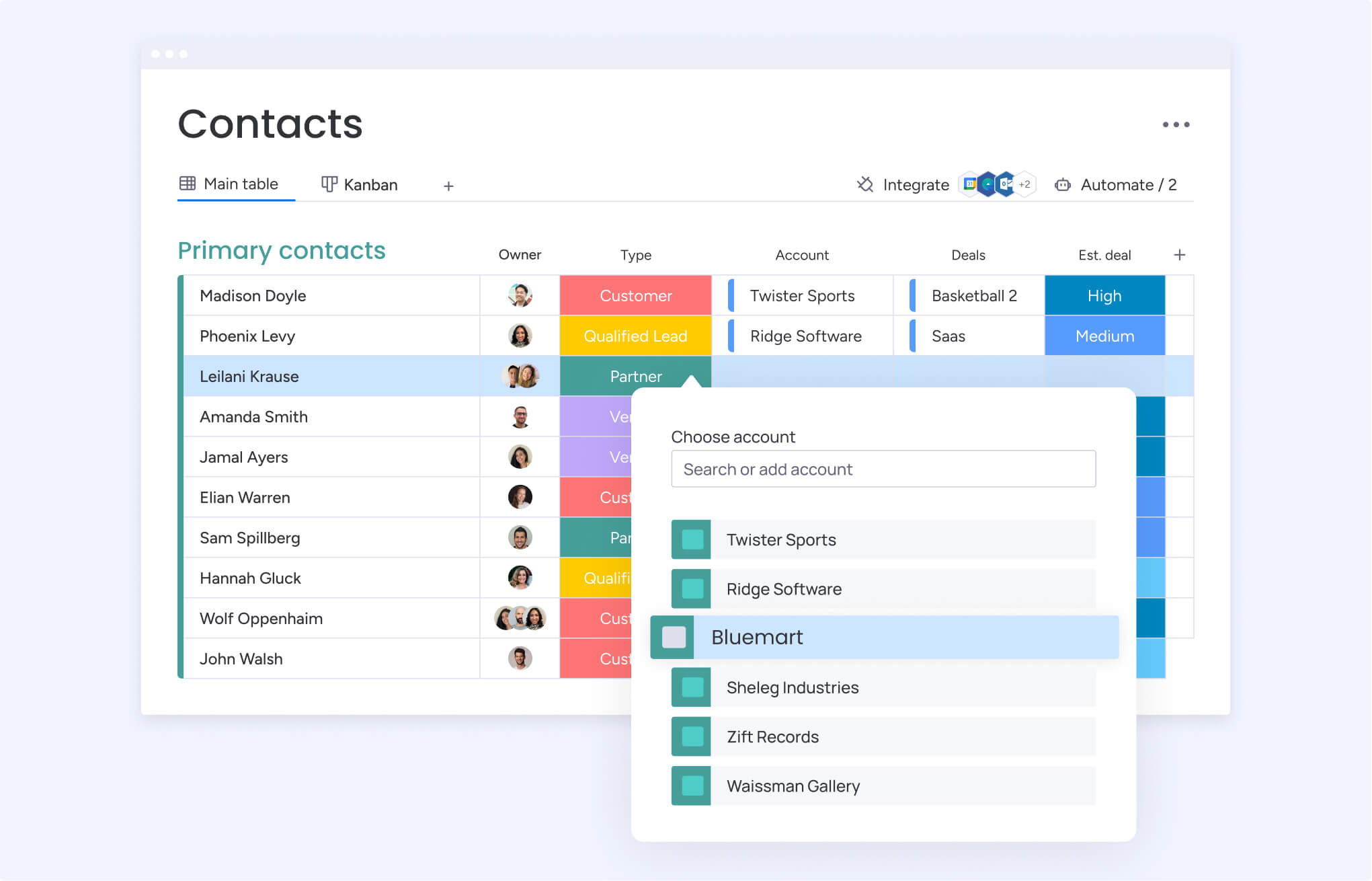
Your calling software and CRM must sync in real time. No more copy-pasting notes between systems. When a rep clicks to call a contact, all relevant information appears: deal status, recent emails, and prior conversations.
Calls are logged automatically, and everyone sees the same updated data. Outcomes can update deal stages without manual input. Accurate forecasts are a result, not a guess.
Modern CRM platforms centralize calls within a unified timeline. Every interaction appears alongside emails and meetings, giving full context without additional effort.
Standalone dialers vs integrated solutions
Teams want to sell, not manage multiple systems. While standalone dialers once made sense, integrated solutions allow reps to focus on deals rather than disparate software.
| Factor | Standalone dialers | Integrated CRM solutions |
|---|---|---|
| Setup complexity | Requires technical setup and constant upkeep | Works right away, no extra configuration |
| Data management | Data gets stuck in silos, causing delays and gaps | All data is current and in one place, always |
| User experience | Forces reps to switch between different apps | One platform for everything, zero context switching |
| Total cost | Multiple software fees plus hidden integration costs | Predictable pricing with everything included |
| Training requirements | Your team has to learn two different systems | One platform means faster onboarding |
Why teams switch from manual dialing
Manual dialing reduces momentum. Reps spend up to 40% of their day on administrative work, such as looking up numbers and logging calls. This is time that could be spent on conversations with prospects.
Human error compounds the problem. Wrong numbers, incomplete notes, and missed follow-ups slow progress and harm relationships.
Manual processes fail to scale due to:
Lack of visibility: Managers cannot coach effectively if they cannot see activity.
Data gaps: Without automatic logging, performance insights are limited.
Process breaks: Methods that work for a small team collapse at larger scales.
Automated calling improves rep productivity by 200–300% by increasing call volume and enabling better conversations.
Key features that transform outbound calling
Placing a call is basic. Closing deals requires intelligence. The right platform converts activity into revenue.
Dialing automation and AI coaching: Automated dialing removes wasted seconds between calls, keeping reps focused on conversations. AI tools provide real-time coaching, suggest responses, and highlight opportunities.
Real-time CRM data synchronization: Conflicting information between reps damages trust. Real-time sync ensures call notes, outcomes, and contact details update instantly, providing a unified source of truth for all team members.
Compliance automation and caller ID management: Platforms handle legal rules automatically, protecting the team and reputation. Features include:
- Automatic DNC scrubbing: prevents calls to numbers on do-not-call lists.
- Time zone awareness: ensures calls are placed at appropriate hours.
- Caller ID management: maintains number reputation to improve answer rates.
Performance analytics and forecasting: Knowing whether call campaigns drive pipeline growth is critical. The right dashboards reveal:
- Call volume: whether reps meet activity targets.
- Connection rates: the effectiveness of reaching contacts.
- Conversion percentages: whether pitches result in progress.
These insights are immediate, not after-the-fact. Dashboards, leaderboards, and funnel analysis allow managers to coach more effectively and spot trends quickly.
How to evaluate calling platforms
How to evaluate calling platforms for your CRM
Most teams waste time evaluating calling software by focusing on feature lists instead of real costs. They compare feature lists and monthly prices, but the real cost isn’t on the invoice. It’s buried in complex integrations, surprise fees, and maintenance that eats up your team’s time.
Forget the sales demo promises. The real question is, what will it actually take to get your team making calls and closing deals on this thing? Is it a few clicks, or a few months of developer headaches?
Spot the integration traps
Don’t get stuck with a platform that promises the world but delivers a mess of broken connections. The difference between making calls next week and next quarter is hidden in the technical details.
Watch out for these red flags:
- API access: no API means your data is trapped, forcing your team into manual work. A complex API means you’re paying developers to build and babysit connections that break every time there’s an update.
- Pre-built connectors: these sound great but often lack the custom fields and logic your workflow actually needs. You end up with a half-baked solution that creates more problems than it solves.
- Setup time: custom integrations can swallow 6–12 weeks of developer time before your team makes a single call. Even pre-built connectors can take a month to configure and test properly.
- Ongoing maintenance: API-based integrations break silently. Someone has to constantly monitor for errors and fix broken code. Native integrations require zero maintenance because there’s nothing to break.
Uncover the hidden costs
The price on the website is only the beginning. Real expenses emerge after commitment and can easily double or triple initial estimates.
- Setup and training: implementation can cost from $1,000 to $10,000+. Then the sales team must pause their work to train on two separate platforms.
- License and usage fees: some vendors charge separately for calling and CRM access, doubling per-user costs. Others add surprise API usage fees that increase with higher call volume.
- Maintenance and storage: custom integrations require monthly developer time for fixes. Storing call recordings almost always adds extra costs, creating unpredictable expenses as usage grows.
Set realistic timelines
Quick wins are better than six-month projects that lose momentum. Native integrations enable teams to go live in days, with the only setup being user onboarding. Pre-built connectors require weeks of mapping and testing, while custom API builds can stretch to a full quarter.
Data migration and change management add further delays. Assess what the team can realistically handle. Rushing implementation to meet deadlines creates errors that take months to fix.
Platforms like monday CRM avoid these issues. With built-in calling, there are no integration costs, hidden fees, or complex migrations. Teams simply turn it on and start working.
Try monday CRM10 outbound calling software solutions
The right calling software sharpens outbound strategy. The wrong one adds another password to manage. Here are ten options built for different workflows:
| # | Platform | Use case | Key features | Starting price | CRM integration |
|---|---|---|---|---|---|
| 1 | monday CRM | Teams wanting native CRM calling without system sprawl | Built-in dialer, AI email composition, visual pipelines, unified timeline | $12/user/month | ⭐⭐⭐⭐⭐ |
| 2 | RingCentral | Enterprise communication needs spanning voice, video, and messaging | Advanced call routing, video conferencing, team messaging, analytics | $20/user/month | ⭐⭐⭐⭐ |
| 3 | CloudTalk | European compliance requirements and international calling | GDPR compliance, local numbers in 160+ countries, call flow designer | $25/user/month | ⭐⭐⭐ |
| 4 | Nextiva | All-in-one business communications with built-in CRM | Unified communications, basic CRM, team collaboration, analytics | $18.95/user/month | ⭐⭐⭐⭐ |
| 5 | Dialpad | AI-powered business communications with real-time coaching | Voice intelligence, real-time transcription, sentiment analysis | $15/user/month | ⭐⭐⭐ |
| 6 | Aircall | Sales and support teams needing call center features | Call routing, IVR, performance analytics, integrations library | $30/user/month | ⭐⭐⭐⭐ |
| 7 | JustCall | Sales automation focus with SMS and calling | Power dialer, SMS campaigns, call recording, basic analytics | $19/user/month | ⭐⭐⭐ |
| 8 | Zoho Voice | Zoho ecosystem users wanting seamless integration | Deep Zoho integration, call routing, IVR, analytics | $15/user/month | ⭐⭐⭐⭐ |
| 9 | Five9 | Enterprise contact centers with complex routing needs | Workforce optimization, omnichannel routing, advanced analytics | Custom pricing | ⭐⭐⭐ |
| 10 | ZoomInfo | Sales intelligence integration with contact database access | Contact database, intent data, conversation intelligence | Custom pricing | ⭐⭐⭐ |
See the pattern? CRM integration is all over the place. Some tools force you to juggle systems, creating the exact data chaos you’re trying to escape. Platforms with calling built right in stop the sync headaches before they start, so your team can focus on closing deals, not hunting for info.
1. monday CRM
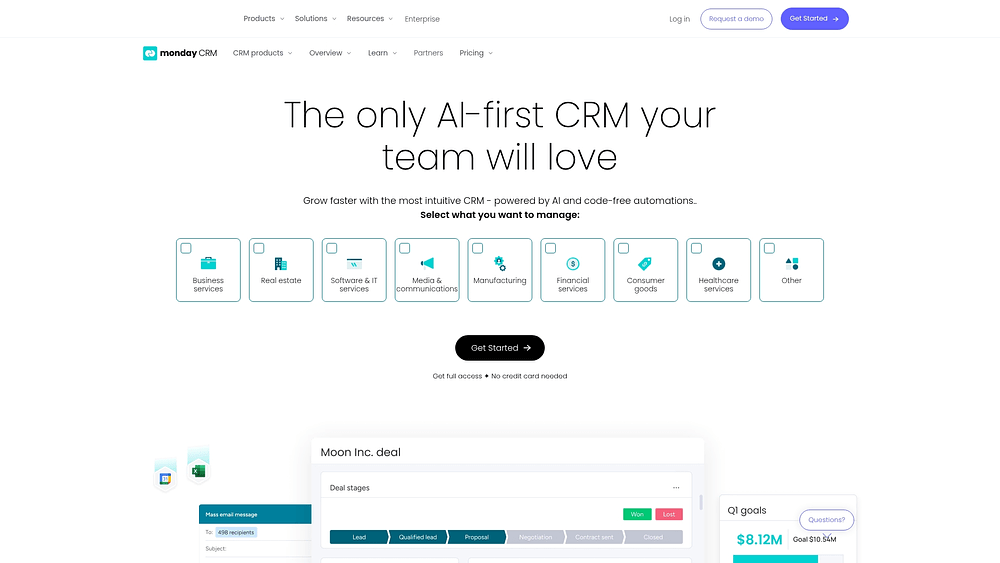
monday CRM helps teams avoid system sprawl by keeping leads, deals, and account work in a single platform. Teams can run outreach, track outcomes, and keep stakeholders aligned without losing context across calls, emails, and updates.
Instead of asking “Where is the latest information?” teams see one complete customer story. Contacts, connected deals, and communication history stay together, so sales reps and managers do not have to play detective.
Example:
Revenue teams of any size benefit from having outbound calling connected to the broader sales workflow. It is designed for teams that need one place to qualify leads, follow up, and report progress with minimal loose ends.
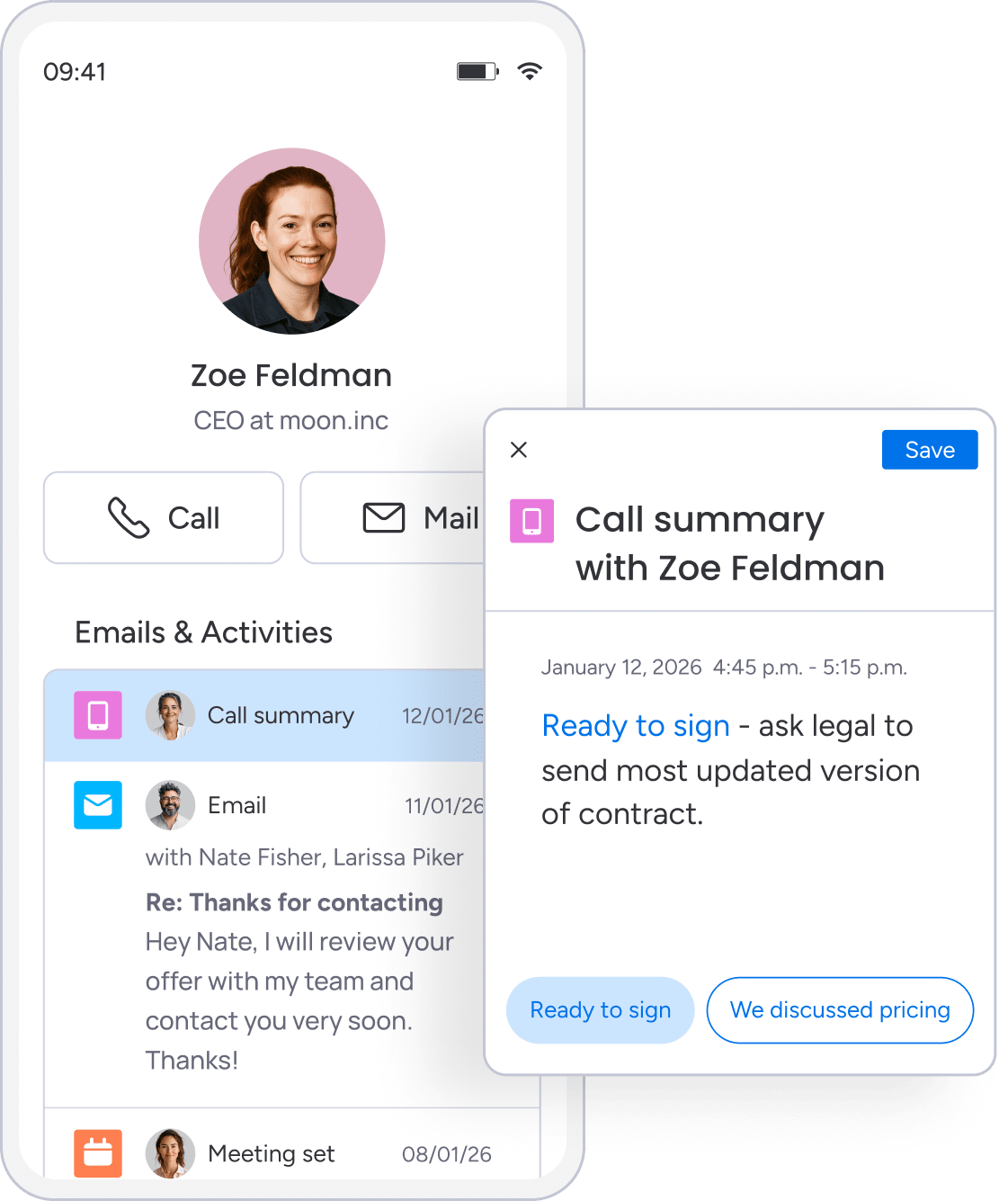
An SDR can run a call block, log key notes in the Emails & Activities timeline, and an AE can pick up the thread later without a handoff meeting. Who called? What was said? What is next? All information is in one place.
Key features
- Visual pipeline management: see where deals stand and customize stages with drag-and-drop to match your sales process.
- Emails & Activities timeline: log and track interactions in one timeline so all team members see the communication history in context.
- Mass email & tracking: send individual or mass emails with dynamic fields and templates, then track engagement like open rates and link clicks.
- Automations (no-code): trigger actions based on conditions so follow-ups happen automatically.
- AI on monday CRM (Standard and above): compose emails, summarize the Emails & Activities timeline, or autofill columns with AI.
Pricing
- Basic CRM: $12/user/month (billed annually)
- Standard: $17/user/month (billed annually)
- Pro: $28/user/month (billed annually)
- Enterprise: contact sales for custom pricing
Annual billing saves eighteen percent compared with monthly plans. Plans start at a minimum of three users.
Why it stands out
- One place for the full customer story: centralizes customer data and communication so reps stop chasing updates.
- Fast to adapt to your process: drag-and-drop deal stages, customize boards, and add automations without IT.
- AI that supports real sales work: timeline summary and email composition help reps enter calls with context rather than guesswork.
Advanced AI features
- Emails & Activities: timeline summary: generates a concise recap of emails, calls, meetings, and notes.
- Emails & Activities: compose emails: draft outreach directly where activity is tracked.
- Autofill with AI for columns: choose actions such as summarize, detect sentiment, extract information, assign label, or assign person.
Automations
- Follow-ups that trigger themselves: assign owners, update status, or define next steps when deal stages change.
- Conditional label change: keep deal health and next steps consistent by updating labels based on rules.
- Lead routing: collect and qualify leads, then assign them to the right rep according to process.
Integrations
- Lead enrichment: auto-enrich lead data using Crunchbase so reps spend less time on basic research.
Outbound calling software features
- Pre-call prep that takes seconds: use AI Timeline Summary to review past emails, calls, and meetings before dialing.
- Post-call admin that feels lighter: log outcomes in the Emails & Activities timeline, then use Autofill with AI to summarize notes, detect sentiment, or extract key details.
- Handoffs that do not lose context: teams work from the same deal and account records with communication history attached.
2. RingCentral
RingCentral delivers enterprise-grade communication infrastructure that spans voice, video, and messaging in one unified platform. The system targets large organizations needing comprehensive contact center capabilities alongside traditional business communications. With 500,000+ customers worldwide and 99.999% uptime commitments, it’s built for teams where calling is part of broader communication workflows rather than CRM-focused sales outreach.
Use case:
Enterprises requiring integrated UCaaS and contact center solutions with advanced routing, video conferencing, and team collaboration features beyond standard outbound calling.
Key features:
- Multiple dialer modes: manual, preview, progressive, and predictive with intelligent campaign management and call blending.
- Advanced call routing: based on time of day, caller ID, agent availability, and custom business rules with overflow handling.
- TCPA-compliant outbound tools: including DNC scrubbing, dial windows, and voicemail detection for regulated industries.
Pricing:
- RingEX Core: starting at $20/user/month (annual billing).
- RingCX Contact Center: starting at $65/user/month with unlimited minutes.
- Add-ons: AI Conversation Expert ($60), AI Receptionist ($39), Business SMS Booster ($25).
- Annual discounts: up to 33% for UCaaS plans and 15% for contact center plans.
- Enterprise plans: require custom pricing with minimum user commitments.
Considerations:
- Complex pricing structure: many quote-based features make total cost difficult to predict upfront.
- Implementation timeline: typically two to four weeks for standard deployments, longer for complex routing configurations.
3. CloudTalk
CloudTalk delivers AI-powered outbound calling with global reach and compliance-first design. The platform specializes in European GDPR compliance and international calling, making it ideal for teams managing cross-border campaigns. With local numbers in more than 160 countries and parallel dialing across up to ten lines, CloudTalk removes geographic limitations from sales operations.

Use case:
Revenue teams with significant European customer bases or international calling requirements who need GDPR compliance features and local number availability across multiple countries.
Key features:
- Multi-mode AI dialer: manual, preview, power, or parallel dialing (up to ten lines) with AI voicemail detection and instant connection.
- Global compliance toolkit: GDPR-ready features including data residency controls, consent management, and STIR/SHAKEN verified calling enrollment.
- Answer rate protection: branded caller ID, spam label prevention through Hiya/TNS registrations, and automatic country-matched caller ID presentation.
Pricing:
- Lite: $19/month (annual billing).
- Starter: $25/month (annual billing).
- Essential: $29/month (annual billing).
- Expert: $49/month (annual billing, three-user minimum).
- Custom: quote-based pricing.
- Power Dialer add-on: €15/user/month (included in Expert).
- Parallel Dialer add-on: €39/user/month.
- AI Conversation Intelligence: €9/user/month.
Considerations:
- Advanced dialing features: require add-ons or higher-tier plans, increasing costs for smaller teams.
- Smart Dialer functionality: relies on a Chrome extension and manual one-by-one dialing rather than automated queue processing.
4. Nextiva
Nextiva combines unified communications with built-in CRM capabilities, offering an all-in-one solution for business communications and customer management. The platform includes voice calling, video meetings, team chat, and basic CRM functionality in a single system. Teams seeking a comprehensive phone system beyond outbound sales dialing benefit from this unified approach.

Use case:
Small to mid-sized businesses that want to consolidate phone system and basic CRM functionality under one vendor while valuing unified communications over advanced sales automation.
Key features:
- Multiple dialing modes: predictive, power, progressive, and “Quarterback” mode for agent-controlled campaigns.
- Built-in compliance features: outbound hours, regions, and consent checks to manage TCPA requirements.
- Unified communications platform: combines voice calling, video meetings, team chat, and basic CRM functionality.
Pricing:
- Core: $15/user/month (annual) or $23/user/month (monthly).
- Engage: $25/user/month (annual) with toll-free numbers and advanced reporting.
- Power Suite CX: $75/user/month for advanced IVR and AI transcription.
- Enterprise Essential: starting at $75/agent/month for contact center features.
- Additional fees: may apply for setup, international calling, and telecom taxes.
Considerations:
- CRM limitations: lacks advanced automation and customization compared with dedicated platforms.
- Contact center features: advanced outbound capabilities require higher-tier plans with quote-only pricing.
5. Dialpad
Dialpad leverages AI-powered conversation intelligence for outbound calling, converting conversations into actionable insights. The platform specializes in real-time coaching and sentiment analysis, ideal for teams prioritizing live agent guidance rather than post-call review.

Use case:
Teams that value conversation intelligence and real-time coaching, where AI insights justify integrating a separate calling platform with existing CRM systems.
Key features:
- Real-time coaching: battle cards and talking points appear automatically based on customer dialogue.
- Voice intelligence: live transcription identifies action items, competitor mentions, and pricing discussions without manual note-taking.
- Sentiment analysis: tracks customer emotion during calls and alerts managers when calls turn negative.
Pricing for Dialpad Sell (outbound calling):
- Essentials: $39/user/month (billed annually).
- Advanced: $95/user/month.
- Premium: $150/user/month.
Considerations:
- CRM integration: requires setup through Dialpad’s integration marketplace and testing.
- Data sync: call information syncs with some latency and varies by CRM platform.
- Trial availability: 14-day free trial offered for most product plans.
6. Aircall
Aircall delivers cloud-based calling with deep CRM integrations for sales and support teams. The platform specializes in call center features like IVR systems and skills-based routing, making it ideal for teams handling high call volumes. With 20,000+ customers worldwide, Aircall focuses on making business telephony simple to deploy and manage.

Use case:
Sales and support teams with high call volumes who need call center features like IVR, skills-based routing, and queue management alongside their existing CRM workflows.
Key features:
- Power Dialer: Sequential dialing with CSV import, duplicate detection, and CRM context for efficient list-based outbound calling
- Advanced call routing: Skills-based routing directs calls to reps with specific expertise, while time-based and overflow routing prevents queue abandonment
- Visual IVR builder: Create multi-level phone menus without technical expertise, allowing customers to self-select departments before reaching a rep
Pricing:
- Essentials: $30/user/month (annual billing) with basic calling features
- Professional: $50/user/month (annual billing) includes Power Dialer, advanced routing, and coaching tools
- Custom: Enterprise pricing available through sales contact with dedicated support
- Additional costs apply for outbound minutes, SMS, WhatsApp, and AI features
- Annual billing provides up to 25% savings compared to monthly plans
Considerations:
- Power Dialer only supports sequential dialing — no predictive or progressive modes for high-volume operations
- Mobile app limitations prevent using Power Dialer features on phones or tablets, restricting flexibility for remote teams
7. JustCall
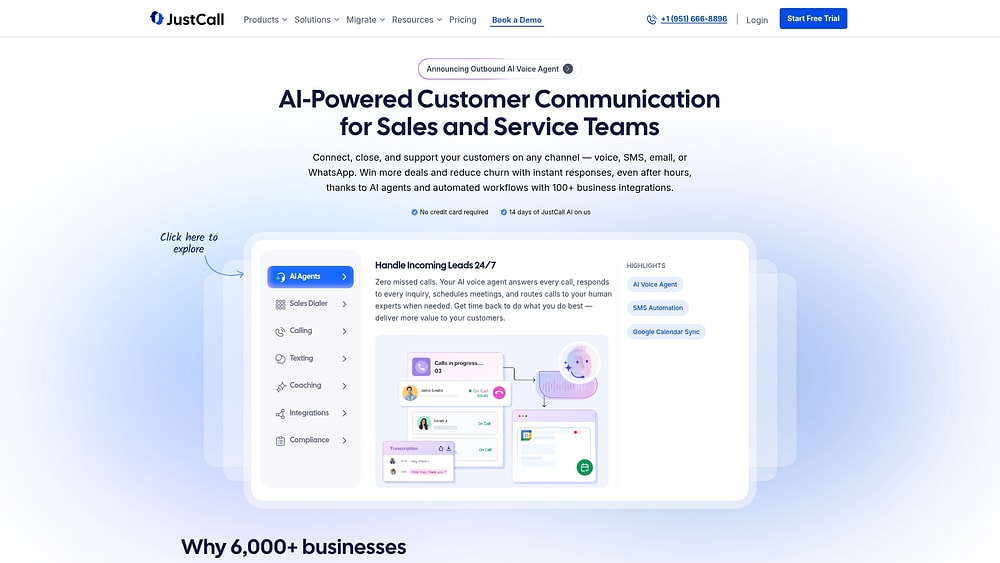
JustCall delivers AI-powered outbound calling with multiple dialer modes and built-in compliance tools for sales teams. The platform combines power, predictive, and dynamic dialers with SMS campaigns and real-time coaching, creating a streamlined experience for teams managing high-volume outreach without juggling separate systems. With more than 100 native CRM integrations and transparent pricing, JustCall positions itself as a comprehensive communication solution for revenue teams.
Use case:
Sales teams focused on high-volume outbound calling that require multiple dialer options, AI-driven coaching, and compliance management in one platform.
Key features:
- Multiple dialer modes: including power dialer (twenty-five to fifty calls per hour), predictive dialer (up to 150+ calls per hour), and dynamic dialing for varying campaign requirements.
- Built-in AI tools: real-time agent assist, automatic call scoring, transcription, and conversation summaries.
- Local presence dialing: area code matching, CNAM registration, and spam prevention to improve connect rates.
Pricing:
- Team: $29/user/month (annual billing, minimum two seats).
- Pro: $49/user/month.
- Pro Plus: $89/user/month.
- Business and SalesPro: custom pricing (quote-based).
- Additional costs apply for phone numbers beyond two complimentary numbers, SMS campaigns, and advanced features like answering machine detection.
Considerations:
- Advanced dialer modes (predictive and dynamic) are only available on the highest-tier SalesPro plan, which requires custom pricing.
- Sales dialer usage is excluded from “unlimited” calling bundles, which could create unexpected costs for teams with high outbound volume.
8. Zoho Voice
Zoho Voice serves as the native cloud phone system for the Zoho ecosystem, making calling feel integrated with daily workflows. Teams using Zoho CRM or Desk benefit from automatic call activity logging after a one-time setup with the ZDialer extension, eliminating the need for third-party tools.

Use case:
Teams fully invested in the Zoho suite seeking calling capabilities that feel embedded rather than bolted on.
Key features:
- Multi-agent power dialer: supports campaigns with up to forty agents and 1,000 contacts per group.
- One-click browser calling: via the ZDialer extension, with automatic logging in Zoho apps.
- AI call intelligence: provides transcription (English via Zoho, other languages via Google) and summaries.
- Branded caller ID: displays your name on calls to major U.S. mobile networks.
Pricing:
- Business phone plans: Solo (free for basic calling), Team ($100/month for up to ten users, billed annually), Office ($300/month for up to thirty users, billed annually), Enterprise ($1,000/month for up to 100 users, billed annually).
- Enterprise telephony plans: Basic ($34/user/month, billed annually), Standard ($49/month for one admin + ten agents, billed annually), Contact Center ($74/month for one admin + ten agents, billed annually).
- Paid add-ons and credit-based usage cover recording, monitoring, Power Dialer, calls, numbers, and other features ($1 per credit).
Considerations:
- Tight integration works well for Zoho users but is less suitable for teams using other CRMs.
- Outbound calling requires a local number; toll-free numbers are inbound-only.
- Web-only calling features like click-to-call are not available on Zoho mobile apps.
- Data centers are limited to the U.S. and EU, with an Australian data center planned. Services in India are subject to local restrictions.
9. Five9
Five9 provides enterprise-grade outbound calling for large contact centers managing hundreds of agents and complex routing workflows. The platform emphasizes workforce optimization and omnichannel operations, making it suitable for organizations with advanced analytics and compliance needs. Recognized consistently as a Gartner Leader, Five9 serves regulated industries such as healthcare, financial services, and government.

Use case:
Large enterprises with dedicated contact centers that require sophisticated analytics, workforce management, and omnichannel routing where scale justifies enterprise infrastructure.
Key features:
- Multiple dialing modes: predictive, progressive, power, preview, and Manual Touch Mode to connect up to three times more prospects than manual dialing.
- STIR/SHAKEN certified authentication: caller ID verification and number reputation management to reduce spam labeling.
- Blended inbound/outbound operations: unified agent desktop, real-time workforce management, and omnichannel follow-up through Digital Outreach and Proactive Notification.
Pricing:
- Digital: $119/month per user (digital channels only).
- Core: $159/month per user (all channels with AI essentials).
- Plus/Pro/Enterprise: custom pricing through sales.
- Minimum of fifty licenses may apply.
- Additional costs for AI usage beyond 3,000 minutes per license, SMS usage, and professional services.
Considerations:
- Enterprise pricing and implementation involve significant upfront costs and ongoing professional services fees.
- Complex deployments may extend over several months, requiring CRM integration and custom configuration support.
10. ZoomInfo
ZoomInfo combines sales intelligence with conversation intelligence, offering access to a large contact database alongside calling capabilities. The platform is suitable for teams that want both prospecting data and communication tools in one system, reducing the need to switch between multiple applications.

Use case:
Sales teams that require both prospecting intelligence and calling functionality, where integrated data and conversation insights justify the investment and integration effort.
Key features:
- Contact database: access millions of business contacts, direct dial numbers, and company information for immediate outreach.
- Intent data: identifies companies actively researching relevant solutions, prioritizing high-interest prospects.
- Conversation intelligence: records and analyzes calls, highlighting key moments, competitor mentions, and deal progression with AI-generated summaries.
Pricing:
- Quote-only model; contact ZoomInfo for custom pricing.
- Mid-market deployments typically reach mid-five figures annually.
- Paid add-ons include Engage (dialer/sequencing), Copilot (AI), Chorus (conversation intelligence), WebSights/Visitor ID, and Enrich/OperationsOS.
Considerations:
- Some users report that Engage is basic for dialing beyond core functions.
- CRM integration can be limited, particularly regarding custom field mapping and real-time synchronization.
Understanding dialing modes and compliance
Choosing a dialing mode is more than a technical setting; it is a strategic decision. When done correctly, your team’s productivity improves significantly. When done incorrectly, it can lead to unanswered calls or costly compliance fines. The difference between a successful conversation and a regulatory penalty often comes down to this one choice.
Progressive vs. predictive vs. power dialing
| Dialing mode | How it works | When to use | Typical answer rate | Compliance considerations |
|---|---|---|---|---|
| Progressive | Dials one contact per rep, only when a rep is free | Consultative sales that need prep time | 15–25% | Low risk, as it's a one-to-one ratio |
| Predictive | Dials multiple contacts, predicting rep availability | High-volume campaigns with quick calls | 30–40% | High risk if the algorithm miscalculates |
| Power | Dials automatically at a set pace | A balanced approach for most sales teams | 20–30% | Medium risk, requires careful pacing |
Progressive dialing works best for high-touch sales. It connects the next contact only when a rep is ready, giving them time to prepare. Here, quality conversations take priority over sheer call volume.
Predictive dialing focuses on speed, using an algorithm to dial multiple numbers at once. It is ideal for high-volume outreach, but it carries compliance risks if calls are connected without an available agent.
Power dialing balances automation and control. Calls are dialed automatically, yet reps can manage the pace, maintaining momentum without the burnout that aggressive dialing can cause.
TCPA compliance in automated calling
A single TCPA violation can cost $1,500 per call. Compliance is not optional; it is crucial for protecting both your team and your bottom line.
To stay compliant:
- Get consent: obtain prior written consent before calling a cell phone with an autodialer.
- Honor do-not-call lists: check contacts against federal and state DNC registries before each campaign.
- Watch the clock: avoid calls before 8:00 a.m. or after 9:00 p.m. in the recipient’s local time zone.
- Limit abandoned calls: keep abandoned calls under 3% for predictive dialing campaigns.
Avoiding spam labels and carrier bloc
When carriers flag your number as spam, your answer rates drop and recovery is difficult. Protecting your caller ID reputation requires deliberate, consistent practices:
- Rotate your numbers: prevent a single number from receiving too many calls or complaints.
- Pace your volume: avoid unnatural spikes that trigger carrier scrutiny.
- Register your caller ID: use STIR/SHAKEN protocols to verify identity and maintain trust.
Best practices for call timing
Timing affects both answer rates and compliance. Calling a West Coast prospect at 9:00 a.m. Eastern may lead to missed opportunities and complaints. Adjust calls according to your audience and time zone.
| Business type | Optimal calling windows | Time zones to consider | Notes |
|---|---|---|---|
| B2B (decision makers) | 8:00–9:30 a.m., 4:00–5:30 p.m. | Recipient's local time | Catch them before or after their meeting rush |
| B2B (general) | 10:00 a.m.–12:00 p.m., 2:00–4:00 p.m. | Recipient's local time | Avoid the lunch hour and end-of-day scramble |
| B2C (working adults) | 6:00–8:00 p.m. weekdays, 10:00 a.m.–2:00 p.m. weekends | Recipient's local time | Reach them after work or during weekend downtime |
Time zone management is essential for national teams. Calling software should handle this automatically, ensuring reps do not violate permitted hours. Always respect a prospect’s preferred contact time.
Try monday CRMHow How monday CRM unifies outbound calling with your workflow
Switching between dialers, CRMs, and email interrupts momentum. When reps spend time on administrative tasks, context is lost, creating missed opportunities and frustration.
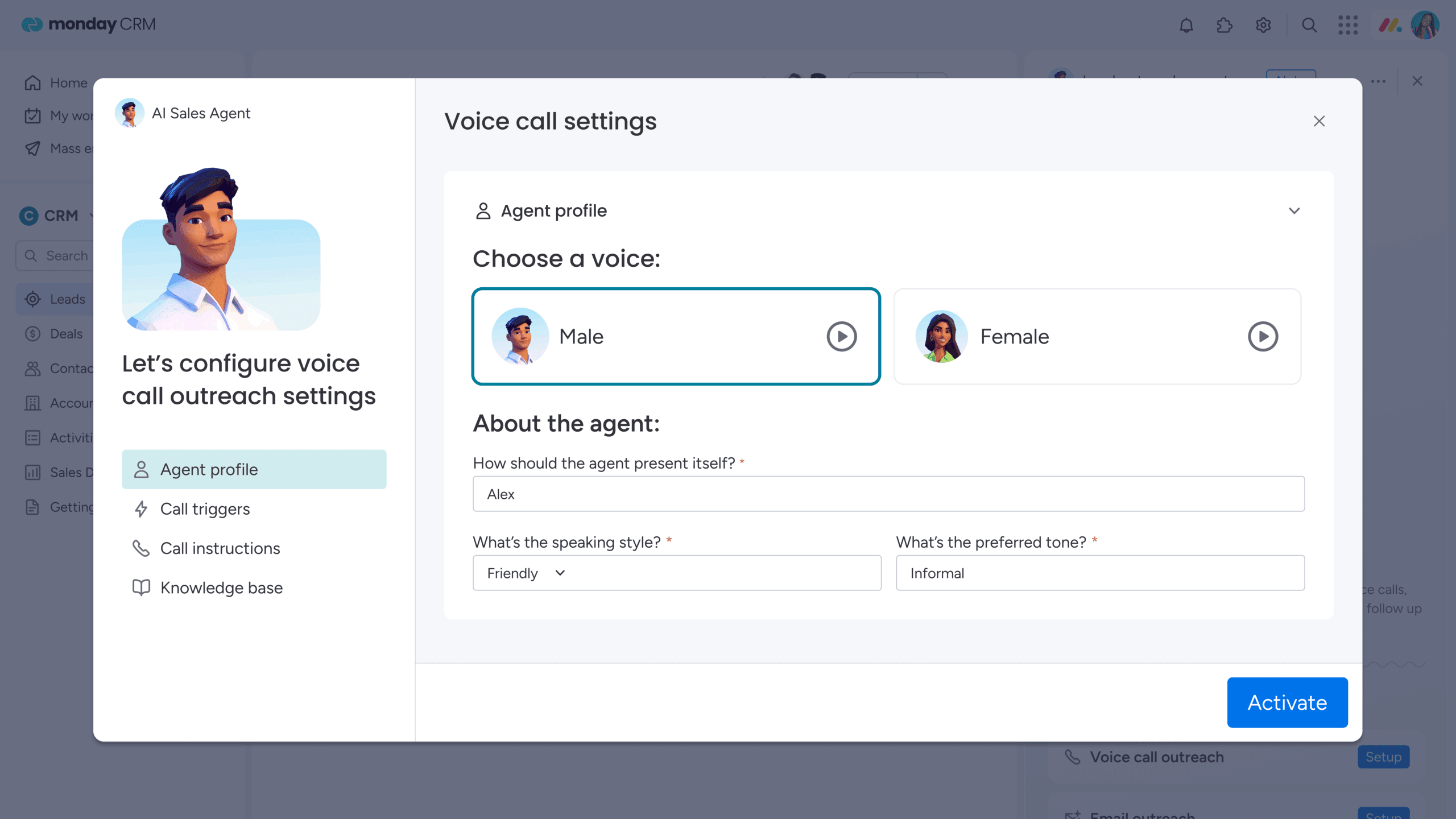
Modern platforms like monday CRM bring calling, email, and note-taking into one workspace. Reps can dial directly from a deal card, with every interaction automatically logged.
- Click-to-dial from anywhere: start calls instantly from a deal, contact, or lead.
- Automatic logging and tracking: track every call on the customer timeline for complete context.
- AI-powered prep: access AI-generated email drafts and timeline summaries before every call.
By connecting activity directly to outcomes, your visual pipeline reflects real-time results. Teams can identify bottlenecks, coach effectively, and forecast confidently.

“With monday CRM, we’re finally able to adapt the platform to our needs — not the other way around. It gives us the flexibility to work smarter, cut costs, save time, and scale with confidence.”
Samuel Lobao | Contract Administrator & Special Projects, Strategix
“Now we have a lot less data, but it’s quality data. That change allows us to use AI confidently, without second-guessing the outputs.”
Elizabeth Gerbel | CEO
“Without monday CRM, we’d be chasing updates and fixing errors. Now we’re focused on growing the program — not just keeping up with it."
Quentin Williams | Head of Dropship, Freedom Furniture
“There’s probably about a 70% increase in efficiency in regards to the admin tasks that were removed and automated, which is a huge win for us.“
Kyle Dorman | Department Manager - Operations, Ray White
"monday CRM helps us make sure the right people have immediate visibility into the information they need so we're not wasting time."
Luca Pope | Global Client Solutions Manager at Black Mountain
“In a couple of weeks, all of the team members were using monday CRM fully. The automations and the many integrations, make monday CRM the best CRM in the market right now.”
Nuno Godinho | CIO at Velv
“monday.com provides developmental flexibility, operational efficiency, and data transparency — all in one place. We became a company that moved from chasing data to leading with it.”
Hyunghan Lee | Team Lead, Sandbox Network
"monday.com brought every part of our business into one connected space. The harmony between work management and CRM has become our operating system — giving us the clarity and confidence to scale.”
Jennifer Chinburg | Executive Vice President of Corporate Development & Brand, Chinburg Properties
“We just weren’t getting value from our old CRM. With monday.com, it's a thousand times better. Our sales teams are more informed, more consistent, and far more connected."
James Arnold | Chief Operating Officer, Cenversa5 steps to select your outbound calling platform
Another flashy demo, another platform that creates more work for your team. Sound familiar? Choosing the right outbound calling software shouldn’t feel like a gamble. A structured plan saves you from the headache of a bad investment and gets you back to what matters: closing deals.
Step 1: assess your current CRM capabilities
Before exploring new options, examine what your existing CRM can do. Many CRMs include built-in calling features that may not be fully utilized. Are you leveraging your current platform effectively?
Check for native calling, available integrations, and gather feedback from your team. Be specific with challenges — “call logs do not sync” is solvable; “our calling is terrible” is noise. Low adoption may indicate a training issue, not a technology gap.
Step 2: define your compliance requirements
Noncompliance can be far more costly than a subpar platform. Rules differ by region, industry, and type of customer, and not every solution can navigate this complexity. Compliance is non-negotiable.
Map your exact requirements. Consider industry regulations, international restrictions, or call recording laws. Create a checklist of essentials and remove any vendor that fails to meet the criteria. Compliance mistakes can be business-ending.
Step 3: calculate the total cost of ownership
The sticker price rarely reflects the full cost. Consider licensing, training, integrations, and hidden fees that often appear later. A low-cost platform with high hidden costs is rarely a bargain.
Build a three-year cost model including internal time for setup and maintenance. Factor in the cost of a clunky system that slows your team. Often, what appears expensive upfront provides a higher return over time.
Step 4: plan your pilot program
Avoid company-wide rollouts without testing. A focused pilot is the best defense against widespread issues. Select five to ten reps with varied selling styles and run a four to six-week trial.
Define success before starting. Are you measuring call volume, data quality, or time savings? Pilots reveal potential problems and generate internal advocates who can drive adoption after full rollout.
Step 5: measure your success metrics
You cannot prove value without a baseline. Track key metrics before implementation and for the first three months after launch. Did the platform improve call activity, conversion rates, or adoption?
Connect metrics to business outcomes. Multiply time saved per rep by their loaded cost and compare it to your investment. This analysis demonstrates value and identifies opportunities for additional gains.
Standalone dialers had their moment. Now, they are just another tab to juggle, another sync to manage, and another source of inaccurate data slowing your pipeline. This administrative burden disrupts team momentum and forecast reliability.
What if calling was part of your workflow? No toggling between apps or worrying about call log accuracy. Teams get one place to manage everything from first dial to closed-won, while leaders gain real-time visibility into performance.
Modern platforms like monday CRM integrate calling natively, eliminating integration overhead. Teams scale faster, data stays accurate, and managers focus on coaching and closing rather than managing fragmented systems.
Try monday CRMFrequently asked questions
How long does CRM integration typically take?
Native integrations are immediate, while custom API projects may extend over months, affecting time and budget.
What's the difference between power and predictive dialing?
Power dialing calls one number at a time, keeping reps in control. Predictive dialing calls multiple numbers to increase volume but can risk compliance and dropped calls.
Can calling software prevent TCPA violations?
Software can flag do-not-call lists and time zones, but teams remain responsible for compliance.
Do agents need separate logins for calling and CRM?
Not with a unified platform. Separate logins require constant tab switching, reducing focus and creating inconsistent data.
What happens to call recordings when switching platforms?
Audio files can usually be exported, but contextual details like participants and timestamps may be lost.
How much does outbound call center software cost per agent?
The sticker price is only the start. Implementation, training, and maintenance can easily double expenses.
How is monday CRM's calling feature different from standalone dialers?
Calling is built directly into the platform, removing integration challenges. Standalone dialers require additional subscriptions and create technical overhead that distracts from selling.
