



Plenty of teams pour budget into driving traffic, only to watch most of it disappear without a trace. The reality is simple: visitors do not become revenue until they choose to raise their hand. That moment usually happens through a lead generation form, and small changes in how that form is designed can dramatically shift conversion rates and pipeline growth.
The best lead forms feel effortless to complete and valuable to submit. They ask the right questions at the right time, signal trust, and make the exchange clear. When they work well, sales teams receive context-rich prospects instead of anonymous contacts, and marketing gains reliable first-party data that compounds over time.
In 2026, expectations around privacy, speed, and personalization continue to rise massively. High-performing teams are using smarter field strategies, mobile-first design, and AI-driven qualification to turn simple forms into scalable revenue engines.
This helpful and easy-to-follow guide explores how to build lead generation forms that actually convert consistently and support long-term growth.
Key takeaways
- Balance between form fields and conversions: Limit the number of fields to only those necessary for lead qualification to maintain higher submission rates.
- Mobile optimization is essential: Touch-friendly, single-column layouts with auto-fill and proper spacing significantly improve mobile form completion.
- Value exchange drives submissions: Clearly communicate specific outcomes or benefits to motivate visitors to provide their information.
- Multi-step forms enhance data collection: Breaking complex forms into 2-3 steps with progress indicators reduces abandonment while gathering detailed lead information.
- Integrated CRM platforms streamline lead management: Intuitive solutions like monday CRM allow automatic lead scoring, routing, and tracking, improving efficiency and pipeline visibility.
What is a lead generation form?
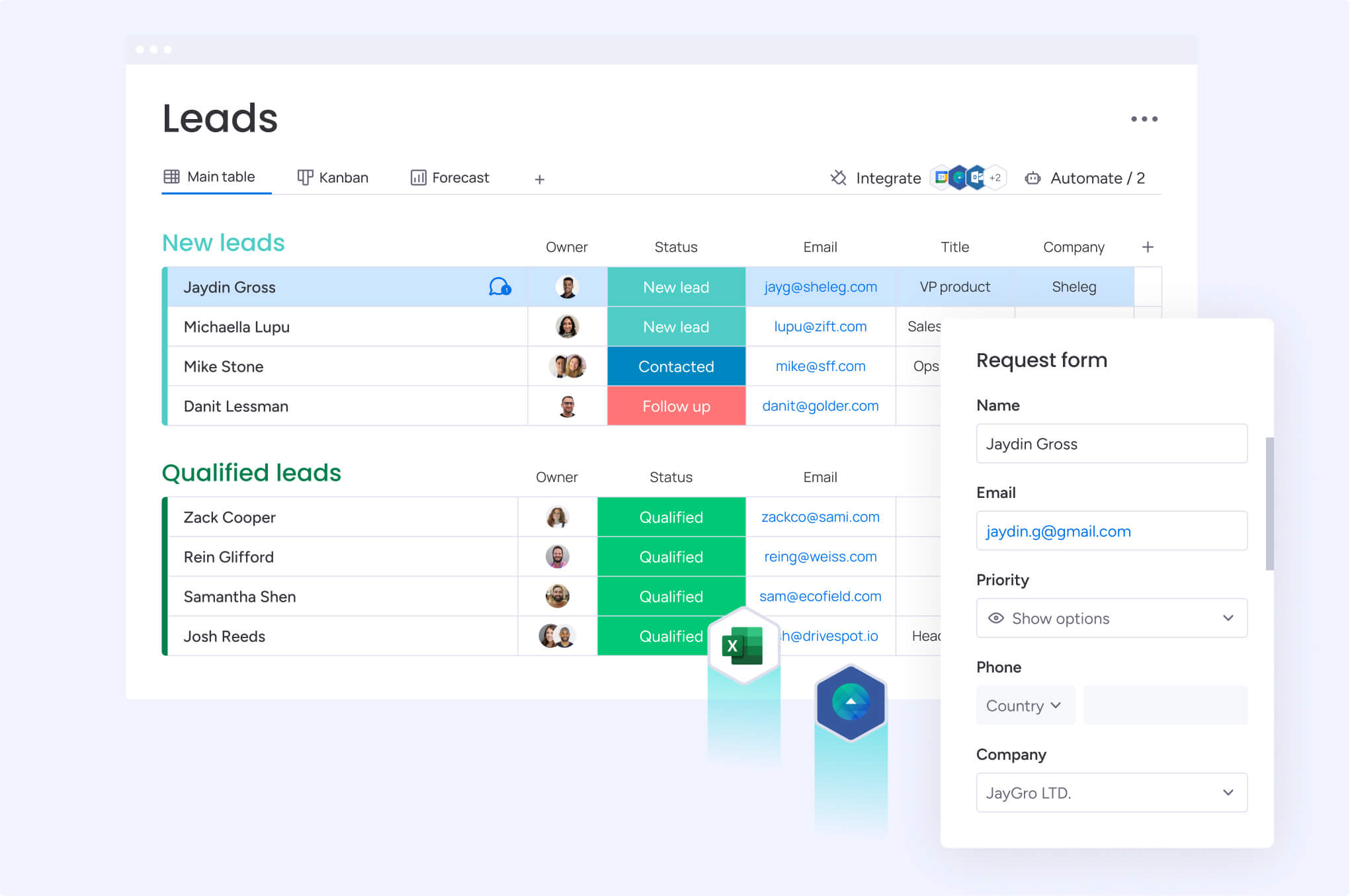
A lead generation form is a web form built to capture visitor information in return for something meaningful. That exchange might unlock a guide, a free trial, a consultation, or access to a webinar. In a few fields and a single click, an anonymous visitor becomes a known prospect.
The process is relatively straightforward: a visitor arrives with a specific goal, sees an offer that aligns with it, and shares their details to move forward. That action signals interest and intent, giving your team valuable context before any direct conversation begins.
Different forms support different stages of the buyer’s journey. Each one helps sales and marketing teams understand how close a prospect is to making a decision and what kind of follow-up makes sense next:
- Newsletter signups: Capture early-stage interest with industry insights.
- Demo requests: Identify high-intent prospects prepared for sales conversations.
- Content downloads: Qualify leads based on specific challenges or interests.
- Free trial signups: Engage prospects seeking hands-on product experience.
- Webinar registrations: Connect with leads pursuing education on particular topics.
It is important to distinguish lead forms from basic contact forms too. Contact forms open a conversation, while lead forms qualify prospects — revealing purchase intent, budget, and timeline before any sales interaction. This makes them strategic sales assets rather than passive communication tools.
Different forms support different stages of the buyer’s journey. Each one helps sales and marketing teams understand how close a prospect is to making a decision.
Why lead generation forms are critical for revenue growth
Lead generation forms directly influence metrics that determine the pace of revenue growth. Recognizing their strategic value helps revenue teams prioritize form optimization and integrate forms with broader sales lead generation processes.
Direct impact on sales pipeline velocity
Effective forms accelerate the sales cycle by collecting pain points, budget, timeline, and decision authority upfront — information that normally takes multiple discovery calls to uncover.
Sales teams receive leads with context, not just names. They can skip preliminary qualification and address the most relevant challenges immediately. For example, a software company collecting company size, current tools, and implementation timeline through demo request forms can route enterprise leads to senior account executives and direct small business inquiries to inside sales representatives.
Cost savings from automated lead capture
Automated lead capture through forms is significantly less costly per lead than manual prospecting. A sales representative making cold calls generates a limited number of qualified leads daily, whereas a well-optimized lead form produces qualified leads continuously without additional cost per lead.
The return on investment compounds over time. Manual prospecting incurs costs for every hour worked. Well-designed forms, however, continue generating sales leads across multiple time zones without additional investment.
Building first-party data assets
As privacy laws tighten and third-party cookies decline, data collected directly through forms becomes a critical asset — owned entirely by your organization.
Research even shows that 55% of advertisers plan to increase investment in first-party data channels over the next 12 months, highlighting a strategic shift toward owned data assets. Organizations that control their customer data can run targeted marketing campaigns, create lookalike audiences, and deliver personalized experiences without relying on external data brokers.
Each submission enriches a proprietary database of customer preferences, behaviors, and characteristics that competitors cannot access. Companies with robust first-party data collection maintain targeting and personalization capabilities even as third-party cookies disappear.
Try monday CRM7 essential components of high-converting lead forms
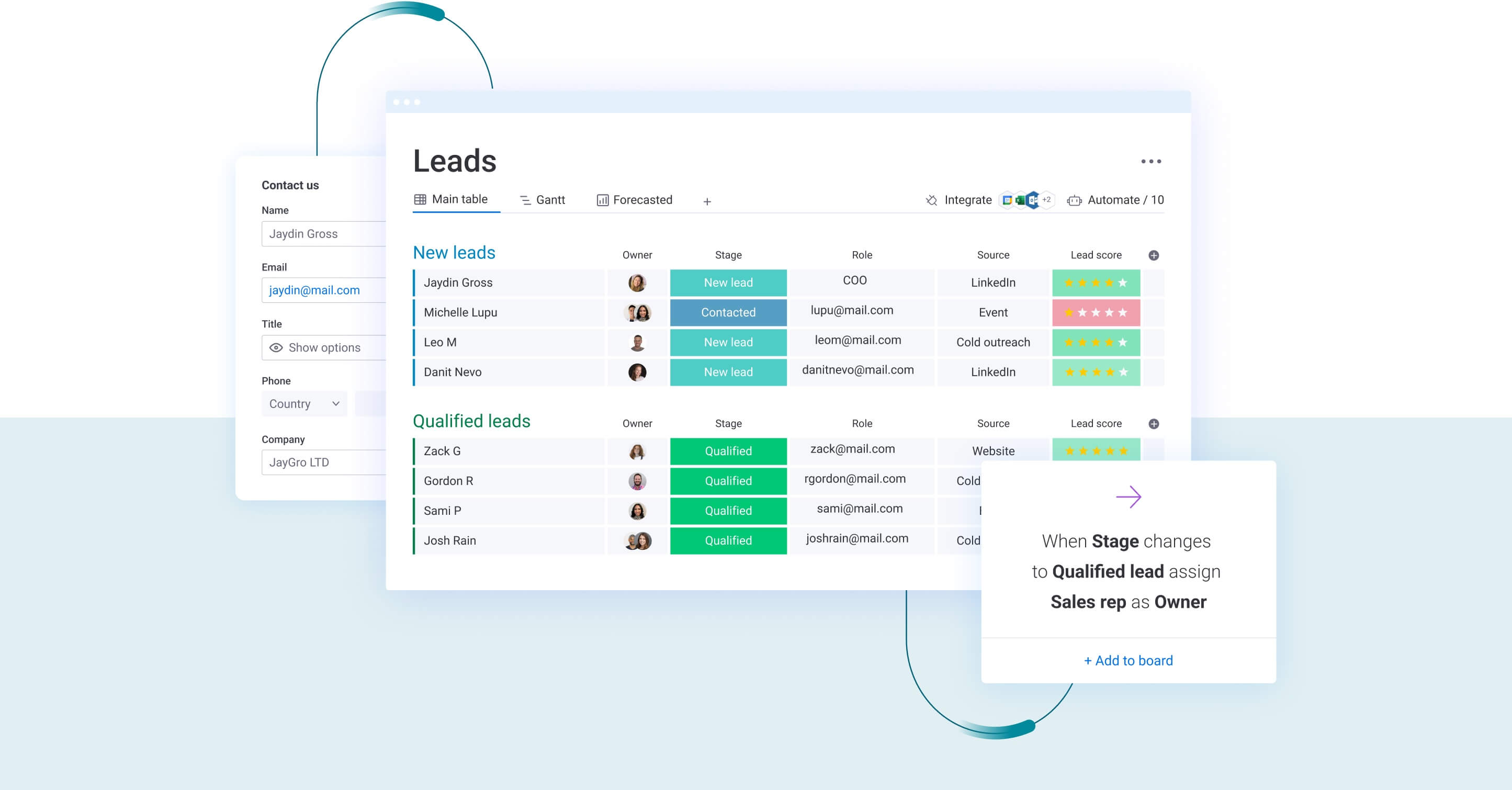
High-converting lead generation forms are not built by accident. Every field, label, and interaction plays a role in how the form performs. The components below work together to reduce friction, strengthen trust, and capture the information your sales team actually needs to prioritize the right prospects.
Component 1: Strategic field selection
The number of fields depends on the offer. Each question should contribute directly to lead qualification or immediate follow-up. Excessive fields reduce conversion rates.
Essential fields typically include:
- Email address: Primary method of contact.
- Company name: Firmographic qualification.
- Role: Identifies decision-making authority.
- Primary challenge: Identifies pain points.
Smart teams use progressive profiling: start with an email, gather company details at content download, and request budget information during demo scheduling. This approach respects the prospect’s engagement stage, similar to developing trust gradually in a professional relationship.
Component 2: Compelling value exchange
Visitors complete forms when the perceived value outweighs the perceived cost of sharing information. The value offered must be clearly communicated and immediately relevant.
High-value lead magnets that drive conversions include:
- Original research reports: Proprietary data and actionable insights.
- Implementation templates: Ready-to-use frameworks for rapid application.
- ROI calculators: Personalized financial projections to quantify benefits.
- Expert access: Exclusive consultations or live Q&A sessions.
Instead of generic prompts like “Download our guide,” effective forms specify outcomes: “Get the 47-page implementation playbook that helped over 200 companies reduce sales cycles by 30%.”
Component 3: Trust and security elements
Trust signals answer the implicit question every visitor asks before submitting information. Privacy policies linked directly below the form, security badges from recognized authorities, testimonials from reputable companies, and statements about data usage reduce submission anxiety.
GDPR and privacy compliance require explicit consent for data collection and transparent communication about data usage. Compliant forms include separate checkboxes for marketing communications and reassuring statements that meet regulations while reinforcing trust.
Component 4: Smart form logic
Conditional logic adapts forms to user responses, showing relevant fields and hiding irrelevant ones. A form asking about CRM usage might display different follow-up questions for users selecting “Salesforce” versus “No CRM.”
Progressive profiling tracks collected information from returning visitors, asking different questions on subsequent submissions. This builds complete profiles over time without frustrating users with repetitive fields.
Component 5: Mobile-first design
Mobile devices generate most web traffic but often show lower form conversion rates due to poor optimization. Touch-optimized forms address these issues through specific design choices:
- Button sizes: Minimum 44×44 pixels for accurate tapping.
- Field spacing: Adequate separation to prevent mis-taps.
- Input types: Mobile-appropriate keyboards for each data type.
- Single-column layouts: Eliminate horizontal scrolling on narrow screens.
Auto-fill features leveraging browser-stored information reduce friction. Forms using standard HTML5 input types allow browsers to suggest stored values for common fields.
Component 6: CTAs that convert
Call-to-action buttons drive submissions through benefit-oriented text. “Get my free template” converts more effectively than “Submit” because it reinforces the value exchange and creates anticipation.
Button design affects visibility and conversion rates:
- High contrast: Stands out from the surrounding design.
- Action verbs: Examples include “Start,” “Get,” “Download,” and “Access.”
- Above-fold placement: Visible without scrolling.
- Appropriate size: Large enough to notice, but not overwhelming.
Component 7: Seamless post-submission flow
Form submission is a peak engagement moment. Effective post-submission flows deliver value immediately via confirmation pages, giving access to content, displaying next steps, and setting expectations for follow-up communication.
Confirmation pages also provide opportunities to present related content, display social sharing buttons, and include calendar scheduling links for demos. Follow-up emails should arrive within minutes, reinforcing the value exchange and initiating lead nurturing.
Top lead generation form examples that drive results
There is real creativity in great lead generation forms. The fundamentals stay the same, but the execution shifts depending on your industry, audience, and offer. When the structure aligns with intent, conversion rates climb massively and lead quality improves at the same time.
The examples below show how different businesses tailor their forms to match the moment and turn interest into qualified pipeline across multiple touchpoint
SaaS lead generation forms
Free trial signup forms: These forms balance minimal friction with lead qualification. They typically request only email, password, and company name at first. Progressive profiling during onboarding collects additional details, such as team size, use cases, and goals.
Demo request forms: For enterprise software, more fields are justified because qualified leads understand the need for context. Information such as company size, current tools, primary challenges, and implementation timeline enables sales teams to prepare personalized demonstrations.
ROI calculator forms: Provide immediate value through customized financial projections while capturing qualification data via calculation inputs. Prospects enter current costs, team size, and processes to receive tailored savings projections, helping sales teams understand budgets and pain points.
Product comparison tools: These forms allow visitors to evaluate options while revealing evaluation criteria and current solutions. They collect competitive intelligence and position your solution effectively against alternatives.
B2B service forms
Consultation request forms: These forms highlight expertise by asking about specific challenges, previous solution attempts, and desired outcomes. They help qualify serious prospects while demonstrating understanding of the industry.
Audit signup forms: Offering free assessments allows organizations to demonstrate expertise while uncovering opportunities. Marketing agencies may offer website audits, while IT consultants provide security assessments.
Whitepaper download forms: These forms request email, company, and role to ensure content reaches the appropriate audience. They also help build segmented email lists for thought leadership content.
Webinar registration forms: Capturing attendee information while asking about topics or challenges ensures engagement. These forms help gauge interest and identify relevant follow-ups for participants.
E-commerce capture forms
Email capture for discount codes: Offering first-time visitor incentives, such as “get 15% off your first order,” converts visitors into subscribers. Minimal information is requested in exchange for immediate value.
Abandoned cart recovery forms: Triggered by exit intent, these forms offer incentives to complete purchases and capture email addresses for follow-up communication.
Product waitlist forms: For out-of-stock or pre-launch items, these forms collect demand signals and contact details, enabling targeted communication when products become available.
Loyalty program signups: Collecting customer data in exchange for points, exclusive access, or perks encourages repeat purchases and long-term engagement.
Content download forms
Ebook download forms: place in-depth guides behind a short form that typically asks for an email address, company name, and role. Because the content offers detailed insights or practical frameworks, visitors are usually willing to share this information in exchange for access.
Template access forms: Provide immediate utility through ready-to-use spreadsheets, presentations, or planning documents that prospects can implement right away.
Research report forms: Original studies attract senior decision-makers seeking data to inform strategy. These forms often request detailed company information, including size and industry.
Case study request forms: Prospects gain access to customer success stories relevant to their industry or use case. These forms provide social proof while capturing interest signals.
Demo and trial request forms
Software demo forms: Balance lead qualification with conversion by requesting essential information. Optional fields, such as phone number, reduce friction.
Service consultation forms: Detailed questions about project scope, timeline, and budget ensure productive conversations and proper lead routing.
Free assessment forms: Offering complimentary evaluations demonstrates expertise while qualifying prospects through questions about current situations and goals.
Trial account creation forms: Minimize initial friction with email and password only. Progressive profiling during the trial period gathers insights on usage patterns and needs.
Try monday CRM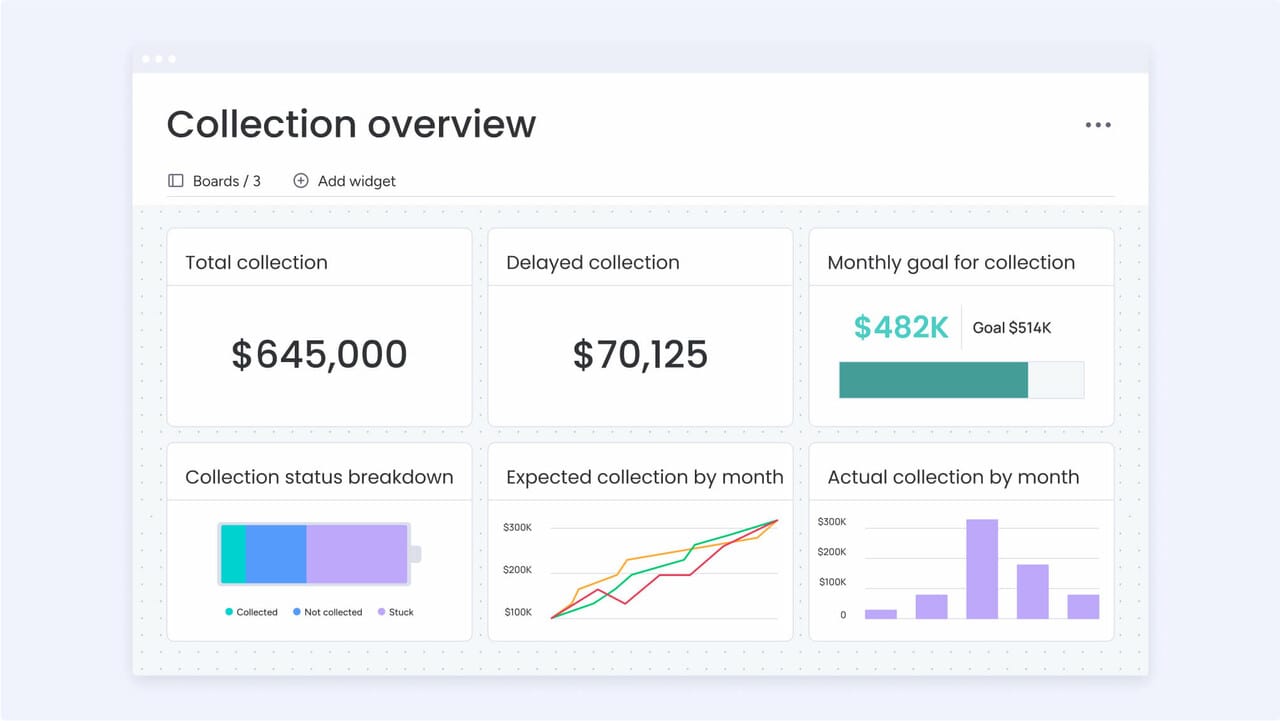
Single vs multi-step forms: maximizing conversions
The structure of your lead form plays a direct role in how many people complete it and how much useful data you collect. Single-step and multi-step formats each have clear advantages, depending on your audience and offer.
The comparison below highlights how they differ across key factors, helping you choose the approach that best fits your goals.
| Factor | Single-step forms | Multi-step forms |
|---|---|---|
| Completion rate | Lower average | Higher average |
| Data quality | Higher (committed users) | Variable (some drop-off) |
| User experience | Transparent (see all fields) | Less overwhelming initially |
| Best for | Simple offers, known audiences | Complex qualification, cold traffic |
| Implementation | Simpler setup | Requires logic and testing |
When single forms win
Single-step forms work best when the value proposition is clear, the audience is warm, and minimal information is required. Examples include newsletter signups, returning visitor content downloads, and inbound contact forms.
Transparent forms also support user efficiency, leveraging the psychological principle of consistency: visitors who have decided to complete the form are more likely to do so when all fields are visible.
The power of progressive profiling
Multi-step forms improve completion rates using commitment and progress psychology. The first step requests only one or two fields, creating a low-friction entry point. Visitors who finish step one are more likely to complete subsequent steps.
Effective progression follows this logical flow:
- Step 1: Establish relationship with minimal commitment.
- Step 2: Gather qualification information.
- Step 3: Collect detailed preferences.
Progress indicators, such as “step 2 of 3,” maintain motivation by showing forward movement and proximity to completion.
Testing your form strategy
A/B testing identifies which approach works best for audiences and offers. Compare single-step and multi-step versions while tracking completion rates, lead quality, and downstream conversion to opportunities and customers.
Key metrics include:
- Overall completion rate: Primary conversion metric.
- Completion rate by traffic source: Evaluates channel-specific performance.
- Time to complete: indicates user experience.
- Field-level abandonment rates: Identifies friction points.
- Lead-to-opportunity conversion rates: Measures lead quality.
Regular testing ensures forms remain optimized as audience behavior evolves.
Mobile optimization strategies for lead forms
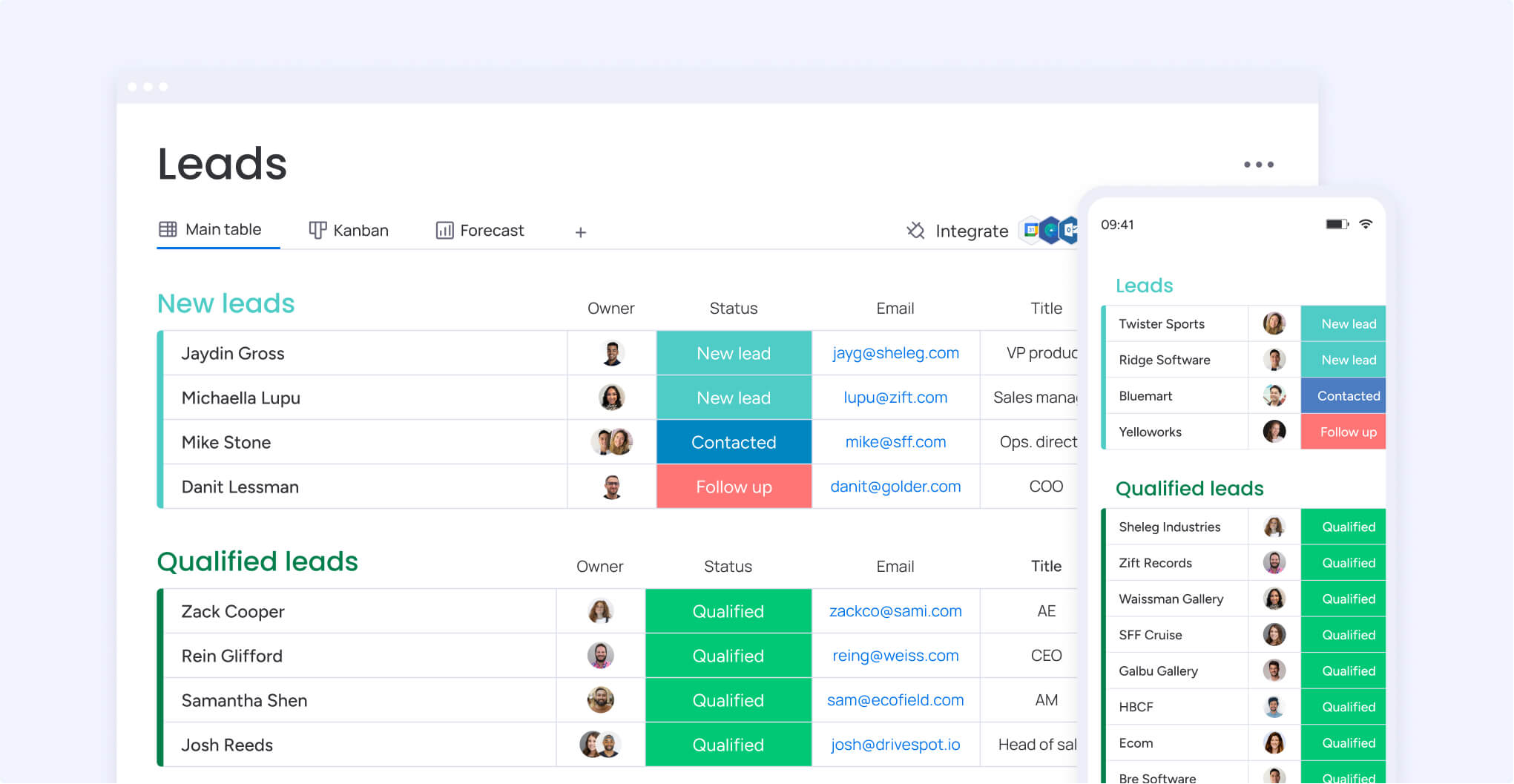
Mobile devices generate the majority of web traffic but often show conversion rates lower than desktop due to form friction. This challenge is particularly noticeable because text inputs are more difficult for mobile users.
Mobile optimization further helps improve form performance by addressing design, functionality, and user experience constraints specific to smaller screens.
Touch-optimized design elements
Mobile form fields require careful attention to usability: touch targets should have minimum dimensions of 44×44 pixels to reduce mis-taps and prevent user frustration. Adequate spacing between fields allows users to select the correct input without accidentally triggering adjacent elements.
Single-column layouts eliminate horizontal scrolling and establish visual hierarchy on narrow screens. Positioning field labels above inputs, rather than beside them, preserves readability while accommodating limited horizontal space.
Smart defaults and auto-fill
Browser auto-fill capabilities significantly reduce mobile typing effort when implemented correctly. Using standard HTML5 input types and autocomplete attributes enables browsers to suggest stored information for common fields.
Smart defaults based on user context further streamline the experience:
- Location services: Pre-populate country and region fields.
- Device detection: Set defaults appropriate to the operating system.
- Previous interactions: Remember preferences from past visits.
Mobile-specific features that convert
Click-to-call buttons embedded in forms allow immediate phone conversations for high-intent prospects. This feature is especially useful for service-oriented businesses and B2B sales where direct calls often advance deals more effectively than form submissions.
Reducing field requirements for mobile submissions acknowledges the higher effort of typing on small screens. Forms can request only essential information, such as email and company name, while collecting additional details through follow-up emails optimized for desktop completion.
How to create lead generation forms in 7 steps
Strong lead generation forms are built with intention. Every field, trigger, and follow-up step should support both conversion and qualification. Instead of treating forms as one-off assets, it helps to approach them as a structured process that connects marketing and sales from the very first interaction.
The seven steps below walk through how to design, launch, and refine forms that consistently capture the right leads while keeping the experience smooth for prospects.
Step 1: Define lead qualification criteria
Lead qualification begins with a clear ideal customer profile that defines company characteristics, role requirements, and behavioral indicators predicting successful sales outcomes. Sales and marketing teams must align on what defines a qualified lead.
Essential qualification criteria typically include:
- Company size: Revenue or employee count ranges.
- Industry or vertical market: Target sector focus.
- Decision-maker role: Authority level and influence.
- Current solution: Competitive displacement opportunity.
- Budget authority: Financial decision-making power.
- Purchase timeline: Urgency and implementation schedule.
These criteria guide which fields to include and how to score incoming leads effectively.
Step 2: Select your form platform
Choosing a form platform depends on technical requirements, integration needs, and team capabilities. Native CRM form builders offer tight integration by eliminating data transfer between systems.
Key evaluation criteria for form platforms include:
- Ease of creation: No-code builders for rapid deployment.
- Mobile responsiveness: Automatic optimization for all devices.
- Conditional logic: Dynamic fields based on responses.
- Integration options: Direct CRM and marketing automation connections.
- Compliance features: GDPR and privacy regulation support.
These factors ensure your forms capture accurate and actionable data.
Step 3: Design the user journey
A complete user journey spans from form discovery through lead nurture and sales handoff. Mapping this journey identifies friction points and areas for optimization.
Key journey elements to consider:
- Discovery: How visitors locate your form.
- Completion: What motivates users to submit.
- Confirmation: Immediate post-submission experience.
- Nurture: Follow-up communication sequences.
- Handoff: Sales team notification and routing.
A well-designed journey improves conversion and ensures a seamless experience.
Step 4: Configure integrations
Integration connects forms with CRM systems, marketing automation platforms, email providers, and analytics tools. Critical integrations include CRM synchronization for lead record creation, marketing automation for nurture campaigns, and analytics tracking for conversion metrics.
Integration configuration requires:
- Field mapping: Ensure form data flows correctly into destination systems.
- Duplicate detection rules: Prevent multiple records for the same lead.
- Error handling: Address integration failures gracefully.
Proper setup guarantees data accuracy and smooth internal processes.
Step 5: Build automation workflows
Automation triggered by form submissions ensures consistent and timely follow-up while reducing manual work. Key automations include confirmation emails, lead scoring, CRM record creation, sales notifications, and nurture campaign enrollment.
Workflow design should account for lead type and score:
- High-scoring leads: Trigger immediate sales notifications.
- Lower-scoring leads: Enter educational nurture sequences.
Automation ensures efficiency and improves the likelihood of conversion.
Step 6: Test across devices
Testing across devices, browsers, and scenarios prevents technical issues that reduce conversions.
Testing checklist for lead generation forms:
- Mobile devices: Verify iOS and Android functionality.
- Desktop browsers: Confirm Chrome, Safari, Firefox, and Edge compatibility.
- Field validation: Check error messaging and corrections.
- Submission success: Confirm data flows properly and users see confirmation.
- Integration verification: Ensure CRM records are created accurately.
User testing with representative audience members reveals usability issues that technical tests may miss. Observing real users highlights confusing labels or unclear instructions.
Step 7: Launch and monitor
Form launch requires close monitoring to identify issues quickly. The first 48–72 hours reveal technical problems and user experience friction points needing immediate attention.
Key metrics to track include:
- Submission volume and trends: Overall performance indicators.
- Completion rate by traffic source: Channel-specific insights.
- Field-level abandonment patterns: Identify points of friction.
- Integration success rates: Monitor technical performance.
- Lead quality indicators: Gather sales feedback on lead value.
Continuous monitoring ensures your forms maintain optimal performance over time.
Try monday CRM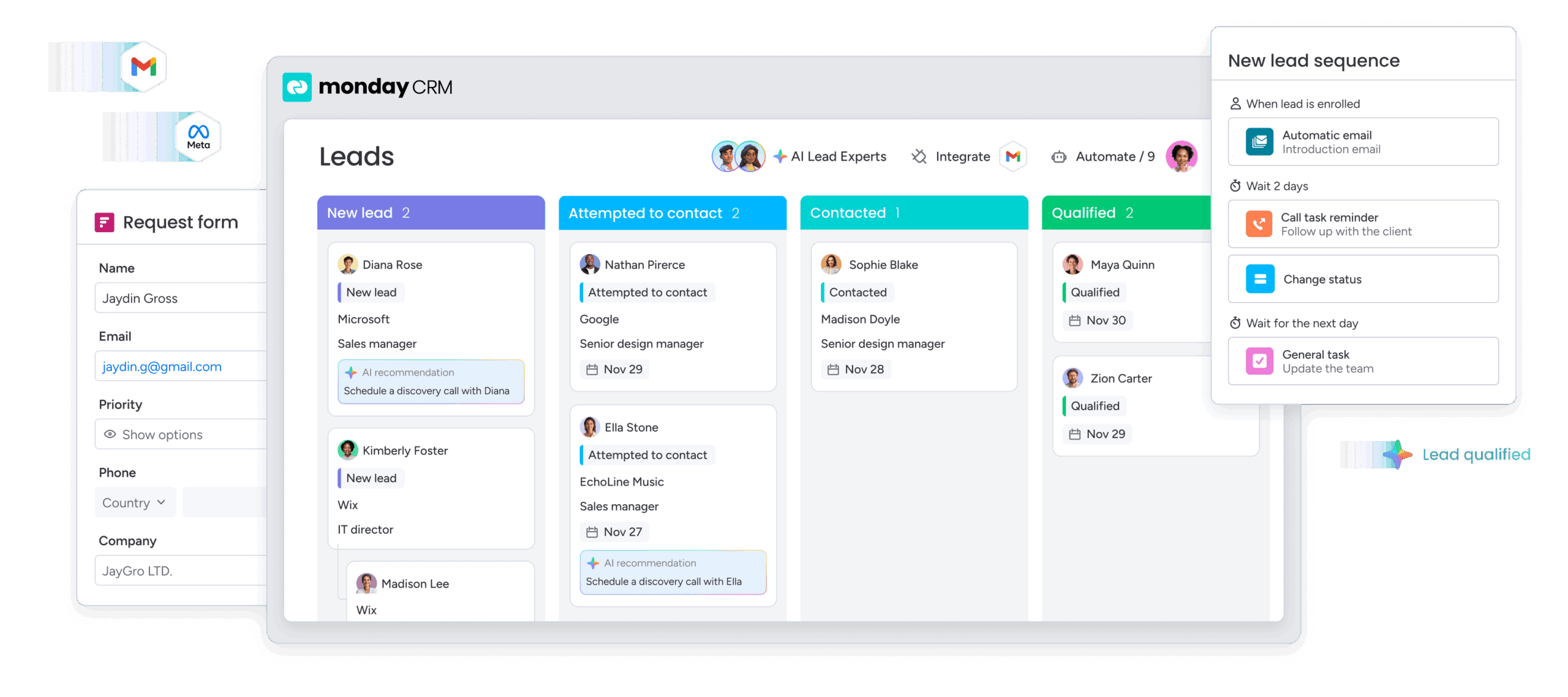
Scale lead generation with monday CRM
Effective lead generation relies on a platform that unifies data, workflows, and automation. Modern platforms like monday CRM combine no-code form building with AI-powered lead management, connecting marketing and sales teams. Revenue teams capture, qualify, and convert leads more efficiently than traditional approaches.
No-code form builder for rapid deployment
The visual interface enables marketing teams to create and deploy professional lead generation forms without technical resources. Drag-and-drop functionality makes form creation intuitive, allowing teams to select field types, configure validation rules, design layouts, and publish forms in minutes rather than weeks.
Customization options ensure forms align with brand guidelines and specific campaigns:
- Custom fields: Capture unique qualification criteria.
- Conditional logic: Show relevant questions based on previous answers.
- Flexible layouts: Adapt to different content types and campaigns.
AI-powered lead management
AI sales lead generation capabilities automatically evaluate lead quality and route prospects to the appropriate team members. The platform analyzes submitted form data against historical patterns, identifying characteristics that predict deal closure. High-scoring leads trigger immediate notifications to senior sales representatives, while lower-scoring leads enter nurture sequences.
The AI can:
- Detect sentiment: Analyze form responses for buying signals.
- Extract key information: Identify critical data points from submissions.
- Assign labels: Categorize leads based on predefined criteria.
- Compose follow-up emails: Generate personalized communication based on lead information.
Real-time performance visibility
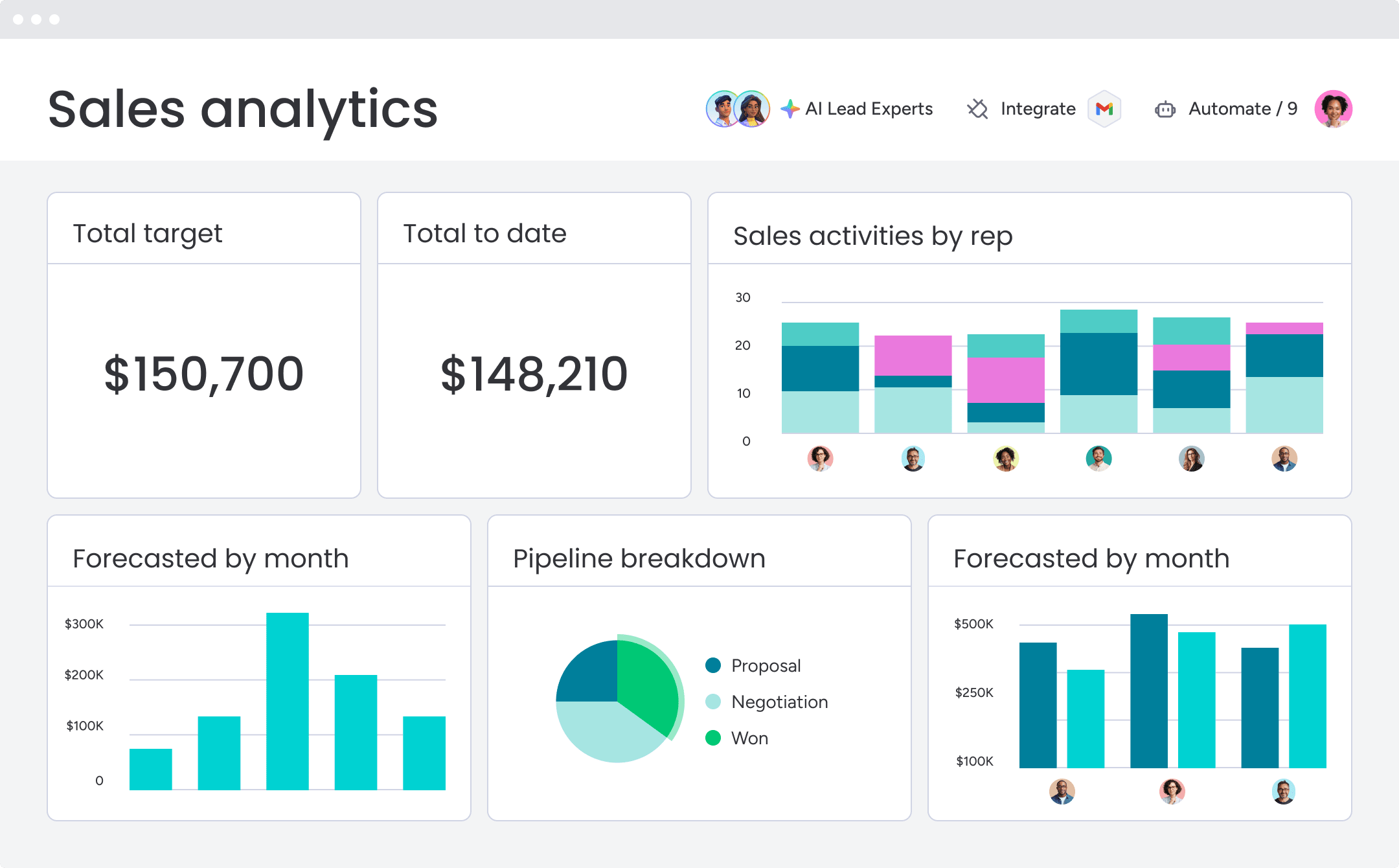
Visual dashboards provide instant visibility into lead generation performance. Customizable views display form conversion rates by source, lead volume trends, lead quality distributions, and sales follow-up activity. Dashboard widgets allow teams to drill into specific dimensions, providing actionable insights for optimization.
Sales-specific widgets like the leaderboard and lead generation sales funnel help teams identify strong and weak points in their pipeline. Automated alerts notify teams when metrics fall outside expected ranges, enabling quick response to performance issues.
Unified lead management across teams
Finally, the intelligent platform centralizes all lead information and activities in one location, eliminating disconnects between marketing and sales. Form submissions create lead records that both teams access, with full visibility into source attribution, form responses, nurture campaign engagement, and sales activities.
Teams see all connected deals, accounts, contacts, and projects in one place. Every interaction, including emails, meetings, and notes, appears in one timeline, ensuring consistent lead handling and smooth handoffs between departments.

“With monday CRM, we’re finally able to adapt the platform to our needs — not the other way around. It gives us the flexibility to work smarter, cut costs, save time, and scale with confidence.”
Samuel Lobao | Contract Administrator & Special Projects, Strategix
“Now we have a lot less data, but it’s quality data. That change allows us to use AI confidently, without second-guessing the outputs.”
Elizabeth Gerbel | CEO
“Without monday CRM, we’d be chasing updates and fixing errors. Now we’re focused on growing the program — not just keeping up with it."
Quentin Williams | Head of Dropship, Freedom Furniture
“There’s probably about a 70% increase in efficiency in regards to the admin tasks that were removed and automated, which is a huge win for us.“
Kyle Dorman | Department Manager - Operations, Ray White
"monday CRM helps us make sure the right people have immediate visibility into the information they need so we're not wasting time."
Luca Pope | Global Client Solutions Manager at Black Mountain
“In a couple of weeks, all of the team members were using monday CRM fully. The automations and the many integrations, make monday CRM the best CRM in the market right now.”
Nuno Godinho | CIO at VelvCreating a lead generation engine that scales
Lead generation forms can quietly shape the entire trajectory of your pipeline. When they are thoughtfully designed and tightly integrated with your CRM, they turn anonymous traffic into qualified opportunities while keeping acquisition costs under control.
High-performing teams do not treat forms as simple data capture points. They test them, refine them, connect them to automation, and align them with clear qualification criteria. Over time, those improvements compound. Conversion rates rise, lead quality improves, and sales teams spend more time closing instead of chasing.
With the right strategy, mobile optimization, and intelligent automation in place, your forms become a scalable engine for predictable growth.
Try monday CRMFrequently asked questions
How many fields should a lead generation form have?
The optimal number of fields depends on your value proposition and audience. Newsletter signups convert best with just an email address, while high-value offers such as demos or consultations justify six to eight fields because qualified prospects understand the need to provide context.
What is the average conversion rate for lead forms?
Average conversion rates range from 2% to 5% for cold traffic and 10% to 25% for warm traffic coming from email campaigns or retargeting. Rates vary based on traffic source, offer value, form complexity, and how qualified the audience is.
Should I require phone numbers on lead forms?
Phone number requirements can reduce conversion rates because many visitors hesitate to share personal information. Make phone numbers optional unless your sales process requires direct contact, and communicate clearly how the information will be used.
How do I reduce form abandonment rates?
Reduce abandonment by using multi-step forms that show two to three fields initially, optimizing for mobile with touch-friendly design, applying inline validation to catch errors immediately, including progress indicators, and adding trust signals such as privacy policies.
What's the best placement for lead generation forms?
Form placement depends on content type and user intent. Above-the-fold forms work for high-intent pages such as pricing or demo requests, while content-rich pages benefit from forms placed after valuable information that builds trust and credibility.
How does AI improve lead form performance?
AI improves lead forms by analyzing submissions against historical conversion patterns, automatically scoring lead quality, routing prospects to the right sales representatives, and optimizing form configurations based on performance data. This approach increases conversion rates while improving lead quality through intelligent qualification and distribution.

 Get started