



A qualified lead hits the inbox at 2:00 p.m. By the time someone manually assigns it the next morning, that prospect has already booked demos with two other vendors. The lead was hot. The follow-up was not.
This scenario plays out constantly in sales teams that still rely on spreadsheets, email threads, or gut instinct to route leads. The problem is not lead quality. It is the gap between capture and first contact. Lead distribution software closes that gap by automatically sending new leads to the right rep based on rules set by the team, whether that involves territory, availability, deal size, or any other logic that fits the process.
The sections below break down what lead distribution software actually does, compare twelve platforms worth considering, and explore routing strategies that drive measurable conversion lift. The article also explains how to build a distribution system that provides full control and highlights where AI can enhance lead routing.
Key takeaways
- Lead distribution software accelerates response times: automated routing ensures leads reach the right rep instantly, reducing lost opportunities and increasing conversion likelihood.
- AI enhances lead assignment: predictive scoring and real-time optimization match leads to reps with the highest probability of closing, improving efficiency and outcomes.
- Multiple routing strategies exist: round-robin, territory-based, account-based, and capacity-based methods allow teams to align distribution with expertise, workload, and relationship priorities.
- Integrated systems improve visibility: platforms that combine capture, assignment, and tracking in a single workflow help leadership monitor performance and streamline handoffs.
- monday CRM offers flexible, visual lead workflows: its no-code automation and AI-supported assignment allow teams to design, adjust, and optimize lead routing without relying on IT support.
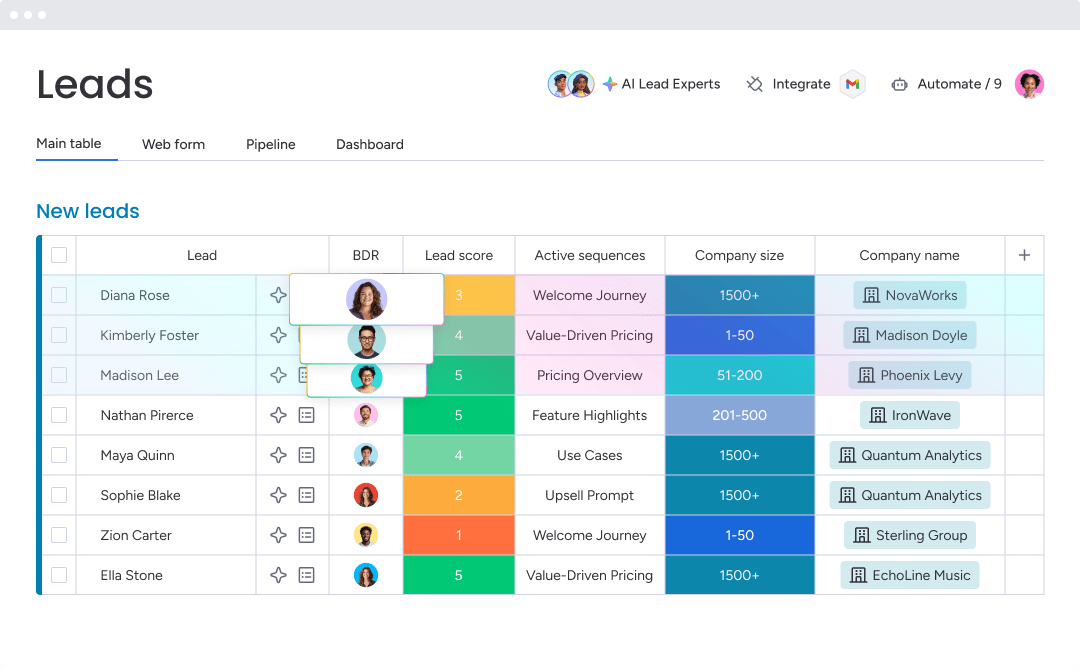
Hot leads require immediate action. Every second a lead sits unassigned gives competitors a chance to steal it. Lead distribution software solves this problem by automatically sending new leads from your website, social media, or email campaigns directly to the right team member.
Move beyond manually searching inboxes or spreadsheets to assign leads. That old method slows response times, allowing prospects to lose interest or choose a faster competitor. With automated lead distribution, leads are routed in seconds according to rules you define, enabling your team to act while opportunities are still hot.
Teams stop reacting and start closing deals. They focus on what matters most: building relationships and winning opportunities. Here’s how it works:
- Lead capture: connects to forms, chatbots, and social media to pull leads automatically.
- Routing rules: assign leads based on territory, rep availability, or any logic that fits your workflow.
- Instant alerts: notify reps via email, SMS, or in-app messages the moment a lead is assigned.
- Performance insights: provide data on response times and conversion rates to optimize strategy.
Why speed-to-lead changes everything
Speed-to-lead is more than a buzzword — it sets the pace for every deal. The first team to respond usually wins. A landmark study by Lead Response Management found that leads contacted in under five minutes are twenty-one times more likely to convert. Wait thirty minutes, and that opportunity is already cold.
Consider this scenario. A qualified lead arrives at 2:00 p.m., but manual hand-offs delay outreach until the next morning. By then, the prospect may have booked demos with competitors who responded immediately. The deal is lost before it begins.
Slow follow-ups do more than lose deals — they signal to prospects that their time is less important than yours. A rapid response demonstrates readiness to solve problems immediately, building trust and setting the stage for consistent quota performance.
12 best lead distribution software platforms
Assigning the right lead to the right rep immediately is the key to success. Lead distribution software can range from simple routing platforms to full CRM solutions. The goal remains the same: prevent hot leads from going cold. Choosing the right platform ensures your team’s workflow drives results, not the other way around.
| Platform | Use case | Key lead distribution features | Starting price |
|---|---|---|---|
| monday CRM | Revenue teams seeking visual, no-code lead routing within a complete CRM environment | AI-powered assignment, visual routing builder, real-time notifications, custom automation, digital workers | $12/user/month |
| Default | Teams needing specialized routing with advanced territory management | Territory-based routing, round-robin assignment, custom routing rules | $25/user/month |
| Apollo.io | Sales teams combining prospecting with lead distribution | Lead routing within sales intelligence platform, sequence automation | $49/user/month |
| Calendly | Organizations prioritizing meeting scheduling with basic routing | Round-robin scheduling, availability-based routing, team pages | $10/user/month |
| Traction Complete | Enterprise sales teams requiring complex routing logic | Multi-criteria routing, territory management, reporting | Custom pricing |
| LeadAngel | Organizations with sophisticated territory and account-based routing needs | Advanced territory rules, account matching, duplicate prevention | Custom pricing |
| Chili Piper | Teams focused on instant meeting booking with intelligent routing | Speed-to-lead scheduling, form concierge, routing by availability | $15/user/month |
| RevenueHero | Revenue teams combining scheduling with qualification routing | Qualified meeting routing, scheduling automation, CRM sync | $20/user/month |
| Integrate | Demand generation teams managing leads from multiple campaigns | Campaign-based routing, lead quality scoring, source tracking | Custom pricing |
| Convertr | Marketing teams distributing leads from advertising campaigns | Ad platform integration, real-time routing, conversion tracking | Custom pricing |
| AUDYENCE | Teams requiring audience-based routing and segmentation | Segment-based assignment, behavioral routing, integration options | Custom pricing |
| Enhance Leads AI | Organizations leveraging AI for predictive lead routing | AI-powered scoring, intelligent routing, enrichment automation | Custom pricing |
Revenue teams use monday CRM to build and maintain routing logic alongside their pipelines. Instead of juggling multiple systems, teams can use visual, no-code automation to manage lead capture, qualification, assignment, and outreach in one workflow, giving complete control and visibility.
1. monday CRM
monday CRM transforms lead distribution from a routing challenge into a visible, maintainable workflow. Teams capture, qualify, assign, and track leads in one place, ensuring ownership is always defined.

Use case:
A lead from a paid campaign is enriched with Crunchbase data, tagged with a qualification label, and assigned to the right rep. The rep can email immediately, track engagement, and maintain a full conversation history in one timeline.
Key features
For effective lead distribution, teams need fast capture, consistent assignment, and a reliable trail. monday CRM delivers through automations, CRM workflows, and AI that reduce manual effort.
- Lead capture and qualification workflows: collect leads from forms and campaigns, centralize them, qualify, and assign ownership.
- Auto-enrichment for faster triage: enrich lead data using Crunchbase for immediate context.
- Emails you can send and track: send individual or bulk emails using templates, dynamic fields, and HTML formatting; monitor opens and clicks.
- Centralized communication history: log emails, meetings, and notes in a single timeline for seamless handoffs.
Pricing
- Basic: $12/user/month (billed annually)
- Standard: $17/user/month (billed annually)
- Pro: $28/user/month (billed annually)
- Enterprise: custom pricing available
Why it stands out
Lead distribution fails when teams lack visibility across the chain from lead to follow-up. monday CRM keeps this chain connected, allowing managers to coach, forecast, and adjust confidently.
- Adaptable workflows without the drama: adjust boards, views, dashboards, and automations as processes evolve.
- One connected revenue workflow: leads, deals, accounts, and activities remain aligned with assignment and pipeline context.
- Easier handoffs across teams: a single timeline ensures account managers, finance, and legal can collaborate without delays.
Advanced AI features
AI in monday CRM enhances efficiency while keeping processes transparent and controllable.
- Assign leads with “Assign person”: use Autofill with AI on a People Column to assign based on emails, activities, or skills.
- Auto-label and qualification support: assign labels with Status or Dropdown Columns to categorize leads automatically.
- Faster context before outreach: Timeline Summary generates brief overviews of communications, giving reps instant context.
- Less manual cleanup: AI actions like Summarize, Improve text, Translate, and Detect sentiment accelerate lead triage.
Automations
Lead distribution succeeds when assignment triggers the next step automatically.
- Trigger follow-ups automatically: send emails after assignment or status changes.
- Keep stages consistent: automate actions based on custom conditions to align lead and deal stages.
- Accountable next steps: tie assignments to outreach, qualification, or scheduling to prevent stalled leads.
Integrations
Teams rely on multiple systems. monday CRM integrates seamlessly to maintain context and prevent isolated assignments.
- Connected workflows: combine lead sources and downstream processes in one CRM workflow.
- Centralized customer info: maintain complete customer data in a single platform for faster, informed decisions.
Lead distribution software features
Effective lead distribution is about speed, reliability, and visibility. monday CRM addresses all three.
- Qualify, assign, and track in one place: centralize leads, assign ownership, and track interactions in one workflow.
- Sales analytics and reporting: dashboards monitor pipeline, forecasting, team performance, and activity status without coding.
- Sales-specific widgets: tools like leaderboard and funnel highlight momentum and detect bottlenecks.
2. Default
Default focuses on lead routing for teams managing complex territories and multi-touch attribution. The platform emphasizes distribution and routing, with deep customization for assignment logic. Teams seeking an all-in-one system can manage forms, enrichment, routing, and scheduling without multiple tools.
Example: Default supports territory-based routing with AI-assisted decisions, ideal for revenue operations teams needing real-time orchestration.
Key features
- AI territories and segments: define territories in plain text while AI applies enrichment data to route leads instantly.
- Multi-criteria routing with SLA enforcement: route by product, geography, tier, or capacity, with automatic reassignment if reps are unavailable.
- Comprehensive audit trails: view queue logs, routing history, and assignment rationale, with Slack notifications for transparency.
Pricing
- Startup: $750/month platform fee + $45/user/month (billed annually)
- Growth: custom pricing + $45/user/month (billed annually)
- Enterprise: custom pricing + custom seat cost
- Add-ons: Routing + Scheduling seats at $45/user/month, Scheduling-only seats at $20/user/month, Web Intent at $400/month for 10K credits
Considerations
As a newer platform, Default has less third-party validation than established competitors. Some teams experience a learning curve during complex routing migrations, and pricing transparency is limited. Value depends on whether teams consolidate multiple tools or need specialized lead distribution.
3. Apollo.io
Apollo.io works best for revenue teams that need to manage both inbound lead routing and outbound prospecting within a single platform, minimizing the complexity of multiple sales tools.

Use case:
- Integrated lead routing: assignment rules that cover inbound and outbound leads with hybrid logic including ownership matching, round-robin distribution, and conditional routing.
- Sequence automation: automatic enrollment of routed leads into personalized outreach sequences to maintain engagement after assignment.
- Data enrichment: automatic lead enrichment with company and contact information before assignment, giving sales reps complete prospect profiles.
Pricing:
- Free: $0/month with up to three inbound routers.
- Basic: $49/user/month with unlimited routers and basic automation.
- Professional: $79/user/month with advanced routing and workflow capabilities.
- Organization: $119/user/month with enterprise features and multi-seat options.
Considerations:
- Admin-only router creation: limits flexibility for teams that need multiple users to configure routing rules.
- Credit-based model: for contact reveals and data exports may make costs unpredictable for high-volume teams.
4. Calendly
Calendly transforms meeting scheduling into a lead distribution solution, routing prospects to the right sales reps based on real-time availability and smart assignment rules. It combines instant booking with CRM ownership lookups, making it ideal for teams aiming to reduce time-to-meeting and simplify scheduling.

Use case:
Calendly is ideal for availability-based lead routing where prospects can instantly book meetings with the most appropriate rep, reducing drop-off and accelerating sales cycles.
Key features:
- Round-robin scheduling: automatic rotation of meetings across team members with options for equal distribution or maximum availability.
- CRM ownership routing: native Salesforce and HubSpot lookups that match known leads to their account owners automatically.
- Qualification forms: built-in screening that routes prospects based on responses, company size, or custom criteria before scheduling.
Pricing:
- Free: always free for individual users with basic scheduling features.
- Standard: $10/month per user (billed annually) with unlimited event types and basic integrations.
- Teams: $16/month per user (billed annually) with round-robin distribution and form-based routing.
- Enterprise: starts at $15,000/year with advanced Salesforce lookup routing and security features.
Considerations:
- Scheduling focus: limited to scheduling-based distribution, lacking lead scoring, pipeline tracking, and revenue forecasting features found in full CRM platforms.
- Advanced routing restrictions: features like Salesforce ownership lookup are only in the Enterprise tier, potentially limiting mid-market teams.
5. Traction Complete
Traction Complete delivers enterprise-grade lead routing with advanced assignment logic, built entirely within Salesforce. It suits RevOps teams managing multiple products, territories, and complex routing scenarios without leaving their CRM.

Use case:
Traction Complete supports large sales organizations that require multi-criteria lead routing, audit trails, and territory hierarchy management within Salesforce.
Key features:
- Multi-criteria routing engine: assignment rules based on geography, product interest, company attributes, and custom fields.
- Territory hierarchy management: multi-level territory structures with inheritance and override capabilities.
- Assignment reporting: analytics on routing performance, balance, and conversion outcomes.
- Lead quality scoring: configurable models that influence routing priority.
Pricing:
- Custom pricing: quote-based pricing tailored to organization size and routing complexity.
- Complete Leads: starting at $39/user/month on Salesforce AppExchange.
- Enterprise Customer Success: optional add-on for configuration and ongoing support.
Considerations:
- Salesforce focus: limits value for teams using multiple CRMs or data sources.
- Enterprise complexity: may overwhelm smaller teams with simpler routing needs.
6. LeadAngel
LeadAngel delivers advanced lead-to-account matching and territory-based routing for revenue teams handling complex account hierarchies. It supports cross-CRM coverage and integrated scheduling, making it suitable for mid-market organizations with detailed territory structures. Its proprietary matching engine claims 99.7% accuracy across Salesforce, HubSpot, and Microsoft Dynamics 365.

Use case:
LeadAngel serves revenue operations teams that require precise lead routing across multiple CRMs with built-in scheduling and live handoff capabilities.
Key features:
- Advanced account matching: intelligent lead-to-account matching across domains, subsidiaries, and corporate hierarchies with 99.7% accuracy.
- Cross-CRM territory management: comprehensive territory definitions with geographic, industry, and account-based rules spanning Salesforce, HubSpot, and Dynamics 365.
- On-the-spot handoffs: live lead transfer from SDRs to AEs with broadcast, acceptance, and claim workflows plus integrated calendar scheduling.
Pricing:
- Professional: custom pricing (historically around $500/month annually).
- Professional Plus: custom pricing (historically around $2,042/month annually).
- Setup fee: one-time implementation cost applies.
- Add-ons: data deduplication and scheduling modules available as extras in lower tiers.
Considerations:
- Advanced matching: some rules require vendor support activation instead of self-service configuration.
- Workflow complexity: occasional routing glitches occur when building nuanced workflows.
7. Chili Piper
Chili Piper combines instant meeting scheduling with intelligent lead routing, emphasizing speed-to-lead through form-based booking and real-time assignment. It routes leads efficiently across touchpoints, ending with a booked meeting in seconds.

Use case:
Chili Piper is ideal for teams prioritizing immediate conversion, particularly those using Salesforce and aiming to remove scheduling friction.
Key features:
- Form concierge: instant meeting booking from web forms, eliminating delays between submission and scheduling.
- Speed-to-lead routing: immediate assignment and scheduling based on rep availability and routing rules.
- Queue-based distribution: intelligent queuing that directs leads to the next available rep.
Pricing:
- ChiliCal: $15/month per user (platform fee $150/month).
- Distro: $30/month per user (platform fee $150/month).
- Concierge: $30/month per user (platform fee varies by monthly inbound leads: $150/$400/$1,000).
- Contract options: monthly pricing is roughly 50% higher than annual rates, with structured savings for two-year and three-year terms.
Considerations:
- CRM support: limited to Salesforce for native lead distribution; HubSpot is not supported for Distro routing.
- Pricing structure: multiple products may increase costs due to per-user and platform fees.
8. RevenueHero
RevenueHero combines qualified meeting routing with scheduling automation, focusing on delivering only qualified prospects to sales calendars while maintaining speed-to-lead advantages. The platform emphasizes CRM-aware matching and balanced distribution algorithms, making it suitable for revenue teams handling moderate to high inbound volume. Founded in 2021, RevenueHero maintains a 4.8/5 rating on G2 with transparent pricing and enterprise-grade security features.

Use case:
RevenueHero supports teams that prioritize lead qualification before scheduling, adding a filtering layer that prevents unqualified prospects from consuming sales time.
Key features:
- Qualified meeting routing: assignment rules that account for lead qualification status before scheduling.
- Scheduling automation: automatic meeting booking based on availability and routing criteria.
- Lead qualification workflows: pre-scheduling qualification steps that route prospects appropriately.
Pricing:
- Inbound Essentials: $25/user/month (annual) or $35/user/month (monthly) + $79/month platform fee (annual) or $99/month (monthly).
- Inbound Enterprise: $35/user/month (annual) or $45/user/month (monthly) + same platform fee.
- Outbound Essentials: $20/user/month (annual) or $25/user/month (monthly) with no platform fee.
- Lite (personal scheduling): $15/user/month.
- Add-ons: Spam Prevention $30/month, Native Enrichment from $31/month.
Considerations:
- Requires CRM connection (HubSpot, Salesforce, or Zoho) to operate, which may not suit teams using other CRMs like Microsoft Dynamics.
- Advanced features such as balanced round robin, collective round robin, and SSO are limited to the Enterprise tier, increasing costs for teams requiring these capabilities.
9. Integrate
Integrate converts lead chaos into organized, compliant pipelines through enterprise-grade data governance. The platform focuses on cross-channel lead ingestion and validation, making it ideal for marketing teams managing multi-source campaigns. With automated compliance checks and real-time distribution, Integrate ensures only qualified leads reach the CRM.
Use case:
Integrate benefits enterprise marketing operations teams that need centralized lead governance across multiple channels, sources, and compliance requirements before sending leads to downstream systems.
Key features:
- Cross-channel lead ingestion: universal API and prebuilt connectors capture leads from advertising platforms, events, web forms, and marketing campaigns.
- Data governance pipeline: automated validation, standardization, enrichment, deduplication, and compliance verification before lead distribution.
- Real-time CRM delivery: bi-directional integrations with Salesforce, HubSpot, Marketo, and CDPs for immediate lead routing and follow-up.
Pricing:
- Custom pricing: quote-based pricing tailored to lead volume and campaign complexity.
- Median annual cost: approximately $57,500 based on procurement data (range $22,500–$163,000).
- ROI guarantee: three times first-year return on investment for new clients.
Considerations:
- Advanced governance features require a learning curve and dedicated training.
- Rep-level routing may require additional CRM workflows or third-party routing platforms for detailed assignment rules.
10. Convertr
Convertr improves lead distribution with enterprise-grade data integrity and flexible routing controls. The platform integrates advertising campaigns with sales assignment while maintaining compliance standards, making it ideal for marketing teams with substantial paid acquisition budgets. Designed for Fortune 100 companies, Convertr tracks leads from capture through delivery with transparent audit trails.

Use case:
Convertr excels at routing leads from advertising campaigns with real-time assignment, conversion tracking, and performance analytics that directly link ad spend to sales outcomes.
Key features:
- Ad platform integration: direct connections to Google Ads, Facebook Ads, LinkedIn Ads, and other platforms for seamless lead capture.
- Real-time routing: instant assignment of leads from campaigns with score-based, value-based, and call-center routing options.
- Conversion tracking: attribution that connects ad spend to lead assignment and sales outcomes with detailed ROI analytics.
Pricing:
- Custom pricing: quote-based pricing determined by advertising spend and lead volume.
- Three tiers: Standard, Pro, and Enterprise plans with varying features.
- Managed services add-ons: Lite, Premium, and Unlimited tiers available for additional support.
Considerations:
- No transparent pricing: all plans require contacting sales, making cost comparison difficult.
- BYO license model: enrichment and validation features may require separate third-party licenses, adding extra costs.
11. AUDYENCE
AUDYENCE provides a programmatic marketplace for B2B lead generation, giving buyers control over their cost-per-lead (CPL) campaigns. The platform specializes in audience-based routing with full publisher transparency, ideal for demand generation teams managing complex segmentation across multiple sources.

Use case:
AUDYENCE supports advertisers and agencies seeking centralized CPL buying, delivery, and measurement across verified publishers while maintaining full visibility into lead quality and sources.
Key features:
- Programmatic CPL marketplace: real-time bidding across verified publishers with source transparency and acceptance control before payment.
- Built-in data governance: platform-level verification, duplicate suppression, and fraud protection with enrichment options for lead scoring.
- Cross-publisher optimization: implement targeting changes, asset swaps, and campaign adjustments across publishers from a single interface.
Pricing:
- Custom pricing: quote-based model with no platform fees or subscription costs for buyers.
- Pay-per-accepted-lead: charges apply only to leads accepted after review.
- No add-on fees: verification, reporting, and data usage included.
Considerations:
- Sales-assisted access: no self-serve pricing or public rate cards; demos required for platform access and pricing.
- Limited integration details: CRM or marketing automation platform connections are not specified publicly.
12. Enhance Leads AI
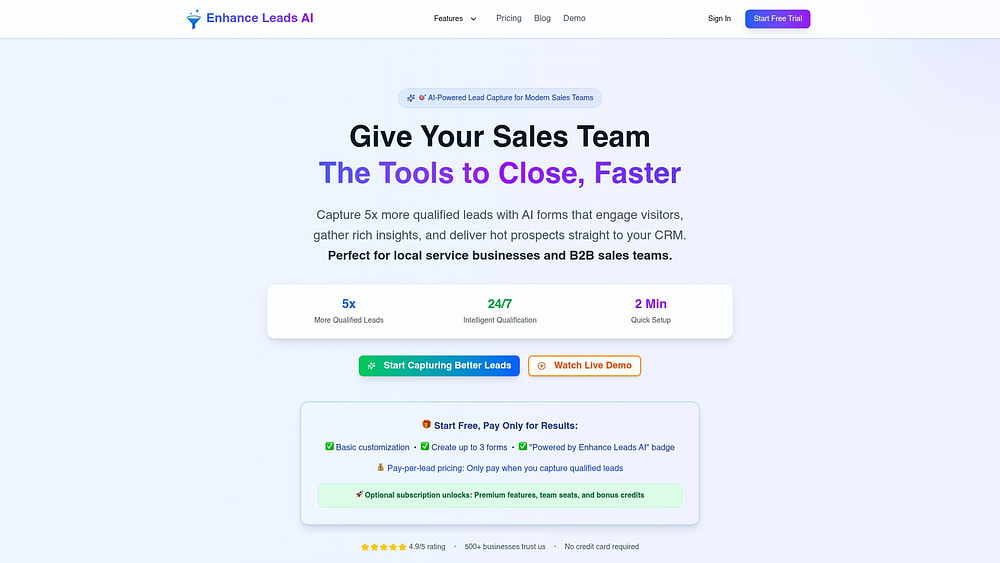
Enhance Leads AI converts website visitors into qualified prospects through AI-powered conversational forms. The platform specializes in intelligent lead qualification and instant distribution, ideal for service businesses and sales teams seeking higher-quality leads without complex setup.
Use case:
Enhance Leads AI benefits teams aiming to capture high-quality leads through AI conversations and distribute them immediately via automated CRM sync and multi-channel notifications.
Key features:
- AI conversational forms: replace static forms with intelligent conversations that qualify leads while capturing structured data such as budget, timeline, and decision-maker status.
- Instant lead scoring and routing: automatically score leads 0–100 and distribute via email, Slack, SMS, and direct CRM integration.
- Geographic and visual intelligence: validate service areas, extract location data, and enable photo-based quoting for territory-specific routing.
Pricing:
- Free: $0/month (three forms, demo domains only, “Powered by” badge).
- Pro: $20/user/month (500 monthly credits, analytics, CRM integrations, custom AI personality).
- Enterprise: $50/user/month (2,000 monthly credits, unlimited forms, priority support).
- Pay-per-lead costs: $0.01–$0.45 depending on form complexity.
- Limited-time launch discounts: 30% off.
Considerations:
- Limited advanced routing capabilities within the platform: relies on CRM systems for complex assignment and round-robin distribution.
- Self-reported performance metrics lack third-party validation and are not suitable for regulated industries requiring HIPAA or FISMA compliance.
How AI transforms automated lead distribution
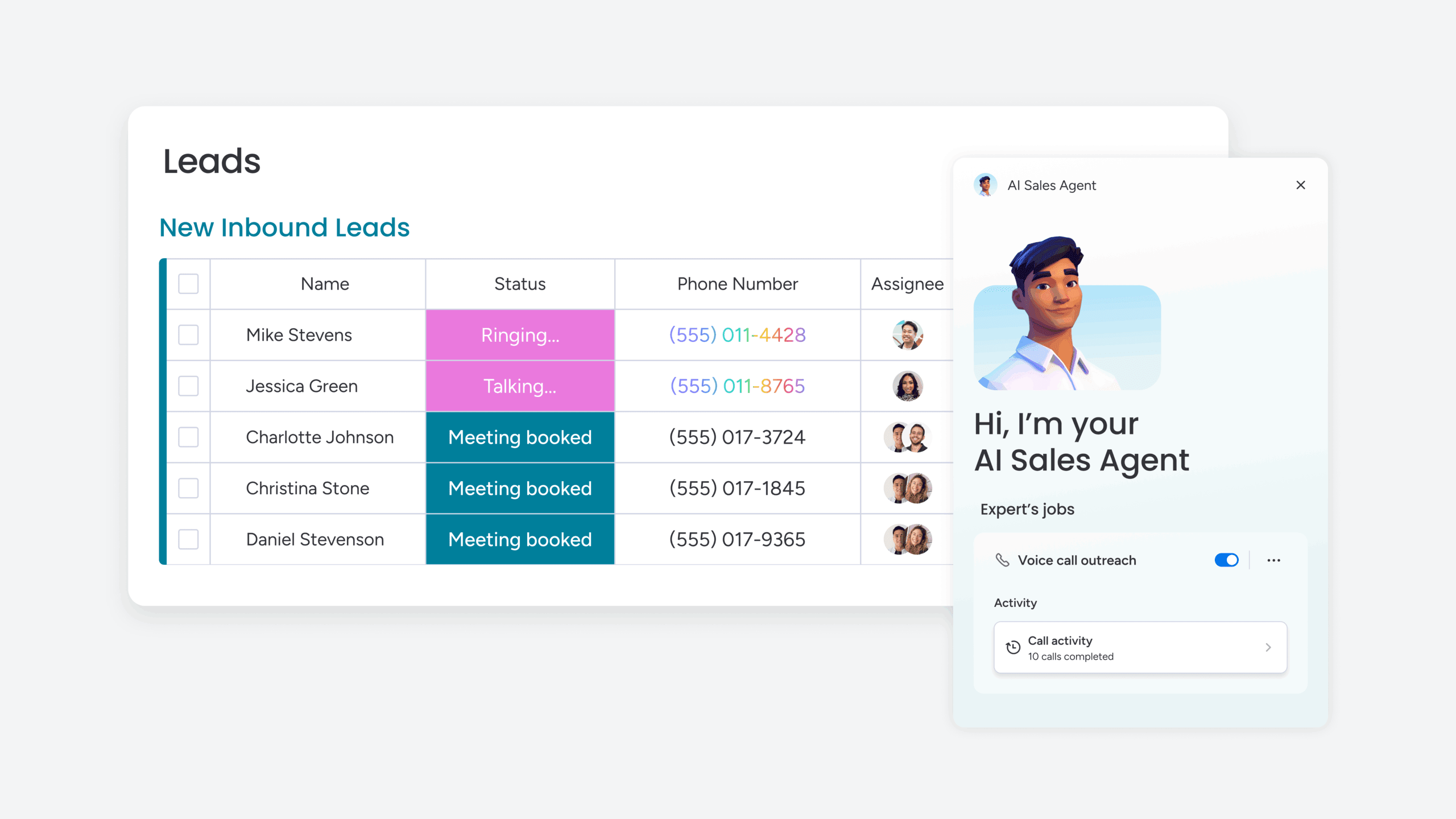
Static routing rules were sufficient for small teams, but they now create bottlenecks. Rigid rules send high-potential leads to the wrong reps, introduce manual work, and leave revenue on the table. AI turns lead routing into a competitive advantage.
Rather than following a predetermined script, AI learns from every closed deal. It identifies patterns that drive success and applies them in real time, elevating team performance.
- Predictive lead scoring: AI evaluates historical wins to score incoming leads on conversion likelihood, routing high-priority leads to top performers and placing lower-priority leads into nurture sequences.
- Real-time route optimization: AI accounts for rep bandwidth and skill match to ensure hot leads receive immediate attention from the right team member.
- Autonomous lead qualification: AI handles initial screening, separates genuine prospects from noise, and enriches profiles with actionable data.
Teams using monday CRM can focus on closing deals instead of pursuing unqualified leads.
Key features that enable lightning-fast lead routing
Slow lead routing can cost deals. While teams debate ownership, high-value prospects explore alternatives. Effective lead management requires speed, intelligence, and flexibility. Revenue teams use monday CRM to transform complex routing into automated workflows with these capabilities:
- Capture every lead, instantly: pull leads from web forms, social media, and email campaigns directly into the pipeline.
- AI that prioritizes: score leads automatically so top opportunities reach the best reps.
- Routing rules without code: create assignment logic with a simple drag-and-drop interface based on territory, rep workload, or account history.
- Instant alerts that get noticed: notify reps via email, mobile push, or in-app alerts with the context needed for immediate action.
- The full story on every prospect: automatically enrich leads with company size, tech stack, and social profiles to prepare reps for every conversation.

5 lead distribution strategies that actually convert
Effective lead routing unlocks the full potential of your deals. Without a strategic approach, teams often see stagnant conversion rates despite a steady flow of qualified leads. Smart distribution is not about fairness — it is about speed, relevance, and efficiency.
How do you match the right lead with the right rep at the optimal moment? No single method works for every team. High-performing revenue organizations combine strategies based on objectives, team structure, and lead characteristics. The following models demonstrate how to build a system that consistently drives results.
Round-robin for equal distribution
Round-robin follows the simple “one for you, one for you” rotation. It cycles new leads across the team sequentially, ensuring consistent volume for every rep over time. Minimal logic is required, making it easy to implement quickly.
This method is effective when reps have similar skills and lead quality remains steady. It ensures balanced workloads, prevents cherry-picking, and maintains a sense of fairness that keeps teams aligned.
Strengths of this approach:
- Maintains equity: everyone gets equal opportunity, reducing complaints about favoritism.
- Simple and predictable: straightforward logic allows reps to plan their workload efficiently.
- Balances workload: prevents one rep from being overwhelmed while others wait.
- Supports development: consistent lead flow helps newer team members gain practical experience.
Limitations to consider:
- Ignores expertise: does not account for reps who excel with specific industries or prospect types.
- Skips availability checks: leads may go to reps who are on leave or fully booked.
- Treats everyone identically: top performers receive the same leads as struggling reps, potentially lowering efficiency.
- Lacks flexibility: rotation cannot adapt to spikes in lead volume or urgent opportunities.
Round-robin works best when fairness and predictability are top priorities. If lead values vary significantly, a more advanced approach may be necessary.
Territory-based for geographic alignment
Territory-based routing assigns leads according to geography, industry, company size, or other segments aligned with your sales structure. West Coast leads go to California reps; healthcare prospects are routed to industry specialists.
This approach excels when expertise and local knowledge improve close rates. It connects leads to reps familiar with their markets, time zones, and challenges.
Why teams rely on territory-based routing:
- Builds deep expertise: reps develop authority in their territories, strengthening relationships and understanding local dynamics.
- Improves timing: time zone alignment allows faster follow-up during business hours.
- Speaks the prospect’s language: industry specialists address challenges directly, skipping general explanations.
- Leverages existing relationships: new leads from existing accounts reach their designated owners, ensuring continuity.
Challenges to manage:
- Uneven workloads: some territories may receive more leads, leaving others idle.
- Coverage gaps: absent reps create potential delays unless backup plans are in place.
- Rigid boundaries: leads spanning multiple territories can cause assignment confusion.
- Administrative overhead: defining and maintaining territories requires continuous effort.
Territory routing is ideal when specialized knowledge drives competitive advantage. Teams must plan for workload balance and boundary management.
AI-optimized for the highest conversion probability
AI-driven routing analyzes lead data against historical rep performance to match leads with the reps most likely to close. This method goes beyond rules-based distribution, using data to identify optimal pairings.
AI routing can improve conversion rates significantly by leveraging insights from past deals, current workloads, and multiple performance signals.
Advantages of AI-driven routing:
- Higher conversion rates: leads go to the reps best suited to close them.
- Continuous improvement: AI learns from every outcome and refines recommendations.
- Real-time adaptation: the system adjusts to shifts in rep performance or market trends automatically.
- Multi-factor optimization: AI balances conversion probability with response speed, workload, and business priorities.
Considerations before implementation:
- Data requirements: substantial historical data is needed, making it less suitable for new teams.
- Transparency challenges: AI logic can be difficult to explain, complicating troubleshooting.
- Bias potential: models may replicate historical biases without monitoring.
- Technical investment: deploying AI systems requires ongoing resources and expertise.
AI routing works best for teams with diverse leads and specialized reps that are ready to let data guide assignments.
Account-based for relationship continuity
Account-based routing ensures new contacts from existing customers are assigned to the rep who owns the relationship. Warm leads are not treated like cold calls, preserving trust and accelerating cycles.
This strategy is critical for complex B2B sales where growth depends on expansion within current accounts. Consistency strengthens customer experience and allows reps to maximize existing relationships.
Benefits of account-based routing:
- Leverages existing trust: sales cycles shorten when rapport is already established.
- Provides instant context: account owners understand customer history, goals, and needs.
- Drives expansion revenue: reps can identify cross-sell and upsell opportunities more effectively.
- Creates better experiences: consistent contact reduces frustration from repeated handoffs.
Potential limitations:
- Rep capacity: account owners may be unable to respond immediately to new leads.
- Skill mismatches: leads may require expertise outside the account owner’s specialization.
- Territory conflicts: accounts spanning multiple regions can complicate ownership.
- New business delays: heavy focus on existing accounts may leave net-new leads waiting.
Account-based routing is most effective when maintaining and expanding existing relationships is the priority. Capacity planning ensures timely follow-up.
Capacity-based for workload balance
Capacity-based routing assigns leads to reps with available bandwidth, considering active deals, recent activity, and calendar availability. This approach ensures rapid response and prevents bottlenecks.
It maximizes team efficiency, keeps leads moving, and reduces burnout among high-performing reps.
Why capacity-based routing works:
- Rapid response times: leads reach reps who can act immediately.
- Prevents burnout: workload is distributed evenly across the team.
- Maximizes team contribution: all reps remain engaged, not just top performers.
- Handles volume spikes: surges in lead volume distribute automatically across available reps.
Challenges to address:
- Skill mismatches: the most available rep may not be best suited for complex leads.
- Gaming potential: reps might appear busy to avoid new assignments.
- Capacity definition: clear metrics are needed to determine actual bandwidth.
- Rule conflicts: other routing strategies may be overridden to prioritize availability.
Capacity-based routing is ideal when speed-to-lead is critical. It supports high-volume teams and maintains engagement across the sales organization.
Build your lead distribution system without IT
Tired of waiting on IT to route leads? You can create a smarter lead distribution system yourself, right now, without writing a single line of code. Revenue operations teams can design, launch, and adjust workflows on the fly using visual, drag-and-drop tools.
Here’s how to get leads to the right rep, instantly.
Step 1: choose your routing method
First, decide how leads should be assigned. The best method depends on team structure and business goals.
- Round-robin: fair and straightforward. works well for teams with similar skill sets, ensuring everyone gets equal opportunity.
- Territory-based: essential for teams divided by geography, industry, or account lists. ensures leads go to experts who know the territory.
- Capacity-based: prevents top reps from burning out. the system evaluates workloads before making assignments.
- Account-based: smart routing for existing customers. ensures upgrade or expansion leads reach the right account manager.
You do not have to choose just one. Many teams combine methods. A demo request might route by territory and capacity, while a high-value prospect is assigned to a top performer.
Step 2: map your lead sources
Identify where your leads originate. Document every source: website forms, live chat, social media, partner referrals, and more. Understanding volume and quality from each channel is essential for building effective rules.
Ensure every source connects directly to your system. A web form lead should trigger routing instantly, not sit in a spreadsheet awaiting manual entry. Test data flows to catch missing fields or formatting errors before they create problems.
Step 3: set up your assignment rules

Bring your strategy to life using a visual workflow builder with simple logic. Start with primary criteria like industry or company size, then add conditions for special cases.
Decide what happens when the ideal rep is unavailable. Always create fallback plans so no lead is left unassigned. Define territories, configure round-robin rotation, and include capacity checks. this transforms chaos into a predictable, automated system.
Step 4: configure real-time alerts
A lead is ineffective if the rep never sees it. Set up instant alerts via email, SMS, or push notifications so your team can act quickly from anywhere.
Customize alerts to include more than “new lead” messages. Add the source, key contact information, and a direct link to the record. You can also create escalation rules that notify managers if leads are not acknowledged within set timeframes.
Step 5: test and optimize performance
Your initial setup is only the beginning. Observe and improve using dashboards that track assignment speed, response times, and conversion rates. Identify bottlenecks and adjust.
Engage with your sales team. Is distribution fair? Does lead quality match expectations? Use these insights to refine rules continuously. A lead distribution system is not a set-and-forget solution; it is a living workflow that improves over time.
Modern platforms like monday CRM enable revenue teams to build these distribution systems with flexibility. Automations adapt to any routing strategy, giving real-time visibility into assignments and rep workload without IT support.
Finally, lead routing your sales team can actually run
Lead distribution often fails when leads live in one place while the rest of the sales motion is elsewhere. Who owns the lead? Did they respond? What did they say? A single, unified platform can answer these questions.
On the platform, lead assignment happens alongside qualification, emails, activity tracking, and deal progression. When a lead lands, the next steps arrive too.
Teams can update distribution rules using no-code boards and automations. Adjust assignment logic after a new campaign launch or standardize qualification across regions without a week-long IT project.
Revenue teams can also integrate AI strategically. With Autofill with AI, you can use the “Assign person” action on a People Column, select the text source, and define teammate roles or skills so assignments match your rules.
For fast context, AI Timeline Summary creates concise recaps of emails, calls, meetings, and notes, helping reps respond as if they were already in the loop. speed-to-lead is achieved more consistently this way.

“With monday CRM, we’re finally able to adapt the platform to our needs — not the other way around. It gives us the flexibility to work smarter, cut costs, save time, and scale with confidence.”
Samuel Lobao | Contract Administrator & Special Projects, Strategix
“Now we have a lot less data, but it’s quality data. That change allows us to use AI confidently, without second-guessing the outputs.”
Elizabeth Gerbel | CEO
“Without monday CRM, we’d be chasing updates and fixing errors. Now we’re focused on growing the program — not just keeping up with it."
Quentin Williams | Head of Dropship, Freedom Furniture
“There’s probably about a 70% increase in efficiency in regards to the admin tasks that were removed and automated, which is a huge win for us.“
Kyle Dorman | Department Manager - Operations, Ray White
"monday CRM helps us make sure the right people have immediate visibility into the information they need so we're not wasting time."
Luca Pope | Global Client Solutions Manager at Black Mountain
“In a couple of weeks, all of the team members were using monday CRM fully. The automations and the many integrations, make monday CRM the best CRM in the market right now.”
Nuno Godinho | CIO at VelvTake control of your lead flow
Speed is the currency of sales today. Automating lead distribution removes bottlenecks that slow momentum and ensures every opportunity receives immediate attention. This approach is not about fairness alone; it maximizes revenue from existing leads.
Begin by auditing response times and identifying where leads get stuck. Whether using round-robin or AI routing, the goal is a system that works with your team, not against them.
Modern platforms like monday CRM transform lead chaos into a predictable revenue engine. Teams can build and adjust workflows themselves, staying fast, focused, and ready to close.
Try monday CRMFrequently asked questions
What is the difference between lead routing and lead distribution?
Routing defines the rule that sends a lead somewhere. Distribution describes the full system that moves the lead from capture to the right rep quickly.
How fast do leads need to be distributed to maximize conversion rates?
Leads must be assigned instantly for a rep to respond within five minutes. Delays significantly reduce the likelihood of closing a deal.
Can automated lead distribution software work with any CRM?
Most automated systems integrate with any CRM, though complexity varies. monday CRM removes this challenge with built-in distribution capabilities.
What's the typical ROI from implementing lead distribution software?
ROI often includes a twenty to forty percent increase in conversions and a fifteen to twenty-five percent boost in rep productivity. Most teams see returns within the first quarter.
Do small businesses need lead distribution software?
Yes, once manual assignment slows response times or the business handles more than fifty leads per month. It is critical for staying competitive as the company grows.
How does AI-powered lead routing differ from traditional round-robin?
AI-powered routing matches leads to the rep most likely to close the deal using data. Round-robin simply rotates leads evenly among reps, regardless of fit.
How does monday CRM's visual approach to lead distribution differ from traditional CRM routing?
Visual workflows allow teams to drag and drop routing rules, making adjustments without IT. Traditional CRMs often require technical support for complex settings.

 Get started