



Your customers are sharing exactly what they need to stay, grow, and succeed — but only if you can capture those signals and act on them in real time. AI customer feedback analysis transforms scattered insights from support tickets, calls, emails, and surveys into actionable intelligence that helps revenue teams prevent churn, identify expansion opportunities, and close more deals.
This guide explains how AI customer feedback analysis works, which capabilities matter most, and how revenue teams can use feedback insights to reduce churn, improve outreach, and identify growth opportunities.
Key takeaways
- AI spots warning signs weeks before customers leave, giving you time to prevent churn.
- AI processes tickets, calls, and emails in seconds, eliminating hours of manual review.
- Sales, customer success, and support teams see the same data, breaking down silos that cause misalignment.
- Feedback summaries and churn signals appear directly on account records in your CRM.
- Start simple and refine based on results with monday CRM’s no-code configuration that adapts as your needs evolve.
What is AI customer feedback analysis?
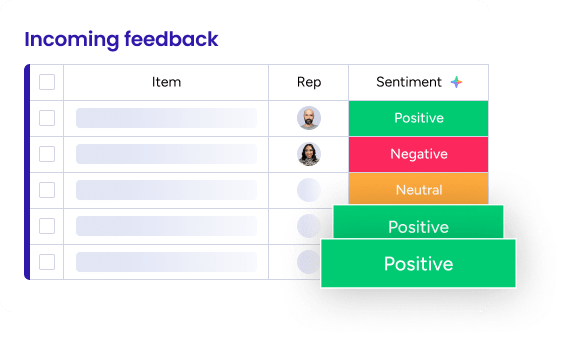
AI customer feedback analysis uses artificial intelligence to automatically process, categorize, and extract insights from customer feedback across multiple channels. Revenue teams transform support tickets, emails, calls, surveys, and social media mentions into actionable insights within seconds instead of spending hours manually reviewing each interaction.
AI models trained on language patterns analyze text and speech to understand sentiment, categorize issues, and extract key information. They surface patterns humans miss. No one has to read through every support ticket or call transcript.
Here’s how AI-powered analysis transforms feedback processing:
| Aspect | Manual analysis | AI-powered analysis |
|---|---|---|
| Processing speed | Hours or days per batch | Seconds per interaction |
| Pattern recognition | Limited to what reviewers notice | Identifies trends across large datasets |
| Consistency | Varies based on reviewer fatigue and bias | Applies identical criteria across all feedback |
| Scale | Constrained by team capacity | Handles unlimited feedback volume |
For revenue teams, this means customer insights actually drive decisions instead of sitting in reports no one reads. Customer success managers don’t have to piece together scattered signals anymore. The system identifies patterns and delivers them in context.
Feedback becomes a real-time input to revenue decisions, not a historical record you review too late to matter.
Learn more: Collecting customer feedback methods
Why AI customer feedback analysis matters for revenue teams
Here’s the problem revenue teams face: Customer feedback contains critical signals about churn risk, expansion opportunity, and deal health. Extracting those signals manually is slow, inconsistent, and often impossible at scale.
These 4 problems create the disconnect between customer signals and revenue action:
- Volume: Teams can’t manually process feedback across dozens of channels.
- Speed: By the time feedback is reviewed, the chance to act has passed.
- Visibility: Feedback sits in silos across support, sales, and customer success.
- Action: Insights don’t automatically trigger workflows or alert the right people.
These challenges cost you revenue. Missed churn signals mean lost ARR. Delayed responses to at-risk accounts mean lower customer retention rates. Unidentified upsell signals mean missed expansion revenue.
AI customer feedback analysis fixes each of these problems by processing feedback in real time, surfacing insights automatically, and triggering workflows that put insights in front of the right people while there’s still time to act.
Learn more: AI feedback digest agent
How AI analyzes customer feedback
Understanding how AI processes customer feedback removes the mystery. You’ll be equipped to evaluate platforms effectively, set realistic expectations, and get more value from your implementation.
Each core capability turns raw feedback into actionable revenue insights. Here’s what’s happening under the hood.
1. Sentiment detection across channels
Sentiment detection analyzes the emotional tone of customer feedback. It determines whether feedback is positive, negative, or neutral — and how intense that sentiment is.
This analysis works across every channel where customers communicate: support tickets, emails, call transcripts, chat messages, survey responses, and social media mentions. AI doesn’t rely on simple keyword matching. The phrase “I guess it’s fine” contains no negative words, but AI recognizes it as neutral or mildly negative based on context and tone.
The revenue impact? Tracking sentiment over time. A customer whose sentiment drops from positive to neutral to negative shows early warning signs of churn. This often appears weeks before they explicitly express dissatisfaction.
2. Categorization and taxonomy management
Categorization automatically sorts feedback into predefined categories like billing issue, feature request, technical bug, or onboarding question. No manual tagging required. AI learns your taxonomy and applies it consistently across all feedback channels.
Every piece of feedback gets organized and searchable. The difference between AI-powered categorization and simple keyword matching is huge. Consider this example:
- Keyword matching categorizes “I can’t figure out how to export my data” as a “data” issue because it contains the word “data.”
- AI categorization understands the actual intent and correctly categorizes it as an “onboarding/training” issue.
3. Theme and pattern extraction
Theme extraction goes beyond categorization. It identifies recurring topics, issues, or requests that span multiple categories. While categorization puts feedback into predefined buckets, theme extraction discovers new patterns you weren’t specifically looking for.
AI analyzes thousands of feedback instances to identify clusters of related concepts. It might discover that customers frequently mention “mobile app,” “offline access,” and “sync issues” together, revealing a broader theme about mobile experience challenges that wouldn’t be visible by looking at individual categories.
4. Summarization and multilingual processing
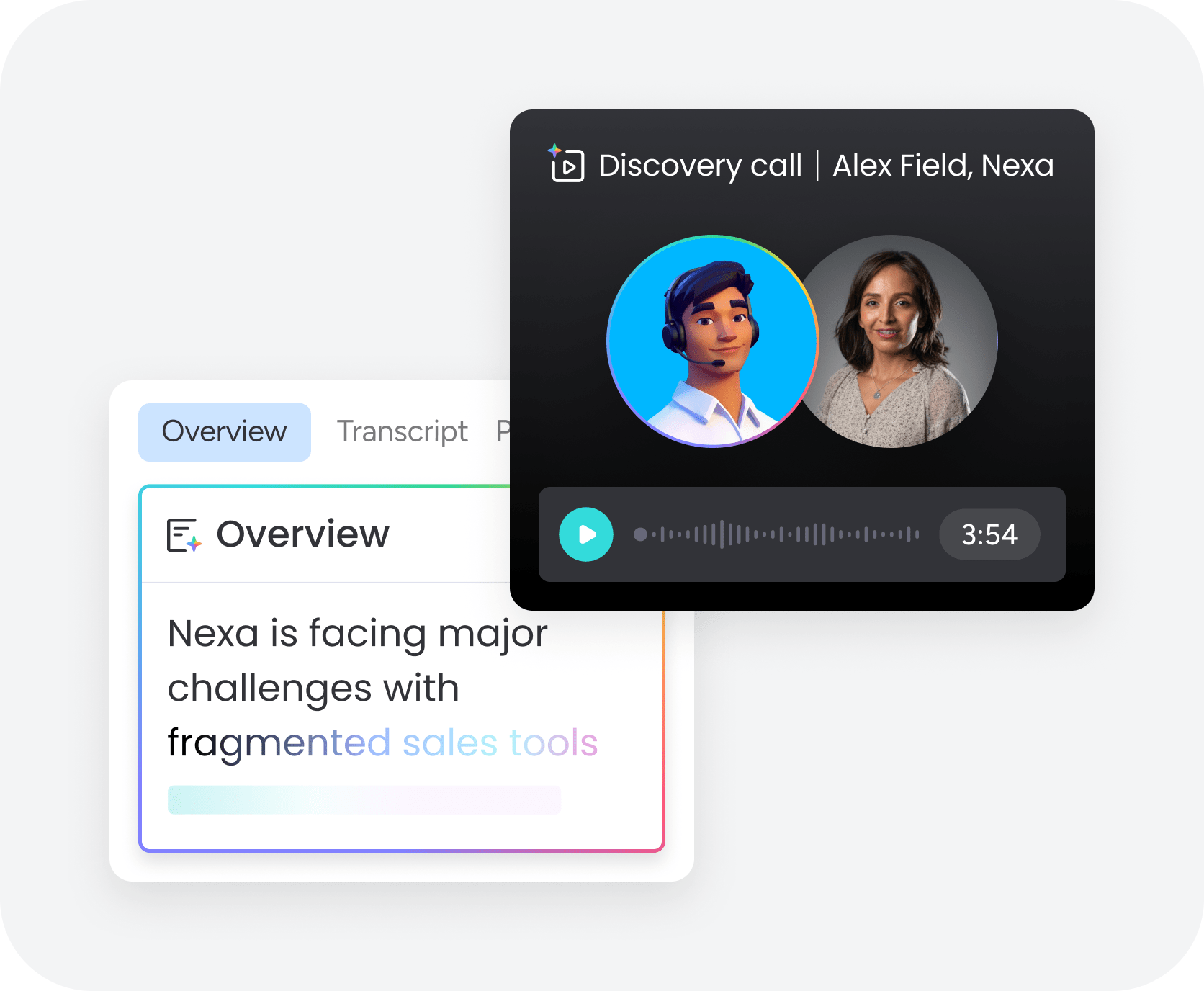
AI generates concise summaries of lengthy customer interactions, whether it’s a 45-minute sales call, a multi-message email thread, or a support ticket with 15 back-and-forth exchanges. These summaries capture:
- Key points discussed
- Customer concerns raised
- Commitments made
- Next steps agreed upon
The summarization isn’t just random sentence extraction. AI understands the narrative arc of a conversation and identifies what matters most.
AI also processes feedback across languages and channels without requiring separate systems. A customer can submit feedback in Spanish via email, French via chat, and English via phone, and AI processes all of it consistently.

Benefits of AI customer feedback analysis
AI customer feedback analysis delivers specific advantages that directly impact revenue. These benefits change how teams operate, collaborate, and drive results. Here’s what revenue teams gain in practice.
1. Faster insights from unstructured data
Most customer feedback is unstructured text, voice recordings, and open-ended survey responses. AI processes this unstructured data in seconds and surfaces actionable insights immediately.
What used to take a team days or weeks now happens automatically and continuously. A customer success team that previously spent 10 hours per week manually reviewing support tickets to identify at-risk accounts? They now get automatic alerts the moment sentiment drops or specific churn indicators appear.
2. Earlier detection of churn signals
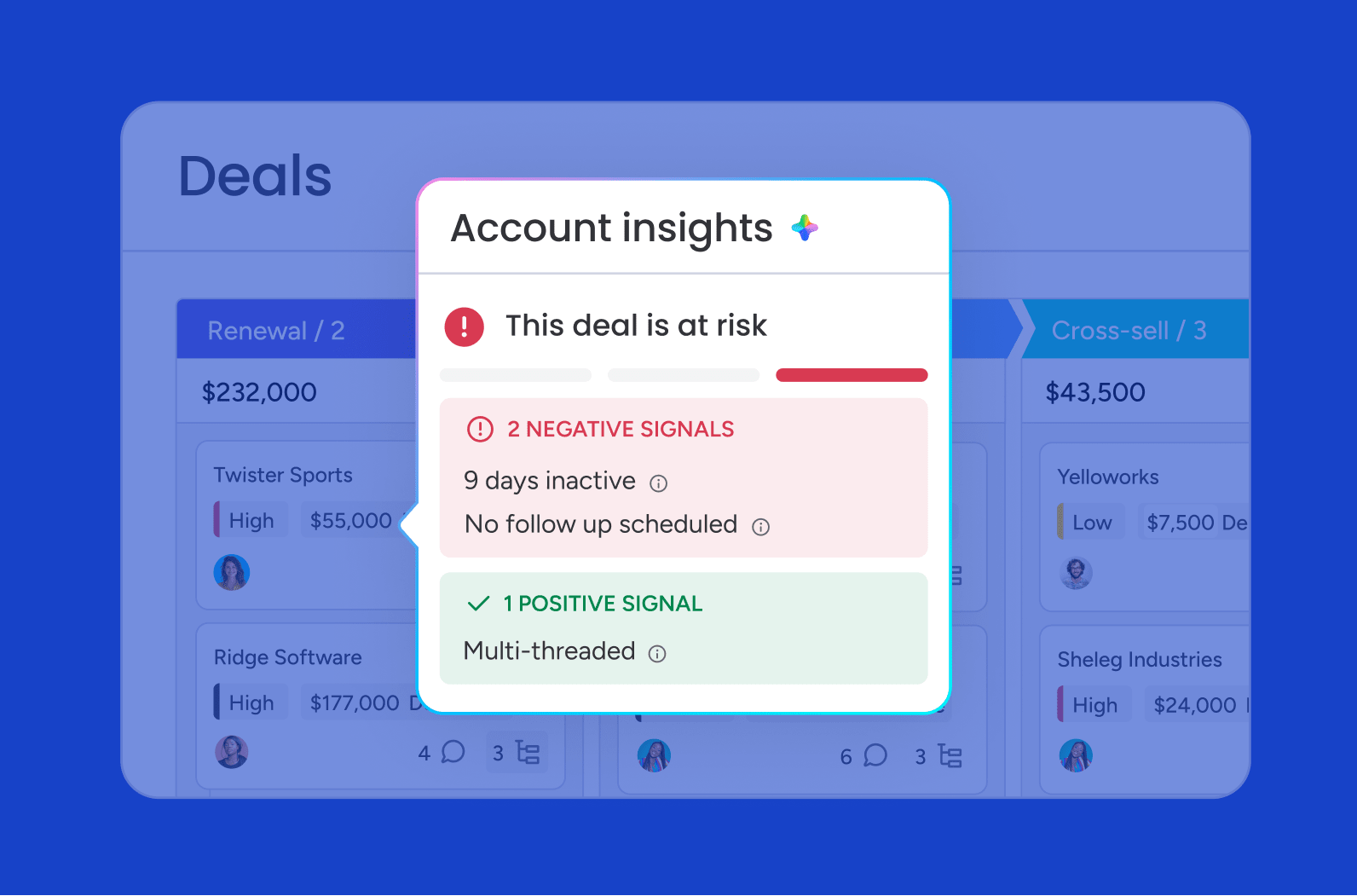
AI identifies churn signals long before they’re obvious to your team. These signals include:
- Declining sentiment over time: Gradual shifts in tone across interactions
- Increased support ticket volume: Rising frequency of issues or complaints
- Specific language patterns: Words and phrases associated with customers who previously churned
- Mentions of competitors: Direct or indirect references to alternative solutions
Early detection works by establishing a baseline for each customer and flagging deviations. The earlier you detect churn risk, the more options you have to prevent it.
3. Higher conversion through personalized outreach
AI customer feedback analysis helps sales teams close more deals by surfacing insights that make personalized, relevant outreach possible. AI analyzes feedback from prospects to identify their specific pain points, priorities, and concerns.
Generic outreach gets ignored. Personalized outreach that directly addresses a prospect’s stated concerns gets responses. AI makes personalization scalable by automatically summarizing what each prospect cares about most.
4. Less manual effort across revenue teams

CRM automation with AI eliminates repetitive, time-consuming tasks that don’t directly generate revenue:
- Categorizing support tickets: Automatic tagging based on content
- Reading through call transcripts: Instant summaries of key points
- Updating CRM records: Automatic population of feedback summaries
- Creating weekly reports: Automated generation of sentiment trends
Revenue teams spend significant time on administrative activities related to customer feedback. AI automates most of this work, freeing up time for high-value activities like customer conversations and strategic planning.
5. Stronger cross-department visibility
Customer feedback typically lives in silos. AI customer feedback analysis breaks down these silos by creating a unified view of all customer feedback, no matter where it came from.
Cross-department visibility leads to stronger decisions across the revenue organization:
- Sales enters renewal calls aware of recent support issues.
- Customer success has full context on commitments made during the sales process.
- Product sees quantified data on which features customers request most across all channels.
6. Continuous improvement through closed feedback loops
AI customer feedback analysis supports a VoC strategy by creating closed feedback loops. Customer feedback leads to insights, which lead to action, which lead to outcomes, which refine future insights. This continuous cycle ensures teams are always learning and improving based on what actually works.
Closed loops work because AI doesn’t just surface insights once. It tracks what happens after teams act on those insights and refines its recommendations based on what worked.
Core capabilities to look for in AI-powered feedback analytics software
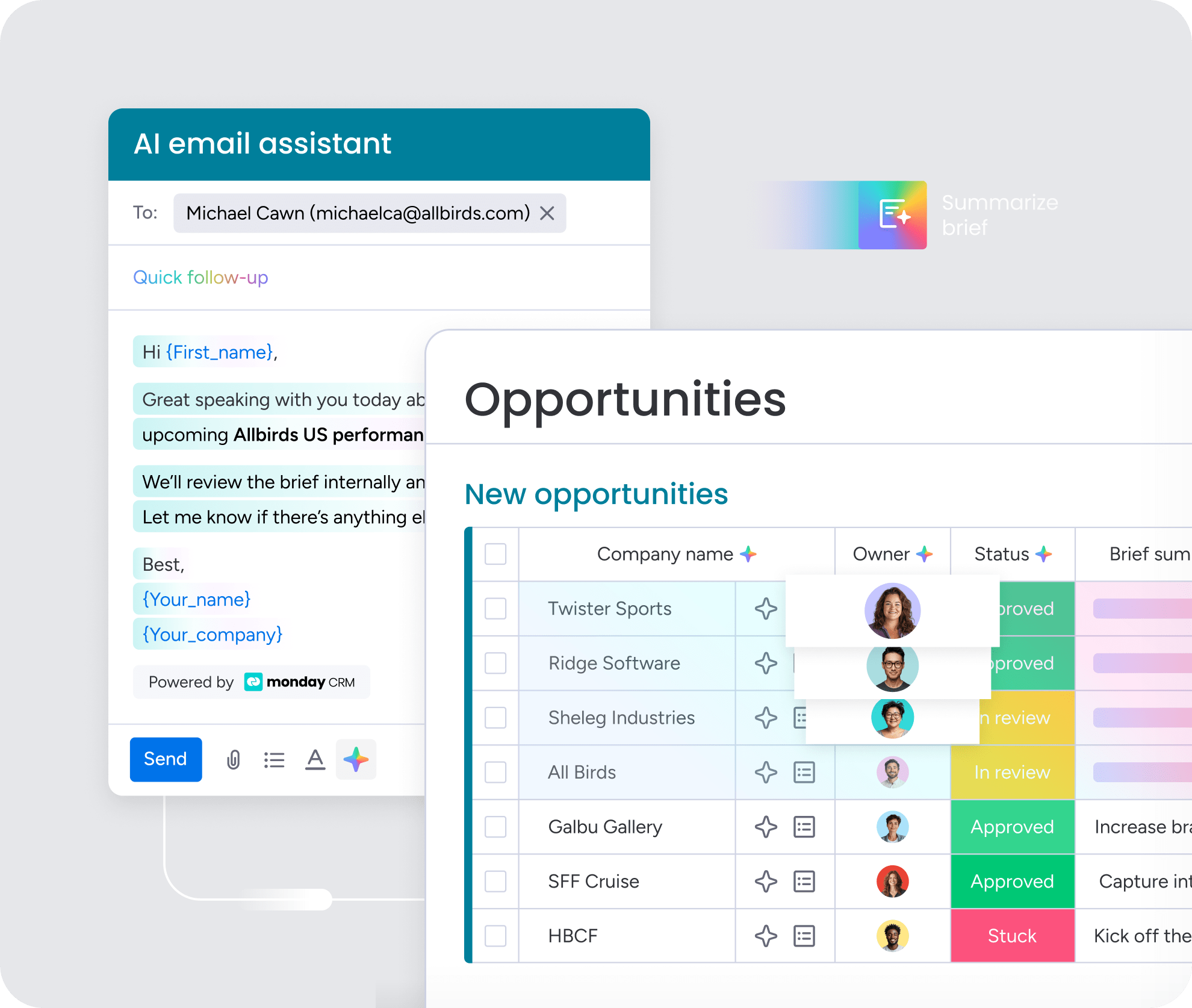
The best AI feedback analysis platforms do more than surface trends. They connect insights to the workflows and teams that can act on them. Focus on these essential capabilities when evaluating solutions.
Real-time analysis across every channel
Real-time analysis means feedback is processed and insights are surfaced immediately, not hours or days later. Customer situations change quickly, and delayed insights often arrive too late to matter.
Key capabilities that matter most when evaluating real-time analysis:
- Automatic ingestion: Feedback flows into the system automatically without manual uploads.
- Processing speed: Insights appear within minutes of feedback being received.
- Channel coverage: The platform supports all channels your customers use.
- Unified view: Feedback from different channels about the same customer is connected.
Cross-functional routing and workflow triggers
Surfacing insights is only half the value. The other half is automatically routing those insights to the right person and triggering the right workflow. Without this, insights sit unused in dashboards.
Cross-functional routing means:
- When AI detects a churn signal, it automatically alerts the customer success manager.
- When it identifies an upsell opportunity, it notifies the account executive.
- When it surfaces a product bug mentioned by multiple customers, it creates a ticket for the product team.
Native CRM integration
AI customer feedback analysis delivers the most value when insights flow directly into the CRM where revenue teams already work. Native integration means feedback insights automatically update customer records, deal stages, health scores, and other CRM fields without manual data entry.
Revenue teams live in their CRM. If insights exist in a separate system, they won’t get used consistently. Native integration makes feedback insights visible in every customer interaction.
Governance and permissions
AI customer feedback analysis handles sensitive customer data and can trigger important business actions, so governance and oversight are critical. Revenue teams need confidence that the right people have access to the right insights and that AI recommendations are reviewed before high-stakes actions are taken.
Key governance capabilities include:
- Role-based permissions
- Data privacy controls
- Human-in-the-loop workflows for high-stakes actions
- Complete audit trails of who accessed what data and which actions were taken
No-code configuration for non-technical teams
Revenue teams shouldn’t need data scientists or developers to configure and manage AI customer feedback analysis. The platform should be accessible to non-technical users who understand their business processes but may not have technical expertise.
No-code configuration means revenue operations, sales managers, and customer success leaders can set up feedback categories and define routing rules. They can also configure sentiment thresholds and customize workflows through an intuitive interface.
7 steps to implement AI customer feedback analysis
Successful implementation needs a structured approach that balances quick wins with long-term value. Rushing the setup or skipping foundational steps leads to incomplete insights and low adoption. Follow these steps for smooth adoption and maximum impact.
Step 1: Centralize every feedback source
Start by identifying and connecting all the places where collecting customer feedback already happens. This typically includes:
- Support ticket systems
- CRM notes
- Call recordings
- Email inboxes
- Chat transcripts
- Survey platforms
- Review sites
- Social media channels
Centralization matters because AI can only analyze feedback it has access to. If feedback is scattered across disconnected systems, you’ll get incomplete insights and miss important patterns.
Start by auditing current feedback sources and prioritizing by volume and value. Then establish data connections and validate data quality before moving forward.
Step 2: Define your feedback taxonomy
Taxonomy is the categorization system you’ll use to organize feedback. This includes categories like billing issue, feature request, technical bug, and onboarding question. It also covers sentiment labels, priority levels, and other classification schemes relevant to your business.
To build a taxonomy that sticks:
- Start with existing categories if you already categorize support tickets or feedback manually.
- Involve cross-functional teams to ensure categories reflect everyone’s needs.
- Keep it simple initially with 8–12 broad categories rather than 50 hyper-specific ones.
Step 3: Match AI capabilities to revenue goals
AI customer feedback analysis can do many things, but you should prioritize capabilities based on your specific revenue goals. Don’t try to implement everything at once. Use this table to align your focus:
| Revenue goal | Primary AI capability | Success metric |
|---|---|---|
| Reduce churn | Sentiment detection, churn signal identification | Time to identify at-risk accounts, save rate |
| Increase expansion | Theme extraction, opportunity identification | Expansion revenue, upsell conversion rate |
| Improve win rates | Summarization, personalization insights | Close rate, sales cycle length |
| Strengthen forecasting | Sentiment trends, deal health scoring | Forecast accuracy, pipeline predictability |
Step 4: Configure routing rules and workflows

With feedback centralized and taxonomy defined, configure how insights flow to the right people and trigger the right actions. This is where AI analysis becomes valuable operationally.
Follow these configuration principles:
- Map insights to owners: Assign each insight type to a specific role or team.
- Define escalation paths: Establish what happens when high-priority signals appear.
- Start with simple workflows: Build complexity gradually once basics are validated.
- Test with real scenarios: Run live examples before full deployment.
For example, negative sentiment from an enterprise account should route to the assigned CSM, update the account health score, and create a follow-up action item.
Step 5: Train teams on interpreting and acting on insights
AI surfaces insights, but human-AI collaboration in sales is still needed to interpret them and take action. Training ensures revenue teams understand what insights mean, how to prioritize them, and what actions to take in response.
A strong training approach includes:
- Explaining what AI is doing and why it matters
- Defining response playbooks for each type of insight
- Practicing with real examples from your own data
- Establishing feedback mechanisms for teams to flag when AI insights seem incorrect
Step 6: Measure impact against revenue metrics
Implementation isn’t complete until you’re measuring whether AI customer feedback analysis is actually improving revenue outcomes. To track impact effectively:
- Establish baselines before implementation
- Track leading indicators like time to identify risk and response rate to at-risk accounts
- Attribute outcomes to AI insights
- Report regularly to stakeholders
Step 7: Iterate based on results and feedback
AI customer feedback analysis improves over time as you refine taxonomy, adjust routing rules, and incorporate feedback from teams using the system. Schedule regular reviews to assess what’s working and what needs adjustment.
Ongoing iteration should include:
- Refining taxonomy as new patterns emerge
- Adjusting routing and workflows based on team feedback
- Expanding coverage once initial capabilities are validated
How monday CRM connects customer feedback to revenue outcomes
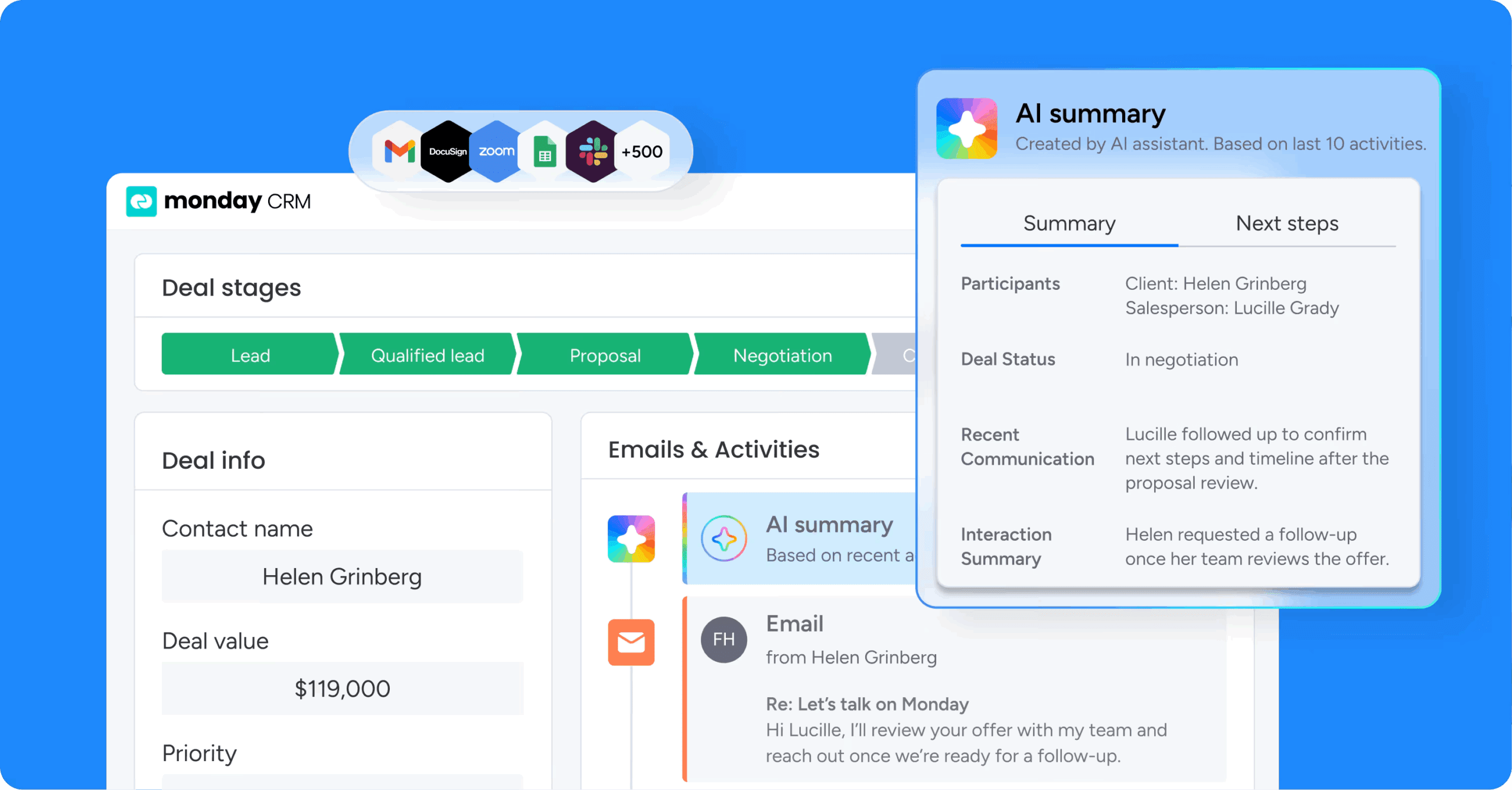
monday CRM integrates AI customer feedback analysis directly into the CRM environment where revenue teams already work. Rather than requiring separate platforms or complex integrations, feedback insights appear in context on account records, in deal views, and alongside customer timelines. Here’s how each capability works in practice.
AI-powered feedback processing within your CRM
monday CRM’s AI capabilities process customer feedback from multiple channels and surface insights directly within the platform. When a customer submits a support ticket or completes a call, AI analyzes the interaction and updates the CRM record with:
- Sentiment scores
- Main topics discussed
- Action items identified
- Signals relevant to deal health or churn risk
The Emails & Activities timeline summary feature condenses months of communication into a short, actionable overview. AI detects sentiment shifts across the relationship history, so reps walk into every conversation prepared with full context. This integration means teams don’t need to switch between platforms to understand customer sentiment or access feedback insights.
Automated workflows that turn insights into action

monday CRM’s automation capabilities connect AI insights to workflows that ensure the right people take the right actions. These workflows are configurable without technical expertise through a visual interface.
Common configurations include:
- Churn risk workflows: Alert the CSM and update account health when sentiment drops.
- Expansion opportunity workflows: Notify account executives when positive signals appear.
- Handoff workflows: Generate summaries of all customer interactions when deals move between stages.
Teams can build these automations using monday CRM’s no-code interface, adjusting triggers and actions as business needs evolve.
Unified visibility across revenue teams
monday CRM creates a single source of truth for customer feedback across sales, customer success, and support. Feedback from any channel flows into the same system and appears on the same customer record.
This unified visibility eliminates the silos that cause misalignment and missed opportunities. Dashboard and reporting capabilities surface aggregate insights for leadership, including:
- Sentiment trends across customer segments
- Top issues driving support volume
- Churn risk distribution across the portfolio
- Expansion opportunity pipeline
Revenue leaders gain the visibility they need to make informed decisions about resource allocation and strategic priorities.
No-code configuration for revenue teams
monday CRM’s AI feedback analysis capabilities are configurable by revenue operations and business users without requiring technical expertise. Setting up feedback categories, defining routing rules, configuring sentiment thresholds, and customizing workflows all happen through an intuitive interface.
This accessibility means revenue teams can iterate quickly as business needs change. When a new category of customer feedback emerges, teams can add it to the taxonomy immediately. When routing rules need adjustment, teams can make changes without waiting for IT support. The platform adapts to how your team works, not the other way around.

“With monday CRM, we’re finally able to adapt the platform to our needs — not the other way around. It gives us the flexibility to work smarter, cut costs, save time, and scale with confidence.”
Samuel Lobao | Contract Administrator & Special Projects, Strategix
“Now we have a lot less data, but it’s quality data. That change allows us to use AI confidently, without second-guessing the outputs.”
Elizabeth Gerbel | CEO
“Without monday CRM, we’d be chasing updates and fixing errors. Now we’re focused on growing the program — not just keeping up with it."
Quentin Williams | Head of Dropship, Freedom Furniture
“There’s probably about a 70% increase in efficiency in regards to the admin tasks that were removed and automated, which is a huge win for us.“
Kyle Dorman | Department Manager - Operations, Ray White
"monday CRM helps us make sure the right people have immediate visibility into the information they need so we're not wasting time."
Luca Pope | Global Client Solutions Manager at Black Mountain
“In a couple of weeks, all of the team members were using monday CRM fully. The automations and the many integrations, make monday CRM the best CRM in the market right now.”
Nuno Godinho | CIO at Velv
“monday.com provides developmental flexibility, operational efficiency, and data transparency — all in one place. We became a company that moved from chasing data to leading with it.”
Hyunghan Lee | Team Lead, Sandbox Network
"monday.com brought every part of our business into one connected space. The harmony between work management and CRM has become our operating system — giving us the clarity and confidence to scale.”
Jennifer Chinburg | Executive Vice President of Corporate Development & Brand, Chinburg Properties
“We just weren’t getting value from our old CRM. With monday.com, it's a thousand times better. Our sales teams are more informed, more consistent, and far more connected."
James Arnold | Chief Operating Officer, CenversaUsing customer feedback to drive revenue
The voice of the customer has always contained the answers. The challenge has been extracting them fast enough to act. AI customer feedback analysis closes that gap. It turns scattered signals from support tickets, calls, surveys, and emails into real-time intelligence revenue teams can use.
The teams that get the most value from this approach aren’t the ones with the most data. They’re the ones who connect insights to action, route the right signals to the right people, and build feedback loops that improve over time. That’s what separates reactive teams from ones that consistently hit their numbers.
Try monday CRMFAQs
What is AI customer feedback analysis?
AI customer feedback analysis uses artificial intelligence to automatically process, categorize, and extract insights from customer feedback. Channels include support tickets, emails, calls, surveys, reviews, and social media. AI models analyze text and speech to understand sentiment, categorize issues, identify themes, and surface actionable insights that help revenue teams make informed decisions.
How does AI analyze customer sentiment?
AI analyzes customer sentiment by examining the emotional tone of feedback to determine whether it's positive, negative, or neutral and how intense that sentiment is. Rather than relying on simple keyword matching, AI understands context, tone, and intensity to accurately classify feedback and track sentiment changes over time.
What types of customer feedback can AI analyze?
AI can analyze support tickets, emails, phone call transcripts, chat messages, survey responses, online reviews, social media mentions, sales call recordings, and internal notes. Advanced AI systems process feedback across multiple languages and connect feedback from the same customer across different channels.
How does AI customer feedback analysis reduce churn?
AI customer feedback analysis reduces churn by identifying at-risk customers earlier than manual methods. It detects declining sentiment, increased support volume, competitor mentions, and language patterns from churned customers. This early detection gives teams time to intervene before customers decide to leave.
What should I look for in AI customer feedback analysis software?
Key capabilities include real-time analysis, cross-functional routing, native CRM integration, governance controls, and no-code configuration. The most important factor is whether the platform connects insights to action rather than just surfacing data in dashboards.
How long does it take to implement AI customer feedback analysis?
Implementation timelines vary based on the number of feedback sources, integrations, and workflows involved. A focused rollout can often start with 1 or 2 channels before expanding across the full customer journey.
